Introduction
RAW photo processing tools are specialized software applications designed to edit and enhance RAW image files captured by digital cameras. Unlike JPEG images, RAW files store uncompressed sensor data, giving photographers maximum control over exposure, color, sharpness, and dynamic range. These tools allow users to extract the highest possible image quality without permanently altering the original file.
RAW photo processing is important because it preserves detail, improves post-processing flexibility, and enables professional-level color grading. Photographers working in landscapes, portraits, weddings, wildlife, fashion, journalism, and commercial photography rely heavily on RAW workflows to achieve consistent and high-quality results. These tools are also widely used by content creators, designers, and studios that demand accurate color reproduction and nondestructive editing.
When choosing a RAW photo processing tool, users should evaluate image quality, color science, performance speed, batch processing, camera support, user interface, and workflow integration. Pricing, learning curve, and export flexibility also play a major role in long-term satisfaction.
Best for: Professional photographers, advanced hobbyists, creative studios, media teams, and content creators who need high-quality image control and nondestructive workflows.
Not ideal for: Casual users who only need basic photo filters, quick edits, or mobile-only solutions without RAW editing requirements.
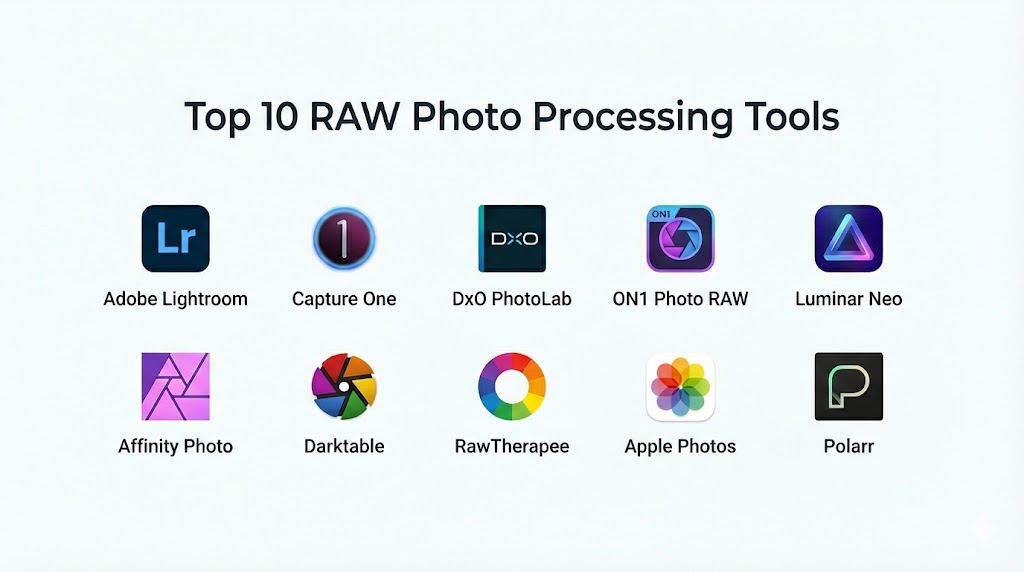
Top 10 RAW Photo Processing Tools
1 — Adobe Lightroom Classic
A professional-grade RAW photo editor designed for photographers managing large photo libraries with advanced color and tonal control.
Key features
- Advanced RAW development engine
- Nondestructive editing workflow
- AI-powered masking and presets
- Batch editing and catalog management
- Wide camera and lens profile support
Pros
- Industry-standard workflow
- Excellent color science
- Strong ecosystem integration
Cons
- Subscription-based pricing
- Performance can slow on large catalogs
Security & compliance
Encryption and account-based security; compliance varies by region.
Support & community
Extensive documentation, tutorials, forums, and enterprise support options.
2 — Capture One Pro
A high-end RAW editor favored by studio and commercial photographers for its color accuracy and tethered shooting capabilities.
Key features
- Advanced color grading tools
- Industry-leading tethered capture
- Customizable workspace
- High dynamic range editing
- Layer-based adjustments
Pros
- Superior color precision
- Fast tethered workflows
- Professional-grade tools
Cons
- Steeper learning curve
- Premium pricing
Security & compliance
Local file-based security; compliance varies.
Support & community
Strong professional community, tutorials, and paid support.
3 — DxO PhotoLab
A RAW processor focused on image quality, noise reduction, and optical corrections using AI-driven technology.
Key features
- AI-based noise reduction
- Optical lens corrections
- Deep color and tonal adjustments
- Smart lighting controls
- High-quality RAW rendering
Pros
- Outstanding noise reduction
- Excellent image sharpness
- Minimal manual adjustments needed
Cons
- Limited asset management
- Smaller plugin ecosystem
Security & compliance
Local processing; compliance not applicable.
Support & community
Good documentation and responsive customer support.
4 — ON1 Photo RAW
An all-in-one photo editor combining RAW processing, layers, effects, and asset management.
Key features
- Non-destructive RAW editing
- AI-powered tools
- Built-in effects and presets
- Layer-based workflow
- Local file management
Pros
- No subscription required
- Feature-rich toolset
- Flexible workflow
Cons
- Performance can vary
- Interface may feel crowded
Security & compliance
Local storage-based security.
Support & community
Active user community and tutorials.
5 — Darktable
An open-source RAW photo editor designed for photographers seeking a powerful and free alternative.
Key features
- Advanced RAW development modules
- Non-destructive editing
- Color management tools
- Cross-platform support
- Scriptable workflow
Pros
- Completely free
- Highly customizable
- Strong community-driven development
Cons
- Steep learning curve
- Less polished interface
Security & compliance
Local processing; not applicable.
Support & community
Large open-source community and documentation.
6 — RawTherapee
A high-quality open-source RAW editor focused on image fidelity and fine detail control.
Key features
- Advanced demosaicing algorithms
- Detailed tone and color controls
- Non-destructive workflow
- Cross-platform compatibility
- Batch processing
Pros
- Exceptional image quality
- Free and open-source
- Highly configurable
Cons
- Complex interface
- Slower processing on large files
Security & compliance
Local-only processing.
Support & community
Strong community forums and guides.
7 — Luminar Neo
A modern RAW editor emphasizing AI-powered enhancements and creative editing.
Key features
- AI-driven sky replacement
- Automatic portrait enhancements
- RAW development tools
- Creative filters and presets
- Layer-based editing
Pros
- Easy to use
- Fast creative workflows
- One-time purchase option
Cons
- Less manual control for professionals
- Performance depends on hardware
Security & compliance
Local processing; varies by deployment.
Support & community
Active community and tutorials.
8 — Affinity Photo
A professional photo editor offering RAW development and advanced retouching without subscriptions.
Key features
- Dedicated RAW development persona
- Advanced retouching tools
- Layer-based editing
- High-bit-depth support
- One-time license
Pros
- No subscription fees
- Powerful editing tools
- Affordable pricing
Cons
- Weaker asset management
- Smaller preset ecosystem
Security & compliance
Local file-based security.
Support & community
Good documentation and growing community.
9 — Apple Photos with RAW Editing
A consumer-friendly solution offering basic RAW processing integrated into the Apple ecosystem.
Key features
- Native RAW support
- Simple color and exposure tools
- Seamless cloud integration
- Nondestructive editing
- Easy sharing
Pros
- Easy to use
- Included with Apple devices
- Smooth ecosystem integration
Cons
- Limited advanced controls
- Not suitable for professionals
Security & compliance
Apple ecosystem security and encryption.
Support & community
Apple support resources and forums.
10 — Polarr
A lightweight photo editor offering basic RAW processing with AI-driven enhancements.
Key features
- Simple RAW support
- AI-powered filters
- Cross-platform availability
- Cloud-based presets
- Fast editing workflow
Pros
- Beginner-friendly
- Fast performance
- Affordable
Cons
- Limited professional controls
- Not suitable for large workflows
Security & compliance
Cloud-based security varies.
Support & community
Online help center and user community.
Comparison Table
| Tool Name | Best For | Platforms Supported | Standout Feature | Rating |
|---|---|---|---|---|
| Adobe Lightroom Classic | Professional photographers | Windows, macOS | Industry-standard RAW workflow | N/A |
| Capture One Pro | Studio and commercial work | Windows, macOS | Color accuracy | N/A |
| DxO PhotoLab | Image quality and noise control | Windows, macOS | AI noise reduction | N/A |
| ON1 Photo RAW | All-in-one editing | Windows, macOS | No subscription | N/A |
| Darktable | Open-source users | Windows, macOS, Linux | Free advanced RAW tools | N/A |
| RawTherapee | Detail-focused editing | Windows, macOS, Linux | Image fidelity | N/A |
| Luminar Neo | Creative photographers | Windows, macOS | AI enhancements | N/A |
| Affinity Photo | Budget-conscious pros | Windows, macOS, iPadOS | One-time license | N/A |
| Apple Photos | Casual users | macOS, iOS | Seamless integration | N/A |
| Polarr | Beginners | Web, Mobile, Desktop | Fast editing | N/A |
Evaluation and Scoring of RAW Photo Processing Tools
| Criteria | Weight | Description |
|---|---|---|
| Core features | 25% | Depth and quality of RAW tools |
| Ease of use | 15% | Learning curve and UI |
| Integrations and ecosystem | 15% | Workflow compatibility |
| Security and compliance | 10% | Data protection |
| Performance and reliability | 10% | Speed and stability |
| Support and community | 10% | Help resources |
| Price and value | 15% | Cost vs features |
Which RAW Photo Processing Tool Is Right for You?
Solo photographers and hobbyists benefit from easy-to-use tools with strong presets. SMBs and studios need batch processing, tethered capture, and asset management. Budget-conscious users may prefer open-source or one-time purchase software, while enterprises often choose subscription-based platforms for scalability and support.
Frequently Asked Questions
What is a RAW photo file?
A RAW file contains unprocessed image data directly from the camera sensor.
Why use RAW instead of JPEG?
RAW files provide more detail and editing flexibility.
Are RAW editors nondestructive?
Most modern tools preserve the original file while saving edits separately.
Do RAW editors support all cameras?
Support varies by software and camera model.
Is AI important in RAW processing?
AI improves noise reduction, masking, and automation.
Can beginners use RAW tools?
Yes, especially AI-powered or simplified tools.
Do I need a powerful computer?
RAW editing benefits from strong CPU, GPU, and RAM.
Are free RAW editors good enough?
Yes, for advanced users willing to learn complex workflows.
Can RAW tools manage photo libraries?
Some include asset management; others focus only on editing.
Is subscription pricing better?
It depends on workflow needs and budget preferences.
Conclusion
RAW photo processing tools are essential for photographers who want maximum creative control and image quality. Each tool offers a unique balance of features, performance, and usability. The best choice depends on your skill level, budget, workflow complexity, and creative goals. There is no universal winner, but the right tool can significantly elevate your photography results.
RAW photo processing is where the true creative potential of a photograph is unlocked, offering unmatched control over detail and color. This guide contrasts industry titans like Lightroom and Capture One with powerful open-source alternatives like Darktable and RawTherapee. It’s a helpful resource for any photographer looking to elevate their workflow and achieve professional-grade results.