Introduction
Quality Inspection Computer Vision refers to the integration of high-resolution cameras, specialized lighting, and sophisticated artificial intelligence algorithms to automatically verify product integrity. Unlike traditional rule-based machine vision, these modern tools utilize deep learning to “understand” what a good part looks like, allowing them to detect subtle surface scratches, assembly errors, or color deviations in real-time. By processing hundreds of images per second, these systems ensure that every single unit leaving the line meets the highest standards.
The importance of these tools lies in their ability to eliminate subjectivity. Human inspectors are prone to fatigue, varying lighting conditions, and individual bias; a computer vision system remains objective 24/7. Key real-world use cases include semiconductor wafer inspection, pharmaceutical blister pack verification, automotive weld analysis, and food packaging seal integrity. When choosing a tool in this category, evaluators should focus on its ability to handle low-data training (few-shot learning), its integration with existing Programmable Logic Controllers (PLCs), and its “edge” processing capabilities to ensure zero-latency decisions on the line.
Best for: High-volume manufacturers in the electronics, automotive, pharmaceutical, and aerospace sectors. It is ideal for Quality Assurance (QA) managers seeking to reduce scrap rates and engineering teams looking to automate high-precision measurements.
Not ideal for: Small-scale artisanal workshops where products are unique or highly variable, or environments where the cost of a vision system outweighs the cost of occasional manual errors. It may also be overkill for companies with very low production speeds where human oversight is still 100% effective.
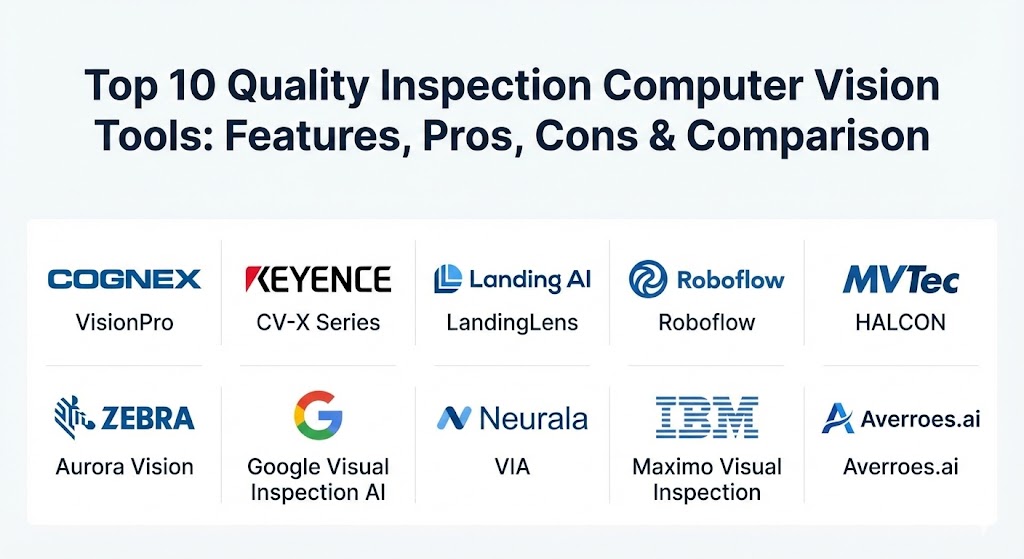
Top 10 Quality Inspection Computer Vision Tools
1 — Cognex VisionPro
Cognex VisionPro is the industry heavyweight, providing a comprehensive library of vision tools designed for the most demanding industrial applications. It is built for engineers who need deep control over alignment, inspection, and identification tasks.
- Key features:
- PatMax technology for industry-leading part location and alignment.
- Deep learning integration for complex defect detection and classification.
- Support for multi-camera setups with synchronized high-speed capture.
- Extensive 2D and 3D vision toolsets for metrology and gauging.
- High-performance OCR and barcode reading under difficult conditions.
- Tight integration with Cognex’s proprietary smart cameras and sensors.
- Pros:
- Unmatched reliability in high-precision engineering environments.
- Massive library of pre-built algorithms that reduce custom coding.
- Cons:
- Steep learning curve requiring specialized training for power users.
- The proprietary hardware lock-in can make it a more expensive ecosystem.
- Security & compliance: Supports SSO, encrypted communication, and detailed audit trails. Compliant with 21 CFR Part 11 for life sciences.
- Support & community: Extensive global network of certified integrators and a deep repository of technical manuals and webinars.
2 — Keyence CV-X Series
Keyence is known for its “all-in-one” approach, providing high-end hardware and software that work in perfect harmony. The CV-X series is designed for rapid deployment without the need for extensive programming.
- Key features:
- Integrated LumiTrax lighting that highlights surface defects by eliminating shadows.
- Auto-teaching functions that learn “good” parts from a small sample set.
- High-speed 3D inspection for volume and height verification.
- Navigator software that guides users through a step-by-step setup.
- Built-in statistical analysis tools to track defect trends in real-time.
- Direct connection to almost any PLC brand via standard industrial protocols.
- Pros:
- Extremely fast setup; a basic inspection can be live in hours, not weeks.
- The hardware-software synergy ensures very low latency and high reliability.
- Cons:
- Less flexible for developers who want to write custom low-level code.
- Software is generally tied to Keyence hardware controllers.
- Security & compliance: Secure user levels and data logging. Varies by hardware model.
- Support & community: Aggressive and highly knowledgeable direct sales and support staff who often provide on-site troubleshooting.
3 — Landing AI (LandingLens)
Founded by AI pioneer Andrew Ng, Landing AI’s LandingLens is a “data-centric” platform. It focuses on the quality of the data (images) used to train models, rather than just the model architecture itself.
- Key features:
- Data-centric AI workflow that identifies and fixes inconsistent labeling.
- Few-shot learning capabilities that require very few images to start.
- Cloud-to-edge deployment options for flexible factory layouts.
- Collaboration tools for teams to label and review images together.
- “Segment” and “Classify” modules designed specifically for industrial defects.
- Automated model health monitoring to detect “drift” in production.
- Pros:
- Built specifically for manufacturing experts, not just data scientists.
- Exceptionally high accuracy for “messy” defects like cracks or stains.
- Cons:
- Requires a consistent internet connection for the cloud-based training phase.
- Can be more expensive than traditional rule-based vision systems.
- Security & compliance: SOC 2 Type II compliant with end-to-end encryption.
- Support & community: Strong focus on customer success with a growing library of “AI for Manufacturing” tutorials.
4 — Roboflow
Roboflow is a versatile, developer-friendly platform that has gained massive traction for its ability to manage the entire computer vision lifecycle from dataset management to edge deployment.
- Key features:
- Support for over 40 different image formats and annotation types.
- Roboflow Universe: A massive public library of pre-labeled datasets.
- One-click data augmentation to artificially expand small datasets.
- Integration with state-of-the-art models like YOLOv8 and Transformers.
- Flexible deployment to web, mobile, or specialized edge devices (NVIDIA Jetson).
- Powerful API for building custom inspection workflows.
- Pros:
- The most flexible tool for developers and startups needing rapid prototyping.
- Low barrier to entry with a very intuitive, modern web interface.
- Cons:
- Less specialized in traditional industrial metrology compared to Cognex.
- Ongoing subscription costs can add up as your data volume grows.
- Security & compliance: SSO integration, role-based access, and private cloud deployment options.
- Support & community: Excellent developer documentation and a huge, active open-source community.
5 — MVTec HALCON
MVTec HALCON is the comprehensive standard software for machine vision with a massive library of operators. It is the “Swiss Army Knife” for high-end vision developers across the globe.
- Key features:
- 2,100+ operators for image processing, 3D vision, and deep learning.
- Hardware-agnostic software that works with any industrial camera.
- Exceptional performance on multi-core processors and GPUs.
- Advanced sub-pixel metrology for ultra-high-precision measurements.
- Anomaly detection that finds “unseen” defects with only good images.
- Matching and identification tools that work even under low contrast.
- Pros:
- The most powerful and flexible software for complex, custom vision projects.
- No hardware lock-in; you can choose the best cameras for your budget.
- Cons:
- High complexity requires advanced programming skills (C++, C#, or Python).
- No built-in graphical user interface; you must build your own front-end.
- Security & compliance: Supports secure communication protocols and audit-compliant data handling.
- Support & community: Highly professional technical support and a global network of expert partners.
6 — Zebra Aurora Vision
Zebra (formerly Matrox Imaging) provides the Aurora Vision suite, which offers both a graphical environment and a deep-level library for machine vision and computer vision applications.
- Key features:
- Aurora Vision Studio: A data-flow based graphical environment for non-programmers.
- Integrated deep learning tools for OCR and surface inspection.
- Support for 1,000+ industrial camera models and frame grabbers.
- Advanced 3D vision tools for robotic guidance and bin picking.
- High-speed filter library optimized for modern CPU architectures.
- Easy integration with Zebra’s rugged industrial scanning hardware.
- Pros:
- “Best of both worlds” with its graphical and code-based environments.
- Excellent for high-speed assembly line monitoring and tracking.
- Cons:
- The transition from Matrox to Zebra branding has led to some platform fragmentation.
- Can be resource-heavy on older industrial PCs.
- Security & compliance: Enterprise-grade security with support for industrial network standards.
- Support & community: Strong global presence with enterprise-level 24/7 support availability.
7 — Google Visual Inspection AI
Google has brought its world-class AI research to the factory floor with a specialized product designed to outperform general-purpose AI models in industrial defect detection.
- Key features:
- Purpose-built models for manufacturing defects (up to 10x more accurate than general AI).
- Integrated labeling tools that guide operators through the process.
- Seamless deployment to “Edge TPUs” for sub-millisecond on-device inference.
- Active learning loops that improve the model as it sees more production data.
- Centralized management of vision models across multiple global plants.
- Tight integration with Google Cloud’s BigQuery for advanced analytics.
- Pros:
- Industry-leading accuracy for the most difficult “unstructured” defects.
- The easiest path for enterprises already invested in the Google Cloud ecosystem.
- Cons:
- Requires a significant cloud footprint for model training and management.
- Pricing is often based on usage, which can be difficult to predict.
- Security & compliance: ISO 27001, SOC 2/3, and GDPR compliant.
- Support & community: Full enterprise support through the Google Cloud platform.
8 — Neurala (VIA)
Neurala specializes in “Vision Inspection Automation” (VIA) with a focus on ease of use and the ability to train models quickly with minimal data.
- Key features:
- “Lifelong Learning” AI that can be updated in production without retraining from scratch.
- Anomaly detection that flags anything that doesn’t look like a “good” part.
- Hardware-agnostic software that runs on standard industrial PCs.
- Minimal data requirements (train a usable model with 10–20 images).
- Offline training and deployment for air-gapped factory environments.
- Simple “Red/Green” output logic for easy integration with reject arms.
- Pros:
- Perfect for environments with high product turnover and rare defects.
- Can run on low-power edge devices, avoiding the need for expensive servers.
- Cons:
- Less focus on high-precision metrology and 3D measurements.
- The anomaly detection can be sensitive to lighting changes if not properly shielded.
- Security & compliance: Secure edge processing keeps sensitive data inside the factory.
- Support & community: Very responsive support team focused on small-to-medium manufacturing.
9 — IBM Maximo Visual Inspection
IBM has integrated computer vision into its massive Maximo asset management ecosystem, making it a powerful tool for organizations that track asset health at scale.
- Key features:
- End-to-end workflow from mobile image capture to model deployment.
- Support for high-resolution video streams and real-time inference.
- Deployment to iOS devices, transforming standard iPhones into inspection tools.
- Integrated analytics for root-cause analysis across the entire production chain.
- Auto-labeling features that use pre-trained models to speed up data prep.
- Native connection to Maximo Asset Management for automated work order creation.
- Pros:
- Best for maintenance-focused quality (inspecting the machine and the product).
- The “mobile first” approach allows for easy inspection of large, stationary assets.
- Cons:
- Most effective only when used as part of the broader (and expensive) IBM ecosystem.
- The setup can be heavy for a single, isolated production line.
- Security & compliance: High-level encryption, SOC 2, and IBM’s global security standards.
- Support & community: Professional enterprise support with a vast global training network.
10 — Averroes.ai
Averroes.ai is a specialized AI visual inspection platform that focuses on high-stakes manufacturing where “zero escapes” is the absolute requirement.
- Key features:
- “WatchDog” anomaly detection to catch unknown or previously unseen defect types.
- Virtual metrology capabilities for sub-micron level inspection.
- Works with legacy AOI (Automated Optical Inspection) and inspection cameras.
- High classification accuracy (99%+) in real-world factory noise.
- Dashboard for real-time defect monitoring and smart alerts.
- Flexible deployment: fully on-prem, cloud, or hybrid.
- Pros:
- Excellent fit for manufacturers who already have cameras but want AI performance.
- Drastic reduction in false rejects compared to traditional vision systems.
- Cons:
- Newer player in the market with a smaller (though growing) community.
- Requires existing high-quality image data to be most effective.
- Security & compliance: Secure data handling and encrypted local processing.
- Support & community: Personalized onboarding and high-touch technical assistance.
Comparison Table
| Tool Name | Best For | Platform(s) Supported | Standout Feature | Rating (Gartner/TrueReview) |
| Cognex VisionPro | High-precision engineering | Windows, Cognex Hardware | PatMax Alignment | 4.8 / 5 |
| Keyence CV-X | High-speed, easy setup | Keyence Controllers | LumiTrax Lighting | 4.7 / 5 |
| Landing AI | Complex defect detection | Cloud / Edge | Data-Centric Workflow | 4.6 / 5 |
| Roboflow | Developers & Prototyping | Cloud / Web / Edge | Roboflow Universe | 4.7 / 5 |
| MVTec HALCON | Custom Vision Systems | Windows, Linux, Arm | 2,100+ Operators | 4.9 / 5 |
| Zebra Aurora | Assembly Line Monitoring | Windows, Zebra Hardware | Flowchart-based IDE | 4.5 / 5 |
| Google Visual AI | Enterprise Cloud Users | Google Cloud / Edge | Edge TPU Deployment | 4.6 / 5 |
| Neurala VIA | Small/Rare Datasets | Windows, Edge PC | Lifelong Learning AI | 4.4 / 5 |
| IBM Maximo VI | Asset Maintenance | iOS, Linux, Cloud | Mobile Integration | 4.3 / 5 |
| Averroes.ai | Legacy Hardware Upgrades | On-Prem / Cloud | Virtual Metrology | 4.5 / 5 |
Evaluation & Scoring of Quality Inspection Computer Vision
The following rubric is used by many industry leaders to score these tools during the pilot phase of a project.
| Category | Weight | Evaluation Criteria |
| Core Features | 25% | Defect detection accuracy, metrology precision, and 3D support. |
| Ease of Use | 15% | The “no-code” potential for quality engineers vs. need for data scientists. |
| Integrations | 15% | Compatibility with PLCs, MES, and existing camera hardware. |
| Security & Compliance | 10% | Support for 21 CFR Part 11, audit trails, and data encryption. |
| Performance | 10% | Processing speed (latency) and ability to handle high frame rates. |
| Support & Community | 10% | Quality of documentation and availability of local system integrators. |
| Price / Value | 15% | Hardware costs, license fees, and potential ROI from scrap reduction. |
Which Quality Inspection Computer Vision Tool Is Right for You?
Selecting the right tool depends largely on your technical expertise and your current infrastructure.
- Solo Users & Small Shops: If you are a developer looking to build a custom tool, Roboflow or OpenCV (open source) are the best starting points. If you are a manufacturer wanting something that “just works,” look at Neurala.
- Medium-Sized Factories: If you need to deploy quickly and have the budget for hardware, Keyence is unbeatable for simplicity. If you want to use your own cameras and have engineering staff, Averroes.ai or JSCAPE are excellent mid-market choices.
- Large Enterprises: For standardizing across global plants, Google Visual Inspection AI or IBM Maximo provide the centralized control you need. If you are building high-precision medical or aerospace parts, Cognex or MVTec HALCON are the gold standards.
- Specific Use Cases:
- Surface defects on metal: Keyence with LumiTrax.
- Complex AI classification: Landing AI.
- High-speed 3D measuring: MVTec HALCON.
- Mobile/Manual inspections: IBM Maximo.
Frequently Asked Questions (FAQs)
1. How many images do I need to train an AI vision system? It varies. Traditional deep learning might need thousands, but “few-shot” tools like Landing AI or Neurala can create a usable model with as few as 20 to 50 “good” and “bad” images.
2. Can computer vision see defects that are invisible to humans? Yes. By using different wavelengths of light (Infrared or UV) and specialized sensors, these systems can detect sub-surface cracks or microscopic variations in material texture.
3. Does the system need to be in the cloud to work? No. Most industrial tools offer “Edge” deployment, where the inspection happens on a local computer or the camera itself, ensuring the data never leaves the factory floor.
4. How does lighting affect performance? Lighting is 80% of a vision project. Proper lighting (ring lights, backlights, etc.) ensures the defect is visible to the sensor. Software like Keyence’s LumiTrax can help compensate for lighting variations.
5. What is the difference between “Anomalies” and “Defects”? A defect is a known failure (e.g., a scratch). An anomaly is anything that looks different from a “perfect” part. Anomaly detection is useful for catching new types of errors.
6. Can computer vision perform measurements? Yes. This is called “metrology.” High-end tools like Cognex and MVTec can measure dimensions down to the micron level with extremely high repeatability.
7. Can I use my existing cameras with these tools? Many software-only tools (MVTec, Roboflow, Averroes) are hardware-agnostic and work with any GigE or USB3 Vision camera. Others (Cognex, Keyence) work best with their own hardware.
8. What happens to the rejected parts? The vision system sends a signal to a PLC, which usually triggers a mechanical “diverter arm,” “air blast,” or “stop-line” command to remove the part from production.
9. Is AI better than traditional rule-based vision? AI is better for “fuzzy” inspections (e.g., “Is this apple bruised?”). Rule-based vision is better for precise math (e.g., “Is this hole exactly 5.0mm?”). Many systems now use a hybrid of both.
10. What is “Drift” in computer vision? Drift happens when the production environment changes (e.g., lighting shifts or a new batch of raw material looks slightly different), causing the AI’s accuracy to drop over time.
Conclusion
The shift toward automated visual inspection is no longer a luxury—it is a competitive necessity. Whether you choose the engineering depth of Cognex or the modern AI agility of Landing AI, the goal remains the same: 100% inspection at 100% speed. As we move through 2026, the integration of vision systems with broader maintenance and ERP software will only deepen, turning “Quality” from a final check into a continuous, self-correcting loop that powers the modern factory.