Introduction
Production scheduling tools are specialized software designed to synchronize the movement of materials, the availability of labor, and the capacity of machinery. Unlike a standard calendar, these tools account for “finite capacity,” meaning they recognize that a machine cannot run two jobs at once and a worker cannot be in two places at the same time. By modeling these real-world constraints, the software creates an optimized sequence of operations that maximizes throughput while minimizing idle time and late deliveries.
The importance of these tools lies in their ability to perform “What-If” analysis. When a critical machine breaks down or a high-priority rush order arrives, a planner can simulate the impact across the entire schedule in seconds rather than hours. Key evaluation criteria for these tools include the quality of the visual Gantt chart, the robustness of the integration with ERP/MES systems, the sophistication of the optimization algorithms, and the ease with which manual adjustments can be made to an automated plan.
Best for: Production planners, plant managers, and operations directors in discrete, batch, and process manufacturing. It is ideal for mid-sized to large enterprises handling thousands of work orders and complex multi-stage assemblies where bottlenecks shift daily.
Not ideal for: Service-based businesses, very small “job shops” with only one or two machines, or manufacturers with extremely simple, repetitive processes that never change. For these cases, a basic project management tool or a simple ERP module is usually sufficient.
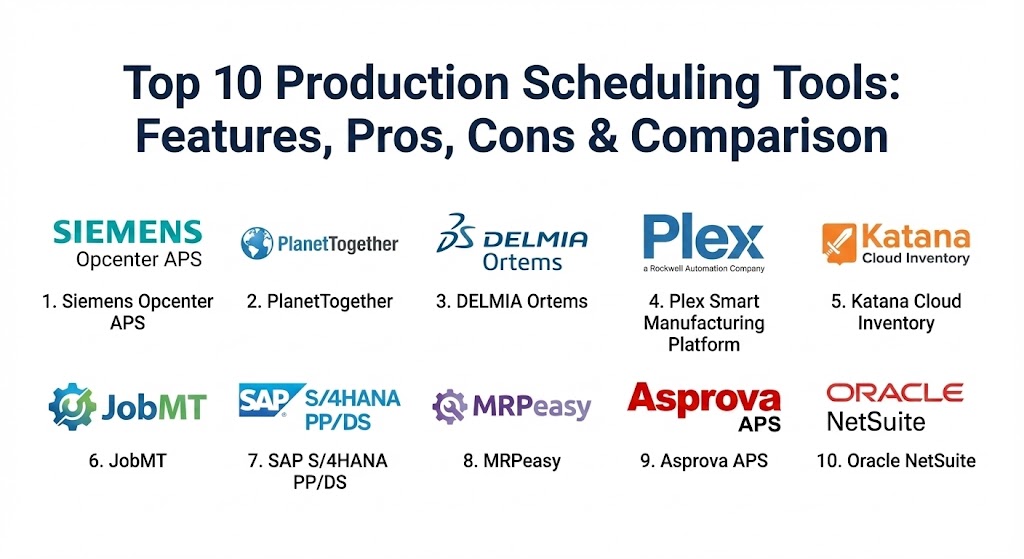
Top 10 Production Scheduling Tools
1 — Siemens Opcenter APS (formerly Preactor)
Siemens Opcenter APS is widely regarded as one of the most mature and powerful finite capacity scheduling solutions on the market. It is designed to work as a standalone tool or as a deep integration with existing ERP and MES environments.
- Key features:
- Finite capacity scheduling that respects labor, tooling, and machine constraints.
- Advanced “What-If” scenario planning to compare multiple schedule versions.
- Visual Gantt charts with drag-and-drop manual overrides.
- Rule-based optimization (e.g., minimize changeover time, prioritize due dates).
- Synchronized material planning to ensure components arrive just-in-time.
- Detailed reporting on resource utilization and bottleneck identification.
- Pros:
- Exceptionally high level of customization; can model virtually any industrial constraint.
- Large global network of integrators makes implementation easier for international firms.
- Cons:
- The interface can feel “industrial” and less modern than newer SaaS-based rivals.
- High total cost of ownership when factoring in professional services for setup.
- Security & compliance: ISO 27001, GDPR compliant, SSO integration, and robust audit trails.
- Support & community: Extensive documentation, Siemens specialized training centers, and a mature global user community.
2 — PlanetTogether
PlanetTogether focuses on “Advanced Planning and Scheduling” with a heavy emphasis on ease of use and visual clarity. It is particularly popular among manufacturers using SAP, Microsoft Dynamics, and Oracle.
- Key features:
- Multi-plant scheduling for organizations with distributed manufacturing sites.
- Automated data mapping for seamless integration with major ERPs.
- Real-time visibility into material shortages and capacity overloads.
- “Impact Analysis” to see how a change today affects a delivery three months from now.
- Optimization for complex setup times (e.g., color sequencing in printing).
- Cloud-native deployment for easier remote access.
- Pros:
- Very fast implementation times compared to other high-end APS tools.
- Highly intuitive “Excel-like” grid views combined with modern Gantt charts.
- Cons:
- While integrated, it still functions as a separate module, requiring data syncing.
- Some advanced optimization features require significant data cleanliness to work.
- Security & compliance: SOC 2 Type II, GDPR, and data encryption at rest and in transit.
- Support & community: High-touch customer success teams and a comprehensive online help portal.
3 — DELMIA Ortems (by Dassault Systèmes)
As part of the 3DEXPERIENCE platform, DELMIA Ortems provides a high-level “Synchronized Resource Planner” designed for complex, high-volume manufacturing environments.
- Key features:
- Synchronized planning across production, maintenance, and logistics.
- “Visual Query” system to find specific work orders across thousands of tasks.
- Multi-constraint optimization including energy consumption and labor skills.
- Native integration with Dassault’s PLM and MES suites.
- Dynamic scheduling that updates based on real-time shop floor feedback.
- Specialized solvers for both discrete and process manufacturing.
- Pros:
- Unmatched for organizations that want a “Digital Twin” of their factory.
- Excellent at handling “multi-level” BOMs (Bill of Materials) with deep complexity.
- Cons:
- Generally requires a full “platform” commitment to get the most value.
- Steep learning curve for planners transitioning from manual systems.
- Security & compliance: ISO 27001, SOC 2, HIPAA, and rigorous data residency support.
- Support & community: Professional enterprise support; active user groups within the Dassault ecosystem.
4 — Plex Smart Manufacturing Platform
Plex is a cloud-native MES that includes a robust production scheduling module. It is designed for companies that want their scheduling to be inseparable from their shop floor execution.
- Key features:
- Unified ERP/MES/APS platform—no “syncing” required.
- Live machine connectivity that updates the schedule as parts are made.
- Finite scheduling with automated bottleneck detection.
- Mobile-first design for operators and supervisors on the floor.
- Integrated quality and maintenance scheduling.
- Multi-tenant SaaS model for automatic updates.
- Pros:
- Real-time accuracy is higher because the schedule is the execution system.
- Eliminates the “silo” between the planning office and the factory floor.
- Cons:
- Less flexible “logic” for custom constraints compared to specialized APS tools like Siemens.
- Being a full platform, it is difficult to adopt just for the scheduling module.
- Security & compliance: SOC 1/2, ISO 27001, GDPR, and ITAR compliance.
- Support & community: Strong North American presence, active “Plex Community” forums, and 24/7 support.
5 — Katana Cloud Inventory
Katana is a modern, sleek scheduling and MRP tool designed for small to mid-sized manufacturers, particularly those in the D2C (Direct to Consumer) or “Maker” space.
- Key features:
- Real-time master planning that links sales orders directly to production.
- Visual drag-and-drop prioritization of the production queue.
- Automated “Material Availability” indicators (Green/Yellow/Red).
- Integration with Shopify, WooCommerce, and QuickBooks.
- Shop floor app for workers to receive tasks and log time.
- Support for outsourced manufacturing tracking.
- Pros:
- The most user-friendly interface in the manufacturing software world.
- Transparent pricing and very fast setup (often within days).
- Cons:
- Lacks the deep “finite capacity” math required for massive multi-stage factories.
- Limited ability to handle extremely complex, rule-based optimization.
- Security & compliance: GDPR compliant, SSO support, and SOC 2 Type II certification.
- Support & community: Modern chat-based support and an extensive library of video tutorials.
6 — JobMT (formerly JobBOSS / ECI)
JobMT is a specialized production scheduling and ERP tool designed specifically for job shops and discrete manufacturers who deal with high-variability, low-volume work.
- Key features:
- “Whiteboard” style scheduling that mimics traditional shop floor management.
- Finite and infinite capacity planning options.
- Detailed labor and machine burden tracking.
- Integrated quoting and job costing.
- Dynamic rescheduling when materials or tools are delayed.
- Visual alerts for “past due” operations and critical path delays.
- Pros:
- Built by people who understand the chaos of a custom machine shop.
- Strong focus on the financial impact of scheduling choices (job costing).
- Cons:
- The UI can feel a bit dated compared to cloud-native apps like Katana.
- Scaling to multi-site global operations is more difficult than with SAP or Siemens.
- Security & compliance: Varies by deployment (on-prem vs cloud); includes SSO and encrypted backups.
- Support & community: Mature user base with decades of collective experience; active training workshops.
7 — SAP S/4HANA PP/DS (Production Planning and Detailed Scheduling)
For the world’s largest manufacturers, SAP’s PP/DS module within S/4HANA provides the ultimate in global production orchestration.
- Key features:
- Seamless integration with global supply chain and procurement data.
- Advanced heuristic-based solvers for complex industrial problems.
- Multi-resource scheduling (machines, tools, personnel).
- Real-time “Alert Monitor” for planning violations.
- Support for “Tank Planning” and other process-industry specific needs.
- High-speed Pegging to link customer orders to specific batches.
- Pros:
- The only choice for global giants who need to plan across dozens of continents.
- Unmatched depth of features for process industries (chemicals, food, oil).
- Cons:
- Implementation is a multi-year, multi-million dollar undertaking.
- Requires a dedicated team of SAP specialists to maintain and tune.
- Security & compliance: Best-in-class; GDPR, HIPAA, FedRAMP, and every major ISO standard.
- Support & community: Massive global ecosystem, SAP training centers, and infinite documentation.
8 — MRPeasy
As the name suggests, MRPeasy focuses on making production scheduling and material planning accessible to small manufacturers who have outgrown Excel.
- Key features:
- Simple Gantt charts for visual production planning.
- Automatic scheduling based on workstation capacity.
- Real-time inventory tracking and material requirements planning.
- Integration with Xero and QuickBooks for financial alignment.
- Barcoding support for shop floor data collection.
- Easy “Routings” and “BOM” management.
- Pros:
- Extremely affordable for small teams.
- Browser-based and runs on any device without high-spec hardware.
- Cons:
- Lacks “AI” or advanced optimization solvers; it is more of a digital calendar.
- Limited support for complex multi-level sub-assemblies.
- Security & compliance: GDPR compliant, encrypted data, and regular security audits.
- Support & community: Detailed online manual and email-based support.
9 — Asprova APS
Asprova is a high-performance scheduling tool from Japan, known for its incredible speed and its ability to handle hundreds of thousands of operations in seconds.
- Key features:
- Proprietary “high-speed” logic engine for instantaneous rescheduling.
- 3,000+ standard parameters to define constraints without custom coding.
- Specialized for “Lean” manufacturing and Just-In-Time (JIT) environments.
- Visual multi-view (Gantt, Resource, Inventory, Load).
- Graphical logic builder for custom scheduling rules.
- Support for “Visual Management” on the shop floor.
- Pros:
- Perhaps the most powerful “pure” scheduling engine in the world.
- Excellent at reducing lead times and work-in-progress (WIP) inventory.
- Cons:
- The user interface is very dense and can be intimidating for beginners.
- Most effective in highly disciplined environments where data is 100% accurate.
- Security & compliance: Varies / N/A; primarily used in secure on-premise industrial networks.
- Support & community: Highly specialized consulting; strong presence in Asia and Europe.
10 — Oracle NetSuite (Production Management)
NetSuite provides a comprehensive cloud ERP that includes a sophisticated production scheduling and work order management suite for mid-market companies.
- Key features:
- Unified cloud platform for planning, inventory, and finance.
- Finite capacity scheduling with drag-and-drop Gantt charts.
- Rough-Cut Capacity Planning (RCCP) for long-term outlooks.
- Native mobile app for shop floor feedback and clock-ins.
- Real-time “Projected Stock” views to prevent production halts.
- Automated work order generation from sales demand.
- Pros:
- Ideal for companies that have outgrown small tools and want an “all-in-one” solution.
- Excellent global visibility for companies with multiple warehouses and factories.
- Cons:
- The scheduling engine is not as deep as specialized APS tools like Asprova or Ortems.
- Customizing the scheduling logic can be difficult and require SuiteScripting.
- Security & compliance: SOC 1/2, PCI DSS, ISO 27001, and HIPAA compliant.
- Support & community: Global enterprise support, extensive “SuiteAnswers” knowledge base.
Comparison Table
| Tool Name | Best For | Platform(s) Supported | Standout Feature | Rating (Expert/TrueReview) |
| Siemens Opcenter | Deep Customization | Windows, On-Prem/Cloud | Finite Math Engine | 4.8 / 5 |
| PlanetTogether | Visual APS / ERP Sync | Cloud / Windows | Impact Analysis | 4.7 / 5 |
| DELMIA Ortems | Multi-Plant Digital Twin | Cloud / Windows | Resource Synchronization | 4.6 / 5 |
| Plex Platform | Shop-Floor First | Pure SaaS | Live Machine Connectivity | 4.2 / 5 |
| Katana Cloud | SMB / D2C Makers | Pure SaaS | Material Availability UI | 4.8 / 5 |
| JobMT | Custom Machine Shops | Cloud / Windows | Job Costing Focus | 4.4 / 5 |
| SAP PP/DS | Global Enterprises | Cloud / On-Prem | S/4HANA Native Sync | 4.5 / 5 |
| MRPeasy | Small Teams / Budget | Pure SaaS | Ease of Implementation | 4.6 / 5 |
| Asprova APS | High Complexity/Speed | Windows, On-Prem | Logic Engine Speed | 4.7 / 5 |
| Oracle NetSuite | Mid-Market ERP Users | Pure SaaS | Unified Cloud Visibility | 4.3 / 5 |
Evaluation & Scoring of Production Scheduling Tools
To help you compare these diverse solutions, we have scored them based on seven key dimensions weighted by their importance to a 2026 manufacturing environment.
| Category | Weight | Top Tool (Score) | Evaluation Notes |
| Core Features | 25% | Asprova (10.0) | Evaluates the depth of the finite capacity math and optimization. |
| Ease of Use | 15% | Katana (9.5) | Focuses on the UI/UX and the learning curve for new planners. |
| Integrations | 15% | SAP / NetSuite (9.5) | How well it talks to the rest of the business software stack. |
| Security & Compliance | 10% | SAP (10.0) | Necessary for defense, medical, and global finance standards. |
| Performance | 10% | Asprova (10.0) | The speed of rescheduling thousands of tasks in real-time. |
| Support & Community | 10% | Siemens (9.5) | Availability of global partners and training materials. |
| Price / Value | 15% | MRPeasy (9.0) | The ROI of the tool relative to its cost of ownership. |
Which Production Scheduling Tool Is Right for You?
Selecting the right tool is a strategic decision that depends on your company’s scale and technical maturity.
Solo Users vs SMB vs Mid-market vs Enterprise
- SMBs: If you have under 50 employees, Katana or MRPeasy are the clear winners. They provide the structure you need without the “software bloat” that can kill a small team’s agility.
- Mid-market: If you are a growing manufacturer with complex BOMs, PlanetTogether or Plex provide the professional-grade scheduling needed to handle increased volume.
- Enterprise: For multi-site global operations, SAP PP/DS or Siemens Opcenter are the only tools with the architectural depth to manage a global footprint.
Budget-conscious vs Premium Solutions
- Budget-conscious: If you want to move away from Excel for under $100/month, MRPeasy is your partner.
- Premium: If you are losing millions to changeover times and late fees, the investment in a high-end APS like Asprova or Siemens will pay for itself in months through optimized throughput.
Feature Depth vs Ease of Use
If your primary goal is to empower your shop floor with clear tasks, Plex or Katana are superior. If your goal is for a specialized planning team to squeeze 2% more efficiency out of a $100M factory, choose Asprova or DELMIA Ortems.
Frequently Asked Questions (FAQs)
1. What is the difference between ERP scheduling and APS?
ERP scheduling is usually “infinite,” assuming you have infinite machines and time. APS (Advanced Planning and Scheduling) is “finite,” recognizing real-world limits to create a schedule that can actually be executed.
2. Can I use these tools if my data in Excel is messy?
No tool can fix bad data. Before implementing an APS, you must have accurate “Routings” (how long a job takes) and “BOMs” (what materials are needed).
3. How long does it take to implement a production scheduling tool?
A small tool like Katana can be up in a week. An enterprise APS like Siemens usually takes 4 to 9 months of data mapping and logic configuration.
4. Do these tools use Artificial Intelligence (AI)?
Many modern tools (like PlanetTogether and Isaac Sim) are now using AI to suggest better sequences, but most still rely on “Heuristics”—highly advanced rule-based math.
5. Will a scheduling tool replace my production planner?
No. It changes the planner’s job from “data entry and firefighting” to “strategic decision-making and scenario analysis.” The software suggests; the human decides.
6. Can these tools handle “Rush Orders”?
Yes, this is their greatest strength. You can insert a rush order and instantly see the “ripple effect” on every other customer’s delivery date.
7. Is cloud or on-premise better for scheduling?
Cloud (SaaS) is easier to maintain and access remotely. On-premise is often preferred by high-security sectors (defense) or plants with unreliable internet where the schedule must never go down.
8. What is “Changeover Optimization”?
It is the logic of grouping similar jobs. For example, in painting, you schedule “White” then “Light Gray” then “Dark Gray” to minimize the time spent cleaning the machines.
9. Can I schedule labor as well as machines?
Yes, high-end tools like Opcenter and Ortems allow you to model worker skills, ensuring a job is only scheduled when a certified operator is available.
10. How do I measure the ROI of a scheduling tool?
Look at the reduction in WIP (Work in Progress), the decrease in Lead Times, and the increase in On-Time Delivery (OTD) rates.
Conclusion
The “best” production scheduling tool is the one that your team will actually use. In 2026, the trend is moving away from standalone “black-box” calculators and toward transparent, visual platforms that connect the office to the shop floor.
Whether you choose the agile, cloud-native simplicity of Katana, the machine-integrated power of Plex, or the mathematically rigorous engine of Siemens, the goal remains the same: transforming chaos into a predictable, profitable flow. Focus on your data accuracy first, and the right tool will act as a force multiplier for your entire operation.