Introduction
Product analytics tools are specialized software platforms that track and analyze user interactions within a digital product, such as a web application or mobile app. Unlike traditional web analytics (like Google Analytics 4), which focus on marketing attribution and traffic sources, product analytics focus on the “post-login” experience. They look at event-based data—specific actions like “Added to Cart,” “Completed Onboarding,” or “Upgraded Subscription”—to help teams understand the friction points in a user’s journey.
The importance of these tools lies in their ability to drive Product-Led Growth (PLG). By identifying which features correlate most with long-term retention, companies can prioritize their engineering roadmaps effectively. Key real-world use cases include funnel analysis (identifying where users drop off during sign-up), cohort analysis (tracking how specific groups of users behave over time), and feature adoption tracking. When evaluating these tools, users should look for ease of implementation, data governance features, visualization depth, and real-time processing speed.
Best for: Product Managers (PMs), UX Researchers, Growth Marketers, and Data Analysts in SaaS companies, E-commerce brands, and Fintech startups. These tools are essential for any organization that treats its digital interface as its primary value driver.
Not ideal for: Simple, static content websites (like a local restaurant’s site) or businesses that operate almost entirely offline. For these users, basic web analytics or simple CRM tracking is usually more cost-effective and sufficient.
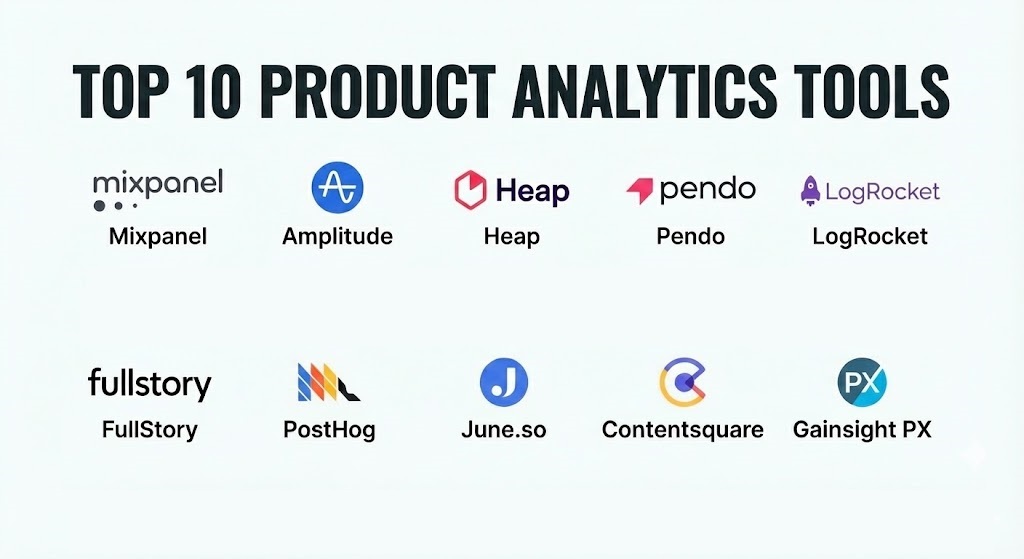
Top 10 Product Analytics Tools
1 — Mixpanel
Mixpanel is one of the most established names in the industry, known for its powerful event-based tracking and its ability to provide deep insights without requiring a data science degree. It is designed for teams that need to answer complex questions about user behavior in seconds.
- Key features:
- Impact Reports: Measure how a new feature launch specifically affects key metrics.
- Signal Analysis: Automatically identifies user behaviors that correlate with long-term retention.
- Interactive Boards: Drag-and-drop dashboards that allow for real-time data exploration.
- Data Modeling: Simplified “virtual events” that let you clean up messy data without writing code.
- JQL (JavaScript Query Language): For power users who want to run custom scripts on their data.
- Integration Ecosystem: Native connectors for major CDPs (Customer Data Platforms) like Segment.
- Pros:
- Exceptional user interface that makes data exploration feel natural and fast.
- Robust free tier that allows startups to grow before committing to a heavy contract.
- Cons:
- Costs can escalate quickly once you exceed the base “Monthly Tracked Users” (MTU) limit.
- Initial setup of event tracking requires careful planning to avoid “data debt.”
- Security & compliance: SOC 2 Type II, HIPAA, GDPR, and CCPA compliant. Offers SSO and granular data access controls.
- Support & community: Extensive documentation via Mixpanel University, a vibrant Slack community, and 24/7 email support for paid tiers.
2 — Amplitude
Amplitude is often cited as the most “powerful” tool on the market, favored by enterprise-level data analysts for its deep behavioral charting capabilities. It excels at managing massive data sets and finding hidden patterns in user cohorts.
- Key features:
- Compass: A tool that identifies the “Aha!” moment by finding behaviors that lead to conversion.
- Amplitude Experiment: Integrated A/B testing that uses your analytics data to define test groups.
- Behavioral Cohorts: Grouping users based on the specific sequence and timing of their actions.
- Notebooks: Collaborative documents where PMs can explain the “why” behind the data.
- Growth Discovery Suite: Automated insights into churn and retention drivers.
- Pros:
- The most advanced analytical capabilities, particularly for long-term retention modeling.
- Highly scalable architecture built for enterprise-grade data volumes.
- Cons:
- Steeper learning curve compared to more “opinionated” tools like June.so.
- The pricing structure for enterprise features can be opaque and expensive.
- Security & compliance: ISO 27001, SOC 2 Type II, GDPR, and HIPAA compliant. Includes advanced data residency options.
- Support & community: Dedicated success managers for enterprise clients, extensive webinars, and the “Amplitude Academy” certification.
3 — Heap
Heap’s primary differentiator is Autocapture. While most tools require you to manually “tag” every button, Heap records every single interaction from the moment of installation, allowing for retroactive analysis.
- Key features:
- Autocapture: Captures clicks, swipes, and form submissions without manual code.
- Visual Labeling: A point-and-click interface to define events directly on your live website.
- Retroactive Analysis: Define an event today and see data for it going back to the day you installed Heap.
- Heap Illuminate: An AI layer that proactively flags friction points in your funnels.
- Session Replay Integration: Connects quantitative data with qualitative video replays.
- Pros:
- Eliminates the risk of “forgetting to track” an event, which is common in manual tagging.
- Best-in-class for non-technical teams who want to explore data without developer help.
- Cons:
- Autocapture can lead to “data noise,” making it hard to find specific events if not organized well.
- Can impact frontend performance slightly more than minimalist, manual SDKs.
- Security & compliance: SOC 2 Type II, GDPR, and HIPAA compliant. Data is encrypted at rest and in transit.
- Support & community: Robust help center, professional services for onboarding, and email-based technical support.
4 — Pendo
Pendo is a hybrid platform that combines product analytics with Digital Adoption Platform (DAP) features. It is unique because it doesn’t just tell you what’s wrong; it lets you fix it through in-app guides and tooltips.
- Key features:
- In-app Guides: Create pop-ups and walk-throughs based on user behavior data.
- Product Sentiment: Integrated NPS (Net Promoter Score) surveys and feedback polls.
- Path Analysis: Visualize the diverse routes users take to reach a specific feature.
- Core Events: Focuses the team on a handful of high-value actions for better clarity.
- Pendo Feedback: A centralized hub to collect and prioritize user feature requests.
- Pros:
- The best “all-in-one” solution for teams that want to manage product education alongside data.
- Extremely powerful for B2B SaaS companies focusing on customer success.
- Cons:
- The analytics component is slightly less deep than pure-play tools like Amplitude.
- Implementation can be complex if you want to use the full range of guides and surveys.
- Security & compliance: SOC 2 Type II, GDPR, and HIPAA. Offers private cloud deployment for specific industries.
- Support & community: Excellent “Pendo Neighborhood” community, 24/5 support, and annual “Pendomonium” user conference.
5 — LogRocket
LogRocket bridges the gap between product analytics and technical performance monitoring. It is designed for software engineers and product managers who need to see the “why” behind a user’s failure or a technical bug.
- Key features:
- Session Replay: High-fidelity video playback of exactly what the user saw and did.
- Error Tracking: Captures console logs, network requests, and stack traces alongside user actions.
- Galileo AI: Automatically surface the most impactful issues and bugs based on user frustration.
- Heatmaps & Clickmaps: Visualizing where users are looking and clicking on the page.
- Performance Monitoring: Tracks frontend load times and CPU usage per session.
- Pros:
- Unrivaled for troubleshooting “it works on my machine” bugs.
- Combines technical health with business funnels, giving a 360-degree view.
- Cons:
- Session storage can become expensive for high-traffic applications.
- Requires careful configuration of “Personal Identifiable Information” (PII) masking for privacy.
- Security & compliance: SOC 2 Type II, GDPR, HIPAA, and PCI compliant. On-premise hosting available.
- Support & community: Responsive engineering-led support, technical blog, and detailed API documentation.
6 — FullStory
FullStory is a “Digital Experience Intelligence” (DXI) platform. It focuses on the qualitative aspect of analytics, helping teams understand the nuance of user frustration, such as “rage clicks” or “thrashed cursors.”
- Key features:
- Rage Clicks & Dead Clicks: Automatically identifies elements that aren’t responding to user input.
- Omnisearch: A powerful search engine to find specific user sessions based on any criteria.
- Funnel Conversions: See the video replays of everyone who dropped out of a specific funnel step.
- Dwell Time & Scroll Maps: Visualizing user engagement depth.
- Private by Default: Industry-leading PII masking that prevents sensitive data from ever reaching FullStory servers.
- Pros:
- The most intuitive search and filtering for qualitative user data.
- High-end data privacy features that make it suitable for regulated industries.
- Cons:
- Lacks the complex “Growth Discovery” mathematical modeling of Amplitude.
- Can be seen as a “premium” tool with a price tag to match.
- Security & compliance: SOC 2 Type II, GDPR, HIPAA, and ISO 27001. Features “Private by Default” architecture.
- Support & community: Extensive knowledge base, “FullStory University,” and 24/7 technical support for Enterprise.
7 — PostHog
PostHog is the “all-in-one” open-source alternative. It is designed specifically for developers, offering analytics, session replays, feature flags, and A/B testing in a single suite that can be self-hosted.
- Key features:
- Self-Hosting: Run PostHog on your own infrastructure for total data control.
- Feature Flags: Safely roll out new features to specific percentages of users.
- SQL Access: Query your raw data directly using PostHog’s “HogQL.”
- Integrated A/B Testing: Design experiments directly within the analytics suite.
- Surveys: Gather qualitative feedback from users without a separate tool.
- Pros:
- The most “developer-friendly” tool on this list; built by devs for devs.
- Incredible value since it replaces 4 or 5 different software subscriptions.
- Cons:
- The self-hosted version requires internal DevOps resources to maintain and update.
- The UI can feel a bit technical for non-engineering PMs.
- Security & compliance: GDPR and SOC 2 compliant. Self-hosting provides the ultimate privacy for high-security firms.
- Support & community: Massive GitHub community, public Slack channel, and excellent “User Guides” for engineers.
8 — June.so
June is a modern, opinionated analytics tool built on top of Segment. It is designed for B2B SaaS companies that want “instant” insights without having to build complex charts from scratch.
- Key features:
- Auto-generated Reports: Templates for activation, retention, and feature adoption.
- Company-level Analytics: See how entire organizations (not just individuals) are using your product.
- Slack Notifications: Get alerts when a specific high-value customer reaches a milestone.
- CRM Sync: Push product usage data back into tools like HubSpot or Salesforce.
- Milestones: Track how many users reached specific “North Star” goals.
- Pros:
- The fastest time-to-value; you can have professional reports in minutes.
- Perfect for startups that don’t have a dedicated data analyst.
- Cons:
- Less flexibility for custom, niche charts compared to Mixpanel or Amplitude.
- Reliant on an underlying data source (like Segment or a data warehouse).
- Security & compliance: GDPR and SOC 2 compliant. Operates with standard industry encryption.
- Support & community: Highly personal support from the founding team, active Discord, and a focus on “Startup Growth.”
9 — Contentsquare
Contentsquare is an enterprise-grade platform that specializes in Visual Analytics. It goes beyond standard events to show how every element on a page contributes to revenue or friction.
- Key features:
- Zone-based Heatmaps: See the financial value of every button and image on your site.
- Customer Journey Analysis: Visualize the flow of users through your entire digital ecosystem.
- Accessibility Monitoring: Automatically detects UX issues for users with disabilities.
- Revenue Attribution: Links specific UI changes to increases (or decreases) in sales.
- Mobile App Content Analysis: Deep visual tracking for native mobile experiences.
- Pros:
- Unrivaled for high-traffic E-commerce brands looking to optimize every pixel.
- Provides the “most visual” data representation for executive reporting.
- Cons:
- Very high cost, typically targeting Fortune 500 companies.
- Implementation for complex single-page applications (SPAs) requires significant effort.
- Security & compliance: ISO 27001, SOC 2 Type II, GDPR, and HIPAA. Highly advanced PII redaction.
- Support & community: Dedicated account managers, high-end consulting services, and a global partner network.
10 — Gainsight PX
Gainsight PX (Product Experience) is designed for product-led growth teams. It focuses on the intersection of user behavior and “In-App Engagements,” making it ideal for the customer success department.
- Key features:
- Product Mapper: A visual way to organize your product hierarchy for tracking.
- Knowledge Center Bot: An in-app assistant that serves documentation based on user context.
- Query Builder: A simplified interface for non-technical users to build complex cohorts.
- Engagement Analytics: Track how your in-app guides are actually helping (or hurting) users.
- Retention Center: Specifically focuses on flagging accounts that are likely to churn.
- Pros:
- The strongest tool for aligning Product and Customer Success teams.
- Excellent for managing the “User Onboarding” lifecycle in B2B SaaS.
- Cons:
- The user interface can feel a bit “corporate” and less agile than Mixpanel.
- Requires a significant amount of configuration to get the full value of the PX-Gainsight CRM integration.
- Security & compliance: SOC 2 Type II, GDPR, and HIPAA compliant. Robust data protection policies.
- Support & community: World-class support for enterprise accounts, extensive training certifications, and the “Pulse” community.
Comparison Table
| Tool Name | Best For | Platform(s) Supported | Standout Feature | Rating (Gartner / G2) |
| Mixpanel | Fast Analysis | Web, iOS, Android | Signal Correlation | 4.6 / 5 |
| Amplitude | Deep Analytics | Web, iOS, Android | Growth Discovery | 4.7 / 5 |
| Heap | Non-Technical Teams | Web, iOS, Android | Autocapture | 4.5 / 5 |
| Pendo | Onboarding/Guides | Web, iOS, Android | In-app Guides | 4.4 / 5 |
| LogRocket | Technical Teams | Web, Mobile | Error + Replay | 4.6 / 5 |
| FullStory | UX / Qualitative | Web, iOS, Android | Frustration Signals | 4.5 / 5 |
| PostHog | Developers | Web, Mobile, Cloud | Open Source Suite | 4.7 / 5 |
| June.so | B2B Startups | Web (via Segment) | Auto-Generated Docs | 4.8 / 5 |
| Contentsquare | Enterprise E-com | Web, Mobile | Zone Heatmaps | 4.6 / 5 |
| Gainsight PX | Customer Success | Web, Mobile | Engagement Bots | 4.3 / 5 |
Evaluation & Scoring of Product Analytics Tools
Choosing a tool is not just about features; it is about how that tool fits into your broader technical ecosystem and team culture. We have evaluated these tools using the following weighted rubric:
| Criteria | Weight | Evaluation Rationale |
| Core Features | 25% | Event tracking, funnels, retention, and cohort modeling. |
| Ease of Use | 15% | Intuitiveness for non-technical PMs and speed of report building. |
| Integrations | 15% | Connection with CRMs, Data Warehouses, and CDPs. |
| Security & Compliance | 10% | Enterprise certifications and PII protection mechanisms. |
| Performance | 10% | Data latency and impact on product frontend speed. |
| Support & Community | 10% | Documentation, training, and customer service quality. |
| Price / Value | 15% | Scaling cost relative to value delivered. |
Scoring Calculation Example:
For a tool like PostHog, the score would be high on Core Features and Price/Value due to its all-in-one nature and open-source origins, whereas an enterprise tool like Amplitude would score perfectly on Core Features and Security but lower on Ease of Use for beginners.
Which Product Analytics Tool Is Right for You?
Selecting the “best” tool depends heavily on your company’s stage and specific goals.
Solo Users vs SMB vs Mid-Market vs Enterprise
- Solo Users & Early Startups: June.so or PostHog’s free tier are the winners. They provide the necessary visibility without the need for a data architect.
- SMB & Mid-Market: Mixpanel or Heap offer the best balance of power and simplicity as you begin to scale your user base.
- Enterprise: Amplitude or Contentsquare are the gold standards. They provide the governance and deep modeling required by teams managing millions of data points.
Budget-Conscious vs Premium Solutions
- Budget-Conscious: PostHog (Self-hosted) is essentially free, provided you can handle the server costs. Mixpanel also offers a very generous free tier.
- Premium: FullStory and Pendo are premium investments. You aren’t just paying for data; you are paying for the ability to act on that data (guides) or see it visually (replays).
Feature Depth vs Ease of Use
- Feature Depth: If your goal is to find the “Aha!” moment through complex regression analysis, choose Amplitude.
- Ease of Use: If you want your marketing team to see a funnel today without learning a new query language, choose Heap or June.so.
Integration and Scalability Needs
If your data already lives in a warehouse like Snowflake or BigQuery, look for a “warehouse-native” analytics approach. PostHog and Mixpanel have excellent warehouse synchronization capabilities.
Frequently Asked Questions (FAQs)
1. Is product analytics different from Google Analytics?
Yes. Google Analytics (GA4) is great for tracking where users come from (marketing). Product analytics track what they do after they log in (behavior). GA4 is page-centric; product analytics are user-centric.
2. What is “Autocapture” and why is it controversial?
Autocapture (used by Heap) means the tool tracks everything automatically. It’s great because you never miss data, but it can be controversial because it creates a lot of “data noise” and can occasionally slow down the frontend if not managed.
3. Do I need a developer to install these tools?
For basic tracking, usually no—you just add a snippet of code. However, to track complex “custom events” (like “Transaction Value”), you will likely need a developer’s help for a one-time setup.
4. How much do these tools cost in 2025?
Most use an MTU (Monthly Tracked User) or event-based model. Small teams can pay $0, while enterprises can easily pay $50,000+ per year.
5. Which tool is best for mobile apps?
Amplitude and Mixpanel have the most mature mobile SDKs. If you need to see exactly what mobile users see, LogRocket or FullStory are the leaders in mobile session replay.
6. Can product analytics help with GDPR compliance?
Yes. Leading tools allow you to “anonymize” IP addresses and “mask” sensitive input fields (like passwords or credit cards) so that no private data is ever stored on their servers.
7. What is “Churn” and how do these tools track it?
Churn is when a user stops using your product. These tools track it by identifying “lapsed” users who haven’t performed a specific action within a certain number of days (e.g., 30 days).
8. Is open-source better than SaaS for analytics?
Open-source (PostHog) is better for total data control and cost. SaaS (Mixpanel/Amplitude) is better for teams that want a “plug-and-play” experience without managing servers.
9. What is a “Retention Curve”?
It is a graph showing the percentage of users who return to your app over time. A flat retention curve is the “Holy Grail” of product management, signifying a healthy product.
10. Can I use two of these tools at the same time?
Yes. It is common to use a quantitative tool (Amplitude) alongside a qualitative tool (FullStory) to get the most complete picture of the user experience.
Conclusion
The “best” product analytics tool in 2025 is no longer a one-size-fits-all answer. For the developer-led startup seeking total control, PostHog is a revelation. For the enterprise team seeking to dominate their market through data-driven precision, Amplitude remains the undisputed king. For the B2B team looking to simplify their reporting, June.so is the modern favorite.
When making your choice, prioritize the questions you need to answer over the features listed on a pricing page. Start with a clear audit of your user journey, pick 2 or 3 tools for a trial, and see which one most naturally integrates into your team’s weekly workflow. The right data doesn’t just show you what happened; it shows you what to do next.