Introduction
Probation and Parole Case Management Tools are specialized software platforms designed to centralize and automate the supervision of individuals serving sentences in the community rather than behind bars. These systems act as the digital central nervous system for corrections agencies, integrating everything from risk assessments and drug test results to court mandates and GPS monitoring data.
The importance of these tools cannot be overstated. With caseloads reaching record highs, manual tracking is no longer just inefficient—it’s a liability. Modern MFT (Managed File Transfer) and case management integrations ensure that an officer in the field has the same real-time data as a judge in the courtroom. Key real-world use cases include automating “success-based” reporting, identifying early warning signs of recidivism through AI-driven analytics, and managing the logistical nightmare of restitution payments.
When evaluating these tools, look for three pillars: Interoperability (does it talk to the courts?), Mobility (can I use it in my car during a home visit?), and Evidence-Based Practice (EBP) Support (does it help me apply proven methods like Motivational Interviewing?).
Best for: State and county departments of corrections, private supervision agencies, and specialty courts (drug, veteran, or mental health courts) that require rigorous data tracking and compliance reporting to maintain funding and public trust.
Not ideal for: Law firms or private investigators who only need to track “matters.” While “Legal Case Management” and “Probation Case Management” sound similar, the latter requires deep integration with public safety databases (CJIS) and specific recidivism-reduction frameworks that general legal software lacks.
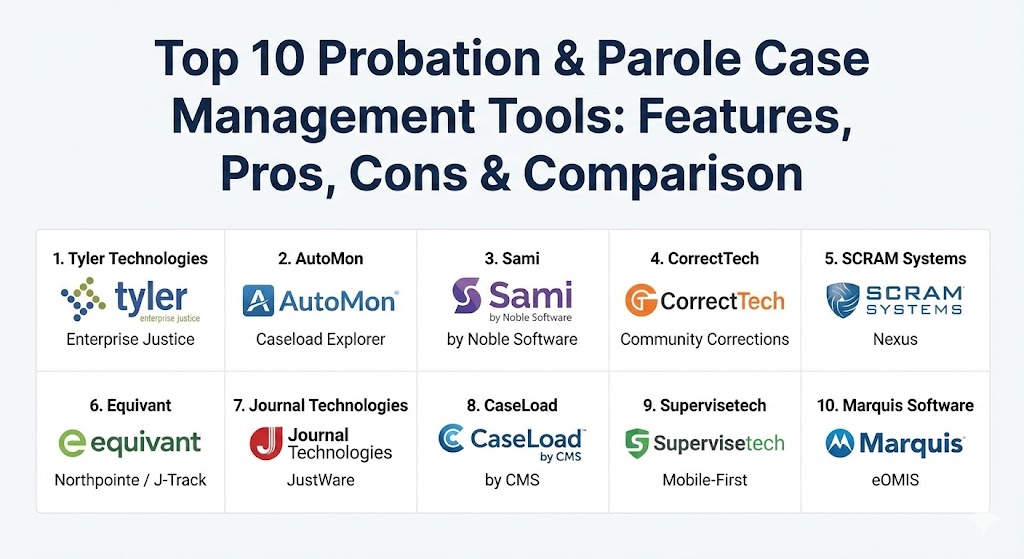
Top 10 Probation & Parole Case Management Tools
1 — Tyler Technologies (Enterprise Justice)
Tyler Technologies is the heavyweight champion of the justice tech world. Their Enterprise Justice suite (formerly Odyssey) is a comprehensive, end-to-end solution designed for large-scale government agencies that need every part of the justice system—from dispatch to discharge—to live in one ecosystem.
- Key features:
- Unified “Justice Data Model” that connects courts, jail, and probation.
- Advanced workflow automation for court-ordered conditions.
- Integrated financial module for managing complex restitution and fine schedules.
- Mobile-first “field contact” app for officers on the go.
- Built-in AI assistants for summarizing voluminous case notes.
- Real-time document generation for warrants and violation reports.
- Pros:
- Unmatched integration capabilities with other government systems.
- Highly scalable, capable of managing statewide data.
- Cons:
- The implementation process is notoriously long and requires significant staff training.
- Premium pricing often puts it out of reach for smaller, rural agencies.
- Security & compliance: CJIS, SOC 2, HIPAA, and FIPS 140-2.
- Support & community: Extensive “Tyler University” training, dedicated account managers, and a massive national user group.
2 — AutoMon (Caseload Explorer)
AutoMon has built a reputation as the “officer-friendly” choice. Caseload Explorer is specifically built for community corrections, focusing on the day-to-day reality of the supervision officer rather than just the administrative high-level view.
- Key features:
- “One-view” dashboard showing all upcoming appointments and pending violations.
- Integrated document management with automated “auto-fill” for common forms.
- CeCheck-in: A kiosk and mobile self-reporting module for low-risk clients.
- Direct integration with major drug testing and GPS monitoring vendors.
- Robust ad-hoc reporting for internal audits.
- Pros:
- The UI is significantly more intuitive than “all-in-one” government platforms.
- Strong focus on Evidence-Based Practices (EBP).
- Cons:
- While integrated, it may require “middleware” to talk to non-Tyler court systems.
- Customization options can be overwhelming for smaller departments.
- Security & compliance: CJIS compliant, multi-factor authentication (MFA), and encrypted data at rest.
- Support & community: Strong presence at APPA conferences; known for responsive, US-based technical support.
3 — Sami (by Noble Software)
Sami represents the “new wave” of corrections software. It is a cloud-native platform that places the “individual’s journey” at the center, moving away from the punitive-only models of the past toward an outcome-oriented approach.
- Key features:
- Dynamic Risk and Needs Assessment (RNA) integration that updates in real-time.
- “Success-based” metrics that highlight positive milestones (employment, sobriety).
- Integrated client-facing mobile app for messaging and appointment reminders.
- No-code workflow builder that allows agencies to change rules on the fly.
- Native video check-in capability for remote supervision.
- Pros:
- Modern, clean interface that feels like consumer software.
- Excellent for agencies focused on recidivism reduction and “The Good Lives Model.”
- Cons:
- Being newer to the market, it lacks some of the legacy court integrations of Tyler.
- Not as “battle-tested” for massive, multi-department enterprise deployments.
- Security & compliance: FedRAMP, SOC 2 Type II, and GDPR.
- Support & community: Personalized onboarding and a white-glove support model.
4 — CorrectTech
CorrectTech is the specialist’s choice for community corrections agencies that manage both field supervision and residential facilities (like halfway houses). It provides a “closed-loop” system that tracks a person from prison to the house to the street.
- Key features:
- Dual-mode management for both field and residential supervision.
- Integrated EBP (Evidence-Based Practice) “coaching” tools for staff.
- Real-time bed management and facility logistics.
- Incident reporting and disciplinary tracking for residential settings.
- Robust financial management for “Cost of Care” and client bank accounts.
- Pros:
- Only tool on the list that handles residential facilities with this much depth.
- Built by corrections professionals for corrections professionals.
- Cons:
- The interface is functional but can feel “cluttered” due to the sheer depth of data.
- Requires a significant cultural shift toward EBP to utilize fully.
- Security & compliance: CJIS and HIPAA compliant; AES-256 encryption.
- Support & community: Offers deep “system optimization” consulting alongside the software.
5 — SCRAM Systems (Nexus)
You likely know SCRAM for their hardware (the “SCRAM bracelet”). Nexus is the software bridge that brings all that monitoring data into the case management environment, making it more than just a tracking tool.
- Key features:
- Direct API integration with GPS, alcohol, and house-arrest monitoring hardware.
- Automated violation “triage” that filters out false alarms.
- Officer “Safety Map” showing real-time client locations during field visits.
- Integrated messaging and mobile check-in for clients.
- Unified reporting for multiple monitoring technologies.
- Pros:
- Best-in-class if your agency is “monitoring-heavy.”
- Reduces the “alarm fatigue” that leads to officer burnout.
- Cons:
- It is not a full-service “Court Case Management” system; it focuses on supervision.
- Best utilized if you already use SCRAM hardware.
- Security & compliance: CJIS, ISO 27001, and SOC 2.
- Support & community: Massive global footprint with 24/7 technical monitoring support.
6 — Equivant (Northpointe / J-Track)
Equivant is the data scientist’s dream. Their J-Track software is built around the famous COMPAS risk assessment, focusing heavily on predictive analytics and data-driven supervision strategies.
- Key features:
- Native integration with COMPAS (Correctional Offender Management Profiling for Alternative Sanctions).
- “What-if” scenario modeling for supervision strategies.
- Detailed data visualizations of agency-wide recidivism trends.
- Highly configurable fields for custom state requirements.
- Automated supervision plan generation based on assessment scores.
- Pros:
- The gold standard for risk-led, evidence-based supervision.
- Incredible reporting depth for legislative requests.
- Cons:
- The software can feel “academic” and less “action-oriented” for frontline staff.
- Updates to the UI have been slower than cloud-native competitors.
- Security & compliance: CJIS, SOC 1/2, and FIPS-compliant encryption.
- Support & community: Strong academic and research support; extensive webinar series.
7 — Journal Technologies (JustWare)
JustWare is built on the philosophy of flexibility. It is used across the entire justice spectrum—prosecutors, public defenders, and probation—making it a strong contender for a “unified” local government platform.
- Key features:
- “Visual Workflow” engine that maps out the lifecycle of a case.
- Highly customizable “Snap-ins” for specific agency needs.
- Integrated document management and scanning suite.
- Native mobile apps that support offline data entry (synced later).
- Advanced scheduling for treatment providers and drug labs.
- Pros:
- If you can imagine a workflow, you can build it in JustWare.
- Excellent offline mobile capability for rural field visits.
- Cons:
- With great power comes great complexity; the system requires a dedicated administrator.
- Can be slower to navigate due to the dense data architecture.
- Security & compliance: CJIS, HIPAA, and SSO (Single Sign-On) integration.
- Support & community: Large, active user base that shares custom templates and workflows.
8 — CaseLoad (by CMS)
CaseLoad is the “lean and mean” option. It’s a straightforward, highly reliable tool designed to make the daily life of a probation officer easier without the “bloat” of enterprise government suites.
- Key features:
- “One-click” common actions (notes, appointments, drug test entries).
- Integrated calendar that syncs with Outlook or Gmail.
- Quick-entry “Chronos” for high-volume check-ins.
- Basic financial tracking for restitution and fees.
- Standardized court report templates that generate in seconds.
- Pros:
- Very low learning curve; officers can be trained in a single afternoon.
- Faster performance on older hardware compared to complex web-suites.
- Cons:
- Lacks the advanced AI and predictive analytics of top-tier tools.
- Not designed for managing complex residential facilities.
- Security & compliance: CJIS compliant; secure cloud hosting.
- Support & community: Known for “small business” style personal support.
9 — Supervisetech
Supervisetech is the disruptor in the space. It is a “mobile-first” platform that focuses almost entirely on the communication loop between the officer and the supervised person.
- Key features:
- Video check-in with biometric (face ID) verification.
- Integrated two-way chat with automated translation (100+ languages).
- Client “Success Plan” that looks like a fitness app to encourage progress.
- Geo-fencing alerts for “Stay-Away” zones.
- Simplified “Activity Feed” for officers to track client interactions.
- Pros:
- The most modern, engagement-focused tool on the market.
- Drastically improves communication for high-caseload units.
- Cons:
- Not a full “Offender Management System” (OMS); lacks deep financial/court modules.
- Reliant on clients having smartphones and data plans.
- Security & compliance: SOC 2, HIPAA, and CJIS.
- Support & community: Agile, tech-forward support team; frequent feature updates.
10 — Marquis Software (eOMIS)
Marquis is the enterprise choice for statewide “Offender Management Systems.” While they handle prisons, their community supervision module is one of the most robust in the industry, offering a “one record, forever” approach.
- Key features:
- “Single Record” system—data flows from prison to parole without re-entry.
- Automatic sentence re-calculation (complex time credits).
- Integrated Electronic Health Record (EHR) for behavioral health.
- Sophisticated geospatial tracking and prison/community mapping.
- PREA (Prison Rape Elimination Act) compliance tracking.
- Pros:
- The highest level of data integrity for state-level agencies.
- Eliminates the “data silos” between institutional and community corrections.
- Cons:
- Extremely complex and expensive to implement.
- The UI can feel more like a “prison database” than a community-based tool.
- Security & compliance: FedRAMP, CJIS, and ISO 27001.
- Support & community: Dedicated onsite support for large-scale state deployments.
Comparison Table
| Tool Name | Best For | Platform(s) Supported | Standout Feature | Rating (Gartner/TrueReview) |
| Tyler Enterprise | Statewide Agencies | Web, Mobile, On-Prem | Unified Justice Data Model | 4.6 / 5 |
| AutoMon | County Probation | Cloud, Web, Mobile | CeCheck-in Kiosks | 4.5 / 5 |
| Sami | Outcome-led units | Cloud-Native | Success-Based Metrics | 4.8 / 5 |
| CorrectTech | Residential + Field | Web, Cloud | Residential Bed Mgmt | 4.4 / 5 |
| SCRAM Nexus | High-Monitoring | Web, Mobile | Hardware API Integration | 4.3 / 5 |
| Equivant | Risk Assessment | Web, Windows | COMPAS Integration | 4.4 / 5 |
| JustWare | Justice-wide units | Windows, Web | Workflow Flexibility | 4.2 / 5 |
| CaseLoad | SMB / Private | Cloud, Windows | Simplicity & Speed | 4.1 / 5 |
| Supervisetech | Client Engagement | Mobile-First | Biometric Video Check-in | 4.7 / 5 |
| Marquis eOMIS | Prison-to-Parole | Web, Cloud, Mobile | One Record Forever | 4.5 / 5 |
Evaluation & Scoring of Case Management Tools
When selecting your tool, don’t just look at the price. Look at the “Time-to-Note.” How many clicks does it take an officer to record a home visit? That is where the real ROI lies.
| Category | Weight | Key Considerations |
| Core Features | 25% | Case tracking, conditions, financial management, and assessments. |
| Ease of Use | 15% | Officer adoption, UI clarity, and mobile usability in the field. |
| Integrations | 15% | Connection to Courts, Labs, Monitoring Vendors, and Law Enforcement. |
| Security & Compliance | 10% | CJIS certification, HIPAA compliance, and robust audit trails. |
| Performance | 10% | System uptime, mobile syncing, and data processing speed. |
| Support | 10% | Training quality, user groups, and technical support response. |
| Price / Value | 15% | TCO (Total Cost of Ownership) including training and maintenance. |
Which Probation & Parole Tool Is Right for You?
The right choice depends on the “Vibe” of your agency and the “Scale” of your operations.
- The Statewide “Giant”: If you are a state agency needing to bridge 50 counties and 20 prisons, Marquis eOMIS or Tyler Enterprise are the only ones with the “horsepower” to handle that much data safely.
- The “Outcome” Driven Department: If your mission is 100% focused on reducing recidivism and you want your officers to act as coaches, Sami or Supervisetech provide the modern engagement tools you need.
- The “Hybrid” Agency: If you manage residential facilities alongside field supervision, CorrectTech is the only logical choice.
- The Budget-Conscious County: For a standard county probation department that just needs to “get the job done” reliably and affordably, AutoMon or CaseLoad offer the best bang for the buck.
- Integration Needs: If you already use SCRAM hardware for 80% of your caseload, Nexus is a no-brainer for efficiency.
Frequently Asked Questions (FAQs)
1. Is “Cloud” storage safe for CJIS (Criminal Justice Information Services) data?
Yes, provided the vendor uses GovCloud (AWS/Azure) and is CJIS-certified. Most modern vendors in 2026 are cloud-native because it allows for faster mobile syncing in the field.
2. Can these tools predict if someone will re-offend?
They use “Risk/Needs Assessments” (like COMPAS or LSI-R) to provide a statistical probability. They don’t predict the future, but they help officers prioritize high-risk cases.
3. Do these tools work without an internet connection?
The best tools (like JustWare or Tyler) have “Offline Mode.” Officers can enter data in a basement or rural area, and the software syncs automatically when they hit 5G or Wi-Fi.
4. How do these systems handle restitution payments?
They track the court order, apply payments to specific victims first (usually), and can generate “Delinquency Notices” automatically if a client stops paying.
5. Can I migrate data from my old spreadsheets?
Most vendors offer “Data Conversion” services. It’s often the hardest part of implementation, so ask for a clear migration plan during the demo.
6. What is “EBP” support?
Evidence-Based Practice support means the software includes tools for things like Motivational Interviewing, Case Planning, and rewards/sanctions matrices that have been scientifically proven to reduce recidivism.
7. How do “Kiosks” help probation departments?
Kiosks allow low-risk clients to check in, answer standard questions, and pay fees without taking up an officer’s time, allowing staff to focus on high-risk individuals.
8. Can these tools talk to local police departments?
Yes, via “Data Exchanges.” If a person on parole is arrested in another city, an integrated system can send an “Arrest Alert” to the parole officer instantly.
9. Are there “Free” or “Open Source” options?
There are very few, and they usually lack the CJIS security and state-specific reporting needed for government work. In this industry, you usually get what you pay for in terms of liability protection.
10. How do these tools help with officer safety?
Mobile apps with GPS “Panic Buttons” and real-time location sharing allow dispatch or supervisors to know exactly where an officer is during a dangerous field contact.
Conclusion
The “best” probation and parole case management tool isn’t the one with the most buttons; it’s the one that your officers will actually use. Whether you choose the enterprise power of Tyler, the monitoring-centric Nexus, or the client-engagement focus of Sami, the goal remains the same: transforming data into actionable insights that create safer communities. Choose a tool that supports your staff, empowers your clients, and satisfies your auditors.