Introduction
Privileged Access Management (PAM) is a specialized subset of identity and access management (IAM) that focuses on the protection, monitoring, and auditing of administrative accounts. While standard IAM manages the “average” user, PAM is designed for the high-risk accounts used by IT administrators, developers, and automated service accounts. At its core, a PAM solution provides a secure “vault” for credentials, isolates sessions to prevent malware spread, and implements the principle of “Just-in-Time” (JIT) access to minimize the window of vulnerability.
The importance of PAM cannot be overstated; nearly 80% of security breaches involve the misuse of privileged credentials. Real-world use cases include securing a contractor’s remote access to a production database, managing the “secrets” used by CI/CD pipelines, and providing a forensic audit trail for regulatory compliance. When evaluating tools, users should look for session recording capabilities, seamless vaulting, automated discovery of local accounts, and robustness of the API for integration into modern DevOps workflows.
Best for: System administrators, SREs (Site Reliability Engineers), and CISOs in mid-to-large enterprises. It is essential for organizations in highly regulated industries such as Fintech, Healthcare, and Defense, where the ability to prove “who did what and when” on a server is a legal requirement.
Not ideal for: Solo developers or micro-businesses with only a handful of cloud logins. In these scenarios, the overhead of a dedicated PAM platform often exceeds the risk. Basic password managers with multi-factor authentication (MFA) are usually sufficient for teams without complex infrastructure to manage.
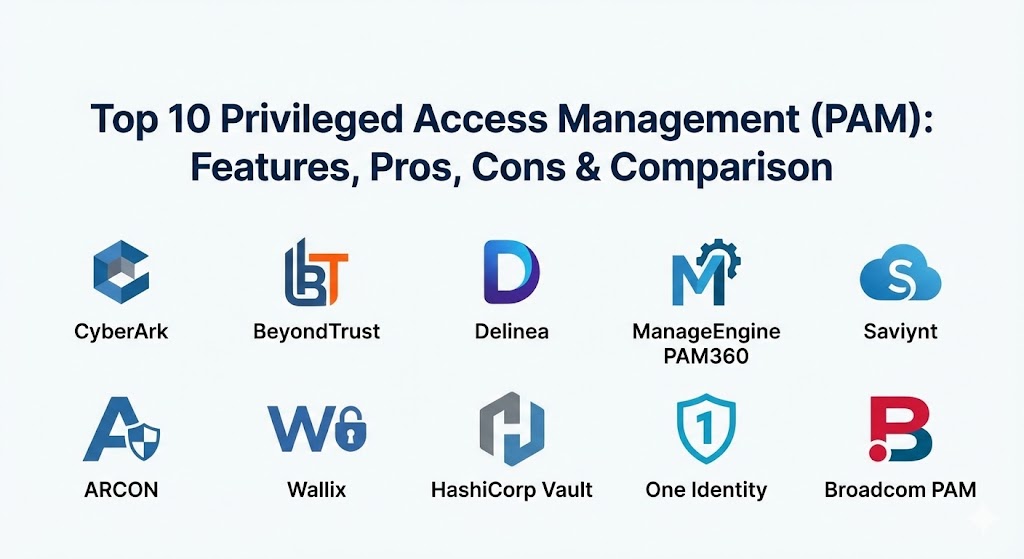
Top 10 Privileged Access Management (PAM) Tools
1 — CyberArk Privileged Access Manager
CyberArk is widely recognized as the market leader and pioneer in the PAM space. Their platform is built for extreme scale and provides a massive ecosystem of integrations for both cloud and legacy on-premise environments.
- Key features:
- Enterprise Password Vault: A highly secure, centralized repository for all administrative credentials.
- Privileged Session Manager (PSM): Isolates, records, and monitors all administrative sessions in real-time.
- Privileged Threat Analytics: Uses machine learning to detect anomalous behavior in administrative accounts.
- Secrets Manager: Securely manages credentials used by applications and automated scripts.
- Just-in-Time Access: Grants high-level permissions only for the specific duration needed.
- Endpoint Privilege Manager: Removes local admin rights from workstations to stop lateral movement.
- Alero: Provides secure, biometric-based remote access for third-party vendors without a VPN.
- Pros:
- The most comprehensive and mature feature set in the industry.
- Exceptional scalability, capable of managing millions of secrets across global enterprises.
- Cons:
- Implementation is notoriously complex and often requires specialized professional services.
- The licensing cost is high, placing it firmly in the premium enterprise category.
- Security & compliance: FIPS 140-2, SOC 2 Type II, HIPAA, ISO 27001, and GDPR compliant. Supports advanced encryption and SSO.
- Support & community: Extensive global support network; a massive community of certified “CyberArk Guardians” and a rich technical knowledge base.
2 — BeyondTrust Privileged Access Management
BeyondTrust is famous for its “Platform” approach, combining traditional PAM with remote support and vulnerability management. It is a favorite for teams that want to consolidate multiple security tools into one.
- Key features:
- Password Safe: Automated discovery and vaulting of privileged credentials.
- Privileged Remote Access: Securely connects employees and vendors to sensitive systems without a VPN.
- Endpoint Privilege Management: Blocks malware by enforcing the principle of least privilege on Windows, Mac, and Linux.
- Session Monitoring: Real-time viewing and termination of suspicious administrative sessions.
- Secure Enclave: Isolates critical systems from the rest of the network during a session.
- Vulnerability Integration: Correlates privileged access data with known system vulnerabilities.
- Pros:
- The user interface is more modern and intuitive than many legacy competitors.
- Excellent for managing remote/hybrid workforces through its native remote access features.
- Cons:
- Some users find the initial configuration of the “Endpoint” agents to be resource-intensive.
- Reporting can be rigid compared to more specialized analytics platforms.
- Security & compliance: SOC 2, ISO 27001, HIPAA, and GDPR compliant. Supports OIDC and SAML for SSO.
- Support & community: High-quality 24/7 support; well-regarded training portal and a very active professional user group.
3 — Delinea (formerly Thycotic & Centrify)
Delinea made a name for itself by proving that PAM doesn’t have to be difficult to use. Their “Secret Server” product is often cited as the fastest enterprise PAM solution to deploy.
- Key features:
- Secret Server: A high-speed credential vault with automated password rotation.
- Cloud Suite: A specialized module for managing privileged access in AWS and Azure environments.
- Remote Access Service: A browser-based tool for secure, clientless RDP/SSH access.
- Privilege Manager: Enforces least privilege on endpoints with automated allow-listing.
- DevOps Secrets Vault: Designed specifically for high-speed API requests in CI/CD pipelines.
- Auditing & Reporting: Comprehensive logs that meet PCI-DSS and HIPAA requirements.
- Pros:
- One of the most user-friendly and “agile” PAM platforms available today.
- Extremely fast “Time-to-Value,” with basic vaulting setup taking hours rather than weeks.
- Cons:
- Lacks some of the “deep” threat analytics found in CyberArk or Saviynt.
- Advanced customization can sometimes require complex scripting.
- Security & compliance: SOC 2 Type II, ISO 27001, HIPAA, and PCI DSS.
- Support & community: Strong documentation and a very helpful community forum; 24/7 global support available.
4 — ManageEngine PAM360
ManageEngine provides a highly integrated, cost-effective alternative to the “Big Three.” It is part of the larger Zoho ecosystem, making it a great fit for mid-market companies already using their tools.
- Key features:
- Centralized Vaulting: Secure storage for passwords, SSH keys, and digital certificates.
- Just-in-Time Access: On-demand elevation of privileges for a limited time.
- Privileged Session Management: Full video recording and keystroke logging of admin sessions.
- Certificate Management: Tracks and renews SSL/TLS certificates automatically.
- Application-to-Application Password Management: Hardcoded credential removal from scripts.
- Vulnerability Scanning: Integrated scanning to detect weak configurations.
- Pros:
- Exceptional value for the price; includes many features that are “add-ons” in other tools.
- Very easy to integrate if you are already using ManageEngine for IT service management.
- Cons:
- The UI can feel a bit cluttered and “clunky” compared to more modern SaaS players.
- Not as specialized for massive, high-compliance government or banking environments.
- Security & compliance: GDPR, HIPAA, and SOC 2 ready. Supports encryption at rest and transit.
- Support & community: Good documentation and responsive chat support; a large global base of users for self-help.
5 — Saviynt Enterprise Identity Cloud
Saviynt is a cloud-native platform that merges IGA (Identity Governance) and PAM. It is built for the era of “Identity-as-a-Service” and excels in complex cloud ecosystems.
- Key features:
- Cloud-Native Architecture: No on-premise infrastructure required to manage cloud identities.
- Converged Identity: Manages standard users, admins, and machine identities in one console.
- Risk-Based Access: Automatically adjusts permissions based on the user’s risk score.
- Just-in-Time Provisioning: Creates temporary accounts that expire automatically after the task.
- Deep Cloud Integration: Native support for Salesforce, SAP, AWS, and Azure.
- Continuous Compliance: Real-time monitoring against regulatory frameworks.
- Pros:
- Best-in-class for organizations moving toward a “Full Cloud” or “Hybrid Cloud” strategy.
- Eliminates the need for separate IGA and PAM tools, reducing the “Identity Silo” problem.
- Cons:
- Can be a bit “over-engineered” for companies that only need basic password vaulting.
- The pricing model can be complex due to the converged nature of the platform.
- Security & compliance: FedRAMP authorized, SOC 2, ISO 27001, and HIPAA.
- Support & community: Excellent high-touch support for enterprise clients; active in the “Cloud Security Alliance” community.
6 — ARCON Privileged Access Management
ARCON is a major player in the Asia-Pacific and European markets, known for its focus on risk management and granular administrative control.
- Key features:
- Credential Vaulting: Dynamic password and SSH key rotation.
- Real-time Monitoring: Allows supervisors to terminate an admin session instantly.
- One-time Password (OTP) for Admins: Adds an extra layer of MFA to privileged logins.
- Granular Rule Engine: Define exactly which commands a user can run within a session.
- Endpoint PAM: Protects local admin accounts on critical servers.
- Password Manager for Business Users: Extends secure storage to non-technical staff.
- Pros:
- The command-level filtering is incredibly granular, perfect for high-security environments.
- Highly reliable performance even in low-bandwidth remote management scenarios.
- Cons:
- The administrative interface has a steeper learning curve than Delinea or BeyondTrust.
- Smaller community presence in North America compared to the global giants.
- Security & compliance: GDPR, ISO 27001, and SOC 2 compliant.
- Support & community: Solid technical support and a reputation for fast response times in its core markets.
7 — Wallix Bastion
Wallix focuses on simplicity and compliance. Their “Bastion” product is designed to be a lightweight but powerful gateway that sits between the admin and the target system.
- Key features:
- Session Manager: High-quality video recording of all RDP, SSH, and VNC sessions.
- Access Manager: A central portal for users to access all their authorized targets.
- Password Manager: Securely stores and injects credentials so the user never sees the password.
- Application-to-Application PAM: Eliminates passwords from config files and scripts.
- Discovery: Automatically finds new servers and devices on the network.
- Pros:
- The “lightweight” architecture means it has a very small footprint and is easy to maintain.
- Excellent for meeting European compliance standards like NIS2.
- Cons:
- Lacks some of the automated threat-hunting features of more expensive AI-led platforms.
- Not as deep in “Identity Governance” compared to Saviynt or SailPoint.
- Security & compliance: ANSSI-certified, SOC 2, and GDPR compliant.
- Support & community: Very strong support in the European market; excellent multilingual documentation.
8 — HashiCorp Vault (and Boundary)
HashiCorp is the darling of the DevOps world. While they don’t offer a “traditional” PAM suite in the corporate sense, their tools are the gold standard for managing machine identities and modern access.
- Key features:
- Secrets Management: The industry-standard way to manage API keys, tokens, and certificates.
- Dynamic Secrets: Generates temporary credentials on the fly for cloud resources.
- Boundary: Provides identity-aware, session-based access to infrastructure without a VPN.
- Encryption as a Service: Offloads cryptographic logic from the application to the vault.
- Infrastructure-as-Code Integration: Built to work perfectly with Terraform.
- Pros:
- The absolute best choice for developers and modern “Cloud Native” engineering teams.
- The open-source version is incredibly powerful and has a massive global following.
- Cons:
- It is not a “plug-and-play” solution; it requires a developer-centric approach to implement.
- Lacks the “video recording” and “human audit” interfaces found in traditional PAM tools.
- Security & compliance: FIPS 140-2, SOC 2, and HIPAA compliant.
- Support & community: One of the largest developer communities in the world; enterprise support via HashiCorp Cloud Platform.
9 — One Identity (Safeguard)
One Identity focuses on “Identity Security” and providing a unified governance model. Their Safeguard product is a purpose-built appliance (physical or virtual) for privileged access.
- Key features:
- Safeguard for Privileged Passwords: Automated discovery and rotation of account secrets.
- Safeguard for Privileged Sessions: Transparent session recording and behavioral analytics.
- Active Roles Integration: Seamlessly extends Active Directory management to privileged accounts.
- Privileged Identity Governance: Connects access requests directly to business approvals.
- Approval Workflows: Mobile-friendly apps for admins to approve access requests on the go.
- Pros:
- The appliance-based model makes it very stable and “set-it-and-forget-it” once configured.
- Exceptional integration for organizations that are heavily reliant on Microsoft Active Directory.
- Cons:
- The licensing can be complex when combining PAM with their larger identity suite.
- Transitioning to a purely cloud-native model is slower than with Saviynt or Okta.
- Security & compliance: SOC 2, ISO 27001, HIPAA, and PCI DSS.
- Support & community: Professional enterprise support; active user forum and global training programs.
10 — Broadcom (formerly Symantec/CA) PAM
Broadcom PAM is a “tried and true” enterprise solution that has survived through various acquisitions. It is a stable, high-capacity platform favored by very large legacy institutions.
- Key features:
- Credential Management: Secure vaulting for passwords, keys, and hardware tokens.
- Session Recording: Full audit trails and recording for compliance.
- Application-to-Application Security: Removes secrets from enterprise Java and .NET apps.
- Service Account Management: Specialized logic for managing “un-attended” system accounts.
- Advanced Threat Protection: Integrates with Symantec’s global security intelligence.
- Pros:
- Rock-solid stability for massive, old-school data centers.
- Excellent at managing legacy mainframes alongside modern web servers.
- Cons:
- The user interface feels dated compared to modern SaaS-first competitors.
- Broadcom’s focus is primarily on their top 1,000 customers, which can impact support for smaller firms.
- Security & compliance: FIPS 140-2, SOC 2, ISO 27001, and HIPAA.
- Support & community: High-end enterprise support; extensive legacy documentation and user community.
Comparison Table
| Tool Name | Best For | Platform(s) Supported | Standout Feature | Rating (Gartner) |
| CyberArk | Massive Global Enterprise | Hybrid, Cloud, On-prem | Privileged Threat Analytics | 4.8 / 5 |
| BeyondTrust | Remote/Hybrid Workforce | SaaS, Hybrid | Endpoint Privilege Mgmt | 4.7 / 5 |
| Delinea | Speed of Deployment | SaaS, Cloud, Hybrid | Secret Server Agility | 4.6 / 5 |
| ManageEngine | Mid-market SMBs | Windows, SaaS | 360 Ecosystem Value | 4.4 / 5 |
| Saviynt | Converged Identity/IGA | Cloud-Native SaaS | Identity-as-a-Service | 4.7 / 5 |
| ARCON | Asia/EU Compliance | On-prem, Hybrid | Command-Level Filtering | 4.5 / 5 |
| Wallix | Lightweight Compliance | Virtual App, Hybrid | Session Gateway Simplicity | 4.3 / 5 |
| HashiCorp | DevOps & Developers | OSS, Cloud, SaaS | Dynamic Cloud Secrets | 4.8 / 5 |
| One Identity | Microsoft AD Users | SaaS, Appliance | Safeguard Approval Flow | 4.4 / 5 |
| Broadcom | Legacy Enterprises | Mainframe, Hybrid | System Account Stability | 4.2 / 5 |
Evaluation & Scoring of Privileged Access Management (PAM)
When selecting a PAM tool, the weight of the evaluation should shift depending on whether you are managing legacy hardware or a modern cloud-native stack.
| Category | Weight | Evaluation Criteria |
| Core Features | 25% | Vaulting, session recording, JIT access, and threat analytics. |
| Ease of Use | 15% | Administrative interface, end-user friction, and deployment speed. |
| Integrations | 15% | API quality, support for Cloud providers (AWS/Azure), and CI/CD tools. |
| Security & Compliance | 10% | Encryption, audit logging, and certifications (SOC 2, ISO, HIPAA). |
| Performance | 10% | Low latency for admin sessions and high platform uptime. |
| Support & Community | 10% | Documentation, user forums, and 24/7 technical response quality. |
| Price / Value | 15% | Total cost of ownership vs. the risk reduction of a major breach. |
Which Privileged Access Management (PAM) Tool Is Right for You?
Solo Users vs SMB vs Mid-market vs Enterprise
- Solo Users & Micro-businesses: You don’t need a PAM tool. Use a high-quality password manager with MFA.
- SMBs (<100 employees): ManageEngine PAM360 or Wallix offer the most practical value without requiring a dedicated security team to manage the tool.
- Mid-market (100–500 employees): Delinea or BeyondTrust are the “sweet spots.” They scale beautifully and provide the automation needed to keep a lean IT team efficient.
- Enterprise (500+ employees): CyberArk or Saviynt. At this scale, you need the high-end governance, AI threat hunting, and global scalability that only these platforms provide.
Budget-conscious vs Premium solutions
- Budget-conscious: ManageEngine or the open-source version of HashiCorp Vault (if you have the technical skill to manage it).
- Premium: CyberArk is the industry standard for a reason—it is the most expensive, but it also provides the highest level of assurance for critical assets.
Feature depth vs Ease of use
- Feature Depth: CyberArk and HashiCorp Vault are the deepest tools for their respective audiences.
- Ease of Use: Delinea and BeyondTrust are the easiest for “standard” IT teams to pick up and run with immediately.
Frequently Asked Questions (FAQs)
1. What is the difference between IAM and PAM?
IAM (Identity and Access Management) is for everyone in the company (Email, HR, Slack). PAM (Privileged Access Management) is just for the “Admins” who can change server settings, access databases, or modify the network.
2. Why can’t I just use a shared Password Manager?
A password manager doesn’t record the session. If an admin uses a password from a manager and deletes a database, you won’t have a video of what they did. A PAM tool records everything and can automatically rotate the password after every use.
3. What is “Just-in-Time” (JIT) access?
JIT means a user has zero permissions by default. When they need to fix a server, they “request” access. The PAM tool grants them admin rights for 2 hours and then automatically revokes them.
4. Does PAM slow down my IT team?
Initially, there is a “friction” period while they get used to logging in through a gateway. However, features like “Auto-injection” (where they don’t have to type passwords) often make them faster in the long run.
5. Can I use PAM for cloud environments?
Absolutely. Tools like Saviynt and HashiCorp are built specifically for the cloud, managing short-lived “tokens” instead of permanent passwords.
6. What is “Lateral Movement” and how does PAM stop it?
Lateral movement is when a hacker gets into one workstation and then uses “local admin” rights to jump to another server. PAM stops this by removing local admin rights from the workstations.
7. How much do PAM tools cost?
Enterprise PAM can range from $50 to $200 per “privileged user” per month. Some vendors price per “resource” (server/device) being managed.
8. Do I need professional services to install PAM?
For CyberArk and Broadcom, almost always. For Delinea or ManageEngine, many teams can handle the installation themselves with good documentation.
9. What happens if the PAM vault goes down?
This is a “single point of failure.” High-quality PAM tools have high-availability (HA) architectures and “Break Glass” procedures (physical safes or secondary systems) for emergency access.
10. How does PAM help with audits?
Auditors love PAM because it produces a single report showing exactly who logged into which server, what they typed, and a video of the session. It turns a week-long audit into a 1-hour task.
Conclusion
The “best” Privileged Access Management tool for 2026 is the one that fits your current technical infrastructure while providing room for your cloud ambitions. If you are a global, high-regulation entity, CyberArk remains the undisputed king of security. If you are a modern, high-speed development shop, the flexibility of HashiCorp Vault and Boundary is unparalleled.
The goal of PAM is not to make life harder for your administrators; it is to make your environment safer for everyone. By securing your most powerful accounts, you aren’t just protecting a password—you are protecting your company’s future.