Introduction
Physics engines are specialized software systems used in game development, simulations, virtual reality, and scientific computing to simulate the laws of physics. They handle calculations such as collision detection, rigid body dynamics, fluid simulations, particle systems, soft-body physics, and constraints, providing realistic behaviors for objects in digital environments. By abstracting complex mathematical models, physics engines allow developers to focus on game design, animation, and user experience rather than low-level physics computations.
Physics engines are critical in delivering immersive gameplay, interactive simulations, and accurate virtual environments. They are used in video games, VR/AR applications, robotics simulations, architectural visualization, and scientific research. Key evaluation criteria when selecting a physics engine include supported physics types, integration with game engines, performance, scalability, licensing, documentation, and community support.
Best for:
Game developers, simulation engineers, AR/VR designers, robotics researchers, and interactive media creators benefit most from physics engines due to their ability to bring realism and interactivity to virtual environments.
Not ideal for:
Individuals creating non-interactive applications, simple 2D games without physics requirements, or applications with limited computational resources may not require full-fledged physics engines.
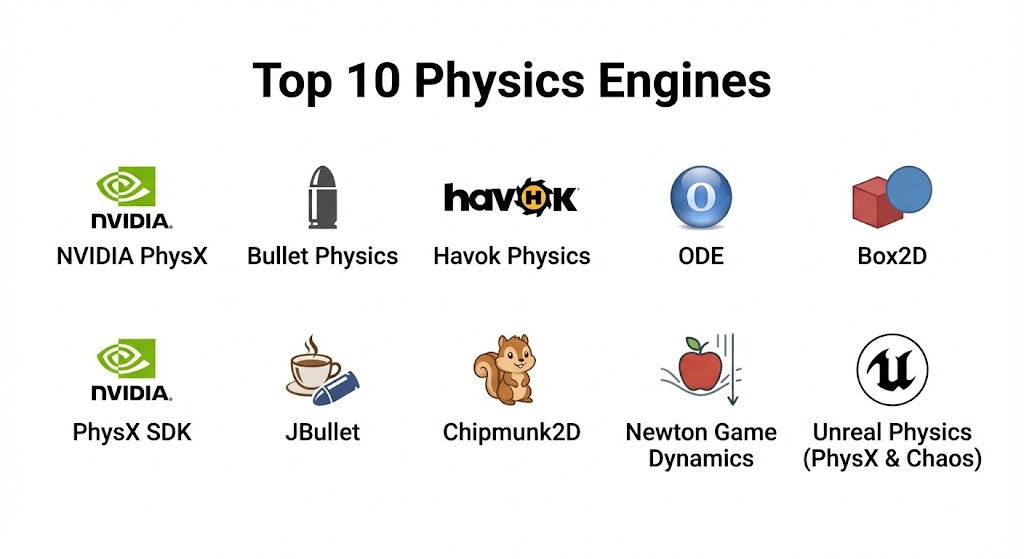
Top 10 Physics Engines Tools
1 — NVIDIA PhysX
Short description:
PhysX is a high-performance physics engine designed for real-time simulations in games, VR, and interactive applications.
Key features:
- Rigid body dynamics
- Fluid simulation and particle effects
- Soft body physics
- GPU acceleration
- Collision detection and raycasting
- Multi-platform support (PC, console, mobile)
- Integration with popular game engines
Pros:
- GPU acceleration enhances performance
- Realistic physics simulation
- Supports multiple platforms
Cons:
- Requires NVIDIA GPU for optimal performance
- Licensing may be restrictive in some cases
Security & compliance:
Varies / N/A
Support & community:
NVIDIA documentation, forums, developer resources.
2 — Bullet Physics
Short description:
Bullet Physics is an open-source physics engine used for collision detection, rigid and soft body simulations, and real-time applications.
Key features:
- Rigid body dynamics
- Soft body simulation
- Collision detection
- Multi-threaded CPU support
- Integration with 3D engines
- Open-source extensibility
- Cross-platform compatibility
Pros:
- Free and open-source
- Widely adopted in games and simulations
- Flexible and extensible
Cons:
- Requires manual optimization for complex scenes
- Less beginner-friendly
Security & compliance:
Varies / N/A
Support & community:
Community forums, GitHub, tutorials.
3 — Havok Physics
Short description:
Havok Physics is a commercial physics engine widely used in AAA game development for realistic simulations.
Key features:
- Rigid body and character dynamics
- Collision detection
- Cloth and ragdoll simulation
- Multi-threaded CPU support
- Physics-based animations
- Integration with major game engines
- Optimized for high-performance consoles
Pros:
- Industry standard for AAA games
- Highly optimized performance
- Advanced physics features
Cons:
- Expensive licensing
- Closed-source
Security & compliance:
Varies / N/A
Support & community:
Documentation, technical support, forums.
4 — ODE (Open Dynamics Engine)
Short description:
ODE is an open-source, high-performance library for rigid body dynamics and collision detection.
Key features:
- Rigid body simulation
- Collision detection
- Multi-platform support
- Real-time simulation
- Simple integration with game engines
- Lightweight and efficient
- Extensible API
Pros:
- Open-source and free
- Lightweight, ideal for small projects
- Cross-platform
Cons:
- Limited soft body and fluid simulation
- Fewer advanced features than commercial engines
Security & compliance:
Varies / N/A
Support & community:
Documentation, forums, GitHub.
5 — Box2D
Short description:
Box2D is an open-source 2D physics engine popular in mobile and 2D game development.
Key features:
- 2D rigid body dynamics
- Collision detection
- Joints and constraints
- Simple API for 2D games
- Integration with multiple programming languages
- Lightweight and efficient
- Real-time simulation
Pros:
- Free and open-source
- Lightweight and fast
- Widely used in mobile 2D games
Cons:
- Limited to 2D simulations
- No advanced 3D physics
Security & compliance:
Varies / N/A
Support & community:
Documentation, forums, GitHub.
6 — PhysX SDK
Short description:
PhysX SDK is NVIDIA’s standalone development kit for physics simulation integration in games and simulations.
Key features:
- Rigid and soft body dynamics
- Fluid simulation
- GPU and CPU acceleration
- Collision detection
- Multi-platform support
- Real-time physics simulation
- Integration with major engines
Pros:
- High-performance simulation
- GPU acceleration
- Strong support and documentation
Cons:
- Optimized for NVIDIA GPUs
- Advanced setup required
Security & compliance:
Varies / N/A
Support & community:
NVIDIA developer resources and forums.
7 — JBullet
Short description:
JBullet is the Java port of Bullet Physics, suitable for Java-based game development.
Key features:
- Rigid and soft body dynamics
- Collision detection
- Physics simulation for Java applications
- Cross-platform Java support
- Lightweight library
- Open-source
- Real-time updates
Pros:
- Java compatibility
- Free and open-source
- Lightweight and efficient
Cons:
- Limited community compared to C++ Bullet
- Fewer updates
Security & compliance:
Varies / N/A
Support & community:
Documentation, forums, GitHub.
8 — Chipmunk2D
Short description:
Chipmunk2D is a fast, lightweight 2D physics engine for games and interactive applications.
Key features:
- 2D rigid body dynamics
- Collision detection
- Joints and constraints
- Lightweight and portable
- Integration with C, C++, and Lua
- Open-source
- Real-time performance
Pros:
- Lightweight and fast
- Ideal for 2D games
- Free and open-source
Cons:
- Limited 3D support
- Less feature-rich than full engines
Security & compliance:
Varies / N/A
Support & community:
Documentation, forums, GitHub.
9 — Newton Game Dynamics
Short description:
Newton Game Dynamics is a high-performance physics engine for real-time simulation in games and VR.
Key features:
- Rigid body dynamics
- Collision detection
- Multi-threaded CPU support
- Joint and constraint system
- Real-time simulation
- Open-source
- Cross-platform
Pros:
- Free and open-source
- Optimized for performance
- Supports complex simulations
Cons:
- Smaller community
- Limited tutorials
Security & compliance:
Varies / N/A
Support & community:
Documentation, forums, GitHub.
10 — Unreal Physics (PhysX & Chaos)
Short description:
Unreal Engine integrates PhysX and Chaos physics systems for high-fidelity simulations.
Key features:
- Rigid and soft body simulation
- Destruction and cloth physics
- Collision detection
- Multi-threaded performance
- Integration with Unreal Engine
- Real-time simulation
- VR/AR support
Pros:
- High-fidelity simulation
- Fully integrated in Unreal Engine
- Supports advanced destructible environments
Cons:
- Requires Unreal Engine knowledge
- Resource-intensive
Security & compliance:
Varies / N/A
Support & community:
Unreal Engine documentation, forums, tutorials.
Comparison Table
| Tool Name | Best For | Platform(s) Supported | Standout Feature | Rating |
|---|---|---|---|---|
| NVIDIA PhysX | High-performance games | PC, Console, Mobile | GPU acceleration | N/A |
| Bullet Physics | Open-source 3D | PC, Console | Rigid/soft body simulation | N/A |
| Havok Physics | AAA games | PC, Console | Industry-standard physics | N/A |
| ODE | Real-time simulations | PC, Mac, Linux | Lightweight rigid body | N/A |
| Box2D | 2D mobile games | PC, Mobile | 2D rigid body dynamics | N/A |
| PhysX SDK | Standalone integration | PC, Mobile | GPU/CPU acceleration | N/A |
| JBullet | Java applications | PC | Java-based physics | N/A |
| Chipmunk2D | Lightweight 2D games | PC, Mobile | Fast 2D simulation | N/A |
| Newton Game Dynamics | Real-time simulation | PC, Console | High-performance physics | N/A |
| Unreal Physics | Unreal Engine games | PC, Console | Chaos & PhysX integration | N/A |
Evaluation & Scoring of Physics Engines
| Criteria | Weight | Description |
|---|---|---|
| Core features | 25% | Rigid/soft body, collision, fluid simulation |
| Ease of use | 15% | Integration with engines, API usability |
| Integrations & ecosystem | 15% | Game engine compatibility, plugins |
| Security & compliance | 10% | Licensing, enterprise usage |
| Performance & reliability | 10% | Real-time performance, stability |
| Support & community | 10% | Documentation, forums, tutorials |
| Price / value | 15% | Licensing and cost-benefit ratio |
Which Physics Engine Is Right for You?
- Solo developers: Box2D, Chipmunk2D, JBullet for lightweight or 2D projects
- SMBs: Bullet Physics, Newton Game Dynamics, PhysX SDK for cross-platform support
- Mid-market teams: PhysX, Bullet Physics, Newton Game Dynamics for 3D games
- Enterprises: Havok Physics, PhysX, Unreal Physics for AAA-quality and VR/AR simulations
Budget-conscious developers can choose open-source engines like Bullet, Box2D, or Newton, while premium AAA projects benefit from Havok, PhysX, or Unreal Physics.
Frequently Asked Questions (FAQs)
- What is a physics engine?
A software library that simulates real-world physics for interactive applications. - Do I need a physics engine for simple games?
Not always; simple 2D games may not require advanced physics simulation. - Are physics engines cross-platform?
Many support PC, consoles, mobile, and VR/AR platforms. - Do I need programming skills?
Yes, integration often requires scripting or coding. - Can physics engines handle multiplayer interactions?
Yes, some engines support synchronized physics in multiplayer games. - Are physics engines expensive?
Open-source engines are free; commercial engines like Havok may require licenses. - Can physics engines simulate fluids?
Some, like PhysX, support fluid and particle simulations. - Is GPU acceleration necessary?
GPU acceleration improves performance for complex 3D simulations. - Can I integrate physics engines with game engines?
Yes, most support Unity, Unreal, and other popular engines. - Which engine is best for 2D physics?
Box2D and Chipmunk2D are optimized for 2D game development.
Conclusion
Physics engines are essential for delivering realistic, interactive, and immersive game and simulation experiences. From lightweight 2D engines like Box2D to AAA-quality engines like Havok and Unreal Physics, developers have tools tailored to various project requirements. Choosing the right engine depends on project complexity, platform requirements, budget, and team expertise. The best physics engine aligns with your development goals and enhances the realism of your interactive content.
Physics engines are the unsung heroes of digital realism, handling the heavy lifting of collision detection and fluid dynamics. This guide contrasts top-tier options like NVIDIA PhysX and Havok with lightweight open-source favorites like Box2D.