Introduction
Penetration testing tools act as the “white hat” equivalent of an attacker’s arsenal. They are important because they allow security teams to validate their defenses, prove compliance with regulatory frameworks like SOC 2 and GDPR, and prioritize remediation efforts based on actual exploitability rather than theoretical risk. Real-world use cases include testing a new web application for SQL injection before launch, auditing a wireless network’s encryption strength, or simulating a ransomware attack to see how internal lateral movement can be contained.
When evaluating these tools, users should look for exploit breadth (the variety of vulnerabilities it can test), automation capabilities (how much manual effort it saves), stealth (for red teaming exercises), and reporting quality (how easily a developer can understand the fix). A balanced toolkit often combines specialized open-source utilities with comprehensive commercial platforms to cover the entire attack surface.
Best for: Cybersecurity professionals, Red Teamers, DevSecOps engineers, and enterprise security departments. These tools are essential for mid-market to large enterprises in highly regulated sectors such as finance, healthcare, and government, where data integrity is paramount.
Not ideal for: Small business owners with no technical staff or basic security needs. In such cases, managed security service providers (MSSPs) or basic automated vulnerability scanners (without manual exploitation features) are often a better, more user-friendly investment.
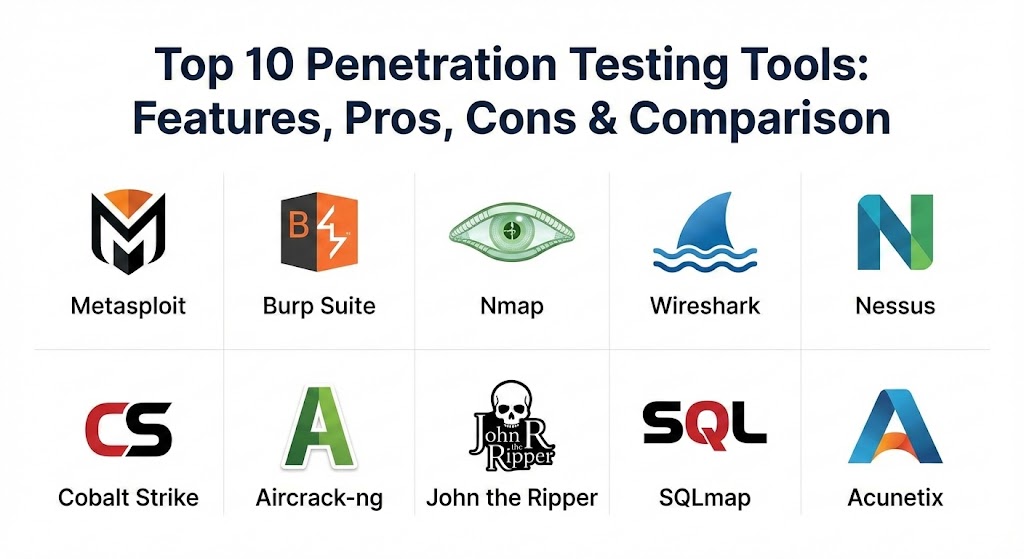
Top 10 Penetration Testing Tools
1 — Metasploit Framework / Pro
Metasploit is arguably the most recognizable name in penetration testing. Owned by Rapid7, it provides a massive infrastructure for developing, testing, and executing exploit code against a target machine.
- Key features:
- Massive database of over 2,000 verified exploits and 600+ payloads.
- Integrated Meterpreter shell for advanced post-exploitation tasks.
- “AutoPwn” feature for automated vulnerability matching and exploitation.
- Integration with Nmap and Nessus for unified scanning and attacking.
- VPN pivoting to tunnel traffic through compromised internal hosts.
- Social engineering toolkit for testing phishing and human-factor risks.
- Pros:
- The modular architecture allows experts to write custom exploits in Ruby.
- The “Pro” version offers automated wizards that drastically reduce testing time for less experienced users.
- Cons:
- The open-source version is entirely command-line driven and has a steep learning curve.
- It is often “noisy” on a network, meaning basic Intrusion Detection Systems (IDS) can easily flag it.
- Security & compliance: FIPS 140-2 compliant, SSO integration (Pro), and supports SOC 2 and HIPAA audit reporting.
- Support & community: Extensive documentation; the Metasploit “Unleashed” training is the industry standard; active community on GitHub and Discord.
2 — Burp Suite Professional
Burp Suite is the gold standard for web application security testing. It acts as an intercepting proxy, allowing testers to view and manipulate traffic between their browser and the target application.
- Key features:
- Intercepting Proxy to modify HTTP/S requests and responses in real-time.
- “Intruder” for automating highly customized attacks like brute-forcing.
- “Repeater” for manual manipulation and re-issuing of individual requests.
- Professional-grade automated vulnerability scanner for web-specific flaws (XSS, SQLi).
- Extender API that allows users to install hundreds of community-built plugins (BApps).
- Integration with CI/CD pipelines for DevSecOps workflows.
- Pros:
- Unmatched for web-specific testing; if a web vulnerability exists, Burp can find it.
- Excellent session handling that allows testers to stay logged in during complex scans.
- Cons:
- High memory and CPU usage during deep scans of large applications.
- The Professional version is limited to single-user licenses, which can get expensive for large teams.
- Security & compliance: SOC 2 compliant workflows, GDPR-ready reporting templates, and TLS/SSL analysis tools.
- Support & community: “PortSwigger Academy” offers free, world-class training; robust support portal with rapid ticket response.
3 — Nmap (Network Mapper)
Nmap is a free, open-source utility for network discovery and security auditing. It is the first tool used in almost every penetration test to map out what is on the network.
- Key features:
- High-speed port scanning to identify open, closed, and filtered ports.
- Service and version detection to identify exactly what software is running.
- OS fingerprinting to determine the operating system of remote devices.
- Nmap Scripting Engine (NSE) for automating vulnerability detection and discovery tasks.
- Zenmap GUI for users who prefer a visual interface over the command line.
- Supports various scan types (SYN, Connect, UDP, ICMP) to bypass firewalls.
- Pros:
- Extremely fast and lightweight; can scan thousands of ports in seconds.
- Completely free and maintained by a legendary community of developers.
- Cons:
- Primarily a “discovery” tool; it does not perform exploitation itself.
- Advanced scripts require a deep understanding of networking protocols to be effective.
- Security & compliance: N/A (Standard utility); however, it is a staple in any PCI-DSS or ISO 27001 audit workflow.
- Support & community: The “Nmap Network Scanning” book is the definitive guide; massive community support via mailing lists.
4 — Wireshark
Wireshark is the world’s most widely used network protocol analyzer. It allows you to see what’s happening on your network at a microscopic level, capturing and interactively browsing traffic.
- Key features:
- Deep inspection of hundreds of protocols, with more being added constantly.
- Live capture and offline analysis of network traffic.
- Powerful display filters to isolate specific conversations or packets.
- Decryption support for many protocols including IPsec, ISAKMP, and Kerberos.
- Coloring rules applied to the packet list for quick, visual analysis.
- Export outputs to XML, PostScript, CSV, or plain text.
- Pros:
- The ability to “Follow TCP Stream” allows testers to reconstruct entire web sessions or file transfers.
- Essential for identifying “hidden” communication channels or malware beaconing.
- Cons:
- Can be overwhelming for beginners due to the sheer volume of data it presents.
- Capturing high-speed traffic can drop packets unless specialized hardware is used.
- Security & compliance: HIPAA and GDPR compliant data anonymization features for sharing capture files.
- Support & community: Strong documentation; SharkFest educational conferences; huge community-contributed protocol dissectors.
5 — Nessus Vulnerability Scanner
While often categorized as a vulnerability assessment tool, Nessus is a core part of the pentesting lifecycle for its ability to quickly identify low-hanging fruit and missing patches.
- Key features:
- Over 190,000 plugins that are updated daily with the latest CVEs.
- Configuration auditing for servers, cloud infrastructure, and network devices.
- Malware detection to find infected hosts on the network.
- Support for cloud environments including AWS, Azure, and Google Cloud.
- Risk-based prioritization using Tenable’s VPR (Vulnerability Priority Rating).
- Professional reporting with customizable templates for different stakeholders.
- Pros:
- Extremely low false-positive rate compared to open-source scanners.
- Easy to use for non-experts; includes many pre-defined “best practice” scan templates.
- Cons:
- The “Professional” version is quite expensive for small consultants.
- It is a passive scanner; it won’t “prove” the vulnerability by exploiting it.
- Security & compliance: Built-in templates for PCI-DSS, CIS Benchmarks, HIPAA, and ISO 27001.
- Support & community: Tiered enterprise support; Tenable University for certification and training.
6 — Cobalt Strike
Cobalt Strike is a commercial threat emulation software designed for Red Teaming. It is famous for its “Beacon” payload, which simulates a quiet, long-term embedded threat actor.
- Key features:
- Malleable C2 (Command and Control) to change network indicators to look like different malware.
- Collaboration features that allow multiple testers to share the same session.
- Advanced post-exploitation tools for lateral movement and privilege escalation.
- Integrated social engineering and spear-phishing platform.
- Robust reporting tailored for “Blue Team” training and response.
- Interoperability with Core Impact for seamless session passing.
- Pros:
- The industry standard for stealth; designed specifically to bypass modern EDR and antivirus.
- Extremely flexible; allows the operator to control exactly how the traffic looks on the wire.
- Cons:
- Expensive licensing and a strict vetting process for purchasers to prevent misuse.
- Often used by real threat actors, meaning some of its signatures are now heavily targeted by defenders.
- Security & compliance: AES-256 encryption for all C2 traffic; ISO 27001 and SOC 2 compliant operational security.
- Support & community: “Aggressor Scripts” allow for deep customization; high-end professional support and training.
7 — Aircrack-ng
Aircrack-ng is a complete suite of tools to assess WiFi network security. It focuses on the different areas of WiFi security: monitoring, attacking, testing, and cracking.
- Key features:
- Packet capturing and export of data to text files for further analysis.
- Replay attacks, deauthentication, and fake access points via
aireplay-ng. - Cracking of WEP, WPA, and WPA2-PSK keys.
airmon-ngto place wireless cards into monitor mode.- Support for heavy scripting to automate WiFi audits.
- Hardware-agnostic (works with any wireless card that supports monitor mode).
- Pros:
- The most powerful tool for wireless auditing; if a WiFi password can be cracked, this will do it.
- Completely free and cross-platform (Linux, Windows, macOS, FreeBSD).
- Cons:
- Very difficult to use on Windows; most features require a specialized Linux kernel.
- Command-line only, which can be daunting for newcomers.
- Security & compliance: N/A; used primarily for verifying compliance with wireless security standards.
- Support & community: Excellent wiki and tutorials; very active development on GitHub.
8 — John the Ripper
John the Ripper (JtR) is an open-source password security auditing and password recovery tool. It is one of the fastest and most flexible password crackers available.
- Key features:
- Auto-detection of hash types (MD5, SHA-1, Kerberos, etc.).
- Dictionary attacks, brute-force attacks, and “Single Crack” mode.
- Customizable rules for “mangling” dictionary words (e.g., changing ‘s’ to ‘$’).
- Support for GPU-based cracking via OpenCL and CUDA (Jumbo version).
- Distributed cracking support to use multiple machines for a single task.
- “Johnny” GUI available for those who prefer a visual interface.
- Pros:
- Incredible speed; optimized for different CPU architectures (AVX-512, NEON).
- Highly intelligent; it uses character frequency tables to try the most likely passwords first.
- Cons:
- The free version is significantly slower than the Pro version on some hash types.
- Setting up the “Jumbo” version with GPU drivers can be technically challenging.
- Security & compliance: FIPS 140-2 (Pro version); essential for auditing password policy compliance.
- Support & community: Long-standing, expert-level community; extensive documentation on the Openwall website.
9 — SQLmap
SQLmap is an open-source tool that automates the process of detecting and exploiting SQL injection flaws and taking over database servers.
- Key features:
- Full support for almost all database management systems (MySQL, Oracle, PostgreSQL, etc.).
- Five SQL injection techniques: boolean-based blind, time-based blind, error-based, UNION query-based, and stacked queries.
- Automated database fingerprinting and schema enumeration.
- Ability to read/write files on the underlying filesystem of the database server.
- Privilege escalation through various out-of-band techniques.
- Support for custom HTTP headers and proxying traffic.
- Pros:
- The ultimate “time-saver”; what would take hours of manual testing takes seconds with SQLmap.
- Extremely accurate; it rarely misses an injection point if it’s reachable.
- Cons:
- Can be very destructive if not used carefully; it can accidentally drop tables or crash databases.
- It is a “loud” tool; web application firewalls (WAFs) will easily detect its signatures.
- Security & compliance: SOC 2 and GDPR compliant workflow support.
- Support & community: Robust documentation; active GitHub issues page for bug fixes and new database support.
10 — Acunetix by Invicti
Acunetix is a comprehensive web vulnerability scanner designed to be both powerful and easy to use. It excels at finding vulnerabilities in modern Single Page Applications (SPAs) and APIs.
- Key features:
- “DeepScan” engine that can crawl complex JavaScript and AJAX applications.
- IAST (Interactive Application Security Testing) for pinpointing code-level vulnerabilities.
- Native support for scanning REST, SOAP, and GraphQL APIs.
- Integrated vulnerability management to track issues over time.
- Blazing fast scanning speed (1000+ pages in under 40 minutes).
- Automatic verification of findings to reduce false positives.
- Pros:
- Exceptional at modern web architectures (React, Angular, Vue) where other scanners fail.
- Developer-friendly reports that include a “proof of exploit” to show exactly why a fix is needed.
- Cons:
- Very expensive; licensed per target URL, which can add up quickly.
- On-premise version is resource-hungry (requires 16GB+ RAM).
- Security & compliance: Built-in reporting for PCI-DSS, HIPAA, ISO 27001, and NIST.
- Support & community: Professional enterprise support with a 48-hour SLA for critical bugs.
Comparison Table
| Tool Name | Best For | Platform(s) Supported | Standout Feature | Rating (Gartner Peer Insights) |
| Metasploit | General Exploitation | Windows, Linux, macOS | Massive Exploit DB | 4.6 / 5 |
| Burp Suite | Web Application Pentesting | Windows, Linux, macOS | Intercepting Proxy | 4.7 / 5 |
| Nmap | Network Discovery | Multi-platform | Nmap Scripting Engine | N/A (Free) |
| Wireshark | Protocol Analysis | Windows, Linux, macOS | Deep Packet Inspection | 4.8 / 5 |
| Nessus | Vuln. Assessment | Windows, Linux, Cloud | 190,000+ Plugins | 4.5 / 5 |
| Cobalt Strike | Red Teaming / Stealth | Windows, Linux | Malleable C2 Beacon | 4.7 / 5 |
| Aircrack-ng | WiFi Security | Linux, Windows | WPA/WPA2 Cracking | N/A (Free) |
| John the Ripper | Password Auditing | Multi-platform | Intelligent Word Mangling | N/A (Free) |
| SQLmap | Database Exploitation | Multi-platform | Automated SQLi Injection | N/A (Free) |
| Acunetix | Modern Web/API Scanning | Cloud, Windows | SPA/JavaScript Crawling | 4.4 / 5 |
Evaluation & Scoring of Penetration Testing Tools
The following table summarizes the weighted criteria used to evaluate these tools in 2026.
| Category | Weight | Evaluation Rationale |
| Core Features | 25% | Variety of vulnerabilities covered, depth of exploitation, and automation. |
| Ease of Use | 15% | Intuitive interface, learning curve, and the availability of wizards/UIs. |
| Integrations | 15% | Compatibility with CI/CD, SIEM, and other security stack components. |
| Security & Compliance | 10% | Encryption of data, audit logs, and compliance-ready reporting. |
| Performance | 10% | Stability, scanning speed, and impact on target system performance. |
| Support & Community | 10% | Quality of documentation, training availability, and user forums. |
| Price / Value | 15% | Transparency of pricing and overall ROI for the security team. |
Which Penetration Testing Tool Is Right for You?
Selecting the right tool depends on your specific role and the maturity of your security program.
- Solo Users & Independent Consultants: You should live and breathe the “Kali Linux” stack. Start with Nmap, Burp Suite Professional, and Metasploit Framework. These provide a full end-to-end toolkit for a reasonable investment.
- Small to Medium Businesses (SMBs): Focus on automation. You likely don’t have the time for manual exploitation. Tools like Nessus or Acunetix provide the best “set it and forget it” value to keep you compliant.
- Mid-Market Enterprises: At this stage, you need a mix. Use Burp Suite for your web devs and Metasploit Pro for your IT team. This ensures that your entire attack surface is covered without needing a 50-person security team.
- Enterprise Red Teams: You need stealth and coordination. Cobalt Strike is your primary platform for adversary simulation, supplemented by Wireshark for deep traffic analysis and John the Ripper for auditing enterprise password strength.
- Security & Compliance Needs: If your primary goal is passing a PCI-DSS or SOC 2 audit, prioritize Nessus and Burp Suite. Their reporting modules are specifically designed to satisfy auditors with minimal manual editing.
Frequently Asked Questions (FAQs)
1. Is penetration testing legal?
Yes, but only if you have written authorization from the owner of the system being tested. Testing a system without permission is illegal (“hacking”) and can result in severe legal consequences.
2. What is the difference between a vulnerability scan and a penetration test?
A vulnerability scan is automated and identifies potential flaws. A penetration test goes a step further by attempting to exploit those flaws to see if they can actually be used to steal data or gain control.
3. Do I need to be a coder to use these tools?
Not necessarily. Commercial tools like Metasploit Pro and Acunetix have graphical interfaces and wizards. However, knowing basic Python, Ruby, or JavaScript will help you get much more out of them.
4. Can these tools crash my servers?
Yes. Exploitation is an inherently unstable process. Always perform penetration tests in a staging environment first, or use “safe” checks if testing in production.
5. Why are some of these tools free while others cost thousands?
Free tools (Nmap, SQLmap) are usually specialized utilities maintained by the community. Paid tools (Cobalt Strike, Acunetix) offer support, automated reporting, and “stealth” features that require constant R&D.
6. Can these tools find all vulnerabilities?
No. No tool can find 100% of flaws. Tools are excellent at finding “known” vulnerability classes (like SQLi or XSS), but “business logic” flaws usually require a human brain.
7. How often should I use these tools?
Industry best practice (and most regulations) suggest performing a full penetration test at least once a year, or whenever significant changes are made to your network or application code.
8. Is Kali Linux a penetration testing tool?
Kali Linux is actually an operating system that comes pre-packaged with hundreds of these tools (including Metasploit, Nmap, and Wireshark) already configured.
9. Can I use these tools on cloud environments like AWS?
Yes, but you must check the cloud provider’s “Permitted Use” policy first. Some providers require you to notify them before you begin a high-volume scan.
10. What is the best tool for a beginner?
Nmap is the best starting point for networking. For web security, Burp Suite’s “Community Edition” is a fantastic way to learn how web traffic works.
Conclusion
The “best” penetration testing tool is rarely a single piece of software, but rather a carefully chosen “stack” that matches your environment. In 2026, the key to a successful security posture is not just having the power to exploit, but the intelligence to remediate. Whether you are using the brute speed of John the Ripper to audit passwords or the surgical precision of Burp Suite to secure an API, your goal remains the same: staying one step ahead of the adversary.