Introduction
PCB (Printed Circuit Board) design software is a specialized suite of tools that allows engineers and designers to create, simulate, and optimize circuit board layouts. These platforms enable schematic capture, multi-layer PCB layout, signal integrity analysis, and automated routing, providing the foundation for designing electronic products with high performance and reliability.
The importance of PCB design software lies in its ability to reduce design errors, streamline manufacturing, and accelerate time-to-market. Industries including consumer electronics, automotive, aerospace, telecommunications, and medical devices rely heavily on PCB design software to ensure efficient, cost-effective, and accurate board production. Key real-world use cases include designing multi-layer PCBs, creating high-speed signal traces, verifying power integrity, and performing thermal simulations.
When selecting PCB design software, users should consider schematic capture tools, component libraries, auto-routing capabilities, multi-layer support, simulation integration, collaboration features, ease of use, and cost-effectiveness. Integration with manufacturing processes and compliance with industry standards is also crucial.
Best for:
PCB design software is ideal for electronics engineers, PCB designers, product development teams, and enterprises designing complex electronic hardware.
Not ideal for:
Small hobbyists or individuals with simple circuit designs may not need full-featured PCB design software and could use lightweight or free tools instead.
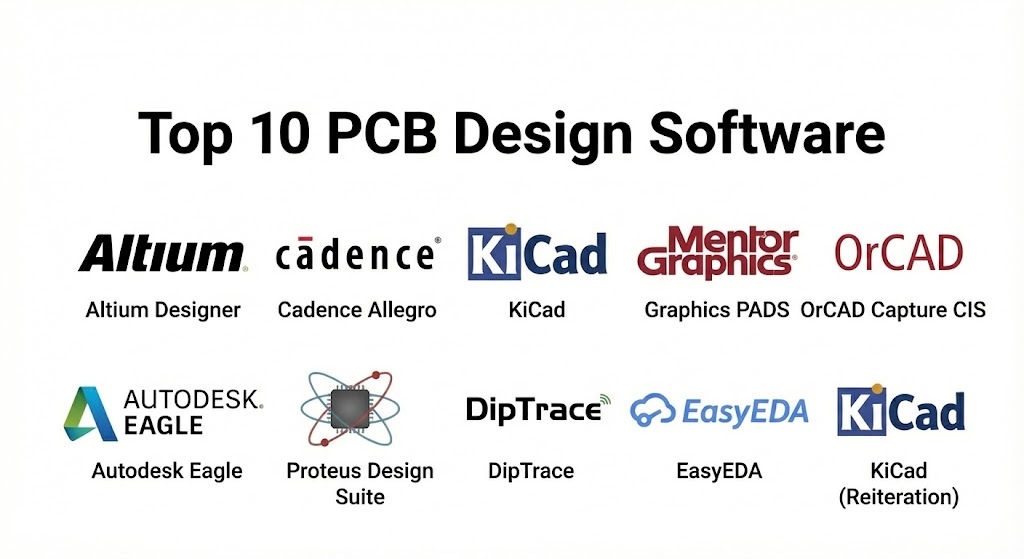
Top 10 PCB Design Software Tools
1 — Altium Designer
Short description:
Altium Designer is a comprehensive PCB design platform offering schematic capture, layout, and simulation for professional engineers.
Key features:
- Unified schematic and PCB layout
- Multi-layer PCB support
- 3D visualization and mechanical integration
- Component libraries and management
- Auto-routing and design rule checks
- Signal integrity and simulation
- Collaboration via Altium 365
Pros:
- Seamless integration between schematic and layout
- Powerful simulation and verification tools
- Industry-standard for professional PCB design
Cons:
- Expensive licensing
- High system requirements
- Steep learning curve for beginners
Security & compliance:
SSO, encryption, GDPR-ready
Support & community:
Vendor support, tutorials, active user community.
2 — Cadence Allegro / OrCAD
Short description:
Cadence Allegro and OrCAD are professional-grade PCB design and EDA platforms for complex boards and high-speed circuits.
Key features:
- Schematic capture and PCB layout
- Multi-layer routing and design rule checks
- Signal and power integrity analysis
- Simulation and verification tools
- Component and library management
- Collaboration and version control
- Integration with SPICE simulation
Pros:
- Enterprise-level performance
- Handles complex high-speed designs
- Scalable for small to large projects
Cons:
- Expensive for small teams
- Requires experienced users
- Steep learning curve
Security & compliance:
Enterprise-grade security, ISO-compliant
Support & community:
Professional documentation, training, forums.
3 — KiCad
Short description:
KiCad is an open-source PCB design software that supports schematic capture, PCB layout, and 3D visualization.
Key features:
- Schematic capture and PCB layout
- Multi-layer board support
- 3D visualization of boards
- Component library management
- Gerber file export for manufacturing
- SPICE simulation integration
- Open-source and customizable
Pros:
- Free and open-source
- Ideal for education and prototyping
- Large and active community
Cons:
- Limited enterprise-level support
- Fewer advanced simulation features
Security & compliance:
Varies / N/A
Support & community:
Community forums, online documentation, tutorials.
4 — Mentor Graphics PADS / Xpedition
Short description:
Mentor Graphics PADS and Xpedition are enterprise-grade PCB design software solutions offering high-performance routing and verification.
Key features:
- Schematic capture and PCB layout
- Signal integrity and power analysis
- High-speed multi-layer PCB design
- Collaboration and version control
- Design verification and DRC
- Automated component management
- Simulation and validation integration
Pros:
- Suitable for complex, high-speed PCB projects
- Enterprise-level collaboration
- Advanced analysis tools
Cons:
- High cost
- Requires experienced engineers
Security & compliance:
Enterprise-grade, ISO-compliant
Support & community:
Vendor support, certified training, documentation.
5 — Eagle (Autodesk)
Short description:
Eagle is a user-friendly PCB design tool that combines schematic capture, PCB layout, and cloud-based collaboration.
Key features:
- Schematic capture and PCB editor
- Multi-layer PCB support
- Component library management
- SPICE-based simulation
- 3D visualization of boards
- Cloud collaboration and version control
- Design rule checks and BOM generation
Pros:
- Intuitive and easy to learn
- Cloud-enabled collaboration
- Affordable for SMBs and hobbyists
Cons:
- Limited for large enterprise boards
- Fewer high-end simulation features
Security & compliance:
SSO, encryption, GDPR-ready
Support & community:
Vendor tutorials, forums, and documentation.
6 — OrCAD Capture CIS
Short description:
OrCAD Capture CIS focuses on schematic design with robust component and library management for PCB engineers.
Key features:
- Schematic capture
- Component library and database integration
- Electrical rule checking
- Simulation integration via PSpice
- BOM generation
- CAD integration for PCB layout
- Collaboration features
Pros:
- Strong library and component management
- Industry-standard schematic capture
- Suitable for complex boards
Cons:
- Requires additional tools for layout
- Expensive for small teams
Security & compliance:
Enterprise-grade, ISO-compliant
Support & community:
Official training, documentation, online forums.
7 — Proteus Design Suite
Short description:
Proteus Design Suite offers PCB design with embedded system simulation for microcontroller-based projects.
Key features:
- Schematic capture and PCB layout
- Microcontroller simulation
- SPICE-based circuit analysis
- 3D board visualization
- Component library management
- BOM generation
- Design verification
Pros:
- Ideal for embedded electronics
- Affordable and accessible
- Integrated simulation
Cons:
- Not suitable for enterprise-scale PCB design
- Limited advanced routing features
Security & compliance:
Varies / N/A
Support & community:
Documentation, tutorials, online forums.
8 — DipTrace
Short description:
DipTrace is a PCB design software providing schematic capture, PCB layout, and 3D modeling tools for engineers and hobbyists.
Key features:
- Schematic capture and PCB layout
- Multi-layer board support
- 3D visualization and export
- Component library management
- Autorouting and DRC
- BOM generation
- Gerber file output
Pros:
- Intuitive and easy to use
- Affordable for small teams
- Good 3D visualization
Cons:
- Limited advanced simulation
- Not ideal for very complex boards
Security & compliance:
Varies / N/A
Support & community:
Vendor support, online tutorials, forums.
9 — EasyEDA
Short description:
EasyEDA is a cloud-based PCB design and EDA platform suitable for collaboration and quick prototyping.
Key features:
- Cloud-based schematic and PCB layout
- SPICE circuit simulation
- Multi-layer PCB support
- Component library management
- BOM generation
- Collaboration and sharing
- 3D visualization
Pros:
- Accessible from any device
- No installation required
- Affordable subscription
Cons:
- Internet connection required
- Limited high-end simulation
Security & compliance:
Cloud encryption, GDPR-ready
Support & community:
Vendor documentation, tutorials, online community.
10 — KiCAD (Reiteration)
Short description:
KiCAD is an open-source PCB tool with schematic capture, layout, and 3D visualization suitable for beginners and hobbyists.
Key features:
- Schematic capture
- PCB layout and multi-layer boards
- 3D visualization
- Library management
- Gerber file generation
- SPICE simulation
- Open-source customization
Pros:
- Free and open-source
- Ideal for educational projects
- Active user community
Cons:
- Limited enterprise features
- Learning curve for complex designs
Security & compliance:
Varies / N/A
Support & community:
Community forums, tutorials, documentation.
Comparison Table
| Tool Name | Best For | Platform(s) Supported | Standout Feature | Rating |
|---|---|---|---|---|
| Altium Designer | Professional PCB design | Windows | Unified schematic & PCB | N/A |
| Cadence Allegro/OrCAD | Complex high-speed boards | Windows | Multi-layer routing & simulation | N/A |
| KiCAD | Hobbyists & education | Windows, macOS, Linux | Open-source flexibility | N/A |
| Mentor PADS/Xpedition | Enterprise PCB design | Windows | Signal integrity & verification | N/A |
| Eagle | SMB & hobbyists | Windows, macOS | Cloud collaboration | N/A |
| OrCAD Capture CIS | Schematic-focused design | Windows | Component management | N/A |
| Proteus Design Suite | Embedded & educational | Windows | Microcontroller simulation | N/A |
| DipTrace | SMB PCB design | Windows | Intuitive 3D visualization | N/A |
| EasyEDA | Cloud-based PCB | Browser | Online collaboration & simulation | N/A |
| KiCAD | Beginners & prototyping | Windows, macOS, Linux | Free & open-source | N/A |
Evaluation & Scoring of PCB Design Software
| Criteria | Weight | Description |
|---|---|---|
| Core features | 25% | Schematic, PCB layout, simulation |
| Ease of use | 15% | User interface, learning curve |
| Integrations & ecosystem | 15% | CAD/EDA integration, libraries |
| Security & compliance | 10% | Cloud or enterprise standards |
| Performance & reliability | 10% | Stability, computation |
| Support & community | 10% | Documentation, forums, tutorials |
| Price / value | 15% | Licensing vs features |
Which PCB Design Software Tool Is Right for You?
- Solo users: KiCAD, EasyEDA, Eagle for accessibility and low cost
- SMBs: Altium Designer, DipTrace, Proteus for small to medium boards
- Mid-market teams: OrCAD, Eagle, PADS/Xpedition for complex layouts
- Enterprises: Altium Designer, Cadence Allegro, Mentor PADS/Xpedition for high-end multi-layer PCBs
Budget-conscious users may prefer KiCAD or EasyEDA, while premium users gain from Altium, Cadence, and Mentor solutions.
Frequently Asked Questions (FAQs)
- What is PCB design software used for?
It is used to create, simulate, and optimize printed circuit boards for electronics. - Can beginners use PCB software?
Yes, KiCAD, EasyEDA, and Eagle are beginner-friendly; enterprise tools require training. - Do PCB tools support multi-layer boards?
Yes, professional tools support multi-layer, high-speed PCB designs. - Are these tools expensive?
Enterprise solutions are costly, while open-source or cloud-based tools are affordable. - Can PCB software simulate circuits?
Yes, many tools include SPICE or microcontroller simulation. - Is training required?
Advanced tools require formal training; beginner tools have tutorials. - Can PCB software collaborate online?
Yes, cloud-based tools like EasyEDA and Eagle support team collaboration. - Do these tools generate BOMs?
Yes, most provide bill of materials for manufacturing. - Can PCB software integrate with CAD?
Most professional EDA tools integrate with mechanical CAD platforms. - Are there free PCB design software options?
Yes, KiCAD and free tiers of Eagle are suitable for education and prototyping.
Conclusion
PCB design software is essential for engineers and designers to create, simulate, and optimize printed circuit boards. From hobbyists to enterprise teams, each tool offers specific strengths for different project scales, complexity, and collaboration requirements. Selecting the right PCB design software depends on workflow, team expertise, project requirements, and budget. The ideal solution aligns with your electronic design objectives, whether for education, prototyping, or enterprise-level PCB production.
Modern PCB design software has made creating complex circuit boards much more efficient. This guide is a solid resource, contrasting high-end professional tools like Altium Designer with accessible open-source favorites like KiCad. It’s helpful for anyone looking to match their technical goals with the right design ecosystem.