Introduction
Payroll and Benefits Administration refers to the dual-process of managing employee compensation and the suite of non-wage compensations provided to staff, such as health insurance, retirement plans, and paid time off. In today’s competitive talent market, these tools are important because they serve as the primary touchpoint for employee trust. A single error in tax withholding or a delay in benefits activation can lead to immediate disengagement and legal liability.
Key real-world use cases for these platforms include automating multi-state tax filings for remote teams, managing 401(k) contributions with direct brokerage sync, and providing “on-demand” pay options for hourly workers. When choosing a tool in 2026, users should evaluate it based on automation depth (how much manual entry is eliminated), compliance accuracy (automated local/state/federal updates), integration with IT stacks, and the quality of the mobile-first employee experience.
Best for: Small to mid-market businesses (SMBs) looking for all-in-one simplicity, high-growth startups with international hiring needs, and large enterprises requiring a robust “Human Capital Management” (HCM) system to unify global operations.
Not ideal for: Solo entrepreneurs or very small hobbyist businesses with zero employees, or companies in highly specialized “hyper-local” niches that may prefer manual local bookkeeping for strictly cash-based operations.
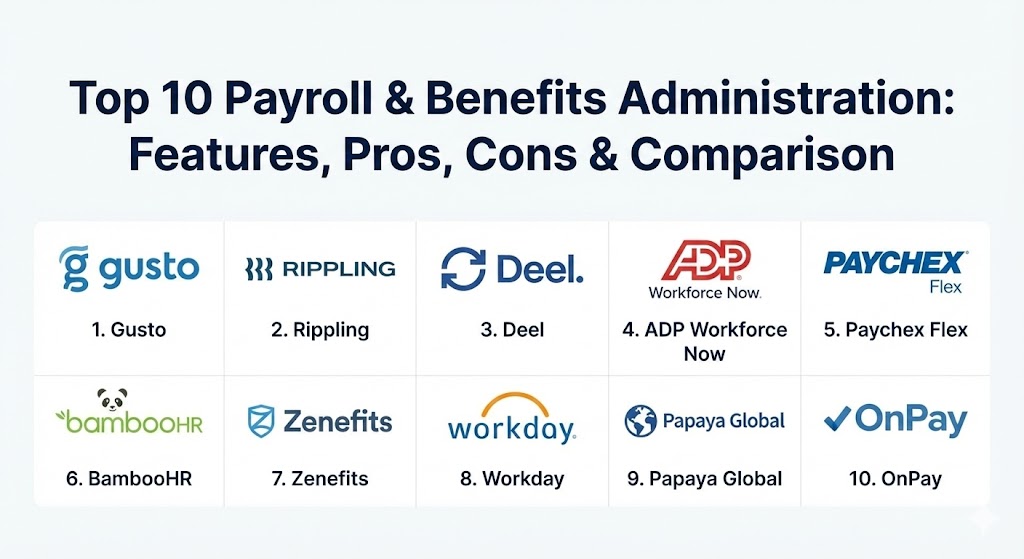
Top 10 Payroll & Benefits Administration Tools
1 — Gusto
Gusto is widely recognized as the gold standard for small-to-medium businesses that prioritize a modern, “human-centric” interface. It focuses on making the administrative burden of payroll almost invisible through high levels of automation.
- Key features:
- Automated tax filing and payments at local, state, and federal levels.
- Integrated health insurance, 401(k), and “Gusto Wallet” for employees.
- Automated onboarding workflows including digital I-9s and W-2s.
- R&D tax credit services for innovative startups.
- On-demand pay features allowing employees access to earned wages early.
- Advanced reporting with customizable templates for financial audits.
- Integrated time-tracking and PTO management.
- Pros:
- The most intuitive user interface in the industry, requiring almost zero training.
- Excellent automated compliance that proactively alerts users to changing labor laws.
- Cons:
- Can become expensive as a team grows beyond 100 employees due to per-employee pricing.
- Lacks some of the deep “IT provisioning” features found in rivals like Rippling.
- Security & compliance: SOC 2 Type II, GDPR compliant, 256-bit SSL encryption, and multi-factor authentication (MFA).
- Support & community: High-quality documentation; responsive chat and phone support; a large community of “Gusto Partners” (accountants) for specialized help.
2 — Rippling
Rippling has redefined the category as the “Workforce Platform.” It is the only tool that unifies HR, Payroll, and IT, allowing a company to manage an employee’s paycheck and their laptop/software access in a single motion.
- Key features:
- Global payroll that can pay employees and contractors in 100+ countries.
- Automated benefits administration with “360-degree” sync to 4,000+ carriers.
- App Management: Automatically grant/revoke access to tools like Slack and Zoom.
- Device Management: Order, ship, and manage employee laptops directly.
- PEO (Professional Employer Organization) option for outsourced HR.
- Deep workflow automation builder (e.g., “If employee is promoted, increase salary and change software permissions”).
- Built-in learning management system (LMS) for compliance training.
- Pros:
- Unrivaled for speed; onboarding a new hire takes less than 90 seconds across HR and IT.
- Massive integration library makes it the “hub” of a modern tech stack.
- Cons:
- The modular pricing can be confusing; users must pay for separate modules to unlock full power.
- May be “over-engineered” for traditional businesses that don’t use much software.
- Security & compliance: SOC 2 Type II, ISO 27001, GDPR, and HIPAA compliant. Includes advanced SSO and audit logs.
- Support & community: Extensive self-service “Help Center”; dedicated account managers for enterprise clients; active user webinars.
3 — Deel
Deel is the primary choice for the “global-first” era. It specializes in international hiring, allowing companies to hire anyone, anywhere, without setting up local legal entities.
- Key features:
- EOR (Employer of Record) services in over 150 countries.
- Automated contract generation based on local labor laws.
- Global benefits parity: Providing similar perks to employees regardless of their country.
- Deel Card: Allowing international workers to spend their earnings in local currency.
- Integrated immigration and visa support for global mobility.
- High-compliance document collection (localized tax forms and ID verification).
- One-click mass payments to thousands of contractors worldwide.
- Pros:
- The undisputed leader for managing international remote teams and compliance.
- Simplifies the complex legal landscape of hiring in foreign jurisdictions into a single dashboard.
- Cons:
- Customer support response times can be slower during periods of hyper-growth.
- Not as deep in traditional “on-premise” US benefits administration as US-centric tools.
- Security & compliance: SOC 2 Type II, ISO 27001, GDPR, and regional compliance certifications for 100+ countries.
- Support & community: 24/7 global support in multiple languages; extensive “Global Hiring Guide” documentation.
4 — ADP Workforce Now
ADP is the legacy titan of the industry. Workforce Now is their mid-market to enterprise solution, offering a level of depth and “data-backing” that few other providers can match.
- Key features:
- Benchmarking: Compare your pay and benefits against industry standards using ADP’s massive dataset.
- Comprehensive ACA (Affordable Care Act) and COBRA compliance management.
- Advanced analytics and “People Insights” for workforce planning.
- Global payroll footprint serving 140+ countries.
- Integrated recruiting, performance management, and learning.
- Specialized tax credit services to recover overpaid taxes.
- Pros:
- Highly scalable; can handle organizations with tens of thousands of employees.
- “Peace of mind” compliance backed by the largest team of regulatory experts in the world.
- Cons:
- The user interface can feel dated and clunky compared to modern SaaS platforms.
- Implementation is often long and requires professional services from ADP.
- Security & compliance: SOC 1 & 2, ISO 27001, HIPAA, and GDPR compliant. High-level data encryption.
- Support & community: Global enterprise support; dedicated service teams; extensive formal training through ADP University.
5 — Paychex Flex
Paychex Flex is designed for businesses that want a hybrid approach—powerful software combined with a high-touch, dedicated human support model.
- Key features:
- Dedicated payroll specialist assigned to each account.
- 200+ integrations with popular accounting and HR software.
- Comprehensive “Retirement Services” (401k) with fiduciary support.
- AI-driven “Paychex Voice” assistant for hands-free payroll queries.
- Integrated workers’ compensation and business insurance.
- Employee self-service mobile app with “Paychex Pre-Check” to review pay before it’s sent.
- Pros:
- Best-in-class support for business owners who want a human to talk to.
- Highly flexible; can easily toggle between self-service and full-service models.
- Cons:
- Some users report that the software can be “buggy” when handling complex, non-standard pay cycles.
- Add-on costs for specific tax filings can make it more expensive than flat-rate competitors.
- Security & compliance: SOC 1 & 2, ISO 27001, and HIPAA compliant. SSAE 18 audited.
- Support & community: 24/7 US-based support; massive knowledge base and specialized support for accountants.
6 — BambooHR
While primarily known as an HRIS (Human Resource Information System), BambooHR’s payroll and benefits modules are specifically built to reduce “data double-entry” for mid-sized companies.
- Key features:
- “Single Source of Truth”: Payroll data pulled directly from the HR record.
- Intuitive “Benefits Enrollment” wizard for employees.
- Performance Management and Culture tools (NPS surveys) integrated.
- Standardized “Payroll Run” with automated error checking.
- Excellent mobile app for employees to view paystubs and manage benefits.
- Integrated Applicant Tracking System (ATS) for seamless “Hire-to-Pay” flow.
- Pros:
- Focuses heavily on “Employee Experience” and culture, not just admin.
- Transparent reporting that helps HR show the value of benefits to the C-suite.
- Cons:
- Payroll features are only available for US-based employees.
- Not as deep in “tax-saving” advanced logic as ADP or Paychex.
- Security & compliance: SOC 2 Type II, GDPR, and HIPAA compliant. Data is encrypted in transit and at rest.
- Support & community: Robust online community; high-quality webinars; responsive account management.
7 — Zenefits (by TriNet)
Zenefits is a “Benefits-First” platform. Since its acquisition by TriNet, it has gained the stability of a major player while maintaining its reputation for simplifying complex health insurance workflows.
- Key features:
- Streamlined “Health Insurance” marketplace for SMBs.
- Automated COBRA and FSA/HSA administration.
- Integrated “Compliance Dashboard” showing missing documents or filings.
- Mobile-first enrollment allowing employees to select plans on their phones.
- Automatic salary sync between payroll and benefits carriers.
- Specialized “Contractor Management” module.
- Pros:
- The best tool for businesses where health insurance management is the primary “pain point.”
- Very clean, modern interface that makes complex benefits easy to understand.
- Cons:
- Some users find the transition to TriNet’s larger ecosystem has made support less personal.
- Limited global payroll capabilities compared to Deel or Papaya Global.
- Security & compliance: SOC 2 Type II, HIPAA, and GDPR compliant. Strong audit trails for benefits changes.
- Support & community: Large library of HR templates; online help center; professional services for benefits consulting.
8 — Workday
Workday is the enterprise “Powerhouse.” It is a full-scale ERP designed for the world’s largest companies that need a single system to manage finance, HR, payroll, and benefits globally.
- Key features:
- Unified data model: Payroll is just one “view” of the global employee record.
- Advanced “Continuous Payroll” processing (calculates in real-time throughout the month).
- Global benefits management with localized compliance for 200+ countries.
- AI-driven “Talent Optimization” to link pay to performance.
- Narrative Reporting: High-level financial storytelling for board presentations.
- Highly secure “Prism Analytics” for large-scale data blending.
- Pros:
- The most powerful and flexible system for massive, global organizations.
- “Future-proof” architecture that can handle the most complex corporate reorganizations.
- Cons:
- Prohibitively expensive and complex for anyone but large enterprises.
- Requires a dedicated team of “Workday Admins” to manage the system.
- Security & compliance: SOC 1/2/3, ISO 27001, HIPAA, GDPR, and FedRAMP authorized.
- Support & community: Global 24/7 support; a massive community of Workday-certified consultants; “Workday Community” for elite networking.
9 — Papaya Global
Papaya Global is the “Technology-First” global payroll provider. It specializes in unifying fragmented payroll data from dozens of countries into a single, automated “Global OS.”
- Key features:
- Automated global payments via a proprietary “Global Liquid” network.
- Unified “Global Payroll OS” that aggregates data from local providers.
- AI-based compliance engine that flags errors in 150+ jurisdictions.
- Localized benefits administration for remote workers worldwide.
- Real-time “Cost-to-Company” analytics across all global sites.
- Specialized support for “Equity/Stock Options” across borders.
- Pros:
- The best analytics for companies that have a “patchwork” of global employees.
- Significantly reduces the time spent on international wire transfers and currency exchange.
- Cons:
- Because it often relies on local partners, the quality of “ground support” can vary by country.
- The interface is data-dense and can have a steeper learning curve than Gusto.
- Security & compliance: ISO 27001, SOC 1 & 2, GDPR, and HIPAA compliant. High-level financial encryption.
- Support & community: Global “Center of Excellence” for compliance; dedicated account managers; extensive country-specific hiring guides.
10 — OnPay
OnPay is the “Hidden Gem” for small businesses that want enterprise-grade accuracy without the complex bells and whistles of larger HCMs.
- Key features:
- Unlimited payroll runs for a single flat monthly fee.
- Specialized support for “Niche Industries” like agriculture, restaurants, and non-profits.
- Integrated health and retirement benefits.
- Lifetime accounts for employees (they keep access to paystubs even after leaving).
- Automated filing of 941, 940, and 944 forms.
- Direct sync with QuickBooks and Xero.
- Pros:
- The most transparent and affordable pricing model on the market.
- Excellent for specialized businesses (like farms) that have unique tax requirements.
- Cons:
- Lacks advanced AI features and “Predictive Analytics” found in larger platforms.
- No native global payroll support—US only.
- Security & compliance: SOC 2 Type II, 256-bit SSL, and multi-factor authentication.
- Support & community: Consistently top-rated customer support; very straightforward and helpful documentation.
Comparison Table
| Tool Name | Best For | Platform(s) Supported | Standout Feature | Rating (Gartner) |
| Gusto | Modern SMBs | Web, iOS, Android | Gusto Wallet / UX | 4.6 / 5 |
| Rippling | Tech-Forward Teams | Web, iOS, Android | Unified IT + HR | 4.8 / 5 |
| Deel | International Hiring | Web | Global EOR Excellence | 4.7 / 5 |
| ADP Workforce Now | Large Enterprises | Web, iOS, Android | Data Benchmarking | 4.3 / 5 |
| Paychex Flex | High-Touch Support | Web, iOS, Android | Dedicated Specialists | 4.2 / 5 |
| BambooHR | Culture-First SMBs | Web, iOS, Android | Culture / Performance | 4.5 / 5 |
| Zenefits | Benefits-Focused | Web, iOS, Android | Benefits Marketplace | 4.1 / 5 |
| Workday | Global ERP Needs | Web, iOS, Android | Unified Data Engine | 4.4 / 5 |
| Papaya Global | Data-Dense Global | Web | Global Liquidity Network | 4.5 / 5 |
| OnPay | Niche Small Biz | Web | Industry-Specific Support | 4.8 / 5 |
Evaluation & Scoring of Payroll & Benefits Administration
Choosing a platform in 2026 requires an objective look at both the “soft” user experience and the “hard” data security.
| Category | Weight | Evaluation Criteria |
| Core Features | 25% | Automated tax filing, benefits carrier sync, and mobile employee access. |
| Ease of Use | 15% | Intuitiveness of the admin dashboard and the speed of onboarding. |
| Integrations | 15% | Depth of API connectivity with ERPs, CRMs, and IT software. |
| Security & Compliance | 10% | SOC 2 certifications, automated tax updates, and GDPR/HIPAA readiness. |
| Performance & Reliability | 10% | System uptime during peak pay cycles and calculation accuracy. |
| Support & Community | 10% | Availability of human support, documentation quality, and peer networks. |
| Price / Value | 15% | Transparency of fees relative to the time saved by the finance team. |
Which Payroll & Benefits Administration Tool Is Right for You?
The “right” tool depends more on your operational geography and your IT stack than any single feature.
- Solo Users vs SMB vs Mid-market vs Enterprise:
- Solo/Freelancer: You likely only need a basic payment tool or an EOR like Deel if you’re working internationally.
- SMB (1-50 employees): Gusto or OnPay are the clear winners for simplicity and cost.
- Mid-market (50-500 employees): Rippling or BambooHR provide the right level of automation and cultural tools.
- Enterprise (500+ employees): ADP or Workday are the only systems with the necessary global compliance depth.
- Budget-conscious vs Premium Solutions:
- If you want a flat, predictable fee, OnPay is your best bet.
- If you are willing to pay for the “future” and want a platform that manages your hardware too, Rippling is the premium choice.
- Feature Depth vs Ease of Use:
- If you prioritize a system your employees will actually love using, choose Gusto.
- If you prioritize “data-backing” and complex industrial logic, choose ADP.
- Integration and Scalability Needs:
- If you are a “software-heavy” company that uses Slack, Zoom, and Salesforce, Rippling‘s native automation is unbeatable.
- Security and Compliance Requirements:
- Organizations in healthcare must ensure their choice is HIPAA compliant (like Workday or Rippling).
- Organizations hiring in sensitive international regions (like Brazil or India) should prioritize Papaya Global or Deel.
Frequently Asked Questions (FAQs)
1. What is the difference between a Payroll platform and a PEO?
A Payroll platform is software you use to pay employees yourself. A PEO (Professional Employer Organization) is a service where you “co-employ” staff, allowing the PEO to handle all tax, benefits, and legal compliance on your behalf, often providing cheaper insurance rates.
2. How does “On-Demand Pay” work?
In 2026, many platforms (Gusto, ADP) allow employees to withdraw a portion of their earned wages before the official payday. The software tracks hours worked and advances the money, which is then deducted from their final paycheck.
3. Can these tools handle global contractors?
Yes. Platforms like Deel and Papaya Global are designed specifically to manage the legal nuances of hiring international contractors, ensuring they are not “misclassified” as employees.
4. How long does it take to implement a new payroll system?
For small businesses using Gusto or OnPay, it can take as little as 24 hours. For enterprise systems like Workday, the implementation can take 6 to 12 months.
5. Are these systems safe from data breaches?
Leading providers use bank-level encryption and undergo annual SOC 2 Type II audits. Since they handle sensitive SSNs and bank info, they are among the most secure software categories in existence.
6. Do these tools automatically update when tax laws change?
Top-tier tools (Rippling, Gusto, ADP) have “compliance engines” that automatically adjust withholding rates as soon as local or federal governments pass new legislation.
7. Can I manage health insurance directly in the software?
Yes. Most modern platforms have a “Benefits Marketplace” where you can select plans, and the software handles the enrollment and deduction process automatically.
8. What happens if I make a mistake in my payroll?
Most platforms have a “Correction” window. If a tax error is made and it’s the software’s fault, providers like Gusto and OnPay often offer a “Compliance Guarantee” where they pay the resulting fines.
9. Is my accountant able to access these systems?
Almost all modern tools offer a dedicated “Accountant View” that allows your CPA to log in, pull reports, and ensure your books are reconciled without seeing sensitive employee HR data.
10. Why is Rippling different from other HR software?
Rippling is unique because it treats “Employee Data” as the core of the business. By linking that data to IT (laptops/software), it automates tasks that usually require three different departments to talk to each other.
Conclusion
The evolution of payroll and benefits in 2026 has turned a “back-office chore” into a strategic advantage. Whether you choose the user-friendly embrace of Gusto, the IT-integrated power of Rippling, or the global reach of Deel, the goal remains the same: eliminating friction. The “best” tool is the one that fits your current technical debt and your 5-year growth plan. By choosing a platform that balances automation with human support and rock-solid compliance, you are laying the foundation for a more engaged, secure, and productive workforce.