Introduction
Password sharing tools, often integrated into enterprise-grade password managers, are specialized platforms that allow users to store, manage, and distribute credentials through encrypted vaults. Unlike personal password managers, these tools are built with “Zero-Knowledge” architecture, ensuring that the service provider never has access to the raw data. The primary goal is to facilitate seamless collaboration while maintaining a strict audit trail of who accessed what and when.
The importance of these tools cannot be overstated. With 80% of data breaches linked to weak or stolen passwords, centralizing credential management is a critical defense mechanism. These tools enable Role-Based Access Control (RBAC), allowing admins to grant access to specific folders or “vaults” based on job function. For instance, a marketing team can share access to social media accounts, while the finance department keeps banking credentials restricted to a small circle—all within the same platform.
Key real-world use cases include onboarding new employees by instantly granting them access to a suite of tools, securely sharing admin passwords among IT staff, and providing temporary “one-time” access to external vendors or contractors. When evaluating these tools, users should look for strong encryption standards (like AES-256 or XChaCha20), ease of deployment, robust mobile support, and the ability to integrate with existing Single Sign-On (SSO) providers.
Best for: Managed Service Providers (MSPs), high-growth startups, large-scale enterprises with distributed teams, and families looking to secure their household digital assets. They are essential for any role that requires frequent collaboration on shared accounts.
Not ideal for: Solo users who only have personal accounts and never need to share access, or very small businesses that do not use any shared web services or cloud platforms. In these cases, a simple offline vault or a basic browser-based manager might suffice.
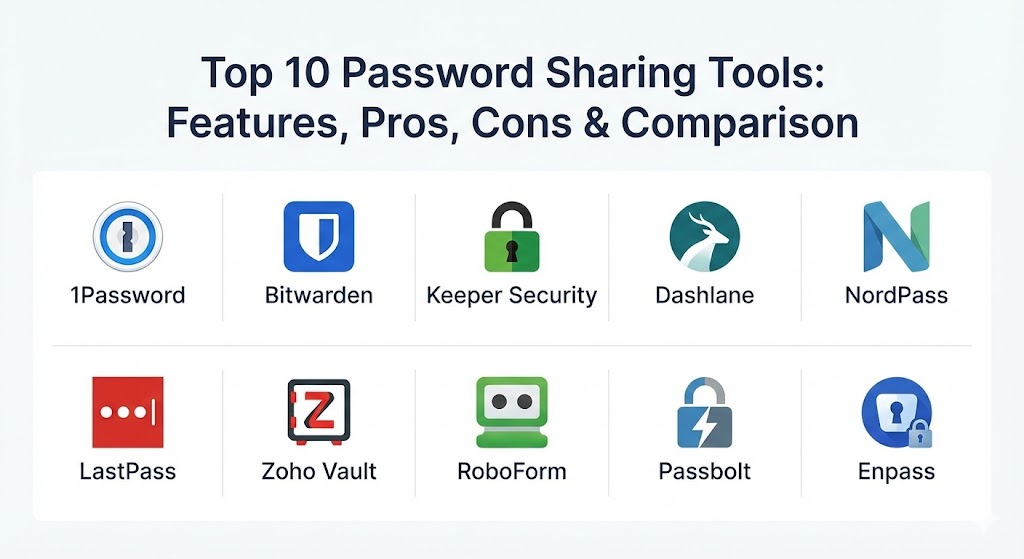
Top 10 Password Sharing Tools
1 — 1Password
1Password is widely regarded as the most polished password manager on the market, offering a sophisticated balance of top-tier security and a user experience that even non-technical employees can master quickly.
- Key features:
- Shared Vaults: Easily create and manage collections of items shared with specific team members or groups.
- Psst! (Password Secure Sharing Tool): Generate secure, expiring links to share passwords with anyone, even those without a 1Password account.
- Watchtower: A comprehensive dashboard that flags weak passwords, data breaches, and missing Two-Factor Authentication (2FA).
- Travel Mode: Temporarily removes sensitive vaults from your devices when crossing borders for added physical security.
- Integrations: Native support for Slack, Microsoft Teams, and a wide array of SSO providers like Okta and Duo.
- Pros:
- The most intuitive UI in the industry, which leads to high employee adoption rates.
- “Secret Key” security model adds a layer of protection beyond just the master password.
- Cons:
- No free version for individual users (only a 14-day trial).
- The business plan pricing is at the higher end of the market.
- Security & compliance: SOC 2 Type II, GDPR, HIPAA, and CCPA compliant. Uses AES-256 encryption and a unique 128-bit Secret Key.
- Support & community: 24/7 email support, extensive documentation, and a highly active community forum with developer participation.
2 — Bitwarden
Bitwarden is the premier open-source password management solution, favored by privacy advocates and IT professionals who demand transparency and the ability to self-host their data.
- Key features:
- Bitwarden Send: A dedicated tool for sharing encrypted text or files via a secure link with custom expiration dates.
- Organization Vaults: Shared collections specifically designed for business and family units.
- Open Source: Publicly auditable code ensures there are no hidden backdoors or proprietary security flaws.
- Self-Hosting: Businesses can host Bitwarden on their own local servers for total control over their data.
- Directory Connector: Automatically syncs with Active Directory, Azure, and Okta for seamless user provisioning.
- Pros:
- Extremely cost-effective, with a generous free tier and affordable business plans.
- Total transparency—anyone can audit the source code on GitHub.
- Cons:
- The user interface is functional but lacks the visual polish of 1Password or Dashlane.
- Advanced features like SSO integration require a paid Enterprise plan.
- Security & compliance: SOC 2 Type II, GDPR, HIPAA, and Privacy Shield. End-to-end AES-256 bit encryption.
- Support & community: Massive community-driven support, GitHub discussions, and responsive email support for paid tiers.
3 — Keeper Security
Keeper is a “zero-trust” security platform that focuses on the enterprise, offering deep granular controls and advanced reporting that make it a favorite for regulated industries.
- Key features:
- One-Time Share: Allows for time-limited, secure sharing of records with non-Keeper users.
- Keeper Secrets Manager: A specialized tool for DevOps teams to share API keys and certificates securely.
- BreachWatch: Scans the dark web for compromised accounts and alerts users in real-time.
- Role-Based Permissions: Extremely granular control over who can view, edit, or share specific credentials.
- KeeperFill: Highly accurate autofill functionality that works across all major browsers and native apps.
- Pros:
- Excellent administrative console with the best reporting and auditing features in the category.
- Zero-Trust and Zero-Knowledge architecture provide peace of mind for highly sensitive data.
- Cons:
- The pricing structure can be confusing with many features sold as “add-ons.”
- The mobile app interface can occasionally feel cluttered due to the number of features.
- Security & compliance: SOC 2, ISO 27001, FedRAMP Authorized, HIPAA, and GDPR. FIPS 140-2 validated.
- Support & community: Dedicated account managers for enterprise clients and 24/7 phone/chat support.
4 — Dashlane
Dashlane focuses on simplicity and “set-and-forget” security. It is particularly popular among small-to-medium businesses (SMBs) that want a powerful sharing tool that requires zero training.
- Key features:
- Group Sharing: Simplified sharing of passwords and secure notes with specific groups of employees.
- Password Health Dashboard: A visual representation of the company’s security posture.
- Integrated VPN: A unique feature among password managers, providing an extra layer of privacy on public Wi-Fi.
- Smart Autofill: One of the fastest and most reliable form-filling engines on the market.
- Confidential Notes: Securely share sensitive text-based information like server keys or Wi-Fi passwords.
- Pros:
- A very “modern” feel that is easy for non-technical staff to navigate.
- The built-in VPN provides additional value for remote teams.
- Cons:
- Has moved away from a native desktop app to a purely browser-based extension.
- Historically one of the more expensive options for individual users.
- Security & compliance: SOC 2 Type II, GDPR, and HIPAA compliant. Uses Argon2 for key derivation.
- Support & community: Excellent help center, live chat support, and a detailed blog with security best practices.
5 — NordPass
Developed by the security team behind NordVPN, NordPass uses the cutting-edge XChaCha20 encryption algorithm, positioning itself as a faster and more modern alternative to older platforms.
- Key features:
- XChaCha20 Encryption: A modern stream cipher that is often faster and more secure on mobile devices than traditional AES-256.
- Data Breach Scanner: Scans for leaked business emails and passwords across the web.
- OCR Scanner: Allows users to scan printed passwords or credit cards directly into the vault.
- Shared Folders: Simple organization for projects or departments that need access to the same logins.
- Email Masking: Protects your real email address by creating aliases for shared services.
- Pros:
- Very fast performance and a sleek, minimalist design that reduces clutter.
- Backed by the robust infrastructure and reputation of the Nord security ecosystem.
- Cons:
- Limited advanced features for enterprise-level user provisioning compared to Keeper.
- Does not support secure sharing with non-NordPass users.
- Security & compliance: ISO 27001, GDPR, and HIPAA compliant. Audited by Cure53.
- Support & community: 24/7 email support and a comprehensive knowledge base with easy-to-follow guides.
6 — LastPass
Despite past security challenges, LastPass remains a dominant player in the market due to its massive user base and a feature set that covers almost every conceivable business need.
- Key features:
- Sharing Center: A centralized hub to manage shared folders and individual password permissions.
- Emergency Access: Allows a trusted contact to access your vault in the event of an emergency.
- Security Challenge: A company-wide score that helps admins identify which employees need security training.
- Flexible Deployment: Supports cloud-only or hybrid deployment models for large organizations.
- Multi-Factor Authentication (MFA): Supports a wide range of hardware keys and authenticator apps.
- Pros:
- Extremely feature-rich with a long history of serving enterprise clients.
- The Sharing Center makes managing large numbers of users relatively straightforward.
- Cons:
- Brand reputation has been affected by past security incidents.
- The free version is significantly more restricted than it used to be.
- Security & compliance: SOC 2, SOC 3, HIPAA, and GDPR compliant. Zero-knowledge security model.
- Support & community: Extensive support resources, community forums, and premium support for business users.
7 — Zoho Vault
Zoho Vault is the best choice for companies already within the Zoho ecosystem, offering deep integration with Zoho’s suite of 40+ business applications.
- Key features:
- Direct Integration: Seamlessly works with Zoho One, Zoho Mail, and Zoho CRM.
- Bulk Sharing: Grant access to hundreds of accounts simultaneously through user groups.
- IP Restriction: Restrict vault access to specific company IP addresses for enhanced security.
- Password Assessment: Real-time reports on weak, old, and reused passwords across the organization.
- Offline Access: Encrypted HTML copy of the vault for access during internet outages.
- Pros:
- Incredibly affordable, especially for teams already paying for Zoho One.
- Very strong focus on business-specific features like session recording.
- Cons:
- The user interface feels more like a “business tool” and less like a consumer app.
- Can feel like overkill for teams not already using other Zoho products.
- Security & compliance: GDPR, HIPAA, ISO 27001, and SOC 2 compliant. AES-256 encryption.
- Support & community: Responsive 24/5 or 24/7 support (depending on plan) and a large business user base.
8 — RoboForm
RoboForm started as one of the world’s first form-fillers in the late 90s and has evolved into a highly reliable and affordable password sharing tool for small teams.
- Key features:
- Centralized Management: Admins can create groups and assign specific permissions to each member.
- Legendary Form-Filling: Still widely considered the most accurate tool for complex web forms.
- Security Center: Ranks your passwords and highlights those that are reused or weak.
- Active Directory Integration: Supports automated user syncing for business environments.
- Secure Notes sharing: Ideal for sharing license keys, Wi-Fi passwords, and other sensitive text.
- Pros:
- One of the most affordable business options on the market.
- Extremely stable and reliable performance across desktop and mobile.
- Cons:
- The design feels a bit dated compared to 1Password or NordPass.
- Lacks some of the more advanced “sharing link” features found in competitors.
- Security & compliance: AES-256 with PBKDF2 SHA-256. GDPR compliant.
- Support & community: 24/7 phone support for business users and a solid library of help articles.
9 — Passbolt
Passbolt is a unique, open-source password manager designed specifically for agile teams and developers who work with GPG keys.
- Key features:
- Developer-Centric: Designed to be integrated into CI/CD pipelines and developer workflows.
- OpenPGP Based: Uses the OpenPGP standard for all encryption and sharing tasks.
- Self-Hosted Focus: While a cloud version exists, the primary focus is on self-hosting for maximum privacy.
- Granular Permissions: Manage sharing at the individual, group, or project level.
- API First: Entirely manageable via API, making it a favorite for DevOps engineers.
- Pros:
- The best choice for technical teams that prioritize the OpenPGP standard.
- Entirely transparent and community-audited.
- Cons:
- Very steep learning curve for non-technical users.
- Mobile app is not as feature-rich as consumer-focused competitors.
- Security & compliance: SOC 2, GDPR, and European security standards. Uses GnuPG.
- Support & community: Active community on Discourse and GitHub, plus professional support for enterprise users.
10 — Enpass
Enpass takes a different approach by not storing your data on its own servers, instead allowing you to sync shared vaults via your own personal cloud provider (like OneDrive or Dropbox).
- Key features:
- Offline-First: Your passwords are never stored on Enpass servers.
- Cloud-Agnostic Sync: Sync shared folders through your choice of OneDrive, iCloud, Google Drive, or Box.
- Multiple Vaults: Separate work, personal, and shared vaults with different sync locations.
- One-Time Purchase: Offers a traditional license model instead of just a monthly subscription.
- Security Audit: Automatically identifies weak, old, or compromised passwords.
- Pros:
- Ideal for users who do not trust third-party password servers with their data.
- The most flexible syncing model in the industry.
- Cons:
- Managing shared vaults across different cloud providers can be technically complex.
- Lacks a centralized “admin console” for large-scale enterprise management.
- Security & compliance: SQLCipher (AES-256). GDPR compliant. No user data is stored by the vendor.
- Support & community: Active user forums and email-based support with a loyal following.
Comparison Table
| Tool Name | Best For | Platform(s) Supported | Standout Feature | Rating (Gartner Peer Insights) |
| 1Password | Design & UX | Windows, Mac, iOS, Android, Linux | Psst! Secure Sharing Links | 4.7 / 5 |
| Bitwarden | Transparency / Budget | All + Self-Host | Open Source Codebase | 4.7 / 5 |
| Keeper | Regulated Enterprises | All Platforms | Secrets Manager for DevOps | 4.6 / 5 |
| Dashlane | SMB Simplicity | Web, iOS, Android | Built-in VPN | 4.5 / 5 |
| NordPass | Speed & Performance | Windows, Mac, iOS, Android | XChaCha20 Encryption | 4.6 / 5 |
| LastPass | Feature Depth | All Platforms | Centralized Sharing Center | 4.4 / 5 |
| Zoho Vault | Zoho Ecosystem Users | Web, iOS, Android | IP-Based Access Restrictions | 4.4 / 5 |
| RoboForm | Form-Filling & Value | Windows, Mac, iOS, Android | Legendary Autofill Engine | 4.5 / 5 |
| Passbolt | Developers / GPG | Linux, Web, iOS, Android | OpenPGP Architecture | N/A |
| Enpass | Privacy / Local Sync | All + Personal Cloud | Multi-Cloud Sync Options | N/A |
Evaluation & Scoring of Password Sharing Tools
To provide an objective assessment, we evaluated each tool using a weighted scoring rubric designed for enterprise and team environments.
| Criteria | Weight | Evaluation Highlights |
| Core Features | 25% | Shared vaults, secure links, and vault organization. |
| Ease of Use | 15% | Onboarding speed, UI design, and browser extension reliability. |
| Integrations | 15% | SSO support (Okta, Azure), SCIM provisioning, and API access. |
| Security & Compliance | 10% | Zero-knowledge architecture, audits, and compliance (SOC 2). |
| Performance | 10% | Sync speed, autofill accuracy, and mobile responsiveness. |
| Support | 10% | Documentation, ticket response time, and community forums. |
| Price / Value | 15% | Features provided relative to the cost per user. |
Which Password Sharing Tool Is Right for You?
Selecting the right tool depends on your team’s technical comfort level, your regulatory environment, and your budget.
Solo Users vs SMB vs Enterprise
- Solo Users: If you occasionally need to share a password with a family member, Bitwarden or 1Password are excellent due to their “sharing link” features.
- SMBs: If you have 10-100 employees, you need a tool that doesn’t require a dedicated IT person to manage. Dashlane or NordPass are great because they are “low friction.”
- Enterprise: For 500+ users, you need Keeper or 1Password Business. These provide the audit logs and SSO integrations required to manage access at scale.
Budget-Conscious vs Premium
- Budget-Conscious: Bitwarden remains the king of value, while RoboForm and Zoho Vault offer extremely competitive pricing for small teams.
- Premium: 1Password and Dashlane command a higher price because they invest heavily in user experience and extra features like VPNs or “Travel Mode.”
Feature Depth vs Ease of Use
- If your team is primarily non-technical (Marketing, HR, Sales), prioritize 1Password or Dashlane.
- If you are a team of engineers or DevOps, Passbolt or Bitwarden will likely appeal more due to their CLI and self-hosting options.
Frequently Asked Questions (FAQs)
1. Is it safe to share passwords through a password manager?
Yes. Password managers use “Zero-Knowledge” encryption, meaning the password is encrypted on your device before it is sent. Only the recipient with the correct decryption key can view it.
2. Can I share a password with someone who doesn’t have the same tool?
Tools like 1Password (Psst!) and Bitwarden (Send) allow you to generate secure, expiring links that allow non-users to view a password once.
3. What happens if I revoke access to a shared password?
Once you revoke access in the tool, the item is instantly removed from the other user’s vault. However, if they already copied the password, they may still have it stored elsewhere.
4. How does Zero-Knowledge architecture work?
It means the service provider has zero knowledge of your data. Your “Master Password” is used to derive a key that encrypts your data locally; the provider only stores the encrypted “blob.”
5. Can an admin see my personal passwords in a business account?
In most reputable tools (like 1Password or Keeper), admins can only see passwords in shared “Business” vaults. Your “Personal” vault remains private and inaccessible to the company.
6. Does sharing a password also share the 2FA code?
Yes, many top-tier tools (1Password, Bitwarden, Keeper) allow you to store the TOTP (Time-based One-Time Password) seed within the record, sharing the code alongside the password.
7. What is the benefit of self-hosting a password manager?
Self-hosting (available with Bitwarden and Passbolt) ensures your data never leaves your infrastructure, which is a requirement for some highly regulated government or financial sectors.
8. Can I set passwords to “view-only” for shared users?
Yes, most enterprise tools allow you to set permissions so that users can “use” the password to log in via autofill but cannot actually “view” or “edit” the plain-text characters.
9. How do I migrate my team from one tool to another?
Most tools provide a CSV or .json import/export feature. Some, like 1Password and Bitwarden, have direct importers specifically designed to pull data from competitors.
10. What is a “Master Password” and why is it so important?
It is the only password you need to remember. It is the key to your entire digital life. If you lose it, and you haven’t set up recovery options, your data may be lost forever.
Conclusion
The “best” password sharing tool is not a universal winner; it is a subjective choice based on your specific needs. If you value design and simplicity, 1Password stands alone. If you are a privacy-first organization that values open-source transparency, Bitwarden is your gold standard. For the high-security enterprise, Keeper offers the deep auditing necessary for compliance.
Ultimately, the most important factor is adoption. A password manager is only effective if your team actually uses it. Choose the tool that fits naturally into your existing workflow, provides the security your industry requires, and offers the best value for your budget.