Introduction
Ontology management tools are specialized platforms used to create, edit, visualize, and govern ontologies and taxonomies. Unlike a standard data catalog, these tools focus on semantic modeling—defining classes, properties, and constraints (using standards like OWL, RDF, and SHACL) that enable automated reasoning. They allow systems to infer new facts from existing data, ensuring that “meaning” remains consistent across different departments, languages, and applications.
The importance of these tools has spiked with the rise of AI. Without a well-managed ontology, AI models often struggle with context, leading to hallucinations or siloed insights. Key real-world use cases include semantic search in pharmaceutical research, fraud detection in finance, and unifying supply chain data in manufacturing. When evaluating these tools, organizations should look for standards compliance (W3C), support for collaborative workflows, reasoning engine performance, and the ability to scale to millions of triples without performance degradation.
Best for: Knowledge engineers, data architects, and researchers in data-intensive industries like life sciences, legal, and aerospace. They are also vital for enterprises building proprietary Knowledge Graphs to ground their Generative AI agents.
Not ideal for: Organizations with simple, flat data structures or those only needing basic keyword search. If a simple spreadsheet or a basic relational database schema can describe your data relationships, the complexity of an ontology management tool may be unnecessary.
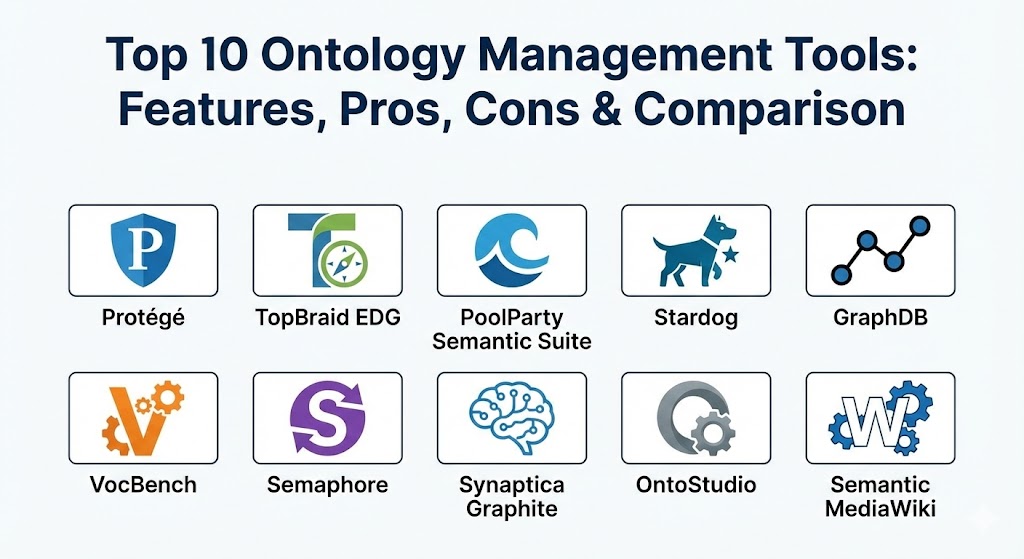
Top 10 Ontology Management Tools
1 — Protégé
Protégé, developed at Stanford University, is the most widely used open-source ontology editor in the world. It is the industry standard for learning ontology engineering and remains a powerhouse for complex, logic-heavy modeling.
- Key features:
- Full support for OWL 2 and RDF(S) standards.
- Highly extensible plugin architecture (hundreds of community plugins).
- Integrated reasoners like HermiT and Pellet for consistency checking.
- Deep visualization tools (VOWL, OntoGraf).
- Available as a desktop application and a web-based version (WebProtégé).
- Massive library of “Ontology Design Patterns.”
- Pros:
- Completely free and open-source with an enormous academic and professional community.
- Unmatched flexibility for researchers and power users who need deep logical control.
- Cons:
- Steep learning curve; the interface can be overwhelming for non-engineers.
- Desktop version lacks native enterprise-grade governance and workflow features.
- Security & compliance: Basic local file security; WebProtégé supports SSO and user roles. Standard compliance: OWL, RDF.
- Support & community: Extensive documentation, university-backed development, and a highly active mailing list and forum.
2 — TopBraid EDG (Enterprise Data Governance)
TopBraid EDG is a leading enterprise-grade platform that views ontology management as a core component of data governance. It focuses on making semantic models “business-ready” and actionable.
- Key features:
- SHACL-based validation for rigorous data quality control.
- Integrated metadata management and data lineage tracking.
- Automated suggestions for mapping and cross-walking ontologies.
- Web-based collaborative environment with strict governance workflows.
- Support for Knowledge Graph construction and maintenance.
- Pros:
- Exceptional for enterprise compliance, auditing, and multi-user governance.
- Strong alignment with modern “Data Fabric” architectures.
- Cons:
- High licensing costs compared to open-source alternatives.
- Complex initial setup requires specialized knowledge of the TopBraid ecosystem.
- Security & compliance: SOC 2 Type II, GDPR, HIPAA, SSO, and granular role-based access control (RBAC).
- Support & community: Enterprise-grade 24/7 support, professional consulting services, and regular training webinars.
3 — PoolParty Semantic Suite
PoolParty is designed for organizations that want to bridge the gap between human language and machine logic. It excels at combining text mining, NLP, and ontology management in a single user-friendly package.
- Key features:
- Automated semantic enrichment using NLP to extract concepts from text.
- Visual taxonomy and ontology management tools.
- Multilingual support for global terminology management.
- Built-in Knowledge Graph server and SPARQL endpoint.
- Seamless integration with SharePoint, Confluence, and Drupal.
- Pros:
- The most user-friendly UI for non-technical business users and taxonomists.
- Excellent at “auto-tagging” unstructured content based on your ontology.
- Cons:
- Native reasoning capabilities are less powerful than logic-first tools like Protégé.
- Can be expensive for small organizations.
- Security & compliance: ISO 27001, GDPR, SSO integration, and detailed audit trails.
- Support & community: Dedicated customer success managers, an academy for certification, and a strong partner network.
4 — Stardog
Stardog is an “Enterprise Knowledge Graph” platform that treats the ontology as the schema for integrated data. It focuses on data virtualization, allowing you to query data where it lives using your ontology.
- Key features:
- Knowledge Graph engine with integrated OWL reasoning.
- Data virtualization (querying SQL, NoSQL, and Cloud data without moving it).
- BITES: AI-powered entity extraction from unstructured documents.
- Stardog Designer: A no-code visual modeling tool.
- High-performance SPARQL and GraphQL query support.
- Pros:
- Best-in-class for “querying through the ontology” across a distributed enterprise.
- Strong focus on bridging the gap between Data Lakes and Semantic Web.
- Cons:
- Advanced features require the enterprise license.
- Focuses more on the “graph” than the “editor” experience.
- Security & compliance: SOC 2, HIPAA, AES-256 encryption, and Kerberos/SSO support.
- Support & community: Professional support tiers and an active “Stardog Community” portal for developers.
5 — GraphDB (by Ontotext)
GraphDB is a high-performance RDF database that includes robust tools for managing and visualizing ontologies. It is a favorite for those who want their management tool and their data store to be one and the same.
- Key features:
- Semantic reasoning at scale (optimized for inference during data loading).
- Visual graph exploration and class hierarchy diagrams.
- Support for RDF*, OWL 2, and SHACL.
- Advanced full-text search integration (Elasticsearch/Lucene).
- Plugin architecture for geospatial and temporal reasoning.
- Pros:
- Extremely reliable and fast for large-scale production Knowledge Graphs.
- Tight integration between the model (ontology) and the data (triples).
- Cons:
- The workbench is great for developers but may be too technical for business users.
- The free version has limits on concurrent queries.
- Security & compliance: GDPR compliant, SSO, LDAP/Active Directory integration, and fine-grained ACLs.
- Support & community: High-quality technical documentation and a responsive support team for enterprise clients.
6 — VocBench
VocBench is a web-based, collaborative editing platform for taxonomies, thesauri, and ontologies. It is an open-source project often used by government and international organizations.
- Key features:
- Native support for SKOS, SKOS-XL, and OWL.
- Highly customizable multi-user workflow (draft, review, publish).
- Extensive history tracking and change logging.
- Collaborative environment with role-based permissions.
- Multilingual term management.
- Pros:
- Excellent for distributed teams and “community-driven” ontology development.
- Completely free and standards-compliant.
- Cons:
- The user interface is functional but lacks the modern “gloss” of commercial SaaS.
- Configuration can be complex for users without technical backgrounds.
- Security & compliance: Support for SSO and custom roles. Widely used in public sector environments requiring strict transparency.
- Support & community: Backed by the European Commission’s ISA² program and an active open-source community.
7 — Semaphore (by Smartlogic)
Semaphore is a semantic AI platform that uses ontologies to drive intelligent information management. It focuses on the “Model-Audit-Refine” cycle for enterprise content.
- Key features:
- Ontology-driven auto-classification and metadata discovery.
- Visual model management for taxonomies and ontologies.
- Fact extraction from unstructured text.
- Semantic search and recommendation engine capabilities.
- Governance tools for lifecycle management.
- Pros:
- Superior at processing unstructured text at massive scale.
- Strong focus on business outcomes like better search and automated compliance.
- Cons:
- Not a pure-play ontology editor; part of a larger, expensive platform.
- Higher learning curve for the full feature set.
- Security & compliance: SOC 2, GDPR, HIPAA, and robust auditing for regulated industries.
- Support & community: Strong professional services and dedicated customer success teams.
8 — Synaptica Graphite
Synaptica Graphite is a modern, no-code platform for managing enterprise taxonomies, ontologies, and knowledge graphs. It prioritizes ease of use and visual interaction.
- Key features:
- Drag-and-drop relationship modeling.
- Built-in validation rules based on industry standards (ISO, W3C).
- Collaborative, real-time editing and commenting.
- API-first design for easy integration with external systems.
- Integrated graph visualization for impact analysis.
- Pros:
- One of the most intuitive interfaces for business-side taxonomists.
- Rapid time-to-value due to its simple, modern UX.
- Cons:
- Less focus on deep “logic” and reasoning compared to Protégé.
- SaaS-only focus may not suit organizations with strict air-gapped requirements.
- Security & compliance: SOC 2 Type II, GDPR, SSO, and encrypted data-at-rest.
- Support & community: Excellent customer support and a well-structured onboarding process.
9 — OntoStudio
OntoStudio is a comprehensive ontology engineering environment that provides a suite of tools for the development and maintenance of large-scale ontologies.
- Key features:
- Graphical modeling of concept hierarchies and relations.
- Support for F-Logic and OWL.
- Integration with relational databases via JDBC.
- Collaborative development with central server management.
- Multilingual development support.
- Pros:
- Very powerful for complex engineering tasks and database-linked ontologies.
- Stable, mature platform with a long track record in the industry.
- Cons:
- The interface feels dated compared to modern web-based tools.
- Less community momentum than the newer cloud-native platforms.
- Security & compliance: Enterprise-level security, SSO, and robust audit logs.
- Support & community: Backed by semi-OT; offers professional support and training.
10 — Semantic MediaWiki (SMW)
While technically a wiki extension, SMW allows organizations to turn a wiki into a collaborative knowledge base driven by an underlying ontology.
- Key features:
- Annotation of wiki pages with semantic properties.
- Automated generation of lists, maps, and calendars based on data.
- Semantic query language (inline queries).
- Collaborative editing environment for non-technical users.
- Massive ecosystem of extensions for visualization and data import.
- Pros:
- The most collaborative and accessible way for a whole company to “build an ontology.”
- Extremely flexible and extensible for diverse knowledge management needs.
- Cons:
- Lacks strict OWL/Description Logic reasoning “out of the box.”
- Performance can degrade with millions of semantic properties without expert tuning.
- Security & compliance: Relies on MediaWiki’s robust security, SSO, and versioning system.
- Support & community: Huge global community; professional support available from several boutique agencies.
Comparison Table
| Tool Name | Best For | Platform(s) Supported | Standout Feature | Rating (Gartner/TrueReview) |
| Protégé | Academic / Power Users | Windows, Mac, Linux | Extensive Plugin Library | 4.8 / 5 |
| TopBraid EDG | Data Governance | Web / SaaS | SHACL Validation | 4.6 / 5 |
| PoolParty | Content Enrichment | Web / Cloud | NLP Auto-Tagging | 4.5 / 5 |
| Stardog | Virtualized Knowledge Graphs | Web / On-Prem | Data Virtualization | 4.6 / 5 |
| GraphDB | Production Graph Apps | Desktop / Web / Cloud | High-Scale Inference | 4.7 / 5 |
| VocBench | Gov / Collaboration | Web / Open Source | Workflow Customization | 4.4 / 5 |
| Semaphore | Unstructured Content | Web / SaaS | Fact Extraction AI | 4.3 / 5 |
| Synaptica Graphite | SMB / No-Code | Web / SaaS | Visual Modeling | 4.6 / 5 |
| OntoStudio | Database Integration | Desktop / Server | F-Logic Support | 4.2 / 5 |
| Semantic MediaWiki | Knowledge Management | Web / Open Source | Wiki-Based Semantics | 4.5 / 5 |
Evaluation & Scoring of Ontology Management Tools
| Category | Weight | Evaluation Criteria |
| Core Features | 25% | Standards support (OWL/RDF), reasoning depth, and visualization. |
| Ease of Use | 15% | Intuitiveness for non-experts and visual modeling capabilities. |
| Integrations | 15% | Connectivity to cloud lakes, SQL DBs, and LLM frameworks. |
| Security | 10% | SSO, encryption, SOC 2 compliance, and audit trails. |
| Performance | 10% | Query speed, reasoning latency, and handling of large triple counts. |
| Support | 10% | Quality of documentation, forums, and enterprise support response. |
| Price / Value | 15% | Balance of feature depth vs. cost of ownership. |
Which Ontology Management Tool Is Right for You?
Selecting an ontology tool is a strategic decision that depends on whether your priority is logical precision or business adoption.
- Solo Researchers & Students: Protégé is the undisputed choice. It is free, follows every standard to the letter, and most ontology textbooks use it as their primary example.
- Small to Medium Businesses (SMBs): If you need to manage business terms without a team of PhDs, Synaptica Graphite or PoolParty offer modern, visual interfaces that prioritize user adoption over deep logical complexity.
- Mid-Market / Content-Heavy Orgs: If you have massive amounts of documents and need to extract meaning, Semaphore or PoolParty provide the NLP tools to automate the “heavy lifting” of tagging.
- Large Enterprises / Data Governance: TopBraid EDG and Stardog are designed for the Global 2000. They provide the audit trails, governance, and virtualization needed to handle “Knowledge at Scale.”
- Production-Grade Knowledge Graphs: If you are building an app (like a recommendation engine) that needs to query an ontology in real-time, GraphDB provides the most robust database-centric experience.
Frequently Asked Questions (FAQs)
1. What is the difference between a taxonomy and an ontology? A taxonomy is a simple hierarchy (e.g., “A Lion is a Cat”). An ontology is more complex, defining relationships and rules (e.g., “A Lion is a Predator” and “Predators eat Prey”). Ontologies allow for logical reasoning.
2. Why do I need an ontology management tool for AI? Generative AI (LLMs) can hallucinate. An ontology provides a “source of truth” that grounds the AI in real facts and relationships, significantly improving the accuracy of RAG (Retrieval-Augmented Generation) systems.
3. Do these tools support cloud deployment? Yes, most modern tools like TopBraid EDG, PoolParty, and Synaptica are SaaS-first. Open-source tools like Protégé (Web version) and VocBench can be self-hosted in your cloud environment.
4. Can I migrate my model from one tool to another? As long as the tools follow W3C standards (OWL and RDF), you can export your file as a .owl or .ttl (Turtle) file and import it into any other standards-compliant tool.
5. What is SHACL and why should I care? SHACL (Shapes Constraint Language) is a standard for validating data. It allows you to set “rules” for your ontology (e.g., “Every Person must have exactly one Date of Birth”) and automatically flag data that breaks those rules.
6. Do I need to know how to code to use these tools? Not necessarily. Tools like Synaptica and PoolParty are “no-code.” However, performing complex queries will usually require learning SPARQL, the query language for the semantic web.
7. Can these tools handle unstructured data like PDFs? Some can. Tools like PoolParty and Semaphore have integrated NLP engines that scan PDFs and documents to automatically link them to concepts in your ontology.
8. What is “Reasoning” in an ontology? Reasoning is the ability of the software to discover “hidden” facts. For example, if the ontology knows “John is the father of Mark” and “Mark is the father of Sam,” a reasoner can infer that “John is the grandfather of Sam.”
9. Are there any free enterprise-grade tools? VocBench is the closest to a free, enterprise-grade governance tool. While the UI is less polished than commercial versions, it provides the multi-user workflows required by large organizations.
10. How long does it take to build an enterprise ontology? A basic taxonomy can be built in weeks. A comprehensive enterprise ontology is usually a “living” project that evolves over months and years as the business grows.
Conclusion
In 2026, the value of data is no longer found in its volume, but in its connectivity. Ontology management tools are the architects of that connectivity, transforming isolated data points into a cohesive, machine-understandable knowledge base. Whether you choose the open-source depth of Protégé, the governance-first approach of TopBraid EDG, or the user-friendly automation of PoolParty, the key is to start with a clear business case. The “best” tool isn’t the one with the most features; it’s the one that your team will actually use to build a smarter enterprise.