Introduction
Notebook environments are web-based or local applications that allow users to create and share documents containing live code, computational results, and explanatory text. Unlike traditional Integrated Development Environments (IDEs) designed for building massive software applications, notebooks are built for exploration. They allow you to run code in “cells,” meaning you can tweak a single line of a data transformation without having to re-run your entire script from the beginning.
The importance of these tools has skyrocketed as data literacy becomes a requirement across all business functions. They facilitate reproducibility, allowing a researcher in Tokyo to run the exact same analysis as a developer in New York with identical results. Key real-world use cases include exploratory data analysis (EDA), statistical modeling, data cleaning, and educational tutorials. When choosing a notebook environment, you should evaluate the ease of environment management (libraries and dependencies), collaborative features, hardware acceleration (GPU/TPU access), and the ability to turn a notebook into a shareable app.
Best for: Data scientists, machine learning engineers, academic researchers, and students. It is also highly effective for data analysts who need to present findings to non-technical stakeholders in a narrative format. Larger enterprises benefit from the centralized governance and collaborative “real-time” editing features found in modern cloud-based notebooks.
Not ideal for: Developing production-grade microservices, low-latency application backends, or large-scale software engineering projects with complex inheritance and deep file structures. For these tasks, a traditional IDE like PyCharm or IntelliJ remains the superior choice.
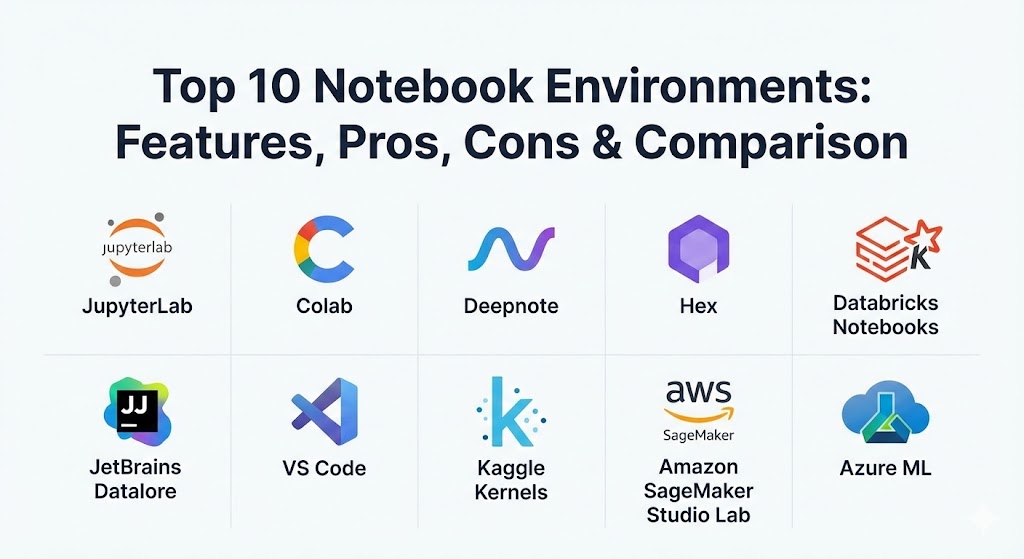
Top 10 Notebook Environments
1 — JupyterLab
JupyterLab is the next-generation web-based interface for the Project Jupyter ecosystem. It is the industry standard, offering a modular and flexible environment where you can manage notebooks, text editors, and terminals in a single tabbed interface.
- Key features:
- Modular Interface: Arrange notebooks, consoles, and terminals in side-by-side layouts.
- Rich Ecosystem: Access to thousands of community-developed extensions.
- Kernel Support: Native support for over 40 languages including Python, R, Julia, and Scala.
- Interactive Widgets: Use ipywidgets to create sliders and interactive plots within the document.
- File Browser: Integrated file management for local or remote server directories.
- State Persistence: Preserves the state of your variables across different sessions.
- Pros:
- It is the most widely documented and supported environment in the world.
- Extremely customizable, allowing users to build a workflow that fits their specific habits.
- Cons:
- Managing local environments (Conda/Pip) can be a headache for beginners.
- Lacks built-in “Google Docs style” real-time collaboration in the vanilla version.
- Security & compliance: Supports SSO via JupyterHub, token-based authentication, and SSL/TLS encryption. Compliance depends on the hosting server.
- Support & community: The largest community in the niche; vast documentation, Stack Overflow threads, and formal GitHub issue tracking.
2 — Google Colab
Google Colab (Colaboratory) is a cloud-based notebook environment that requires zero configuration. It has become the “go-to” for students and researchers because it provides free access to powerful hardware like GPUs and TPUs.
- Key features:
- Zero Setup: Runs entirely in the browser with most data science libraries pre-installed.
- Hardware Acceleration: Toggle between CPU, GPU (T4/A100), and TPU for intensive ML tasks.
- Google Drive Integration: Save and load notebooks directly from your cloud storage.
- Collaboration: Share notebooks via links with comment and edit permissions, much like Google Sheets.
- Forms Feature: Create input forms to make notebooks interactive for non-coders.
- Github Integration: Directly open and save notebooks to GitHub repositories.
- Pros:
- The free tier is incredibly generous, making high-end compute accessible to everyone.
- Eliminates “it works on my machine” issues by providing a standardized cloud environment.
- Cons:
- Your session can be disconnected after inactivity, potentially losing unsaved progress.
- Limited control over the specific underlying OS and library versions.
- Security & compliance: ISO 27001, SOC 2, and GDPR compliant through Google Workspace. Data is encrypted at rest and in transit.
- Support & community: Massive user base; support is primarily through community forums and Google’s extensive help documentation.
3 — Deepnote
Deepnote is a “collaboration-first” notebook environment built for teams. It focuses on the “modern data stack,” offering a slick UI that feels much more contemporary than the classic Jupyter interface.
- Key features:
- Real-time Collaboration: Multiple users can edit the same cell simultaneously with presence indicators.
- SQL Blocks: Write native SQL alongside Python, with automatic result set visualization.
- Variable Explorer: Built-in sidebar to track and inspect dataframes and variables without printing them.
- Environment Snapshots: Create “checkpoints” of your entire software environment to ensure reproducibility.
- Integrations: Native connectors for Snowflake, BigQuery, Redshift, and S3.
- App Publishing: Turn any notebook into a clean, interactive dashboard for stakeholders.
- Pros:
- The best collaborative experience in the market; perfect for pair programming.
- The UI is incredibly polished and significantly reduces the “cognitive load” of data science.
- Cons:
- The free tier is restricted in terms of machine power and team features.
- Smaller extension ecosystem compared to the legacy Jupyter environment.
- Security & compliance: SOC 2 Type II compliant, SSO/SAML integration, and granular workspace permissions.
- Support & community: Highly responsive customer support team; active Slack community and detailed documentation.
4 — Hex
Hex is a modern notebook platform that bridges the gap between data science and business intelligence. It allows teams to go from raw code to a published “data app” in minutes.
- Key features:
- Logic Layer: A powerful directed acyclic graph (DAG) that handles cell dependencies automatically.
- No-Code Components: Input parameters, sliders, and buttons that anyone can use.
- Polyglot Support: Use Python and SQL in the same workflow with shared state.
- App Builder: A separate layout editor to arrange visualizations into a professional report.
- Version Control: Integrated git-based versioning with branching and merging.
- Semantic Layer: Integration with tools like dbt for governed data metrics.
- Pros:
- Excellent for turning exploratory work into “production” internal tools.
- Solves the “cell execution order” problem found in traditional notebooks.
- Cons:
- Can be expensive for smaller teams or individual hobbyists.
- The structured “app” approach might feel restrictive for pure research.
- Security & compliance: SOC 2, HIPAA, and GDPR compliant; supports SSO and private VPC deployments.
- Support & community: Top-tier enterprise support; robust documentation and an active “Hex community” forum.
5 — Databricks Notebooks
Databricks Notebooks are the cornerstone of the “Lakehouse” architecture. They are designed for big data processing, providing a collaborative interface for Apache Spark.
- Key features:
- Apache Spark Integration: Native, optimized support for distributed data processing.
- Multi-Language Cells: Mix Python, SQL, R, and Scala within a single notebook.
- Unity Catalog: Centralized governance and lineage for all your data assets.
- MLflow Integration: Built-in tracking for machine learning experiments and model versioning.
- Job Scheduling: Turn notebooks into production jobs with automated triggers and alerts.
- Dashboards: Convert notebook results into live-updating executive dashboards.
- Pros:
- The gold standard for processing petabytes of data; virtually limitless scale.
- Enterprise-grade governance ensures that data access is always audited and secure.
- Cons:
- Significant overhead; it is overkill for small datasets or simple analysis.
- The pricing model can be complex and expensive if not monitored closely.
- Security & compliance: ISO 27001, HIPAA, PCI DSS, SOC 2, and FedRAMP compliant.
- Support & community: Dedicated enterprise support teams; large community through the Spark and Databricks forums.
6 — JetBrains Datalore
Datalore is JetBrains’ answer to the notebook world. It brings the legendary “smart” coding features of PyCharm into a collaborative, cloud-based notebook environment.
- Key features:
- Smart Code Completion: Industry-leading autocompletion and code inspections.
- Interactive Reporting: Hidden code cells allow you to turn notebooks into clean reports.
- Multi-user Editing: Real-time collaboration with shared kernels and environments.
- Database Integration: Native SQL support with schema browsing and query results.
- Environment Manager: Easily install packages via a visual UI rather than the terminal.
- Enterprise Version: Can be installed on-premises or in a private cloud for total data control.
- Pros:
- The most powerful “coding assistant” features in any browser-based notebook.
- The transition for current PyCharm users is virtually seamless.
- Cons:
- Cloud version hardware limits can be restrictive for heavy ML tasks.
- The UI can feel a bit cluttered compared to minimalist tools like Deepnote.
- Security & compliance: SSO, audit logs, and SOC 2 compliance. On-prem version offers maximum data isolation.
- Support & community: Excellent documentation and professional support from JetBrains; growing user community.
7 — VS Code (Jupyter Extension)
While VS Code is a general-purpose editor, its Jupyter extension has become so powerful that it serves as a top-tier notebook environment, bridging the gap between scripts and notebooks.
- Key features:
- Native Notebook Support: Run
.ipynbfiles directly inside VS Code. - IntelliSense: Powerful code completion powered by the Pylance language server.
- Data Viewer: A tabular interface to inspect variables, dataframes, and arrays.
- Remote Execution: Connect to remote servers or cloud instances (like SSH) while keeping a local UI.
- Interactive Console: Send code snippets from a
.pyfile to an interactive notebook-like window. - Git Integration: Use VS Code’s world-class Git tools to track notebook changes.
- Native Notebook Support: Run
- Pros:
- Allows you to keep your entire development workflow (testing, scripting, notebooks) in one app.
- Completely free and supports thousands of other extensions.
- Cons:
- Does not have native real-time collaboration (requires “Live Share,” which can be buggy).
- Can feel “heavy” for users who just want a quick, browser-based playground.
- Security & compliance: Inherits the security of your local or remote machine; standard SSO and encryption support.
- Support & community: Massive community support; backed by Microsoft with weekly updates and documentation.
8 — Kaggle Kernels (Kaggle Notebooks)
Kaggle Notebooks is the playground of the data science competition world. It is highly optimized for performance and community sharing, providing free access to GPUs and a massive library of datasets.
- Key features:
- One-click Datasets: Instant access to petabytes of public data hosted on Kaggle.
- GPU/TPU Access: Free weekly quotas for high-performance hardware.
- Competitions Integration: Submit your model predictions directly from the notebook.
- Versioned Kernels: Every save creates a new version, allowing for easy rollback and comparison.
- Social Coding: Fork other users’ notebooks to build upon their ideas and insights.
- Offline Mode: Run long-running jobs (up to 12 hours) even after you close your browser.
- Pros:
- The best place to learn; you can see how the world’s best data scientists solve problems.
- Entirely free with no hidden costs for basic high-performance compute.
- Cons:
- Not suitable for private company data (it is a public-facing platform).
- No native “team collaboration” features beyond sharing public links.
- Security & compliance: GDPR compliant; however, it is a public platform, so it’s not designed for HIPAA or SOC 2 internal data.
- Support & community: Unparalleled community support via Kaggle forums and the “Kaggle Grandmaster” network.
9 — Amazon SageMaker Studio Lab
SageMaker Studio Lab is AWS’s entry into the “free cloud notebook” space. It provides a subset of the professional SageMaker experience for learners and individual developers.
- Key features:
- No Credit Card Required: Unlike standard AWS, you don’t need a billing account to start.
- Session Persistence: Your environment and files are saved between sessions automatically.
- Choose Your Compute: Switch between CPU and GPU instances based on your current task.
- Conda Integration: Full access to the terminal and Conda for environment management.
- JupyterLab Based: Uses the familiar Jupyter interface for a zero learning curve.
- Open Ecosystem: Easily export your work to a full AWS SageMaker production environment.
- Pros:
- A perfect “sandbox” for developers who want to learn the AWS ecosystem.
- More persistent than Google Colab (your files don’t disappear when the session ends).
- Cons:
- Registration requires an approval process that can take a few days.
- Resource availability can sometimes be limited during peak hours.
- Security & compliance: Inherits AWS’s robust security posture, though simplified for individual use.
- Support & community: Supported by AWS’s extensive documentation and the developer community.
10 — Azure Machine Learning Notebooks
Azure Machine Learning (AML) Notebooks are designed for enterprise data science teams operating within the Microsoft ecosystem. They emphasize MLOps and production readiness.
- Key features:
- Managed Compute: Easily scale from a single VM to a massive distributed cluster.
- Integrated Asset Library: Track models, datasets, and environments across the team.
- Designer Integration: Move between a notebook and a “drag-and-drop” visual ML pipeline.
- Responsible AI: Built-in tools for model interpretability and fairness checking.
- Azure DevOps: Native integration for CI/CD pipelines in machine learning.
- Security Isolation: Run notebooks inside virtual networks (VNets) for maximum data security.
- Pros:
- Best-in-class security and compliance for large enterprises.
- Seamless integration with Power BI and other Microsoft data tools.
- Cons:
- The interface is dense and can be overwhelming for beginners.
- Setup and governance can be complex for small, agile teams.
- Security & compliance: SOC 1/2/3, ISO 27001, HIPAA, HITRUST, and FedRAMP compliant.
- Support & community: Enterprise-grade Microsoft support; extensive Azure documentation and professional training.
Comparison Table
| Tool Name | Best For | Platform(s) Supported | Standout Feature | Rating (Gartner/TrueReview) |
| JupyterLab | Open Source Standards | Local, Cloud, Server | Universal Compatibility | 4.8 / 5 |
| Google Colab | Students & Learners | Cloud (Browser) | Free GPU/TPU Access | 4.7 / 5 |
| Deepnote | Team Collaboration | Cloud (Browser) | Real-time Multiplayer | 4.6 / 5 |
| Hex | Reporting & Data Apps | Cloud (Browser) | Logic DAG & App Builder | 4.8 / 5 |
| Databricks | Big Data & Spark | AWS, Azure, GCP | Petabyte-scale Power | 4.5 / 5 |
| Datalore | Smart Coding / PyCharm | Cloud, On-Prem | Intelligent Autocomplete | 4.4 / 5 |
| VS Code | General Developers | Local, Remote SSH | All-in-one Editor | 4.9 / 5 |
| Kaggle | Learning & Competitions | Cloud (Browser) | Social Dataset Access | 4.7 / 5 |
| SageMaker Studio | AWS ML Exploration | Cloud (Browser) | No-Card Entry to AWS | 4.3 / 5 |
| Azure ML | MS Enterprise / MLOps | Azure Cloud | Enterprise Compliance | 4.5 / 5 |
Evaluation & Scoring of Notebook Environments
To help you decide, we have evaluated these tools across a weighted scoring rubric based on current 2026 industry requirements.
| Category | Weight | Evaluation Criteria |
| Core Features | 25% | Multi-language support, cell interactivity, and data visualization capabilities. |
| Ease of Use | 15% | Time to first “Hello World,” UI intuitiveness, and environment setup. |
| Integrations | 15% | Connectivity with databases, Git, and the broader data stack. |
| Security & Compliance | 10% | SSO, SOC 2/HIPAA availability, and data encryption. |
| Performance | 10% | Compute speed, reliability of sessions, and hardware access. |
| Support & Community | 10% | Breadth of documentation and speed of technical support. |
| Price / Value | 15% | Cost-effectiveness for the provided features and hardware. |
Which Notebook Environment Tool Is Right for You?
Solo Users vs SMB vs Mid-Market vs Enterprise
- Solo Users: If you are learning, Google Colab or Kaggle are unbeatable for their free compute. For professional individual work, VS Code offers the most robust local experience.
- SMBs: Deepnote is ideal for small teams that need to work together without the overhead of a massive data platform. It’s quick to set up and very intuitive.
- Mid-Market: Hex is a strong contender here, as it helps analysts turn their work into valuable internal apps that save time for other departments.
- Enterprise: Databricks or Azure/SageMaker are the only choices for organizations dealing with massive data governance and production-scale machine learning.
Budget-Conscious vs Premium Solutions
- Budget: JupyterLab (self-hosted) and VS Code are free forever. Colab and Kaggle provide the best free cloud resources.
- Premium: Databricks and Hex offer high-end features and governance that justify their price tags through increased team productivity and reliability.
Feature Depth vs Ease of Use
- If you want power, JupyterLab with its vast extension library or Databricks with Spark are your best bets.
- If you want simplicity, Deepnote or Google Colab allow you to start coding in seconds without touching a terminal.
Frequently Asked Questions (FAQs)
1. What is the difference between a notebook and a script?
A script runs from top to bottom every time. A notebook is divided into “cells,” allowing you to run, edit, and re-run specific pieces of code while keeping the rest of the program’s data in memory.
2. Is it safe to put sensitive data into cloud notebooks?
It depends on the provider. Professional tools like Hex, Deepnote, and Azure ML offer enterprise-grade security and SOC 2 compliance. However, you should never put sensitive data into public platforms like the free version of Kaggle.
3. Can I use notebooks for languages other than Python?
Yes. While Python is the most popular, Jupyter kernels exist for over 40 languages, including R, Julia, Scala, C++, and even JavaScript.
4. How do I version control my notebooks?
Notebooks are JSON files, which makes them hard to read in standard Git diffs. Tools like Hex have built-in versioning, while VS Code has specific extensions to help visualize notebook changes in Git.
5. Do I need a GPU for data science?
For standard data cleaning and visualization, no. However, for deep learning, computer vision, or large language model (LLM) fine-tuning, a GPU is essential to avoid wait times of hours or days.
6. What is the “Kernel” in a notebook?
The kernel is the “engine” that executes the code. If your notebook is the dashboard, the kernel is the motor under the hood. If the kernel crashes, your variables are lost, and you must restart the session.
7. Can notebooks be used in production?
Traditionally, they were for exploration only. However, tools like Databricks and Papermill allow you to “parameterize” notebooks and run them as scheduled production jobs.
8. Why is JupyterLab better than the old Jupyter Notebook?
JupyterLab is modular. It allows you to open multiple notebooks, terminals, and file views in one browser tab, whereas the old notebook was limited to one file per tab.
9. Are there notebooks for SQL analysts?
Yes, Hex and Deepnote are specifically designed to treat SQL as a first-class citizen, allowing you to query databases and pass the results directly into Python.
10. What are the best notebooks for teaching?
Google Colab is widely considered the best for teaching because students don’t have to install anything on their laptops; they just need a web browser and a Google account.
Conclusion
Choosing the right notebook environment is about finding the balance between exploration and execution. If you are just starting your journey, the accessibility of Google Colab or Kaggle is a gift. If you are building a collaborative team, the “multiplayer” features of Deepnote or Hex will transform your productivity.
Ultimately, the “best” tool is the one that stays out of your way and lets you focus on the data. In 2026, the trend is clearly moving toward cloud-native, collaborative environments that handle the boring parts—like library installations and server provisioning—so you can get straight to the “Aha!” moment.