Introduction
NoSQL, which stands for “Not Only SQL,” refers to non-relational database systems that store data in formats other than traditional tabular relations. Unlike SQL databases that require a predefined schema, NoSQL databases use flexible models such as document, key-value, wide-column, and graph. This flexibility is not just a convenience; it is a necessity for handling the “Three Vs” of big data: Volume, Velocity, and Variety.
In the real world, NoSQL is the engine behind your favorite services. It powers the recommendation engines on Netflix, manages the global shopping carts on Amazon, and handles the real-time messaging on WhatsApp. Organizations choose NoSQL when they need horizontal scalability (adding more servers rather than bigger ones), high availability, and the ability to iterate on features without performing migrations that take the system offline. When evaluating NoSQL tools, users should look at the CAP Theorem trade-offs (Consistency, Availability, and Partition Tolerance), query language familiarity, and the robustness of the managed service ecosystem.
Best for: Large-scale web and mobile applications, real-time analytics, content management systems, and startups that need to pivot their data models quickly. It is ideal for developers working with JavaScript-heavy stacks and enterprises managing globally distributed data centers.
Not ideal for: Applications requiring complex multi-table joins and strict, immediate ACID compliance across every transaction (e.g., legacy core banking ledgers). If your data is highly structured and fits perfectly into a predictable grid, a traditional RDBMS like PostgreSQL may be a better and more cost-effective choice.
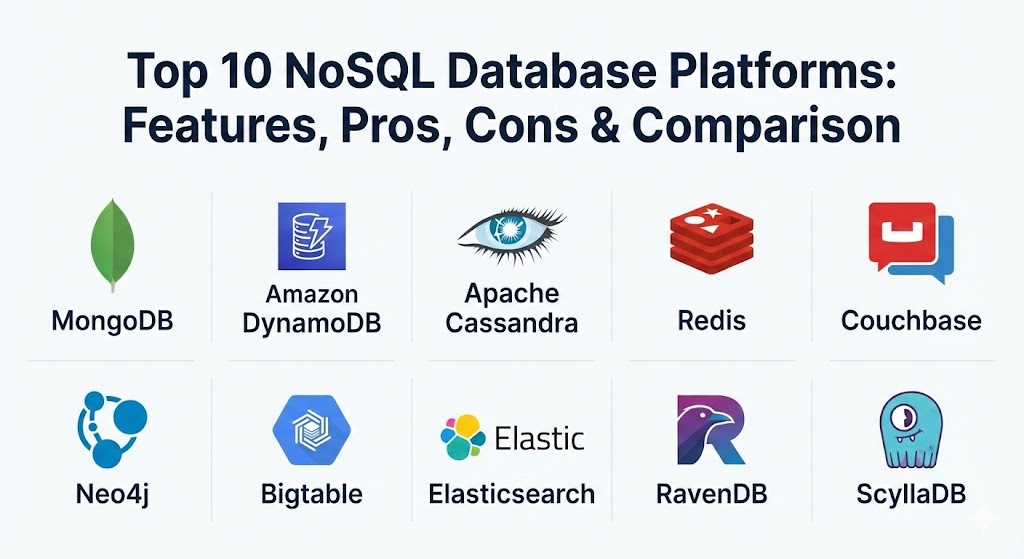
Top 10 NoSQL Database Platforms
1 — MongoDB
MongoDB is the most widely used document-oriented database. It stores data in a JSON-like format called BSON, making it incredibly intuitive for developers who are already working with objects in modern programming languages.
- Key features:
- Document-based storage for flexible and hierarchical data structures.
- Ad hoc queries, indexing, and real-time aggregation through MQL.
- Native sharding for seamless horizontal scalability.
- MongoDB Atlas: A fully managed, multi-cloud developer data platform.
- Strong consistency by default with tunable write concerns.
- Built-in support for time-series and geospatial data.
- Pros:
- Developer-friendly; the data model maps directly to application code.
- Massive community and an extensive ecosystem of drivers and tools.
- Cons:
- Memory-intensive; requires significant RAM for optimal performance.
- High storage overhead compared to more compact columnar databases.
- Security & compliance: SOC 2, HIPAA, GDPR, ISO 27001, and end-to-end encryption (FLE).
- Support & community: Industry-leading documentation, MongoDB University, and 24/7 enterprise support via Atlas.
2 — Amazon DynamoDB
DynamoDB is a fully managed, serverless NoSQL database provided by AWS. It is designed to provide consistent, single-digit millisecond latency at any scale, whether you are handling 100 or 100 million requests per second.
- Key features:
- Serverless architecture; no infrastructure to manage or patch.
- Global Tables for automatic multi-region, multi-active replication.
- Integration with AWS Lambda for event-driven computing.
- On-demand capacity mode for unpredictable workloads.
- DynamoDB Accelerator (DAX) for in-memory caching.
- Fine-grained access control via AWS IAM.
- Pros:
- Zero operational overhead; AWS handles scaling and maintenance.
- Consistent performance regardless of the volume of data stored.
- Cons:
- Strong vendor lock-in to the AWS ecosystem.
- Querying is restricted to primary keys and secondary indexes (no flexible joins).
- Security & compliance: HIPAA, PCI DSS, GDPR, SOC 1/2/3, and encryption at rest.
- Support & community: Backed by AWS Support; massive library of whitepapers and community tutorials.
3 — Apache Cassandra
Cassandra is a distributed wide-column store originally developed at Facebook. It is engineered for massive write loads and is famous for its “masterless” architecture, where every node in the cluster is identical.
- Key features:
- Peer-to-peer architecture with no single point of failure.
- Linear scalability; capacity increases predictably as you add nodes.
- Tunable consistency (choose between speed and accuracy per query).
- Multi-data center replication for global availability.
- Cassandra Query Language (CQL), which feels familiar to SQL users.
- Storage Attached Indexing (SAI) for efficient searching.
- Pros:
- Unrivaled write performance for high-velocity data ingestion (e.g., IoT).
- Can survive the failure of entire data centers without downtime.
- Cons:
- High administrative complexity for self-managed clusters.
- Read performance can suffer if the data model is not perfectly optimized.
- Security & compliance: Support for SSL/TLS, RBAC, and audit logging; compliance depends on deployment.
- Support & community: Massive open-source community; enterprise support available via DataStax.
4 — Redis
Redis is primarily an in-memory key-value store, though it has evolved into a multi-model database. It is the go-to solution for use cases requiring sub-millisecond response times.
- Key features:
- In-memory storage for extreme speed.
- Support for advanced data structures (Hashes, Lists, Sets, Streams).
- Redis Sentinel for high availability and failover.
- Pub/Sub messaging for real-time communication.
- Persistence options (RDB and AOF) to save data to disk.
- Redis Stack for JSON, Search, and Vector capabilities.
- Pros:
- Fastest database on the list for caching and session management.
- Extremely simple to set up and integrate into any stack.
- Cons:
- Data size is limited by the amount of available RAM.
- Primary-replica replication can lead to data loss during certain failure modes.
- Security & compliance: ACLs, TLS encryption, and Redis Enterprise offers SOC 2 and HIPAA.
- Support & community: Very active community; Redis University and enterprise support via Redis Ltd.
5 — Couchbase
Couchbase is a distributed NoSQL cloud database that combines the strengths of a document store with the performance of an integrated cache. It is often used as a more performant alternative to MongoDB for enterprise apps.
- Key features:
- Memory-first architecture for high throughput and low latency.
- N1QL query language: Allows you to use SQL syntax on JSON data.
- Full-text search and real-time analytics built directly into the core.
- Mobile-to-edge synchronization with Couchbase Lite.
- Cross-datacenter replication (XDCR) with granular control.
- Integrated caching layer eliminates the need for a separate Redis.
- Pros:
- The most powerful query language (N1QL) in the NoSQL world.
- Exceptional performance for mixed workloads (read/write/search).
- Cons:
- Higher learning curve due to the many integrated services.
- Community edition lags significantly behind the enterprise version in features.
- Security & compliance: SOC 2, HIPAA, GDPR, and PCI DSS.
- Support & community: High-quality professional services and a dedicated enterprise support team.
6 — Neo4j
Neo4j is the world’s leading graph database. Unlike other NoSQL types, Neo4j treats relationships as “first-class citizens,” making it the specialized tool for connected data.
- Key features:
- Native graph processing and storage (no translation layers).
- Cypher Query Language: Built specifically for navigating relationships.
- High-performance ACID transactions for data integrity.
- Graph Data Science library for fraud detection and ML.
- Neo4j Aura: A fully managed cloud service.
- Index-free adjacency for constant-time traversals.
- Pros:
- Unbeatable for fraud detection, social networks, and knowledge graphs.
- Queries that would require 50-way joins in SQL run in milliseconds here.
- Cons:
- Not a general-purpose database; poor for simple aggregate reporting.
- Licensing for the enterprise version can be quite expensive.
- Security & compliance: RBAC, SSO, encryption at rest/transit, and SOC 2 Type II.
- Support & community: Large “Graphie” community; extensive online training and certification.
7 — Google Cloud Bigtable
Bigtable is Google’s heavily battle-tested wide-column store. It is the same technology that powers Google Search, Maps, and Gmail, designed specifically for petabyte-scale workloads.
- Key features:
- Massively parallel processing for high throughput.
- Seamless integration with BigQuery and Google’s AI/ML ecosystem.
- Dynamic scaling: Add or remove nodes without any downtime.
- Support for the open-source Apache HBase API.
- Automatic replication across regions for high availability.
- Replication of data is handled at the storage level for efficiency.
- Pros:
- Built for the largest datasets on the planet.
- Extremely low latency for high-speed data streaming.
- Cons:
- Requires a high minimum node count to be cost-effective.
- Not suitable for small datasets or simple web apps.
- Security & compliance: HIPAA, FedRAMP, SOC 1/2/3, and GDPR.
- Support & community: Backed by Google Cloud Premium Support; great documentation for data architects.
8 — Elasticsearch
While often called a search engine, Elasticsearch is a distributed NoSQL document store that excels at real-time search and log analytics.
- Key features:
- Distributed, multitenant-capable full-text search engine.
- Schema-free JSON document storage.
- RESTful API for all database operations.
- Near real-time search and aggregation capabilities.
- Part of the “ELK Stack” (Elasticsearch, Logstash, Kibana).
- Vector search capabilities for modern AI applications.
- Pros:
- The best tool for log analysis, observability, and site search.
- Incredibly fast at finding needles in massive haystacks of text.
- Cons:
- Not recommended as a primary “system of record” for transactional data.
- Maintaining a healthy cluster requires significant DevOps expertise.
- Security & compliance: SOC 2, HIPAA, PCI DSS, and FIPS 140-2.
- Support & community: Massive community; official training and support via Elastic.co.
9 — RavenDB
RavenDB is a modern document database that emphasizes ACID transactions and ease of use. It is designed to be “boring” in the best way possible—it just works without constant tuning.
- Key features:
- Fully transactional (ACID) across the entire database.
- Built-in “Studio” for monitoring and managing the database via GUI.
- Automatic indexing: The database learns from your queries.
- Native time-series, graph, and full-text search support.
- Multi-model capabilities without needing extra plugins.
- Efficient replication and failover handling.
- Pros:
- Excellent for developers who want NoSQL flexibility with SQL safety.
- Very low administrative overhead; self-optimizing.
- Cons:
- Smaller community compared to MongoDB.
- Limited third-party managed hosting options outside of RavenDB Cloud.
- Security & compliance: X.509 certificate authentication, encryption at rest, and GDPR.
- Support & community: Highly responsive technical support; “Inside RavenDB” book is a great resource.
10 — ScyllaDB
ScyllaDB is a C++ rewrite of Cassandra. It is designed for users who love the Cassandra model but need significantly higher performance and lower hardware costs.
- Key features:
- Shard-per-core architecture to maximize modern CPU utilization.
- Compatible with Cassandra (CQL) and DynamoDB (Alternator) APIs.
- Autonomous operation: Self-tuning and self-healing features.
- Workload prioritization to prevent background tasks from slowing users.
- Zero-copy architecture for lightning-fast I/O.
- Vector search for AI-driven similarity queries.
- Pros:
- Up to 10x the performance of Cassandra on the same hardware.
- Dramatically reduces the number of nodes (and cost) needed for big data.
- Cons:
- Newer ecosystem with fewer community-contributed plugins.
- Requires high-performance NVMe storage to truly shine.
- Security & compliance: SOC 2, HIPAA, and GDPR.
- Support & community: Strong engineering-led support; active Slack community and webinars.
Comparison Table
| Tool Name | Best For | Platform(s) Supported | Standout Feature | Rating (Gartner) |
| MongoDB | General Purpose Apps | Cloud (Atlas), On-Prem | Intuitive Document Model | 4.5 / 5 |
| DynamoDB | Serverless / AWS | AWS Managed Only | Infinite Serverless Scaling | 4.4 / 5 |
| Cassandra | High Write Volume | Linux, Multi-Cloud | Masterless Availability | 4.1 / 5 |
| Redis | Caching / Real-time | Multi-Platform, Cloud | Sub-ms In-Memory Speed | 4.6 / 5 |
| Couchbase | Enterprise JSON | Multi-Cloud, Edge | N1QL (SQL for JSON) | 4.3 / 5 |
| Neo4j | Connected Data | Multi-Cloud, On-Prem | Native Graph Traversal | 4.4 / 5 |
| Bigtable | Petabyte-Scale IoT | Google Cloud Only | Proven Google Infrastructure | 4.5 / 5 |
| Elasticsearch | Search & Logging | Multi-Cloud, On-Prem | Full-Text Search Power | 4.4 / 5 |
| RavenDB | ACID NoSQL | Windows, Linux, Cloud | Automatic Indexing | 4.8 / 5 |
| ScyllaDB | Performance / Cost | Linux, Multi-Cloud | Shard-per-Core Speed | 4.7 / 5 |
Evaluation & Scoring of NoSQL Database Platforms
When selecting a platform, we use a weighted scoring rubric based on the requirements of modern engineering teams.
| Category | Weight | Evaluation Criteria |
| Core Features | 25% | Data model flexibility, consistency levels, and query power. |
| Ease of Use | 15% | Developer experience, API quality, and management GUI. |
| Integrations | 15% | Ecosystem of drivers, cloud connectors, and ETL tools. |
| Security | 10% | Encryption, RBAC, and compliance certifications. |
| Performance | 10% | Latency, throughput, and efficiency on commodity hardware. |
| Support | 10% | Quality of documentation and availability of enterprise help. |
| Price / Value | 15% | TCO (Total Cost of Ownership) including hardware and licensing. |
Which NoSQL Database Platforms Tool Is Right for You?
The “best” database is the one that fits your architecture without forcing you to rewrite your app every six months.
- Solo Users & Bootstrappers: Focus on MongoDB Atlas or DynamoDB. Their free tiers are generous, and they allow you to build quickly without worrying about server maintenance.
- SMB & Mid-Market: Couchbase or RavenDB are excellent choices. They offer integrated features (like search and caching) that save you from having to manage five different database tools simultaneously.
- Enterprise & Big Data: If you are handling billions of rows, ScyllaDB or Bigtable are the clear winners. They are built for the sheer scale that general-purpose databases cannot touch.
- Specialized Use Cases: If your app is a social network or a recommendation engine, go straight to Neo4j. If your primary goal is log analysis or complex site search, Elasticsearch is your tool.
- Performance-Obsessed: If every microsecond counts for your leaderboard or session store, Redis is an essential part of your stack, likely sitting alongside a more durable database like MongoDB.
Frequently Asked Questions (FAQs)
1. Does NoSQL mean there is no SQL involved?
Not necessarily. It usually stands for “Not Only SQL.” Many platforms like Couchbase (N1QL) and Cassandra (CQL) use query languages that look and feel very much like standard SQL.
2. Is NoSQL more expensive than SQL?
It depends on the scale. For small apps, NoSQL is often cheaper due to managed free tiers. At massive scale, NoSQL is usually more cost-effective because it scales horizontally on cheap commodity hardware.
3. Can NoSQL handle transactions?
Yes. While early NoSQL databases sacrificed ACID compliance for speed, modern tools like RavenDB, MongoDB, and Neo4j offer robust multi-document ACID transactions.
4. What is the “CAP Theorem”?
It states that a distributed system can only provide two of three guarantees: Consistency, Availability, and Partition Tolerance. Most NoSQL databases choose between being CP or AP.
5. When should I avoid NoSQL?
Avoid NoSQL if your data is extremely relational with many complex joins, or if you are building a small internal tool where a simple SQLite or Postgres instance would suffice.
6. Is MongoDB still the king of NoSQL?
In terms of popularity and developer mindshare, yes. However, specialized databases like ScyllaDB (for speed) and Neo4j (for graphs) are often better for specific, high-performance tasks.
7. Can I migrate from SQL to NoSQL easily?
Migration requires a shift in mindset. You often “denormalize” data in NoSQL (duplicating it for speed), which is the opposite of the “normalization” used in SQL.
8. What is a “Multi-Model” database?
Platforms like Couchbase and RavenDB are “multi-model,” meaning they can behave like a document store, a key-value store, and a search engine all in one.
9. How does NoSQL handle security?
Most enterprise NoSQL tools offer robust security (RBAC, TLS, Encryption). However, because NoSQL is often “open by default” for developer ease, proper configuration is critical to prevent leaks.
10. What is Vector Search in NoSQL?
With the rise of AI, many NoSQL databases (Redis, MongoDB, ScyllaDB) now support vector search, allowing them to store and search the high-dimensional data used by Large Language Models (LLMs).
Conclusion
The NoSQL landscape in 2026 is no longer a wild frontier; it is a mature ecosystem of specialized tools designed to solve specific problems. Choosing the right platform isn’t about finding the one with the most features—it’s about finding the one that aligns with your data’s natural structure and your team’s growth trajectory. Whether you need the global reach of DynamoDB, the relationship-first power of Neo4j, or the developer ease of MongoDB, the right NoSQL database will be the silent engine that lets your application change the world.