Introduction
A Nonprofit CRM is a specialized software solution designed to manage an organization’s interactions with its constituents—donors, volunteers, grantors, and board members. Unlike a standard sales CRM, which focuses on a linear “lead-to-deal” pipeline, a nonprofit CRM is built to nurture long-term, cyclical relationships. It tracks donation history, communication preferences, event attendance, and engagement levels, allowing nonprofits to treat every supporter as an individual rather than a data point.
The importance of these systems in 2026 cannot be overstated. With rising operational costs and increased competition for donor dollars, efficiency is paramount. Real-world use cases include automating “thank you” sequences based on donation size, identifying “lapsed” donors through AI-driven predictive analytics, and segmenting mailing lists to ensure the right message reaches the right person. When choosing a CRM, organizations must evaluate tools based on ease of implementation, scalability, native donation processing, integration depth, and compliance with global data privacy standards.
Best for: Fundraising professionals, executive directors, and volunteer coordinators at organizations ranging from small local charities to global NGOs. It is essential for teams looking to grow their recurring giving programs and professionalize their outreach.
Not ideal for: Purely volunteer-run groups with no budget for software, or organizations that do not rely on external funding or constituent engagement (such as private family foundations that do not seek outside donations).
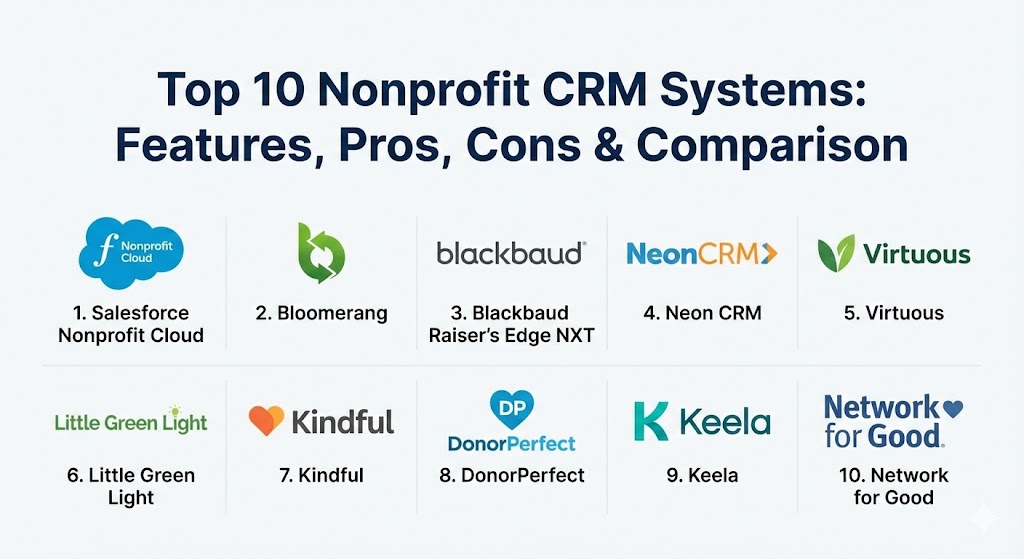
Top 10 Nonprofit CRM Systems
1 — Salesforce Nonprofit Cloud
Salesforce Nonprofit Cloud is the industry heavyweight, built on the world’s most powerful CRM platform. It is designed for organizations that need a “limitless” system that can be customized to fit every conceivable business process, from program management to massive fundraising campaigns.
- Key features:
- Built on the core Salesforce Einstein 1 Platform with integrated AI.
- Extensive constituent profiles that track every touchpoint.
- Program Management Module (PMM) to track service delivery.
- Gift Entry Manager (GEM) for high-volume donation processing.
- Access to the AppExchange for thousands of third-party integrations.
- AI-driven “Propensity to Give” scores for major gift prospecting.
- Pros:
- Unmatched scalability; the system grows with you regardless of size.
- The most robust ecosystem of partners and consultants in the world.
- Cons:
- High complexity; usually requires a dedicated administrator or consultant.
- Costs can escalate quickly once you move beyond the “Power of Us” 10-free-license grant.
- Security & compliance: SOC 2 Type II, GDPR, HIPAA (with BAA), ISO 27001, and FIPS 140-2.
- Support & community: Massive “Trailblazer” community, extensive free training (Trailhead), and premier support tiers for enterprise users.
2 — Bloomerang
Bloomerang is widely regarded as the best CRM for small-to-mid-sized nonprofits that prioritize donor retention. It was built by industry experts with a specific focus on “Donor Love” and long-term sustainability.
- Key features:
- Built-in Donor Retention Wheel that visualizes constituent health.
- Generosity Score (powered by DonorSearch) to identify hidden wealth.
- Interactive dashboards focused on giving trends and lapsed donors.
- Native email marketing with automated “Welcome” and “Acknowledge” sequences.
- Integrated online giving forms and peer-to-peer fundraising.
- Wealth screening and address verification included in most plans.
- Pros:
- One of the most intuitive user interfaces in the nonprofit space.
- Focuses the staff on the metrics that actually drive revenue growth (retention).
- Cons:
- Limited functionality for complex program management compared to Salesforce.
- Native event management features are less robust than specialized platforms.
- Security & compliance: PCI DSS compliant, GDPR compliant, and uses 256-bit SSL encryption.
- Support & community: High-quality live chat support, a vibrant user community, and “Bloomerang Academy” for continuous education.
3 — Blackbaud Raiser’s Edge NXT
The “gold standard” for legacy institutions, Raiser’s Edge NXT is a cloud-based evolution of the world’s most established fundraising software. It is particularly popular with universities and large healthcare foundations.
- Key features:
- Specialized for major gift cultivation and capital campaigns.
- Multi-dimensional reporting and advanced financial reconciliation.
- Integrated Blackbaud Merchant Services for unified processing.
- Mobile-first design for “front-line” fundraisers in the field.
- Advanced grant management and scholarship tracking.
- Predictive modeling for identifying “next best” actions with donors.
- Pros:
- Extremely deep feature set that has been refined over decades.
- Excellent for organizations with large, complex development teams.
- Cons:
- The pricing structure is often opaque and significantly higher than competitors.
- Some users find the interface to be less modern than newer cloud-native tools.
- Security & compliance: SOC 1/2, PCI DSS Level 1, HIPAA, and GDPR compliant.
- Support & community: Dedicated account managers, extensive formal training, and a huge global network of users.
4 — Neon CRM
Neon CRM is an all-in-one powerhouse designed for mid-market nonprofits that need to manage memberships, events, and donations in a single, cohesive database.
- Key features:
- Comprehensive membership management with automated renewals.
- Native event registration and ticketing system.
- Automated workflow engine for repetitive administrative tasks.
- Customizable donor portals for self-service profile management.
- Integrated store module for selling merchandise or publications.
- Strong volunteer management module included.
- Pros:
- Truly an “all-in-one” solution that reduces the need for external tools.
- Very strong customization options for forms and automated emails.
- Cons:
- The sheer number of features can make the initial setup feel overwhelming.
- Reporting tools have a steeper learning curve than Bloomerang.
- Security & compliance: SOC 2, PCI DSS, GDPR, and Tier 4 data center security.
- Support & community: Robust help center, certified consultant network, and tiered support options.
5 — Virtuous
Virtuous is a “Responsive CRM” designed for modern marketing-savvy nonprofits. It focuses on multi-channel engagement—email, SMS, and direct mail—to create a unified donor experience.
- Key features:
- AI-driven “Daily Suggestions” for fundraisers to contact donors.
- Multi-channel automation (Direct mail + Email + SMS).
- Social media listening and constituent tracking.
- Native peer-to-peer and crowdfunding platforms.
- Project and task management built directly into the constituent record.
- Deep integration with modern marketing stacks.
- Pros:
- The most “forward-thinking” UI in the category.
- Excellent for teams that want to treat donors like modern consumers.
- Cons:
- Might be “too much tech” for small organizations with very simple needs.
- Premium pricing reflects its advanced AI and automation capabilities.
- Security & compliance: GDPR, PCI DSS, and modern SSO integration.
- Support & community: Highly praised onboarding process and a proactive customer success team.
6 — Little Green Light (LGL)
Little Green Light is a favorite among “scrappy” nonprofits. It offers a professional-grade CRM experience at a price point that is accessible to the smallest organizations.
- Key features:
- Flexible data import tools to migrate from spreadsheets.
- Customizable dashboards for quick views of fundraising goals.
- Native integration with Constant Contact, Mailchimp, and PayPal.
- Simple but effective task and contact management.
- Integrated form builder for online donations.
- Basic grant tracking and reporting.
- Pros:
- Exceptional value for money; pricing is transparent and based on constituent count.
- Very easy to learn for non-technical staff and volunteers.
- Cons:
- Lacks advanced AI features and complex automation workflows.
- Interface is functional but lacks the modern “polish” of Virtuous or Bloomerang.
- Security & compliance: SSL encryption, regular backups, and GDPR compliant.
- Support & community: Strong knowledge base, responsive email support, and a dedicated user group.
7 — Kindful (by Bloomerang)
While now part of the Bloomerang family, Kindful continues to operate as a high-integration CRM that focuses on beautiful design and a seamless “plug-and-play” experience with other apps.
- Key features:
- Best-in-class integration with tools like Eventbrite, QuickBooks, and Shopify.
- Beautifully designed donor-facing pages.
- Activity feeds that show real-time engagement across platforms.
- Simple reporting tools that focus on the “most important” metrics.
- Built-in wealth screening through integration partners.
- Pros:
- Perfect for organizations that already use a variety of third-party apps.
- Setup is remarkably fast compared to enterprise systems.
- Cons:
- Some deeper fundraising features are being merged into the Bloomerang platform.
- Not designed for organizations with complex, custom data structures.
- Security & compliance: PCI DSS, GDPR, and secure cloud hosting.
- Support & community: Excellent onboarding and a friendly, accessible support team.
8 — DonorPerfect
DonorPerfect is a highly flexible, mid-range CRM that excels in donation processing and reporting. It has one of the highest customer satisfaction ratings for its core fundraising features.
- Key features:
- Excellent monthly giving (recurring) management tools.
- Highly customizable reporting engine with pre-built templates.
- Integrated mobile app for on-site donation collection.
- Robust grant and volunteer tracking modules.
- SmartActions for automating repetitive tasks.
- Native integration with the DP Mobile card reader.
- Pros:
- Outstanding customer support and training resources.
- Very reliable system that has survived multiple technology cycles.
- Cons:
- The interface can feel a bit “busy” due to the high density of data.
- Some integrations require additional paid modules.
- Security & compliance: PCI DSS, GDPR, and ISO 27001.
- Support & community: Award-winning phone support and an extensive “DonorPerfect Community” portal.
9 — Keela
Keela is a “Smart CRM” designed specifically for small-to-mid-sized nonprofits. It leverages “Intelligence” tools to help small teams work like large ones.
- Key features:
- “Smart Ask” AI that predicts the optimal donation amount for each donor.
- Integrated project management with “Board” and “List” views.
- Native email marketing with a high-end drag-and-drop builder.
- KPI dashboards that track fundraising health in real-time.
- Automation workflows for donor journeys.
- Integrated peer-to-peer and online giving.
- Pros:
- Provides advanced AI insights at a mid-market price point.
- The all-in-one nature means you can cancel your separate email marketing subscription.
- Cons:
- Still a younger platform, so the ecosystem of third-party apps is smaller.
- Not ideal for organizations needing massive customization (like Salesforce).
- Security & compliance: GDPR, PCI DSS, and 256-bit encryption.
- Support & community: Highly personalized support and a very active “Customer Success” focus.
10 — Network for Good
Network for Good is a fundraising platform first and a CRM second. It is built for nonprofits that want a guided experience to raise more money without needing to be “tech experts.”
- Key features:
- Built-in “Personal Fundraising Coaches” (at higher tiers).
- Simple, guided donor communication templates.
- Integrated video messaging for personalized thank-yous.
- One-click fundraising reports for board meetings.
- Native peer-to-peer and auction software.
- Very high deliverability for its integrated email tools.
- Pros:
- Excellent for teams that need “coaching” on how to fundraise effectively.
- The video messaging feature is a game-changer for donor engagement.
- Cons:
- Less flexible as a general-purpose database than Neon or Salesforce.
- Pricing can be high relative to the constituent count.
- Security & compliance: PCI DSS, GDPR, and SOC 2.
- Support & community: Exceptional focus on fundraising education through webinars and guides.
Comparison Table
| Tool Name | Best For | Platform(s) Supported | Standout Feature | Rating (Gartner/TrueReview) |
| Salesforce | Enterprise / NGO | Web, iOS, Android | Massive App Ecosystem | 4.6 / 5 |
| Bloomerang | Donor Retention | Web, iOS, Android | Retention Wheel | 4.8 / 5 |
| Blackbaud RE | Large Institutions | Web, Mobile | Legacy Reliability | 4.2 / 5 |
| Neon CRM | All-in-One / Members | Web | Membership Management | 4.4 / 5 |
| Virtuous | Responsive Giving | Web, iOS, Android | Multi-Channel AI | 4.7 / 5 |
| Little Green Light | Budget-Conscious | Web | Ease of Use / Value | 4.6 / 5 |
| Kindful | Integration-Heavy | Web | “Plug-and-Play” Data | 4.5 / 5 |
| DonorPerfect | Flexibility / Support | Web, iOS, Android | SmartActions Automation | 4.5 / 5 |
| Keela | Small Teams / AI | Web | “Smart Ask” AI Insights | 4.7 / 5 |
| Network for Good | Guided Fundraising | Web | Video Messaging Tools | 4.3 / 5 |
Evaluation & Scoring of Nonprofit CRM Systems
To choose the right tool, it is essential to weight features according to the unique needs of the nonprofit sector. Unlike for-profit businesses, nonprofits value constituent health and donor longevity above simple transaction speed.
| Category | Weight | Evaluation Criteria |
| Core Features | 25% | Donor tracking, recurring gift management, and tax receipting. |
| Ease of Use | 15% | Intuitiveness for non-technical staff and volunteer accessibility. |
| Integrations | 15% | Compatibility with QuickBooks, Mailchimp, and major payment gateways. |
| Security & Compliance | 10% | PCI DSS, GDPR, HIPAA readiness, and data encryption standards. |
| Performance | 10% | System uptime, mobile app functionality, and report generation speed. |
| Support & Community | 10% | Quality of documentation, speed of support, and user forums. |
| Price / Value | 15% | Total cost of ownership relative to fundraising growth potential. |
Which Nonprofit CRM System Is Right for You?
Selecting a CRM is a strategic decision that will impact your organization for at least 5 to 10 years. Here is how to navigate the decision based on your profile:
Solo Users vs. SMB vs. Mid-Market vs. Enterprise
- Solo / Very Small (Under $100k revenue): Start with Little Green Light. It provides all the professional features you need without the overwhelming complexity of a larger system.
- Small to Mid-Market ($500k – $5M revenue): Look at Bloomerang if you want to focus on retention, or Keela if you want integrated AI tools to help your small team punch above its weight.
- Large Enterprises / NGOs (Over $10M revenue): Salesforce Nonprofit Cloud or Blackbaud Raiser’s Edge NXT are the only systems capable of handling the volume and complexity required at this scale.
Budget-Conscious vs. Premium Solutions
- If budget is the primary driver, Little Green Light or the free tier of Salesforce (if you have the technical skills) are the winners.
- If you view your CRM as a high-ROI investment, Virtuous or Network for Good provide the premium features (AI and coaching) that justify their higher price tags by significantly increasing donor lifetime value.
Feature Depth vs. Ease of Use
- Don’t buy “more software” than you can actually use. Salesforce is deeply powerful, but if you don’t have a staff member to manage it, it will become an expensive spreadsheet. Conversely, Bloomerang is easy to use but may feel restrictive if you have highly unusual program-tracking needs.
Frequently Asked Questions (FAQs)
1. How long does a CRM implementation take?
For small systems like Little Green Light, you can be up and running in 2-4 weeks. For enterprise systems like Salesforce or Blackbaud, expect a 3-6 month implementation period involving data cleaning and staff training.
2. Can these tools help me find new donors?
Many CRMs, such as Bloomerang and Keela, integrate with wealth-screening tools (like DonorSearch) to help you identify the giving capacity of your existing supporters, effectively finding “new” major donors within your current list.
3. Is my donor data safe in the cloud?
Yes. In 2026, cloud-based nonprofit CRMs use bank-level encryption (AES-256) and are strictly audited for PCI and GDPR compliance, often making them more secure than local servers.
4. Will a CRM automatically send tax receipts?
Almost all modern nonprofit CRMs feature automated tax receipting. When a donation is processed, the system can immediately email a branded, compliant receipt to the donor, saving your staff hours of manual work.
5. What is the biggest mistake nonprofits make when choosing a CRM?
The most common mistake is choosing a tool based on “features” rather than “usability.” If the staff finds the system too difficult to use, they won’t enter the data, rendering the CRM useless.
6. Can a nonprofit CRM manage volunteers?
Many systems like Neon CRM and DonorPerfect have built-in volunteer modules. For others, like Salesforce, you can add volunteer tracking as a free or low-cost module.
7. How do I migrate my data from Excel to a CRM?
Most CRM vendors offer “data migration services” or provide import templates. The key is “data cleaning”—ensuring you don’t import duplicate or outdated records into your new system.
8. Are there free CRM options for nonprofits?
Salesforce offers 10 free licenses to qualified nonprofits. However, “free” only refers to the software license; you will still likely need to pay for implementation and training.
9. Can these tools manage grants?
Yes. Enterprise-level systems like Blackbaud and DonorPerfect have sophisticated grant-tracking modules that manage deadlines, reporting requirements, and funding cycles.
10. Do these CRMs integrate with QuickBooks?
Yes, integration with QuickBooks (Online or Desktop) is a standard feature for almost every tool on this list, ensuring that your fundraising data and accounting data stay in sync.
Conclusion
In the nonprofit sector of 2026, the “best” CRM is the one that your team will actually use every day. While Salesforce offers the most power and Little Green Light offers the best value, the mid-market leaders like Bloomerang and Virtuous are proving that a balance of AI-driven insights and extreme ease of use is the winning formula for donor retention. Before committing to a system, involve your “front-line” fundraisers in the demo process. Their buy-in is the most critical factor in ensuring that your new CRM doesn’t just store data, but actively drives your mission forward.