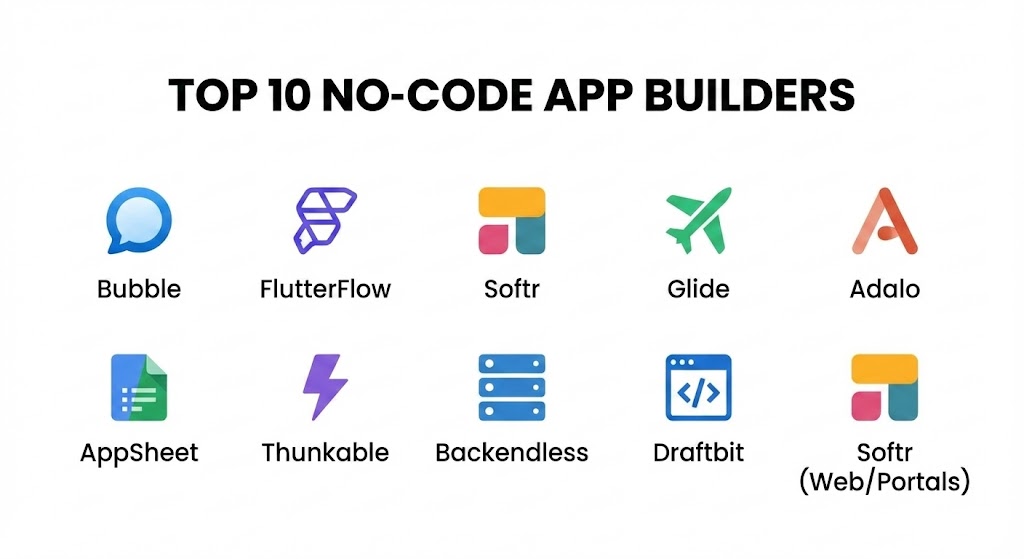
Introduction
A No-Code App Builder is a development platform that uses a visual development environment—typically featuring drag-and-drop components and logical flowcharts—to allow users to create software. These tools are no longer just for simple prototypes; modern platforms can handle complex databases, intricate user permissions, and API integrations that were once the exclusive domain of senior software engineers.
The importance of no-code lies in its ability to democratize innovation. By removing the technical gatekeeping of traditional coding, businesses can achieve a faster “time-to-market,” reduce development costs by up to 80%, and iterate on user feedback in real-time. Key real-world use cases include minimum viable products (MVPs) for startups, internal process automation for HR or logistics, and client-facing portals for service-based businesses. When choosing a tool, users should evaluate logic flexibility, database scalability, mobile vs. web optimization, and vendor lock-in (whether you can export your code or data).
Best for: Solopreneurs, early-stage founders, SMBs, and “citizen developers” within large enterprises. It is ideal for those who need to build functional tools quickly without a six-figure engineering budget.
Not ideal for: High-frequency trading platforms, massive 3D gaming applications, or software requiring highly proprietary hardware-level optimizations. In these cases, traditional coding or low-code frameworks remain the better choice.
Top 10 No-Code App Builders Tools
1 — Bubble
Bubble is widely considered the most powerful and flexible no-code web app builder on the market. It offers a “blank canvas” approach that allows for total design freedom and complex logic.
- Key features:
- Visual Workflow Editor: Create complex “if-then” logic for every user action.
- Internal Database: Robust data storage that handles thousands of records easily.
- API Connector: Seamlessly connect to any third-party service with a REST API.
- Responsive Design: Tools to ensure apps work on both desktop and mobile browsers.
- Plugin Store: Thousands of community-built extensions to add features like charts or Stripe payments.
- Version Control: Ability to deploy live versions while working on a development sandbox.
- Pros:
- Unmatched flexibility; if you can imagine the logic, you can likely build it in Bubble.
- Massive ecosystem of templates and experts.
- Cons:
- Steepest learning curve in the no-code space.
- Primarily focused on web apps; building “Native” mobile apps requires third-party wrappers.
- Security & compliance: SOC 2 Type II, GDPR compliant, SSL encryption, and automated backups.
- Support & community: High-quality documentation, a very active user forum, and a dedicated academy for learning.
2 — FlutterFlow
FlutterFlow has surged in popularity as the premier choice for building high-performance, native mobile applications. It is built on top of Google’s Flutter framework, allowing for beautiful UIs and smooth animations.
- Key features:
- Visual Action Builder: Complex logic for mobile-specific interactions like haptics and GPS.
- Code Export: Unlike many competitors, you can download the clean Flutter code for your app.
- Firebase Integration: Native support for Google’s database, authentication, and storage.
- AI Gen: Prompt-to-UI features that generate screen layouts from text descriptions.
- Animations: Built-in support for Lottie and custom transition effects.
- Push Notifications: Easy setup for cross-platform mobile alerts.
- Pros:
- Produces “true” native apps for iOS and Android that feel faster than web-based wrappers.
- Eliminates vendor lock-in by allowing code export.
- Cons:
- Requires a basic understanding of how data structures work.
- Deployment to App Stores still requires a developer account (Apple/Google).
- Security & compliance: Inherits Firebase security protocols; supports SSO and encrypted data transit.
- Support & community: Extensive video tutorials, active Discord, and a rapidly growing marketplace of components.
3 — Softr
Softr turns your Airtable or Google Sheets data into beautiful, functional web apps in minutes. It is the go-to tool for internal tools, directories, and membership sites.
- Key features:
- Data-to-App: Instant synchronization with Airtable as a primary database.
- Pre-built Blocks: Over 100 UI blocks like list views, charts, and user profiles.
- User Permissions: Granular control over what different user groups can see or edit.
- SEO Friendly: Built-in tools to ensure your web app ranks in search engines.
- Payment Integration: Ready-made blocks for Stripe subscriptions and one-time buys.
- Custom Domains: Connect your own URL even on lower tiers.
- Pros:
- The fastest way to build a functional app if your data is already in a spreadsheet.
- Extremely modern and clean UI out of the box.
- Cons:
- Limited design flexibility; you are restricted to their pre-built layout blocks.
- Not suitable for building native mobile apps (PWA only).
- Security & compliance: GDPR compliant, SOC 2 Type II (via Airtable/AWS), and SSL encryption.
- Support & community: Excellent documentation, 24/7 chat support, and a helpful community of creators.
4 — Glide
Glide focuses on “Data First.” If you can build a spreadsheet, you can build a Glide app. It is optimized for internal business tools and simple consumer apps that prioritize utility over custom design.
- Key features:
- Spreadsheet Sync: Uses Excel, Google Sheets, or Airtable as the engine.
- Glide Tables: A native, high-speed database option for larger datasets.
- Action Editor: Simple workflow builder for task automation.
- Component Library: Beautifully designed buttons, maps, and progress bars.
- Glide AI: Built-in features to summarize text or extract data from images.
- Desktop View: Automatically adapts mobile designs for large screens.
- Pros:
- The lowest barrier to entry of any tool on this list.
- Professional “look and feel” without needing any design skills.
- Cons:
- Very rigid design constraints; you cannot move elements pixel-by-pixel.
- Pricing can become expensive as you scale the number of users.
- Security & compliance: SOC 2 Type II, SSO (SAML/OpenID), and GDPR compliant.
- Support & community: Strong educational content through “Glide University” and a very helpful expert network.
5 — Adalo
Adalo is a veteran in the no-code mobile space, known for its intuitive drag-and-drop interface that mimics design tools like Figma or PowerPoint.
- Key features:
- True Drag-and-Drop: Move any element anywhere on the screen without a grid.
- Component Marketplace: Community-made elements like calendars and specialized maps.
- Internal Database: Built-in spreadsheet-like database for easy management.
- Native Publishing: Direct integration to push apps to the Apple and Google stores.
- Collections: Link data across different screens with simple visual lines.
- Pros:
- Best for designers who want to see exactly how the app looks during the build.
- Very straightforward database relationship management.
- Cons:
- Performance can lag with very complex datasets or slow internet connections.
- Logic is less powerful than Bubble or FlutterFlow.
- Security & compliance: GDPR compliant, SSL encryption, and basic audit logs.
- Support & community: Vast library of templates and a dedicated “Adalo App Academy.”
6 — AppSheet (Google Cloud)
AppSheet is Google’s enterprise-grade no-code platform. It is designed to turn data from the Google Workspace ecosystem into automated mobile and web applications.
- Key features:
- Automation Bots: Powerful background tasks for sending emails or generating PDFs.
- Offline Mode: Apps can function without an internet connection and sync later.
- Natural Language Processing: Use “AppSheet AI” to build features via voice or text.
- Barcode/OCR: Native support for scanning and data extraction.
- Google Workspace Integration: Deep links to Drive, Calendar, and Maps.
- Pros:
- Exceptional for industrial and field-work use cases (offline, scanning).
- Included in many Google Workspace enterprise plans.
- Cons:
- The UI is utilitarian and lacks the “polish” of consumer-focused apps.
- Limited customization for high-end consumer branding.
- Security & compliance: Enterprise-grade security, HIPAA compliant options, SOC 2, and ISO 27001.
- Support & community: Backed by Google Cloud support and extensive documentation.
7 — Thunkable
Thunkable is a specialized native mobile app builder that uses a “block-based” logic system similar to Scratch. It is widely used for educational purposes and rapid mobile prototyping.
- Key features:
- Block Logic: Visual coding blocks that make complex logic easy to visualize.
- Device Feature Access: Easy access to Bluetooth, Accelerometers, and Cameras.
- Cross-Platform: Build once and deploy to Android, iOS, and Web.
- Animations: Native support for complex UI transitions.
- Extensible API: Connect to any backend like Xano or Airtable.
- Pros:
- Great for learning logical thinking while building functional products.
- Very strong native hardware integration.
- Cons:
- Managing very large applications can become difficult with too many logic blocks.
- Web performance is not as strong as its native mobile performance.
- Security & compliance: Standard SSL, GDPR compliant, and private project options for Pro users.
- Support & community: Very large community, particularly in the educational and indie-dev sectors.
8 — Softr (for Web Apps & Portals)
Note: Since Softr is a leader in two distinct categories (Internal Tools and Portals), it deserves focus for its new “Airtable to Web App” engine which has redefined the 2025 landscape.
- Key features:
- Membership Management: Built-in sign-up/log-in flows with user-specific data.
- SEO Optimization: Fast-loading pages that are indexable by Google.
- Chart Blocks: Dynamic data visualization for client dashboards.
- Airtable Sync: Bi-directional sync—edit the app, and it updates Airtable.
- Pros:
- Best-in-class for building “Client Portals” where users need to see their own data.
- Most efficient workflow for non-technical teams.
- Cons:
- Design remains “block-based” and cannot be fully customized.
- Security & compliance: SSL, SOC 2 Type II, and GDPR.
- Support & community: High-quality chat support and extensive template library.
9 — Backendless
Backendless is a “Visual CMS” and app builder that bridges the gap between no-code and professional backend management. It is designed for those who need a sophisticated database without writing SQL.
- Key features:
- Visual Logic: “Codeless” logic builder for both frontend and backend events.
- Cloud Code: Ability to add actual code for highly specific backend tasks.
- Push Notification Management: Advanced targeting and scheduling for alerts.
- Real-time Data: Native support for live-updating data like chat or stock prices.
- User Management: Sophisticated security roles and session management.
- Pros:
- Much more powerful database and API management than most no-code tools.
- Provides a path to scale into a fully professional development environment.
- Cons:
- Higher learning curve due to professional-grade features.
- The UI builder is less intuitive than tools like Adalo or Softr.
- Security & compliance: ISO 27001, GDPR, HIPAA, and SOC 2 compliant.
- Support & community: Dedicated professional support and a deep library of video guides.
10 — Draftbit
Draftbit is a high-end mobile app builder that focuses on producing “Source Code.” It is a “low-code” and “no-code” hybrid designed for teams that want professional results without the lock-in.
- Key features:
- React Native Output: Generates high-quality, professional mobile code.
- Full Customization: Total control over styling, layout, and interaction.
- External Data: Connect to any REST API or GraphQL endpoint.
- Code Export: Download the entire project to hand off to developers later.
- Component Library: Built-in blocks based on the most popular React Native libraries.
- Pros:
- No vendor lock-in; you own the code you build.
- Professional performance that is indistinguishable from a coded app.
- Cons:
- Requires the most technical knowledge on this list.
- No built-in database (requires an external one like Xano or Supabase).
- Security & compliance: Varies by backend; the frontend supports all standard encryption and SSO.
- Support & community: Excellent technical documentation and a high-level community of professional builders.
Comparison Table
| Tool Name | Best For | Platform(s) Supported | Standout Feature | Rating (Gartner / Community) |
| Bubble | Complex Web Apps | Web (PWA) | Logic Flexibility | 4.8 / 5 |
| FlutterFlow | Native Mobile | iOS, Android, Web | Source Code Export | 4.7 / 5 |
| Softr | Internal Portals | Web | Airtable Integration | 4.6 / 5 |
| Glide | Utility Tools | Web, iOS, Android | Spreadsheet-to-App | 4.5 / 5 |
| Adalo | Design-Led Mobile | iOS, Android | True Drag-and-Drop | 4.3 / 5 |
| AppSheet | Industrial Automation | Web, Mobile | Offline Mode | 4.4 / 5 |
| Thunkable | Native Features | iOS, Android | Block-based Logic | 4.2 / 5 |
| Backendless | Scale & Backend | Web, Mobile | Visual API Management | 4.5 / 5 |
| Draftbit | Professional Mobile | iOS, Android | React Native Code | 4.6 / 5 |
| Softr (Enterprise) | Client Dashboards | Web | User Permissions | 4.6 / 5 |
Evaluation & Scoring of No-Code App Builders
When choosing the right platform, we evaluate based on a weighted scoring rubric. This ensures that while “Ease of Use” is important for beginners, “Core Features” and “Integrations” carry enough weight to ensure long-term viability.
| Criteria | Weight | Evaluation Rationale |
| Core Features | 25% | Database power, logic complexity, and native feature support. |
| Ease of Use | 15% | The learning curve for a non-technical user to reach an MVP. |
| Integrations & Ecosystem | 15% | Breadth of API support and third-party plugin availability. |
| Security & Compliance | 10% | Certifications (SOC 2, GDPR) and enterprise features like SSO. |
| Performance & Reliability | 10% | App load speed, uptime history, and scalability. |
| Support & Community | 10% | Documentation quality, forum activity, and academy resources. |
| Price / Value | 15% | The cost of the platform relative to its feature set. |
Which No-Code App Builders Tool Is Right for You?
Solo Users vs SMB vs Mid-Market vs Enterprise
- Solo Users: If you are building your first app, start with Glide or Softr. They allow you to see results in hours, not weeks.
- SMBs: For a product that needs to look professional and handle complex logic, Bubble or FlutterFlow are the industry standards.
- Mid-Market & Enterprise: For internal security and massive data, AppSheet (Google) or Backendless provide the necessary oversight and compliance features.
Budget-Conscious vs Premium Solutions
- Budget-Conscious: Glide and Softr have generous free tiers that let you test your idea before paying.
- Premium: Draftbit and FlutterFlow are investments. While their monthly costs are higher, the quality of the final “Code” they produce is a significant asset for a growing business.
Feature Depth vs Ease of Use
If you need Feature Depth (e.g., a custom AI-driven marketplace), go with Bubble. If you prioritize Ease of Use (e.g., a simple team task tracker), go with Glide.
Integration and Scalability Needs
If your app needs to talk to dozens of other tools, Bubble has the most mature API connector. If you plan to eventually hire a team of professional coders, Draftbit or FlutterFlow are the only choices that allow you to take your code with you.
Frequently Asked Questions (FAQs)
1. Is “No-Code” really for professional use?
Absolutely. In 2025, multi-million dollar startups are running their entire backends on no-code tools like Bubble and Xano. As long as you choose a platform with high performance and security, no-code is enterprise-ready.
2. Can I build an app that works without the internet?
Yes, but you must choose the right tool. AppSheet and FlutterFlow have native capabilities for “offline mode,” whereas web-based builders like Softr or Bubble require a constant connection.
3. Do I own my app if I build it with no-code?
You own the data and the design, but in most cases, you do not own the underlying “code” unless you use a platform like FlutterFlow or Draftbit which allows for code export.
4. How much does it cost to maintain a no-code app?
Typically, you will pay a monthly subscription ranging from $25 to $150. This is significantly cheaper than hiring a developer for thousands of dollars per month to fix bugs and maintain servers.
5. Can no-code apps handle thousands of users?
Yes. Modern no-code databases are built on AWS or Google Cloud infrastructure. Tools like Backendless and Bubble can scale to handle tens of thousands of simultaneous users if the database is structured correctly.
6. Which tool is best for an E-commerce app?
Adalo and FlutterFlow are excellent for mobile e-commerce due to their native feel. If you want a web-based marketplace, Bubble is the gold standard.
7. Is it hard to learn no-code?
It varies. You can learn Glide in a weekend. Mastery of Bubble might take 3-6 months. However, compared to the years required to become a senior developer, the learning curve is extremely shallow.
8. Can I use AI in my no-code app?
Yes. Most builders now have native integrations with OpenAI (ChatGPT) or Anthropic. You can easily build an app that generates text, images, or summarizes data using these APIs.
9. Will no-code replace developers?
No. No-code handles the “standard” 80% of app builds. Developers are still needed for highly custom logic, new technology development, and optimizing the platforms that no-code builders run on.
10. How do I publish my app to the App Store?
Most builders have a “one-click” or guided publishing flow. You will need to pay for an Apple Developer ($99/yr) or Google Play ($25 once) account, and the builder handles the technical packaging.
Conclusion
The no-code revolution of 2025 has effectively turned software development into a creative skill rather than a purely technical one. Whether you are a solopreneur building a native mobile MVP on FlutterFlow, an HR manager automating internal tasks on AppSheet, or a designer bringing a vision to life on Adalo, the tools available today are more than capable of supporting professional ambitions.
The “best” tool is not a universal winner but a matter of alignment. If you need total power and logic, choose Bubble. If you want a native mobile app with code ownership, choose FlutterFlow. If you want a professional dashboard from a spreadsheet, choose Softr. The most important step is to start building; in the world of no-code, the only limit is your ability to define the logic of your idea.