Introduction
Network Configuration Management (NCM) is the process of organizing, maintaining, and automating the configuration data for network hardware and software. At its core, an NCM tool acts as a “Time Machine” for your network. It tracks every change made to your routers, switches, firewalls, and load balancers, allowing you to see who changed what, when they changed it, and providing a one-click “undo” button if that change causes an outage.
Why It Is Important
Network outages are rarely caused by hardware failure; they are overwhelmingly caused by human error during configuration changes. NCM tools mitigate this risk by enforcing standardization. They allow you to define a “Golden Baseline” configuration and automatically alert you (or even auto-remediate) if a device deviates from that standard. This is critical for security compliance (ensuring no rogue ports are opened) and disaster recovery (ensuring you can restore a device from a backup in minutes rather than hours).
Key Real-World Use Cases
- Bulk Configuration Updates: Pushing a security patch or a password change to 500 switches simultaneously.
- Compliance Auditing: Automatically generating reports to prove your network meets PCI DSS, HIPAA, or SOX requirements.
- Vulnerability Management: Identifying devices running firmware with known security flaws.
- Change Detection: Receiving real-time alerts the moment an unauthorized change is detected on a core router.
Evaluation Criteria
When choosing an NCM tool, prioritize multi-vendor support (does it handle Cisco, Juniper, and Aruba?), automation depth (can it run scripts or just backups?), rollback reliability, and integration with your existing monitoring or ITSM platforms.
Best for: Network Engineers, SREs, and Security Compliance Officers in mid-to-large organizations. It is essential for industries with strict regulatory requirements like finance, healthcare, and government.
Not ideal for: Small businesses with only one or two plug-and-play routers or environments where network hardware is entirely managed by a third-party ISP.
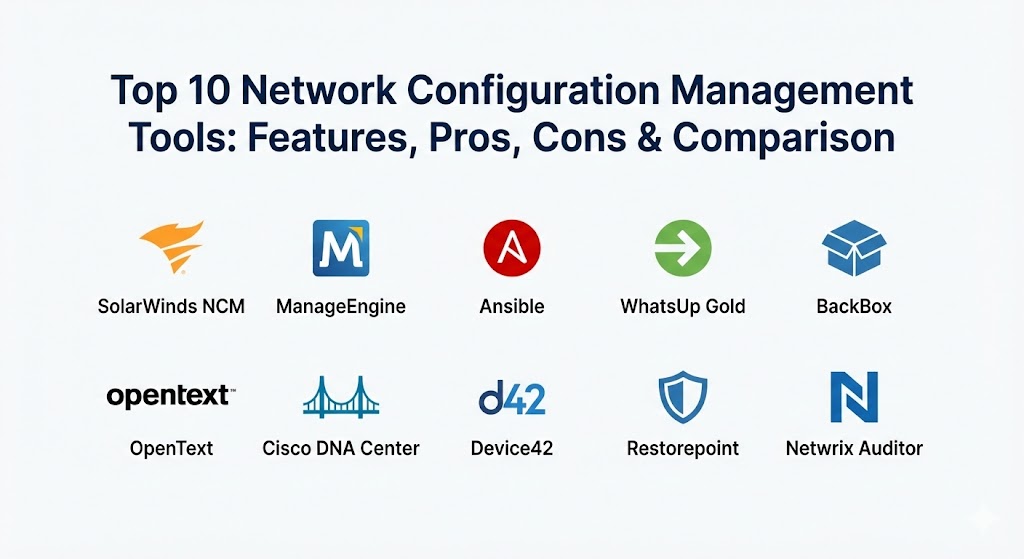
Top 10 Network Configuration Management Tools
1 — SolarWinds Network Configuration Manager (NCM)
SolarWinds NCM is widely considered the industry benchmark for comprehensive configuration management. It is designed to reduce the time required to manage complex networks while significantly improving security and compliance postures.
- Key Features:
- Automated Backups: Schedule regular backups of all device configurations across multi-vendor environments.
- Vulnerability Assessment: Integrated with the National Vulnerability Database to identify at-risk firmware.
- Compliance Auditing: Out-of-the-box reports for PCI, HIPAA, and DISA STIG.
- Configuration Rollbacks: Quickly revert to a previous “known good” state during an outage.
- Change Approval Workflow: Require a second pair of eyes before a change is pushed to production.
- Real-Time Change Detection: Alerts you immediately when a configuration change occurs.
- Pros:
- Excellent multi-vendor support; it handles almost any hardware that has a command-line interface.
- Deep integration with the broader SolarWinds Orion platform for unified monitoring.
- Cons:
- The software is resource-intensive and requires a dedicated server and SQL database.
- Pricing is at the enterprise level and can be complex based on node counts.
- Security & Compliance: FIPS 140-2, SOC 2 Type II, HIPAA, and GDPR compliant. Supports robust SSO and detailed audit logs.
- Support & Community: One of the largest user communities (“THWACK”) and 24/7 enterprise-grade technical support.
2 — ManageEngine Network Configuration Manager
ManageEngine provides an incredibly feature-rich NCM tool that focuses on ease of use and affordability. It is a standout choice for teams that want professional-grade automation without the extreme cost associated with larger enterprise suites.
- Key Features:
- Configlets: Use reusable script templates to automate repetitive tasks across multiple devices.
- Role-Based Access Control (RBAC): Granular control over who can view, edit, or deploy configurations.
- Mobile App: Manage your network configuration and approve changes from your smartphone.
- Firmware Vulnerability Management: Automatic scanning for outdated and insecure OS versions.
- Remote Access: Integrated SSH and Telnet terminal for manual troubleshooting within the UI.
- Pros:
- Very competitive pricing model makes it accessible for mid-market companies.
- The “Configlet” system is very intuitive for admins who aren’t expert coders.
- Cons:
- The user interface can occasionally feel cluttered due to the sheer number of features.
- Advanced reporting can sometimes require the use of their separate analytics tool for deep customization.
- Security & Compliance: GDPR, HIPAA, and PCI DSS compliant. Features encryption for data at rest and in transit.
- Support & Community: Excellent video documentation, regular webinars, and a reliable global support desk.
3 — Ansible (Red Hat)
Ansible has revolutionized the industry by treating “Network as Code.” Unlike traditional GUI-based NCM tools, Ansible uses human-readable YAML playbooks to automate configurations. It is the gold standard for modern DevOps-centric networking.
- Key Features:
- Agentless Architecture: No need to install software on the network devices; it uses SSH or APIs.
- Idempotency: Ensures that a playbook only applies changes if they are needed, preventing redundant tasks.
- Massive Library: Thousands of pre-built modules for Cisco, Arista, Juniper, and more.
- Version Control Integration: Store your network configurations in Git (GitHub/GitLab) for full history and branching.
- Ansible Automation Platform: A GUI (formerly Tower) for managing jobs, scheduling, and RBAC.
- Pros:
- Incredible flexibility; you can automate literally anything if you can write a playbook.
- Future-proofs your network by aligning it with modern software development practices.
- Cons:
- Requires a higher level of technical skill (YAML, CLI, and Git knowledge).
- Does not offer “out-of-the-box” compliance reports in the same way SolarWinds does; you have to build them.
- Security & Compliance: ISO 27001 and SOC 2 (via Red Hat). Supports encrypted secrets via Ansible Vault.
- Support & Community: Massive open-source community and premium enterprise support from Red Hat.
4 — Progress WhatsUp Gold (Config Management Module)
WhatsUp Gold is famous for its network monitoring, but its Configuration Management add-on is a powerful, integrated solution for managing the life cycle of network hardware. It’s perfect for teams that want a visual-first approach.
- Key Features:
- Automated Compliance Scans: Automatically check device configs against industry standards every night.
- Policy Enforcement: Define what a configuration should look like and get alerted on any deviation.
- Change Archive: Maintain a complete history of every version of every configuration for years.
- Task Scheduling: Set up one-time or recurring tasks for firmware updates and config backups.
- Inventory Reports: Automatically discover and document every serial number and model in your network.
- Pros:
- The visual “Map-to-Config” workflow is very helpful for locating devices during a crisis.
- Very easy to learn for junior admins.
- Cons:
- The Config Management features are an add-on, meaning you must already be using the monitoring platform.
- Slightly less flexible for highly complex, multi-cloud virtual network automation.
- Security & Compliance: GDPR and HIPAA compliant. Supports SSO and encrypted database storage.
- Support & Community: Solid knowledge base and an active customer forum with professional training available.
5 — BackBox
BackBox is a specialized tool that focuses heavily on security and disaster recovery. It doesn’t just manage configurations; it automates the entire process of verifying that backups are valid and can actually be restored.
- Key Features:
- Verified Backups: Not only saves the config but performs a “sanity check” to ensure the file isn’t corrupted.
- One-Click Recovery: A streamlined workflow to restore a dead device from a remote location.
- Intelligent Automation: Pre-built “Automation Templates” for complex tasks like firewall policy migrations.
- Asset Management: A comprehensive inventory of all hardware, including end-of-life (EOL) data.
- Vulnerability Scanning: Direct mapping of firmware versions to known CVEs.
- Pros:
- The most reliable tool for disaster recovery; their “Verified Backup” feature is a major differentiator.
- Extremely secure architecture designed for high-compliance environments.
- Cons:
- The UI is functional but lacks the modern “slickness” of competitors like Datadog or Auvik.
- Focus is narrower (Security/DR) compared to the broad “IT Operations” focus of others.
- Security & Compliance: SOC 2 Type II, GDPR, and ISO 27001 compliant. Highly focused on audit trails.
- Support & Community: Highly technical, personalized support that often helps with custom script creation.
6 — OpenText (Micro Focus) Network Automation
Formerly a Hewlett Packard Enterprise (HPE) product, this is a heavy-duty, enterprise-grade NCM platform. It is built for global corporations with tens of thousands of devices and extremely complex compliance needs.
- Key Features:
- Policy-Driven Management: Enforce complex business rules across the entire global network.
- Security Vulnerability Detection: Real-time correlation between your hardware and the latest security threats.
- Automated Change Tracking: Captures changes regardless of whether they were made via CLI, Web UI, or API.
- Scalability: Proven to handle over 100,000 devices in a single implementation.
- Advanced Reporting: High-level executive dashboards and granular technical audits.
- Pros:
- Unmatched scalability; if you are a global bank or airline, this is a top-tier choice.
- The compliance engine is arguably the most powerful in the industry.
- Cons:
- Extremely complex to implement and maintain; usually requires professional services.
- Very high cost of ownership.
- Security & Compliance: FedRAMP authorized, SOC 2, ISO 27001, and HIPAA compliant.
- Support & Community: Comprehensive enterprise support with dedicated account managers available.
7 — Cisco DNA Center (Catalyst Center)
If your environment is primarily Cisco, DNA Center (now being rebranded under the Catalyst name) is the ultimate management tool. It moves beyond simple configuration into the realm of “Intent-Based Networking.”
- Key Features:
- Intent-Based Networking: Define what you want the network to do (e.g., “isolate guest traffic”) and the tool writes the config.
- SWIM (Software Image Management): Automates the testing and deployment of firmware updates.
- Plug and Play (PnP): Ship a new switch to a remote office, plug it in, and let DNA Center configure it automatically.
- Assurance: Uses AI to troubleshoot why a user is having a bad experience, linked to config settings.
- Network Health Dashboards: Real-time visibility into the performance and config status of all Cisco gear.
- Pros:
- The deepest possible integration for Cisco hardware; it can do things third-party tools can’t.
- The Plug and Play feature is a massive time-saver for large-scale deployments.
- Cons:
- “Vendor Lock-in”—it offers limited functionality for non-Cisco devices.
- Requires specific (and often expensive) Cisco licensing tiers.
- Security & Compliance: FedRAMP, SOC 2, and ISO 27001. Deep integration with Cisco ISE for identity security.
- Support & Community: Backed by Cisco TAC, the gold standard for technical support.
8 — Device42
Device42 is a comprehensive IT Infrastructure Management platform that includes a strong NCM component. It is designed for teams that want their network configurations to be part of a larger CMDB (Configuration Management Database).
- Key Features:
- Auto-Discovery: Automatically finds all network devices and maps their configurations.
- Application Dependency Mapping: Shows how a change in a switch config might affect a specific application server.
- Password/Secret Management: Securely stores the credentials needed to access network hardware.
- IP Address Management (IPAM): Integrated IP tracking linked to device configurations.
- RESTful API: Allows for deep integration with other automation tools.
- Pros:
- Excellent for understanding the “Big Picture”—how the network relates to the rest of the IT stack.
- Very strong inventory and asset tracking features.
- Cons:
- The configuration management features are part of a larger suite, which may be “too much” if you only want NCM.
- Slightly less focused on deep “Scripting/Configlets” compared to ManageEngine.
- Security & Compliance: GDPR and SOC 2 compliant. Includes high-level encryption for the secrets vault.
- Support & Community: Great documentation and a responsive technical support team.
9 — Restorepoint (ScienceLogic)
Now part of the ScienceLogic family, Restorepoint focuses on simplifying the backup and compliance of network and security devices. It is an “Appliance-based” solution that is remarkably easy to deploy.
- Key Features:
- Multi-Vendor Backup: Supports over 100 vendors including firewalls (Palo Alto, Fortinet) and load balancers.
- Config Analysis: Scans configs for common security errors like default passwords or weak encryption.
- Compliance Monitoring: Real-time tracking against internal and external standards.
- Change Management: Visual diffs that show exactly what changed between two config versions.
- Automated Remediation: Can push “fix-it” scripts when a compliance violation is found.
- Pros:
- One of the easiest tools to set up; you can be backing up devices in under an hour.
- Excellent support for security-specific appliances (Firewalls/WAFs).
- Cons:
- Smaller user community compared to giants like SolarWinds.
- Advanced automation requires a bit more manual script writing than the “Configlet” approach.
- Security & Compliance: GDPR and ISO 27001 compliant. Designed for high-security environments.
- Support & Community: Direct access to technical engineers and clear, concise documentation.
10 — Netwrix Auditor (for Network Devices)
Netwrix is unique because its primary focus is on Auditing and Security. While it handles configuration management, it does so through the lens of visibility—showing you exactly what is happening on your network to prevent breaches.
- Key Features:
- User Activity Tracking: See exactly who logged into a device and what commands they typed.
- Config State Comparison: Compare current configs against a “known good” baseline to find deviations.
- Alerting on Critical Changes: Instant notifications for changes to VPN settings, firewall rules, or admin accounts.
- Long-Term Data Retention: Keep config audit logs for years to satisfy regulatory requirements.
- Behavioral Analytics: Identifies suspicious patterns that might indicate a compromised admin account.
- Pros:
- The best tool for meeting strict auditing requirements for SOX or PCI DSS.
- The level of detail in the “Who, What, Where, When” reports is unmatched.
- Cons:
- It is an “Auditing” tool first, meaning it isn’t as good at “Bulk Pushing” new configs as Ansible or SolarWinds.
- The interface is more focused on reports than on active management.
- Security & Compliance: SOC 2, HIPAA, GDPR, PCI DSS, and ISO 27001 compliant.
- Support & Community: Professional training, a deep knowledge base, and 24/7 support availability.
Comparison Table
| Tool Name | Best For | Platform(s) Supported | Standout Feature | Rating (Gartner / TrueReview) |
| SolarWinds NCM | Large Enterprises | Windows / SaaS | Vulnerability + Compliance Sync | 4.6 / 5 |
| ManageEngine | SMB to Mid-Market | Windows / Linux | Mobile App & Easy “Configlets” | 4.4 / 5 |
| Ansible | DevOps / Automation | Linux / Cloud | Configuration as Code (YAML) | 4.8 / 5 |
| WhatsUp Gold | Visual Management | Windows | Map-Integrated Configuration | 4.2 / 5 |
| BackBox | Disaster Recovery | Linux / Appliance | Verified Backup Sanity Checks | 4.5 / 5 |
| OpenText (HPE) | Global Scale | Windows / Linux | 100k+ Device Scalability | 4.1 / 5 |
| Cisco DNA | Cisco-Only Shops | Appliance / Cloud | Intent-Based Networking | 4.5 / 5 |
| Device42 | CMDB & Dependencies | SaaS / Virtual App | Application Dependency Mapping | 4.3 / 5 |
| Restorepoint | Security/Firewalls | Appliance / SaaS | One-Click Disaster Recovery | 4.4 / 5 |
| Netwrix Auditor | Compliance & Audit | Windows / SaaS | Command-Level User Auditing | 4.5 / 5 |
Evaluation & Scoring of Network Configuration Management
To provide an objective ranking, we have evaluated these tools against a weighted scoring rubric that reflects the priorities of modern IT departments in 2026.
| Criteria | Weight | Evaluation Logic |
| Core Features | 25% | Backups, rollbacks, bulk updates, and baseline enforcement. |
| Ease of Use | 15% | Time to setup, UI quality, and ease of script creation. |
| Integrations | 15% | Connections to ITSM (ServiceNow), Slack, and monitoring tools. |
| Security & Compliance | 10% | Encryption, SSO, and automated audit reporting. |
| Performance | 10% | Speed of bulk pushes and database reliability. |
| Support & Community | 10% | Documentation quality and user forum activity. |
| Price / Value | 15% | Transparency and ROI for the specific target market. |
Which Network Configuration Management Tool Is Right for You?
Solo Users vs SMB vs Mid-Market vs Enterprise
- Solo Users / Consultants: If you manage multiple clients, a cloud-based or lightweight tool like Restorepoint or the open-source version of Ansible is best.
- SMBs: ManageEngine is the winner here. You get 90% of the enterprise features at 40% of the cost.
- Mid-Market: WhatsUp Gold or BackBox are excellent. They offer the stability and support you need without the extreme complexity of high-end enterprise platforms.
- Enterprise: SolarWinds NCM or OpenText are the only tools capable of handling the auditing and scale requirements of a Fortune 500 company.
Budget-Conscious vs Premium Solutions
If you have zero budget but high technical skill, Ansible is your best friend. It costs nothing but your time. If you have a budget and want to save time, SolarWinds and Cisco DNA Center are the “premium” choices that offer the most automation out of the box.
Feature Depth vs Ease of Use
- Deepest Features: Ansible and OpenText. You can do anything, but you’ll have to work for it.
- Easiest to Use: Auvik (mentioned in our monitoring guide) or Restorepoint. These are designed for the admin who has a million other things to do.
Integration and Scalability Needs
If your network is tied to your servers and applications, Device42 is the best choice because it sees the “dependencies.” If you need to scale to thousands of global sites, the “Orion” backbone of SolarWinds is the most proven architecture.
Frequently Asked Questions (FAQs)
1. What is a “Golden Baseline” in NCM?
It is a “perfect” configuration file that has been vetted for security and performance. The NCM tool compares all active devices against this baseline and alerts you if anything is different.
2. Can NCM tools manage firewalls?
Yes. Most professional NCM tools (like BackBox and Restorepoint) have specific modules for Palo Alto, Check Point, and Fortinet to manage policies and rule sets.
3. Does an NCM tool replace a network monitor?
No. A monitor (like PRTG) tells you if the device is working. An NCM tool tells you how it is configured. They are complementary tools that should ideally be integrated.
4. How do NCM tools connect to devices?
Most use SSH (Secure Shell) to “talk” to the device’s command line. More modern devices may use APIs (RESTconf or NETconf) for a more stable connection.
5. What is a “Rollback”?
If you push a change that breaks the network, a rollback is the process of the tool automatically reapplying the previous config file to restore service.
6. Is Ansible better than a GUI-based NCM?
It depends on your team. If your team knows how to code/script, Ansible is much more powerful. If your team prefers a visual dashboard and “click-to-fix,” a GUI tool like SolarWinds is better.
7. Can I automate password changes with these tools?
Yes. This is a primary use case. You can write a script (or “Configlet”) to change the admin password on 1,000 devices and schedule it to run at 2:00 AM.
8. What is the biggest risk of using an NCM tool?
Security. Since the NCM tool has the “keys to the kingdom” (admin access to all devices), the tool itself must be heavily secured with MFA and limited access.
9. Do NCM tools help with firmware updates?
Yes. Tools like Cisco DNA Center and ManageEngine can automate the entire “SWIM” (Software Image Management) process, from downloading the file to rebooting the device.
10. How does NCM help with compliance?
It automatically scans every config for “illegal” settings (like Telnet being enabled instead of SSH) and generates a report showing you are 100% compliant with standards like PCI DSS.
Conclusion
Choosing the right Network Configuration Management tool is about finding the balance between automation power and operational simplicity. In 2026, you cannot afford to manage your network manually. If you are looking for the most “complete” experience, SolarWinds NCM remains the leader. For those moving toward a “DevOps” model, Ansible is the future.
The “best” tool is the one that actually gets implemented and used. Start by identifying your most painful manual task—whether it’s backups, compliance reporting, or firmware updates—and choose the tool that solves that problem most elegantly. Remember, the goal of NCM isn’t just to manage files; it’s to give your IT team the confidence to move fast without breaking things.