Introduction
Network Analysis Tools are a category of software designed to monitor, analyze, and troubleshoot network traffic and infrastructure. At their core, these tools provide visibility into how data moves across your network. They range from “packet sniffers” that dissect individual data packets to high-level performance monitors that track the health of routers, switches, and firewalls. By capturing data through protocols like SNMP, NetFlow, or direct packet capture, these tools allow IT teams to identify bottlenecks, detect security threats, and ensure that bandwidth is being used efficiently.
The importance of these tools lies in their role as a proactive defense mechanism. Instead of waiting for a user to report that “the internet is slow,” network analysis allows administrators to see rising latency or packet loss in real-time. Key real-world use cases include identifying “bandwidth hogs” (applications or users consuming excessive resources), diagnosing intermittent connectivity issues in remote offices, and performing forensic analysis after a suspected security breach. When evaluating these tools, users should look for real-time visibility, historical data retention, automated alerting, topology mapping, and scalability.
Best for: Network engineers, system administrators, Site Reliability Engineers (SREs), and security analysts. These tools are essential for mid-to-large enterprises, Managed Service Providers (MSPs), and data center operators who manage high volumes of critical traffic.
Not ideal for: Small home offices or micro-businesses with a single plug-and-play router. If your “network” consists only of a few laptops connected to a standard ISP gateway, the complexity and cost of a dedicated analysis tool will likely outweigh any benefit. In such cases, built-in router logs are usually sufficient.
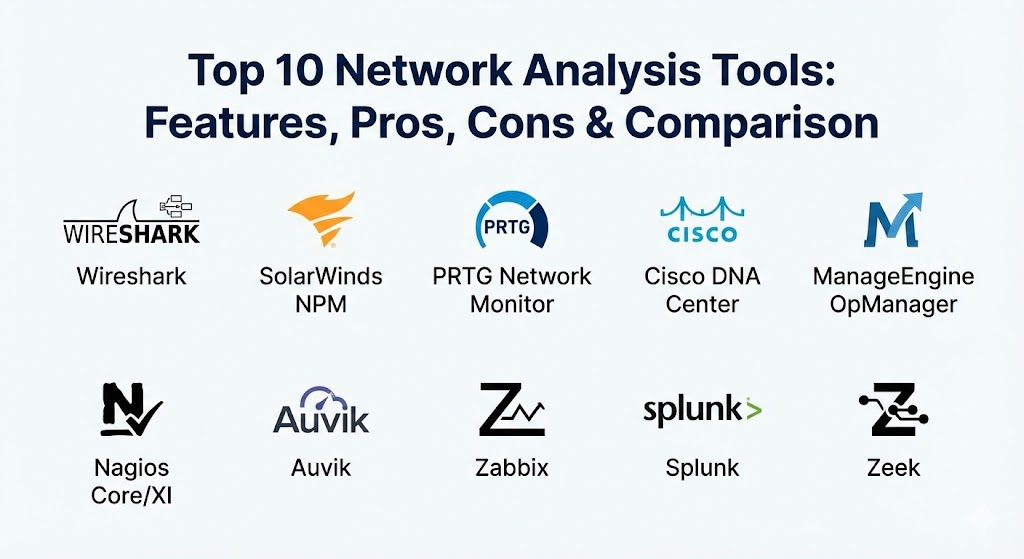
Top 10 Network Analysis Tools
1 — Wireshark
Wireshark is the world’s most widely-used network protocol analyzer. It lets you see what’s happening on your network at a microscopic level, making it the industry standard for deep-dive troubleshooting and security analysis.
- Key features:
- Deep Inspection: Capable of inspecting hundreds of different protocols, with more being added constantly.
- Live Capture and Offline Analysis: Capture traffic directly from the wire or analyze saved trace files.
- Powerful Display Filters: The most advanced filtering system in the industry to isolate specific traffic.
- Multi-Platform: Runs natively on Windows, macOS, Linux, and FreeBSD.
- Decryption Support: Can decrypt protocols like IPsec, ISAKMP, and SSL/TLS when keys are provided.
- Rich VoIP Analysis: Specialized tools for analyzing voice-over-IP traffic and call quality.
- Pros:
- It is completely free and open-source, maintained by a global community of experts.
- Provides a level of detail that paid enterprise tools often cannot match for single-packet analysis.
- Cons:
- The learning curve is exceptionally steep for beginners; the UI can be overwhelming.
- It is a passive analyzer and does not provide an “enterprise dashboard” or automated alerting for large-scale networks.
- Security & compliance: Being a local analysis tool, it does not typically offer SSO; however, it supports encrypted capture files. Compliance varies based on how it is deployed within an organization’s audit policy.
- Support & community: One of the largest developer communities in the world; extensive documentation, books, and online courses are available from third parties.
2 — SolarWinds Network Performance Monitor (NPM)
SolarWinds NPM is a comprehensive, multi-vendor network monitoring solution designed to scale with the needs of large enterprises. It is famous for its “Orion” platform, which centralizes various IT management tasks.
- Key features:
- NetPath Critical Path Visualization: Maps every hop in a network path, even outside your own infrastructure (like ISP or Cloud paths).
- PerfStack Dashboard: Drag-and-drop different performance metrics onto a single timeline to find correlations.
- Advanced Alerting: Intelligent alerts that prevent “alert storms” by understanding parent/child dependencies.
- Intelligent Maps: Automatically creates visual network maps based on your current inventory.
- Multi-Vendor Support: Deep support for Cisco, HP, Dell, Juniper, and many other hardware vendors.
- Pros:
- Exceptional at providing a “single pane of glass” for complex, sprawling infrastructures.
- Highly scalable, capable of managing tens of thousands of nodes from a single instance.
- Cons:
- High cost of ownership; the licensing model can be expensive for mid-sized teams.
- The software requires a significant amount of underlying hardware resources (SQL Server, high-spec VMs) to run smoothly.
- Security & compliance: SOC 2 compliant, supports SAML/SSO, features granular RBAC, and offers comprehensive audit logs.
- Support & community: Excellent professional support and a massive “THWACK” community where users share custom templates and scripts.
3 — PRTG Network Monitor (by Paessler)
PRTG is known for its versatility and its unique “sensor-based” pricing model. It is a “Swiss Army Knife” for IT professionals who need to monitor everything from bandwidth to server health in one tool.
- Key features:
- Sensor-Based Monitoring: One sensor monitors one specific value (e.g., CPU load, a specific switch port, or disk space).
- Integrated Technologies: Supports SNMP, WMI, Packet Sniffing, and NetFlow right out of the box.
- Auto-Discovery: Scans your network and automatically sets up sensors for the devices it finds.
- Flexible Dashboards: Create custom “Maps” with real-time status icons for your NOC displays.
- Mobile App: One of the best mobile experiences for receiving push notifications and checking status on the go.
- Pros:
- The “All-in-One” nature means you don’t need to buy separate modules for different features.
- Very easy to install and get running; the UI is more modern and intuitive than many legacy tools.
- Cons:
- The pricing can become expensive if you need to monitor thousands of individual metrics (sensors).
- Does not go as deep into packet-level analysis as Wireshark or specialized sniffers.
- Security & compliance: GDPR compliant, supports SSO via active directory, and features SSL-encrypted web interfaces.
- Support & community: Strong documentation and a responsive support team; active community forums for custom sensor development.
4 — Cisco DNA Center
For organizations that are primarily “Cisco shops,” DNA Center is the cornerstone of their intent-based networking strategy. It provides advanced analytics and automation for Cisco hardware.
- Key features:
- Network Assurance: Uses AI and machine learning to predict performance issues before they happen.
- Automated Provisioning: Push configurations to hundreds of devices simultaneously with zero-touch deployment.
- SD-Access: Simplifies network segmentation and policy enforcement across the campus.
- Intelligent Troubleshooting: Provides guided remediation steps when an incident is detected.
- Telemetry Integration: Aggregates data from every device to provide a holistic view of network health.
- Pros:
- The deepest possible integration for Cisco-heavy environments.
- Drastically reduces manual configuration time for large-scale campus networks.
- Cons:
- Complete vendor lock-in; it provides very limited value for non-Cisco hardware.
- Extremely complex and expensive, usually requiring specialized training and high-end hardware.
- Security & compliance: ISO 27001, SOC 2, and FIPS compliant. Features advanced identity-based access control.
- Support & community: Backed by Cisco’s world-class Technical Assistance Center (TAC) and a vast global network of certified professionals.
5 — ManageEngine OpManager
OpManager is a powerful, integrated network management software that offers real-time monitoring and deep visibility into network devices, servers, and virtual machines.
- Key features:
- Real-Time Dashboards: Over 2000 built-in performance monitors for various device types.
- Physical and Virtual Monitoring: Tracks VMware, Hyper-V, and Nutanix alongside physical hardware.
- Workflow Automation: Build logic-based workflows (e.g., “if this happens, restart that service”) without coding.
- Configuration Management: Integrated tool to track and revert changes made to network devices.
- 3D Floor Views: Visualize your server room and rack layouts with real-time status indicators.
- Pros:
- Offers a very competitive feature set at a price point that is often lower than SolarWinds.
- Modular approach allows you to buy only the features you need (NetFlow, IP Address Management, etc.).
- Cons:
- The user interface can sometimes feel cluttered and inconsistent across different modules.
- Customer support can be hit-or-miss depending on the complexity of your issue.
- Security & compliance: GDPR, HIPAA, and ISO compliant. Supports SSO and features multi-factor authentication.
- Support & community: Extensive knowledge base, video tutorials, and a dedicated user community.
6 — Nagios Core / XI
Nagios is the “granddaddy” of network monitoring. It is a legendary open-source project that is prized for its absolute flexibility and its ability to monitor virtually anything that has an IP address.
- Key features:
- Extensible Plugin Architecture: If there isn’t a plugin for what you want to monitor, you can easily write one in any language.
- Active and Passive Checks: Can wait for data to be sent or actively poll devices for status.
- High-Level Dashboards (XI Version): The commercial XI version provides the modern UI that the free “Core” version lacks.
- Log Monitoring Integration: Can correlate network status with system log data.
- Parent/Child Relationships: Understands network topology to prevent redundant alerts.
- Pros:
- Unrivaled flexibility; there is a plugin for almost every piece of hardware ever made.
- Nagios Core is completely free and can run on very modest hardware.
- Cons:
- Configuration in Nagios Core is mostly done via text files, which is daunting for modern admins.
- The UI, even in the XI version, feels slightly dated compared to SaaS competitors.
- Security & compliance: Supports SSO and encryption; compliance depends on the user’s custom implementation.
- Support & community: Massive community support; thousands of community-developed plugins are available on Nagios Exchange.
7 — Auvik
Auvik is a cloud-based network management software that focuses on visibility and automation. It is particularly popular among MSPs due to its multi-tenant capabilities.
- Key features:
- Automated Inventory & Mapping: Creates a real-time, physical-layer map of the network within minutes of installation.
- Cloud-Native Architecture: No need for on-premise servers; everything is managed through a browser.
- Remote Management: Built-in terminal and tunnel tools to access devices directly from the Auvik dashboard.
- Config Backup and Restore: Automatically tracks and versions configurations for all managed network devices.
- Alerting and Ticketing: Deep integration with popular PSA (Professional Services Automation) tools.
- Pros:
- The easiest tool to set up on this list; the “Auvik Collector” does all the heavy lifting.
- The automated network mapping is arguably the best in the industry for visualizing complex wiring.
- Cons:
- Being cloud-only, it requires a constant internet connection to manage your local network.
- Does not offer deep packet capture; it is more of a “management and performance” tool.
- Security & compliance: SOC 2 Type II compliant, features 2FA, and uses 256-bit AES encryption for data at rest.
- Support & community: High-quality professional support and a structured onboarding process.
8 — Zabbix
Zabbix is an enterprise-class, open-source monitoring solution that provides high performance and high scalability. It is often the choice for companies that want “SolarWinds power” without the “SolarWinds price.”
- Key features:
- Native Agents: High-performance agents available for all major operating systems.
- Agentless Monitoring: Supports SNMP, IPMI, JMX, and web monitoring.
- Distributed Monitoring: Uses “Zabbix Proxies” to monitor remote locations without a VPN.
- Template System: Highly efficient system for applying monitoring rules to thousands of similar devices.
- Business Service Monitoring: Groups technical metrics into high-level business services (e.g., “The Payroll App”).
- Pros:
- It is truly “enterprise open source”—the full product is free with no “locked” features.
- Extremely efficient; it can handle hundreds of thousands of metrics on a single server.
- Cons:
- Configuration is complex and requires a dedicated administrator to master.
- The dashboard builder is powerful but has a steep learning curve to create professional-looking maps.
- Security & compliance: Supports SSO, features advanced encryption for proxy communication, and is GDPR ready.
- Support & community: Active global community and professional support/training available from Zabbix SIA.
9 — Splunk (with Network Performance Analytics)
Splunk is a data-to-everything platform. While not a “pure” network tool, its ability to ingest network logs and wire data makes it one of the most powerful analysis engines in existence.
- Key features:
- Indexing Machine Data: Can ingest data from routers, firewalls, servers, and even cloud APIs.
- Search Processing Language (SPL): The most powerful query language in the industry for data analysis.
- Real-Time Correlation: Find patterns between a network drop and a specific security event or app error.
- AI and ML Insights: Built-in modules to predict trends and find outliers in network traffic.
- Scalability: Can handle petabytes of data across global clusters.
- Pros:
- The “gold standard” for big data analytics; there is nothing you cannot find if the data is in Splunk.
- Excellent for correlating network performance with security (SIEM) and application health.
- Cons:
- Extremely expensive; pricing is based on data ingestion volume, which can skyrocket.
- Requires a dedicated team of “Splunk Admins” to keep it optimized and useful.
- Security & compliance: SOC 2, HIPAA, GDPR, PCI-DSS, and ISO 27001 compliant.
- Support & community: Massive ecosystem, Splunk University for training, and an elite support structure.
10 — Zeek (formerly Bro)
Zeek is a powerful network security monitoring (NSM) platform. It is different from a packet sniffer like Wireshark; it is a “network recorder” that converts traffic into high-level logs for analysis.
- Key features:
- Event-Driven Analysis: Uses a specialized scripting language to define what should be logged.
- High-Level Logs: Generates human-readable logs for DNS, HTTP, SSL, and dozens of other protocols.
- File Extraction: Can automatically extract files from the network stream for malware analysis.
- Context-Rich Data: Provides deep metadata about every connection, making it perfect for incident response.
- Scalability: Can be deployed as a cluster to monitor 100Gbps+ links.
- Pros:
- The absolute best tool for “finding a needle in a haystack” after a security incident.
- Much more storage-efficient than “full packet capture” while keeping 99% of the useful info.
- Cons:
- No native GUI; it is meant to be used alongside a “stack” like ELK (Elasticsearch, Logstash, Kibana).
- Requires high technical proficiency in its proprietary scripting language.
- Security & compliance: Purely a monitoring tool; compliance depends on how the logs are stored and audited.
- Support & community: Strong academic and professional community; open-source and maintained by Corelight.
Comparison Table
| Tool Name | Best For | Platform(s) Supported | Standout Feature | Rating (Gartner) |
| Wireshark | Packet Dissection | Win, Mac, Linux | Microscopic Protocol Detail | N/A |
| SolarWinds | Large Enterprises | Windows, Cloud | NetPath Trace Visualization | 4.6 / 5 |
| PRTG | All-in-One Monitor | Windows, SaaS | 100% Sensor-based Metrics | 4.5 / 5 |
| Cisco DNA | Cisco Ecosystem | Hardware-based | Intent-Based Networking | 4.7 / 5 |
| OpManager | SMB & Enterprise | Win, Linux, SaaS | 3D Data Center Visualization | 4.4 / 5 |
| Nagios | Open Source Flex | Linux, Unix | Infinite Plugin Ecosystem | 4.2 / 5 |
| Auvik | MSPs / Visual Ops | Cloud-native | Automated Layer 2 Mapping | 4.7 / 5 |
| Zabbix | High Scale OSS | Linux, Unix, SaaS | High-performance Polling | 4.5 / 5 |
| Splunk | Big Data Analytics | SaaS, On-prem | Correlation of All Data | 4.6 / 5 |
| Zeek | Security Analysis | Linux, Unix | Meta-data Driven Logging | N/A |
Evaluation & Scoring of Network Analysis Tools
Choosing the right tool requires a balanced look at technical capability versus the actual effort required to maintain it. We use the following weighted scoring rubric for our internal evaluations:
| Category | Weight | Evaluation Criteria |
| Core Features | 25% | Discovery, mapping, packet capture depth, and protocol support. |
| Ease of Use | 15% | UI quality, installation time, and dashboard customizability. |
| Integrations | 15% | API depth and native support for third-party cloud/security tools. |
| Security & Compliance | 10% | SSO, encryption, and adherence to industry regulations. |
| Performance | 10% | Impact on network latency and tool’s own resource consumption. |
| Support & Community | 10% | Documentation quality and vibrancy of the user ecosystem. |
| Price / Value | 15% | Licensing transparency and ROI for the target business size. |
Which Network Analysis Tool Is Right for You?
The “perfect” tool is always context-dependent. Here is a practical guide to help you decide based on your specific situation:
Solo Users vs SMB vs Mid-Market vs Enterprise
- Solo Admins / Small Teams: If you are a “team of one,” simplicity is your friend. PRTG and Auvik are excellent because they handle the heavy lifting of discovery and mapping for you.
- SMBs (50–200 employees): ManageEngine OpManager or Zabbix offer a great balance of enterprise power without the “SolarWinds” price tag.
- Large Enterprise / Global Corp: SolarWinds NPM or Splunk are the heavy hitters. You need the governance, massive scale, and audit trails that only these platforms provide.
Budget-Conscious vs Premium Solutions
- Budget-Conscious: If you have zero budget but plenty of time, Zabbix and Nagios Core are your best friends. They are free forever and incredibly powerful.
- Premium: If you have more budget than time, SolarWinds and Auvik are worth every penny. They save hundreds of hours in manual configuration.
Feature Depth vs Ease of Use
- Deep Tech/Forensics: For the “nerdiest” deep-dive data, Wireshark and Zeek are unmatched.
- Operational Visibility: For the best “at-a-glance” dashboards for a NOC team, PRTG and SolarWinds are the winners.
Frequently Asked Questions (FAQs)
1. What is the difference between “Monitoring” and “Analysis”?
Monitoring tells you if a device is up or down and its general health (CPU, Temp). Analysis tells you what is happening inside the traffic (who is talking to whom, which protocol is failing, and why).
2. Does running an analysis tool slow down my network?
If you use “Packet Sniffing” on a busy port, it can put a load on the switch’s CPU (SPAN port). However, most modern tools use SNMP or NetFlow, which have a negligible impact on network performance.
3. Do I need an agent on every computer?
Not necessarily. Most network tools are “agentless”—they use standard protocols like SNMP or WMI to talk to your devices. Some tools (like Zabbix) offer agents for deeper data collection, but it’s optional.
4. What is NetFlow?
NetFlow is a protocol developed by Cisco that provides a “summary” of traffic (source, destination, and volume) without capturing the actual content of the packets. It’s like a phone bill—it shows who you called and for how long, but not the conversation.
5. Is Wireshark safe to use?
Yes, it is safe, but it is a powerful tool. It should only be used by authorized staff because it allows you to see the actual data (sometimes including passwords if not encrypted) moving across the network.
6. Can these tools monitor cloud environments like AWS?
Yes. Modern tools like SolarWinds, Splunk, and Auvik have native integrations for AWS, Azure, and Google Cloud to provide a “hybrid” view of your data.
7. How much do these tools cost?
Pricing ranges from $0 (Wireshark/Zabbix) to $100,000+ (Splunk/Cisco DNA). A typical mid-market solution usually costs between $2,000 and $10,000 per year.
8. What is the biggest mistake people make in network analysis?
Ignoring the “Baseline.” If you don’t know what your network looks like when it’s healthy, you won’t be able to identify what’s wrong when it’s slow.
9. Can I use these tools for security?
Absolutely. Many network tools double as security tools. Seeing a sudden spike in traffic to an unknown IP in another country is a classic way to detect a data breach.
10. How long does implementation take?
Cloud tools like Auvik can give you a map in 15 minutes. Enterprise on-premise tools like SolarWinds or Zabbix can take several weeks of tuning to be fully effective.
Conclusion
In the world of 2026, where digital infrastructure is the foundation of every business, network analysis is no longer a luxury—it’s a requirement. Whether you are performing microscopic packet surgery with Wireshark, managing a global enterprise with SolarWinds, or automating your MSP operations with Auvik, the goal is the same: Clarity.
The “best” tool isn’t necessarily the one with the most features; it’s the one that aligns with your team’s skills, your budget, and the specific complexity of your hardware. By choosing the right tool, you move from reactive firefighting to proactive management, ensuring your network remains the robust backbone your organization needs it to be.