Introduction
Multi-factor Authentication (MFA) is a security technology that requires at least two separate forms of identification before granting access to a digital resource. These factors typically fall into three categories: something you know (like a password), something you have (like a physical token or a smartphone), and something you are (biometrics like fingerprints or facial recognition). By combining these elements, MFA ensures that even if a password is compromised, the attacker remains locked out because they lack the physical device or the biological signature of the legitimate user.
The importance of MFA lies in its ability to mitigate nearly 99% of bulk identity-based attacks. Real-world use cases are vast, ranging from protecting corporate VPN access for remote employees to securing high-value financial transactions and personal healthcare records. When evaluating MFA tools, users should look for ease of enrollment, support for multiple authentication methods (Push, SMS, Biometrics, FIDO2), integration depth with existing software stacks, and adaptive authentication—which adjusts security requirements based on the risk level of the login attempt.
Best for: IT Security Managers, Chief Information Security Officers (CISOs), and Compliance Officers across all industries, particularly Finance, Healthcare, and Government. It is essential for organizations of any size that handle sensitive data, manage remote teams, or must comply with strict regulatory frameworks like SOC 2, HIPAA, or GDPR.
Not ideal for: Solitary users with non-critical data or very small internal teams with no external network exposure (though even here, it is highly recommended). It might also be overkill for simple, low-risk public-facing applications where a friction-less user experience is more important than high-level security.
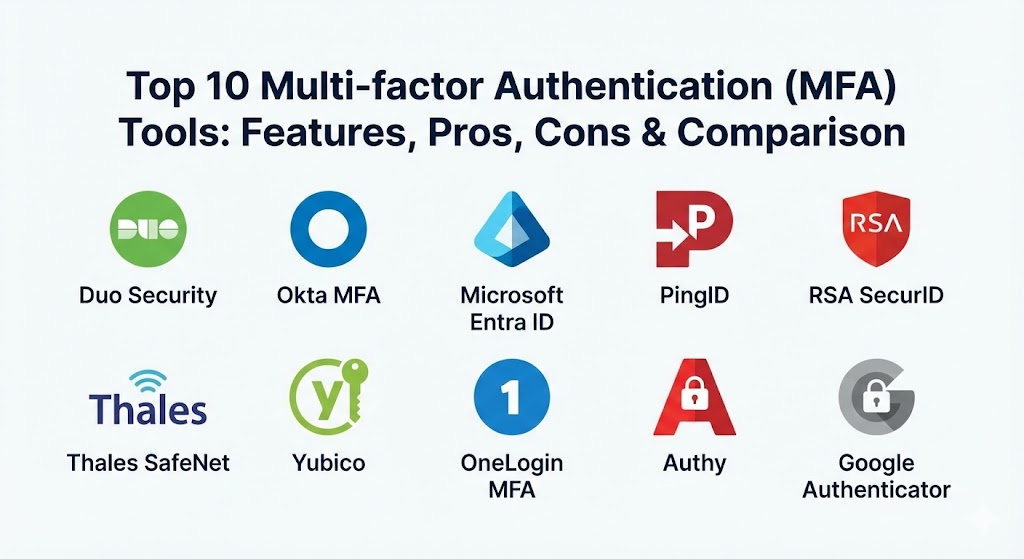
Top 10 Multi-factor Authentication (MFA) Tools
1 — Duo Security (by Cisco)
Duo Security is widely regarded as the gold standard for user experience and ease of deployment. It focuses on “frictionless” security, making it a favorite for organizations that want to increase security without annoying their employees.
- Key features:
- Duo Push: A one-tap mobile notification that is remarkably easy for users to acknowledge.
- Device Health Inspection: Checks the security posture of a device (e.g., is the OS up to date?) before allowing access.
- Verified Push: Requires the user to enter a code displayed on the screen to prevent “MFA fatigue” attacks.
- Passwordless Support: Full integration with FIDO2 and biometrics for a password-free experience.
- Trusted Endpoints: Ensures only company-managed devices can access specific sensitive applications.
- Broad Integration: Native connectors for thousands of cloud and on-premise applications.
- Self-Service Portal: Allows users to manage their own devices, reducing IT helpdesk tickets.
- Pros:
- The most intuitive user interface in the industry, leading to high adoption rates.
- Incredibly fast to deploy—teams can often go live in a single day.
- Cons:
- Higher pricing tiers are required for advanced device health and posture features.
- Primarily a cloud-based solution, which may not fit strictly air-gapped environments.
- Security & compliance: SOC 2 Type II, ISO 27001, HIPAA, FedRAMP, and GDPR compliant. Uses end-to-end encryption for all authentication traffic.
- Support & community: Extensive documentation, a very active user forum, and 24/7 technical support for enterprise clients.
2 — Okta MFA
Okta is a leader in the Identity as a Service (IDaaS) space. Its MFA product is a robust component of the broader Okta Identity Cloud, designed for enterprises that need deep integration with their workforce directory.
- Key features:
- Adaptive MFA: Uses machine learning to assess the risk of a login based on location, IP, and behavior.
- Universal Directory: Syncs with AD, LDAP, and HR systems for seamless user management.
- Okta FastPass: A phishing-resistant, device-level authentication method that works across platforms.
- Policy Engine: Allows admins to create granular rules for different user groups and applications.
- Soft Token Support: High-quality mobile app (Okta Verify) for push and TOTP (Time-based One-Time Password).
- SMS and Voice Backup: Provides traditional fallback methods for users without smartphones.
- ThreatInsight: Automatically blocks IP addresses known for credential stuffing attacks.
- Pros:
- Exceptional for “Identity-first” security strategies in complex, multi-cloud environments.
- The large app catalog makes integrating SaaS tools like Salesforce or Slack a one-click process.
- Cons:
- Pricing can become complex as features are often sold as modular add-ons.
- As a high-profile target, Okta has faced its own security scrutiny, requiring users to stay vigilant on configurations.
- Security & compliance: FIPS 140-2, SOC 2, HIPAA, FedRAMP High, and ISO 27001.
- Support & community: Massive ecosystem with dedicated account managers and a “Customer Success” focus.
3 — Microsoft Entra ID (MFA)
Formerly known as Azure AD MFA, Microsoft Entra ID is the default choice for organizations heavily invested in the Microsoft 365 and Windows ecosystem.
- Key features:
- Conditional Access: The most powerful logic engine for deciding when to prompt for MFA based on context.
- Microsoft Authenticator App: Supports push notifications, biometrics, and number matching.
- Windows Hello for Business: Uses device-level biometrics to replace passwords entirely.
- Fraud Alerting: Allows users to report suspicious MFA prompts directly to the security team.
- Hardware Token Support: Compatible with YubiKeys and other FIDO2 hardware.
- Combined Registration: Simplifies the user enrollment process for both MFA and self-service password reset.
- Pros:
- Often “effectively free” as it is bundled with many Microsoft 365 licenses.
- Deepest possible integration with Windows 11 and Office productivity tools.
- Cons:
- Managing non-Microsoft workloads or Google-centric environments can be more cumbersome.
- The administrative interface is notoriously complex and can be overwhelming for small IT teams.
- Security & compliance: HIPAA, GDPR, ISO 27001, and SOC 1/2/3. Features global data residency options.
- Support & community: Backed by Microsoft’s massive global support network and extensive community documentation.
4 — Ping Identity (PingID)
Ping Identity specializes in large-scale, complex enterprise environments, especially those requiring a hybrid of cloud and on-premise infrastructure.
- Key features:
- PingOne DaVinci: A no-code orchestration tool to build custom authentication “journeys.”
- Versatile SDKs: Allows developers to embed MFA directly into their own custom mobile apps.
- Offline Support: Provides OTPs even when the user’s mobile device has no data connection.
- Apple Watch Support: Users can approve login requests directly from their wrist.
- VPN and SSH Integration: Strong support for legacy infrastructure and command-line access.
- Risk-Based Authentication: Analyzes signals to reduce friction for known users while challenging unknown ones.
- Pros:
- Highly flexible and customizable; if you can dream it, you can probably build it with Ping.
- Excellent for “Consumer MFA” (CIAM) where you need to protect millions of external customers.
- Cons:
- The platform has a higher learning curve and often requires specialized training for admins.
- Pricing is targeted at the high-end enterprise and can be expensive for mid-market.
- Security & compliance: SOC 2, ISO 27001, and HIPAA. Deep focus on data privacy and sovereign cloud options.
- Support & community: Professional services are top-tier; strong presence in the global finance and banking sectors.
5 — RSA SecurID
RSA is the “grandfather” of the MFA world. While it built its reputation on physical hardware fobs, it has modernized significantly into a cloud-based identity suite.
- Key features:
- Hybrid Infrastructure: The best tool for managing air-gapped data centers alongside the cloud.
- Hardware Tokens: The industry-standard physical fobs that generate 6-digit codes.
- Risk AI: Provides a risk score for every access attempt to automate security decisions.
- Mobile App: Modern push and biometric options for the workforce.
- Lifecycle Management: Tracks user roles and permissions from hire to retire.
- Pros:
- Unmatched reliability in high-security environments like Defense or Nuclear Energy.
- The physical tokens are virtually indestructible and last for years without battery changes.
- Cons:
- The software interface can feel “legacy” and clunky compared to Duo or Okta.
- Transitioning from old on-premise RSA to the new cloud version can be a difficult migration.
- Security & compliance: FIPS 140-2, SOC 2, and high-level government certifications globally.
- Support & community: Strong enterprise support and a vast global network of consultants.
6 — Thales SafeNet Trusted Access
Thales is a global leader in high-end security and encryption. Their SafeNet platform is designed for organizations where the cost of a breach is catastrophic.
- Key features:
- Diverse Token Catalog: Supports physical tokens, mobile apps, email, and grid-based authentication.
- Scenario-Based Policies: Creates different security requirements for different parts of the business.
- Cloud and On-Prem Gateway: Connects to everything from modern SaaS to old-school RADIUS servers.
- Smart Card Integration: Native support for physical smart cards and certificate-based auth.
- Access Insights: Detailed dashboards showing exactly who accessed what and through which factor.
- Pros:
- Very strong focus on the “Chain of Trust” and hardware-backed security.
- Excellent for highly regulated industries like Banking and Aerospace.
- Cons:
- The user experience is functional but lacks the “polish” and delight of consumer-grade apps.
- Setup can be complex for IT teams used to “plug-and-play” cloud tools.
- Security & compliance: ANSSI, FIPS 140-2, ISO 27001, and GDPR.
- Support & community: Professional enterprise support with a focus on high-security accounts.
7 — Yubico (YubiKey + YubiHSM)
While primarily a hardware company, Yubico’s integration with almost every software platform makes it a critical “tool” in the MFA category. It represents the pinnacle of phishing-resistant hardware.
- Key features:
- FIDO2 / WebAuthn: The most secure, modern protocol for passwordless login.
- Multi-protocol Support: One key supports FIDO, U2F, OTP, and Smart Card (PIV).
- Indestructible Build: No batteries, waterproof, and crush-proof hardware.
- YubiKey Manager: Software to configure and manage your fleet of hardware keys.
- NFC and USB-C: Works across iPhones, Androids, and laptops with a simple tap.
- Pros:
- The only truly “phishing-proof” method because the key must be physically present.
- Reduces helpdesk costs associated with mobile phone app issues or lost SMS.
- Cons:
- Significant upfront cost for the physical hardware for every employee.
- Logistics of shipping physical keys to remote employees can be a headache.
- Security & compliance: FIPS 140-2 (L2), SOC 2, and HIPAA. The gold standard for FIDO2 compliance.
- Support & community: Massive developer community; Yubico works with almost every major software vendor.
8 — OneLogin MFA
OneLogin provides an integrated IAM and MFA platform that focuses on speed and administrative efficiency, particularly for mid-market companies.
- Key features:
- SmartFactor Authentication: Uses AI to adjust the required factor based on the risk profile.
- OneLogin Protect: A simple mobile app for push notifications and TOTP.
- Desktop SSO Integration: Allows users to log in to their Windows or Mac once and get MFA-protected access everywhere.
- Radius and LDAP support: Bridges the gap between old and new systems.
- Vigilance AI: Threat intelligence that identifies compromised credentials used elsewhere.
- Pros:
- Very fast to implement; a great “middle-ground” between simple and complex tools.
- High performance with very low latency during the authentication process.
- Cons:
- The integration catalog is not quite as deep as Okta’s.
- Smaller community presence means fewer third-party guides and tutorials.
- Security & compliance: SOC 2 Type II, ISO 27001, and GDPR.
- Support & community: Solid documentation and responsive support; popular in the EMEA and North American markets.
9 — Authy (by Twilio)
Authy is the favorite for developers and individual “power users,” but its business offering provides a very simple and scalable way to add MFA to custom applications.
- Key features:
- Multi-Device Sync: Allows users to access their MFA codes across phones, tablets, and desktops.
- Encrypted Backups: Ensures users don’t get locked out if they lose their primary phone.
- Twilio Verify API: Allows developers to embed SMS, Voice, and Push MFA directly into their own apps.
- Offline TOTP: Reliable 6-digit codes that work without an internet connection.
- Simple 2FA: A clean, no-frills interface that anyone can use.
- Pros:
- The best tool for developers who want to “build” rather than “buy” an MFA experience.
- Cloud-synced backups are a major life-saver for end-user support.
- Cons:
- Lacks the enterprise “Device Trust” and “Conditional Access” features of Duo or Microsoft.
- The desktop app has faced security criticisms regarding its encryption model in the past.
- Security & compliance: GDPR compliant and SOC 2 ready via the Twilio platform.
- Support & community: Exceptional documentation for developers; vibrant community on StackOverflow.
10 — Google Authenticator (Google Workspace)
Google’s MFA is the most widely recognized tool in the world. For teams running on Google Workspace, it provides a simple, free entry point into the world of multi-factor security.
- Key features:
- Google Prompt: A native, OS-level push notification for Android and iOS users.
- Titan Security Keys: Google’s own line of FIDO2 hardware keys.
- Backup Codes: Printable codes for emergency access when a device is lost.
- Google Workspace Integration: Centrally managed from the Google Admin console.
- Simple TOTP: The ubiquitous 6-digit code app that works with almost everything.
- Pros:
- Zero extra cost for Google Workspace users.
- Familiar interface that most users already have on their personal phones.
- Cons:
- Very limited enterprise features; no “Device Health” or complex conditional logic.
- Support is primarily self-service and lacks the high-touch enterprise SLAs of Duo or RSA.
- Security & compliance: FedRAMP High, ISO 27001, and SOC 2.
- Support & community: Massive amount of self-help content and community forums.
Comparison Table
| Tool Name | Best For | Platform(s) Supported | Standout Feature | Rating (Gartner) |
| Duo Security | Ease of Use / UX | iOS, Android, Web | Verified Push / Device Health | 4.8 / 5 |
| Okta MFA | Multi-Cloud Enterprise | iOS, Android, Web | 7,000+ App Integrations | 4.7 / 5 |
| Microsoft Entra | Office 365 Shops | iOS, Android, Win | Conditional Access Policies | 4.6 / 5 |
| PingID | Hybrid / Complex Ops | iOS, Android, Watch | DaVinci Journey Orchestration | 4.5 / 5 |
| Yubico | Phishing Resistance | USB-A/C, Lightning, NFC | FIDO2 Hardware Security | 4.9 / 5 |
| RSA SecurID | High-Security / Legacy | Hardware, Web, iOS | Military-grade Hardware Fobs | 4.3 / 5 |
| SafeNet | Banking & Defense | Hardware, Web, iOS | Token Catalog Diversity | 4.4 / 5 |
| OneLogin | Mid-Market Efficiency | iOS, Android, Web | SmartFactor Risk Engine | 4.5 / 5 |
| Authy | Developers / Syncing | iOS, Android, Desktop | Multi-Device Cloud Sync | 4.4 / 5 |
| Google Auth | Google Workspace | iOS, Android | Native Android/OS Prompt | 4.2 / 5 |
Evaluation & Scoring of Multi-factor Authentication (MFA)
To provide an objective ranking, we have evaluated these tools across several critical categories. The following table reflects our weighted scoring rubric for 2026:
| Category | Weight | Evaluation Criteria |
| Core Features | 25% | Variety of factors (Push, SMS, Biometric, FIDO2), and adaptive risk-scoring. |
| Ease of Use | 15% | Simplicity of user enrollment and the “friction” of the daily login experience. |
| Integrations | 15% | Breadth of native connectors for SaaS, VPNs, and legacy infrastructure. |
| Security & Compliance | 10% | Encryption standards, phishing resistance, and global certifications. |
| Reliability | 10% | Historical uptime and the speed of notification delivery (latency). |
| Support & Community | 10% | Quality of documentation and speed of technical response. |
| Price / Value | 15% | Total cost of ownership vs. the depth of security provided. |
Which Multi-factor Authentication (MFA) Tool Is Right for You?
Solo Users vs SMB vs Mid-market vs Enterprise
- Solo Users: If you just want to secure your personal accounts, Authy or Google Authenticator are perfect. They are free, easy, and get the job done.
- SMBs (1-100 employees): Duo Security or Google Workspace are the top choices. You need something that doesn’t require a full-time security engineer to manage.
- Mid-market (100-1,000 employees): OneLogin or Okta (on their lower tiers) provide a great balance of enterprise power and manageable complexity.
- Enterprise (1,000+ employees): Okta, Microsoft Entra, or PingID. At this scale, you need the “Conditional Access” and “Lifecycle Management” features to stay sane.
Budget-conscious vs Premium solutions
- Budget-conscious: Microsoft Entra (if you have M365) and Google Authenticator are effectively free. OneLogin also offers very competitive pricing for smaller teams.
- Premium: Duo and Okta are premium investments. You are paying for a world-class user experience that reduces helpdesk calls and makes your security team more efficient.
Feature depth vs Ease of use
- Feature Depth: Ping Identity and RSA offer the deepest, “nerdiest” controls for complex security architectures.
- Ease of Use: Duo is the undisputed champion. If you want your employees to actually like using MFA, Duo is the answer.
Integration and scalability needs
- Cloud-First: Okta is the winner here. It was born in the cloud and integrates with almost every SaaS tool imaginable.
- Hybrid/On-Prem: RSA and Thales SafeNet are the leaders for managing servers, mainframes, and VPNs alongside modern apps.
Frequently Asked Questions (FAQs)
1. Is SMS MFA still safe?
It is better than nothing, but in 2026, it is considered the least secure method. Hackers can use “SIM swapping” to intercept your codes. Whenever possible, use an app-based “Push” or a hardware key like YubiKey.
2. What is “MFA Fatigue”?
This is a technique where a hacker sends dozens of push notifications to your phone at 3 AM. Eventually, the tired user hits “Approve” just to make it stop. Tools like Duo Verified Push prevent this by requiring you to enter a number.
3. What happens if I lose my phone?
Professional tools provide “Backup Codes” or a way for your IT admin to verify your identity through other means and reset your device. Tools like Authy also allow for encrypted cloud backups.
4. Can I use MFA for my laptop login?
Yes. Tools like Duo, JumpCloud, and Windows Hello allow you to protect the actual login screen of your computer, ensuring that even a stolen laptop cannot be accessed.
5. What is FIDO2?
It is the latest global standard for secure authentication. It uses cryptography instead of passwords. It is virtually impossible to “phish” because the authentication is tied to the specific website you are visiting.
6. Do I need an internet connection for MFA?
Most mobile apps provide a 6-digit code (TOTP) that works even in airplane mode. However, “Push” notifications require a data or Wi-Fi connection.
7. How much do these tools cost?
Basic tools are free. Enterprise tools usually cost between $3 and $9 per user, per month. The cost is usually offset by the massive reduction in the risk of a multi-million dollar data breach.
8. Can I use different tools for different teams?
You can, but it’s an administrative nightmare. It is always better to consolidate on a single platform like Okta or Duo so your IT team only has to manage one set of policies.
9. Why should I use biometrics?
Biometrics (FaceID/Fingerprint) are fast and hard to share. However, they are usually a “local” factor—the fingerprint stays on your phone, and the phone sends a “Success” message to the MFA tool.
10. How long does it take to set up?
For a small team using Google or Duo, you can be up and running in 30 minutes. For a global corporation with thousands of employees, a full rollout can take several months.
Conclusion
Multi-factor authentication is the single most important tool in your security arsenal for 2026. The question is no longer if you should use it, but which tool fits your team’s unique rhythm and technical architecture.
If you prioritize a smooth user experience that won’t cause revolts in your office, Duo Security is your winner. If you need a comprehensive identity ecosystem that scales to the moon, Okta or Microsoft Entra are the industry leaders. And if you work in a high-security environment where a breach is not an option, the hardware-backed security of Yubico and RSA remains the gold standard.
Choose the tool that balances security with usability. Remember, the best security tool is the one that your employees will actually use every single day.