Introduction
A Model Registry is a centralized repository designed to manage the full lifecycle of a machine learning model. Think of it as a “system of record” or a “Git for models.” It provides a structured way to store, version, and track model artifacts (the actual files), metadata (training metrics, parameters), and the lineage (the data and code used to create them). In an era where the EU AI Act and NIST AI Risk Management Framework are setting strict standards for transparency, a model registry is no longer optional—it is a compliance requirement.
The importance of these tools lies in their ability to solve the “chaos” of model management. Without a registry, models are often scattered across cloud buckets, local drives, or disconnected experiment logs. A registry enables teams to define stage transitions (e.g., from “Staging” to “Production”), conduct automated model audits, and ensure that the exact version of a model running in production can be reproduced in minutes. Real-world use cases range from high-frequency trading where model rollback must be instantaneous, to healthcare AI where every prediction must be traceable back to its training origin for clinical audits.
When evaluating a model registry, look for versioning capabilities, artifact management, metadata flexibility, and integration depth with your existing CI/CD pipelines. As we look into 2026, the ability to handle LLM (Large Language Model) specific metadata—like prompt templates and safety guardrails—has become a top priority.
Best for: * Enterprise AI Teams: Large organizations managing hundreds of models across multiple departments.
- Regulated Industries: Finance, healthcare, and government agencies that require rigorous audit trails and compliance reports.
- Collaborative Data Science: Teams where multiple practitioners need to share, discover, and hand off models seamlessly to ML engineers.
Not ideal for: * Solo Researchers: Individual practitioners working on one-off academic papers where production deployment is not a goal.
- Simple Heuristic Systems: Projects that rely primarily on hard-coded logic or basic statistical scripts rather than machine learning artifacts.
- Early Prototyping: Small teams in the “proof of concept” phase where the overhead of a formal registry might slow down initial exploration.
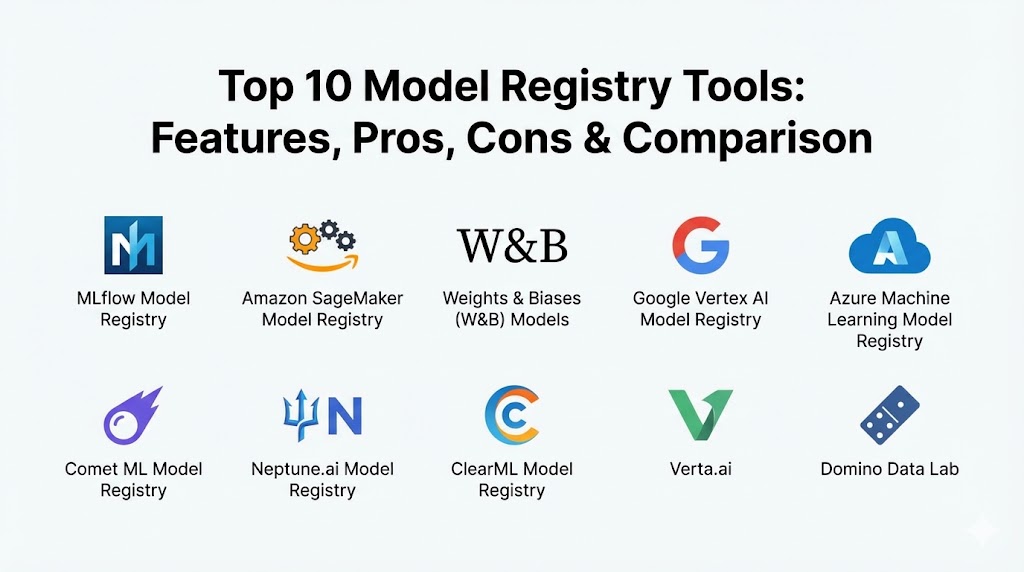
Top 10 Model Registry Tools
1 — MLflow Model Registry
MLflow remains the industry standard for open-source model management. Managed primarily by Databricks, it provides a framework-agnostic approach that works with everything from Scikit-learn to PyTorch and Hugging Face.
- Key features:
- Centralized Hub: A unified UI and set of APIs to manage the full model lifecycle.
- Model Versioning: Automatic versioning for every registered model, allowing for easy rollbacks.
- Stage Transitions: Formalized workflow for moving models through “None,” “Staging,” “Production,” and “Archived.”
- Searchable Metadata: Robust tagging and search capabilities to find models based on performance metrics or custom labels.
- Programmatic Access: Extensive Python, R, and Java APIs for automating registry tasks.
- Deployment Integration: One-click deployment to various targets like Kubernetes or cloud-native serving.
- Pros:
- Unmatched community support and a massive ecosystem of plugins.
- Flexible and framework-agnostic, making it future-proof.
- Cons:
- The open-source version lacks built-in advanced user access controls (RBAC).
- Can require significant “software kung-fu” to self-host at an enterprise scale.
- Security & compliance: Varies (Open-source depends on infra; Databricks-hosted version is SOC 2, HIPAA, and GDPR compliant).
- Support & community: Extremely large and active GitHub community; enterprise support available via Databricks and other managed providers.
2 — Amazon SageMaker Model Registry
For organizations heavily invested in the AWS ecosystem, the SageMaker Model Registry is the natural choice. It is deeply integrated into the SageMaker Studio environment and the broader AWS security stack.
- Key features:
- AWS Ecosystem Integration: Seamless connection to S3, IAM, and SageMaker Pipelines.
- Automated Approval Workflows: Integration with EventBridge to trigger CI/CD actions upon model approval.
- Model Lineage: Automatic tracking of the training job, data source, and container image used.
- Model Quality Monitoring: Direct link to SageMaker Model Monitor to track drift in production.
- Cross-Account Support: Allows sharing models across different AWS accounts in an organization.
- Project Templates: Built-in MLOps templates that include the registry as a core component.
- Pros:
- No infrastructure to manage; truly “serverless” model management.
- Top-tier security and IAM integration for complex corporate hierarchies.
- Cons:
- Heavily optimized for AWS; can feel restrictive for multi-cloud strategies.
- The UI can be complex and sometimes overwhelming for beginners.
- Security & compliance: SOC 1/2/3, ISO, PCI DSS, HIPAA, and GDPR compliant; supports VPC endpoints and KMS encryption.
- Support & community: Full AWS Enterprise Support; extensive documentation and training modules.
3 — Weights & Biases (W&B) Models
Weights & Biases has evolved from an experiment tracker into a world-class model registry. It is beloved by researchers and practitioners for its intuitive, visual-first approach to model management.
- Key features:
- Interactive Lineage: Visual “walk-back” from a model artifact to the exact training run and dataset version.
- Artifact Versioning: Sophisticated data and model versioning that treats artifacts as first-class citizens.
- Automated Model Cards: Auto-generated documentation (Model Cards) to summarize model performance and ethics.
- Collaborative Reports: Ability to embed model registry states directly into interactive team reports.
- Lightweight Integration: Requires just a few lines of Python code to register a model from any script.
- Web-Based UI: The most polished and responsive interface in the category.
- Pros:
- Exceptional user experience that encourages data scientists to actually use the tool.
- Strong emphasis on collaboration and reproducibility within research-heavy teams.
- Cons:
- Pricing can scale quickly as storage and tracked hours increase.
- Primarily SaaS-focused, though private cloud/on-prem options exist.
- Security & compliance: SOC 2 Type II compliant; offers SSO, encryption at rest/transit, and private instances.
- Support & community: Very active Slack community; high-quality technical blog and video tutorials.
4 — Google Vertex AI Model Registry
Vertex AI is Google’s answer to unified AI development. The Model Registry serves as a “single pane of glass” for managing custom models and Google’s pre-trained foundation models (like Gemini).
- Key features:
- Unified Model Garden: Access to first-party Google models and third-party models in the same registry.
- One-Click Serving: Instant deployment to Vertex AI Endpoints for online or batch inference.
- BigQuery ML Support: Direct registry of models built using SQL within BigQuery.
- Managed Pipelines: Deep integration with Vertex AI Pipelines (Kubeflow-based).
- Evaluations Integration: Built-in tools for comparing model versions using standard metrics.
- IAM-Based Governance: Standard Google Cloud IAM for granular access control.
- Pros:
- Deeply integrated with BigQuery, making it ideal for “data-to-model” workflows.
- Superior performance for organizations using Google’s TPU infrastructure.
- Cons:
- Vendor lock-in within the Google Cloud Platform (GCP).
- Vertex AI documentation can sometimes lag behind the rapid pace of feature releases.
- Security & compliance: SOC 2, HIPAA, GDPR, and FedRAMP compliant; supports VPC Service Controls.
- Support & community: Google Cloud Premium Support; strong community presence in the Kubernetes and TensorFlow ecosystems.
5 — Azure Machine Learning Model Registry
Microsoft’s entry is built for the enterprise. It emphasizes governance, security, and hybrid cloud capabilities, making it a favorite for traditional industries modernizing their AI stack.
- Key features:
- Enterprise Governance: Built-in policies for model auditing and responsible AI.
- Hybrid Cloud Support: Through Azure Arc, manage models across on-prem and multi-cloud environments.
- Git/GitHub Integration: Native support for Azure DevOps and GitHub Actions for CI/CD.
- Responsible AI Dashboard: Integrated tools for bias detection and model explainability.
- Automated ML (AutoML) Sync: Models built with AutoML are automatically versioned in the registry.
- Registry Sharing: Easy sharing of model artifacts across different Azure regions and workspaces.
- Pros:
- The best option for organizations already “all-in” on Microsoft 365 and Azure.
- Very strong emphasis on compliance and “Responsible AI” guardrails.
- Cons:
- Can be expensive due to the licensing structure for enterprise features.
- Learning curve for the Azure portal and CLI can be steep.
- Security & compliance: ISO 27001, SOC 2, HIPAA, and GDPR; integration with Microsoft Entra ID (Azure AD).
- Support & community: Microsoft Enterprise Support; vast network of consultants and partners.
6 — Comet ML Model Registry
Comet ML is a highly flexible, enterprise-grade platform that prides itself on being vendor-agnostic. It is particularly strong in environments where collaboration between data science and IT is paramount.
- Key features:
- Metadata Flexibility: Log any kind of metadata, from simple metrics to complex file structures and audio snippets.
- Customizable Dashboards: Build team-specific views of the model registry to focus on relevant KPIs.
- Automated Registration: “Auto-logging” capabilities that register models with zero code changes in many frameworks.
- Advanced Search: SQL-like query capability to filter model versions across projects.
- Model Lineage: Full traceability from the data preparation script to the production artifact.
- Enterprise Permissions: Robust RBAC and multi-tenancy support for large teams.
- Pros:
- Excellent balance between researcher ease-of-use and IT-level control.
- Truly vendor-agnostic; works equally well on AWS, GCP, Azure, or on-prem.
- Cons:
- Advanced governance features are often locked behind higher-tier enterprise plans.
- Smaller community ecosystem compared to MLflow.
- Security & compliance: SOC 2 Type II, HIPAA, and GDPR compliant; supports SSO and VPC deployments.
- Support & community: Direct access to technical support teams; active community Slack and informative blog.
7 — Neptune.ai Model Registry
Neptune.ai markets itself as the “metadata store for ML.” It is highly specialized in logging and organizing metadata, making it a power-user tool for teams running thousands of experiments.
- Key features:
- Flexible Metadata Structure: Store metadata in a nested, folder-like structure that matches your project logic.
- High-Throughput Logging: Designed to handle massive streams of metrics without slowing down training.
- Interactive Comparison: Side-by-side comparison of model versions, including metrics, parameters, and code.
- SaaS or Deployed: Can be used as a managed service or deployed within your own VPC.
- External Storage Support: Link models to artifacts stored in your own S3, GCS, or Azure Blob.
- Lightweight UI: Highly responsive interface even with millions of data points.
- Pros:
- Unmatched flexibility in how metadata is organized and searched.
- Very fast and reliable; won’t “freeze up” under high-load logging.
- Cons:
- Focuses strictly on metadata and registration; lacks built-in model serving/deployment.
- The unique metadata structure can take a moment for new users to grasp.
- Security & compliance: SOC 2 Type II and GDPR compliant; supports SSO and private clouds.
- Support & community: Fast, engineering-led customer support; high-quality documentation.
8 — ClearML Model Registry
ClearML is a vertically integrated, open-source platform. It is unique in how it automates the “tracking-to-registry” pipeline, often requiring no manual intervention from the data scientist.
- Key features:
- Zero-Code Logging: Automatically captures environment, Git state, and uncommitted changes.
- Orchestration Integration: Native ability to pull a model from the registry and deploy it to a ClearML worker.
- Data Versioning: Built-in “Hyper-Datasets” to ensure data lineage is always preserved.
- Self-Hosted Open Source: A very powerful open-source version that includes most enterprise features.
- Task-to-Model Mapping: Every model in the registry is permanently linked to the “Task” that created it.
- Advanced RBAC: Highly granular permissions for enterprise users.
- Pros:
- Exceptional value; the open-source version is far more feature-rich than MLflow’s base version.
- Reduces “human error” by automating almost all logging and versioning.
- Cons:
- The UI is quite dense and can be intimidating for beginners.
- Documentation for advanced Kubernetes setups can be complex.
- Security & compliance: SOC 2 and GDPR compliant; supports SSO in the Enterprise edition.
- Support & community: Very active Discord and GitHub; comprehensive video tutorials on YouTube.
9 — Verta.ai
Verta.ai focuses specifically on the “Model Management” and “Model Governance” aspect of the lifecycle. It is built for companies that need to package, release, and audit models with high precision.
- Key features:
- Model Packaging: Automatically packages models with their dependencies for consistent serving.
- Release Management: Sophisticated workflows for “Releasing” a model version to specific environments.
- Governance Checklists: Customizable checklists to ensure a model meets legal and ethical standards before release.
- Audit Logs: Tamper-proof logs of every action taken on a model in the registry.
- Dashboards for Compliance: High-level views for risk officers to see the status of all production models.
- Model Shadowing: Ability to test new model versions alongside production versions in the registry.
- Pros:
- The most “ops-friendly” tool on the list, focusing on the release and audit phase.
- Ideal for organizations under heavy regulatory pressure (Banking, Pharma).
- Cons:
- Less focus on the early “exploration” phase of data science.
- Pricing is targeted at enterprise customers; not many entry-level tiers.
- Security & compliance: SOC 2 Type II, HIPAA, and GDPR compliant.
- Support & community: High-touch white-glove support; active participant in the ModelOps industry conversation.
10 — Domino Data Lab
Domino is an enterprise MLOps platform that treats the model registry as part of a broader “Knowledge Center.” It is designed for massive, highly collaborative teams in science-led industries.
- Key features:
- Reproducibility Engine: Automatically captures the entire environment (Docker, packages) for every model.
- Knowledge Center: A searchable library of past work to prevent “reinventing the wheel.”
- Integrated Monitoring: Direct feedback loop from production back to the model registry.
- Regulatory Reporting: One-click generation of audit reports for regulatory submission.
- Compute Grid Integration: Seamlessly transition a model from the registry to distributed compute for testing.
- External Repository Sync: Can sync and version models from Git, SVN, or other sources.
- Pros:
- Unmatched for reproducibility in clinical trials and complex financial modeling.
- Strong “knowledge management” features that capture the intent behind a model.
- Cons:
- Can feel restrictive for developers who want absolute freedom in their local environments.
- Very high cost of entry compared to other tools.
- Security & compliance: SOC 2, HIPAA, and GDPR compliant; designed for high-security air-gapped environments.
- Support & community: Professional services and dedicated account managers for large enterprise contracts.
Comparison Table
| Tool Name | Best For | Platform(s) Supported | Standout Feature | Rating (Gartner/Peer) |
| MLflow | Open-Source Standardization | Cloud/On-Prem | Stage Transition Workflow | 4.6 / 5.0 |
| SageMaker Registry | AWS Power Users | AWS | AWS Ecosystem Sync | 4.4 / 5.0 |
| W&B Models | Visual UX / Deep Learning | SaaS/Private Cloud | Interactive Lineage Maps | 4.8 / 5.0 |
| Vertex AI Registry | GCP / BigQuery Users | GCP | Unified Model Garden | 4.3 / 5.0 |
| Azure ML Registry | Enterprise Governance | Azure/Hybrid | Responsible AI Dashboard | 4.4 / 5.0 |
| Comet ML | Enterprise Collaboration | Multi-Cloud | Custom Dashboard Builders | 4.7 / 5.0 |
| Neptune.ai | Metadata-Heavy Workflows | SaaS/VPC | Nested Metadata Folders | 4.8 / 5.0 |
| ClearML | MLOps Automation | OSS/Cloud | Zero-Code Registration | 4.7 / 5.0 |
| Verta.ai | Release Management | Multi-Cloud/SaaS | Governance Checklists | 4.5 / 5.0 |
| Domino Data Lab | Regulated Industries | Multi-Cloud/On-Prem | Reproducibility Engine | 4.5 / 5.0 |
Evaluation & Scoring of Model Registry Tools
The following scoring is based on a weighted rubric reflecting the needs of a modern AI organization in 2026.
| Criteria | Weight | MLflow | SageMaker | W&B | Comet ML |
| Core Features | 25% | 10/10 | 9/10 | 9/10 | 8/10 |
| Ease of Use | 15% | 7/10 | 6/10 | 10/10 | 9/10 |
| Integrations | 15% | 10/10 | 10/10 | 8/10 | 9/10 |
| Security & Compliance | 10% | 6/10 | 10/10 | 8/10 | 9/10 |
| Perf & Reliability | 10% | 8/10 | 9/10 | 9/10 | 9/10 |
| Support & Community | 10% | 10/10 | 9/10 | 9/10 | 8/10 |
| Price / Value | 15% | 9/10 | 7/10 | 7/10 | 8/10 |
| TOTAL SCORE | 100% | 8.55 | 8.50 | 8.60 | 8.55 |
Which Model Registry Tool Is Right for You?
Solo Users vs SMB vs Mid-Market vs Enterprise
If you are a solo user, MLflow (Open-source) is your best bet. It is free, standard, and easy to run locally. For SMBs, Weights & Biases or Comet ML offer the best return on investment by providing a managed UI that keeps your team organized without a dedicated MLOps engineer. Enterprises and Mid-Market firms should prioritize SageMaker, Azure ML, or Verta.ai to ensure they meet the security and audit requirements of their legal departments.
Budget-Conscious vs Premium Solutions
For teams on a budget, ClearML and MLflow offer incredibly powerful free tiers. However, remember the “hidden cost” of self-hosting (server maintenance, database backups). Premium solutions like Neptune.ai or Domino Data Lab charge a premium because they handle all the infrastructure “heavy lifting,” allowing your data scientists to focus purely on modeling.
Feature Depth vs Ease of Use
If you need absolute control and a “Git-for-Models” approach where every dependency is tracked at a file-system level, Domino Data Lab or Pachyderm (often used with registries) are the choice for feature depth. If you want a tool that “just works” and provides beautiful visualizations for team meetings, Weights & Biases is the winner for ease of use.
Integration and Scalability Needs
Do you have a “multi-cloud” strategy? If so, avoid the cloud-native registries (SageMaker, Vertex) and choose a vendor-agnostic tool like Comet ML or MLflow. If your entire company is already on AWS, the friction of using anything other than the SageMaker Model Registry is usually not worth the effort.
Security and Compliance Requirements
In 2026, the EU AI Act requires detailed “Technical Documentation” for high-risk AI. Tools like Verta.ai and Domino Data Lab are specifically built to generate these reports. If you are in a high-risk industry, these governance-first tools are a safer bet than standard experiment trackers.
Frequently Asked Questions (FAQs)
1. Is a model registry the same as a model deployment tool?
No. A registry is for storing and versioning models. A deployment tool (like BentoML or Seldon) is for serving the model as an API. However, many registries (like SageMaker or MLflow) have built-in deployment features.
2. Can I use a model registry with LLMs?
Yes. In 2026, modern registries support logging “Prompt Templates,” “System Instructions,” and even “Chain of Thought” reasoning paths alongside the model weights.
3. Do I need a model registry if I only have one model?
If that one model is mission-critical, yes. You need a registry to track when it was updated, what data it was trained on, and to ensure you can roll back to a “last known good” version if it fails.
4. How does a model registry help with bias and fairness?
Tools like Azure ML and SageMaker have integrated fairness dashboards. By registering a model, you attach the results of these tests to the model version, making it clear which versions passed fairness checks.
5. What is “Model Lineage”?
Lineage is the history of a model. It shows exactly which dataset version, which code commit, and which training hyperparameters produced a specific model artifact. This is critical for audits.
6. Can I build my own model registry in S3?
You can, but it is not recommended. An S3 bucket lacks the searchability, stage transitions (Staging -> Production), and user permissions that a dedicated registry tool provides.
7. How much do these tools typically cost?
Pricing varies wildly. Open-source is free. Managed SaaS typically ranges from $1,000 to $10,000 per month depending on team size and storage requirements. Enterprise contracts for Domino or Verta can reach six figures.
8. Is MLflow still the leader in 2026?
Yes, MLflow remains the most widely adopted due to its open-source nature and integration with Databricks. However, niche players like Neptune and Comet have gained significant ground in “Metadata Management.”
9. What is the biggest mistake when implementing a model registry?
The biggest mistake is not enforcing its use. If data scientists are allowed to bypass the registry and deploy directly from their notebooks, you lose the lineage and governance benefits.
10. Do these tools support “Air-Gapped” environments?
Yes, several enterprise-grade tools like Domino Data Lab and ClearML Enterprise are designed specifically for high-security environments where the servers cannot connect to the internet.
Conclusion
The selection of a Model Registry Tool is one of the most consequential decisions an AI team will make in 2026. It is no longer just about storage; it is about governance, reproducibility, and compliance.
Whether you choose the open-source flexibility of MLflow, the visual elegance of Weights & Biases, or the enterprise-grade auditability of Verta.ai, the key is to ensure the tool fits into your broader MLOps pipeline. There is no “universal winner,” only the tool that best aligns with your team’s skills, your company’s security requirements, and your industry’s regulatory landscape.