Introduction
Model explainability tools are software libraries and platforms designed to deconstruct the decision-making processes of machine learning models. They provide “local” explanations (why was this specific loan denied?) and “global” insights (what are the most important features across the entire dataset?). By providing visual and mathematical justifications for model outputs, these tools ensure that AI systems are not just accurate, but also fair, accountable, and transparent.
The importance of these tools has skyrocketed due to global regulations like the EU AI Act and GDPR’s “right to explanation.” Key real-world use cases include auditing credit scoring models for gender bias, debugging computer vision models that misclassify images due to background noise, and providing clinicians with the rationale behind AI-driven medical diagnoses. When evaluating these tools, users should look for model-agnosticism (can it explain any model?), theoretical rigor (like Shapley values), and high-quality visualization suites.
Best for: Data scientists, ML engineers, compliance officers, and business stakeholders in highly regulated sectors such as finance, healthcare, and insurance. It is also vital for R&D teams who need to “debug” complex models to improve performance.
Not ideal for: Simple, linear models (like basic regression or shallow decision trees) that are inherently interpretable. It may also be overkill for low-stakes, non-regulated applications like movie recommendation engines or simple sentiment analysis where the cost of an error is negligible.
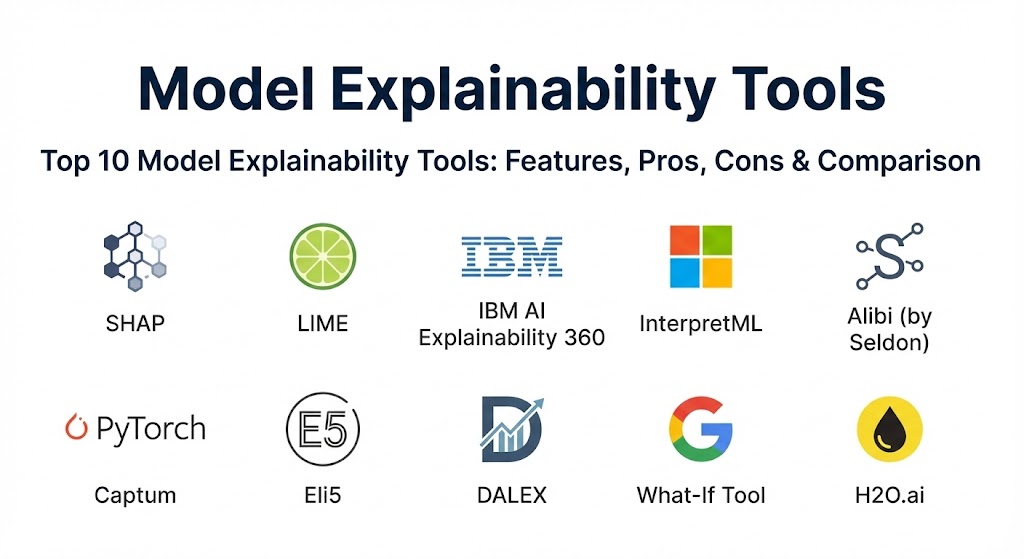
Top 10 Model Explainability Tools
1 — SHAP (SHapley Additive exPlanations)
SHAP is widely considered the gold standard for model explainability. Based on cooperative game theory, it assigns each feature a “Shapley value” representing its contribution to a specific prediction.
- Key features:
- Solid mathematical foundation in game theory (Shapley values).
- Provides both local (individual) and global (model-wide) explanations.
- Supports tree-based models (XGBoost, LightGBM), deep learning, and linear models.
- Rich visualization suite, including force plots and summary plots.
- Consistency property: if a model changes so that a feature’s contribution increases, its SHAP value won’t decrease.
- Open-source and widely supported by the Python community.
- Pros:
- High theoretical rigor ensures explanations are mathematically “fair.”
- Excellent for identifying complex feature interactions.
- Cons:
- Computationally expensive, especially for large datasets and complex deep learning models.
- Can be difficult for non-technical stakeholders to interpret without simplification.
- Security & compliance: Varies / N/A (Library-level). Compliance depends on implementation within a secure environment.
- Support & community: Massive open-source community; extensive documentation and thousands of GitHub stars.
2 — LIME (Local Interpretable Model-agnostic Explanations)
LIME is a popular model-agnostic tool that explains a model’s prediction by perturbing the input and seeing how the prediction changes, essentially creating a simple “surrogate” model around a specific point.
- Key features:
- Completely model-agnostic; works with any “black box” algorithm.
- Specializes in local interpretability (individual predictions).
- Supports text (NLP), images (CV), and tabular data.
- Fast execution compared to SHAP for certain use cases.
- Simple conceptual approach that mimics how humans might probe a system.
- Pros:
- Extremely flexible; doesn’t care how the underlying model works.
- Visualizations for image data (highlighting “super-pixels”) are very intuitive.
- Cons:
- Explanations can be unstable (different runs might yield slightly different results).
- Does not provide a rigorous global view of the model.
- Security & compliance: Varies / N/A. Standard library security practices.
- Support & community: High; one of the earliest and most cited XAI libraries in the industry.
3 — IBM AI Explainability 360 (AIX360)
AIX360 is an enterprise-grade open-source toolkit that brings together a diverse set of algorithms for explaining models at different points in their lifecycle.
- Key features:
- Comprehensive suite including SHAP, LIME, and many others.
- Includes “Contrastive Explanations” (what would need to change to get a different result?).
- Focuses on both “black box” and “white box” (interpretable) models.
- Designed for regulated industries with a focus on bias and fairness.
- Integrated with the broader IBM Watson ecosystem.
- Pros:
- Offers a “one-stop-shop” for multiple explanation methodologies.
- Documentation includes excellent industry-specific tutorials (e.g., credit risk).
- Cons:
- The sheer number of algorithms can be overwhelming for beginners.
- Some features are best utilized when paired with other IBM enterprise tools.
- Security & compliance: Enterprise-ready; designed to support SOC 2 and GDPR audit workflows.
- Support & community: Professionally maintained by IBM Research; active community on Slack and GitHub.
4 — InterpretML (by Microsoft)
InterpretML is Microsoft’s contribution to the XAI space, notable for its “Explainable Boosting Machine” (EBM), which is a glass-box model that rivals the accuracy of black-box models.
- Key features:
- Supports both “Glassbox” models (inherently interpretable) and “Blackbox” explainers.
- Explainable Boosting Machines (EBM) offer state-of-the-art interpretable accuracy.
- Unified API for comparing different explainability methods.
- Dashboard for visual exploration of global and local explanations.
- High-performance implementation optimized for large datasets.
- Pros:
- EBMs often allow you to skip the “Black Box” entirely while keeping high performance.
- Excellent integration with the Azure ML ecosystem.
- Cons:
- The visualization dashboard can be buggy in certain Jupyter environments.
- Primary focus is on tabular data; less specialized for complex vision/NLP.
- Security & compliance: Varies / N/A. Inherits security from host environment (e.g., Azure).
- Support & community: Strong backing from Microsoft Research; well-documented on GitHub.
5 — Alibi (by Seldon)
Alibi is an open-source library focused on machine learning model inspection and interpretation, particularly emphasizing counterfactual explanations.
- Key features:
- Strong focus on counterfactual explanations (e.g., “If your income was $5k higher, the loan would be approved”).
- Support for “Anchors,” which find high-precision rules for a prediction.
- Integrated with Seldon Core for deployment and monitoring.
- Model-agnostic for many of its core algorithms.
- Built with production environments in mind.
- Pros:
- Best-in-class for actionable explanations (counterfactuals).
- Very modular and easy to integrate into CI/CD pipelines.
- Cons:
- Documentation is highly technical and aimed at experienced practitioners.
- Setup can be complex due to many dependencies.
- Security & compliance: Designed for enterprise ML; supports audit logging when integrated with Seldon.
- Support & community: Professionally supported by Seldon; active Slack community and GitHub.
6 — Captum (by PyTorch)
Captum is the primary interpretability library for the PyTorch ecosystem, focusing on gradient-based methods for explaining deep learning models.
- Key features:
- Integrated directly with PyTorch.
- Focuses on attribution methods like Integrated Gradients and Saliency.
- Supports Layer and Neuron attribution for “looking inside” the network.
- Optimized for high-performance deep learning models (Vision, NLP).
- Integrated with Captum Insights for visual debugging.
- Pros:
- The definitive tool for anyone working deeply within the PyTorch framework.
- Offers granular insights into specific layers of a neural network.
- Cons:
- Restricted to PyTorch models; not model-agnostic for non-PyTorch frameworks.
- High learning curve; requires a deep understanding of neural network mechanics.
- Security & compliance: Varies / N/A.
- Support & community: Excellent; maintained by the Meta AI team and the global PyTorch community.
7 — Eli5 (Explain Like I’m 5)
Eli5 is a Python library which allows to visualize and debug various Machine Learning models using a unified interface. It is known for its simplicity and readability.
- Key features:
- Lightweight and easy to install.
- Supports scikit-learn, XGBoost, LightGBM, and CatBoost.
- Provides text-based and HTML-friendly visualizations.
- Special focus on text classification (highlighting words that impact prediction).
- Simplifies the inspection of model weights and feature importances.
- Pros:
- Lives up to its name: the easiest tool for a quick “look under the hood.”
- Excellent for text-based ML tasks.
- Cons:
- Lacks advanced game-theory-based rigor of SHAP.
- Development has been slower compared to larger ecosystem tools.
- Security & compliance: Varies / N/A.
- Support & community: Moderate; popular among scikit-learn users but smaller than SHAP/LIME.
8 — DALEX (Descriptive mAchine Learning EXplanations)
DALEX is a powerful toolkit for model-agnostic exploration, providing a set of tools to “pioneer” into the structure of any black-box model.
- Key features:
- Unified interface for exploring, explaining, and comparing models.
- Supports both R and Python.
- Focuses on “Model Parts” (variable importance) and “Model Profiles.”
- Excellent visualization capabilities (Break Down plots, Ceteris Paribus).
- High emphasis on model reproducibility and documentation.
- Pros:
- The most comprehensive tool for users who switch between R and Python.
- Highly structured approach to model exploration.
- Cons:
- Can be computationally intensive for high-dimensional data.
- Less “mainstream” than SHAP/LIME, meaning fewer community tutorials.
- Security & compliance: Varies / N/A.
- Support & community: Strong academic roots; well-maintained with a dedicated user base.
9 — What-If Tool (by Google)
The What-If Tool (WIT) is an interactive visual interface designed to help users understand, analyze, and debug ML models without writing code.
- Key features:
- Code-free, interactive dashboard for exploring model behavior.
- Visualizes bias and fairness metrics across different subgroups.
- Allows users to manually edit data points and see the “What-if” effect on predictions.
- Integrated with TensorBoard, Vertex AI, and Jupyter notebooks.
- Model-agnostic (works with any model that has an API).
- Pros:
- The best tool for non-technical stakeholders to “play” with the model.
- Exceptional for identifying fairness gaps.
- Cons:
- Requires a running model instance/API to interact with, adding setup overhead.
- Not suitable for automated, programmatic reporting in production.
- Security & compliance: Enterprise-grade when used within Google Cloud/Vertex AI environments.
- Support & community: Backed by Google Research; extensive documentation and tutorials.
10 — H2O.ai (Explainable AI Features)
H2O.ai is a leading platform for automated machine learning (AutoML), which includes a dedicated suite of XAI features designed for business transparency.
- Key features:
- Integrated automatically into the H2O Driverless AI workflow.
- Provides K-LIME, SHAP, and Partial Dependence Plots (PDP) out of the box.
- “Auto-doc” feature creates a comprehensive technical report of the model and its explanations.
- Focus on “Reason Codes” for regulatory compliance (e.g., Fair Lending).
- Disparate Impact Analysis to detect bias in predictions.
- Pros:
- Perfect for organizations using AutoML who want “built-in” transparency.
- The automated documentation is a lifesaver for compliance audits.
- Cons:
- Full feature set is tied to the commercial H2O platform.
- Less flexible than standalone libraries for highly customized R&D.
- Security & compliance: Enterprise-ready; SOC 2, HIPAA, and GDPR compliance support.
- Support & community: Excellent; full enterprise support available for commercial users.
Comparison Table
| Tool Name | Best For | Platform(s) Supported | Standout Feature | Rating (Gartner/TrueReview) |
| SHAP | Theoretical Rigor | Python, R | Game Theory Foundation | 4.8 / 5 |
| LIME | Model-Agnostic Simplicity | Python | Local Surrogate Models | 4.6 / 5 |
| AIX360 | Regulated Industries | Python | Diverse Algorithm Suite | 4.5 / 5 |
| InterpretML | Transparent ML | Python | Explainable Boosting Machines | 4.7 / 5 |
| Alibi | Counterfactuals | Python | Actionable Explanations | 4.4 / 5 |
| Captum | Deep Learning | PyTorch | Gradient-Based Attribution | 4.7 / 5 |
| Eli5 | Rapid Debugging | Python | Simple Text Visuals | 4.3 / 5 |
| DALEX | Multi-Language Users | Python, R | Structural Exploration | 4.5 / 5 |
| What-If Tool | Fairness & Non-Tech | Web UI, Jupyter | Interactive Dashboard | 4.6 / 5 |
| H2O.ai | Enterprise AutoML | Commercial Platform | Automated Compliance Doc | 4.7 / 5 |
Evaluation & Scoring of Model Explainability Tools
Selecting the right tool involves balancing the depth of the explanation with the technical overhead required to generate it.
| Category | Weight | Evaluation Notes |
| Core Features | 25% | Presence of both global/local explanations and a variety of algorithms. |
| Ease of Use | 15% | Intuitiveness of the API and quality of the visual dashboards. |
| Integrations | 15% | Compatibility with frameworks like Scikit-Learn, PyTorch, and TensorFlow. |
| Security & Compliance | 10% | Support for fairness auditing and exportable reports for regulators. |
| Performance | 10% | Computational efficiency and scalability for large-scale datasets. |
| Support & Community | 10% | Frequency of updates, quality of docs, and active community forums. |
| Price / Value | 15% | Cost of entry (Open Source vs. Commercial) vs. business ROI. |
Which Model Explainability Tool Is Right for You?
The right XAI tool depends on where you sit in the ML lifecycle and the stakes of your model’s decisions.
- Solo Users & Researchers: Stick with SHAP and LIME. They are the foundation of modern explainability and will give you the most “transferable” skills. For quick debugging of scikit-learn models, Eli5 is a time-saver.
- Small to Medium Businesses (SMBs): If you are primarily using tabular data, InterpretML is excellent because its glass-box models often remove the need for post-hoc explainability entirely.
- Enterprise & Regulated Industries: IBM AIX360 and H2O.ai are designed for you. Their focus on fairness auditing and automated documentation is essential for passing regulatory reviews in banking or insurance.
- Deep Learning Specialists: If you are building LLMs or complex vision systems in PyTorch, Captum is non-negotiable. For TensorFlow users, the What-If Tool provides the best visual debugging experience.
- Product Teams: If your users are asking “why was I denied?”, Alibi is your best bet because it provides actionable “counterfactual” advice.
Frequently Asked Questions (FAQs)
1. What is the difference between interpretability and explainability? Interpretability refers to models that are understandable by design (like linear regression). Explainability refers to the tools and methods used to explain “black box” models (like neural networks) after they are built.
2. Can these tools make a model “better”? Directly, no. However, by revealing that a model is relying on “noise” (e.g., a watermark on a photo) rather than the actual object, they allow engineers to fix the training data and improve performance.
3. Are explainability tools required by law? In many regions, yes. Regulations like the EU AI Act require “high-risk” AI systems to be transparent. GDPR also mandates that users have a right to an explanation for automated decisions.
4. Does explainability slow down my model? In production, no. Usually, the explanation is generated as a separate process from the prediction. However, generating SHAP values can be computationally heavy during the testing phase.
5. Can I use these tools for Generative AI (LLMs)? Yes, but it’s harder. Tools like Captum and SHAP have extensions for NLP, but explaining why an LLM chose one word over another is much more complex than explaining a tabular prediction.
6. What is a “Counterfactual Explanation”? It is a “what if” scenario. It tells a user: “If your input variable X had been Y, the outcome would have changed to Z.” It is highly valued for customer-facing applications.
7. Are these tools compatible with all programming languages? Most are focused on Python. However, tools like DALEX and SHAP have robust support for R, which is popular in the statistical community.
8. Can a model be 100% explainable? Only if it is a “glass box” model. For complex deep learning, explanations are always an approximation of the model’s inner logic.
9. What is “Global” vs. “Local” explainability? Global explains how the model works overall (e.g., “Age is the most important factor in this model”). Local explains one single result (e.g., “This specific person was denied because of their low credit score”).
10. How do I choose between SHAP and LIME? Choose SHAP if you need high accuracy and a strong mathematical guarantee. Choose LIME if you need something fast and model-agnostic for a quick proof of concept.
Conclusion
The “Black Box” is no longer an acceptable excuse for AI behavior. Model explainability tools have matured into sophisticated platforms that allow us to peek inside the most complex algorithms ever created. Whether you are aiming for regulatory compliance, ethical fairness, or simply better performance, the tools listed above provide the transparency needed to build a future where AI is trusted by all.