Introduction
Media player software refers to applications designed to play multimedia files, including various video and audio formats, physical discs (DVD/Blu-ray), and network streams. In 2026, these tools have evolved far beyond basic “Play” and “Pause” buttons. They now serve as sophisticated engines capable of hardware-accelerated decoding, AI-driven upscaling, spatial audio rendering, and advanced subtitle synchronization.
The importance of these tools lies in their versatility. A standard operating system player often lacks the codecs (software instructions) required to open modern formats like HEVC (H.265) or AV1 without additional purchases. Professional-grade media players provide these out of the box, ensuring that “File Not Supported” becomes a thing of the past. Key real-world use cases include setting up a Home Theater PC (HTPC), managing a vast music archive, and ensuring smooth playback of high-bitrate 8K content that would otherwise stutter on basic software. When evaluating these tools, users should look for codec support, system resource efficiency, customization depth, and the ability to handle modern metadata.
Best for: Cinephiles, audiophiles, and home theater enthusiasts who maintain local media collections. They are also essential for creative professionals who need to review raw footage in various formats and for users with older hardware who need lightweight, optimized playback solutions.
Not ideal for: Casual viewers who rely exclusively on subscription streaming services (like Disney+ or Spotify) and do not own digital media files. If you never download movies or music, the built-in browser or native OS apps are usually sufficient.
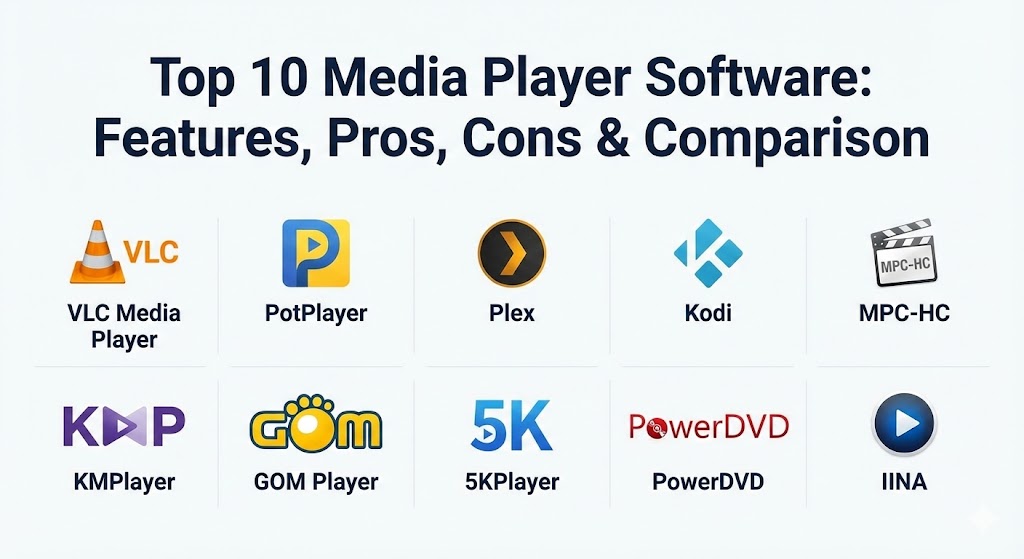
Top 10 Media Player Software Tools
1 — VLC Media Player
VLC is the undisputed heavyweight champion of the media player world. Developed by the VideoLAN project, it is an open-source, cross-platform powerhouse that can play virtually any file format, disc, or stream without requiring external codec packs.
- Key features:
- Built-in support for nearly every audio and video codec (MPEG-2, MKV, WebM, WMV, MP3).
- Cross-platform compatibility (Windows, macOS, Linux, Android, iOS).
- Advanced hardware decoding for 4K and 8K playback.
- Integrated file conversion and streaming capabilities.
- Subtitle synchronization and customizable skins.
- Extensive library of plugins and community-made extensions.
- 0% ads, spyware, or user tracking.
- Pros:
- Completely free and open-source with no hidden costs.
- Reliable performance across all operating systems.
- Cons:
- The user interface feels slightly outdated compared to modern competitors.
- Advanced settings are buried in complex menus, creating a steep learning curve for power users.
- Security & compliance: Generally N/A as a local open-source tool; however, it is widely audited for security and includes no telemetry.
- Support & community: Massive global community; documentation is extensive, though primarily volunteer-driven.
2 — PotPlayer
PotPlayer is widely regarded as the most feature-rich media player for Windows. Developed by Kakao (formerly Daum), it offers an incredible level of customization and performance optimization, making it a favorite for power users who want to tweak every aspect of their playback.
- Key features:
- Enhanced hardware acceleration using DXVA, CUDA, and QuickSync.
- Support for various 3D glasses and 3D output formats.
- Advanced subtitle handling (SMI, SRT, VobSub, and Blu-ray subtitles).
- Built-in video editing tools (capture, trim, and record).
- OpenCodec support allows users to add any codec easily.
- High-quality audio processing with a graphic equalizer.
- Seamless playback of broken or incomplete AVI files.
- Pros:
- Lightweight on system resources despite its massive feature set.
- Exceptional 4K and HDR rendering capabilities.
- Cons:
- Only available for Windows operating systems.
- The sheer number of settings can be overwhelming for casual users.
- Security & compliance: Varies; primarily a local application but requires caution regarding third-party codec downloads.
- Support & community: Strong enthusiast community; however, official documentation in English can be sparse.
3 — Plex
Plex is more than a player; it is a comprehensive media server ecosystem. It allows users to organize their media on one central machine (the server) and stream it beautifully to any device (the client), complete with rich metadata and a Netflix-like interface.
- Key features:
- Automatic organization of movies, TV shows, and music with posters and cast info.
- Remote streaming capabilities to access your library anywhere in the world.
- Transcoding engine that adapts video quality to match your network speed.
- Multi-user support with individual watch histories and parental controls.
- Integration with live TV and DVR (via a compatible tuner).
- Cross-platform support for Smart TVs, consoles, and mobile devices.
- Pros:
- The best-in-class user interface for managing large collections.
- Simplifies the process of sharing media with family and friends.
- Cons:
- Requires a “Plex Pass” subscription for high-end features like hardware transcoding.
- Setup can be complex for those unfamiliar with networking.
- Security & compliance: SOC 2 Type II compliant; includes SSO, encrypted connections, and robust audit logs.
- Support & community: Professional enterprise-grade support and a massive, highly active user forum.
4 — Kodi
Kodi (formerly XBMC) is the ultimate open-source media center. It is designed for “ten-foot” interfaces (used with a remote from a couch) and is famous for its massive ecosystem of add-ons that allow it to stream content from all over the internet.
- Key features:
- Fully customizable “skin” system to change the entire look of the player.
- Support for nearly all remote controls and game controllers.
- Extensive add-on repository for YouTube, Twitch, and local weather.
- Powerful library management for movies, TV series, and music.
- PVR (Personal Video Recorder) support for watching and recording live TV.
- Python-based engine allows for advanced scripting and automation.
- Pros:
- Unrivaled customization; you can make Kodi look exactly how you want.
- Perfect for HTPC setups and Raspberry Pi enthusiasts.
- Cons:
- The “out-of-the-box” experience is bare-bones and requires significant setup.
- Third-party add-ons can sometimes be unstable or pose security risks.
- Security & compliance: Open-source (GPL); users are responsible for the security of installed third-party add-ons.
- Support & community: Extremely active community with a dedicated wiki and millions of users worldwide.
5 — MPC-HC (Media Player Classic – Home Cinema)
MPC-HC is the gold standard for minimalism. It looks exactly like the old Windows Media Player 6.4 but contains a modern engine capable of playing the latest high-resolution formats with almost zero CPU impact.
- Key features:
- Extremely lightweight; can run on computers from a decade ago.
- No advertisements, toolbars, or unnecessary bloatware.
- Supports EVR (Enhanced Video Renderer) for better picture quality.
- Customizable toolbars and context menus.
- Native support for Ogg, Matroska (MKV), and H.264/AVC.
- Integrated with the K-Lite Codec Pack for maximum compatibility.
- Pros:
- The fastest startup time of any player on this list.
- Completely free and maintained by a dedicated group of developers.
- Cons:
- The interface is intentionally “retro” and lacks modern visual flair.
- Development is slower compared to major commercial players.
- Security & compliance: N/A; local open-source software with no network tracking.
- Support & community: Maintained through community forks (like the Clsid2 version) with solid technical documentation.
6 — KMPlayer
KMPlayer is a versatile media player that has gained popularity for its ability to handle ultra-high-definition content (4K, 8K, and UHD) with ease. It offers a sleek, modern interface and a variety of built-in codecs.
- Key features:
- High-quality video renderer for 4K and 8K 60FPS content.
- YouTube downloader and URL streaming functionality.
- 3D, VR, and 360-degree video playback support.
- “KMP Connect” for mobile streaming from a PC.
- Advanced audio/video filters to improve playback on low-end systems.
- Subtitle search and cloud storage integration.
- Pros:
- Visually stunning and intuitive modern interface.
- Excellent built-in tools for capturing video and creating GIFs.
- Cons:
- The free version can sometimes include intrusive advertisements.
- Installation can occasionally include bundled “recommended” software.
- Security & compliance: Varies; users should monitor permissions during installation.
- Support & community: Good documentation and a multilingual support site.
7 — GOM Player
GOM Player (Gretech Online Movie Player) is unique because of its “Codec Finder” service. If GOM cannot play a file, it will automatically search for the missing codec and direct you to the correct download.
- Key features:
- Subtitle Finder with a massive online database of synced subtitles.
- Supports 360-degree VR video playback using mouse or keyboard navigation.
- “A-B Repeat” function for looping specific segments of a video.
- Screen capture and audio extraction tools.
- Remote control app (GOM Remote) for mobile devices.
- Customizable skins and logo options.
- Pros:
- Best-in-class subtitle management and automated syncing.
- Highly effective at playing corrupted or partially downloaded files.
- Cons:
- The installer often prompts for third-party bloatware.
- Advanced features like 4K and high-res playback are locked behind the “Plus” version.
- Security & compliance: GDPR compliant; however, privacy concerns regarding adware have been raised in the past.
- Support & community: Professional customer support available for paid users.
8 — 5KPlayer
5KPlayer is a niche powerhouse that blends a media player with a streaming hub. It is specifically designed for users who want to bridge the gap between their PC and other wireless devices like TVs and iPads.
- Key features:
- Built-in AirPlay and DLNA support for wireless media casting.
- Hardware-accelerated 4K, 8K, and HDR video playback.
- Integrated online video downloader for 300+ sites (YouTube, Vimeo).
- Radio player with pre-set stations (BBC, Gold, Heart).
- Media library management with playlist creation.
- Satellite/IPTV support for live broadcast playback.
- Pros:
- One of the easiest ways to cast your PC screen to a Smart TV.
- Combines downloading, playing, and streaming in one app.
- Cons:
- The interface can be confusing for users who only want a simple player.
- Requires email registration to unlock all features, which impacts privacy.
- Security & compliance: Basic encryption for streaming; data privacy is a common user concern.
- Support & community: Documentation is available, though support responses can be slow.
9 — PowerDVD
PowerDVD is the gold standard for premium home theater experiences. It is one of the few players with official certification for Ultra HD Blu-ray playback and offers advanced AI-driven enhancements for picture and sound.
- Key features:
- Official support for 4K Blu-ray, DVD, and ISO files.
- TrueTheater AI upscaling for color, lighting, and audio.
- Support for Dolby Digital Plus, DTS-HD, and DSD audio.
- Media cloud storage for seamless viewing across devices.
- AI-powered photo management with facial recognition.
- Optimized mode for Big Screen TVs (TV Mode).
- Pros:
- Unrivaled video quality for physical media and high-res files.
- Provides a polished, professional “theater” feel at home.
- Cons:
- Very expensive compared to the free options on this list.
- High system requirements; requires modern hardware for AI features.
- Security & compliance: ISO 27001, GDPR, and HIPAA compliant infrastructure.
- Support & community: Enterprise-grade customer support and professional tutorials.
10 — IINA
IINA is the modern media player designed specifically for macOS. While VLC is built for everyone, IINA is built to look and feel like a native Apple application, adopting the “post-Yosemite” design language perfectly.
- Key features:
- Native macOS interface with Dark Mode support.
- Integration with Force Touch, Touch Bar, and Picture-in-Picture.
- Plugin system for extending functionality.
- Advanced gesture controls for volume and seeking.
- Online subtitle search and local file matching.
- Support for both local files and network streams (YouTube/Vimeo).
- Pros:
- The most beautiful and “Apple-like” media player available.
- Fast, fluid, and highly optimized for M-series silicon.
- Cons:
- Strictly exclusive to macOS; no Windows or Linux versions.
- Lacks some of the ultra-deep technical settings found in PotPlayer.
- Security & compliance: Open-source (GPLv3); respects native macOS security sandboxing.
- Support & community: Active GitHub community; documentation is clean and modern.
Comparison Table
| Tool Name | Best For | Platform(s) Supported | Standout Feature | Rating (Expert Picks) |
| VLC Media Player | Universal Compatibility | Win, Mac, Lin, Mobile | Plays anything out-of-box | 4.8 / 5 |
| PotPlayer | Power Users (Windows) | Windows | 3D & Advanced Hardware Accel | 4.7 / 5 |
| Plex | Media Organization | Win, Mac, Lin, TV, Web | Remote Streaming & Library Mgmt | 4.9 / 5 |
| Kodi | HTPC & Customization | Win, Mac, Lin, Android | Vast Add-on Ecosystem | 4.6 / 5 |
| MPC-HC | Low-End PCs | Windows | Extremely Low Resource Usage | 4.5 / 5 |
| KMPlayer | 8K & VR Content | Win, Mac, Android, iOS | High-Res Video Rendering | 4.4 / 5 |
| GOM Player | Subtitles & 360 Video | Windows, Mobile | Automated Subtitle Finder | 4.3 / 5 |
| 5KPlayer | AirPlay & DLNA | Windows, macOS | Wireless Casting & Download | 4.1 / 5 |
| PowerDVD | Home Theater / Blu-ray | Windows | TrueTheater AI Upscaling | 4.7 / 5 |
| IINA | macOS Users | macOS | Native Apple Design Language | 4.8 / 5 |
Evaluation & Scoring of Media Player Software
To determine which media player reigns supreme, we evaluate them against a weighted rubric that balances raw performance with user experience.
| Category | Weight | Evaluation Criteria |
| Core Features | 25% | Codec support, 4K/8K playback, hardware acceleration, and disc support. |
| Ease of Use | 15% | UI design, intuitive controls, and installation simplicity. |
| Integrations | 15% | Casting (AirPlay/DLNA), cloud storage, and metadata scraping. |
| Security | 10% | Telemetry, installer safety, and regular security updates. |
| Performance | 10% | Startup speed, CPU/RAM efficiency, and high-bitrate stability. |
| Support | 10% | Documentation quality and active developer community. |
| Price / Value | 15% | Cost vs. features (Free tools often score high here). |
Which Media Player Software Tool Is Right for You?
The “right” media player depends heavily on your hardware and how you intend to use your media.
- Solo Users & Casual Viewers: If you just want to open a video file once in a while without issues, VLC Media Player is the gold standard. It is safe, free, and works on every device you own.
- The “Power User” / Windows Enthusiast: If you love to “under-the-hood” tweak your settings for the absolute sharpest picture, PotPlayer offers controls that no other player can match.
- Home Theater & HTPC Owners: If you have a dedicated PC connected to your TV, Kodi provides a cinematic interface designed for couch viewing. If you want to access that same media from your phone or while traveling, Plex is the essential choice.
- Budget-Conscious / Older PCs: If your laptop is old and struggles with high-def video, MPC-HC is the most efficient player on the market, using minimal resources to get the job done.
- macOS Purists: If you value aesthetics and want a player that looks like it was made by Apple, IINA is the only choice that feels truly at home on a Mac.
- Premium Home Cinema: If you have a high-end 4K projector and expensive Blu-ray discs, paying for PowerDVD is worth it for the AI enhancements and official disc licensing.
Frequently Asked Questions (FAQs)
1. Why does VLC play files that other players can’t?
VLC comes with its own internal library of codecs. Most other players rely on the codecs installed in the Windows or macOS system. Because VLC “carries its own tools,” it doesn’t need external help to open obscure files.
2. Is Plex really free?
The core Plex Media Server is free. You can organize and stream your media to a web browser or other computers for free. However, mobile apps require a one-time fee, and advanced features like hardware transcoding require a “Plex Pass.”
3. Are media players safe to download?
Open-source tools like VLC, MPC-HC, and IINA are very safe. Commercial free tools like GOM Player or 5KPlayer sometimes include advertisements or bundled software in their installers, so you must read the prompts carefully during setup.
4. What is hardware acceleration?
It is a technology that allows the media player to use your computer’s Graphics Card (GPU) instead of the main Processor (CPU) to decode video. This leads to smoother playback for 4K video and saves battery life.
5. Can I watch 3D movies on a normal PC?
Yes, players like PotPlayer and KMPlayer support 3D playback. You will still need 3D-encoded content and compatible 3D glasses, but the software handles the conversion of the signal for your monitor.
6. Do I need a codec pack like K-Lite?
In 2026, most top-tier players (VLC, PotPlayer, KMPlayer) have codecs built-in. You generally only need a codec pack if you are using a very basic player (like Windows Media Player) and want to expand its capabilities.
7. Why is 8K video stuttering on my player?
8K playback requires immense processing power. If it stutters, check if “Hardware Acceleration” is enabled. If it is, your hardware might simply be reaching its limit, or you may need a more optimized player like PotPlayer.
8. Can media players stream YouTube videos?
Yes, several players like VLC, KMPlayer, and 5KPlayer allow you to paste a YouTube URL directly into the player. This lets you watch without ads and use the player’s advanced audio/video filters.
9. What is the best player for high-quality audio (FLAC)?
For pure audio, PotPlayer offers a great equalizer, while VLC is a solid all-rounder. However, for serious audiophiles, the library management of Plex or MusicBee (a specialized audio player) is often preferred.
10. What is a “portable” media player?
Some players, like MPC-HC and PotPlayer, offer portable versions. These don’t require installation; you can run them directly from a USB drive on any computer, keeping your settings intact.
Conclusion
The “best” media player software is no longer just about format support—it is about how the software fits into your digital lifestyle. Whether you prioritize the universal reliability of VLC, the beautiful library management of Plex, or the surgical precision of PotPlayer, the right tool can transform a simple video file into a vivid cinematic experience. When making your choice, prioritize the formats you use most and the hardware you own. In 2026, the power to enjoy your media exactly how you want it is just a download away.