Introduction
Mechanical Design Software is a specialized category of CAD (Computer-Aided Design) tools used to conceptualize, design, and simulate mechanical components and assemblies. These tools help engineers create 2D drawings, 3D models, and prototypes digitally, enabling visualization, analysis, and optimization of designs before manufacturing. Mechanical design software is essential for product development, reducing errors, improving accuracy, and accelerating time-to-market.
The importance of mechanical design software extends across industries like automotive, aerospace, industrial machinery, consumer products, and robotics. Key use cases include designing complex assemblies, creating parametric parts, conducting motion analysis, performing tolerance studies, and generating manufacturing documentation. Choosing the right tool depends on factors such as 3D modeling capabilities, parametric vs direct modeling, integration with simulation tools, ease of use, collaboration features, and platform compatibility.
Best for:
Mechanical engineers, product designers, R&D teams, manufacturing engineers, and enterprises developing complex mechanical systems benefit the most from mechanical design software.
Not ideal for:
Small-scale hobbyists, startups, or organizations with simple design requirements may prefer lightweight CAD tools or free 3D modeling software.
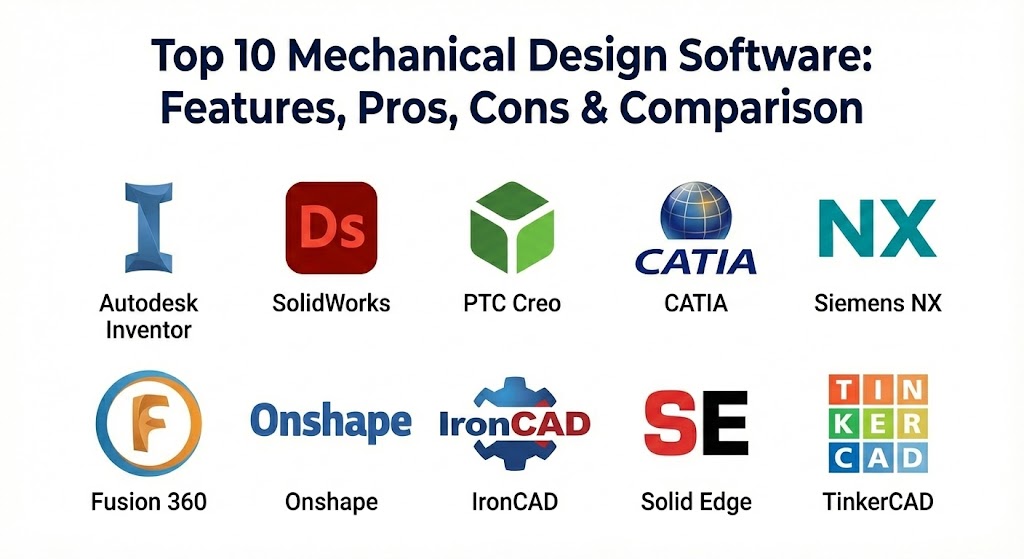
Top 10 Mechanical Design Software Tools
1 — Autodesk Inventor
Short description:
Autodesk Inventor is a professional mechanical design software offering 3D modeling, simulation, and documentation capabilities for engineers and designers.
Key features:
- Parametric 3D modeling
- Assembly and part design
- Simulation and stress analysis
- Sheet metal and frame design
- Motion analysis and visualization
- Direct integration with AutoCAD
- Documentation and BOM generation
Pros:
- Comprehensive feature set for mechanical engineering
- Strong simulation integration
- Supports complex assemblies
Cons:
- Subscription-based pricing
- Learning curve for beginners
- Hardware-intensive
Security & compliance:
SSO, encryption, GDPR-ready
Support & community:
Vendor support, official tutorials, user forums.
2 — SolidWorks
Short description:
SolidWorks is a widely-used mechanical CAD software for parametric 3D modeling, simulation, and product data management.
Key features:
- Part, assembly, and sheet metal design
- Motion and stress analysis
- Parametric and direct modeling
- Integrated simulation tools
- Large library of components
- Collaboration via PDM/PLM
- Rendering and visualization
Pros:
- Intuitive user interface
- Industry-standard for mechanical design
- Strong ecosystem and add-ons
Cons:
- Premium pricing
- High system requirements
- Limited support for multi-physics without add-ons
Security & compliance:
Enterprise-level security, ISO compliance
Support & community:
Documentation, training, online community, vendor support.
3 — PTC Creo
Short description:
PTC Creo provides parametric and direct modeling for mechanical design, simulation, and product development.
Key features:
- Parametric and flexible modeling
- Simulation and stress analysis
- Multi-CAD support
- 3D and 2D design capabilities
- Assembly management and collaboration
- Additive manufacturing support
- Visualization and rendering
Pros:
- Flexible design approaches
- Integrated simulation capabilities
- Scalable for enterprise use
Cons:
- Complex interface for beginners
- Expensive for small teams
Security & compliance:
Varies / N/A
Support & community:
Professional training, documentation, forums.
4 — CATIA
Short description:
CATIA, by Dassault Systèmes, is a high-end mechanical design software for complex products and systems engineering.
Key features:
- Parametric and freeform modeling
- Multi-disciplinary simulation integration
- Surface and solid modeling
- Assembly management
- Sheet metal and composite design
- Collaboration and PLM integration
- Advanced rendering
Pros:
- Ideal for aerospace and automotive
- Powerful multi-discipline design
- Enterprise-level scalability
Cons:
- High cost
- Steep learning curve
Security & compliance:
ISO-compliant, enterprise-grade security
Support & community:
Official support, training, certified community.
5 — Siemens NX
Short description:
Siemens NX provides integrated mechanical design, simulation, and manufacturing solutions.
Key features:
- Parametric and direct modeling
- CAD/CAM/CAE integration
- Assembly management
- Motion and stress analysis
- Sheet metal and weldments
- Multi-CAD interoperability
- Rendering and visualization
Pros:
- Enterprise-grade solution
- Highly integrated workflow
- Suitable for complex assemblies
Cons:
- Expensive for small businesses
- Requires significant training
Security & compliance:
Enterprise-grade, GDPR-ready
Support & community:
Documentation, training, vendor support.
6 — Fusion 360
Short description:
Autodesk Fusion 360 is a cloud-based mechanical design software for 3D modeling, simulation, and manufacturing.
Key features:
- Parametric and direct modeling
- Assembly and part design
- Cloud collaboration
- Simulation and stress analysis
- CAM and additive manufacturing support
- Motion analysis
- Rendering and visualization
Pros:
- Cloud-enabled collaboration
- Affordable for small teams
- Easy to learn and use
Cons:
- Requires internet connection
- Limited enterprise scalability
Security & compliance:
SSO, encryption, GDPR-ready
Support & community:
Vendor tutorials, community forums, documentation.
7 — Onshape
Short description:
Onshape is a cloud-based mechanical CAD software that allows design collaboration and real-time modeling.
Key features:
- Cloud-based 3D modeling
- Parametric and direct modeling
- Assembly and part management
- Real-time collaboration
- Version control and history tracking
- Mobile and browser access
- Simulation integration
Pros:
- Accessible from any device
- Real-time team collaboration
- Easy version management
Cons:
- Cloud-dependent
- Limited advanced simulation features
Security & compliance:
Enterprise-grade cloud security, ISO-compliant
Support & community:
Vendor support, online documentation, tutorials.
8 — IronCAD
Short description:
IronCAD is a mechanical CAD software providing flexible 3D modeling for design and product development.
Key features:
- Direct and parametric modeling
- Assembly and part design
- Drag-and-drop design approach
- Simulation and analysis support
- Interoperability with CAD files
- Sheet metal design tools
- Rendering and visualization
Pros:
- Flexible modeling approach
- Intuitive design environment
- Good for small to mid-sized teams
Cons:
- Smaller user community
- Limited advanced simulation
Security & compliance:
Varies / N/A
Support & community:
Vendor support, documentation, online forums.
9 — Solid Edge
Short description:
Solid Edge is a mechanical design software providing synchronous modeling, simulation, and collaboration.
Key features:
- Synchronous and parametric modeling
- Assembly and part design
- Sheet metal and weldments
- Simulation and stress analysis
- Motion analysis
- Collaboration and cloud support
- Rendering and visualization
Pros:
- Flexible and fast modeling
- Integration with CAD and PLM
- Enterprise scalability
Cons:
- Moderate learning curve
- Requires proper hardware
Security & compliance:
Enterprise-grade, ISO-compliant
Support & community:
Documentation, training, vendor support.
10 — TinkerCAD
Short description:
TinkerCAD is a simplified 3D mechanical design software for educational purposes and small projects.
Key features:
- Cloud-based 3D modeling
- Drag-and-drop design
- Simple parametric modeling
- Export to 3D printing formats
- Collaboration and sharing
- Learning resources for beginners
Pros:
- Extremely easy to use
- Free for students and hobbyists
- Cloud-accessible
Cons:
- Not suitable for complex assemblies
- Limited simulation and analysis
Security & compliance:
Varies / N/A
Support & community:
Online tutorials, educational resources, user forums.
Comparison Table
| Tool Name | Best For | Platform(s) Supported | Standout Feature | Rating |
|---|---|---|---|---|
| Autodesk Inventor | Mechanical engineers | Windows | Parametric 3D modeling | N/A |
| SolidWorks | Mechanical & product design | Windows | CAD integration & ecosystem | N/A |
| PTC Creo | Enterprise engineering | Windows | Flexible modeling | N/A |
| CATIA | Aerospace & automotive | Windows | Multi-discipline design | N/A |
| Siemens NX | Enterprise | Windows, Linux | Integrated CAD/CAM/CAE | N/A |
| Fusion 360 | SMB & startups | Windows, macOS | Cloud collaboration | N/A |
| Onshape | Cloud-based collaboration | Browser | Real-time team design | N/A |
| IronCAD | Small to mid-sized teams | Windows | Flexible modeling | N/A |
| Solid Edge | Enterprise | Windows | Synchronous modeling | N/A |
| TinkerCAD | Education & hobbyists | Browser | Beginner-friendly cloud CAD | N/A |
Evaluation & Scoring of Mechanical Design Software
| Criteria | Weight | Description |
|---|---|---|
| Core features | 25% | 3D modeling, parametric design, assembly |
| Ease of use | 15% | Learning curve, UI intuitiveness |
| Integrations & ecosystem | 15% | CAD, simulation, PLM integration |
| Security & compliance | 10% | Enterprise or cloud security, GDPR |
| Performance & reliability | 10% | Stability, computational performance |
| Support & community | 10% | Documentation, forums, training |
| Price / value | 15% | Cost vs functionality |
Which Mechanical Design Software Tool Is Right for You?
- Solo users: TinkerCAD, Fusion 360 for accessibility and low cost
- SMBs: Autodesk Inventor, Onshape, SolidWorks for collaborative design
- Mid-market teams: PTC Creo, Solid Edge, IronCAD for enterprise-ready features
- Enterprises: CATIA, Siemens NX, SolidWorks for complex, multi-discipline design
Budget-conscious users may opt for TinkerCAD or Fusion 360, while premium users gain from CATIA, Siemens NX, and Creo for large-scale and complex design workflows.
Frequently Asked Questions (FAQs)
- What is mechanical design software used for?
It is used to design, simulate, and document mechanical parts, assemblies, and products. - Can beginners use mechanical design software?
Simplified tools like TinkerCAD and Fusion 360 are beginner-friendly; high-end solutions require experience. - Do these tools integrate with simulation software?
Yes, most offer integration with FEA, CFD, and multi-physics simulation tools. - Are mechanical design tools expensive?
Enterprise-grade software can be costly; free or cloud-based options exist for beginners. - Can mechanical design software handle complex assemblies?
Yes, tools like SolidWorks, Inventor, CATIA, and NX are optimized for complex models. - Is training required?
Professional training is recommended for advanced tools. - Can these tools work on the cloud?
Yes, Fusion 360, Onshape, and TinkerCAD provide cloud-based solutions. - Do these tools support parametric design?
Most offer parametric and direct modeling for flexible design workflows. - Can mechanical design software create manufacturing documentation?
Yes, BOMs, drawings, and 3D files are generated for manufacturing purposes. - Are there free mechanical design software options?
TinkerCAD and free tiers of Fusion 360 are accessible for learning and small projects.
Conclusion
Mechanical design software is essential for engineers and designers to create, simulate, and optimize products efficiently. Each tool offers unique strengths for different complexity levels, team sizes, and industry requirements. Choosing the right software depends on your workflow, team expertise, project requirements, and budget. The ideal solution aligns with your mechanical design objectives, whether for education, prototyping, or enterprise-scale product development.
This guide is a great roadmap for navigating mechanical design tools. The contrast between high-end systems like CATIA and accessible options like Fusion 360 shows how technology supports everything from aerospace to small startups.