Introduction
A Machine Learning (ML) platform is a comprehensive suite of tools that streamlines the process of data science. Instead of a fragmented workflow involving disparate notebooks and manual scripts, these platforms offer integrated workspaces where data scientists, engineers, and analysts collaborate. They provide essential infrastructure like high-performance GPUs, automated machine learning (AutoML) engines, and MLOps frameworks to ensure models are reliable and explainable.
The importance of these tools lies in their ability to reduce the “time-to-insight.” In the real world, ML platforms are used for fraud detection in banking, personalized medicine in healthcare, and predictive maintenance in manufacturing. For example, a retail giant might use a platform to analyze customer behavior in real-time, adjusting inventory levels before a trend even hits its peak. When choosing a tool, users should evaluate platforms based on their “data gravity” (where their data currently lives), the maturity of their MLOps capabilities, and the balance between code-first flexibility and no-code accessibility.
Best for: Data science teams, ML engineers, and business analysts at mid-to-large enterprises who need to scale AI initiatives. They are also ideal for industries with high regulatory burdens, such as finance and healthcare, that require detailed audit trails for every decision an algorithm makes.
Not ideal for: Hobbyists working on small-scale personal projects where a simple local Jupyter Notebook suffices, or organizations with extremely niche hardware requirements that commercial cloud providers do not yet support.
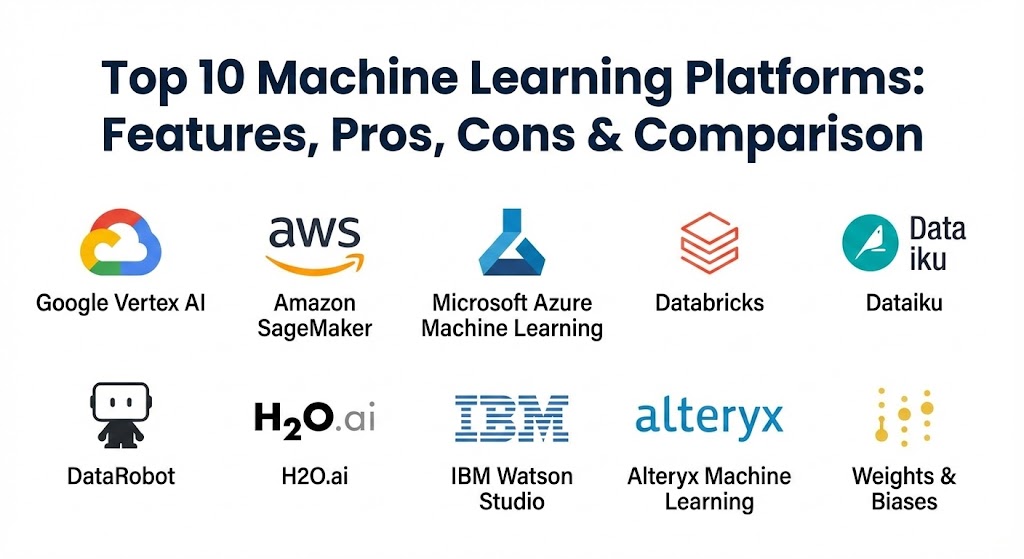
Top 10 Machine Learning Platforms Tools
1 — Google Vertex AI
Vertex AI is Google Cloud’s unified platform that bridges the gap between data science and data engineering. It is famously known for its high-performance infrastructure and the integration of Google’s flagship generative AI models, like Gemini.
- Key features:
- AutoML for building high-quality models without writing code.
- Vertex AI Pipelines for orchestrating complex ML workflows.
- Generative AI Studio for tuning and deploying large language models (LLMs).
- Integrated Feature Store to share and reuse ML features across teams.
- Model Monitoring to detect training-serving skew and concept drift.
- Deep integration with BigQuery for seamless data access.
- Pros:
- Unmatched performance when training large-scale deep learning models.
- One of the most mature ecosystems for generative AI and LLM operations.
- Cons:
- Pricing can be opaque and difficult to predict for high-scale training jobs.
- The learning curve is steep for users who are not already familiar with Google Cloud.
- Security & compliance: SOC 2, HIPAA, GDPR, ISO 27001, and FedRAMP support. Features end-to-end encryption and robust IAM controls.
- Support & community: Extensive documentation and a massive global developer community. Google offers premium 24/7 enterprise support tiers with dedicated technical account managers.
2 — Amazon SageMaker
Amazon SageMaker is the veteran of the cloud ML space. It is a fully managed service that provides every developer and data scientist with the ability to build, train, and deploy ML models quickly.
- Key features:
- SageMaker Studio, a web-based IDE for the entire ML lifecycle.
- SageMaker Autopilot for automated model creation with full visibility.
- SageMaker Clarify for bias detection and model explainability.
- Training Compiler to optimize models for up to 50% faster training.
- Integration with Amazon Bedrock for foundation model access.
- SageMaker Edge Manager for deploying models to IoT devices.
- Pros:
- The most extensive library of pre-built algorithms and notebooks in the industry.
- Seamless integration with the vast AWS ecosystem (S3, Redshift, Lambda).
- Cons:
- The user interface can feel cluttered and overwhelming due to the sheer number of features.
- Significant overhead in managing permissions and VPC configurations.
- Security & compliance: FIPS 140-2, HIPAA, PCI DSS, GDPR, and SOC 1/2/3. Includes VPC peering and private link support.
- Support & community: World-class enterprise support; vast array of third-party tutorials and AWS Certified professional networks.
3 — Microsoft Azure Machine Learning
Azure Machine Learning focuses on “Responsible AI.” It is designed for enterprises that need to build trust in their models while leveraging the familiarity of the Microsoft software stack.
- Key features:
- Visual Designer for drag-and-drop model building.
- Automated Machine Learning (AutoML) with a focus on transparency.
- Responsible AI Dashboard for debugging and fairness assessment.
- Integration with Microsoft Fabric and OneLake for data gravity.
- Prompt Flow for developing and evaluating LLM-based applications.
- Hybrid and multi-cloud support through Azure Arc.
- Pros:
- Excellent collaboration features for teams using Microsoft 365 and Power BI.
- Industry-leading tools for ethical AI and bias mitigation.
- Cons:
- Frequent renaming and restructuring of features can lead to documentation lag.
- Some advanced features are heavily optimized for Windows/Azure environments.
- Security & compliance: ISO, SOC, HIPAA, GDPR, and FedRAMP High. Integrates with Azure Active Directory (Entra ID).
- Support & community: Strong enterprise support and integration into the broader Microsoft Learn ecosystem.
4 — Databricks Data Intelligence Platform
Databricks, the company behind Apache Spark and MLflow, offers a platform that treats data and AI as one. It is built on a “Lakehouse” architecture that provides an open, unified foundation for all data.
- Key features:
- Mosaic AI for building and training custom foundation models.
- MLflow integration for experiment tracking and model versioning.
- Collaborative notebooks with multi-user editing and Spark support.
- Delta Lake for high-performance, reliable data management.
- Unity Catalog for unified governance across data and AI assets.
- Serverless compute options for reduced operational overhead.
- Pros:
- Unrivaled for handling massive datasets and “big data” ML workloads.
- The open-source core (MLflow) ensures high portability and avoids vendor lock-in.
- Cons:
- Requires strong technical skills in Spark and SQL to unlock full potential.
- Can be very expensive for small teams that don’t need distributed computing.
- Security & compliance: SOC 2 Type II, ISO 27001, HIPAA, and GDPR. Features fine-grained access control at the data level.
- Support & community: Large, passionate open-source community; high-quality commercial support for enterprise customers.
5 — Dataiku
Dataiku is known as the platform for “Everyday AI.” It is unique in its ability to bring data scientists (who love code) and business analysts (who love visual tools) together into a single project.
- Key features:
- Visual flow designer that maps the entire data-to-model journey.
- Lab environments for coding in Python, R, or SQL.
- AutoML with a focus on speed-to-prototype.
- Governance and oversight dashboards for managers.
- Built-in data preparation and cleaning recipes.
- Multi-cloud and on-premises deployment flexibility.
- Pros:
- The best platform for “democratizing AI” across different skill levels.
- Highly collaborative, allowing for seamless handoffs between technical and non-technical teams.
- Cons:
- The visual-first approach can sometimes feel restrictive for hardcore researchers.
- Higher licensing costs compared to some cloud-native pay-as-you-go tools.
- Security & compliance: SOC 2, GDPR, and HIPAA compliant. Includes detailed audit logs and version control for every change.
- Support & community: Exceptional customer success program and a vibrant “Dataiku Academy” for user training.
6 — DataRobot
DataRobot was the pioneer of the AutoML movement. Today, it has evolved into a full-lifecycle platform that emphasizes business impact and “AI production-readiness.”
- Key features:
- Automated Feature Engineering to find hidden patterns in data.
- DataRobot Notebooks for code-first flexibility within the platform.
- Model Monitoring and automatic retraining triggers.
- Deep Learning support for text, images, and audio via Hydrogen Torch.
- “Bias and Fairness” testing built into the leaderboards.
- Decision Intelligence tools to translate model outputs into business actions.
- Pros:
- Extremely fast time-to-value; goes from raw data to a deployed model in hours.
- The best-in-class model explainability features (Shapley values, etc.).
- Cons:
- Historically expensive, though they have introduced more flexible pricing lately.
- Can feel like a “black box” if users don’t dig into the explainability logs.
- Security & compliance: SOC 2 Type II, HIPAA, GDPR, and ISO 27001. Support for air-gapped deployments in high-security environments.
- Support & community: Strong white-glove support; extensive library of webinars and case studies.
7 — H2O.ai
H2O.ai is a favorite among Kaggle grandmasters and data science purists. It offers a powerful open-source foundation with high-performance algorithms that are optimized for speed and accuracy.
- Key features:
- H2O-3, an open-source, distributed ML engine.
- Driverless AI for award-winning, high-performance AutoML.
- AI Cloud for managing the end-to-end AI lifecycle.
- Wave, a low-code framework for building AI applications.
- Document AI for extracting insights from unstructured data.
- MLOps for model deployment, scoring, and monitoring.
- Pros:
- Exceptional performance for tabular data and traditional ML tasks.
- Very strong open-source roots, making it easy to start for free.
- Cons:
- The UI of the open-source version can feel dated compared to modern cloud apps.
- Driverless AI requires a significant investment for the full enterprise suite.
- Security & compliance: Varies by deployment (on-prem vs cloud). Enterprise versions support SOC 2, HIPAA, and GDPR.
- Support & community: Massive open-source community; highly technical support engineers who are often data scientists themselves.
8 — IBM Watson Studio
IBM Watson Studio focuses on the “Governance” aspect of AI. It is built for large, complex organizations that need to manage thousands of models while remaining strictly compliant with global regulations.
- Key features:
- AutoAI for automating the building and ranking of models.
- Decision Optimization for solving complex business scheduling and logistics.
- Watson OpenScale for monitoring and managing AI outcomes in real-time.
- Collaborative projects with integrated Git support.
- Deep integration with IBM Cloud Pak for Data.
- Hybrid-cloud flexibility via Red Hat OpenShift.
- Pros:
- Robust governance tools that are essential for the banking and insurance industries.
- Very stable and reliable for high-stakes, mission-critical applications.
- Cons:
- Can be difficult to navigate due to the breadth of the IBM product catalog.
- Integration with non-IBM cloud services can be more challenging.
- Security & compliance: SOC 2, HIPAA, GDPR, ISO 27001, and extensive financial sector certifications.
- Support & community: Global reach with deep enterprise support; highly regarded professional services for implementation.
9 — Alteryx Machine Learning
Alteryx has long been a leader in data prep and analytics. Their ML platform is an extension of that philosophy, designed for the “Citizen Data Scientist” who wants to build models without writing a single line of code.
- Key features:
- Education Mode that teaches ML concepts while you build.
- Automated feature engineering and algorithm selection.
- Integration with Alteryx Designer for a complete data pipeline.
- Cloud-native deployment with no-installation required.
- “Deep Insights” for identifying hidden drivers in business data.
- One-click model deployment to existing business dashboards.
- Pros:
- The lowest barrier to entry for business analysts and Excel power users.
- Excellent at turning data preparation into model training in one workflow.
- Cons:
- Limited flexibility for advanced research or custom neural network architectures.
- Licensing is often per-user, which can become costly as the team grows.
- Security & compliance: SOC 2 Type II and GDPR. Data is encrypted both at rest and in transit.
- Support & community: One of the most active user communities (Alteryx Community) with thousands of shared workflows.
10 — Weights & Biases (W&B)
While most of the tools on this list are “all-in-one” platforms, Weights & Biases is the favorite “best-of-breed” tool for experiment tracking and deep learning collaboration. It is used by OpenAI, NVIDIA, and Lyft.
- Key features:
- Experiment Tracking for logging hyperparameters and metrics automatically.
- Artifacts for versioning datasets and model files.
- Sweeps for automated hyperparameter optimization.
- Reports for creating collaborative, dynamic documentation of research.
- Tables for visualizing and querying high-dimensional data.
- Launch for automating the deployment of ML jobs to any compute.
- Pros:
- The developer experience is world-class; it integrates with just two lines of code.
- Highly focused on the needs of deep learning and LLM researchers.
- Cons:
- Not a full “end-to-end” platform; you still need compute (like AWS) to run the jobs.
- Can become expensive if you have a high volume of logged artifacts.
- Security & compliance: SOC 2 Type II, HIPAA, and GDPR. Offers a private cloud/on-premise deployment option.
- Support & community: Extremely popular in the research community; very active Discord and fast-responding technical support.
Comparison Table
| Tool Name | Best For | Platform(s) Supported | Standout Feature | Rating (Gartner / TrueReview) |
| Google Vertex AI | Generative AI & LLMs | Google Cloud | Gemini Integration | 4.7 / 5 |
| Amazon SageMaker | Enterprise Scalability | AWS | SageMaker Studio IDE | 4.4 / 5 |
| Azure Machine Learning | Ethical & Responsible AI | Azure, Hybrid | Responsible AI Dashboard | 4.5 / 5 |
| Databricks | Big Data & Lakehouse | Multi-Cloud | MLflow Integration | 4.8 / 5 |
| Dataiku | Cross-Team Collaboration | Multi-Cloud, On-Prem | Visual Workflow Design | 4.7 / 5 |
| DataRobot | Rapid AutoML | Multi-Cloud, On-Prem | Decision Intelligence | 4.7 / 5 |
| H2O.ai | Interpretable Models | Multi-Cloud, On-Prem | Driverless AI (AutoML) | 4.6 / 5 |
| IBM Watson Studio | Governance & Compliance | IBM Cloud, Hybrid | Watson OpenScale | 4.3 / 5 |
| Alteryx ML | Citizen Data Scientists | Cloud | Education/Learning Mode | 4.4 / 5 |
| Weights & Biases | Deep Learning Research | Cloud, On-Prem | Experiment Tracking | 4.8 / 5 |
Evaluation & Scoring of Machine Learning Platforms
To determine which platform reigns supreme, we use a weighted scoring rubric that reflects the priorities of modern AI teams.
| Category | Weight | Evaluation Criteria |
| Core Features | 25% | Quality of AutoML, depth of algorithm support, and MLOps maturity. |
| Ease of Use | 15% | The intuitiveness of the UI and the accessibility for non-coders. |
| Integrations | 15% | How well the platform connects to existing data lakes and cloud services. |
| Security & Compliance | 10% | Breadth of certifications (HIPAA, GDPR) and audit capabilities. |
| Performance | 10% | Horizontal scalability and training/inference speed. |
| Support & Community | 10% | Documentation quality and the availability of expert help. |
| Price / Value | 15% | Transparency of the cost model and ROI for the features provided. |
Which Machine Learning Platforms Tool Is Right for You?
Choosing a platform is a strategic decision that depends on your company’s maturity and its existing infrastructure.
- Solo Users vs. SMBs: If you are an individual or a small team, look for low-overhead tools. H2O.ai (open-source) or Weights & Biases (for research) are excellent starting points. For SMBs needing fast results without a huge team, DataRobot or Alteryx offer the best AutoML “bang for your buck.”
- Mid-Market vs. Enterprise: Mid-market firms benefit from Dataiku, which allows them to leverage existing business analysts while hiring their first data scientists. Large enterprises usually default to the cloud provider they already use (AWS, Azure, or GCP) to minimize data movement costs.
- Budget-Conscious vs. Premium: If budget is the primary constraint, the open-source versions of H2O.ai or Databricks (via MLflow) allow you to build without massive licensing fees. If performance and “white-glove” support are the priority, DataRobot and Vertex AI are the premium leaders.
- Feature Depth vs. Ease of Use: If you need to “see under the hood” and customize every hyperparameter, SageMaker and Weights & Biases are built for you. If you want the platform to handle the heavy lifting while you focus on business logic, Alteryx and DataRobot are the winners.
- Security and Compliance: For industries like banking or defense, IBM Watson Studio and the enterprise-grade Globalscape/Fortra integrations (for data movement) combined with DataRobot’s air-gapped support are essential.
Frequently Asked Questions (FAQs)
1. What exactly is a Machine Learning platform?
It is a unified software environment that provides tools for every step of the AI journey—from data ingestion and cleaning to model training, deployment, and real-time monitoring.
2. Do I need to be a programmer to use these tools?
Not necessarily. Platforms like Alteryx and DataRobot offer “no-code” interfaces, though a basic understanding of statistical concepts is still highly recommended to ensure model quality.
3. What is AutoML?
AutoML (Automated Machine Learning) is a feature that automatically tests hundreds of different algorithms and parameter combinations to find the most accurate model for your specific dataset.
4. Can I move my models from one platform to another?
It depends on the platform. Tools using open standards like MLflow or ONNX allow for high portability, whereas some “black box” platforms make it harder to export the underlying code.
5. How much do these platforms cost?
Pricing ranges from “pay-as-you-go” cloud models (pennies per hour) to annual enterprise licenses that can cost hundreds of thousands of dollars depending on the scale.
6. Is my data safe on these platforms?
Enterprise-grade platforms are highly secure, offering encryption, SOC 2 compliance, and private cloud options to ensure your data never leaves your controlled environment.
7. What is MLOps?
MLOps (Machine Learning Operations) is the practice of automating the deployment and maintenance of models. It ensures that once a model is “live,” it continues to perform accurately over time.
8. Which platform is best for Generative AI and LLMs?
In 2026, Google Vertex AI and Databricks (Mosaic AI) are currently leading the pack in terms of specialized tools for tuning and deploying large-scale language models.
9. Can I use these tools on-premises?
Yes. Several platforms, including Dataiku, H2O.ai, and IBM Watson Studio, offer versions that can run in your own data center or on a private cloud.
10. How long does it take to see results?
With modern AutoML tools, you can often build a prototype model in a single day. However, moving that model into a stable production environment usually takes weeks of testing and integration.
Conclusion
The machine learning landscape in 2026 is no longer about which algorithm is the best, but which platform allows your team to iterate the fastest. Whether you prioritize the deep research capabilities of Weights & Biases, the big-data muscle of Databricks, or the user-friendly “Everyday AI” approach of Dataiku, the goal remains the same: turning data into actionable intelligence. Remember, there is no single “best” platform—only the one that fits your data, your budget, and your team’s unique skill set.