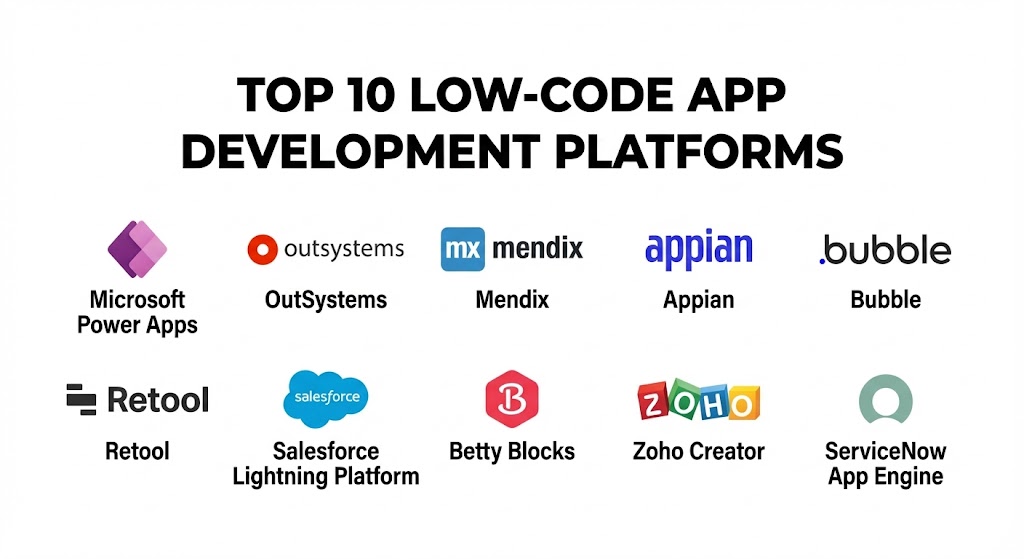
Introduction
Low-Code App Development Platforms are software environments that provide a visual approach to application development. By utilizing drag-and-drop modelers, graphical user interfaces, and smart connectors, these tools allow both professional developers and “citizen developers” (business users with little coding background) to create apps for web and mobile. Unlike “no-code” tools which are often limited to simple tasks, low-code platforms allow for custom code injections when complex logic or specialized integrations are required.
The importance of low-code lies in its ability to democratize innovation. Key real-world use cases include automating manual workflows, building customer-facing portals, modernizing legacy systems, and rapidly prototyping new business ideas. When evaluating these tools, users must look for integration depth, scalability, UI flexibility, and governance features to ensure the apps remain secure and maintainable as they grow.
Best for: IT departments looking to clear backlogs, project managers in mid-to-large enterprises, and startups needing to build an MVP (Minimum Viable Product) quickly. It is particularly valuable in industries like Finance, Healthcare, and Logistics where process automation is critical.
Not ideal for: High-performance gaming applications, specialized scientific software requiring heavy computational math, or hyper-niche hardware drivers where low-level memory management is required. In these cases, traditional coding remains the only viable path.
Top 10 Low-Code App Development Platforms Tools
1 — Microsoft Power Apps
Microsoft Power Apps is a cornerstone of the Power Platform, designed to integrate seamlessly with the Microsoft 365 and Azure ecosystems. It excels at turning business data into actionable internal applications.
- Key features:
- Dataverse Integration: A built-in, secure data platform that manages tables and relationships.
- AI Builder: Easy integration of generative AI and machine learning models without coding.
- Canvas and Model-Driven Apps: Choose between total UI control or data-structured layouts.
- Power Automate Sync: Built-in triggers to automate complex cross-platform workflows.
- Extensive Connectors: Over 1,000 pre-built connectors for services like SharePoint, SQL, and SAP.
- Copilot Assistance: Natural language prompts to generate app screens and logic.
- Role-Based Security: Granular permissions synced with Entra ID (formerly Azure AD).
- Pros:
- Unmatched value for organizations already paying for Microsoft 365 licenses.
- Extremely fast deployment for internal corporate tools and dashboards.
- Cons:
- Licensing can become confusing and expensive as you move to “per-app” or premium models.
- Not the best choice for building high-end, consumer-facing mobile apps on the public app stores.
- Security & compliance: SOC 1/2/3, ISO 27001, HIPAA, GDPR, and FedRAMP compliant. Includes SSO and advanced audit logging.
- Support & community: Massive global community, extensive “Microsoft Learn” documentation, and dedicated enterprise support.
2 — OutSystems
OutSystems is widely recognized as a leader in “High-Performance Low-Code.” It is built for professional developers who need to deliver complex, enterprise-grade applications at breakneck speed.
- Key features:
- Full-Stack Development: Covers everything from UI and logic to the database and integrations.
- Cloud-Native Architecture: Automatically scales apps using microservices and containers.
- TrueChange Engine: Real-time AI that checks for logic errors and broken dependencies.
- Native Mobile Capabilities: Build high-performance offline-capable apps for iOS and Android.
- DevOps Automation: Integrated CI/CD pipelines for automated testing and deployment.
- Extensibility: Easily add custom C# code or JavaScript when the visual modeler isn’t enough.
- Pros:
- Capable of handling massive user loads and complex enterprise integrations.
- Provides the most “traditional developer” feel while maintaining low-code speed.
- Cons:
- The pricing is significantly higher than entry-level tools, often starting in the mid-five figures.
- Requires a higher technical skill set compared to simpler tools like Power Apps.
- Security & compliance: SOC 2 Type II, ISO 27001, GDPR, and HIPAA. Offers advanced encryption and SSO.
- Support & community: “OutSystems Forge” (a repository of reusable components), professional certifications, and 24/7 global support.
3 — Mendix (a Siemens Business)
Mendix focuses heavily on collaboration between “business” and “IT.” Its dual-IDE approach allows non-technical users to build simple apps while professionals handle the heavy-duty engineering.
- Key features:
- Studio & Studio Pro: Separate interfaces for citizen developers and professional engineers.
- Multi-Cloud Deployment: Deploy to AWS, Azure, Google Cloud, or on-premises with one click.
- Mendix Assist: An AI-powered co-developer that offers architectural suggestions.
- Native Mobile Apps: Uses React Native for high-performance, smooth mobile experiences.
- Collaborative Tools: Built-in feedback loops and project management directly in the editor.
- Data Hub: A virtualized data layer to discover and connect enterprise data sources.
- Pros:
- The best platform for “Co-Creation” where business stakeholders stay involved in the build.
- Strongest alignment with Agile methodologies and enterprise DevOps.
- Cons:
- The “all-in-one” nature of the platform can lead to a steep learning curve.
- Smaller third-party marketplace compared to Microsoft or Salesforce.
- Security & compliance: ISO 27001, SOC 2, HIPAA, and GDPR. Built-in “Quality & Security” automated checks.
- Support & community: Mendix Academy, a very active expert community, and dedicated customer success managers.
4 — Appian
Appian is the choice for organizations where “Process is King.” It combines low-code app development with high-end Business Process Management (BPM) and robotic process automation (RPA).
- Key features:
- Data Fabric: A unified view of data across the enterprise without moving or syncing it.
- Process Mining: Analyze your existing workflows to find bottlenecks before you build.
- Case Management: Specialized tools for handling complex, non-linear business tasks.
- Low-Code RPA: Automate repetitive manual tasks with software “bots.”
- Zero-Code Integrations: Quick connections to Salesforce, SAP, and Oracle.
- Offline Mobile: Secure, offline access for field workers.
- Pros:
- Exceptional at automating complex, multi-step regulatory or financial processes.
- The “Data Fabric” feature is a massive time-saver for siloed enterprise data.
- Cons:
- UI design options are somewhat rigid compared to consumer-focused builders like Bubble.
- Cost can be prohibitive for small businesses or simple app needs.
- Security & compliance: FedRAMP, HIPAA, SOC 2, ISO 27001, and GDPR. Known for very high military-grade security.
- Support & community: Appian Community, technical certifications, and white-glove enterprise support.
5 — Bubble
Bubble has revolutionized the startup world by allowing non-technical founders to build complex, consumer-facing web applications that go far beyond simple landing pages.
- Key features:
- Pixel-Perfect Drag-and-Drop: Total control over the look and feel of your app.
- Workflow Logic: Build complex “if/then” chains to handle user actions.
- Built-in Database: Integrated data storage that scales as your users grow.
- API Connector: Connect to any external service that has a REST API.
- Plugin Marketplace: Thousands of community-built features like Stripe payments or AI tools.
- Responsive Design: Tools to ensure your app looks great on mobile, tablet, and desktop.
- Pros:
- The most flexible UI of any low-code tool; you can build almost anything you can imagine.
- Very affordable entry-level pricing for startups and solo creators.
- Cons:
- You are “locked in” to the Bubble ecosystem; you cannot export your code to host elsewhere.
- Can experience performance lag if workflows are not optimized correctly.
- Security & compliance: SOC 2 Type II, GDPR compliant, and standard data encryption.
- Support & community: Massive, passionate community forum, “Bubble Bootcamps,” and extensive tutorials.
6 — Retool
Retool is unique because it is “Low-Code for Developers.” It focuses exclusively on building internal tools (admin panels, dashboards, and support tools) by connecting to your own databases.
- Key features:
- Component Library: Over 100 pre-built UI components like tables, charts, and forms.
- Direct DB Connection: Connect directly to PostgreSQL, MongoDB, MySQL, and more.
- Custom Code: Write JavaScript anywhere in the app to manipulate data.
- Query Library: Save and reuse SQL queries across different internal tools.
- Retool Mobile: Build native-feeling mobile apps for internal operations.
- Retool Workflows: Automate backend tasks via cron jobs or webhooks.
- Pros:
- Dramatically reduces the time developers spend building “boring” internal admin panels.
- Extremely powerful if you already know basic SQL and JavaScript.
- Cons:
- Not designed for building public-facing customer applications.
- Requires a basic understanding of databases and APIs; not for “pure” non-techies.
- Security & compliance: SOC 2 Type II, HIPAA (Enterprise), GDPR, and SSO support.
- Support & community: Active developer forum, high-quality technical docs, and Slack community.
7 — Salesforce Lightning Platform
For companies already using Salesforce CRM, the Lightning Platform is the natural extension for building apps that leverage customer data.
- Key features:
- Lightning App Builder: Drag-and-drop components onto a page to build a customized UI.
- Apex Code: A proprietary programming language for building complex backend logic.
- AppExchange: The world’s largest marketplace for pre-built business apps.
- Einstein AI: Predictive intelligence built directly into the app workflow.
- Flow Builder: A visual tool for automating complex business logic.
- Heroku Integration: For building high-scale consumer apps using professional languages.
- Pros:
- The best option for apps that need deep, real-time access to Salesforce CRM data.
- Extremely mature ecosystem with millions of certified professionals available for hire.
- Cons:
- Salesforce “sprawl” can make the platform feel heavy and slow for simple needs.
- Pricing is enterprise-tier and can grow rapidly based on user volume.
- Security & compliance: ISO 27001, SOC 2, HIPAA, GDPR, and global financial standards.
- Support & community: “Trailhead” (the industry-leading training platform), local user groups, and 24/7 support.
8 — Betty Blocks
Betty Blocks is a “no-code/low-code” hybrid based in Europe that prioritizes “Citizen Development” within large, governed organizations.
- Key features:
- Visual Business Logic: Use a “block-based” approach to build application logic.
- No-Code UI Builder: Create interfaces without any knowledge of HTML or CSS.
- Governance Dashboard: IT departments can monitor and manage what business users are building.
- Reusable Blocks: Create custom blocks that other users in the company can reuse.
- Integrations: Easy connections via an “Integration Hub” to major enterprise systems.
- Pros:
- Strongest focus on empowering non-technical employees while keeping IT in control.
- Very clean, modern interface that is less intimidating than Mendix or OutSystems.
- Cons:
- Not as much “raw power” for complex engineering tasks compared to OutSystems.
- Pricing is generally geared toward mid-to-large enterprises.
- Security & compliance: ISO 27001, GDPR (highly focused on EU standards), and SOC 2.
- Support & community: Betty Blocks Academy, community forum, and dedicated customer success.
9 — Zoho Creator
Zoho Creator is part of the massive Zoho suite and is known for being one of the most cost-effective yet powerful tools for small to mid-sized businesses.
- Key features:
- Deluge Scripting: A user-friendly scripting language that handles complex logic.
- Multi-Platform: Design once and deploy to web, iOS, and Android automatically.
- Pre-built Templates: Dozens of industry-specific apps you can customize.
- Customer Portal: Easily build secure areas for your clients to log in.
- Zoho Ecosystem Sync: Native, deep integration with Zoho CRM, Books, and Desk.
- Automated Payouts: Integrated payment gateways like Stripe and PayPal.
- Pros:
- Incredible “bang for your buck” for small businesses needing professional tools.
- Very reliable and includes everything (hosting, database, security) in one price.
- Cons:
- Learning “Deluge” is necessary for advanced logic, which is a proprietary language.
- UI customization is not as “free-form” as Bubble or Power Apps.
- Security & compliance: ISO 27001, SOC 2, HIPAA, and GDPR compliant.
- Support & community: Zoho Community, global user conferences (Zoholics), and 24/5 support.
10 — ServiceNow App Engine
ServiceNow is the leader in IT Service Management (ITSM). Its App Engine allows companies to build apps that specifically automate “The World of Work” and internal operations.
- Key features:
- Flow Designer: Visual builder for complex, cross-departmental business processes.
- Table Builder: A modern interface for designing the underlying data schema.
- Integration Hub: Connect to legacy systems and modern cloud apps via “Spokes.”
- Mobile App Builder: Create specialized mobile experiences for employees.
- AI Search: Powerful, AI-driven search capabilities built into every app.
- Workspace Builder: Custom dashboards for agents and managers.
- Pros:
- The best choice for automating HR, IT, and internal service workflows.
- Extremely robust governance—perfect for highly regulated, large-scale companies.
- Cons:
- Very expensive and generally only available to large enterprise customers.
- Not intended for building consumer-facing B2C applications.
- Security & compliance: FedRAMP, SOC 1/2, ISO 27001, HIPAA, and GDPR.
- Support & community: ServiceNow Developer Program, “Knowledge” conferences, and massive partner ecosystem.
Comparison Table
| Tool Name | Best For | Platform(s) Supported | Standout Feature | Rating (G2 / Gartner) |
| Microsoft Power Apps | Internal Corporate Apps | Web, iOS, Android | M365 Ecosystem Sync | 4.6 / 5 |
| OutSystems | Professional Engineering | Web, Mobile, PWA | High-Performance Scalability | 4.5 / 5 |
| Mendix | Collaborative Enterprise | Web, Mobile, Cloud | Studio/Studio Pro Dual IDE | 4.5 / 5 |
| Appian | Process Automation | Web, iOS, Android | Unified Data Fabric | 4.4 / 5 |
| Bubble | Startups / B2C Web | Web | Pixel-Perfect UI Control | 4.4 / 5 |
| Retool | Internal Dev Tools | Web, iOS, Android | Direct DB/API Connections | 4.7 / 5 |
| Salesforce Lightning | CRM-Centric Apps | Web, iOS, Android | AppExchange Marketplace | 4.3 / 5 |
| Betty Blocks | Citizen Development | Web | Governed “No-Code” hybrid | 4.5 / 5 |
| Zoho Creator | SMB Value | Web, iOS, Android | Cost-to-Feature Ratio | 4.3 / 5 |
| ServiceNow Engine | IT / Ops Workflows | Web, iOS, Android | Workflow “Flow Designer” | 4.2 / 5 |
Evaluation & Scoring of Low-Code Platforms
To help you decide, we have evaluated the general performance of these tools using a weighted scoring rubric. This represents the priorities of a modern digital transformation team in 2025.
| Criteria | Weight | Evaluation Rationale |
| Core Features | 25% | Depth of visual modelers, database power, and mobile capabilities. |
| Ease of Use | 15% | Intuitiveness for non-techies vs. the power provided to devs. |
| Integrations | 15% | The number of connectors and ease of API/DB connections. |
| Security & Compliance | 10% | Enterprise standards like SOC 2, HIPAA, and GDPR. |
| Performance | 10% | App load speed, scalability, and handling of heavy logic. |
| Support & Community | 10% | Training quality and the availability of third-party talent. |
| Price / Value | 15% | Total cost of ownership relative to business impact. |
Which Low-Code Platform Is Right for You?
Solo Users vs SMB vs Mid-market vs Enterprise
If you are a solo founder trying to build the next Facebook or Airbnb, Bubble is your best bet due to its UI flexibility. SMBs should look at Zoho Creator for its affordability or Microsoft Power Apps if they already use Outlook and Excel. Mid-market companies with professional developers will find Retool (for internal tools) or OutSystems highly efficient. Enterprises requiring global governance and multi-cloud support must look at Mendix, Appian, or ServiceNow.
Budget-conscious vs Premium Solutions
For those on a tight budget, Zoho Creator and Bubble offer the lowest barrier to entry. If you are looking for a Premium “no-limits” solution where the software effectively acts as an extra 10 developers on your team, the investment in OutSystems or Mendix is justified by the reduction in “technical debt” and the massive increase in speed-to-market.
Feature Depth vs Ease of Use
If you need Feature Depth (e.g., custom C# modules, high-scale microservices), OutSystems and Mendix are the leaders. If you prioritize Ease of Use so that your HR manager can build an onboarding app, Microsoft Power Apps or Betty Blocks are much more approachable.
Integration and Scalability Needs
If your app needs to talk to hundreds of external services, Mendix and Power Apps have the most robust connector ecosystems. If you are scaling to millions of public users, OutSystems and Bubble (on high-tier plans) have the most documented success in handling high-traffic volume.
Frequently Asked Questions (FAQs)
1. Is “Low-Code” the same as “No-Code”?
No. No-code is for non-developers and usually has a “ceiling” where you cannot customize further. Low-code is a middle ground—it uses visual tools to do 90% of the work but allows developers to write custom code for the final 10% of complex logic.
2. Can I export my code and host it elsewhere?
In most cases, no. Most platforms (Power Apps, Bubble, Zoho) require you to host the app on their infrastructure. OutSystems and Mendix offer more flexibility, but you are generally tied to their runtime engines.
3. Will low-code platforms replace developers?
Not at all. They change the developer’s role from “writing repetitive code” to “architecting systems.” Low-code allows professional developers to build apps 10x faster, while also letting business users handle simple tasks.
4. How much do these platforms cost?
Pricing is all over the map. Small tools can cost $30/month. Enterprise platforms often start at $2,000/month or even $50,000/year. Always check if there are “hidden” costs for data storage or user volume.
5. Are low-code apps secure enough for healthcare or finance?
Yes, if you choose the right platform. Tools like Appian, OutSystems, and Power Apps are used by major banks and hospitals because they meet strict HIPAA and SOC 2 standards.
6. Do low-code apps perform as well as hand-coded ones?
Modern low-code (like Mendix or OutSystems) uses React Native and cloud-native microservices, meaning the user can rarely tell the difference. However, poorly optimized “no-code” apps can sometimes feel sluggish.
7. How long does it take to learn these tools?
Simple tools like Power Apps or Zoho can be learned in a few days. Professional platforms like OutSystems or Mendix usually require 2–4 weeks of training to become proficient.
8. Can I build native mobile apps for the Apple App Store?
Yes. OutSystems, Mendix, and Zoho Creator allow you to compile your project into a native binary that can be submitted to the Apple and Google Play stores.
9. What happens if the platform company goes out of business?
This is “Platform Risk.” To mitigate this, choose established leaders with strong financial backing (like Microsoft, Siemens, or Salesforce) or look for platforms that allow for some form of code extraction.
10. What is “Citizen Development”?
It is the practice of non-IT employees (like a Marketing Manager or an Accountant) building their own software tools using low-code/no-code platforms, sanctioned by their company’s IT department.
Conclusion
The “best” low-code platform isn’t the one with the most buttons; it’s the one that aligns with your team’s technical skill and your project’s final goal. In 2025, the ability to build and iterate on software is a primary competitive advantage.
If you are a startup founder, the creative freedom of Bubble will be your best friend. If you are an enterprise IT leader, the governance and power of OutSystems or Mendix is indispensable. And if you are already a “Microsoft Shop,” the speed of Power Apps is a game-changer. Low-code isn’t just about “coding less”—it’s about “delivering more.”