Introduction
Linux Fleet Management Tools are centralized software platforms designed to automate the deployment, configuration, monitoring, and maintenance of multiple Linux-based systems. These tools allow organizations to treat their infrastructure as code (IaC), enabling them to push updates, enforce security policies, and manage software packages across a diverse “fleet” of machines from a single control plane. Whether you are managing virtual machines in AWS, bare-metal servers in a private data center, or Raspberry Pi devices in the field, fleet management is the engine that keeps these systems synchronized.
The importance of these tools lies in their ability to eliminate “configuration drift,” where individual servers slowly deviate from the standard baseline, creating security vulnerabilities and unpredictable bugs. Key real-world use cases include automated kernel patching (often without rebooting), mass deployment of security configurations (like SSH hardening), and inventory tracking for compliance audits. When choosing a tool in this category, users should evaluate its orchestration model (agent-based vs. agentless), scalability, ease of writing automation scripts (YAML vs. Python/DSL), and the depth of its reporting capabilities.
Best for: DevOps teams, System Administrators, and Site Reliability Engineers (SREs) in organizations ranging from mid-market to global enterprises. It is also essential for companies managing large-scale IoT networks or high-availability cloud environments.
Not ideal for: Casual home users with a single Linux laptop or very small businesses with only one or two servers where manual updates are still manageable. It may also be overkill for organizations that use a fully managed PaaS (Platform as a Service) where the provider handles the underlying OS entirely.
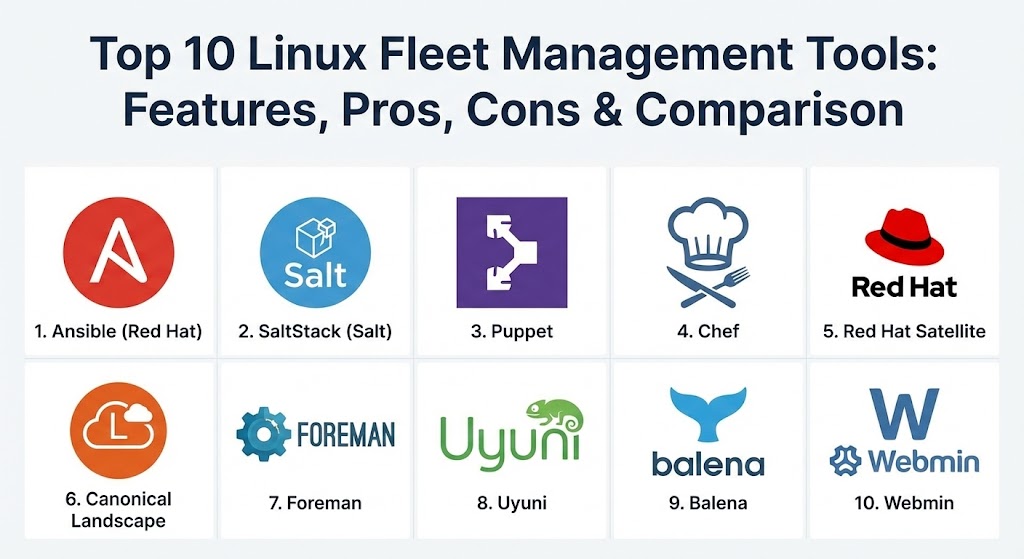
Top 10 Linux Fleet Management Tools
1 — Ansible (by Red Hat)
Ansible is arguably the most popular Linux management tool today, known for its “agentless” architecture and human-readable YAML-based automation. It is the gold standard for configuration management and application deployment.
- Key features:
- Agentless Architecture: Connects via standard SSH, requiring no software installation on target nodes.
- Playbooks: Uses simple YAML syntax to describe system configurations and deployment steps.
- Idempotency: Ensures that the system reaches a desired state without repeating actions unnecessarily.
- Ansible Galaxy: A massive community hub with thousands of pre-written “roles” for common tasks.
- Inventory Management: Supports static files or dynamic scripts for cloud-based fleets.
- Ansible Automation Platform: Provides a GUI (formerly AWX/Tower) for enterprise-grade RBAC and auditing.
- Pros:
- Extremely low barrier to entry; if you know SSH and YAML, you can use Ansible.
- No agent overhead means it is perfect for resource-constrained IoT or edge devices.
- Cons:
- Performance can slow down when managing tens of thousands of nodes simultaneously due to SSH overhead.
- “Pull” mode is not the primary focus, which can be a drawback for certain auto-scaling environments.
- Security & compliance: Supports SSH keys, Kerberos, and Ansible Vault for secret management. FIPS-compliant and SOC 2 ready via Red Hat.
- Support & community: One of the largest open-source communities in existence; enterprise support is available via Red Hat subscriptions.
2 — SaltStack (Salt)
SaltStack, now owned by VMware/Broadcom, is a high-speed configuration management and orchestration engine designed for massive scale and real-time communication.
- Key features:
- ZeroMQ Architecture: Uses a high-speed messaging bus for near-instant communication with nodes.
- Salt Minions: Agent-based model that allows for extremely fast execution of commands.
- Salt Beacons & Reactors: Enables self-healing by triggering actions based on system events.
- Salt Pillar: A secure way to distribute sensitive data and configurations to specific minions.
- Grains System: Automatically discovers system attributes (OS version, RAM, CPU) for targeting.
- Support for Agentless: Can also run via “Salt SSH” for systems where agents cannot be installed.
- Pros:
- Unmatched speed; can query 10,000 servers in seconds.
- Highly flexible and programmable via Python for complex custom workflows.
- Cons:
- Steeper learning curve compared to Ansible; “Salt States” can be complex to master.
- The recent transition to Broadcom has created some uncertainty regarding future licensing.
- Security & compliance: AES encryption for all communication; supports SSO and extensive audit logging.
- Support & community: Strong open-source presence; enterprise support through VMware Aria Automation Config.
3 — Puppet
Puppet is one of the “original” infrastructure-as-code tools. It uses a declarative, model-driven approach where you define the “end state,” and Puppet ensures the system stays there.
- Key features:
- Declarative Language: Uses a custom Ruby-based DSL to define system states.
- Puppet Forge: A repository of over 6,000 modules to automate nearly any Linux task.
- Reporting Engine: Provides deep visibility into which changes were made and why.
- Puppet Bolt: An agentless task runner for quick, ad-hoc commands and orchestration.
- Continuous Compliance: Continuously monitors systems and “remediates” them if they drift.
- Hiera: A powerful key-value lookup tool for managing data across different environments.
- Pros:
- Excellent for maintaining long-term stability and compliance in large, static server fleets.
- The reporting and auditing capabilities are among the best in the industry.
- Cons:
- Requires knowledge of a custom DSL (Domain Specific Language), which can be a hurdle for new users.
- Agent-based setup requires more initial configuration and maintenance.
- Security & compliance: Role-Based Access Control (RBAC), external CA support, and CIS benchmarking modules.
- Support & community: Mature community and world-class enterprise support from Puppet (by Perforce).
4 — Chef
Chef uses a “procedural” approach, treating infrastructure as a recipe. It is highly favored by organizations with deep Ruby expertise who want to treat their infrastructure exactly like software code.
- Key features:
- Recipes & Cookbooks: Configurations are written as Ruby code for maximum flexibility.
- Chef Infra: The core engine that manages the configuration of nodes.
- Chef InSpec: A powerful compliance-as-code tool to audit systems against security policies.
- Chef Habitat: Automates application packaging and deployment across any environment.
- Chef Automate: A centralized dashboard for visibility into the entire fleet’s status.
- Knife Tool: Command-line interface for managing the Chef server and workstations.
- Pros:
- Limitless flexibility; if you can code it in Ruby, Chef can do it.
- “Compliance-as-Code” (InSpec) is arguably the best tool for automated security auditing.
- Cons:
- The “heavy” Ruby focus can be daunting for sysadmins who are not developers.
- The shift to a mandatory commercial license for all users has alienated some in the open-source community.
- Security & compliance: Integrated compliance auditing; supports FIPS 140-2 and encrypted data bags.
- Support & community: Deep documentation and enterprise support via Progress Software.
5 — Red Hat Satellite
For organizations that rely heavily on Red Hat Enterprise Linux (RHEL), Satellite is the definitive management platform for patching, provisioning, and subscription tracking.
- Key features:
- Content Management: Manage and sync software repositories (RPMs) across the fleet.
- Patch Management: Granular control over Errata and security updates.
- Provisioning: Automates the deployment of bare-metal, virtual, and cloud-based RHEL instances.
- Subscription Management: Tracks RHEL license usage across the entire organization.
- Integrated Puppet/Ansible: Uses these engines under the hood for configuration.
- Capsule Servers: Distributed proxies to manage nodes in remote or isolated data centers.
- Pros:
- The absolute best tool for managing RHEL environments and ensuring legal compliance.
- Provides a curated, “safe” software supply chain for the entire Linux fleet.
- Cons:
- Limited usefulness for non-RHEL distributions (like Ubuntu or Debian).
- Can be complex and resource-intensive to set up and maintain.
- Security & compliance: Deeply integrated with OpenSCAP for security auditing and remediation.
- Support & community: Direct enterprise support from Red Hat; widely documented within the RHEL ecosystem.
6 — Canonical Landscape
Landscape is the Ubuntu-equivalent of Red Hat Satellite. It is a dedicated management tool for Ubuntu fleets, focusing on ease of use and mass updates.
- Key features:
- Group Management: Organize machines into logical groups for bulk updates.
- Package & Repository Management: Control which software is available to which machines.
- Security Alerting: Real-time notifications for critical security patches.
- Compliance Reporting: Track which machines are out of date or non-compliant.
- API Access: Allows for programmatic control and integration with other IT tools.
- Support for Ubuntu Core: Optimized for IoT and edge deployments.
- Pros:
- Extremely simple to use for teams that standardize on Ubuntu.
- Lightweight compared to Satellite; can be hosted on-premise or used as a SaaS.
- Cons:
- Only supports Ubuntu; if you have a mixed fleet (CentOS/Suse), you’ll need another tool.
- Lacks the advanced “Infrastructure as Code” depth found in Salt or Puppet.
- Security & compliance: Integrated with Ubuntu Advantage; supports FIPS and CIS hardening.
- Support & community: Backed by Canonical; community support via Ubuntu forums.
7 — Foreman
Foreman is a powerful open-source lifecycle management tool that excels at provisioning physical and virtual servers. It is often used as the “upstream” project for Red Hat Satellite.
- Key features:
- Provisioning: Supports PXE, cloud-init, and various virtualization providers (VMware, oVirt).
- Configuration Management: Integrates natively with Puppet, Ansible, Salt, and Chef.
- Katello Plugin: Adds advanced content management and RPM versioning (similar to Satellite).
- Host Groups: Hierarchical organization of hosts for inherited configurations.
- Smart Proxies: Manages DHCP, DNS, and TFTP in remote networks.
- Pros:
- Completely open-source and highly extensible via a massive plugin ecosystem.
- One of the few tools that handles “bare-metal” provisioning as effectively as cloud.
- Cons:
- The interface can be complex and has a steep learning curve for beginners.
- Maintaining the full Katello/Foreman stack requires significant Linux expertise.
- Security & compliance: RBAC, GPG key verification for packages, and OpenSCAP integration.
- Support & community: Very active developer community; commercial support available through various partners (like ATIX).
8 — Uyuni (SUSE Manager)
Uyuni is an open-source management tool based on SaltStack, designed to manage a variety of Linux distributions including SUSE, RHEL, Ubuntu, and CentOS.
- Key features:
- Salt-powered: Inherits the speed and scalability of SaltStack.
- Multi-distro support: Manages multiple Linux families from a single console.
- Audit & Compliance: Features dedicated tools for CVE (Common Vulnerabilities and Exposures) tracking.
- Virtualization Management: Can manage and deploy KVM and Xen virtual machines.
- Retail/Edge Support: Specific features for managing Point-of-Sale (POS) and edge devices.
- Pros:
- Truly multi-distribution; great for heterogeneous Linux environments.
- The “CVE Audit” dashboard is one of the clearest for security management.
- Cons:
- Less “mainstream” than Ansible or Puppet in the US market.
- Can feel a bit “Suse-centric” in its design and terminology.
- Security & compliance: CVE tracking, OpenSCAP, and automated security patching.
- Support & community: Open-source version (Uyuni) has a solid community; enterprise version (SUSE Manager) has full vendor support.
9 — Balena (for Edge & IoT)
Balena is a specialized fleet management platform designed specifically for Linux-based IoT and edge devices. It treats “fleets of devices” like “fleets of containers.”
- Key features:
- Container-based Deployment: Push updates to devices by simply pushing a Docker image.
- Over-the-Air (OTA) Updates: Reliable, atomic updates that won’t brick devices in the field.
- Device Health Monitoring: Real-time visibility into CPU, RAM, and temperature.
- Remote Terminal: Secure SSH access to devices through the Balena dashboard.
- Public Device URLs: Easily expose web services running on edge devices.
- Pros:
- The gold standard for IoT; solves the “unreliable network” problem during updates perfectly.
- Extremely easy developer experience (git push to update a fleet).
- Cons:
- Not designed for traditional data center server management.
- Requires the use of “balenaOS” (a specialized Yocto-based Linux) for full features.
- Security & compliance: SOC 2 Type II, end-to-end encryption, and hardware-backed security.
- Support & community: Excellent documentation and a very helpful “Balena Forums” community.
10 — Webmin (with Cloudmin)
Webmin is a classic, web-based interface for Linux system administration. When paired with Cloudmin, it becomes a powerful tool for managing multiple virtual systems from a single panel.
- Key features:
- Web-based UI: Manage users, packages, and services without the command line.
- Cloudmin Integration: Specifically designed to manage multiple Linux instances (KVM, Xen, OpenVZ).
- Resource Monitoring: Tracks CPU, disk space, and bandwidth across the fleet.
- Task Automation: Schedule scripts to run across all managed systems.
- Two-Factor Authentication: Adds a layer of security to the web-based management.
- Pros:
- Excellent for “old school” sysadmins who prefer a graphical interface over CLI.
- Lightweight and very easy to install on existing servers.
- Cons:
- Not suitable for “Infrastructure as Code” workflows; it’s more of a remote-control panel.
- Scaling to thousands of nodes is significantly more difficult than with Ansible or Salt.
- Security & compliance: Supports SSL/TLS, 2FA, and granular user permissions.
- Support & community: A long-standing, dedicated community; commercial support available via Virtualmin/Cloudmin.
Comparison Table
| Tool Name | Best For | Platform(s) Supported | Standout Feature | Rating (Gartner/TrueReview) |
| Ansible | DevOps / Automation | Agentless (Any Linux) | YAML Simplicity | 4.6 / 5 |
| SaltStack | Real-time / Scale | Agent-based (Any Linux) | ZeroMQ Speed | 4.4 / 5 |
| Puppet | Long-term Stability | Agent-based (Any Linux) | Declarative State | 4.3 / 5 |
| Chef | Ruby Developers | Agent-based (Any Linux) | Compliance-as-Code | 4.2 / 5 |
| Red Hat Satellite | RHEL Fleets | RHEL / Fedora / CentOS | Subscription Mgmt | 4.5 / 5 |
| Landscape | Ubuntu Fleets | Ubuntu Only | Simplified Patching | 4.4 / 5 |
| Foreman | Bare-metal Provisioning | Heterogeneous Linux | Lifecycle Management | 4.6 / 5 |
| Uyuni | Mixed Environments | SUSE / RHEL / Ubuntu | CVE Auditing | 4.3 / 5 |
| Balena | IoT / Edge | balenaOS (IoT) | Atomic OTA Updates | 4.7 / 5 |
| Webmin/Cloudmin | Small Fleets / GUI | Any Linux | Web-based Admin | 4.1 / 5 |
Evaluation & Scoring of Linux Fleet Management Tools
To determine the right tool, we evaluate them against seven core metrics. While “Ease of Use” is vital for small teams, “Core Features” and “Integrations” are non-negotiable for large enterprises.
| Category | Weight | Evaluation Criteria |
| Core Features | 25% | Patching, configuration management, provisioning, and orchestration. |
| Ease of Use | 15% | Syntax simplicity (YAML vs DSL), UI quality, and setup difficulty. |
| Integrations | 15% | Compatibility with AWS, Azure, GCP, Kubernetes, and CI/CD pipelines. |
| Security & Compliance | 10% | Encryption, audit logs, CVE tracking, and secret management. |
| Performance | 10% | Speed of execution at scale and resource overhead on target nodes. |
| Support & Community | 10% | Documentation quality, forum activity, and enterprise support options. |
| Price / Value | 15% | Cost of licensing vs. the time saved through automation. |
Which Linux Fleet Management Tool Is Right for You?
Selecting a tool requires a deep look at your current team’s skillset and your long-term infrastructure roadmap.
- Solo Users & SMBs: If you are just starting to automate, Ansible is the runaway winner. Its agentless nature and simple YAML playbooks will get you up and running in a single afternoon.
- Infrastructure-as-Code (IaC) Purists: If you want your infrastructure to be treated like software, Chef (for Ruby fans) or Puppet (for state-driven fans) are the best choices.
- High-Performance Enterprises: If you need to manage 50,000 servers and need results in seconds, SaltStack is the only tool with the messaging architecture to handle that volume effectively.
- Distro-Specific Needs: If you are 100% RHEL, use Red Hat Satellite. If you are 100% Ubuntu, use Landscape. These tools are built “by the vendor, for the vendor” and offer the best integration.
- IoT and Edge Device Managers: Do not try to use traditional server tools for edge devices. Balena is specifically built for the challenges of managing hardware in the field (unstable power, bad internet, atomic updates).
Frequently Asked Questions (FAQs)
1. What is the difference between “Agentless” and “Agent-based” management? Agentless tools (like Ansible) use standard SSH to connect to servers, requiring no pre-installed software. Agent-based tools (like Salt or Puppet) require a small “minion” or “agent” program on every server, which allows for faster communication and self-healing.
2. Is Ansible better than Puppet? It depends. Ansible is generally easier to learn and better for “one-off” deployments. Puppet is often better at “enforcing” a specific state over a long period to prevent configuration drift.
3. Can I use these tools to manage Windows too? Most of these tools (Ansible, Salt, Puppet, Chef) have strong Windows support via WinRM or dedicated agents, though they are natively “Linux-first.”
4. How do these tools help with security? They allow you to push security patches across your entire fleet instantly and audit your systems against security standards (like CIS) to ensure no server is “open” to attack.
5. What is “Configuration Drift”? This happens when an administrator manually changes a setting on one server but forgets to do it on others. Over time, your fleet becomes inconsistent, making it hard to troubleshoot. Fleet management tools “fix” this by resetting everything to the master configuration.
6. Do I need to know how to code? For Ansible, you just need basic YAML. For Chef and Salt, knowing some Ruby or Python is highly beneficial. For Puppet, you’ll need to learn their specific language (DSL).
7. Can these tools manage Docker and Kubernetes? Yes, most have modules to deploy Docker containers or manage Kubernetes clusters, though Kubernetes often has its own internal management tools (like Helm).
8. Are these tools free? Most have a powerful “Open Source” version that is free to use. However, “Enterprise” versions (with GUIs, RBAC, and support) usually require a paid subscription.
9. What is an “Idempotent” action? It means that no matter how many times you run a command, the result stays the same. For example, “Ensure the ‘nginx’ package is installed” is idempotent; it won’t try to install it again if it’s already there.
10. Why is “Secret Management” important? Because you don’t want to put your root passwords or API keys in plain text in your automation scripts. Tools like Ansible Vault or Salt Pillar encrypt these secrets.
Conclusion
Managing a Linux fleet is a journey of maturity. Most organizations start with manual SSH, move to basic Ansible scripts, and eventually graduate to a full-scale orchestration platform like SaltStack or Red Hat Satellite. The “best” tool is the one that minimizes the friction between your developers and your operations while maximizing the security of your data. In 2026, automation is no longer a luxury; it is the fundamental requirement for keeping your digital lights on.