Introduction
Legal time and billing software is a specialized category of software-as-a-service (SaaS) or on-premise applications designed to help law firms track billable hours, manage case-related expenses, and generate professional, compliant invoices. Unlike general-purpose accounting tools, these solutions are built to handle the unique ethical and regulatory requirements of the legal industry, such as IOLTA (Interest on Lawyers’ Trust Accounts) compliance and LEDES (Legal Electronic Data Exchange Standard) billing for corporate clients.
The importance of these tools lies in their ability to maximize realization rates—the percentage of worked time that actually results in collected revenue. By providing features like automated timers, mobile time entry, and integrated payment processing, they remove the friction from the billing cycle. Real-world use cases include a solo practitioner using a mobile app to log time spent in a courthouse hallway, or a mid-sized firm automating trust account reconciliation to ensure they remain in good standing with the state bar.
When evaluating these tools, users should look for IOLTA compliance, ease of use, mobile accessibility, integration with existing calendars/email, and robust reporting capabilities that provide insights into firm profitability.
Best for: Small to mid-sized law firms, solo practitioners, and corporate legal departments that need to ensure ethical compliance, reduce administrative overhead, and improve their cash flow through automated billing and integrated payments.
Not ideal for: Large “Big Law” firms with thousands of employees who typically require highly bespoke, enterprise-level ERP systems, or non-legal professionals who do not need specialized trust accounting and LEDES billing features.
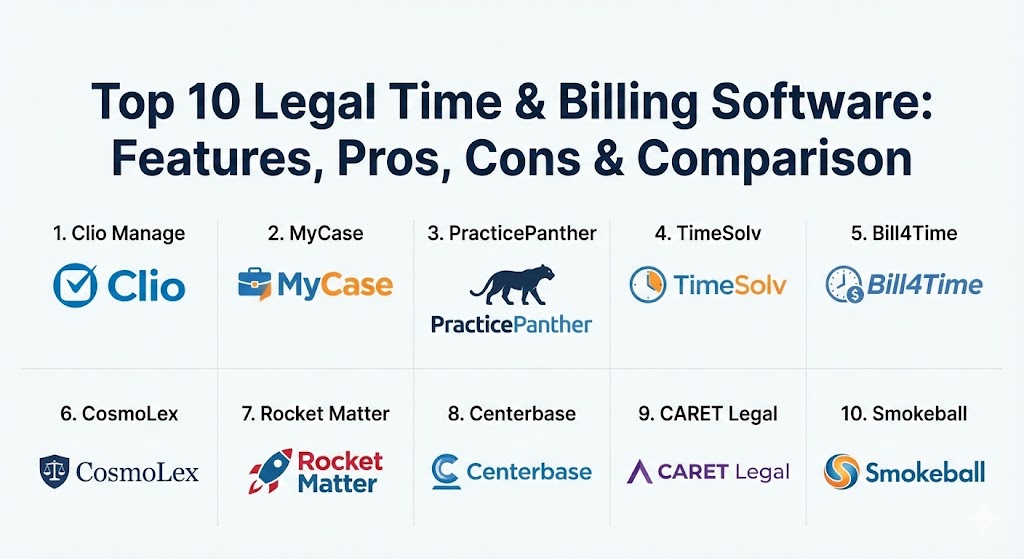
Top 10 Legal Time & Billing Software Tools
1 — Clio Manage
Clio Manage is the industry-leading cloud-based legal practice management software. It is designed to be a comprehensive hub for all firm activities, from client intake and document management to time tracking and complex billing.
- Key features:
- Automated time tracking from documents, emails, and calendar events.
- Integrated payment processing via Clio Payments (eCheck, Credit, ACH).
- Comprehensive trust accounting and IOLTA compliance tools.
- Custom bill themes and automated payment reminders.
- Extensive library of 250+ third-party integrations.
- Advanced reporting on realization and collection rates.
- Pros:
- Highly intuitive user interface that requires minimal training for new staff.
- Excellent mobile app that allows for full practice management on the go.
- Cons:
- Higher pricing tiers are required to access advanced features like custom reporting.
- Document management can sometimes feel less robust than dedicated third-party tools.
- Security & compliance: SOC 2 Type II, HIPAA, GDPR, and 256-bit SSL encryption.
- Support & community: 24/5 live support; massive user community; Clio Cloud Conference; extensive documentation.
2 — MyCase
MyCase is an all-in-one practice management solution known for its strong focus on client communication and streamlined billing workflows. It is particularly popular among firms that want a single platform for everything.
- Key features:
- Secure client portal for document sharing, messaging, and invoice payments.
- Batch billing capabilities that allow for sending hundreds of invoices at once.
- Built-in lead management and customizable intake forms.
- Automated payment plans for clients who cannot pay in full upfront.
- Two-way text messaging for easy client communication.
- Integrated e-Signature functionality.
- Pros:
- Simplifies the entire “client journey” from intake to final payment.
- Very affordable and transparent pricing for small to mid-sized firms.
- Cons:
- Limited third-party integrations compared to competitors like Clio.
- Financial reporting lacks the depth needed for very complex litigation practices.
- Security & compliance: SOC 2, HIPAA, and industry-standard data encryption.
- Support & community: Responsive customer support; comprehensive training webinars; active user base.
3 — PracticePanther
PracticePanther is widely recognized as one of the most user-friendly legal billing solutions on the market. It focuses on automation to help attorneys spend less time on paperwork and more time on billable work.
- Key features:
- One-click invoicing and automated payment reminders.
- Built-in CRM for managing contacts and potential clients.
- Conflict checking tools to ensure ethical compliance.
- Native e-Signature and file storage integrations.
- “PantherPayments” for low-friction credit card processing.
- Real-time notifications for client interactions.
- Pros:
- Known for having the fastest “time-to-value” due to its simple setup.
- Highly customizable dashboards that show firm health at a glance.
- Cons:
- Some users find the interface can become cluttered as data volume grows.
- Advanced automation rules can be tricky to set up initially.
- Security & compliance: 256-bit encryption; HIPAA and SOC 2 compliance readiness.
- Support & community: Dedicated account managers for higher tiers; extensive video tutorials.
4 — TimeSolv
TimeSolv is a specialized time tracking and billing tool that caters to firms that may already have a case management system but need more powerful financial features.
- Key features:
- Robust project-based billing and fixed-fee management.
- Offline time tracking via a desktop widget that syncs later.
- LEDES and UTBMS billing support for corporate and insurance clients.
- Multi-level approval workflows for invoices before they are sent.
- Split-billing capabilities for cases with multiple responsible parties.
- In-depth profitability reporting by attorney or practice area.
- Pros:
- Exceptional for firms that handle insurance defense or corporate work requiring LEDES.
- Provides the flexibility to log time even without an internet connection.
- Cons:
- Lacks the broader “practice management” features like native document assembly.
- The interface feels more functional and “spreadsheet-like” than modern SaaS tools.
- Security & compliance: SSAE-16 Type II data centers; 256-bit SSL encryption.
- Support & community: Top-rated customer support; free personalized onboarding.
5 — Bill4Time
Bill4Time is a versatile timekeeping and billing platform that serves legal professionals as well as other project-based businesses. It is praised for its granular tracking capabilities.
- Key features:
- Multiple timers that can run simultaneously across different devices.
- Detailed expense tracking with receipt upload functionality.
- Trust account management with automated reconciliation.
- Customizable invoice templates with the firm’s branding.
- Integration with QuickBooks, PayPal, and LawPay.
- Conflict of interest search tool.
- Pros:
- Very flexible; can be adapted to almost any billing structure (hourly, flat, etc.).
- Mobile app is highly optimized for quick time entry during travel.
- Cons:
- Not a full practice management suite; may require other tools for case files.
- Reporting can be somewhat rigid for users who want custom data visualizations.
- Security & compliance: HIPAA compliant; bank-grade 256-bit SSL encryption.
- Support & community: Solid documentation; responsive email and phone support.
6 — CosmoLex
CosmoLex is unique because it includes a full, legal-specific accounting system. This eliminates the need for third-party software like QuickBooks, ensuring that all financial data stays in one place.
- Key features:
- Built-in business and trust accounting (no third-party sync needed).
- Integrated LawPay for seamless credit card and ACH payments.
- Automated bank data feeds for easy reconciliation.
- Document management with version control and indexing.
- Matter-centric email management.
- Detailed financial reports for tax and audit purposes.
- Pros:
- Best-in-class for firms that want to avoid “integration headaches” between billing and accounting.
- Superior trust accounting features that ensure strict ethical compliance.
- Cons:
- Steeper learning curve due to the comprehensive nature of the accounting module.
- Some users find the interface slightly less “modern” than Clio or MyCase.
- Security & compliance: SOC 2 Type II; GDPR and HIPAA compliant.
- Support & community: Extensive training through CosmoLex University; proactive support team.
7 — Rocket Matter
Rocket Matter was one of the first cloud-based legal practice management systems. It focuses on helping firms increase their revenue through better productivity and workflow management.
- Key features:
- “Rocket Matter Pay” for integrated, one-click client payments.
- Advanced workflow automation for repetitive legal processes.
- Kanban-style boards for visual project management.
- Integrated document automation and e-Signature.
- Automated evergreen retainer management.
- Productivity reports that highlight “top-earning” attorneys.
- Pros:
- Visual project management tools help firms stay organized and meet deadlines.
- Excellent onboarding process that focuses on firm-wide adoption.
- Cons:
- Some advanced features are only available in the “Elite” pricing tier.
- Mobile app performance can be inconsistent according to some user reviews.
- Security & compliance: 256-bit SSL encryption; multi-factor authentication.
- Support & community: Phone and email support; regular webinars; helpful knowledge base.
8 — Centerbase
Centerbase is a highly configurable, mid-market solution designed for firms that have outgrown basic practice management tools and need a system tailored to their specific needs.
- Key features:
- Fully customizable workflows and data fields.
- Advanced billing rules (e.g., volume discounts, complex splits).
- Integrated document management with Office 365 and SharePoint.
- Automated time capture based on user activity (e.g., emails sent).
- Robust financial reporting and firm-wide analytics.
- Native mobile app for iOS and Android.
- Pros:
- Offers the level of customization typically found in expensive on-premise systems.
- Powerful automation can significantly reduce administrative overhead in mid-sized firms.
- Cons:
- Setup time and costs are higher due to the customization required.
- May be “overkill” for solo practitioners or very small firms.
- Security & compliance: SOC 2 Type II; 256-bit AES encryption at rest.
- Support & community: Dedicated implementation team; 24/7 emergency support available.
9 — CARET Legal (formerly Zola Suite)
CARET Legal is an enterprise-grade practice management solution that emphasizes a “single source of truth” by building almost every feature natively into the platform.
- Key features:
- Built-in email client that automatically links threads to matters.
- Advanced document automation with clause libraries.
- Integrated trust and business accounting.
- Powerful task management with “Gantt-style” views.
- LEDES billing and electronic pre-bill review.
- Advanced conflict checking with phonetic search.
- Pros:
- Native email integration is superior to the “plugins” used by most competitors.
- All-in-one approach significantly reduces the need for multiple software subscriptions.
- Cons:
- Higher price point makes it a premium option in the market.
- Learning curve can be intimidating for staff accustomed to simpler tools.
- Security & compliance: SOC 2 compliant; multi-factor authentication; data encryption.
- Support & community: Highly praised training and onboarding; dedicated success managers.
10 — Smokeball
Smokeball is a unique “hybrid” platform that installs on Windows but stores data in the cloud. It is famous for its “Activity Intelligence,” which automatically tracks every minute spent in Word, Outlook, and Smokeball.
- Key features:
- Automated activity tracking (no more timers needed).
- Library of 20,000+ automated legal forms and templates.
- Integrated LawPay for automated billing and payments.
- “Communicate” app for secure client messaging and document sharing.
- Advanced “Firm Insights” dashboard for performance tracking.
- Integrated trust accounting.
- Pros:
- Virtually eliminates “missed” billable time by tracking work in the background.
- The massive library of automated forms is a huge time-saver for transactional attorneys.
- Cons:
- Windows-only for the full desktop version (Mac users must use a web-lite version).
- Pricing is generally higher and less transparent than other cloud competitors.
- Security & compliance: Bank-grade encryption; ISO 27001 and SOC 2 certified data centers.
- Support & community: Exceptional personalized training; ongoing support included in the price.
Comparison Table
| Tool Name | Best For | Platform(s) Supported | Standout Feature | Rating (Gartner Peer Insights) |
| Clio Manage | All-in-one / Ecosystem | Cloud (Web, iOS, Android) | 250+ Integrations | 4.7 / 5 |
| MyCase | Client Communication | Cloud (Web, iOS, Android) | Built-in Client Portal | 4.6 / 5 |
| PracticePanther | Ease of Use / Automation | Cloud (Web, iOS, Android) | Fastest Setup Time | 4.5 / 5 |
| TimeSolv | Project / LEDES Billing | Cloud (Web, Desktop, Mobile) | Offline Time Entry | 4.6 / 5 |
| Bill4Time | Timekeeping Flexibility | Cloud (Web, iOS, Android) | Simultaneous Multi-Timers | 4.4 / 5 |
| CosmoLex | Accounting Integration | Cloud (Web, iOS, Android) | Legal-Specific Accounting | 4.3 / 5 |
| Rocket Matter | Workflow Visualization | Cloud (Web, iOS, Android) | Kanban Board View | 4.2 / 5 |
| Centerbase | Mid-Sized Firms | Cloud (Web, iOS, Android) | High Configurability | 4.4 / 5 |
| CARET Legal | Enterprise Power | Cloud (Web, iOS, Android) | Native Email Client | 4.5 / 5 |
| Smokeball | Automatic Tracking | Hybrid (Windows, Cloud) | AI-Driven Activity Logs | 4.8 / 5 |
Evaluation & Scoring of Legal Time & Billing Software
To help you decide, we have evaluated the market leaders using a weighted scoring rubric based on industry standards for legal technology.
| Category | Weight | Evaluation Criteria |
| Core Features | 25% | Includes time capture, invoicing, trust accounting, and IOLTA compliance. |
| Ease of Use | 15% | Intuitiveness of the interface and speed of adoption for non-technical staff. |
| Integrations | 15% | Breadth of ecosystem (Outlook, Google, QuickBooks, LawPay). |
| Security | 10% | Data encryption, SOC 2 compliance, and ethical safety measures. |
| Reliability | 10% | Uptime stats and performance of mobile/offline applications. |
| Support | 10% | Quality of onboarding, training materials, and customer service response. |
| Price / Value | 15% | Cost relative to features provided and potential ROI from captured time. |
Which Legal Time & Billing Software Tool Is Right for You?
The “right” choice depends heavily on your firm’s specific size, practice area, and technical comfort level.
Solo Users vs SMB vs Mid-Market vs Enterprise
- Solo Users: Prioritize ease of use and price. PracticePanther or MyCase are excellent entry points that won’t overwhelm a single user.
- Small to Medium Businesses (SMBs): Clio Manage is the gold standard for its balance of features and integrations.
- Mid-Market: If you have 20+ staff members and need tailored workflows, Centerbase or CARET Legal offer the necessary power and customization.
- Enterprise: Large departments should look for platforms with robust API access and advanced document automation, such as CARET Legal.
Budget-Conscious vs Premium Solutions
- Budget-Conscious: MyCase and Bill4Time offer high value with transparent, lower-tier pricing.
- Premium: Smokeball and CARET Legal are more expensive but can pay for themselves through automated time capture and reduced need for other software.
Feature Depth vs Ease of Use
- If you want a tool that staff can learn in an hour, choose PracticePanther.
- If you need deep accounting features and can afford a longer learning curve, CosmoLex is superior.
Integration and Scalability Needs
If your firm uses dozens of other tools (Slack, Zoom, Dropbox), Clio Manage is the winner due to its vast integration marketplace. If you want to scale a Windows-based practice with automated forms, Smokeball is the top contender.
Frequently Asked Questions (FAQs)
1. Is general accounting software like QuickBooks enough for a law firm?
No. General accounting tools usually lack IOLTA/trust accounting compliance, conflict checking, and LEDES billing capabilities, which can lead to ethical violations or rejected invoices from corporate clients.
2. What is IOLTA compliance, and why does it matter?
IOLTA stands for Interest on Lawyers’ Trust Accounts. It is an ethical requirement to keep client funds separate from firm funds. Proper software automates this tracking to prevent commingling, which is a common cause of disbarment.
3. Can I track time when I am away from my computer?
Yes. Most modern legal billing tools offer mobile apps for iOS and Android, allowing you to log time in real-time while at court, traveling, or meeting with clients.
4. How does “automated time tracking” work?
Tools like Smokeball use background intelligence to monitor which files and emails you are working on. They log the duration automatically, ensuring you don’t forget to bill for “quick” five-minute tasks.
5. What is LEDES billing?
LEDES is a standard format for electronic billing used primarily by large corporations and insurance companies. If you work with these types of clients, you need software (like TimeSolv) that can export invoices in this specific format.
6. Is cloud-based software secure enough for sensitive legal data?
Modern legal SaaS providers use bank-grade encryption and have SOC 2 or ISO certifications. For most firms, these cloud providers offer better security than a locally managed server in a law office.
7. Can I migrate my data from my old software?
Yes, most top-tier providers (like Clio and Rocket Matter) have dedicated migration teams that help you move contacts, matters, and historical billing data from legacy systems.
8. How does integrated payment processing help my firm?
Integrated payments allow clients to pay via a link on their invoice. This typically results in being paid 2-3 times faster than waiting for a paper check in the mail.
9. Do I need separate software for document management?
It depends on the tool. “All-in-one” systems like MyCase or CARET Legal have robust native document management, while time-and-billing-only tools like Bill4Time usually require an integration with Dropbox or Box.
10. What are realization and collection rates?
Realization is the percentage of work performed that is actually billed. Collection is the percentage of billed work that is actually paid. Legal billing software provides reports to help you improve both.
Conclusion
Selecting the right legal time and billing software is one of the most important business decisions a law firm owner can make. The “best” tool isn’t necessarily the one with the most features, but the one that your staff will actually use consistently. Whether you prioritize the automatic tracking of Smokeball, the accounting integration of CosmoLex, or the vast ecosystem of Clio, the goal is the same: to ensure that every minute of your expertise is accurately captured and fairly compensated.