Introduction
At its core, a GIS Cadastral System is a specialized software environment that manages parcel-level data. It doesn’t just show where a property is on a map; it stores the history of that property, its legal status, and its relationship to neighboring parcels. These tools are critical because they solve the “overlapping boundaries” problem—a major source of legal conflict worldwide. By using topology rules and survey-grade precision, they ensure that if a boundary is adjusted for one parcel, the change is correctly reflected for all adjacent properties.
Key real-world use cases include national land registry modernization, municipal property tax assessment, urban planning for infrastructure, and community-based land mapping in developing regions. When evaluating these systems, users should look for survey-grade precision, historical tracking (parcel lineage), interoperability with legal databases, and high availability for public-facing portals.
Best for: National and provincial land agencies, municipal tax assessors, civil engineering firms, and large-scale real estate developers who require a “system of record” that is legally defensible and spatially accurate.
Not ideal for: Individual homeowners or small businesses looking for simple mapping. It is also not a replacement for basic architectural CAD tools; while some CAD functions exist within these systems, they are built for geography and law, not for designing buildings.
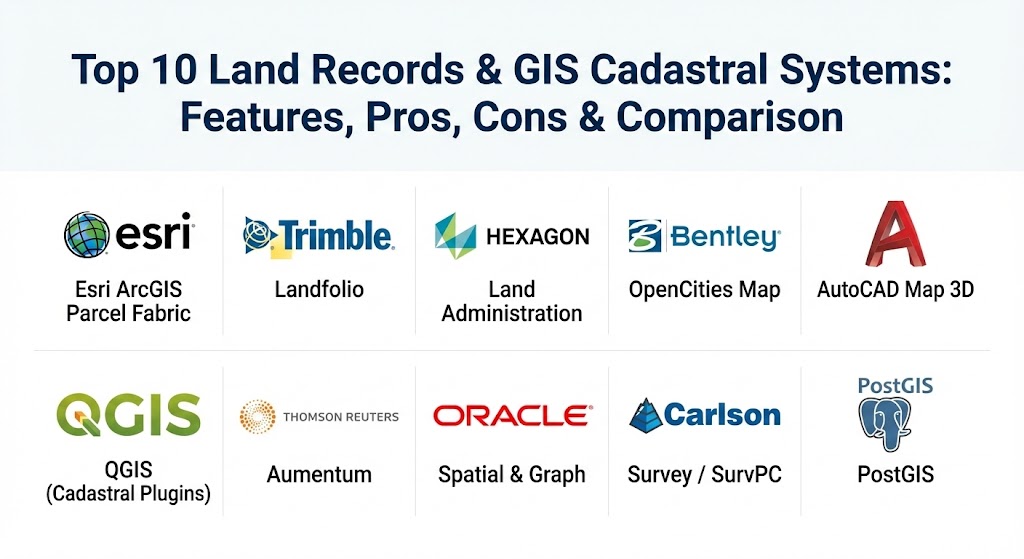
Top 10 Land Records & GIS Cadastral Systems
1 — Esri ArcGIS Parcel Fabric
Esri is the global leader in GIS, and its “Parcel Fabric” is the industry standard for managing property boundaries. It is a purpose-built framework within ArcGIS Pro designed to handle the complex “fabric” of land parcels, including their legal history and survey dimensions.
- Key features:
- Advanced topology rules that prevent gaps and overlaps between properties.
- Parcel lineage tracking (viewing a “parent” parcel before it was subdivided).
- Integration with Coordinate Geometry (COGO) for entering survey deeds.
- Direct connection to ArcGIS Online for publishing public land records.
- Automated workflow for parcel splits, merges, and adjustments.
- Support for 3D parcels (vertical rights/air rights).
- Pros:
- Unmatched scalability for national-level land registries.
- Massive community of users and thousands of ready-made templates.
- Cons:
- Significant learning curve; requires trained GIS professionals.
- High licensing costs can be a barrier for smaller municipalities.
- Security & compliance: SOC 2 Type II, GDPR compliant, and advanced role-based access control (RBAC).
- Support & community: Extensive documentation, Esri Academy training, and a massive global user network through Esri Community.
2 — Trimble Landfolio (Land Administration)
Trimble Landfolio is a comprehensive land administration software suite that focuses on the entire lifecycle of land—from application and survey to the issuance of titles and deeds. It is specifically designed for government agencies.
- Key features:
- Integrated workflow management for processing land applications.
- Centralized database for both spatial (GIS) and non-spatial (legal) data.
- Mobile field tools for community mapping and verification.
- Automated document generation for land titles and tax certificates.
- Reporting dashboards for monitoring land registry performance.
- Pros:
- Excellent for end-to-end management from field survey to title issuance.
- Highly configurable for different national land laws.
- Cons:
- Optimized for the Trimble hardware ecosystem (GPS/GNSS).
- Initial setup and configuration can be lengthy and complex.
- Security & compliance: ISO 27001 certified and utilizes end-to-end encryption for field data.
- Support & community: Dedicated enterprise support and strong focus on training local government staff.
3 — Hexagon Land Administration (Intergraph)
Part of Hexagon’s Geospatial division, this system provides high-performance tools for maintaining the cadastre. It is widely used in Europe and North America for large-scale government parcel management.
- Key features:
- Robust database-driven parcel management (G/Technology).
- High-speed rendering of massive parcel datasets.
- Advanced spatial querying for tax and zoning analysis.
- Native integration with ERDAS IMAGINE for satellite imagery analysis.
- Open standards support for Interoperability (OGC).
- Pros:
- Superior performance with very large (multi-million parcel) datasets.
- Very stable for long-term government infrastructure projects.
- Cons:
- Interface can feel less modern compared to newer web-GIS solutions.
- Requires specialized IT staff to manage the backend database.
- Security & compliance: Varies by implementation, but generally supports enterprise security standards like SSO and audit logs.
- Support & community: Professional services available for implementation; stable but smaller user community than Esri.
4 — Bentley OpenCities Map (Cadastral Edition)
Bentley Systems is the powerhouse for infrastructure, and OpenCities Map provides the precision of CAD with the analytical power of GIS. It is perfect for cities that need to manage both land records and underground utilities.
- Key features:
- Seamless integration of CAD and GIS data formats.
- High-precision editing tools for 2D and 3D cadastral maps.
- Native support for Oracle Spatial and SQL Server databases.
- Advanced topology and data validation tools.
- Tools for city-scale 3D modeling and digital twins.
- Pros:
- Best-in-class for integrating engineering survey data into the GIS.
- Ideal for urban environments with complex 3D property rights.
- Cons:
- Can be “overkill” for simple land records tasks.
- Proprietary file formats can sometimes hinder external sharing.
- Security & compliance: SOC 2 compliant and supports multi-factor authentication (MFA).
- Support & community: Strong enterprise support and a dedicated Bentley Learn training platform.
5 — AutoCAD Map 3D
For engineering teams that already live in the Autodesk ecosystem, AutoCAD Map 3D provides the necessary GIS functionality to bridge the gap between design and land administration.
- Key features:
- Works natively with industry-standard DWG files.
- CAD-based precision for boundary drafting and COGO.
- FDO (Feature Data Objects) technology to access GIS data without conversion.
- Built-in tools for surface and LiDAR point cloud management.
- Basic topology and thematic mapping capabilities.
- Pros:
- No learning curve for existing AutoCAD users.
- Excellent for generating high-precision survey plans.
- Cons:
- Lacks the advanced “parcel fabric” history logic of specialized tools.
- Weaker in large-scale spatial analytics and web publishing.
- Security & compliance: Built-in Windows security integration and audit logs.
- Support & community: Massive global community and extensive Autodesk authorized training centers.
6 — QGIS (with Cadastral Plugins)
QGIS is the world’s leading open-source GIS. While not a dedicated land records tool out of the box, it can be transformed into a powerful cadastral system using a library of specialized plugins and PostGIS.
- Key features:
- Completely free with no licensing fees.
- Specialized plugins like “Cadastre” or “LADM-COL” for land tasks.
- Native support for PostGIS for multi-user editing and database management.
- Highly customizable via Python scripting.
- Cross-platform (Windows, Mac, and Linux).
- Pros:
- Ideal for budget-conscious municipalities or developing nations.
- No vendor lock-in; you own your data and your tools.
- Cons:
- Requires in-house expertise to maintain and customize.
- Official support is provided by the community rather than a central vendor.
- Security & compliance: Depends on the underlying database (e.g., PostGIS) but is generally very secure when configured correctly.
- Support & community: Massive global developer community; documentation is extensive but can be fragmented.
7 — Thomson Reuters Aumentum
Aumentum is a highly specialized land administration and property tax solution. It is designed specifically for government agencies that need to link the registry, cadastre, and tax bill into one system.
- Key features:
- Unified land registry and valuation (tax) modules.
- Integrated GIS viewer for visualizing tax assessments.
- Automated compliance alerts for expiring leases or ownership changes.
- Comprehensive audit trails for every land transaction.
- Citizen portals for searching land titles and paying taxes.
- Pros:
- The most comprehensive solution for the “Business of Land Administration.”
- Focuses heavily on the legal and fiscal side of land records.
- Cons:
- Very high cost of implementation.
- A “heavy” enterprise system that requires significant server resources.
- Security & compliance: High-level government-grade security and full audit logging for legal compliance.
- Support & community: Premium enterprise support; smaller, government-focused user group.
8 — Oracle Spatial & Graph (Land Records Edition)
For agencies managing millions of records, the database is more important than the map. Oracle Spatial provides the high-performance storage and analytical engine that powers many of the world’s largest cadastral systems.
- Key features:
- Enterprise-grade storage for millions of parcel geometries.
- Native spatial operators for checking overlaps or boundaries.
- High availability and disaster recovery features.
- Integration with Oracle’s full suite of government ERP tools.
- Scalable web GIS and desktop connectivity.
- Pros:
- Industry-leading performance for massive, high-concurrency datasets.
- Extreme data integrity and transaction management.
- Cons:
- Requires expert database administrators (DBAs).
- The map interface is usually a third-party tool (like Esri or Hexagon).
- Security & compliance: ISO 27001, SOC 2, and rigorous data encryption standards.
- Support & community: World-class enterprise support and a large network of certified partners.
9 — Carlson Survey / SurvPC (with Esri Integration)
Carlson is a favorite among field surveyors. Their software acts as the “front end” of the cadastral system, ensuring that data collected in the field fits perfectly into the office GIS.
- Key features:
- Works natively with Esri Geodatabases and DWG files.
- Intuitive interface for field crews using rugged tablets.
- Supports almost all brands of GPS/GNSS hardware.
- Integrated CAD functions for on-the-spot boundary adjustments.
- Direct upload of field surveys to the central land office.
- Pros:
- The best tool for ensuring field-to-office data integrity.
- Highly favored by boots-on-the-ground survey professionals.
- Cons:
- Limited in its ability to manage the “registry” or legal document side.
- Focused strictly on the geometry and survey aspect of land.
- Security & compliance: Basic field-level data encryption.
- Support & community: Excellent “real person” customer support and active user forums.
10 — PostGIS (Advanced Database implementations)
PostGIS is the spatial extender for the PostgreSQL database. While technically a component, it has become the preferred choice for organizations building custom, high-performance land records systems from the ground up.
- Key features:
- Free, open-source spatial database.
- Supports complex spatial queries (e.g., “Find all plots within a flood zone”).
- Works with almost all GIS software (ArcGIS, QGIS, AutoCAD).
- Highly customizable data models for local land laws.
- Excellent performance for spatial indexing.
- Pros:
- Unrivaled flexibility; build exactly what your land agency needs.
- Massive performance gains over traditional file-based GIS.
- Cons:
- Requires advanced SQL and database development skills.
- No “out of the box” map interface; must be connected to other software.
- Security & compliance: Highly secure; used by government and military organizations globally.
- Support & community: Thriving open-source community and numerous commercial support providers.
Comparison Table
| Tool Name | Best For | Platform(s) Supported | Standout Feature | Rating (Gartner/TrueReview) |
| Esri ArcGIS Parcel Fabric | National Land Agencies | Windows, Web, Mobile | Historical Lineage Tracking | 4.8 / 5 |
| Trimble Landfolio | End-to-End Governance | Web, Mobile, On-Prem | Integrated Field-to-Office Workflow | 4.5 / 5 |
| Hexagon Land Admin | Large-Scale Cadastre | Windows, Server | High-Concurrency Performance | 4.3 / 5 |
| Bentley OpenCities Map | Urban 3D Cadastre | Windows, Server | 2D/3D CAD & GIS Fusion | 4.4 / 5 |
| AutoCAD Map 3D | Engineering Teams | Windows | Native DWG Mapping | 4.2 / 5 |
| QGIS (Cadastre Plugins) | Budget-Conscious Agencies | Windows, Mac, Linux | Free & Open Source | 4.7 / 5 |
| Thomson Reuters Aumentum | Land Tax & Valuation | Web, On-Prem | Tax/Registry/GIS Integration | N/A |
| Oracle Spatial | Massive Data Repositories | Server, Cloud | Enterprise DB Integrity | 4.6 / 5 |
| Carlson Survey | Field Surveyors | Windows, Tablet | Direct Esri Database Editing | 4.5 / 5 |
| PostGIS | Custom GIS Developers | Server, Cloud | Unrivaled Spatial Query Power | 4.9 / 5 |
Evaluation & Scoring of Land Records & GIS Cadastral Systems
To help you weigh your options, we evaluated the tools based on a weighted rubric reflecting the needs of a modern land agency.
| Criteria | Weight | Evaluation Focus |
| Core Features | 25% | Parcel accuracy, topology rules, and legal linkage. |
| Ease of Use | 15% | UI intuitiveness, learning curve, and day-to-day workflows. |
| Integrations & Ecosystem | 15% | APIs, connectivity with legal/tax databases, and survey tools. |
| Security & Compliance | 10% | Role-based access, audit trails, and legal standards. |
| Performance & Reliability | 10% | Rendering speed and uptime for public land portals. |
| Support & Community | 10% | Vendor responsiveness and availability of trained staff. |
| Price / Value | 15% | TCO (Total Cost of Ownership) vs. operational efficiency gains. |
Which Land Records & GIS Cadastral System Is Right for You?
Selecting the right system requires matching your organizational goals with the technical depth of the software.
- Solo Surveyors vs. SMB Engineering Firms: If your main goal is to produce high-quality survey plans and occasionally check them against municipal records, AutoCAD Map 3D or Carlson Survey are your best bets. They offer the precision you need without the overhead of a national land registry system.
- Municipalities and Mid-Market Cities: For cities managing thousands of parcels and property taxes, Esri ArcGIS Parcel Fabric or Trimble Landfolio are the gold standards. They provide the “parcel lineage” needed for legal disputes and integrate easily with tax software.
- National Governments and Large-Scale Registries: When managing millions of parcels across an entire country, performance and data integrity are everything. Oracle Spatial combined with Hexagon or Esri provides the industrial-strength backbone required.
- Budget-Conscious or Developing Regions: QGIS with Cadastral Plugins and PostGIS offer a world-class system with zero licensing fees. While it requires more internal expertise, it prevents vendor lock-in and allows for extreme local customization.
- Integration Needs: If your primary focus is property valuation and tax collection, Thomson Reuters Aumentum is uniquely designed to solve the fiscal side of land administration.
Frequently Asked Questions (FAQs)
1. What is the difference between a “cadastre” and a “land registry”? The cadastre is the spatial component (maps showing boundaries), while the land registry is the administrative component (legal documents showing ownership). Modern GIS systems link these two into one “Land Administration System.”
2. Can these tools prevent land fraud? Yes. By using digital signatures, audit logs, and clear parcel history, these systems make it much harder to forge deeds or “double-sell” land, as every change is tracked and timestamped.
3. Do I need survey-grade GPS to use these systems? While not strictly required for the software to function, high-precision GNSS/GPS data is essential for maintaining a legally defensible cadastre. Tools like Trimble and Carlson are designed specifically to handle this data.
4. How does “Parcel Lineage” work? Parcel lineage allows an administrator to look back in time. For example, if Parcel A was split into Parcels B and C in 2022, the system preserves the record of Parcel A so the legal history is never lost.
5. What are topology rules? Topology rules are mathematical constraints. For example, a “No Overlaps” rule ensures that two different parcels cannot occupy the same physical space, which is critical for accurate taxation and legal clarity.
6. Is cloud-based land management secure? Yes, most enterprise vendors (Esri, Oracle, Bentley) use government-grade cloud security. However, many national agencies still prefer on-premises or “private cloud” deployments for data sovereignty reasons.
7. Can these systems handle 3D property rights? Yes, leading tools like Esri and Bentley now support 3D cadastres. This is becoming essential for managing air rights, underground tunnels, and multi-story apartment units (condominiums).
8. How much does a cadastral system cost? Costs range from $0 (for open-source QGIS) to millions of dollars for national-level implementations. A typical municipality should expect a five-to-six-figure investment in software, training, and data migration.
9. What is the LADM (Land Administration Domain Model)? LADM (ISO 19152) is an international standard for land administration. Choosing a system that supports LADM ensures that your data follows global best practices for tenure and spatial records.
10. Can I migrate data from my old paper maps? Yes, but it is a process called “digitization” or “vectorization.” This involves scanning paper maps and manually drafting the boundaries into the GIS, often using survey coordinates for accuracy.
Conclusion
Managing the Earth’s surface is one of the most complex responsibilities a government can undertake. The “best” land record system isn’t the one with the most buttons; it’s the one that aligns with your local land laws while providing a transparent, accurate, and accessible record for the public. Whether you choose the industrial power of ArcGIS, the flexibility of QGIS, or the legal focus of Aumentum, remember that the value of your system is only as good as the accuracy of the data within it. Focus on building a strong survey-based foundation, and the spatial insights will follow.