Introduction
A knowledge graph database is a specialized platform designed to store and query data as a network of entities (nodes) and their interrelations (edges), often enriched with semantic metadata (ontologies). Unlike relational databases that use rigid tables and complex “JOIN” operations, knowledge graph databases represent information in a way that mimics human thought and real-world connections. By providing a “semantic layer” over disparate data sources, these tools allow machines to understand the context and meaning of information, not just its format.
The importance of these databases lies in their ability to resolve data silos and uncover hidden patterns across massive datasets. Key real-world use cases include fraud detection in financial services, personalized recommendation engines in retail, and “Customer 360” views that unify marketing, sales, and support data. When choosing a tool, users should evaluate the underlying model (Property Graph vs. RDF), query language flexibility (Cypher, Gremlin, or SPARQL), horizontal scalability, and the depth of integrated AI/machine learning capabilities.
Best for: Large enterprises managing complex data relationships, data scientists building RAG-based AI applications, and organizations requiring real-time analytics across highly connected datasets (e.g., cybersecurity, supply chain).
Not ideal for: Simple CRUD (Create, Read, Update, Delete) applications, small-scale projects with isolated data points, or teams that require a strictly tabular view of data for simple reporting.
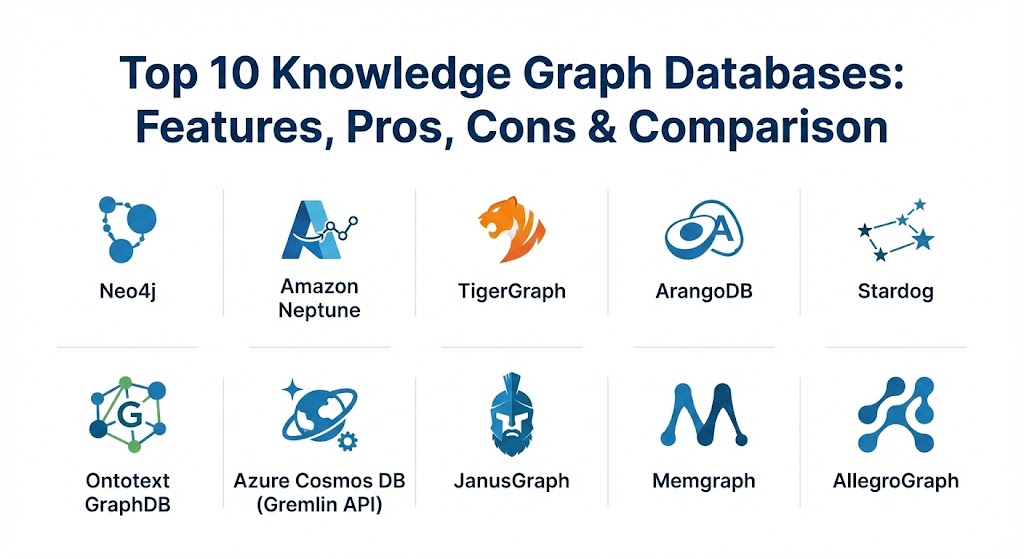
Top 10 Knowledge Graph Databases
1 — Neo4j
Neo4j remains the market leader in the graph database space, offering a native property graph model that is widely regarded as the “gold standard” for developer experience and performance in relationship-heavy queries.
- Key features:
- Native graph storage and processing engine for high-performance traversals.
- Cypher query language (now an international standard – GQL).
- Integrated Graph Data Science (GDS) library with over 65 algorithms.
- Neo4j Aura: A fully managed cloud service with auto-scaling.
- Native vector indexing to support AI and RAG workflows.
- Robust visualization and exploration tools like Neo4j Bloom.
- Pros:
- Unmatched community support and a massive library of learning resources.
- Extremely intuitive query language that makes complex pathfinding simple.
- Cons:
- Vertical scaling can become expensive for massive, petabyte-scale datasets.
- High-availability features are primarily locked behind the Enterprise edition.
- Security & compliance: SOC 2 Type II, ISO 27001, HIPAA, GDPR, and granular role-based access control (RBAC).
- Support & community: Extensive documentation, a global community of over 200,000 developers, and 24/7 enterprise-grade support.
2 — Amazon Neptune
Amazon Neptune is a purpose-built, fully managed graph database service that supports both the Property Graph and the RDF (Resource Description Framework) models, making it a versatile choice for AWS-centric organizations.
- Key features:
- Support for open graph APIs including Gremlin, SPARQL, and openCypher.
- Neptune ML: Automated machine learning using Graph Neural Networks (GNNs).
- Highly available with six-way replication across three Availability Zones.
- Global Database for low-latency reads across different geographic regions.
- Serverless option (Neptune Serverless) for automatic capacity adjustments.
- Deep integration with the broader AWS ecosystem (S3, IAM, CloudWatch).
- Pros:
- Zero operational overhead as a fully managed AWS service.
- Excellent reliability with automated backups and point-in-time recovery.
- Cons:
- Proprietary to AWS; creates vendor lock-in for organizations seeking multi-cloud.
- Can be difficult to estimate costs due to complex IOPS-based pricing.
- Security & compliance: VPC network isolation, IAM authentication, encryption at rest/transit, SOC, HIPAA, and PCI DSS.
- Support & community: Backed by AWS premium support and extensive cloud-native documentation.
3 — TigerGraph
TigerGraph is a high-performance graph database designed for massive scalability and real-time analytics on extremely large datasets. It is known for its “Native Parallel Graph” architecture.
- Key features:
- GSQL query language: A Turing-complete, SQL-like language for graph.
- Massively Parallel Processing (MPP) for fast multi-hop analytics.
- Native support for deep-link analysis (traversing 10+ hops in real-time).
- Integrated “No-Code” Graph Studio for visual modeling.
- Distributed architecture that scales horizontally across clusters.
- Advanced data compression that reduces the hardware footprint.
- Pros:
- Best-in-class performance for complex analytics on datasets with billions of nodes.
- Highly efficient storage engine compared to traditional graph databases.
- Cons:
- GSQL has a steeper learning curve compared to Cypher.
- The initial setup and cluster configuration can be complex for small teams.
- Security & compliance: RBAC, SSO integration, SOC 2, and AES-256 encryption.
- Support & community: Strong enterprise support; community is growing but smaller than Neo4j’s.
4 — ArangoDB
ArangoDB is a “multi-model” database that supports graphs, documents, and key-value pairs in a single engine, allowing developers to choose the best model for each specific part of their application.
- Key features:
- AQL (ArangoDB Query Language): A unified language for all data models.
- SmartGraphs for horizontal scaling of large graph datasets.
- Integrated full-text search engine (ArangoSearch).
- Microservices framework (Foxx) that runs directly inside the database.
- ArangoGraph Insights Platform: A managed cloud service with specialized AI tools.
- Native support for JSON documents as the primary storage format.
- Pros:
- Simplifies architecture by reducing the need for multiple “niche” databases.
- Flexible schema allows for rapid prototyping and evolving data models.
- Cons:
- As a multi-model tool, it may not reach the “peak” performance of a pure native graph.
- Memory management can be intensive for very complex graph traversals.
- Security & compliance: LDAP integration, encryption, audit logging, and GDPR-aligned controls.
- Support & community: Well-documented; active community with a strong presence in the open-source world.
5 — Stardog
Stardog is an Enterprise Knowledge Graph platform that focuses on data unification through a semantic layer. It excels at connecting disparate data silos without the need for extensive ETL (Extract, Transform, Load) processes.
- Key features:
- Semantic reasoning engine for deriving new facts from existing data.
- Virtual Graphs: Connect to SQL databases or APIs as if they were part of the graph.
- Support for RDF and SPARQL query standards.
- Integrated data quality and validation tools (SHACL).
- No-code data modeling and mapping interfaces.
- Machine learning integration for entity resolution and link prediction.
- Pros:
- Unrivaled for data integration tasks where data must stay in its original source.
- The reasoning engine allows for “intelligent” queries that understand hierarchies.
- Cons:
- Performance can vary significantly depending on the latency of virtualized sources.
- Can be overkill for projects that don’t require semantic reasoning or ontologies.
- Security & compliance: Fine-grained access control, SSO, and SOC 2 Type II compliance.
- Support & community: High-touch enterprise support and professional service offerings.
6 — Ontotext GraphDB
GraphDB is an enterprise-grade RDF database (triple store) that is highly optimized for semantic web standards and AI-powered knowledge discovery.
- Key features:
- Full support for RDF, SPARQL, and OWL (Web Ontology Language).
- Automated reasoning and inferencing for large-scale knowledge bases.
- Integration with Elasticsearch and Lucene for powerful text search.
- “Semantic Similarity” search using vector embeddings.
- High-availability clustering for mission-critical deployments.
- Workbench for visual exploration of ontologies and relationships.
- Pros:
- Extremely stable and compliant with W3C semantic web standards.
- Excellent at handling unstructured text through its semantic tagging capabilities.
- Cons:
- Requires a strong understanding of RDF/SPARQL, which is less common than SQL/Cypher.
- The interface is more utilitarian and less modern than some SaaS competitors.
- Security & compliance: ISO 27001, GDPR compliance features, and robust authentication.
- Support & community: Deep academic and research-driven community; professional enterprise support.
7 — Azure Cosmos DB (Gremlin API)
Part of Microsoft’s globally distributed multi-model database, the Gremlin API allows organizations to run graph workloads with the massive scale and reliability of the Azure cloud.
- Key features:
- Native support for the Apache TinkerPop Gremlin query language.
- Instant global distribution to any number of Azure regions.
- “Serverless” and “Provisioned Throughput” scaling models.
- Integrated with Azure Synapse for large-scale data analytics.
- Automatic indexing of all data, including nodes and properties.
- Five well-defined consistency levels (from Eventual to Strong).
- Pros:
- The easiest way for Microsoft-centric companies to deploy a global graph.
- Predictable performance backed by comprehensive SLAs (Service Level Agreements).
- Cons:
- Lacks some advanced graph algorithms found in native tools like Neo4j GDS.
- Gremlin can be more verbose and harder to write than Cypher/GQL.
- Security & compliance: Industry-leading compliance (HIPAA, HITRUST, SOC 1/2/3, ISO).
- Support & community: Backed by Microsoft’s global support network and Azure learning paths.
8 — JanusGraph
JanusGraph is a scalable, open-source graph database that can use various storage backends (Cassandra, HBase, ScyllaDB) and search engines (Elasticsearch, Solr) to handle massive graphs.
- Key features:
- Distributed architecture designed to handle graphs with hundreds of billions of edges.
- Integration with the Apache TinkerPop graph stack.
- Support for various storage backends to fit existing infrastructure.
- Native support for advanced indexing (vertex centric indexes).
- Open-source (Apache 2.0 license) with a vibrant community.
- Highly configurable for specific hardware or performance requirements.
- Pros:
- Complete freedom from vendor lock-in and no licensing costs.
- Virtually unlimited horizontal scalability due to its distributed nature.
- Cons:
- Significant operational complexity; requires high expertise to set up and manage.
- Lacks a built-in, polished management UI out of the box.
- Security & compliance: Varies based on storage backend; supports Kerberos and SSL.
- Support & community: Strong community-led support via mailing lists and GitHub.
9 — Memgraph
Memgraph is an in-memory graph database built for real-time streaming data. It is engineered for low-latency performance and high-speed graph traversals.
- Key features:
- In-memory storage for near-instant query response times.
- Fully compatible with the Cypher query language and Bolt protocol.
- Native integration with streaming platforms like Kafka and Redpanda.
- MAGE (Memgraph Advanced Graph Extensions) library for real-time algorithms.
- Persistent storage through “on-disk” snapshotting and write-ahead logs.
- Lightweight enough to run on edge devices and local development machines.
- Pros:
- Exceptionally fast for dynamic data environments (e.g., real-time fraud detection).
- Very easy for Neo4j developers to switch to due to Cypher compatibility.
- Cons:
- Dataset size is limited by the available RAM (though multi-node scaling is possible).
- Not intended as a “deep archive” for historical data that doesn’t need high speed.
- Security & compliance: Standard authentication, SSL, and audit logging features.
- Support & community: Highly responsive direct support; growing community of real-time data enthusiasts.
10 — AllegroGraph
AllegroGraph is a specialized, high-performance RDF database that integrates semantic technology with a multi-model approach, including document and geospatial capabilities.
- Key features:
- Support for “Gruff” – a powerful graph visualization and query tool.
- High-performance reasoning and temporal (time-series) querying.
- N-way distributed clustering for enterprise scalability.
- Native support for JSON-LD and various RDF formats.
- Advanced geospatial capabilities for location-based graph queries.
- Integrated “Knowledge Graph Construction” tools.
- Pros:
- Unique focus on the intersection of graph and time-series data.
- The visualization capabilities of Gruff are among the best for discovery.
- Cons:
- Primarily focused on high-end enterprise and government sectors.
- Smaller developer ecosystem compared to general-purpose cloud graphs.
- Security & compliance: FIPS-compliant encryption, SSO, and granular auditing.
- Support & community: Professional support with a focus on long-term enterprise partnerships.
Comparison Table
| Tool Name | Best For | Platform(s) Supported | Standout Feature | Rating (Gartner Peer Insights) |
| Neo4j | General Purpose / AI | Cloud, On-Prem, Managed | Cypher + GDS Library | 4.6 / 5 |
| Amazon Neptune | AWS Ecosystem | AWS Managed Service | Serverless RDF & PG | 4.4 / 5 |
| TigerGraph | Massive Scale Analytics | Cloud, On-Prem, Managed | Native Parallel Processing | 4.5 / 5 |
| ArangoDB | Mixed Data Models | Cloud, On-Prem, Managed | Document + Graph Engine | 4.6 / 5 |
| Stardog | Data Unification | Cloud, On-Prem | Virtual Graphs (No ETL) | 4.4 / 5 |
| Ontotext GraphDB | Semantic Discovery | Cloud, On-Prem | Automated Reasoning | 4.7 / 5 |
| Azure Cosmos DB | Microsoft Cloud | Azure Managed Service | Instant Global Scaling | 4.3 / 5 |
| JanusGraph | Open-Source Scale | Linux, Docker | Storage Backend Choice | N/A |
| Memgraph | Real-Time Streaming | Linux, Docker, Cloud | In-Memory Performance | 4.6 / 5 |
| AllegroGraph | Temporal/Spatial Graphs | On-Prem, Managed | Gruff Visual Querying | 4.5 / 5 |
Evaluation & Scoring of Knowledge Graph Databases
When comparing these tools, we utilize a weighted scoring rubric that reflects the priorities of an enterprise-level data architecture team.
| Category | Weight | Evaluation Criteria |
| Core Features | 25% | Graph model support, query language power, and integrated algorithm libraries. |
| Ease of Use | 15% | Administrative UI quality, learning curve of the query language, and developer tooling. |
| Integrations | 15% | Ecosystem compatibility with cloud providers, AI tools (LLMs), and data pipelines. |
| Security | 10% | Compliance certifications (SOC2/HIPAA), encryption, and granular access controls. |
| Performance | 10% | Query latency, horizontal scalability, and multi-hop traversal speeds. |
| Support | 10% | Documentation quality, response times, and the size of the professional community. |
| Price / Value | 15% | Total cost of ownership (TCO) relative to the enterprise benefits provided. |
Which Knowledge Graph Database Tool Is Right for You?
Selecting the correct database depends on your technical constraints and the specific business outcome you are chasing.
- Solo Users vs. SMB vs. Enterprise: Solo developers and researchers should start with Neo4j Desktop or the ArangoDB Community Edition for their ease of setup. SMBs benefit most from managed services like Neo4j Aura or Amazon Neptune to minimize IT overhead. Enterprises with massive datasets and existing data silos should prioritize Stardog (for unification) or TigerGraph (for high-speed analytics).
- Budget-Conscious vs. Premium: If budget is the primary constraint, JanusGraph is free but requires high expertise. For premium, “set it and forget it” solutions, Azure Cosmos DB or Amazon Neptune provide the best managed experience.
- Feature Depth vs. Ease of Use: Neo4j offers the best balance of depth and usability. If you need deep semantic reasoning, Ontotext GraphDB has the most feature depth but a steeper learning curve.
- Integration Needs: If your workflow is heavily dependent on real-time streaming data from Kafka, Memgraph is the clear winner. If you need to integrate with a complex Microsoft or Amazon cloud environment, use the respective cloud-native tools.
- Security Requirements: In highly regulated fields like healthcare or defense, Progressive MFT (often used alongside these databases) and tools with strict SOC2/FIPS compliance like AllegroGraph or Azure Cosmos DB should be at the top of your list.
Frequently Asked Questions (FAQs)
1. What is the difference between a graph database and a knowledge graph?
A graph database is the storage technology. A knowledge graph is a data model built on top of a graph database that includes semantic meaning, ontologies, and often links to external data sources.
2. Are knowledge graph databases more expensive than SQL?
In terms of raw storage, they can be more expensive. However, they are significantly cheaper when performing relationship-heavy queries that would take hours and massive hardware resources in a relational database.
3. Do I need to be a mathematician to use these tools?
No. While graph theory is at the heart of these tools, modern query languages like Cypher and GQL are designed to be readable and easy to learn for anyone familiar with SQL.
4. Can a knowledge graph database replace a relational database?
They are complementary. Relational databases are still superior for simple transactional tasks (like keeping track of account balances), while graph databases excel at analyzing how those accounts are connected.
5. How do these tools help with AI and LLMs?
They provide “GraphRAG” (Graph-Augmented Retrieval), where a Large Language Model can query the graph for factual relationships, reducing hallucinations and improving the accuracy of AI responses.
6. Can these databases scale to billions of nodes?
Yes. Tools like TigerGraph, JanusGraph, and Azure Cosmos DB are designed specifically for “web-scale” graphs with billions of entities and relationships.
7. What is the difference between RDF and Property Graphs?
RDF is a W3C standard focused on semantics and interoperability (ideal for the Semantic Web). Property Graphs are more flexible and developer-friendly (ideal for internal enterprise applications).
8. Is there a “universal” query language for graph?
Not quite, but GQL (Graph Query Language) was recently ratified as an ISO standard to become the SQL equivalent for the graph world, and most major vendors are moving toward supporting it.
9. Can I migrate from SQL to a Graph Database easily?
Most vendors provide “Data Importer” tools that map relational columns to graph nodes and edges, though some manual re-modeling is usually required for the best performance.
10. What is a “Multi-Model” database?
A database like ArangoDB that can store different types of data structures (graph, document, key-value) in one engine, allowing you to use different models for different parts of one application.
Conclusion
The choice of a Knowledge Graph Database is no longer a niche technical decision but a strategic pillar of modern data architecture. Whether you prioritize the ease of use and community of Neo4j, the massive analytical power of TigerGraph, or the cloud-native convenience of Amazon Neptune, the goal remains the same: to transform flat, siloed data into a meaningful, interconnected web of knowledge. As AI continues to become the primary interface for data, the “best” tool will ultimately be the one that provides the most accurate and explainable context for your specific business domain.