Introduction
A Kitchen Display System (KDS) is a digital ordering and information board used in restaurant kitchens to replace traditional paper tickets and kitchen printers. Connected directly to the Point of Sale (POS) system, it displays incoming orders in real-time, allowing chefs and kitchen staff to track prep times, prioritize tasks, and ensure accuracy. By centralizing orders from dine-in guests, online platforms, and third-party delivery apps, a KDS eliminates the chaos of lost tickets and illegible handwriting.
The importance of a KDS lies in its ability to drive operational efficiency. It provides managers with granular data on “ticket times”—the duration from order entry to completion—enabling them to identify bottlenecks and optimize staff performance. Key real-world use cases include station-based routing (where a grill cook only sees grill items) and order pacing (ensuring a steak and a salad for the same table are ready simultaneously). When evaluating a KDS, users should look for hardware durability, intuitive “bump” capabilities, integration depth with existing POS systems, and robust offline functionality.
Best for: High-volume quick-service restaurants (QSRs), full-service establishments with multiple prep stations, and businesses managing heavy volumes of online and delivery orders.
Not ideal for: Small, low-volume cafes or boutiques where a single printer or manual coordination is sufficient. It may also be overkill for very small food trucks where space is extremely limited and order complexity is minimal.
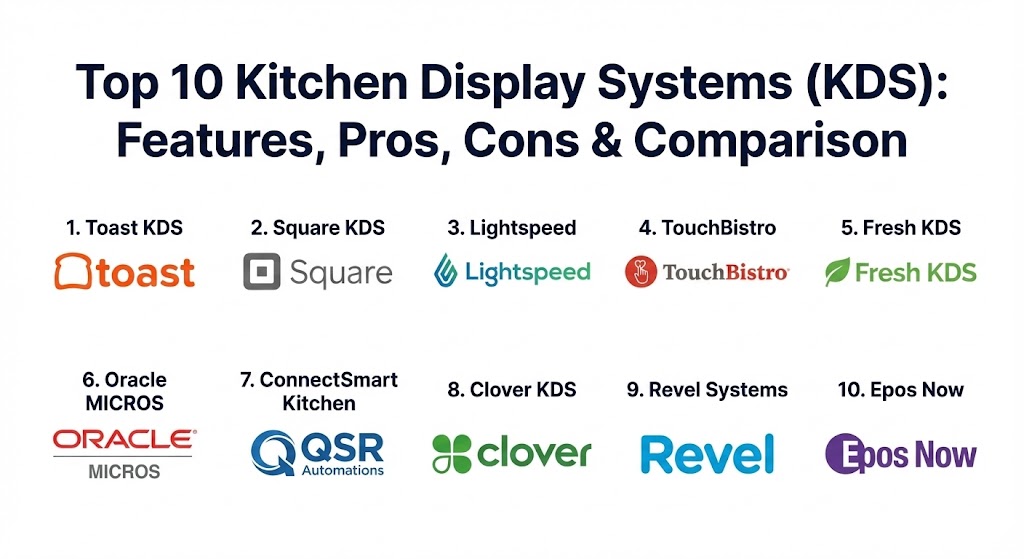
Top 10 Kitchen Display Systems (KDS) Tools
1 — Toast KDS
Toast is a restaurant-first platform that offers one of the most rugged and deeply integrated KDS solutions on the market. It is designed to withstand the heat and grease of high-volume commercial kitchens.
- Key features:
- Automated ticket throttling to pace kitchen workflow during rushes.
- Real-time syncing with Toast Go handhelds for instant order firing.
- Specialized hardware with high heat resistance and splash-proof screens.
- Item-level routing to specific prep stations (grill, salad, fry).
- Integrated “Ready Board” to notify customers when orders are complete.
- In-depth reporting on average prep and fulfillment times.
- Pros:
- Purpose-built hardware is significantly more durable than consumer iPads.
- Seamlessly aggregates orders from kiosks, online, and third-party apps.
- Cons:
- Requires the use of Toast’s proprietary hardware and payment processing.
- Long-term contracts can be restrictive for smaller operators.
- Security & compliance: SOC 2 Type II, PCI DSS compliant, and end-to-end encryption for all data.
- Support & community: 24/7 phone and chat support; extensive “Toast University” training portal and active user community.
2 — Square KDS
Square KDS provides an accessible, tablet-based solution that is exceptionally easy to set up. It is an ideal choice for businesses looking for a modern interface with minimal hardware investment.
- Key features:
- Compatible with standard Android tablets, reducing upfront costs.
- Expeditor mode to manage the final hand-off of multi-station orders.
- Customizable timers and color-coded alerts for “late” tickets.
- Digital “bump” bar support for tactile ticket management.
- Integration with Square Online and major third-party delivery services.
- Pros:
- Simple, flat-rate pricing per device with no long-term contracts.
- User interface is highly intuitive, requiring almost zero staff training.
- Cons:
- Consumer-grade tablets (Android/iPad) may lack the durability of industrial screens.
- Limited advanced routing features compared to legacy enterprise systems.
- Security & compliance: PCI Level 1 compliant, AES-256 encryption, and SSO support for enterprise tiers.
- Support & community: Live phone support during business hours; robust online documentation and community forums.
3 — Lightspeed Kitchen Display System
Lightspeed is a versatile solution that excels in multi-station environments. It is particularly strong for restaurants that have complex menus and need precise control over item modifications.
- Key features:
- Advanced item-modifier visibility to ensure allergy and custom requests are noticed.
- Multi-screen synchronization for “Cook” and “Expeditor” views.
- Offline mode through “LiteServer” hardware to keep the kitchen running during outages.
- Color-coded statuses (New, In Progress, Complete).
- Real-time performance analytics accessible via mobile devices.
- Pros:
- Excellent for multi-unit operations that need centralized reporting.
- Highly customizable layout to fit different kitchen line configurations.
- Cons:
- Can be more expensive than competitors once multiple add-ons are included.
- The interface can feel slightly more complex to configure initially.
- Security & compliance: GDPR, PCI DSS, and SOC 2 compliance.
- Support & community: 24/7 technical support; dedicated account managers for enterprise-level clients.
4 — TouchBistro KDS
TouchBistro is a popular choice for full-service restaurants, offering a KDS that focuses on “coursing” and synchronized meal delivery.
- Key features:
- Course-level routing to ensure appetizers, mains, and desserts are timed correctly.
- “All Day” view to see a summary of all items currently needing preparation.
- Bold, high-contrast visual indicators for high-priority or VIP orders.
- Integration with TouchBistro’s tableside ordering tablets.
- One-tap “Recall” feature for accidentally bumped tickets.
- Pros:
- Specifically designed for the nuances of table service and fine dining.
- Operates on a local network, providing higher reliability during internet lag.
- Cons:
- Limited to the Apple ecosystem (iPad only).
- Reporting on kitchen efficiency is less granular than Toast or QSR Automations.
- Security & compliance: PCI DSS compliant and uses standard iOS security protocols.
- Support & community: Responsive 24/7 phone and email support; localized training for new setups.
5 — Fresh KDS
Fresh KDS is a standalone, hardware-agnostic system that integrates with a wide variety of POS platforms. It is the go-to choice for restaurants that love their current POS but need a better kitchen screen.
- Key features:
- Native integration with Square, Clover, and several other POS systems.
- SMS notifications to alert guests when their order is ready.
- Wireless setup that eliminates the need for expensive cabling.
- Cloud-based analytics for multi-location performance tracking.
- Customizable “Fire” logic for different order types (In-store vs. Delivery).
- Pros:
- Highly affordable with a low monthly subscription per screen.
- Works on both iOS and Android, giving owners hardware flexibility.
- Cons:
- Customer support is primarily email-based for lower tiers.
- Third-party integrations can occasionally experience syncing delays.
- Security & compliance: Data is encrypted in transit and at rest; GDPR compliant.
- Support & community: Comprehensive online help center and email support.
6 — Oracle MICROS Simphony KDS
For massive enterprise operations, stadiums, and global chains, Oracle MICROS is the industry heavyweight. Its KDS is built for extreme scale and industrial-grade reliability.
- Key features:
- Heavy-duty hardware (Express Station 400) built for high-heat environments.
- Advanced “Cook Summary” views for kitchen managers.
- Support for “Combo Meal” logic and complex coursing.
- Integration with global hospitality management systems.
- Predictive analytics for prep forecasting based on historical data.
- Pros:
- Unmatched durability; screens can last a decade in harsh conditions.
- Capable of handling hundreds of concurrent orders without lag.
- Cons:
- Extremely high upfront costs and complex installation.
- The user interface feels more dated compared to modern SaaS systems.
- Security & compliance: ISO 27001, SOC 1/2, PCI DSS, and global data residency compliance.
- Support & community: Global enterprise support 24/7; formal training programs and certification.
7 — ConnectSmart Kitchen (by QSR Automations)
ConnectSmart Kitchen is a “best-in-breed” standalone KDS that supercharges existing POS systems. It is widely used by major casual dining chains like The Cheesecake Factory.
- Key features:
- Sophisticated recipe viewer to help staff maintain food quality.
- Smart routing that balances the workload across different kitchen stations.
- “Bin management” to track prepared quantities of high-volume items.
- Order-ready boards and SMS guest alerts.
- Integration with over 80 different POS providers.
- Pros:
- Deepest feature set for workload balancing and efficiency.
- Vendor-neutral, allowing you to switch POS systems without replacing the KDS.
- Cons:
- Pricing is quote-based and generally on the higher end.
- Initial configuration requires significant time and technical expertise.
- Security & compliance: SOC 2 compliant and industry-standard encryption.
- Support & community: High-tier enterprise support; regular webinars and industry insights.
8 — Clover KDS
Clover KDS is designed for small to mid-sized businesses that value simplicity and a unified hardware aesthetic. It brings the sleek look of Clover’s front-of-house devices to the back.
- Key features:
- Direct syncing with Clover POS and the Clover mobile app.
- Large 14-inch touchscreen for high visibility across the line.
- Bi-directional communication (BOH can notify FOH when an item is 86’d).
- Simple “drag and drop” ticket prioritizing.
- Easy integration with the Clover App Market for extra functionality.
- Pros:
- Beautiful, modern hardware that is easy to clean.
- Plug-and-play setup for existing Clover users.
- Cons:
- Restricted to Clover hardware and software; no third-party POS support.
- Not designed for highly complex, multi-course fine dining.
- Security & compliance: PCI PTS 5.0 certified and HIPAA compliant data handling.
- Support & community: 24/7 phone support and a vast library of “how-to” videos.
9 — Revel Systems KDS
Revel is an iPad-based POS that offers a very refined KDS module, particularly strong for pizzerias and quick-service franchises that need speed and accuracy.
- Key features:
- “KDS Redirect” to move orders to a different screen when a station closes.
- Information (“i”) button next to items to display full ingredient lists.
- Real-time production tracking by employee or by item.
- Integrated “Delivery XT” to manage drivers and dispatch directly from the KDS.
- Bump bar and touchscreen support.
- Pros:
- Very robust offline capability; data continues to sync locally.
- Excellent for managing the transition from prep to delivery.
- Cons:
- High cost of entry due to Apple hardware and premium service fees.
- Updates can occasionally cause interface changes that require staff re-training.
- Security & compliance: SOC 2 Type II and PCI DSS compliant.
- Support & community: 24/7 phone support and dedicated onboarding managers.
10 — Epos Now KDS
Epos Now offers a highly flexible KDS that is a favorite for bars and small cafes due to its affordable entry point and easy-to-use touchscreen interface.
- Key features:
- Audio alerts for new orders and updates (essential in noisy kitchens).
- Customizable light, dark, and classic themes for different lighting.
- Order grouping to see all burgers or all fries needed at once.
- Software-only option if you already own tablets.
- Detailed reporting on wastage and service speed.
- Pros:
- Very affordable monthly subscription with no heavy upfront cost.
- Audio notification feature is a major plus for small, busy kitchens.
- Cons:
- Consumer hardware may struggle with long-term durability in hot kitchens.
- Integration with third-party delivery apps can be less seamless than Toast or Square.
- Security & compliance: GDPR compliant and secure cloud data storage.
- Support & community: 24/7 support via phone and live chat; extensive web knowledge base.
Comparison Table
| Tool Name | Best For | Platform(s) Supported | Standout Feature | Rating (Gartner / TrueReview) |
| Toast KDS | High-Volume / Complex | Proprietary Android | Industrial Durability | 4.7 / 5 |
| Square KDS | SMB / Quick Setup | Android | Tablet Flexibility | 4.5 / 5 |
| Lightspeed | Multi-Unit / Multi-Station | iPad / LiteServer | Item-Level Routing | 4.8 / 5 |
| TouchBistro | Table Service / Fine Dining | iPad | Coursing Management | 4.5 / 5 |
| Fresh KDS | Hardware Agnostic | iOS / Android | Multi-POS Integration | 4.4 / 5 |
| Oracle MICROS | Enterprise / Stadiums | Industrial Windows | Extreme Scalability | 4.3 / 5 |
| ConnectSmart | Efficiency Optimization | Vendor-Neutral | Workload Balancing | 4.6 / 5 |
| Clover KDS | Design-Conscious SMBs | Clover Proprietary | Large 14″ Touchscreen | 4.2 / 5 |
| Revel Systems | Pizzerias / Delivery | iPad | KDS Redirect Logic | 4.5 / 5 |
| Epos Now | Bars / Small Cafes | Multi-Platform | Audio Alerts | 4.1 / 5 |
Evaluation & Scoring of Kitchen Display Systems (KDS)
When selecting a KDS, the “best” choice is often a matter of weighting these seven critical factors according to your specific restaurant model.
| Category | Weight | Evaluation Criteria |
| Core Features | 25% | Ticket routing, throttling, coursing, and real-time syncing. |
| Ease of Use | 15% | Training time for staff and intuitiveness of the “bump” interface. |
| Integrations | 15% | How well it talks to the POS, delivery apps, and inventory tools. |
| Security & Compliance | 10% | Data encryption, PCI compliance, and user access controls. |
| Performance & Reliability | 10% | Durability in high heat and ability to work offline. |
| Support & Community | 10% | 24/7 availability and quality of onboarding. |
| Price / Value | 15% | Upfront hardware costs vs. long-term efficiency gains. |
Which Kitchen Display System (KDS) Tool Is Right for You?
The right KDS is rarely a standalone decision; it is almost always dictated by your existing or chosen Point of Sale system.
- Solo Users & Small Cafes: If you are running a simple counter-service shop, Square KDS or Epos Now are perfect. They are low-cost, easy to set up on a basic tablet, and won’t overwhelm a small staff with complex enterprise features.
- Mid-Market Quick Service: For high-speed environments where durability is key, Toast KDS is the gold standard. Its proprietary hardware is built for the line, and the software is designed to shave seconds off every ticket.
- Full-Service & Fine Dining: You need “coursing.” TouchBistro and Lightspeed are superior here because they understand that a guest’s dessert shouldn’t appear on the KDS until the entree is nearly finished.
- Enterprise & Large Chains: If you have 50+ locations or a massive kitchen, ConnectSmart (QSR Automations) or Oracle MICROS provide the load-balancing and predictive analytics needed to manage scale.
- Budget vs. Premium: Fresh KDS is the winner for budget-conscious owners who want to keep their current POS but digitize their kitchen. For those wanting a premium, unified ecosystem, Clover or Toast are the top choices.
Frequently Asked Questions (FAQs)
1. What is the difference between a KDS and a kitchen printer?
A printer produces physical paper tickets that can be lost or stained. A KDS is a digital screen that allows for real-time tracking, two-way communication, and data collection on how long each dish takes to prepare.
2. Can I use a standard iPad as a KDS?
Yes, many systems like Square, TouchBistro, and Fresh KDS run on iPads. However, you should use a rugged, heat-resistant case, as standard tablets are not built for the extreme conditions of a commercial kitchen.
3. Does a KDS require the internet to work?
While most are cloud-based, many (like Lightspeed and TouchBistro) use a local network (LAN) to communicate between the POS and the kitchen, ensuring orders still fire even if the internet goes down.
4. How does “routing” work in a KDS?
Routing ensures that specific items go to specific screens. For example, when a “Burger and Fries” order is placed, the burger appears on the grill screen and the fries appear on the fryer screen simultaneously.
5. What is “bumping” a ticket?
“Bumping” is the act of clearing a completed order from the screen. This is done either by tapping the screen or using a physical “bump bar” (a tactile keyboard designed for kitchen staff).
6. Can a KDS manage third-party delivery orders (UberEats, DoorDash)?
Yes, most modern KDS systems aggregate all order sources into one view, so your kitchen staff doesn’t have to look at five different tablets from different delivery companies.
7. Is a KDS expensive to install?
Costs vary. A software-only solution on your own tablet might cost $20/month. A full enterprise system with industrial hardware and cabling can cost thousands in upfront investment.
8. Can a KDS help reduce food waste?
Yes. By providing clear instructions and modifiers (e.g., “no onions”), it reduces mistakes and “re-fires.” Some advanced systems also include recipe viewers to ensure portion consistency.
9. How do I choose between a touchscreen and a bump bar?
Touchscreens are more intuitive and familiar, but bump bars are more durable and easier to use when staff have greasy or wet hands. Many large chains prefer bump bars for longevity.
10. What is “ticket throttling”?
Throttling is a feature that automatically paces the release of orders to the kitchen when the volume gets too high, preventing the staff from becoming overwhelmed and maintaining food quality.
Conclusion
A Kitchen Display System is no longer a luxury reserved for fast-food giants; it is a fundamental tool for any restaurant aiming for efficiency in 2026. The key to choosing the right system is understanding your specific workflow. Are you prioritizing speed of service, complex coursing, or hardware durability? While Toast and Square lead the pack for general use, specialized players like TouchBistro and QSR Automations offer depth that can transform a chaotic kitchen into a well-oiled machine. Ultimately, the “best” tool is the one that your staff finds easy to use and your managers find easy to measure.