Introduction
An IT helpdesk chatbot is an AI-powered interface—typically integrated into collaboration tools like Slack or Microsoft Teams—designed to automate the first line of technical support. By leveraging Large Language Models (LLMs) and Natural Language Processing (NLP), these bots act as a “virtual agent,” triaging requests, providing instant answers from internal knowledge bases, and executing automated tasks directly within your enterprise tech stack.
The importance of these tools lies in their ability to provide instantaneous resolution while simultaneously reducing the operational burden on IT staff. Real-world use cases are vast: a remote employee resetting their Active Directory password via a mobile chat, a developer automatically getting access to a Jira project, or an HR manager looking up company-wide Wi-Fi policies. When evaluating these tools, users should look for intent recognition accuracy, the depth of ITSM (IT Service Management) integrations, no-code workflow builders, and proactive issue detection capabilities.
Best for: IT departments in mid-market and enterprise-level companies that are struggling with high ticket volumes and repetitive queries. It is ideal for organizations with a hybrid or remote workforce that requires 24/7 technical support across different time zones.
Not ideal for: Small startups with fewer than 50 employees where a simple “it-help” Slack channel or a shared inbox is sufficient. It is also not a replacement for high-level technical engineering or specialized hardware repair that requires physical presence.
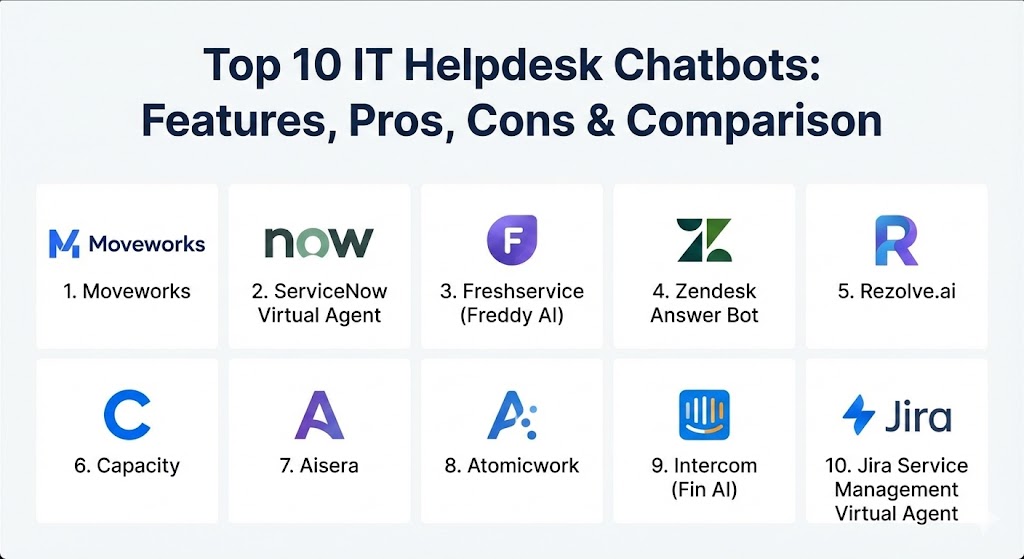
Top 10 IT Helpdesk Chatbots
1 — Moveworks
Moveworks is an AI-first platform that redefined the category by focusing on “zero-touch resolution.” Unlike bots that simply route tickets, Moveworks uses advanced machine learning to solve employee issues end-to-end without any human involvement.
- Key features:
- Autonomous resolution for password resets, software access, and hardware requests.
- Deep integration with Slack, Microsoft Teams, and specialized portals.
- Multi-lingual support that understands nuanced technical jargon in 100+ languages.
- Proactive communications for upcoming outages or system maintenance.
- Moveworks “Creator Studio” for building custom no-code automations.
- Advanced analytics to track “Deflection Rate” and “Employee Sentiment.”
- Knowledge Base “nugging” which extracts answers directly from long PDFs.
- Pros:
- Truly autonomous; it doesn’t just suggest links, it actually performs the work.
- Requires very little manual “training” compared to traditional bot platforms.
- Cons:
- High price point makes it strictly an enterprise-tier solution.
- Implementation can be complex for organizations with messy, fragmented data.
- Security & compliance: SOC 2 Type II, GDPR, HIPAA, ISO 27001, and SAML-based SSO.
- Support & community: Dedicated customer success managers, white-glove onboarding, and a closed community for enterprise IT leaders.
2 — ServiceNow Virtual Agent
ServiceNow is the “800-pound gorilla” of the ITSM world. Their Virtual Agent is a powerful extension of their platform, designed to provide a conversational interface for their complex workflow engine.
- Key features:
- Direct access to the ServiceNow “Common Service Data Model.”
- “Designer” interface for creating branched conversational flows.
- Natural Language Understanding (NLU) tailored for IT, HR, and Facilities.
- Live agent hand-off with full context and conversation history.
- Integrated “Agent Workspace” for helpdesk staff to monitor bot interactions.
- Pre-built “Conversation Blocks” for the most common IT requests.
- Pros:
- Unrivaled integration depth if you are already using the ServiceNow ecosystem.
- Can handle extremely complex “multi-step” corporate workflows (e.g., onboarding).
- Cons:
- The setup process can be daunting and often requires a certified consultant.
- The UI can feel “heavy” and corporate compared to modern AI-native startups.
- Security & compliance: FedRAMP (High), SOC 1 & 2, ISO 27001, HIPAA, and GDPR.
- Support & community: Massive global partner network, extensive “Now Learning” university, and active community forums.
3 — Freshservice (Freddy AI)
Freshservice is known for its “consumer-grade” simplicity. Their chatbot, powered by Freddy AI, focuses on making AI accessible for mid-sized IT teams who don’t have months to spend on configuration.
- Key features:
- “Freddy Self-Service” bot for instant ticket deflection using the Knowledge Base.
- Automatic ticket categorization and prioritization based on bot interactions.
- Predictive suggestions for helpdesk agents to speed up manual resolution.
- Integration with MS Teams, Slack, and the Freshservice portal.
- Workflow Automator for triggering actions like VM provisioning or AD changes.
- Multi-channel support (Chat, Web, Mobile, Email).
- Pros:
- One of the fastest implementation times in the industry.
- Exceptionally intuitive interface that employees actually enjoy using.
- Cons:
- Lacks some of the “deep reasoning” capabilities found in top-tier LLM-first bots.
- Advanced AI features are often locked behind the highest-priced subscription tiers.
- Security & compliance: ISO 27001, SOC 2, HIPAA, GDPR, and data residency options.
- Support & community: High-quality documentation, 24/5 (or 24/7) support, and “Freshworks Academy” for training.
4 — Zendesk Answer Bot
While traditionally a customer service giant, Zendesk’s Answer Bot is a powerful tool for internal IT support, specifically for organizations that prioritize a “knowledge-first” strategy.
- Key features:
- Uses a Large Language Model to interpret questions and find answers in the Help Center.
- “Flow Builder” for creating customized automated greeting and routing rules.
- Automatic language detection for global helpdesk operations.
- Agent-assist features that summarize previous bot chats for the human technician.
- Seamless transition from bot to live chat or ticket creation.
- Extensive marketplace for third-party IT integrations.
- Pros:
- Best-in-class knowledge base integration and content suggestions.
- Very reliable and stable platform with high uptime.
- Cons:
- Not natively an “IT-first” tool; it may lack some specific ITSM-heavy triggers.
- Costs can escalate quickly if you have a high volume of “resolutions.”
- Security & compliance: SOC 2, ISO 27001, HIPAA, GDPR, and HDS (France).
- Support & community: Large user community, extensive training videos, and a dedicated Customer Success portal.
5 — Rezolve.ai
Rezolve.ai is a “modern” chatbot built specifically for the Microsoft Teams era. It focuses on turning Teams into an autonomous service desk that lives where employees already work.
- Key features:
- “Teams-first” architecture; it feels like a native part of the chat app.
- Generative AI engine (GenAI) that can summarize documentation and answer “why” questions.
- Automated task execution for tasks like “Software Request” or “Password Reset.”
- Integrated “Knowledge Management” that cleans up old or outdated articles.
- Employee engagement surveys and “mood tracking” via chat.
- Live chat and ticket tracking within the Teams window.
- Pros:
- The best option for organizations that are “all-in” on the Microsoft 365 stack.
- High “adoption rate” because employees don’t have to visit a separate portal.
- Cons:
- Limited functionality for organizations that primarily use Slack or other platforms.
- The reporting dashboard is less comprehensive than ServiceNow’s.
- Security & compliance: SOC 2 Type II, GDPR, and ISO 27001.
- Support & community: Very personalized onboarding and a responsive technical support team.
6 — Capacity
Capacity is a knowledge-sharing and workflow automation platform that aims to be the “central nervous system” for all company information, including IT support.
- Key features:
- “Guided Conversations” to walk users through complex technical troubleshooting.
- Native integration with Slack, Teams, and specialized web widgets.
- Ability to ingest data from spreadsheets, PDFs, and legacy databases.
- “Developer Platform” for building custom integrations with proprietary tools.
- Co-pilot feature that helps human IT agents draft responses faster.
- Intelligent triage that routes complex tickets to the exact right specialist.
- Pros:
- Excellent at handling unstructured data (e.g., digging through old documents for answers).
- Very versatile; can be used for HR, Sales, and IT simultaneously.
- Cons:
- The setup requires more “manual curation” of the knowledge base than some competitors.
- The workflow engine has a steeper learning curve for non-technical admins.
- Security & compliance: SOC 2 compliant, GDPR ready, and HIPAA friendly features.
- Support & community: Robust online academy and structured professional services for setup.
7 — Aisera
Aisera offers an “Agentic AI” platform that focuses on predicting and preventing IT issues before they are even reported.
- Key features:
- “AiseraGPT” for hyper-personalized, conversational technical support.
- Proactive issue detection that monitors system health and alerts users of fixes.
- Automated service request fulfillment across Cloud and SaaS apps.
- Integration with major ITSM platforms (ServiceNow, Jira, BMC).
- Multi-tenant architecture for larger global conglomerates.
- “Self-learning” engine that gets smarter with every resolved ticket.
- Pros:
- Leading-edge AI capabilities; it feels more like a person than a bot.
- Drastic reduction in “Average Handle Time” (AHT) for helpdesk staff.
- Cons:
- Can be very expensive for smaller organizations.
- The “proactive” features require deep access to your internal monitoring systems.
- Security & compliance: SOC 2, HIPAA, ISO 27001, and GDPR.
- Support & community: Comprehensive enterprise support with 24/7 availability for critical issues.
8 — Atomicwork
Atomicwork is one of the newer entrants, focusing on “Employee Experience” (EX). It aims to bridge the gap between IT support and employee productivity.
- Key features:
- “Modern” Slack-first interface that is clean and distraction-free.
- AI-powered “Conversational Ticketing” that happens directly in threads.
- Integrated asset management alerts (e.g., “Your laptop lease is expiring”).
- Feedback loops that ask employees how they felt about a resolution.
- Automatic “Knowledge Discovery” that identifies gaps in your documentation.
- Lightweight “Workflow Builder” for simple IT approvals.
- Pros:
- Feels much more “human” and modern than legacy enterprise tools.
- Great for high-growth startups that want to maintain a great culture.
- Cons:
- Still a growing company; their feature set is not yet as deep as ServiceNow.
- Limited support for traditional on-premise legacy systems.
- Security & compliance: SOC 2 compliant and GDPR ready.
- Support & community: Highly praised customer success team and direct access to founders for early adopters.
9 — Intercom (Fin AI)
While Intercom is the king of customer support, their new “Fin” AI agent (built on GPT-4) is increasingly being used for internal IT support in tech-forward companies.
- Key features:
- Powered by OpenAI’s GPT-4 for incredible conversational accuracy.
- Zero training required; it learns from your public and internal help centers.
- “Messenger-first” philosophy; works best as a widget on your internal wiki.
- Sophisticated bot-to-human hand-off with automated ticket creation.
- Custom “Workflows” to collect specific info before an agent steps in.
- Advanced reporting on “Resolution Rate” and “AI ROI.”
- Pros:
- The most “natural” conversation experience currently available.
- Very easy to set up; literally takes minutes to connect to a help center.
- Cons:
- Usage-based pricing (per resolution) can become unpredictable.
- Not a native “ITSM” tool; you will need to bridge it with Jira or Freshservice.
- Security & compliance: SOC 2, GDPR, and robust data encryption.
- Support & community: Massive online university, webinars, and a global support network.
10 — Jira Service Management Virtual Agent
Atlassian has integrated AI directly into Jira Service Management (JSM), providing a native virtual agent for teams already living in the Jira ecosystem.
- Key features:
- Native integration with Jira tickets, projects, and assets.
- Integrated into Slack and Teams for a seamless chat experience.
- Automated response generation based on the “Confluence” knowledge base.
- “Intent-based” routing to different Jira projects (IT, HR, Dev).
- Automated ticket updates and status changes via chat.
- Included at no extra cost for certain JSM cloud tiers.
- Pros:
- Best-in-class for DevOps and software development teams already using Jira.
- No separate “bolt-on” tool needed; it’s part of the core product.
- Cons:
- The setup can be “click-heavy” within the complex Jira admin UI.
- AI accuracy is heavily dependent on how well your Confluence is organized.
- Security & compliance: SOC 2, HIPAA, ISO 27001, and Atlassian Trust Center standards.
- Support & community: Huge global user group network and extensive documentation.
Comparison Table
| Tool Name | Best For | Platform(s) Supported | Standout Feature | Rating (Gartner Peer Insights) |
| Moveworks | Large Enterprise AI | Slack, Teams, Web | Zero-touch resolution | 4.8 / 5 |
| ServiceNow VA | Complex Corp Workflows | Teams, Mobile, Web | Deep ITSM Data Unity | 4.6 / 5 |
| Freshservice | Mid-market Simplicity | Teams, Slack, Web | Fast Deployment | 4.5 / 5 |
| Zendesk AI | Knowledge-heavy Teams | Slack, Teams, Web | Help Center Ingestion | 4.4 / 5 |
| Rezolve.ai | Microsoft Teams Teams | MS Teams (Native) | GenAI Document Search | 4.7 / 5 |
| Capacity | Unstructured Data | Web, Slack, Teams | Guided Troubleshooting | 4.3 / 5 |
| Aisera | Agentic AI / Proactive | Multi-platform | Predictive Issue Fixes | 4.4 / 5 |
| Atomicwork | Employee Experience | Slack, Teams | Slack-Thread Ticketing | 4.7 / 5 |
| Intercom (Fin) | Conversational Tech | Web, Mobile | GPT-4 Reasoning | 4.6 / 5 |
| Jira Service Mgmt | DevOps / Atlassian | Slack, Teams, Jira | Native Jira Workflows | 4.4 / 5 |
Evaluation & Scoring of IT Helpdesk Chatbots
To determine the true ROI of a chatbot, we look at how well it bridges the gap between technical capability and human experience.
| Category | Weight | Evaluation Criteria |
| Core AI Features | 25% | Intent recognition, LLM reasoning, and multi-lingual support. |
| Ease of Use | 15% | Admin UI, bot builder intuitiveness, and end-user “chatability.” |
| Integrations | 15% | Connection to AD, Jira, ServiceNow, and Cloud platforms (AWS/Azure). |
| Security & Compliance | 10% | SOC 2, HIPAA, and data residency for global firms. |
| Performance | 10% | Response speed and accuracy of the “Deflection Rate.” |
| Support & Community | 10% | Onboarding quality and helpdesk specialist community. |
| Price / Value | 15% | Transparency of costs vs. the time saved for human agents. |
Which IT Helpdesk Chatbot Tool Is Right for You?
Selecting a chatbot is a long-term commitment. The “wrong” tool will frustrate your employees, leading them back to traditional (and expensive) phone calls.
- Solo Users & Very Small Teams: You generally do not need a bot. A well-organized FAQ page or a basic shared inbox is more cost-effective.
- Small to Medium Businesses (SMBs): If you want to “set it and forget it,” Freshservice or Intercom are excellent. They are easy to set up and offer immediate value without a team of consultants.
- Large Global Enterprises: You need the power of Moveworks or ServiceNow. These tools are built to handle the “messy” reality of global networks, varied hardware, and thousands of different employee permissions.
- Budget-Conscious Teams: If you are already paying for Jira Service Management, use their built-in virtual agent. It is a powerful “free” addition that can handle 30-40% of common requests.
- Microsoft-Centric Companies: If your employees live in MS Teams, Rezolve.ai is the most natural fit. It removes the friction of switching between apps.
- Slack-Centric Companies: Atomicwork or Moveworks offer the best Slack-native experiences, including the ability to manage tickets directly within Slack threads.
Frequently Asked Questions (FAQs)
1. What is the difference between an IT chatbot and a customer service chatbot? IT chatbots are integrated into your internal “identity” systems (like Active Directory) so they can actually perform actions like resetting passwords. Customer service bots are usually focused on answering product questions or tracking orders.
2. Will a chatbot replace my IT helpdesk staff? No. They replace the “Tier 1” repetitive tasks. This allows your human staff to focus on “Tier 2 and 3” problems—like complex network architecture, security breaches, and hardware engineering—which require human intuition.
3. Are these chatbots secure enough to handle passwords? Yes, provided they are enterprise-grade. Look for SOC 2 Type II compliance and SSO integration. These bots don’t “see” your password; they trigger a secure system-level reset through an API.
4. How long does it take to see a “Deflection Rate” improvement? Most organizations see a 15-20% drop in ticket volume within the first 60 days. This improves as the AI learns from your specific company culture and language.
5. Do these bots work on mobile? Yes. Most are accessible via the mobile apps of Slack, Microsoft Teams, or through a responsive web widget on your company’s internal portal.
6. Can they handle HR and Finance queries too? Many enterprise bots (like Aisera or Capacity) are “department-agnostic.” You can have one bot that handles IT technical issues and HR benefits questions simultaneously.
7. What is “Natural Language Understanding” (NLU)? NLU is the bot’s ability to understand that “I can’t get on the net” and “My Wi-Fi is broken” mean the same thing, even though the words are different.
8. Is usage-based pricing common? It is becoming more common. Some vendors charge “per resolution” (meaning you only pay if the bot actually solves the problem), while others charge a flat annual fee per employee.
9. Do I need to write scripts for these bots? Modern bots are “no-code.” You use visual “drag-and-drop” builders to create workflows. However, for deep API integrations, a little bit of technical knowledge is helpful.
10. What happens if the bot can’t solve the problem? A high-quality bot will “fail gracefully.” It will automatically create a ticket with a summary of the conversation and hand it off to a live human agent so the employee doesn’t have to start over.
Conclusion
The evolution of IT helpdesk chatbots marks a shift from “service as a chore” to “service as an experience.” The best tools in 2026 are no longer just repositories of information; they are proactive members of the IT team. Choosing the right tool depends on your existing ecosystem—whether you are a Jira house, a Microsoft shop, or a global conglomerate with custom needs. Focus on accuracy over features, and remember that a bot is only as good as the knowledge base that feeds it.