Introduction
IT Asset Management (ITAM) Tools are specialized software solutions designed to track and manage the entire lifecycle of an organization’s IT assets. An “asset” in this context refers to any hardware, software, or virtual entity that the company owns or uses. The ITAM process involves capturing detailed information about these assets from the moment of procurement, through their operational life, to their eventual decommissioning and disposal. In 2026, the definition has expanded significantly to include FinOps (Cloud Financial Operations), ensuring that companies are not just tracking where their cloud instances are, but also optimizing how much they cost.
The importance of ITAM cannot be overstated. Without a clear view of your assets, your organization is vulnerable to massive financial waste through unused software licenses (Shelfware), security risks from unpatched, “invisible” devices, and legal penalties during vendor audits. Real-world use cases include preparing for a Microsoft or Adobe audit, automating the “buy vs. lease” decision for hardware refreshes, and identifying “zombie” cloud resources that are accruing costs without providing value. When evaluating tools, you must look for automated discovery capabilities, lifecycle tracking, contract management, and integration depth with your existing ITSM (IT Service Management) ecosystem.
Best for: IT Directors, Procurement Managers, and Compliance Officers in mid-sized to enterprise-level organizations. It is essential for industries with high regulatory requirements, such as Finance, Healthcare, and Government, or any company with a large remote workforce where hardware is distributed globally.
Not ideal for: Micro-businesses or small startups with fewer than 50 employees, where a simple database or a basic inventory plugin within a Help Desk tool might suffice. It is also not a replacement for high-level Financial ERPs, though the two systems often communicate.
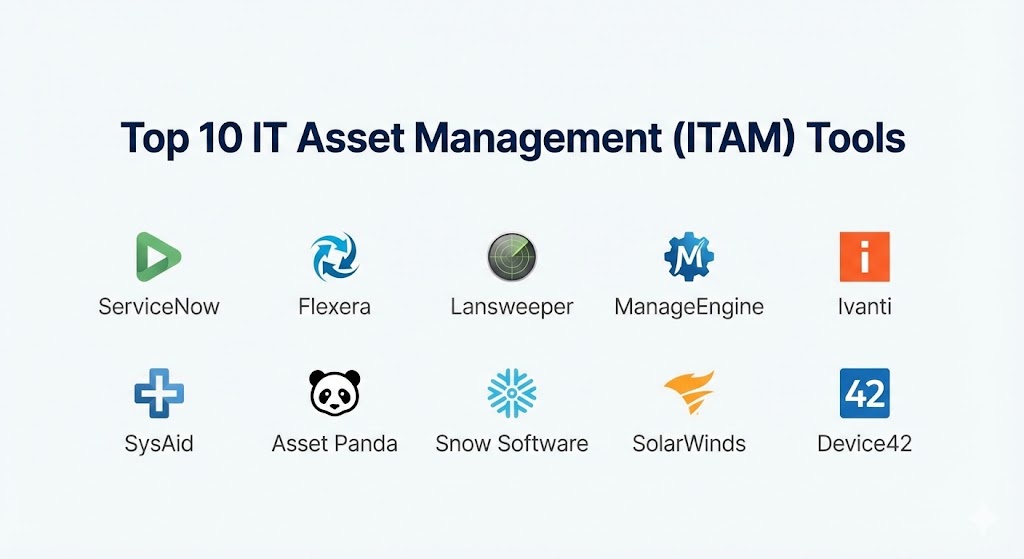
Top 10 IT Asset Management (ITAM) Tools
1 — ServiceNow ITAM
ServiceNow is widely considered the “Gold Standard” in the enterprise space. It isn’t just a tool; it’s a platform that integrates ITAM directly into the broader IT Service Management (ITSM) and IT Operations Management (ITOM) workflows.
- Key features:
- Hardware Asset Management (HAM): Automates the entire lifecycle of physical assets with mobile auditing features.
- Software Asset Management (SAM): Direct integration with vendors to track entitlement versus actual usage.
- Cloud Insights: Real-time visibility into AWS, Azure, and Google Cloud spend to identify optimization opportunities.
- Automated Content Library: A massive database that automatically cleans and normalizes your discovered data.
- Lifecycle Automation: Triggers for hardware refreshes based on warranty expiration or performance data.
- SaaS License Management: Deep-dive analysis into user activity within apps like Salesforce, M365, and Zoom.
- Pros:
- Unrivaled integration: Your asset data lives in the same place as your incident and change tickets.
- Extremely powerful reporting and AI-driven forecasting for future budget planning.
- Cons:
- Cost: It is one of the most expensive solutions on the market.
- Complexity: Implementation usually requires a dedicated team or a specialized consulting partner.
- Security & compliance: SOC 1 Type II, SOC 2 Type II, ISO 27001, HIPAA, GDPR, and FedRAMP compliant. Includes SSO and granular ACLs.
- Support & community: World-class documentation, a massive global user community, and “ServiceNow Academy” for professional certification.
2 — Flexera One
Flexera One is the specialist’s choice for organizations dealing with highly complex hybrid environments. It excels at “Spend Optimization,” helping companies squeeze every bit of value out of their IT investments.
- Key features:
- Technopedia: The world’s largest repository of IT asset data, providing instant context to discovered items.
- Hybrid IT Visibility: Tracks assets across on-premises, SaaS, and public cloud in a single view.
- Automated Remediation: Can automatically reclaim unused licenses based on pre-set thresholds.
- Vendor Management: Specialized modules for handling “The Big Four” (Microsoft, IBM, Oracle, SAP).
- Cloud Cost Optimization: FinOps-certified tools for managing complex cloud billing.
- IT Visibility: Helps identify end-of-life hardware and software to mitigate security risks.
- Pros:
- The most accurate tool for avoiding audit true-up costs from major software vendors.
- Exceptional data normalization; it turns “messy” data into actionable insights.
- Cons:
- The learning curve is steep due to the technical depth of the platform.
- Can feel “over-engineered” for companies that only need basic hardware tracking.
- Security & compliance: SOC 2 Type II, GDPR, and ISO 27001 compliant. Strong focus on data sovereignty.
- Support & community: High-tier enterprise support, dedicated account managers, and an extensive knowledge base.
3 — Lansweeper
Lansweeper is famous for its “Agentless Discovery.” It is the preferred tool for IT teams that need to find every single thing connected to their network without installing software on every device.
- Key features:
- Deep Scan Technology: Finds everything from routers and printers to IoT devices and virtual machines.
- Agentless Discovery: Scans the network using standard protocols (WMI, SNMP, SSH) rather than agents.
- Software Inventory: Tracks versions, install dates, and usage without user intervention.
- Automated Warranty Tracking: Pulls warranty info directly from manufacturers like Dell, HP, and Lenovo.
- Vulnerability Mapping: Links your asset data with the NIST vulnerabilities database to show risk.
- Cloud Discovery: Provides visibility into resources deployed across Azure and AWS.
- Pros:
- The “set it and forget it” nature of its discovery engine is industry-leading.
- Relatively affordable compared to enterprise-heavy suites like ServiceNow.
- Cons:
- While discovery is world-class, the lifecycle and financial management features are lighter.
- Reporting can be complex to customize for non-technical users.
- Security & compliance: GDPR compliant. Data is encrypted in transit and at rest.
- Support & community: Very active community forums and a responsive technical support team.
4 — ManageEngine AssetExplorer
ManageEngine provides a robust, mid-market solution that offers many enterprise-grade features at a much more accessible price point. It is particularly strong for organizations that want an “all-in-one” feel.
- Key features:
- Multi-source Discovery: Uses agents, agentless, and manual imports to ensure 100% coverage.
- Software License Management: Tracks license types (Perpetual, OEM, Concurrent, etc.) and alerts on violations.
- Purchase Order Management: Tracks the financial side of the asset from the moment of intent.
- Asset Depreciation: Automatically calculates asset value over time using various accounting methods.
- CMDB Integration: Feeds asset data directly into a Configuration Management Database for ITSM use.
- Remote Desktop: Built-in tools to access discovered hardware for troubleshooting.
- Pros:
- Excellent value for money; you get a lot of features for a lower cost per asset.
- Very easy to install and get running within a few days.
- Cons:
- The user interface can feel a bit cluttered and “legacy” compared to modern SaaS apps.
- Support response times can be inconsistent depending on your region.
- Security & compliance: GDPR and SOC 2 compliant. Features SSO and role-based access control.
- Support & community: Extensive library of video tutorials and a global network of resellers.
5 — Ivanti Neurons for ITAM
Ivanti Neurons focuses on the “Self-Healing” IT environment. In 2026, their use of AI (Neurons) helps predict when an asset might fail or when a license will fall out of compliance before it actually happens.
- Key features:
- Spend Intelligence: Provides an instant look at your software landscape to find waste.
- Automated Reclaim: Automatically uninstalls software from users who haven’t opened it in 30 days.
- Asset Lifecycle Automation: Workflows that handle everything from onboarding to secure disposal.
- Edge Discovery: Specifically designed to find devices that are rarely connected to the corporate VPN.
- B2B Connect: Connects with vendors to pull procurement data automatically.
- Hardware Health Monitoring: Tracks battery health and disk wear to predict hardware failures.
- Pros:
- The AI-driven “Neurons” platform is exceptional for proactive maintenance.
- Strong integration with Ivanti’s Patch Management and Security suites.
- Cons:
- Can be complex to set up the more advanced automation “flows.”
- Pricing is modular, which can lead to “sticker shock” if you need every feature.
- Security & compliance: SOC 2, ISO 27001, and HIPAA compliant. High emphasis on endpoint security.
- Support & community: Global 24/7 support and a robust professional services arm.
6 — SysAid
SysAid is an ITSM-first platform that includes a powerful ITAM module. It is best for teams that want their service desk and their asset management to be completely inseparable.
- Key features:
- One-Click Asset Info: View the full hardware and software specs of a user’s device directly from their help desk ticket.
- Network Discovery: Automatically populates the asset list with everything found on the network.
- Patch Management: Integrated directly into the asset view to ensure compliance.
- Mobile App: Allows IT staff to scan barcodes in the warehouse to update the inventory.
- Custom Notifications: Alerts for warranty expiration, unauthorized software installs, or CPU overheating.
- Software Metering: Measures how long an app is actually open and in focus by the user.
- Pros:
- The context it provides to help desk agents is a massive time-saver.
- Very high levels of customization for the asset dashboard.
- Cons:
- As an ITAM tool, it is less “deep” than specialized platforms like Flexera or Snow.
- Some users find the discovery agent to be resource-heavy on older machines.
- Security & compliance: SOC 2 Type II and GDPR compliant.
- Support & community: Excellent onboarding program and a very helpful “SysAid Community.”
7 — Asset Panda
Asset Panda is the “mobile-first” hardware specialist. While it handles software, it is the undisputed king for organizations that need to track physical assets across multiple locations using mobile devices.
- Key features:
- Unlimited Users: Unlike many tools, they don’t charge by the seat, encouraging company-wide usage.
- Configurable Workflows: You can build custom “Check-in/Check-out” processes for any asset type.
- Barcode/QR Scanning: Uses the built-in camera on smartphones to manage inventory.
- Maintenance Tracking: Keeps a log of every repair and maintenance event for a physical device.
- Asset Depreciation: Simple tools to track the declining value of hardware.
- Custom Reporting: A very intuitive “drag and drop” report builder.
- Pros:
- The most flexible tool for non-IT assets (e.g., tracking furniture or lab equipment alongside laptops).
- Extremely easy for non-technical staff to use in the field.
- Cons:
- Software discovery and license management are not its primary strengths.
- Lacks the deep ITSM integrations found in tools like ServiceNow or SysAid.
- Security & compliance: GDPR and SOC 2 compliant. Uses high-level SSL encryption.
- Support & community: Highly rated customer success team and detailed video training.
8 — Snow Software (Now part of Flexera)
Snow is a “Software Asset Management” (SAM) powerhouse. It is designed for the specific goal of ensuring that a company is always audit-ready and never overpaying for software.
- Key features:
- Snow License Manager: A multi-vendor, multi-platform solution for tracking entitlements.
- SaaS Management: Deep visibility into over 8,000 SaaS applications to find Shadow IT.
- Oracle Management Option: One of the few tools certified by Oracle for official data collection.
- Risk Monitor: Identifies software that has known vulnerabilities or is end-of-life.
- Snow Optimizer for SAP: A specialized tool for managing complex SAP user licenses.
- Cloud Adoption Tracker: Shows where your users are moving their data to in the cloud.
- Pros:
- Probably the best tool in the world for managing complex, legacy software audits.
- The reporting provides incredible “Financial” clarity for the C-suite.
- Cons:
- Now that it is being integrated into Flexera, some users are wary of future roadmap changes.
- Implementation for SAP or Oracle modules is a major, technical project.
- Security & compliance: ISO 27001, SOC 2, and GDPR compliant.
- Support & community: High-end enterprise support and an elite user group called “Snow Storm.”
9 — SolarWinds Service Desk
SolarWinds offers an ITAM solution that is built directly into their Service Desk platform. It focuses on the “Lifecycle” and “Risk” associated with assets in a fast-paced environment.
- Key features:
- Discovery Agent: Provides continuous, real-time updates for all endpoints.
- Risk Detection: Automatically flags assets that are missing critical security software.
- Financial Management: Tracks contracts, purchase orders, and depreciation.
- CMDB Relationship Mapping: Shows how an asset is connected to other services (e.g., this server hosts this app).
- Employee Portal: Allows users to see what assets are assigned to them and request new ones.
- Inventory Normalization: Automatically standardizes manufacturer names and software versions.
- Pros:
- Excellent for identifying security gaps in your asset inventory.
- The relationship mapping is very helpful for “Impact Analysis” during changes.
- Cons:
- The discovery engine can struggle with some niche, non-standard IoT devices.
- SolarWinds has a “corporate” feel that might be too rigid for small, agile startups.
- Security & compliance: SOC 2, ISO 27001, and GDPR compliant. High-level focus on supply chain security.
- Support & community: Backed by the massive “THWACK” community and professional support.
10 — Device42
Device42 is the “Data Center” specialist. If you manage large physical data centers or complex hybrid cloud environments, Device42 provides the “Dependency Mapping” that other tools miss.
- Key features:
- Auto-Discovery: Finds everything in the data center, from racks and PDUs to individual blades.
- Dependency Mapping: Shows exactly how applications, services, and hardware depend on each other.
- IP Address Management (IPAM): Includes a world-class system for managing your IP space.
- Cable Management: Tracks physical connections between devices in a rack.
- Cloud Migration Planning: Uses your current asset data to model what a cloud move would look like.
- Software License Tracking: Tracks installs across Windows, Linux, and Unix environments.
- Pros:
- The most detailed tool for physical infrastructure and data center management.
- The dependency mapping is indispensable for large-scale migrations or troubleshooting.
- Cons:
- It is a technical tool designed for engineers; it can be “overwhelming” for procurement-only users.
- The user interface is functional but not as modern or “pretty” as SaaS-first tools.
- Security & compliance: GDPR and SOC 2 compliant. Strong encryption for sensitive credentials.
- Support & community: Very responsive technical support and detailed API documentation.
Comparison Table
| Tool Name | Best For | Platform(s) Supported | Standout Feature | Rating (2026) |
| ServiceNow ITAM | Large Enterprise | Web, iOS, Android | Full ITSM Integration | 4.8 / 5 |
| Flexera One | Hybrid IT Spend | Web, Cloud | Technopedia Data Library | 4.7 / 5 |
| Lansweeper | Network Discovery | Windows (On-prem/Cloud) | Agentless Deep Scan | 4.6 / 5 |
| ManageEngine | Mid-market Value | Windows, Linux, Web | Purchase & Depreciation | 4.4 / 5 |
| Ivanti Neurons | Proactive Maintenance | Web, Cloud | AI Self-Healing | 4.5 / 5 |
| SysAid | Service Desk Context | Web, iOS, Android | One-Click Ticket Info | 4.3 / 5 |
| Asset Panda | Physical Hardware | Web, iOS, Android | Mobile Barcode Scanning | 4.5 / 5 |
| Snow Software | Audit Compliance | Web, Windows, Cloud | Oracle & SAP Specialists | 4.6 / 5 |
| SolarWinds | Risk Management | Web, Cloud | CMDB Relationship Mapping | 4.4 / 5 |
| Device42 | Data Center/Hybrid | Web, Windows, Linux | Visual Dependency Maps | 4.5 / 5 |
Evaluation & Scoring of IT Asset Management (ITAM) Tools
Choosing a tool requires a balanced look at technical capability versus ease of use. In 2026, we evaluate tools based on the following weighted scoring rubric to ensure long-term ROI.
| Category | Weight | Evaluation Rationale |
| Core Features | 25% | Discovery, SAM/HAM lifecycle, and contract management. |
| Ease of Use | 15% | Time to implement, UI intuitiveness, and mobile accessibility. |
| Integrations | 15% | Connectivity with ITSM, ERP, and major Cloud/SaaS vendors. |
| Security & Compliance | 10% | Encryption, SSO, and adherence to global privacy laws (GDPR/HIPAA). |
| Performance | 10% | Scanning speed, database stability, and agent resource usage. |
| Support & Community | 10% | Quality of documentation, forums, and vendor response times. |
| Price / Value | 15% | Total Cost of Ownership (TCO) relative to audit savings. |
Which IT Asset Management (ITAM) Tool Is Right for You?
Solo Users vs SMB vs Mid-market vs Enterprise
If you are an SMB, you likely don’t need the complexity of a platform like ServiceNow. ManageEngine AssetExplorer or Lansweeper offer professional discovery and tracking at a price that won’t cripple your budget. For Mid-market firms that are growing fast, SysAid or Ivanti provide the scalability to grow without needing a dedicated ITAM team of five people. Enterprises with complex compliance needs (Oracle, SAP, IBM) should look exclusively at Flexera One or ServiceNow, as the savings from a single avoided audit can pay for the tool for years.
Budget-conscious vs Premium Solutions
If you are strictly budget-conscious, Asset Panda is unique because of its unlimited user model and focus on physical hardware, while Lansweeper offers a powerful free tier for small networks. If you are looking for a Premium solution where the “Cost of Failure” (i.e., failing a major audit) is in the millions, Snow Software and ServiceNow are the insurance policies you need.
Feature Depth vs Ease of Use
If you prioritize Ease of Use, Asset Panda and SysAid are the winners. They require very little training to get started. If you need Feature Depth—specifically for things like IP Address Management, Cable Tracking, or complex Software Entitlements—Device42 and Flexera are the technical leaders.
Integration and Scalability Needs
If your company is already standardized on a specific ecosystem, stay within it. If you use ServiceNow for tickets, use ServiceNow for ITAM. If you use SolarWinds for monitoring, their Service Desk is a natural fit. For companies that are “Cloud First” and plan to scale rapidly in Azure or AWS, Flexera One‘s FinOps capabilities make it the most scalable choice for the next decade.
Frequently Asked Questions (FAQs)
1. What is the difference between ITAM and ITSM?
ITSM (IT Service Management) is about service delivery (fixing a broken laptop), while ITAM is about the asset lifecycle (who owns the laptop, what did it cost, when is the warranty up). They work best when integrated.
2. Do I really need an “agent” on every computer?
Not necessarily. Agentless discovery (like Lansweeper) is great for visibility, but Agent-based discovery (like Ivanti) provides deeper data and can manage the device even when it’s not on the corporate network.
3. Can these tools find “Shadow IT”?
Yes. Modern ITAM tools scan network traffic or integrate with browser extensions to find SaaS apps that employees have signed up for without IT’s permission.
4. How does ITAM help with cybersecurity?
You cannot secure what you don’t know exists. ITAM identifies “ghost” devices that aren’t being patched, which are the primary entry points for hackers.
5. What is “Software Normalization”?
It’s the process of turning “MSFT Word 2026 v1.0” and “Microsoft Word ’26” into a single, clean record: “Microsoft Word 2026.” This is crucial for accurate license counting.
6. Can ITAM tools track non-IT assets?
Some can. Tools like Asset Panda are highly flexible and are often used to track medical equipment, power tools, or office furniture alongside tech.
7. Is cloud management part of ITAM?
In 2026, yes. Modern ITAM must include FinOps to track virtual assets in AWS, Azure, and Google Cloud, or you are missing 50% of your modern footprint.
8. How long does it take to implement an ITAM tool?
A basic discovery tool like Lansweeper can be live in a day. An enterprise-wide ServiceNow or Flexera rollout can take 6 to 12 months to fully mature.
9. What is “Shelfware”?
Shelfware refers to software licenses that you have purchased but are not being used by any employee. Identifying this is the fastest way ITAM tools pay for themselves.
10. Do I need an ITAM tool if I’m 100% in the cloud?
Yes. Even in the cloud, you have users, permissions, and costs that need lifecycle management. SaaS management alone is a billion-dollar problem for modern companies.
Conclusion
The “best” ITAM tool is the one that gives you a single version of the truth. In 2026, IT is no longer just a support function; it is the infrastructure upon which the entire business is built. If you don’t know what hardware you own, what software you’re running, and what your cloud bill represents, you are driving your business with a blindfold on.
For most enterprises, ServiceNow and Flexera remain the titans of the industry for a reason—they offer total visibility. For smaller, more agile teams, Lansweeper and Asset Panda provide the essential tools to stay organized and secure without the enterprise overhead. Choose the tool that matches your current complexity, but always look for one that can scale with your 2026 growth plans.