Introduction
IP Address Management (IPAM) is a methodology and a suite of software tools used to plan, track, and manage the IP address space within a network. It provides a centralized “source of truth” for every IP address in use, whether it is IPv4 or IPv6. Beyond simple tracking, modern IPAM tools integrate deeply with DNS (Domain Name System) and DHCP (Dynamic Host Configuration Protocol)—collectively known as DDI—to ensure that when an IP is assigned, the corresponding network records are updated automatically.
The importance of IPAM lies in its ability to prevent IP conflicts, identify “shadow” devices on the network, and accelerate the deployment of new services. In a real-world scenario, an IPAM tool allows a network engineer to find an available subnet in seconds rather than hours, preventing the “fat-finger” errors that lead to overlapping ranges and catastrophic outages. When evaluating these tools, users should look for automation capabilities, cloud-native integrations, IPv6 readiness, and robustness of the DDI integration.
Best for: Network administrators, Site Reliability Engineers (SREs), and IT directors in mid-to-large enterprises. It is particularly vital for sectors like Finance, Telecommunications, and Healthcare, where network reliability and regulatory compliance (auditing who had which IP and when) are non-negotiable.
Not ideal for: Small home offices or micro-businesses with a single router and fewer than 50 devices. In these cases, the built-in management features of a standard firewall or a basic DHCP server are usually sufficient, and the cost of a dedicated IPAM tool would outweigh its benefits.
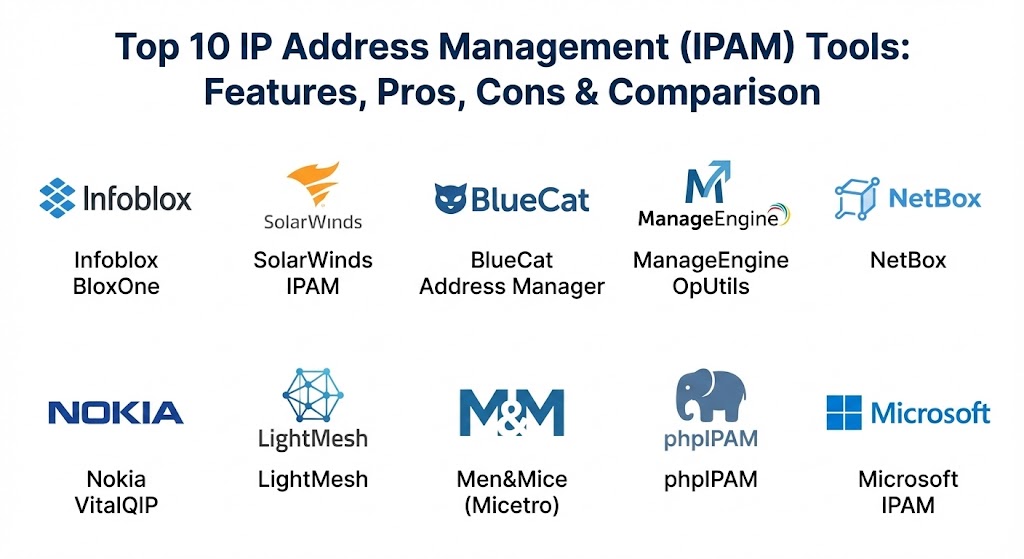
Top 10 IP Address Management (IPAM) Tools
1 — Infoblox BloxOne
Infoblox is widely recognized as the market leader in the DDI space. Their BloxOne platform is a cloud-native solution designed to provide unified IPAM, DNS, and DHCP services across hybrid and multi-cloud environments.
- Key features:
- Cloud-Native DDI: Provides a single interface to manage IP space across AWS, Azure, GCP, and on-prem.
- Automated Discovery: Constantly scans the network to find and categorize new devices.
- Network Insight: Correlates IP data with infrastructure health to find the root cause of connectivity issues.
- API-First Design: Extensive REST APIs for integration into CI/CD pipelines and Terraform workflows.
- Advanced Security: Integrated DNS security to block malware and data exfiltration at the edge.
- IPv6 Transition Tools: Specialized wizards to help organizations move from IPv4 to IPv6.
- Pros:
- The most robust and enterprise-ready DDI integration available.
- Exceptional scalability for global organizations with millions of IP addresses.
- Cons:
- High cost of ownership; it is a premium enterprise solution.
- Can be overly complex for smaller teams with simpler networking needs.
- Security & compliance: SOC 2 Type II, FIPS 140-2, GDPR, and HIPAA compliant. Includes detailed audit logs and RBAC.
- Support & community: World-class enterprise support; a very active “Infoblox Experts” community and extensive certification programs.
2 — SolarWinds IP Address Manager (IPAM)
SolarWinds offers a highly popular IPAM solution that is known for its ease of use and its ability to provide a comprehensive view of the network through the well-known Orion platform.
- Key features:
- Automated IP Scanning: Regularly updates the status of your IP address space to prevent conflicts.
- Integrated DNS/DHCP Management: Manage Microsoft, Cisco, and ISC DHCP/DNS servers from one console.
- IP Request Wizard: A self-service portal for developers to request IP addresses without manual admin intervention.
- Conflict Detection Alerts: Real-time notifications when an IP conflict is detected on the network.
- Subnet Allocation Wizard: Simplifies the process of defining and resizing subnets.
- Pros:
- Very intuitive user interface; requires less training than “heavyweight” competitors.
- Excellent value for mid-market companies that need reliable management without the “Infoblox price tag.”
- Cons:
- Deep automation for cloud-native ephemeral workloads (like Kubernetes) is less mature than some rivals.
- Requires a Windows-based server environment for installation.
- Security & compliance: SOC 2 compliant, features granular RBAC, and supports SSO via Active Directory.
- Support & community: Massive “THWACK” community where users share custom templates; excellent video tutorials and professional support.
3 — BlueCat Address Manager
BlueCat is a high-end enterprise DDI platform that focuses on “Adaptive DNS.” It is designed for large-scale automation and complex security requirements.
- Key features:
- Automation Bound: Native integrations with ServiceNow, Terraform, and Ansible.
- Centralized Configuration: Manage disparate DNS and DHCP instances as a single logical entity.
- API-Centric Architecture: Built specifically to be controlled by code in modern DevOps environments.
- Intelligent Query Resolution: Directs traffic based on the health and location of the user.
- IPv6 Readiness: Full parity between IPv4 and IPv6 management capabilities.
- Pros:
- Outstanding for “Infrastructure as Code” (IaC) environments.
- Highly reliable for mission-critical networks that cannot afford a second of downtime.
- Cons:
- Requires a significant investment in time for initial configuration and training.
- The interface is functional but can feel technical and “heavy” for casual users.
- Security & compliance: ISO 27001, SOC 2, HIPAA, and GDPR. Features advanced DNS firewall capabilities.
- Support & community: Strong enterprise support and a dedicated “BlueCat Care” program for customer success.
4 — ManageEngine OpUtils (IPAM module)
ManageEngine provides an affordable, all-in-one suite for network engineers. Its IPAM module is part of the larger OpUtils toolset, which includes switch port mapping and rogue device detection.
- Key features:
- Subnet Hierarchy View: A clear, tree-like visualization of your entire IP space.
- Rogue Device Detection: Automatically flags unauthorized devices that appear on the network.
- Historical IP Tracking: See exactly who was using a specific IP address six months ago.
- AD Integration: Syncs IP data with Active Directory to see the user associated with a device.
- Scheduled Scanning: Updates the IP status at user-defined intervals.
- Pros:
- One of the most affordable paid tools for SMBs and mid-market teams.
- Includes extra “bonus” tools like Wake-on-LAN and Bandwidth Monitoring.
- Cons:
- Lacks the high-end DDI orchestration found in Infoblox or BlueCat.
- The user interface can feel a bit cluttered with too many modules.
- Security & compliance: GDPR and HIPAA compliant. Supports SSO and features basic audit logging.
- Support & community: Good documentation and responsive email/chat support; active user forums.
5 — NetBox (Self-hosted / Cloud)
NetBox is a disruption in the market. Originally created by DigitalOcean, it is an open-source “Source of Truth” that combines IPAM with DCIM (Data Center Infrastructure Management).
- Key features:
- Source of Truth Philosophy: If it’s not in NetBox, it doesn’t exist on the network.
- Virtualization Support: Manage IPs for VMs, clusters, and tenants alongside physical hardware.
- VLAN and VRF Management: Deep support for complex network segmentation.
- Custom Scripts: Extensible platform that allows users to write their own automation logic.
- GraphQL API: Modern, high-performance API for data retrieval.
- Pros:
- Completely free (Open Source) or available as a managed “NetBox Cloud” service.
- The favorite tool of modern SREs and Network Automation enthusiasts.
- Cons:
- Does not include a built-in DHCP or DNS server; it is a manager of data, not a provider of services.
- Requires high technical skill to set up and customize the self-hosted version.
- Security & compliance: Varies / N/A for self-hosted. NetBox Cloud is SOC 2 compliant.
- Support & community: Exceptional community on GitHub and Slack; professional support available via NetBox Labs.
6 — Nokia VitalQIP
Nokia VitalQIP is a venerable name in the IPAM world, known for its ability to handle the massive, complex networks of ISPs and global telecom providers.
- Key features:
- Carrier-Grade Scalability: Built to manage hundreds of millions of IP addresses.
- High-Availability Architecture: Redundant databases and failover mechanisms for core DDI services.
- Centralized Policy Management: Ensure consistent IP and DNS policies across global sites.
- Multi-Vendor Support: Manage both Nokia and third-party DNS/DHCP servers.
- Audit and Compliance Reporting: Deep logging specifically for telecom regulatory requirements.
- Pros:
- Unmatched reliability for the largest networks on the planet.
- Proven track record in high-stakes environments for over two decades.
- Cons:
- The user interface feels very “legacy” and corporate compared to modern SaaS tools.
- Overkill for 99% of standard enterprise companies.
- Security & compliance: ISO 27001, SOC 2, and specialized telecom security certifications.
- Support & community: Professional enterprise support with strict SLAs; targeted at the telecom market.
7 — LightMesh
LightMesh is a modern, visually-oriented IPAM tool that focuses on simplicity and “clean” data. It is popular among mid-sized tech companies and service providers.
- Key features:
- Visual Subnet Management: Graphical representation of IP usage that makes it easy to spot gaps.
- Network Discovery: Automated scanning via SNMP and other protocols.
- API-First Design: Easy to integrate into automated provisioning workflows.
- Role-Based Access: Granular control over who can modify specific subnets.
- Cloud Sync: Pulls in IP data from AWS and Azure automatically.
- Pros:
- One of the cleanest and most modern UIs in the IPAM category.
- Very fast to set up; you can have a full inventory in an afternoon.
- Cons:
- Lacks some of the “deep” DDI security features of the larger players.
- The integration library is smaller than that of SolarWinds or Infoblox.
- Security & compliance: GDPR compliant and features secure SSO.
- Support & community: Responsive customer support and a helpful knowledge base.
8 — Men&Mice (Micetro)
Men&Mice provides a “software-defined” DDI overlay. Instead of replacing your existing DNS/DHCP servers, it sits on top of them to provide a unified management layer.
- Key features:
- Overlay Architecture: Manage Microsoft, BIND, and Unbound DNS without replacing them.
- Multi-Cloud Visibility: Unified view of IPs across AWS, Azure, and Google Cloud.
- Granular RBAC: The most detailed permission system in the industry.
- Workflow Automation: Integrated approvals for IP requests.
- Health Monitoring: Real-time status of your underlying DNS and DHCP infrastructure.
- Pros:
- The “safest” way to upgrade your IPAM without doing a risky “rip and replace” of your servers.
- Excellent for large enterprises that have a mix of different DNS/DHCP vendors.
- Cons:
- You are still limited by the capabilities of the underlying servers you are managing.
- The dual-layer approach (Overlay + Servers) can be complex to troubleshoot.
- Security & compliance: ISO 27001, SOC 2, HIPAA, and GDPR compliant.
- Support & community: High-quality technical support; strong presence in the European market.
9 — phpIPAM (Open Source)
phpIPAM is the world’s most popular free, open-source IPAM tool. It is a feature-rich, web-based application that has been the starting point for many network teams.
- Key features:
- IPv4/IPv6 Support: Full management of both address types.
- VLAN Management: Track VLANs and associate them with specific subnets.
- VRF Support: Manage Virtual Routing and Forwarding instances.
- Email Notifications: Get alerts for IP changes or upcoming subnet expirations.
- Import/Export: Easy tools to bring in data from those old Excel spreadsheets.
- Pros:
- Completely free and highly customizable if you know PHP.
- Surprisingly feature-rich; it rivals many paid mid-market tools.
- Cons:
- No professional support; you are reliant on the community and your own team’s skills.
- Does not include built-in DNS or DHCP server automation.
- Security & compliance: Varies / N/A. Requires the user to secure the underlying Linux/Apache/MySQL stack.
- Support & community: Active community on GitHub; a vast amount of community-written “how-to” guides.
10 — Microsoft IPAM (Windows Server)
For organizations that are 100% committed to the Windows ecosystem, the built-in IPAM feature of Windows Server provides a “no-cost” way to manage Microsoft DDI services.
- Key features:
- Unified Microsoft Management: Manage all your Windows DNS and DHCP servers from Server Manager.
- Automated Data Collection: Pulls data from domain-joined servers automatically.
- Basic IP Tracking: Monitor the utilization of your Windows DHCP scopes.
- Integration with AD: Uses Active Directory for all permissions and auditing.
- PowerShell Support: Full management via the command line for automation.
- Pros:
- Included for “free” with your Windows Server licenses.
- No extra agents or software to install if you are a Microsoft-only shop.
- Cons:
- Cannot manage non-Microsoft servers (like Cisco, Linux, or Cloud) effectively.
- Lacks advanced visualization and high-end automation features.
- Security & compliance: Compliance is tied to the Windows Server version (FIPS, GDPR, etc.).
- Support & community: Full Microsoft enterprise support.
Comparison Table
| Tool Name | Best For | Platform(s) Supported | Standout Feature | Rating (Gartner) |
| Infoblox | Global Enterprise | Hybrid, Cloud, SaaS | Unified DDI + Security | 4.7 / 5 |
| SolarWinds | Mid-Market | Windows, Orion | IP Request Wizard | 4.5 / 5 |
| BlueCat | DevOps / Automation | Software, Cloud | Adaptive DNS (API-First) | 4.6 / 5 |
| ManageEngine | SMB / Network Techs | Windows, Linux | Integrated Port Mapper | 4.3 / 5 |
| NetBox | Modern SRE / OSS | Open Source, SaaS | DCIM + IPAM Source of Truth | 4.8 / 5 |
| VitalQIP | Telecom / Carriers | Software, On-prem | Carrier-Grade Scale | 4.2 / 5 |
| LightMesh | Modern SaaS Teams | SaaS, Cloud | Visual Subnet Graphs | 4.5 / 5 |
| Men&Mice | Overlay Management | Software, Cloud | Multi-Vendor Overlay | 4.6 / 5 |
| phpIPAM | Budget / Small IT | Open Source | Best-in-class Free Tool | N/A |
| Microsoft | Windows Shops | Windows Server | Native AD/Server Sync | 4.1 / 5 |
Evaluation & Scoring of IP Address Management (IPAM) Tools
Choosing an IPAM tool is not just about the price; it is about how the tool integrates into your daily operational workflow. We evaluate these tools using a weighted rubric designed for 2026 network standards.
| Category | Weight | Evaluation Criteria |
| Core Features | 25% | IPv4/v6 support, DDI integration, and discovery depth. |
| Ease of Use | 15% | Dashboard quality, subnet visualization, and search speed. |
| Integrations | 15% | API quality and support for AWS/Azure/Terraform/Ansible. |
| Security & Compliance | 10% | Audit trail quality, RBAC, and rogue device detection. |
| Reliability | 10% | Platform uptime and historical stability of DDI services. |
| Support & Community | 10% | Documentation, user forums, and 24/7 technical response. |
| Price / Value | 15% | Total cost relative to the risk reduction of network outages. |
Which IP Address Management (IPAM) Tool Is Right for You?
Solo Users vs SMB vs Mid-market vs Enterprise
- Solo Users & Micro-businesses: Stick with phpIPAM or your router’s built-in table. You don’t need the overhead of a paid tool.
- SMBs (50-200 nodes): ManageEngine OpUtils or SolarWinds provide the perfect balance of “set it and forget it” reliability.
- Mid-market (200-2,000 nodes): NetBox (if you have the technical skill) or LightMesh are the modern choices for high-growth tech companies.
- Enterprise (2,000+ nodes): Infoblox or BlueCat. At this scale, an IP conflict can cost thousands of dollars per minute, making the premium price for DDI insurance worth it.
Budget-conscious vs Premium solutions
- Budget-conscious: NetBox and phpIPAM are the clear winners. You pay with your time, not your wallet.
- Premium: Infoblox and Nokia VitalQIP are for those who prioritize absolute reliability and carrier-grade features over cost.
Feature depth vs Ease of use
- Feature depth: BlueCat and Infoblox offer features that 90% of companies will never use, but they are there when you need them.
- Ease of use: SolarWinds and LightMesh are designed for the admin who wants to find an IP and move on with their day.
Frequently Asked Questions (FAQs)
1. Why can’t I just use Excel for IPAM?
Excel is static. It doesn’t know if a device is actually using an IP, it doesn’t prevent overlapping ranges, and it doesn’t update your DNS. It is the #1 cause of IP conflicts in small businesses.
2. What is “DDI”?
DDI is an acronym for DNS, DHCP, and IPAM. In modern networking, these three services should work as a single unit. When IPAM assigns an address, DHCP should provide it, and DNS should record the name.
3. Do these tools support IPv6?
Yes, all tools on this list support IPv6. However, tools like Infoblox and BlueCat have more advanced tools to help you manage the transition from IPv4 to IPv6.
4. How does an IPAM tool “find” devices?
Most use a combination of ICMP (ping) sweeps, SNMP queries, and scanning your DHCP server logs to see which MAC addresses are active.
5. Can I use IPAM for my cloud instances in AWS or Azure?
Yes. Modern IPAM tools use APIs to “pull” the IP data from your cloud VPCs/VNets, giving you a unified view of your local and cloud infrastructure.
6. What is “Rogue Device Detection”?
This is a security feature (found in ManageEngine and SolarWinds) that alerts you when a device with an unknown MAC address starts using an IP on your network.
7. Is open-source IPAM safe for a bank or hospital?
Open-source tools like NetBox are extremely secure, but they lack the 24/7 enterprise support that regulated industries often require for compliance audits.
8. Can IPAM help with “Shadow IT”?
Yes. By showing you every IP in use, it reveals devices that employees might have plugged in without telling the IT department.
9. How long does it take to implement an IPAM tool?
Simple SaaS tools can be running in an hour. A full DDI overhaul for a global enterprise can take 3–6 months.
10. What is a VRF?
VRF stands for Virtual Routing and Forwarding. It allows you to have multiple instances of a routing table on the same router, often leading to overlapping IP ranges that require an IPAM tool like NetBox to manage properly.
Conclusion
The “best” IP address management tool in 2026 is the one that removes the “fear of the unknown” from your network. If you are a modern DevOps shop, the “Source of Truth” model provided by NetBox is the gold standard. If you are a global enterprise that needs bulletproof DDI security, Infoblox remains the king. For everyone in between, SolarWinds and LightMesh offer the path of least resistance.
Ultimately, managing IPs is about avoiding that one simple conflict that brings down your entire data center. Stop guessing, stop using spreadsheets, and start managing your identifiers with a tool that can keep up with the speed of your business.