Introduction
An intranet platform is a private network used by an organization to securely share knowledge, internal communications, and operational tools among its employees. Unlike the public internet, an intranet is a walled garden designed to foster a sense of community while protecting sensitive corporate data. In 2026, these platforms have evolved into “Employee Experience Platforms” (EXP), integrating deeply with everyday tools like Slack, Teams, and Google Workspace.
The importance of a robust intranet cannot be overstated; it reduces “information silos,” improves employee retention through better engagement, and serves as the single source of truth for company policies.2 Key real-world use cases include onboarding new hires via automated “journeys,” broadcasting critical executive announcements, and creating social spaces for employee recognition.3 When evaluating tools, organizations should look for advanced AI-driven search, mobile-first design for deskless workers, high-level security certifications, and ease of content creation for non-technical users.
Best for: Medium to large enterprises with distributed teams, HR and Internal Comms departments looking to boost engagement, and highly regulated industries requiring centralized document governance.
Not ideal for: Very small teams (under 15 people) where a simple Slack channel or shared Google Drive suffices, or organizations that lack a dedicated internal communications strategy to keep the content fresh.
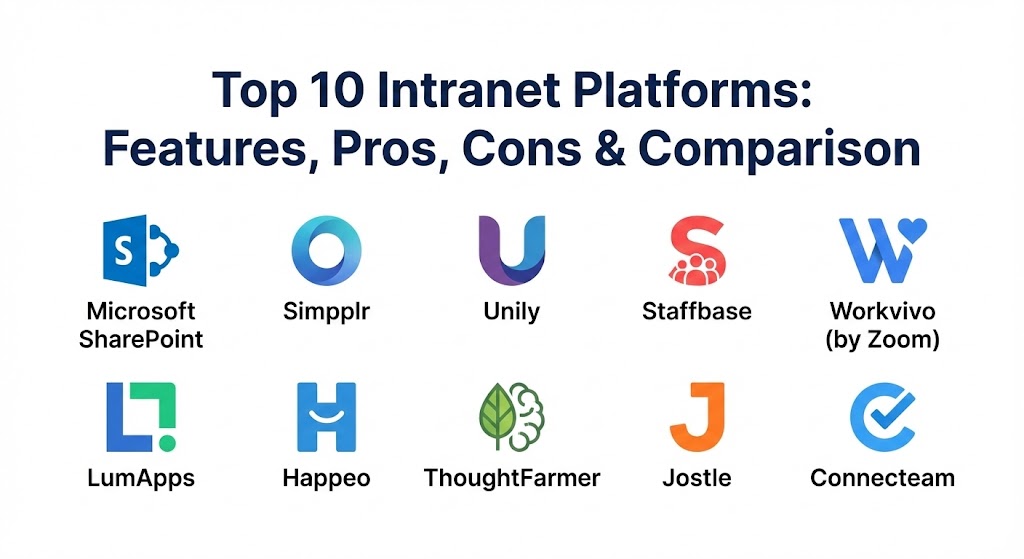
Top 10 Intranet Platforms
1 — Microsoft SharePoint
SharePoint remains the industry heavyweight, especially for organizations deeply embedded in the Microsoft 365 ecosystem.4 In 2026, it has been revitalized by “Copilot for SharePoint,” making it easier than ever to build visually stunning sites using natural language.
- Key features:
- Deep integration with Microsoft 365 (Teams, OneDrive, Outlook).5
- AI-powered site creation via Microsoft Copilot.6
- Robust document management with complex permissioning.
- Highly customizable “Web Parts” for bespoke dashboarding.7
- Integration with Viva Engage for social networking.8
- Advanced enterprise search across the entire M365 tenant.
- Pros:
- Unrivaled document governance and compliance features.9
- Often “free” as part of existing Microsoft enterprise licenses.
- Cons:
- High technical complexity; usually requires a dedicated SharePoint admin.10
- User experience can feel “clunky” if not professionally designed.
- Security & compliance: SOC 2 Type II, HIPAA, GDPR, ISO 27001, and FedRAMP high.
- Support & community: Massive global partner ecosystem and extensive documentation via Microsoft Learn.
2 — Simpplr
Simpplr is widely recognized as one of the most user-friendly modern intranets.11 It prioritizes “prescriptive analytics” and AI to ensure that employees actually see and interact with the content that matters most to them.12
- Key features:
- AI-driven “Auto-Governance” to prevent content sprawl.13
- Native employee listening and pulse survey tools.14
- Smart, personalized newsfeeds for every user.15
- Powerful “People Directory” with relationship mapping.16
- Integrated recognition and rewards module.17
- Mobile-first app with a consumer-grade interface.18
- Pros:
- Extremely high adoption rates due to the intuitive UI.19
- Very fast deployment (weeks instead of months).20
- Cons:
- Higher per-user cost compared to bundled alternatives.
- Less flexibility for deep technical “under-the-hood” customization.
- Security & compliance: SOC 2 Type II, GDPR, HIPAA, and SSO integration.
- Support & community: High-touch onboarding and proactive customer success managers.21
3 — Unily
Unily is a high-end enterprise employee experience platform used by some of the world’s largest brands to create highly bespoke, branding-rich digital workplaces.22
- Key features:
- Sophisticated CMS with multi-channel publishing capabilities.23
- AI-driven content targeting based on role, location, and behavior.24
- Advanced analytics dashboard for tracking comms ROI.
- Extranet capabilities for communicating with partners/contractors.
- Seamless integration with both Microsoft and Google stacks.25
- Robust “App Directory” for centralizing enterprise tools.
- Pros:
- Beautifully designed, fully brandable interface.
- Strongest governance controls for massive, global organizations.
- Cons:
- Premium pricing reflects its “high-end” positioning.26
- Implementation typically requires significant strategic planning.
- Security & compliance: ISO 27001, SOC 2, HIPAA, and GDPR compliant.
- Support & community: Excellent 24-hour support desk and an annual user conference (Unite).
4 — Staffbase
Staffbase is the clear leader for organizations with large deskless or frontline workforces.27 It focuses on reaching employees who don’t have a company email address or sit at a desk.28
- Key features:
- Industry-leading mobile app with push notification “Alerts.”
- Multi-channel publishing (Email, App, Digital Signage).29
- Built-in AI content assistant for internal communicators.30
- Employee surveys and “Engagement Streams.”31
- Automated translation for global, multilingual workforces.32
- Secure access for employees without corporate identities.33
- Pros:
- Highest reach and engagement for frontline/field workers.
- Simplifies complex global communications into a single dashboard.
- Cons:
- Desktop experience, while good, is secondary to the mobile focus.
- Search functionality is slightly less robust than SharePoint or Simpplr.
- Security & compliance: ISO 27001, GDPR, and SOC 2.
- Support & community: Strong emphasis on “Comms Strategy” support during onboarding.
5 — Workvivo (by Zoom)
Workvivo is a social-first intranet that aims to bring a social media-like feel to the workplace.34 Since its acquisition by Zoom, it has integrated deeply with video and real-time collaboration.
- Key features:
- Social activity feed with reactions, comments, and hashtags.35
- Integration with Zoom for live internal broadcasts.36
- Global “Shout-out” feature for peer-to-peer recognition.37
- Spaces for interest-based community groups.38
- Native podcast and video hosting.39
- Simple, clean “Resource Center” for key documents.
- Pros:
- Excellent at building company culture in a remote world.40
- Very low barrier to entry for employees familiar with social media.
- Cons:
- Lacks the deep document management depth of a dedicated CMS.
- May feel “too informal” for some traditional corporate cultures.
- Security & compliance: SOC 2, GDPR, and SSO support.
- Support & community: Live chat support and regular “Product Roadmap” webinars.
6 — LumApps
LumApps is a versatile, cloud-native intranet that excels at personalization.41 It is unique in how well it plays with both Microsoft and Google ecosystems simultaneously.
- Key features:
- Metadata-driven architecture for dynamic content delivery.42
- “Employee Journeys” for automated onboarding and milestones.43
- AI-powered natural language search (LumApps Companion).44
- Integrated “Communities” for social collaboration.45
- Strong multilingual and global multi-site support.
- 100+ native connectors to third-party business apps.46
- Pros:
- Best-in-class personalization for large, complex organizations.
- Highly flexible and modular page design.
- Cons:
- Setup can be time-consuming due to the deep configuration options.
- Higher pricing tiers for advanced AI and analytics features.
- Security & compliance: SOC 2, GDPR, and ISO 27001.
- Support & community: Award-winning customer success team and a robust training academy.47
7 — Happeo
Happeo is the primary choice for companies running on Google Workspace.48 It is designed to look and feel like a natural extension of Google Drive, Calendar, and Gmail.49
- Key features:
- Native, real-time integration with Google Drive and Docs.
- “Lifecycle Management” for pages to ensure content stays fresh.50
- Visual organizational charts that update automatically.
- Integrated social channels and discussion forums.51
- Federated search across Google Workspace and other apps.52
- Fast “Launchpad” for the most-used company tools.
- Pros:
- Zero learning curve for employees already using Google tools.
- One of the fastest implementation timelines in the industry.
- Cons:
- Less robust for organizations using Microsoft or mixed stacks.
- Advanced branding options are somewhat limited.
- Security & compliance: ISO 27001, GDPR, and Google Cloud security standards.
- Support & community: Responsive technical support and a library of “Intranet Strategy” resources.
8 — ThoughtFarmer
ThoughtFarmer is a veteran solution that focuses on the intersection of knowledge management and culture. It is known for its “warm” user interface and exceptional customer support.53
- Key features:
- Powerful, structured wiki-style knowledge base.54
- Integrated form builder and workflow automation.
- Best-in-class “visual” employee directory.
- Gamified engagement features (badges, points).
- Robust mobile app with offline access.55
- Flexible data collection forms for internal feedback.56
- Pros:
- Exceptional customer support that feels like a partnership.57
- Excellent balance between “social” and “structured” content.
- Cons:
- Smaller partner ecosystem compared to giants like SharePoint.
- UI is clean but lacks some of the modern “flash” of Workvivo or Unily.
- Security & compliance: SOC 2, GDPR, and encryption at rest.
- Support & community: Highly praised support team and a deep online knowledge base.58
9 — Jostle
Jostle is built for organizations that hate traditional, complex intranets. It uses a unique “visual” architecture that avoids the standard folder-and-file metaphor.
- Key features:
- Visual “People View” instead of a standard list directory.59
- “The Shout-Out” feed for public employee praise.60
- Simple “Discussions” for focused team collaboration.
- Curated “News” area for official company updates.61
- Integrated “Events” calendar for company-wide visibility.62
- Highly structured “Library” for key documents.
- Pros:
- Unrivaled simplicity; requires almost zero training.63
- Very high “buy-in” from employees who are tech-averse.
- Cons:
- Limited customization; you have to work within the Jostle framework.
- Not ideal for complex enterprises with deep technical requirements.
- Security & compliance: SOC 2, GDPR, and SSO integration.64
- Support & community: Focus on “Customer Success” with a library of engagement ideas.
10 — Connecteam
While often categorized as an operations tool, Connecteam has become the go-to “all-in-one” intranet for SMBs with a deskless workforce.65
- Key features:
- Built-in time clock and geofencing for field staff.
- Digital “Knowledge Base” for manuals and training.66
- Automated task management and scheduling.67
- Real-time team chat and company-wide newsfeed.
- Custom “Employee Recognition” and surveys.68
- No-code “App Builder” for internal processes.
- Pros:
- The most comprehensive tool for businesses with 100% mobile teams.
- Very affordable with a “Free for Life” plan for small teams.
- Cons:
- Lacks the advanced CMS features needed for a corporate HQ intranet.
- Integration with enterprise ERPs is still maturing.
- Security & compliance: ISO 27001, GDPR, and HIPAA compliant.
- Support & community: Fast live chat support and extensive video tutorials.
Comparison Table
| Tool Name | Best For | Platform(s) Supported | Standout Feature | Rating (Gartner Peer Insights) |
| SharePoint | Microsoft-First Orgs | Web, iOS, Android | Copilot AI Integration | 4.4 / 5 |
| Simpplr | Modern Employee Exp. | Web, iOS, Android | Prescriptive Analytics | 4.8 / 5 |
| Unily | Large Global Brands | Web, iOS, Android | Bespoke Branding | 4.7 / 5 |
| Staffbase | Frontline Employees | Mobile, Web, Signage | Multi-Channel Alerts | 4.7 / 5 |
| Workvivo | Social Engagement | Web, iOS, Android | Social Activity Feed | 4.8 / 5 |
| LumApps | Hybrid Tech Stacks | Web, iOS, Android | Employee Journeys | 4.5 / 5 |
| Happeo | Google Workspace Users | Web, iOS, Android | Real-time Google Sync | 4.6 / 5 |
| ThoughtFarmer | Knowledge & Culture | Web, iOS, Android | Structured Wiki Base | 4.6 / 5 |
| Jostle | Simplicity & Clarity | Web, iOS, Android | Visual People View | 4.4 / 5 |
| Connecteam | Deskless SMBs | Mobile-First, Web | All-in-One Ops Suite | 4.8 / 5 |
Evaluation & Scoring of Intranet Platforms
| Category | Weight | Evaluation Focus |
| Core Features | 25% | CMS quality, social tools, knowledge management, and AI search. |
| Ease of Use | 15% | Intuitiveness for both end-users and non-technical admins. |
| Integrations | 15% | Native connectivity with M365, Google, Slack, and HRIS systems. |
| Security & Compliance | 10% | Encryption, SOC 2/ISO certifications, and audit logging. |
| Performance | 10% | Mobile app speed, search latency, and global uptime. |
| Support & Community | 10% | Quality of onboarding, training, and customer success management. |
| Price / Value | 15% | ROI based on engagement gains vs. total licensing/setup costs. |
Which Intranet Platform Is Right for You?
- Small Businesses (SMBs): If you have under 100 people, simplicity is key. Jostle offers a no-fuss setup, while Connecteam is unbeatable if your team is mostly in the field.
- Mid-Market Companies: This is where Simpplr and Workvivo shine.69 They provide high-end engagement and “cool” factors without the massive IT overhead of legacy systems.
- Large & Global Enterprises: You need governance and scalability.70 Unily and LumApps are designed to handle the complexity of 10,000+ employees across multiple regions.
- Frontline/Deskless Industries: If your employees are in retail, hospitality, or construction, Staffbase is the gold standard for reaching people without desktop access.
- Microsoft vs. Google Houses: If you are “all-in” on Microsoft, starting with SharePoint (or an extension like Powell) is logical. If you live in Google Workspace, Happeo is the path of least resistance.71
Frequently Asked Questions (FAQs)
1. What is the difference between an intranet and a digital workplace?
An intranet is a component of a digital workplace. The intranet is the hub for communication and news, whereas the “digital workplace” encompasses all the tools (Slack, Zoom, HRIS, Intranet) an employee uses.
2. How long does it take to launch a new intranet?
Out-of-the-box tools like Simpplr or Jostle can launch in 4–8 weeks. Enterprise builds with custom SharePoint development can take 6–12 months.
3. Will an intranet replace email?
It won’t replace email entirely, but it should significantly reduce “all-staff” blasts. Important news lives on the intranet, while email remains for direct, personal communication.72
4. How do I get employees to actually use the intranet?
Adoption is driven by content utility. If the intranet is the only place to find the holiday calendar, book time off, or get IT help, employees will use it daily.
5. Can I host an intranet on-premise?
While some legacy tools like Noodle still offer on-premise, 95% of modern intranet platforms (including all on this list) are cloud-native SaaS solutions for better security and updates.
6. Do modern intranets have mobile apps?
Yes. In 2026, a native iOS and Android app is a standard requirement.73 Some, like Staffbase, are built “mobile-first” rather than just offering a mobile version of the desktop site.74
7. How much does a modern intranet cost?
Pricing is typically per-user, per-month.75 SMB tools start around $3–$5, while enterprise-grade solutions with advanced AI and analytics range from $10–$18 per user.
8. Is AI actually useful in an intranet?
Yes. AI now handles “auto-tagging” of content, provides a conversational chatbot for HR FAQs, and personalizes the newsfeed so employees aren’t overwhelmed by irrelevant data.76
9. Can external partners access our intranet?
Many platforms (like Unily and SharePoint) offer “Extranet” features, allowing you to create secure, limited access areas for vendors, partners, or board members.
10. What is “Content Sprawl” and how do tools stop it?
Content sprawl occurs when old, irrelevant pages pile up.77 Tools like Simpplr use “auto-governance” to prompt content owners to review or archive pages after 6–12 months.78
Conclusion
Choosing an intranet platform in 2026 is no longer a purely technical decision—it’s a cultural one. The right tool acts as a “digital glue,” binding your strategy, culture, and people together.79 While Microsoft SharePoint remains the infrastructure king, specialized tools like Simpplr, Workvivo, and Staffbase are winning the hearts of HR and Comms teams by prioritizing employee experience over raw technical flexibility. Ultimately, the best tool is the one your employees feel at home in.