Introduction
Identity & Access Management (IAM) is a framework of policies and technologies designed to ensure that authorized users have the appropriate access to technology resources. It encompasses the entire lifecycle of an identity: from the moment an employee is hired (provisioning), through their daily logins and role changes, to the moment they leave the company (deprovisioning). In modern environments, IAM is the core of a “Zero Trust” security strategy—a philosophy based on the principle of “never trust, always verify.”
The importance of IAM tools lies in their dual ability to enhance security while improving the user experience. Key real-world use cases include Single Sign-On (SSO) to prevent password fatigue, Multi-Factor Authentication (MFA) to block 99% of identity-based attacks, and Automated Lifecycle Management to ensure that former employees don’t retain access to sensitive data. When evaluating tools, organizations should look for integration depth, adaptive authentication capabilities, user-friendliness, and compliance reporting features.
Best for: Chief Information Security Officers (CISOs), IT Managers, and DevOps teams in organizations of all sizes. It is a mandatory requirement for industries such as Finance, Healthcare, and Government, where protecting sensitive PII (Personally Identifiable Information) and meeting regulatory audits (SOC2, HIPAA, GDPR) is essential.
Not ideal for: Very small businesses with fewer than 10 employees using only 2–3 applications. In these cases, the native security features within platforms like Google Workspace or Microsoft 365 are usually sufficient, and the overhead of a dedicated enterprise IAM suite may be unnecessary.
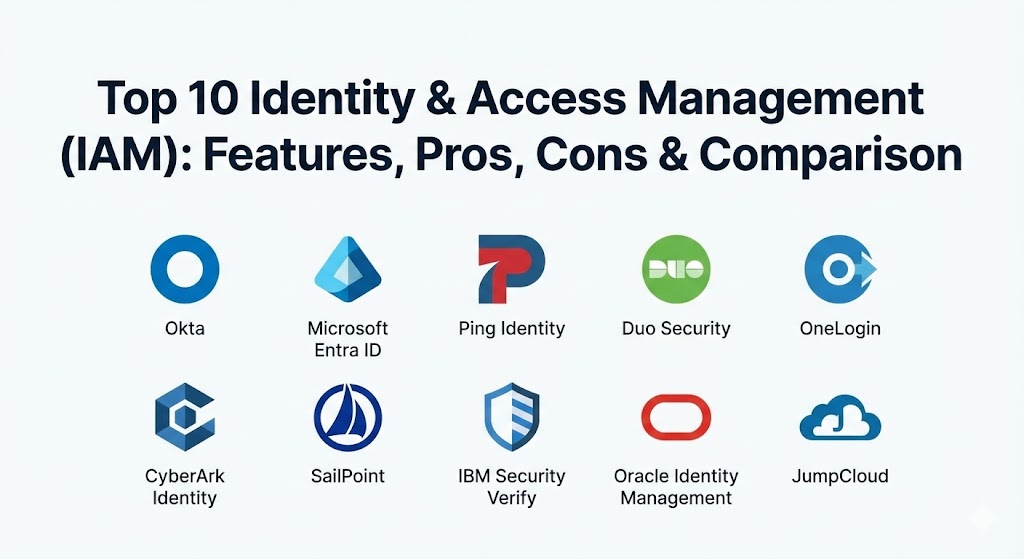
Top 10 Identity & Access Management (IAM) Tools
1 — Okta Workforce Identity Cloud
Okta is widely considered the pioneer of cloud-native IAM. It provides a seamless, vendor-neutral platform that connects virtually any user to any application, regardless of where they are hosted.
- Key features:
- Universal Directory: A single, consolidated view of every user across the organization.
- Adaptive MFA: Uses AI to assess login risk based on location, device health, and behavior.
- Advanced Server Access: Extends IAM protocols to SSH and RDP for infrastructure security.
- Lifecycle Management: Automates the onboarding and offboarding process via pre-built connectors.
- Okta Identity Governance (OIG): Integrated tools for access requests and certifications.
- FastPass: A phishing-resistant, passwordless authentication experience.
- 7,000+ Integrations: The largest pre-built integration network in the industry.
- Pros:
- Exceptionally easy to deploy and manage compared to legacy on-premise systems.
- Independent and vendor-neutral, meaning it works equally well with AWS, Google, and Microsoft.
- Cons:
- Pricing can be high for smaller companies as features are sold in modular “add-ons.”
- As a high-profile target, Okta has faced significant scrutiny regarding its own platform security.
- Security & compliance: SOC 2 Type II, ISO 27001, HIPAA, FedRAMP, and GDPR compliant.
- Support & community: Extensive documentation, a massive user community, and 24/7 premium enterprise support.
2 — Microsoft Entra ID (formerly Azure AD)
Microsoft Entra ID is the backbone of the Microsoft 365 ecosystem. For organizations already using Windows, Office, and Azure, it offers an almost unbeatable level of integration.
- Key features:
- Conditional Access: Granular policies that allow or block access based on specific signals.
- Seamless SSO: One-click access to thousands of SaaS applications.
- Identity Protection: Automatically detects and remediates identity-based risks.
- Privileged Identity Management (PIM): Just-in-time and just-enough access for admins.
- Decentralized Identity: Allows users to own and control their digital identities.
- B2B/B2C Collaboration: Securely manage external partners and customers.
- Global Secure Access: Merges IAM with network security (SSE) for a unified edge.
- Pros:
- Often “effectively free” for organizations already paying for high-tier Microsoft 365 licenses.
- Deepest possible integration with Windows 11 and the Microsoft productivity suite.
- Cons:
- Can be difficult to manage for non-Microsoft workloads or Google-heavy environments.
- The administrative interface is notoriously complex and can be overwhelming for new users.
- Security & compliance: FedRAMP High, HIPAA, SOC 1/2/3, ISO 27001, and GDPR.
- Support & community: Backed by the world’s largest enterprise support network and extensive community forums.
3 — Ping Identity (PingOne)
Ping Identity specializes in “Intelligent Identity” for the enterprise. Following its merger with ForgeRock, it has become a powerhouse for both Workforce and Consumer (CIAM) use cases.
- Key features:
- PingFederate: A high-performance federation server for complex hybrid environments.
- PingID: A versatile MFA solution that supports mobile, hardware tokens, and biometrics.
- DaVinci: A no-code identity orchestration tool for building custom user journeys.
- API Intelligence: Uses AI to detect and block malicious activity on your APIs.
- Fraud Depict: Specialized tools to prevent account takeover and identity fraud.
- Hybrid Deployment: Can be run in the cloud, on-premise, or as a managed service.
- Pros:
- Highly flexible; ideal for large enterprises with a mix of legacy and modern apps.
- The DaVinci orchestration engine is one of the best for creating complex login flows.
- Cons:
- Can be more technical to implement than Okta.
- The integration of ForgeRock and Ping product lines is still a work in progress for some users.
- Security & compliance: SOC 2, ISO 27001, HIPAA, and GDPR compliant.
- Support & community: Strong professional services and enterprise-grade technical support.
4 — Duo Security (Cisco)
Duo, owned by Cisco, is famous for making security “simple.” While it started as an MFA tool, it has evolved into a complete Zero Trust access platform.
- Key features:
- Duo Push: The gold standard for user-friendly, one-tap MFA notifications.
- Device Trust: Inspects the security posture of a device before allowing a login.
- Duo Central: A unified dashboard for users to access all their assigned apps.
- Passwordless Authentication: Support for FIDO2 and biometric web authentication.
- Network Gateway: Securely access on-premise applications without a VPN.
- Trust Monitor: Identifies anomalous login patterns and security threats.
- Pros:
- The best user experience in the industry; users rarely complain about “using Duo.”
- Incredibly fast to set up; you can protect your first app in under 10 minutes.
- Cons:
- Lacks some of the deep “Identity Governance” (IGA) features of SailPoint or Okta.
- Can become expensive if you only need basic MFA and not the full Zero Trust suite.
- Security & compliance: SOC 2, ISO 27001, FedRAMP, and HIPAA.
- Support & community: Excellent documentation and a helpful community; 24/7 support available for all tiers.
5 — OneLogin (by One Identity)
OneLogin provides a fast and secure IAM solution that focuses on speed of deployment and administrative efficiency, particularly for mid-market companies.
- Key features:
- SmartFactor Authentication: Risk-based MFA that only prompts users when necessary.
- Vigilance AI: Threat intelligence that identifies compromised credentials globally.
- Desktop SSO: Log into your workstation once and get access to all web apps.
- Cloud Directory: Real-time synchronization with AD, LDAP, and HR systems.
- App Catalog: Thousands of pre-integrated apps for instant provisioning.
- Pros:
- Very high performance; the platform is built for low-latency authentication.
- Often more affordable and flexible than the “big two” (Okta/Microsoft).
- Cons:
- The integration ecosystem, while large, is slightly smaller than Okta’s.
- Historically, the company has had fewer “cutting-edge” features compared to Ping or Entra.
- Security & compliance: SOC 2 Type II, ISO 27001, and GDPR compliant.
- Support & community: Good technical support and a growing repository of training materials.
6 — CyberArk Identity
CyberArk is the world leader in Privileged Access Management (PAM). Their IAM toolset is unique because it is built on a foundation of “Identity Security” for high-risk users.
- Key features:
- Workforce Identity: Standard SSO and MFA for all employees.
- Privileged Access: Integrated management of admin credentials and secrets.
- Identity Flows: Automated workflows for joining, moving, and leaving roles.
- Session Recording: Record and audit high-risk administrative sessions.
- Endpoint Privilege Management: Remove local admin rights from user machines.
- Secrets Manager: Securely store and rotate API keys and passwords for machines.
- Pros:
- The best choice for organizations that prioritize “security-first” over “convenience-first.”
- Single platform for both standard users and high-risk administrators.
- Cons:
- The interface and setup can be complex for teams not used to PAM principles.
- It may be “overkill” for a company that doesn’t have a high number of privileged users.
- Security & compliance: FIPS 140-2, SOC 2, ISO 27001, and HIPAA.
- Support & community: Top-tier enterprise support and a very active professional services network.
7 — SailPoint Identity Security Cloud
SailPoint is less about “logging in” and more about “governing.” It is the gold standard for Identity Governance and Administration (IGA).
- Key features:
- AI-Driven Certifications: Automatically identifies which access rights should be reviewed.
- Access Insights: Provides a visual map of who has access to what and why.
- Separation of Duties (SoD): Prevents users from having conflicting roles (e.g., creating and approving a check).
- Role Mining: Uses AI to suggest the best role structures for your organization.
- Provisioning Engine: Connects to complex legacy systems and mainframes.
- Pros:
- Unmatched for meeting complex regulatory audits and compliance checks.
- Finds “hidden” access that standard SSO tools often miss.
- Cons:
- Not a standalone SSO/MFA tool; it usually needs to be paired with Okta or Ping.
- Implementation is a major project that often takes months of planning.
- Security & compliance: SOC 2, ISO 27001, FedRAMP, and GDPR.
- Support & community: Highly specialized community and professional support for large-scale deployments.
8 — IBM Security Verify
IBM Security Verify is a full-suite IAM platform that leverages IBM’s “Watson” AI to provide proactive identity protection for both cloud and on-premise environments.
- Key features:
- Adaptive Access: Leverages Watson to detect anomalous behavior and fraud.
- CIAM Integration: High-scale management of millions of consumer identities.
- Consent Management: Built-in tools for managing GDPR and privacy preferences.
- Passwordless Options: Support for QR codes, FIDO, and mobile biometrics.
- Governance Workflows: Integrated access request and approval chains.
- Pros:
- Excellent for massive enterprises with complex “Global” requirements.
- One of the best tools for managing both employees and customers in one place.
- Cons:
- The user interface can feel more “corporate” and less agile than modern SaaS tools.
- Navigating the IBM licensing and sales process can be cumbersome.
- Security & compliance: ISO 27001, SOC 2, HIPAA, and various global government certifications.
- Support & community: Global 24/7 support and a huge network of professional consultants.
9 — Oracle Identity Management
Oracle provides a massive IAM suite designed specifically for organizations that run their business on Oracle Databases, ERP, and Cloud (OCI).
- Key features:
- Identity Governance: Deep integration with Oracle E-Business Suite and Peoplesoft.
- Access Management: High-performance SSO for on-premise and cloud.
- Directory Services: Scalable LDAP storage for millions of entries.
- Privileged Access: Integrated management for Oracle database admins.
- Identity Cloud Service (IDCS): The modern, SaaS-based evolution of the platform.
- Pros:
- If you are an “Oracle Shop,” the integration and performance are unmatched.
- Very stable and mature platform with decades of enterprise testing.
- Cons:
- Can be very expensive and difficult to manage if you are moving away from Oracle.
- Innovation on the SaaS side has historically lagged behind Okta and Microsoft.
- Security & compliance: FedRAMP, SOC 1/2/3, ISO 27001, and HIPAA.
- Support & community: Strong enterprise support and a large base of experienced Oracle admins.
10 — JumpCloud
JumpCloud is an “Open Directory” platform. It is a modern challenger that combines IAM with device management (MDM), making it a favorite for Apple-heavy startups.
- Key features:
- Cloud Directory: A modern replacement for traditional Active Directory.
- Integrated MDM: Manage Mac, Windows, and Linux devices in the same console as users.
- Cloud RADIUS & LDAP: Securely connect to Wi-Fi and legacy applications.
- Password Manager: Built-in team password management.
- Zero Trust Security: Enforces security policies based on user and device state.
- Pros:
- The best “all-in-one” choice for small-to-mid-sized tech companies.
- Eliminates the need for separate IAM and Device Management tools.
- Cons:
- Lacks the deep “Governance” and “Mainframe” support required by massive global banks.
- The integration library, while growing, is smaller than Okta’s.
- Security & compliance: SOC 2 Type II, GDPR, and HIPAA compliant.
- Support & community: Responsive technical support and a very modern, helpful community forum.
Comparison Table
| Tool Name | Best For | Platform(s) Supported | Standout Feature | Rating (Gartner) |
| Okta | Hybrid & Multi-cloud | SaaS, Multi-cloud | 7,000+ App Integrations | 4.8 / 5 |
| Microsoft Entra | Microsoft-centric | Azure, Windows | Seamless O365 Integration | 4.7 / 5 |
| Ping Identity | Large Enterprises | Hybrid, On-prem | DaVinci No-code Orchestrator | 4.6 / 5 |
| Duo Security | Ease of Use / MFA | SaaS, Mobile | User-Friendly Push MFA | 4.7 / 5 |
| OneLogin | Mid-market SaaS | SaaS, Hybrid | SmartFactor AI Risk Engine | 4.5 / 5 |
| CyberArk | High-Security / PAM | SaaS, On-prem | Identity + Privileged Access | 4.6 / 5 |
| SailPoint | Governance & Audit | SaaS, Hybrid | AI-driven Access Reviews | 4.7 / 5 |
| IBM Security | Global Corp / CIAM | SaaS, Hybrid | Watson AI Fraud Detection | 4.4 / 5 |
| Oracle | Oracle-heavy Orgs | OCI, On-prem | Deep ERP/Oracle App Sync | 4.3 / 5 |
| JumpCloud | Startups / SMB | Cloud, Apple/Linux | IAM + Device Management (MDM) | 4.6 / 5 |
Evaluation & Scoring of Identity & Access Management (IAM)
Choosing an IAM tool is a high-stakes decision. To help you evaluate, we have scored these tools based on a weighted rubric that reflects the priorities of a modern IT security department in 2026.
| Category | Weight | Evaluation Criteria |
| Core Features | 25% | SSO, MFA quality, adaptive authentication, and lifecycle automation. |
| Ease of Use | 15% | Time to deploy, UI/UX for both admins and end-users. |
| Integrations | 15% | Breadth of the app catalog and API quality for custom apps. |
| Security & Compliance | 10% | Encryption, audit logging, and certifications (SOC2/GDPR/HIPAA). |
| Performance | 10% | Uptime history and speed of authentication (latency). |
| Support & Community | 10% | Documentation quality and 24/7 technical response speed. |
| Price / Value | 15% | Transparency of pricing and total cost of ownership. |
Which Identity & Access Management (IAM) Tool Is Right for You?
Solo Users vs SMB vs Mid-market vs Enterprise
- Solo/Small Startups: If you have under 20 employees and use mostly Apple or Linux, JumpCloud is the perfect starting point. It handles your users and your laptops in one go.
- Growing SMBs: Duo Security or Okta (on their lower tiers) offer the best path for companies that need to get secure fast without hiring a dedicated identity team.
- Mid-market: OneLogin or Microsoft Entra ID provide the best “bang for your buck” while scaling with your growing application list.
- Enterprise: Ping Identity, CyberArk, or SailPoint. At this scale, you need the governance and privileged access controls that simple SSO tools cannot provide.
Budget-conscious vs Premium solutions
- Budget-conscious: Microsoft Entra ID (if you already have M365) is the most logical financial choice. JumpCloud also offers a very generous free tier for the first 10 users/devices.
- Premium: Okta and Ping Identity are premium investments. You are paying for the flexibility, the massive integration library, and the “vendor-neutral” peace of mind.
Feature depth vs Ease of use
- Feature Depth: Ping Identity (with DaVinci) and SailPoint are the deepest tools for technical architects.
- Ease of Use: Duo Security and Okta are the champions of user and admin experience.
Frequently Asked Questions (FAQs)
1. What is the difference between IAM and MFA?
MFA (Multi-Factor Authentication) is a feature of IAM. IAM is the whole system—the directory, the permissions, the offboarding, and the auditing. MFA is just the second step of verification during a login.
2. Can I use IAM for my customers?
Yes. This is called CIAM (Customer Identity & Access Management). Tools like Okta, Ping, and IBM have specialized modules to handle millions of customer logins and privacy consents.
3. Is Active Directory (AD) an IAM tool?
Yes, it is a legacy on-premise IAM tool. However, in 2026, most companies are moving to cloud-based “IDaaS” (Identity as a Service) like Entra ID or Okta to manage modern web applications.
4. How long does it take to implement an IAM tool?
A simple SSO setup for 10 apps can take a few days. A full enterprise deployment with automated HR syncing and 500+ apps can take 6 months to a year.
5. What is “Passwordless” authentication?
It allows users to log in using biometrics (FaceID), security keys (YubiKey), or push notifications instead of a traditional password. It is actually more secure than a password.
6. Do I need an IAM tool for a small team?
If you use more than 5 SaaS applications (like Slack, Zoom, Jira), an IAM tool is highly recommended to ensure people aren’t reusing weak passwords across all of them.
7. What is “Provisioning”?
It is the automated creation of user accounts in various apps. For example, when you add a user to the “Sales” group in your IAM, they automatically get an account in Salesforce and Zoom.
8. Can IAM tools prevent data breaches?
They are the #1 defense against them. Most breaches involve stolen passwords; an IAM tool with strong MFA blocks these attempts even if the attacker has the password.
9. What happens if my IAM provider goes down?
This is a “single point of failure.” High-end providers like Okta and Microsoft have massive redundancy, but many teams keep “emergency access” or “break-glass” accounts that bypass the IAM for critical systems.
10. How much does IAM cost?
Most enterprise tools cost between $2 and $15 per user, per month, depending on the number of features (Governance, MFA, SSO) you enable.
Conclusion
Identity is the foundation of modern security. Whether you are a five-person startup or a global bank, your ability to manage “who has access to what” will define your company’s resilience in the face of cyber threats.
If you want the absolute gold standard in flexibility and integrations, Okta is your winner. If you are deeply committed to the Microsoft cloud, Entra ID is your path. And if you need to solve for the world’s most complex security and governance requirements, Ping Identity and SailPoint remain the leaders.
The “best” tool isn’t the one with the most features; it’s the one that your users find easy to use and your admins find easy to manage. Start with your most critical applications, enforce MFA across the board, and build your identity strategy from there.