Introduction
An High-Performance Computing (HPC) Job Scheduler is a specialized piece of software responsible for orchestrating the execution of computational tasks across a cluster of nodes. Its primary role is to manage the queue of user-submitted jobs, matching their specific resource requirements (such as core count, memory, and specialized hardware like GPUs) with available resources. Schedulers enforce organizational policies, ensure “fair share” access among researchers, and optimize system utilization to prevent expensive hardware from sitting idle.
The importance of these tools has skyrocketed in 2026 as Artificial Intelligence (AI) and Large Language Model (LLM) training have moved from niche academic pursuits to mainstream enterprise requirements. Modern schedulers must now handle “heterogeneous” workloads—mixing traditional physics simulations with massive distributed AI training jobs. Key evaluation criteria include scalability (handling thousands of nodes), dispatch speed (how many jobs per second can be launched), support for containerization (Docker/Singularity), and robust cloud-bursting capabilities.
Best for: Academic research institutions, national laboratories, aerospace and automotive engineering firms, pharmaceutical companies performing drug discovery, and financial institutions running high-frequency risk simulations.
Not ideal for: Small businesses with single-server workloads, standard web application hosting, or organizations that rely exclusively on serverless cloud functions where the provider handles all resource allocation behind the scenes.
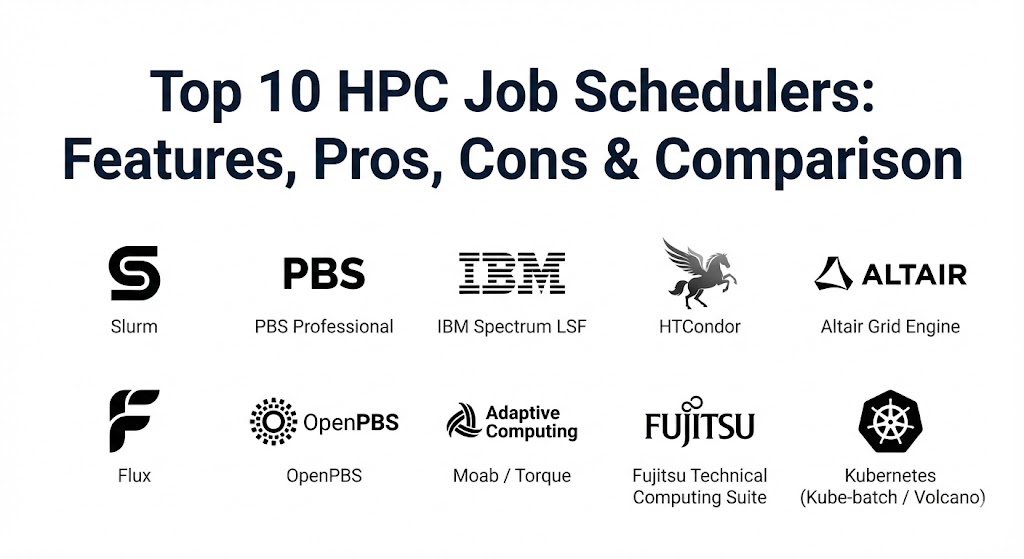
Top 10 HPC Job Schedulers
1 — Slurm (Simple Linux Utility for Resource Management)
Slurm has become the de facto standard for HPC clusters worldwide, powering many of the top systems on the TOP500 list. It is an open-source, fault-tolerant, and highly scalable cluster management and job scheduling system.
- Key features:
- Highly scalable architecture capable of managing hundreds of thousands of cores.
- Advanced “Backfill” scheduling to maximize resource utilization by fitting smaller jobs into gaps.
- Native support for GRES (Generic Resources) like GPUs and FPGAs.
- Multi-factor job prioritization based on “Fairshare,” age, and partition limits.
- Robust accounting database for tracking usage and generating reports.
- Support for “Job Arrays” to manage thousands of similar tasks with one command.
- Pros:
- Completely open-source with a massive global community and frequent updates.
- Extremely lightweight daemon overhead on compute nodes.
- Cons:
- The learning curve for complex configuration (e.g., TRES or advanced fairshare) is steep.
- Troubleshooting obscure “Node Drained” states can be frustrating for new admins.
- Security & compliance: Supports MUNGE for authentication, Linux cgroups for resource isolation, and is FIPS 140-2 compatible.
- Support & community: Massive open-source community; professional enterprise support and consulting are available through SchedMD.
2 — PBS Professional (Altair)
PBS Professional is the commercial powerhouse of the Portable Batch System family. It is renowned for its stability, enterprise-grade support, and its ability to handle mission-critical engineering workloads.
- Key features:
- Policy-driven scheduling that can be customized with Python scripts.
- EAL3+ security certification, making it a favorite for government and defense.
- “Cloud Bursting” capabilities to automatically extend local clusters into AWS, Azure, or GCP.
- Advanced hardware-health checks that automatically take failing nodes offline.
- Integrated workload simulator to test policy changes before applying them.
- Support for high-availability (HA) setups with multi-master configurations.
- Pros:
- Exceptionally reliable and well-documented for enterprise environments.
- The integrated GUI tools for monitoring and management are top-tier.
- Cons:
- Proprietary licensing costs can be significant for smaller organizations.
- Configuration can feel “heavy” compared to the minimalist approach of Slurm.
- Security & compliance: EAL3+ Certified, SOC 2, HIPAA, and GDPR compliant frameworks.
- Support & community: World-class 24/7 professional support from Altair; extensive professional training courses.
3 — IBM Spectrum LSF (Load Sharing Facility)
LSF is the “gold standard” for high-throughput environments, particularly in semiconductor design (EDA) and financial services. It is engineered to handle millions of short-duration jobs with virtually no latency.
- Key features:
- Industry-leading dispatch speeds (capable of over 10,000 jobs per second).
- Multi-cluster and multi-site management with global resource sharing.
- “SLA-based” scheduling to guarantee that specific business units hit their deadlines.
- Intelligent GPU-aware scheduling for massive AI training clusters.
- Deep integration with the broader IBM Spectrum storage and compute ecosystem.
- Dynamic resource connector for automated hybrid cloud scaling.
- Pros:
- Unmatched performance in high-throughput, “high-velocity” job environments.
- Excellent visibility into job dependencies and complex workflow tracking.
- Cons:
- Complex pricing structure that often requires dedicated account management.
- Interface can be intimidating for users transitioning from simpler open-source tools.
- Security & compliance: ISO 27001, SOC 2, HIPAA, and robust RBAC (Role-Based Access Control).
- Support & community: High-tier enterprise support from IBM; large presence in corporate data centers.
4 — HTCondor
Developed by the University of Wisconsin-Madison, HTCondor (High-Throughput Condor) is unique because it excels at “cycle stealing”—harnessing the idle power of desktop workstations or disparate servers.
- Key features:
- “Matchmaking” architecture that pairs job requirements with machine offerings.
- Opportunistic scheduling that uses nodes only when they are otherwise idle.
- Job checkpointing and migration, allowing jobs to “vacate” a node and resume elsewhere.
- Support for massive “Grids” spanning multiple geographical locations.
- Built-in file transfer mechanisms for clusters without a shared filesystem.
- Excellent for “Bag-of-Tasks” workloads that don’t require inter-node communication.
- Pros:
- Best-in-class for utilizing “wasted” resources across an organization.
- Highly resilient; the system is designed to handle hardware that frequently joins and leaves the pool.
- Cons:
- Not ideal for “tightly coupled” parallel jobs (like large MPI simulations).
- Configuration files use a unique syntax that differs from traditional PBS/Slurm styles.
- Security & compliance: Supports GSI, Kerberos, and modern SSO; compliant with academic research standards.
- Support & community: Active academic community; commercial support available through specialized partners.
5 — Altair Grid Engine (formerly Univa)
Grid Engine has a long and storied history (dating back to Sun Microsystems). It remains a staple in bioinformatics and life sciences due to its simplicity and robust handling of shared resources.
- Key features:
- Native support for container orchestration (Docker and Singularity).
- Flexible “Queue” system that maps easily to organizational departments.
- Advanced reservations for dedicated research windows.
- Integration with NavOps for cost-aware cloud resource management.
- “Fairshare” policies designed specifically for multi-tenant academic environments.
- Distributed resource management for multi-core and multi-node jobs.
- Pros:
- Very easy to learn for users familiar with traditional Unix environments.
- Strong history in life sciences with many pre-built workflows and templates.
- Cons:
- The fragmentation of “Grid Engine” versions (Oracle, Son of Grid Engine, Univa) can be confusing.
- Lacks some of the modern exascale features found in Flux or Slurm.
- Security & compliance: HIPAA, GDPR, and SOC 2 (within the Altair Cloud context).
- Support & community: Supported as part of the Altair HPCWorks suite; strong legacy documentation.
6 — Flux
Flux is the “next generation” scheduler designed at Lawrence Livermore National Laboratory. It is built to overcome the scaling limits of traditional monolithic schedulers for the exascale era.
- Key features:
- Hierarchical scheduling architecture (a scheduler within a scheduler).
- Fully graph-based resource model for complex hardware (e.g., deep memory hierarchies).
- Integration with modern “Cloud Native” stacks like Kubernetes.
- High-performance, low-latency communication based on ZeroMQ.
- Fully extensible via a modular plugin system.
- Designed specifically to handle exascale systems (millions of concurrent tasks).
- Pros:
- Future-proof; designed for the most complex hardware architectures imaginable.
- Allows users to spawn their own personal sub-clusters for custom experimentation.
- Cons:
- Still relatively new in the commercial sector; ecosystem is still maturing.
- Requires a modern Linux kernel and specific dependencies to run effectively.
- Security & compliance: Modern security stack; Varies / N/A for traditional enterprise certifications.
- Support & community: Driven by the US Department of Energy labs; growing open-source community on GitHub.
7 — OpenPBS
OpenPBS is the open-source version of PBS Professional. It provides a robust, entry-level platform for researchers who want the reliability of PBS without the enterprise price tag.
- Key features:
- Shared core code with PBS Professional.
- Basic job scheduling and resource management.
- Support for standard parallel environments (MPI, OpenMP).
- Integration with common open-source monitoring tools like Ganglia.
- Command-line compatibility with legacy Torque/PBS systems.
- Pros:
- Offers a clear upgrade path to PBS Professional if enterprise needs grow.
- Solid, stable codebase with decades of pedigree.
- Cons:
- Lacks the advanced GUIs, cloud bursting, and simulators found in the Pro version.
- Community support is helpful but lacks the “on-call” speed of paid support.
- Security & compliance: Standard Linux security; SSO support via external plugins.
- Support & community: Community-led via the PBS Pro GitHub project and user forums.
8 — Moab / Torque
Moab (by Adaptive Computing) is an intelligent workload management layer that usually sits on top of Torque (a resource manager). It is famous for its complex policy enforcement and “future reservations.”
- Key features:
- Advanced “Intelligence Engine” for predictive scheduling.
- Massive policy library for enforcing SLAs and organizational quotas.
- Future reservations that allow users to “book” a cluster for a specific time.
- “What-if” analysis for simulating the impact of new hardware or policy changes.
- Multi-dimensional scheduling based on energy cost or data locality.
- Pros:
- The most granular policy controls in the industry; ideal for complex multi-tenant sites.
- Excellent data management features for staging large datasets before jobs start.
- Cons:
- Torque (the resource manager) has seen less development in recent years compared to Slurm.
- Setting up Moab’s full “intelligence” suite is a major administrative project.
- Security & compliance: SSO, comprehensive audit logs, and HIPAA/PCI compliance readiness.
- Support & community: Professional support from Adaptive Computing; strong legacy in large-scale data centers.
9 — Fujitsu Technical Computing Suite
Highly specialized for the Japanese supercomputing market and large-scale national research, this suite is designed to manage systems of unprecedented scale, such as the Fugaku supercomputer.
- Key features:
- Unparalleled node scalability (managing 150,000+ nodes in a single system).
- Highly optimized for Tofu Interconnect and ARM-based architectures.
- Integrated power management to optimize energy efficiency at a massive scale.
- Advanced job-aware “co-scheduling” to prevent network interference.
- “Highly Reliable” architecture with multiple layers of failover.
- Pros:
- If you are running at the absolute limits of human computing, this is the tool.
- Integrated directly with Fujitsu hardware for maximum performance tuning.
- Cons:
- Extremely niche; not suitable for standard x86 enterprise clusters.
- Support and documentation are primarily focused on large-scale institutional clients.
- Security & compliance: Top-tier national-level security protocols and auditing.
- Support & community: Direct professional support from Fujitsu Global.
10 — Kubernetes (with Kube-batch / Volcano)
While Kubernetes is traditionally for microservices, the “HPC-on-K8s” movement has gained massive steam in 2026, using plugins like Volcano to provide batch scheduling capabilities.
- Key features:
- Native support for containerized “Cloud-Native” HPC.
- Volcano scheduler adds gang-scheduling, fairshare, and bin-packing to K8s.
- Seamless movement of workloads between on-prem Kubernetes and EKS/GKE/AKS.
- Massive ecosystem of observability tools (Prometheus, Grafana).
- Support for “Serverless HPC” patterns.
- Pros:
- Allows organizations to use the same management stack for both web apps and HPC.
- The fastest-growing ecosystem in the IT world.
- Cons:
- Kubernetes adds significant networking and virtualization overhead compared to “bare-metal” Slurm.
- Not yet as mature as Slurm/PBS for legacy MPI-based scientific codes.
- Security & compliance: RBAC, SOC 2, ISO 27001, and extensive enterprise security features.
- Support & community: The largest community in software history; professional support from Red Hat, VMware, etc.
Comparison Table
| Tool Name | Best For | Platform(s) Supported | Standout Feature | Rating (Gartner / TrueReview) |
| Slurm | General HPC / Research | Linux (Mostly) | Extreme Scalability | 4.8 / 5 |
| PBS Pro | Enterprise Engineering | Linux, Windows | EAL3+ Security | 4.7 / 5 |
| IBM LSF | Finance / EDA | Multi-OS / Cloud | 10k+ Jobs/Sec Dispatch | 4.6 / 5 |
| HTCondor | Distributed Computing | Multi-OS | Cycle-Stealing Matchmaking | 4.5 / 5 |
| Grid Engine | Bioinformatics | Linux | Simple Queue Management | 4.4 / 5 |
| Flux | Exascale Computing | Linux | Hierarchical Scheduling | N/A |
| OpenPBS | Cost-Conscious Labs | Linux | PBS Pro Pedigree | 4.3 / 5 |
| Moab | Complex Policy | Linux | Future Reservations | 4.4 / 5 |
| Fujitsu Suite | National Supercomputers | ARM / Tofu Arch | 150k Node Support | N/A |
| Kubernetes | Cloud-Native AI | Cloud / On-Prem | Unified Management | 4.9 / 5 |
Evaluation & Scoring of HPC Job Schedulers
We evaluated these tools based on a weighted rubric to determine their suitability for modern 2026 workloads.
| Category | Weight | Evaluation Criteria |
| Core Features | 25% | Backfilling, Fairshare, GPU support, and resource isolation (cgroups). |
| Ease of Use | 15% | CLI intuitiveness, GUI availability, and learning curve for end-users. |
| Integrations | 15% | Cloud bursting, container support (Singularity/Docker), and MPI compatibility. |
| Security & Compliance | 10% | Authentication methods, encryption, and regulatory audit readiness. |
| Performance | 10% | Dispatch throughput, daemon overhead, and latency under high load. |
| Support & Community | 10% | Documentation quality, professional support speed, and forum activity. |
| Price / Value | 15% | Licensing cost vs. efficiency gains and open-source flexibility. |
Which HPC Job Schedulers Tool Is Right for You?
Solo Researchers and Small Labs
If you are managing a small cluster (10 nodes or fewer) with no budget, Slurm is the undisputed winner. It is the “lingua franca” of the HPC world, and any student or researcher you hire will likely already know how to use it. If you have disparate computers spread across a lab, HTCondor can turn them into a unified pool without a shared filesystem.
Mid-Market Engineering and Manufacturing
Organizations with 50-200 nodes that need a “set it and forget it” experience should look at PBS Professional. The vendor support ensures that your engineers spend their time on design, not on debugging the scheduler’s XML configuration files.
Enterprise Finance and Semiconductor (EDA)
If your business loses millions for every minute a simulation is delayed, IBM Spectrum LSF is the industry standard. Its ability to handle millions of tiny jobs with extreme dispatch speeds is unmatched by open-source alternatives.
Modern AI and Data Science Startups
If your team is already living in the “Cloud-Native” world, Kubernetes with Volcano is the best choice. It allows you to run your AI training jobs in the same environment as your web APIs, simplifying your DevOps stack and making cloud-bursting second nature.
National Defense and Regulated Labs
For systems where data security is a legal requirement, the EAL3+ certification of PBS Professional or the high-tier governance of IBM LSF are necessary to satisfy government auditors.
Frequently Asked Questions (FAQs)
1. Is Slurm really free? Yes, the software is licensed under the GNU GPL. However, large enterprises often pay for support from SchedMD to ensure they have experts on call for mission-critical issues.
2. Can I run HPC jobs on Windows? While 95% of HPC is Linux-based, PBS Professional and IBM LSF offer the best support for Windows compute nodes, which is common in specific engineering industries like CAD/CAM.
3. What is “Fairshare”? Fairshare is an algorithm that ensures no single user or group can hog the entire cluster. It looks at historical usage; if you used a lot of resources yesterday, your priority is slightly lowered today to let others have a turn.
4. Do I need a job scheduler for a single server with 8 GPUs? While you can manage it manually, a scheduler like Slurm is still recommended. It prevents users from accidentally overwriting each other’s work or crashing the server by overloading the memory.
5. How does “Cloud Bursting” work? When your local queue is full, the scheduler (like PBS Pro or LSF) can automatically spin up temporary virtual machines in AWS or Azure, run the job there, return the results, and shut the VMs down to save money.
6. What is the difference between a Job Scheduler and a Resource Manager? A Resource Manager (like Torque) knows what hardware is available. A Job Scheduler (like Moab) knows when and how to run jobs based on policies. Most modern tools (Slurm, PBS) combine both into one package.
7. Can these tools manage Kubernetes clusters? Yes, tools like Slurm can now be configured to launch jobs inside Kubernetes pods, or vice versa, where Kubernetes uses Volcano to act like a traditional HPC scheduler.
8. Is “Backfilling” important? Absolutely. It’s like Tetris for supercomputers. If a huge job is waiting for 100 nodes but only 90 are ready, backfilling lets 10 small, quick jobs run in the meantime so the hardware doesn’t sit idle.
9. How do I migrate from one scheduler to another? Most schedulers offer “compatibility wrappers.” For example, Slurm includes a script that translates qsub (PBS command) into sbatch (Slurm command), allowing users to keep their old scripts during a transition.
10. What is an “Exascale” scheduler? Exascale refers to systems performing 1018 calculations per second. Schedulers like Flux are designed to handle the millions of concurrent threads and massive network complexity that traditional schedulers struggle with.
Conclusion
In 2026, the choice of an HPC job scheduler is less about finding the “fastest” code and more about finding the best fit for your organizational culture and hardware strategy. Slurm remains the king of research and large-scale open-source clusters due to its sheer momentum and community support. IBM LSF and PBS Professional continue to dominate the high-stakes enterprise market where uptime and specialized support are non-negotiable.
Ultimately, your scheduler is the gatekeeper of your most valuable computational assets. Choose the one that balances user ease-of-use with administrative control, and ensure it is ready for the “Cloud-Native” shift that is currently transforming the HPC landscape.