Introduction
A home automation hub is a central hardware or software controller that allows diverse smart devices to communicate with one another. While individual devices often use different “languages” or protocols—such as Zigbee, Z-Wave, Bluetooth, Thread, or Wi-Fi—the hub acts as a universal translator. It consolidates control into a single interface and, more importantly, enables complex automations where a sensor from one brand can trigger an action from another.
The importance of a dedicated hub lies in its ability to provide interoperability, local processing, and reliability. Key real-world use cases include security routines (where tripping an outdoor camera turns on all indoor lights), energy management (lowering blinds and adjusting thermostats based on solar load), and accessibility (voice-controlled lighting for those with limited mobility). When evaluating a hub, users should prioritize protocol support (especially the newer Matter and Thread standards), the choice between local vs. cloud-based processing, ease of use, and the depth of the automation engine.
Best for: Tech-savvy homeowners looking to unify disparate systems, DIY enthusiasts who enjoy building custom routines, and property managers in the real estate industry who need to manage multi-unit energy and security systems efficiently.
Not ideal for: Casual users who only own one or two smart devices (e.g., just a single smart speaker and one bulb), or those who prefer a “set it and forget it” approach using only basic voice commands without the need for complex interactions between different brands.
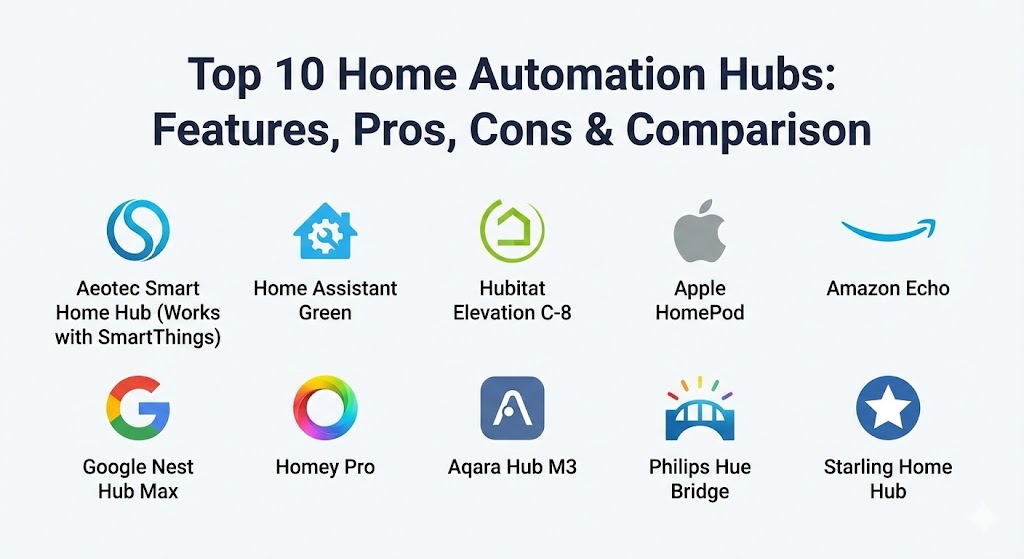
Top 10 Home Automation Hubs
1 — Aeotec Smart Home Hub (Works with SmartThings)
The Aeotec Smart Home Hub is the successor to the original Samsung SmartThings hardware. it remains the most popular “middle ground” hub, balancing a massive device ecosystem with a relatively easy-to-use interface.
- Key features:
- Supports Zigbee 3.0, Z-Wave Plus, and Wi-Fi protocols.
- Fully compatible with the Matter standard for future-proofing.
- Local Edge processing for faster automation execution.
- Massive library of “Device Handlers” for thousands of third-party products.
- Integrated with the SmartThings app for iOS and Android.
- Allows for complex “If-This-Then-That” logic via the Routine Creator.
- Pros:
- One of the largest compatible device lists in the industry.
- High level of community-developed drivers and support.
- Cons:
- Still relies on the cloud for some advanced configuration tasks.
- The app can occasionally feel cluttered due to the sheer volume of features.
- Security & compliance: Uses AES-128 bit encryption for Z-Wave and Zigbee; supports SSO via Samsung Account; GDPR compliant; regular firmware security patches.
- Support & community: Extensive official documentation; very active “SmartThings Community” forum; dedicated technical support from Aeotec.
2 — Home Assistant Green
Home Assistant Green is the official “plug-and-play” hardware for Home Assistant, the world’s most powerful open-source home automation platform. It is designed for those who want total privacy and local control.
- Key features:
- Runs Home Assistant OS out of the box for a simplified setup.
- Focuses on 100% local control—no data leaves your house unless you want it to.
- Supports over 2,500 integrations across virtually every brand.
- High-performance quad-core processor and 4GB of RAM.
- Advanced “Blueprints” for sharing and downloading complex automations.
- Expandable via USB for Zigbee, Z-Wave, and Thread radios.
- Pros:
- The most powerful automation engine available; if a device has an API, it can be added.
- Extreme privacy; no subscriptions required for core functionality.
- Cons:
- Steeper learning curve compared to “Big Tech” solutions.
- Requires additional USB dongles to support non-Wi-Fi protocols.
- Security & compliance: Local-first architecture; encrypted remote access (optional via Nabu Casa); audit logs for every device action; SOC 2 (Nabu Casa cloud).
- Support & community: The largest smart home community globally; massive Discord and forum presence; high-quality documentation.
3 — Hubitat Elevation C-8
Hubitat is the direct competitor to Home Assistant for the “prosumer” market. Its primary differentiator is that it is a dedicated hardware hub that emphasizes local processing without the need for a subscription.
- Key features:
- Built-in Zigbee, Z-Wave, and Thread/Matter support (no dongles needed).
- External antennas for superior range and signal penetration.
- Local processing ensures automations work even when the internet is down.
- Web-based administrative interface for deep configuration.
- Built-in “Rule Machine” for incredibly complex logical sequences.
- Native integration with Apple HomeKit, Amazon Alexa, and Google Home.
- Pros:
- Near-instant response times for device triggers.
- No reliance on external servers or cloud-based processing.
- Cons:
- The user interface is functional but lacks the modern aesthetic of competitors.
- Mobile app experience is less polished than SmartThings.
- Security & compliance: 100% local data storage; encrypted backups; no cloud data harvesting.
- Support & community: Excellent community forum (Hubitat Owners); frequent firmware updates based on user feedback.
4 — Apple HomePod (2nd Gen / Mini)
While primarily a speaker, the HomePod acts as a sophisticated Home Hub for the Apple Home (HomeKit) ecosystem, particularly since the wide adoption of Matter and Thread.
- Key features:
- Acts as a Thread Border Router for the latest generation of smart devices.
- Seamless integration with all iOS, macOS, and watchOS devices.
- HomeKit Secure Video support for encrypted camera storage in iCloud.
- Built-in temperature and humidity sensors for environment automation.
- Privacy-focused voice control via Siri.
- Matter support allows non-HomeKit devices to work within the Apple app.
- Pros:
- The best user experience (UX) for those already in the Apple ecosystem.
- Industry-leading privacy standards for voice and data.
- Cons:
- Very restrictive if you do not own an iPhone or iPad.
- Automation logic is simpler and less powerful than Home Assistant or Hubitat.
- Security & compliance: End-to-end encryption for all device communications; biometric authentication (FaceID/TouchID) for app access; GDPR and ISO 27001 standards.
- Support & community: Apple Store retail support; massive online knowledge base; integrated with Apple Care.
5 — Homey Pro (2023/2024 Edition)
Homey Pro is the “luxury” hub. It is a sleek, powerful device designed to be the ultimate universal controller, supporting an unprecedented number of protocols.
- Key features:
- Supports Zigbee, Z-Wave, Wi-Fi, Bluetooth, Infrared (IR), and 433MHz.
- Matter and Thread enabled.
- “Homey Flow” provides a visual, card-based automation builder.
- “Advanced Flow” (desktop) for professional-grade logic mapping.
- Local-first processing with high-performance hardware.
- Support for “Satellite” hubs to extend range in large mansions.
- Pros:
- The only hub that handles legacy IR (TVs/ACs) and 433MHz (gate openers) natively.
- Exceptionally beautiful and intuitive software interface.
- Cons:
- One of the most expensive hubs on the market.
- Smaller community compared to Home Assistant or SmartThings.
- Security & compliance: Sandbox environment for apps; encrypted communication; ISO 27001; GDPR compliant.
- Support & community: Direct manufacturer support; active Slack and forum; professional onboarding documentation.
6 — Amazon Echo (4th Gen) / Echo Show 10
Amazon has transitioned the Echo from a simple speaker into a viable home hub by integrating a built-in Zigbee hub and full Matter/Thread support.
- Key features:
- Built-in Zigbee smart home hub for direct device pairing.
- Matter-over-Thread support as a Border Router.
- Alexa Routines allow for voice and sensor-triggered actions.
- “Hunches” feature uses AI to suggest automations (e.g., turning off lights at night).
- Integration with Ring security systems for a unified home defense.
- Echo Show models provide a visual touch-screen dashboard.
- Pros:
- Lowest barrier to entry; many users already own the hardware.
- The most widely supported platform for third-party device integrations.
- Cons:
- High reliance on the cloud; many features fail if the internet goes down.
- Significant privacy concerns regarding data collection and voice recordings.
- Security & compliance: Multi-layer privacy controls; encrypted data transit; HIPAA-compliant features for healthcare versions.
- Support & community: 24/7 Amazon customer service; massive user base; extensive online tutorials.
7 — Google Nest Hub Max
Google’s flagship hub focuses on visual control and the power of Google Assistant. It is increasingly Matter-centric, moving away from its older “Works with Nest” ecosystem.
- Key features:
- Matter-enabled Border Router for Thread devices.
- 10-inch touchscreen for visual device control and camera monitoring.
- Face Match and Voice Match for personalized automation triggers.
- Integrated Google Assistant for natural language processing.
- “Script Editor” for advanced users to write complex YAML-based automations.
- Native integration with Google Nest cameras and thermostats.
- Pros:
- The best visual interface for managing a smart home via touch.
- Industry-leading voice recognition and AI capabilities.
- Cons:
- Google has a history of changing or discontinuing features (ecosystem volatility).
- Less support for Z-Wave and Zigbee without a secondary bridge.
- Security & compliance: Two-factor authentication (2FA) required; encrypted video streams; SOC 2/3; GDPR.
- Support & community: Google Nest Help center; large YouTube-based tutorial community; retail-level support.
8 — Aqara Hub M3
Aqara has evolved from a sensor manufacturer into a hub powerhouse. The M3 is their most ambitious hub yet, designed to lead the Matter revolution.
- Key features:
- Matter controller and Thread Border Router.
- Built-in 360° Infrared (IR) controller for legacy appliances.
- Supports up to 127 Aqara Zigbee devices.
- Edge computing capabilities—automations stay local to the M3.
- Multi-hub lead-sync for high availability (if one hub fails, another takes over).
- Built-in speaker for sirens and voice alerts.
- Pros:
- Extremely fast local execution for Aqara sensors (which are highly affordable).
- Excellent bridge for bringing legacy IR devices into Apple Home or Google Home.
- Cons:
- Best performance is limited to the Aqara ecosystem.
- The app can be a bit fragmented across different global regions.
- Security & compliance: End-to-end encryption; HomeKit Security certification; GDPR compliant.
- Support & community: Global technical support; active Reddit community (r/Aqara).
9 — Philips Hue Bridge
While it is technically a “single-brand” bridge, the Philips Hue Bridge is so stable and widely integrated that it serves as a foundational hub for lighting in most smart homes.
- Key features:
- Dedicated Zigbee network for up to 50 bulbs and 12 accessories.
- Matter support via a firmware update, exposing Hue lights to any Matter app.
- “Hue Entertainment” for syncing lights with movies and music.
- Out-of-home control via a secure cloud portal.
- Industry-leading bulb response times and dimming smoothness.
- Pros:
- The most stable and reliable smart lighting experience available.
- Works with every major platform (Apple, Amazon, Google, SmartThings).
- Cons:
- Cannot control non-lighting devices (like locks or thermostats).
- Adds an extra “box” to your router if you have other hubs.
- Security & compliance: Regular security audits; encrypted Zigbee channels; GDPR compliant.
- Support & community: High-quality app support; extensive developer API; worldwide retail presence.
10 — Starling Home Hub
The Starling Home Hub is a unique, “niche” tool that has become a cult favorite. It is a specialized bridge designed specifically to connect Google Nest products to Apple HomeKit.
- Key features:
- Bridges Nest Cameras, Thermostats, and Protects into Apple HomeKit.
- Adds HomeKit Secure Video support to Google Nest cameras.
- Zero-configuration setup (plug and play).
- Supports AirPlay to Nest speakers.
- Regular updates to ensure compatibility with Apple’s latest OS releases.
- Pros:
- The only reliable way to get the best of Google hardware into the Apple ecosystem.
- Extremely stable and lightweight.
- Cons:
- Very narrow use case; it does nothing for Zigbee or Z-Wave devices.
- It is a third-party workaround, not an official Google/Apple partnership.
- Security & compliance: Local processing; no cloud storage of video data; encrypted communication.
- Support & community: Highly responsive developer-led support; active enthusiast community.
Comparison Table
| Tool Name | Best For | Platform(s) Supported | Standout Feature | Rating (TrueReviewnow.com) |
| Aeotec Hub | General Users | Zigbee, Z-Wave, Matter | Largest Ecosystem | 4.6 / 5 |
| Home Assistant | Enthusiasts/Privacy | 2,500+ Integrations | Total Local Control | 4.9 / 5 |
| Hubitat C-8 | Prosumers | Zigbee, Z-Wave, Matter | Local Rule Machine | 4.7 / 5 |
| Apple HomePod | Apple Users | Thread, Matter | Privacy & UX | 4.5 / 5 |
| Amazon Echo | Budget/Voice | Zigbee, Matter | Alexa AI Integration | 4.3 / 5 |
| Google Nest Hub | Visual Control | Matter, Thread | Touchscreen Dashboard | 4.4 / 5 |
| Homey Pro | Power Users | IR, 433MHz, Z-Wave | Multi-Protocol Native | 4.8 / 5 |
| Aqara M3 | Aqara Users/Matter | Matter, Zigbee, IR | Edge Lead-Sync | 4.5 / 5 |
| Philips Hue | Smart Lighting | Zigbee, Matter | Lighting Stability | 4.8 / 5 |
| Starling Hub | Nest/Apple Users | Bridge Specialty | Nest-to-HomeKit Sync | 4.9 / 5 |
Evaluation & Scoring of Home Automation Hubs
To help you decide, we have evaluated the top contenders based on a weighted rubric that reflects the priorities of modern smart home management.
| Category | Weight | Evaluation Criteria |
| Core Features | 25% | Number of protocols supported (Zigbee, Z-Wave, Matter, etc.) and automation depth. |
| Ease of Use | 15% | App design, setup process, and the learning curve for creating new routines. |
| Integrations | 15% | Compatibility with third-party brands and major ecosystems (Alexa, Google, HomeKit). |
| Security & Privacy | 10% | Encryption standards and whether data is processed locally or in the cloud. |
| Reliability | 10% | Uptime history and ability to function without an active internet connection. |
| Support | 10% | Quality of documentation, community size, and manufacturer responsiveness. |
| Price / Value | 15% | Initial hardware cost versus the long-term utility and lack of subscriptions. |
Which Home Automation Hub Tool Is Right for You?
Choosing a hub depends heavily on your technical comfort level and your existing device “investment.”
Beginner vs. Prosumer vs. Developer
- Beginners: If you want a simple setup, stick with Amazon Echo or Apple HomePod. These allow you to add devices via Matter or Thread with almost no configuration.
- Prosumers: If you want local control and complex routines but don’t want to code, Hubitat or the Aeotec (SmartThings) hub offer the best balance of power and usability.
- Developers/Privacy Advocates: Home Assistant is the only choice. It offers limitless customization and ensures your data stays within your four walls.
Budget-Conscious vs. Premium Solutions
- On a Budget: Amazon Echo (4th Gen) is frequently on sale and provides a built-in hub at a very low price point.
- Premium: Homey Pro is an investment, but it replaces the need for multiple bridges (IR, Zigbee, 433MHz) with a single, high-end device that looks great on a shelf.
Feature Depth vs. Ease of Use
If you prioritize a beautiful app and simple “drag-and-drop” flows, Homey Pro or Apple Home win. If you prioritize “if this and that but only if the sun is at 20 degrees” logic, you need the Hubitat Rule Machine or Home Assistant.
Security and Compliance
For those in industries requiring high compliance or privacy (e.g., home offices for legal or medical professionals), Home Assistant or Apple HomePod are the leaders due to their “local-first” and “encryption-first” architectures.
Frequently Asked Questions (FAQs)
1. What is the Matter standard, and why does my hub need it?
Matter is a new universal language for smart homes. A Matter-enabled hub can control any Matter-certified device, regardless of the brand, reducing ecosystem lock-in and simplifying setup.
2. Can I use multiple hubs in the same house?
Yes. Many users use a “Power Hub” like Home Assistant for logic and a “Voice Hub” like an Echo or HomePod for user interaction. Matter makes it easier for these hubs to share devices.
3. Does my smart home stop working if the internet goes out?
If your hub supports local processing (like Hubitat, Homey Pro, or Home Assistant), your automations will continue to run. Cloud-reliant hubs like basic Alexa or older SmartThings may lose functionality.
4. What is the difference between Zigbee and Z-Wave?
Zigbee is faster and used by more brands (like Hue and Ikea), but it shares the crowded 2.4GHz frequency with Wi-Fi. Z-Wave uses a different frequency with better range and less interference but is often more expensive.
5. Do I need a hub if I only have Wi-Fi smart plugs?
Technically, no. Wi-Fi devices connect directly to your router. However, a hub is still recommended to create automations between those plugs and other sensors without clogging your Wi-Fi bandwidth.
6. Is there a monthly subscription fee for these hubs?
Most hardware hubs (Aeotec, Hubitat, Homey) have no monthly fees. Home Assistant is free, but offers an optional $5/month cloud service for easy remote access and voice integration.
7. How do I choose between a touchscreen hub and a speaker hub?
Touchscreen hubs (Nest Hub Max, Echo Show) are better for kitchens or entryways where you want to see camera feeds. Speaker-only hubs are better for bedrooms or areas where you only need voice control.
8. Can a home automation hub help me save money on energy?
Yes. By using a hub to coordinate your thermostat, smart blinds, and occupancy sensors, you can ensure that heating and cooling are only used when someone is in the room and the sun isn’t doing the work for you.
9. Is it hard to set up Home Assistant?
In 2026, it is much easier than it used to be. The Home Assistant Green hardware makes it a plug-and-play experience, though deep customization still requires some time to learn.
10. What is a Thread Border Router?
It is a feature in modern hubs (like Apple TV, HomePod, and Nest Hub) that allows low-power Thread devices to connect to your home network without a separate proprietary bridge.
Conclusion
The “best” home automation hub is no longer the one with the most radios; it is the one that best fits your lifestyle and your tolerance for technical configuration. In 2026, the rise of Matter and Thread has made the hardware choice slightly less restrictive, but the “soul” of your smart home—the automation engine—remains the key differentiator.
If you value privacy and infinite power, Home Assistant is your winner. If you want a premium, all-in-one elegant solution, Homey Pro is worth every penny. For the average user looking to make their home just a bit more helpful, the Aeotec SmartThings Hub remains the most balanced choice on the market.