Introduction
Help Desk and Service Desk software are centralized platforms designed to manage, track, and resolve user requests and technical issues. While the terms are often used interchangeably, there is a subtle distinction: a Help Desk is typically tactical, focusing on resolving immediate user issues (the “fix-it” shop), whereas a Service Desk is more strategic, aligned with ITIL (Information Technology Infrastructure Library) frameworks to manage the entire lifecycle of IT services.
These tools are critical because they prevent requests from “falling through the cracks.” Instead of a chaotic mess of emails and Slack messages, support teams get a structured queue of tickets. Key real-world use cases include resolving customer software bugs, managing internal employee hardware requests, automating HR onboarding workflows, and maintaining a self-service knowledge base to deflect common queries.
When evaluating these tools, look for several critical criteria: ticketing efficiency, automation capabilities (like AI-driven routing), omnichannel support (email, chat, social), reporting depth, and the quality of the self-service portal. A tool that is too complex for your team will go unused, while one that is too simple will fail to scale as you grow.
Best for: IT departments, customer support teams, and HR/Operations managers in organizations ranging from small startups to global enterprises. It is essential for any business that needs to track more than 20-30 requests per day across multiple team members.
Not ideal for: One-person operations or very small teams that only handle a few requests a week via a single email address. In these cases, a simple shared inbox or a project management tool might be less expensive and more effective than a dedicated service desk suite.
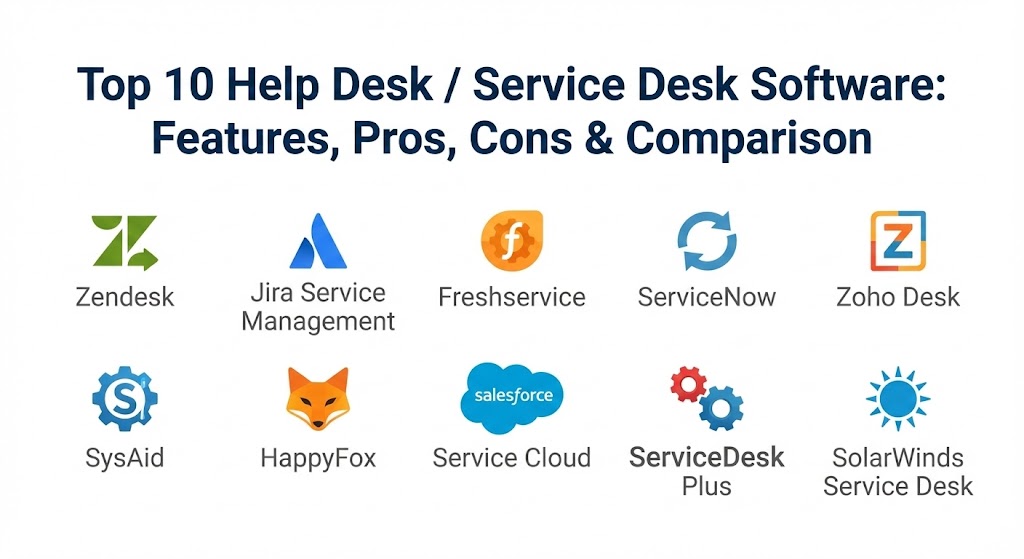
Top 10 Help Desk / Service Desk Software Tools
1 — Zendesk Service
Zendesk is perhaps the most recognizable name in the support world. It is a highly flexible, cloud-based platform that excels at “omnichannel” support, allowing teams to manage conversations from email, phone, chat, and social media in one unified interface.
Key features:
- Unified Agent Workspace: A single view for agents to see all customer interactions regardless of the channel.
- Zendesk AI: Advanced bots that can deflect tickets by suggesting knowledge base articles automatically.
- Macros and Triggers: Powerful automation rules that handle repetitive tasks based on ticket status or tags.
- Side Conversations: Allows agents to collaborate with internal team members or partners without leaving the ticket.
- Robust Reporting: Pre-built and customizable dashboards via Zendesk Explore to track CSAT and resolution times.
- App Marketplace: Integration with over 1,000 third-party apps to extend functionality.
Pros:
- Exceptionally polished and intuitive user interface for agents.
- Highly scalable, working just as well for a 5-person team as it does for 5,000.
- Leading-edge AI capabilities that genuinely reduce manual workload.
Cons:
- Pricing can become very expensive as you add modules and higher-tier seats.
- The complexity of setup for enterprise versions often requires specialized consultants.
Security & compliance: SOC 2 Type II, GDPR, ISO 27001, HIPAA (available on specific plans), and 256-bit SSL encryption.
Support & community: Extensive documentation, a massive “Zendesk Community” forum, and tiered support ranging from basic email to dedicated account managers for enterprise clients.
2 — Jira Service Management
Part of the Atlassian ecosystem, Jira Service Management (JSM) is the go-to for teams that need deep integration between their support staff and their developers. It is built on the Jira engine, making it a favorite for IT and DevOps teams.
Key features:
- ITIL-Certified Practices: Built-in support for request, incident, problem, and change management.
- Dev-Support Link: Seamlessly link support tickets directly to development tasks in Jira Software.
- Asset Management: Powered by “Insight,” it allows for tracking hardware, software, and dependencies.
- Visual Workflows: A drag-and-drop builder to create complex approval processes and automations.
- Form Builder: Low-code templates to create sleek intake forms for users.
- Service Registry: A centralized view of all services owned by different teams within the organization.
Pros:
- Unbeatable integration for companies already using Jira, Confluence, or Bitbucket.
- Highly customizable workflows that can fit almost any complex business process.
- Very competitive pricing for the features offered, especially at the entry level.
Cons:
- The interface can feel “heavy” and overly technical for non-IT users (like HR or Marketing).
- Steep learning curve to master the configuration and Jira Query Language (JQL).
Security & compliance: SOC 2, SOC 3, ISO 27001, GDPR, and HIPAA compliance available for Enterprise plans.
Support & community: High-quality documentation, the massive “Atlassian Community,” and a global network of “Solution Partners” for implementation.
3 — Freshservice
Freshservice is the IT-focused sibling of Freshdesk. It is designed to be a modern, easy-to-use Service Desk that brings a “consumer-like” experience to the workplace, focusing on employee satisfaction.
Key features:
- Freddy AI: An AI engine that assists agents with canned responses and automates ticket categorization.
- Gamification: Features that turn support tasks into a game to boost agent engagement and morale.
- Service Catalog: A sleek, “Amazon-like” shopping experience for employees to request hardware or software.
- Contract Management: Tracks third-party vendor contracts and renewal dates in one place.
- Project Management: Integrated modules to manage IT projects alongside daily support tickets.
- No-Code Bot Builder: Allows admins to build sophisticated chat-based workflows without writing a line of code.
Pros:
- One of the most user-friendly and aesthetically pleasing interfaces on the market.
- Very fast time-to-value; most teams can get it running in a matter of days.
- Transparent and modular pricing that allows SMBs to scale gradually.
Cons:
- While powerful, it lacks some of the deepest enterprise customization found in ServiceNow.
- Reporting features, while good, are not as granular as Zendesk’s analytics engine.
Security & compliance: SOC 2 Type II, ISO 27001, GDPR, and HIPAA compliance.
Support & community: Freshworks Academy for training, 24/7 email and phone support for higher tiers, and an active user forum.
4 — ServiceNow IT Service Management
ServiceNow is the “behemoth” of the industry. It is not just a service desk; it is a massive platform for enterprise-wide digital transformation. It is the gold standard for Fortune 500 companies.
Key features:
- Now Assist: Generative AI that summarizes ticket histories and drafts resolutions for agents.
- Configuration Management Database (CMDB): A world-class database for tracking all IT assets and their complex relationships.
- Predictive Intelligence: Uses machine learning to categorize tickets and predict issues before they happen.
- Service Operations Workspace: A single interface that combines ITOM (Operations) and ITSM (Service).
- Mobile Agent App: A highly robust mobile experience for technicians in the field.
- App Engine: Allows businesses to build their own custom “low-code” apps on top of the ServiceNow platform.
Pros:
- Virtually unlimited scalability and customization; it can do anything a large enterprise needs.
- The most comprehensive set of ITIL-aligned features in the world.
- Centralizes every department—IT, HR, Finance—into one single platform.
Cons:
- Prohibitively expensive for small and medium-sized businesses.
- Requires a dedicated team of certified developers/admins to maintain and update.
Security & compliance: FedRAMP High, SOC 1, SOC 2, ISO 27001, HIPAA, and GDPR. It is designed for high-security environments.
Support & community: ServiceNow Community is vast, extensive documentation through “Product Docs,” and a high-end enterprise support structure.
5 — Zoho Desk
Zoho Desk is often cited as the best value-for-money option in the industry. It is a “context-aware” help desk that focuses on making agents more productive through intelligent UI design.
Key features:
- Zia AI: An assistant that analyzes sentiment, tags tickets, and helps agents find the right answers.
- Work Modes: Unique views that organize tickets based on urgency, status, or customer type.
- Multi-Brand Support: Manage multiple brands or departments from a single account.
- Radar App: A specialized mobile app for managers to track team performance on the go.
- Blueprint: A process-automation tool that guides agents through every step of a ticket resolution.
- Direct Telephony: Built-in cloud telephony to handle calls directly from the help desk.
Pros:
- Incredible price-to-performance ratio; perfect for growing SMBs.
- Deep integration with the entire Zoho ecosystem (CRM, Books, Projects).
- The “Work Modes” feature genuinely improves agent focus and speed.
Cons:
- The interface can feel a bit cluttered due to the density of features.
- Support response times from Zoho themselves can be inconsistent on the free or basic tiers.
Security & compliance: SOC 2, GDPR, ISO 27001, and HIPAA compliance.
Support & community: Extensive self-help guides, Zoho Desk Academy, and a loyal community of Zoho “Power Users.”
6 — SysAid
SysAid is a veteran in the space that has reinvented itself with a heavy focus on “Generative AI” for ITSM. It is designed to maximize the productivity of IT admins.
Key features:
- SysAid Copilot: An AI that can generate “ticket summaries” and draft emails to users automatically.
- Service Orchestration: Automated workflows that handle complex tasks like server restarts or user provisioning.
- Built-in Asset Management: Directly links assets to tickets for better context during troubleshooting.
- Workflow Automation: Advanced logic to route tickets based on specific hardware or location data.
- Password Reset Tool: A self-service portal specifically for the #1 IT request: lost passwords.
- Remote Control: Integrated tools to take over a user’s machine directly from the ticket view.
Pros:
- Very strong focus on the specific daily needs of IT administrators.
- The “AI First” approach is genuinely impressive for ticket summarization.
- Excellent balance of traditional ITIL features and modern AI tools.
Cons:
- The user interface, while improved, still feels a bit dated compared to Freshservice or Vitally.
- Customization can be slightly clunky and less intuitive for non-technical admins.
Security & compliance: SOC 2 Type II, GDPR, ISO 27001, and HIPAA compatible.
Support & community: Dedicated account managers for most tiers, “SysAid Community,” and good onboarding support.
7 — HappyFox
HappyFox is a compact, powerful, and highly efficient Help Desk solution. It is known for its focus on simplicity and “clean” ticketing workflows without the bloat of larger platforms.
Key features:
- Canned Responses: Fast, templated answers to common questions to save agent time.
- Smart Rules: A simple but effective automation engine for ticket assignment.
- Task Management: Allows for breaking a ticket down into multiple sub-tasks for different team members.
- Advanced Search: Highly granular search filters to find specific historical data in seconds.
- Multi-Lingual Support: Translates the support portal into over 35 languages.
- Custom Fields: Extensive ability to tailor ticket forms to capture exact business data.
Pros:
- Extremely fast and snappy interface that agents love to use.
- One of the best options for teams that want a “no-nonsense” ticketing system.
- Superior reporting for basic metrics like agent response time and ticket volume.
Cons:
- Lacks the deep ITSM/ITIL features required for complex enterprise IT management.
- Integration list is smaller than competitors like Zendesk or Salesforce.
Security & compliance: SOC 2 Type II, GDPR, and HIPAA compliance.
Support & community: High-quality email and chat support, clear documentation, and personalized setup assistance.
8 — Salesforce Service Cloud
Salesforce Service Cloud is the logical choice for companies that already live in the Salesforce CRM. It provides a truly 360-degree view of the customer by linking support data with sales history.
Key features:
- Einstein AI: Predictive intelligence that identifies high-priority cases and suggests next steps.
- Service Process Automation: Uses “Flow” to automate complex business logic across departments.
- Field Service: Specialized tools for technicians who visit customer sites (scheduling, inventory).
- Omnichannel Routing: Automatically routes cases to the agent best suited to handle them based on skills.
- Case Management: A robust system for tracking the lifecycle of complex issues.
- Knowledge Management: Powerful tools to create and share content across the team and customers.
Pros:
- The best data integration in the world if you are already using Salesforce CRM.
- Unmatched platform for complex “Field Service” and onsite support operations.
- Extremely powerful AI that learns from years of your company’s data.
Cons:
- Very high total cost of ownership; licensing and admin costs are significant.
- Can be “overkill” for organizations that just need a simple ticketing system.
Security & compliance: FedRAMP, SOC 1/2/3, ISO 27001, HIPAA, and GDPR.
Support & community: The “Trailblazer Community” is the largest in the software world; endless training via Trailhead.
9 — ManageEngine ServiceDesk Plus
ManageEngine (by Zoho Corp) is a traditional ITIL powerhouse. It is available as both a cloud and an on-premise solution, making it a favorite for government and highly regulated industries.
Key features:
- Full ITIL Suite: Support for Incident, Problem, Change, Release, and Knowledge Management.
- Automated Asset Discovery: Scans your network to find and track hardware and software automatically.
- Service Level Management: Robust tools to define and monitor complex SLAs with escalations.
- Customizable Dashboard: A modular UI that can be tailored for every role in the IT team.
- Zia AI integration: Leverages Zoho’s AI for ticket tagging and auto-responses.
- On-Premise Deployment: One of the few remaining top-tier tools that can be hosted on your own servers.
Pros:
- Exceptional value for organizations requiring strict ITIL compliance.
- Very powerful asset management and network scanning capabilities built-in.
- Great for teams that are not yet ready for the 100% cloud-only model.
Cons:
- The interface is functional but lacks the modern “polish” of newer competitors.
- Can feel complicated to set up if you are not familiar with ITIL terminology.
Security & compliance: ISO 27001, GDPR, SOC 2, and HIPAA.
Support & community: 24/5 phone and email support, a large user community, and regular training webinars.
10 — SolarWinds Service Desk
SolarWinds Service Desk is a modern, cloud-based ITSM platform that focuses on eliminating manual tasks and providing a “one-stop-shop” for employee services.
Key features:
- AI-Powered Ticket Deflection: Proactively suggests solutions to users before they hit “submit.”
- Asset Lifecycle Management: Tracks an asset from procurement to disposal.
- Risk Detection: Analyzes your assets to find vulnerabilities or missing software updates.
- Service Portal: A sleek interface for employees to find answers and request services.
- Change Management: Collaborative tools to ensure IT changes don’t break existing services.
- Benchmarking: Compare your team’s performance against industry standards directly in the app.
Pros:
- Excellent at bridging the gap between IT assets and IT tickets.
- Very transparent and easy-to-understand licensing model.
- Fast implementation with a clean, modern interface.
Cons:
- Advanced integrations can sometimes be more limited than the major ecosystems.
- Lacks the deep CRM/Marketing integration of a tool like Salesforce.
Security & compliance: SOC 2 Type II, ISO 27001, and GDPR.
Support & community: The “THWACK” community is legendary for IT pros; extensive documentation and video training.
Comparison Table
| Tool Name | Best For | Platform(s) Supported | Standout Feature | Rating (Gartner) |
| Zendesk | Customer Support | Web, iOS, Android | Omnichannel Workspace | 4.4 / 5 |
| Jira Service Mgmt | DevOps & IT Teams | Web, iOS, Android | Jira Software Sync | 4.5 / 5 |
| Freshservice | Modern IT Support | Web, iOS, Android | Gamification & UX | 4.6 / 5 |
| ServiceNow | Large Enterprise | Web, iOS, Android | CMDB & Enterprise Scale | 4.5 / 5 |
| Zoho Desk | Growing SMBs | Web, iOS, Android | “Work Modes” View | 4.5 / 5 |
| SysAid | IT Productivity | Web, iOS, Android | SysAid Copilot (AI) | 4.5 / 5 |
| HappyFox | Simple Ticketing | Web, iOS, Android | Clean/Fast Interface | 4.6 / 5 |
| Salesforce Service | CRM Integration | Web, iOS, Android | Einstein AI & Field Service | 4.4 / 5 |
| ManageEngine | ITIL Compliance | Web, On-Prem, Mobile | Robust Asset Discovery | 4.4 / 5 |
| SolarWinds | Asset Lifecycle | Web, iOS, Android | Risk Detection AI | 4.5 / 5 |
Evaluation & Scoring of Help Desk / Service Desk Software
To help you make an objective choice, we have evaluated these platforms using a weighted scoring rubric that reflects the most important factors for modern teams.
| Criteria | Weight | What We Evaluate |
| Core Features | 25% | Ticketing, automation, self-service portals, and knowledge base. |
| Ease of Use | 15% | Agent interface speed, mobile app quality, and user experience. |
| Integrations | 15% | Connectivity with CRM, Slack, Microsoft Teams, and cloud apps. |
| Security & Compliance | 10% | Certifications (SOC 2, ISO), encryption, and regional compliance. |
| Performance | 10% | Uptime, data synchronization speed, and reporting accuracy. |
| Support & Community | 10% | Documentation quality and accessibility of technical support. |
| Price / Value | 15% | Feature set relative to cost and transparent pricing models. |
Which Help Desk / Service Desk Software Tool Is Right for You?
Choosing the right tool is a strategic decision that depends on your company’s size, your technical depth, and your budget.
Solo Users vs SMB vs Mid-Market vs Enterprise
If you are a Solo User or a tiny team, you might actually be fine with a shared Gmail inbox or a tool like HappyFox. For SMBs, Zoho Desk and Freshservice offer the best blend of features and price. Mid-Market companies often find Jira Service Management or SolarWinds to be the sweet spot for scalability. Enterprises with complex global requirements almost always end up with ServiceNow or Salesforce Service Cloud.
Budget-conscious vs Premium Solutions
If budget is your primary constraint, Zoho Desk is the undisputed king of value. If you want the “best in class” regardless of price, ServiceNow provides a level of depth that no other tool can match, but you will pay a significant premium for it.
Feature Depth vs Ease of Use
If you prioritize ease of use and want your agents to love the software, Freshservice and Zendesk are the winners. If you prioritize feature depth and need to track every single asset and change in a complex network, ManageEngine or SysAid are the better choices, even if they take longer to master.
Integration and Scalability Needs
Look at your current “stack.” If your dev team uses Jira, go with Jira Service Management. If your sales team uses Salesforce, Salesforce Service Cloud is a no-brainer. If you are starting from scratch and want to scale fast, Zendesk’s marketplace makes it the most adaptable choice.
Frequently Asked Questions (FAQs)
1. What is the difference between a Help Desk and a Service Desk?
A Help Desk is primarily reactive, focusing on resolving end-user issues (ticketing). A Service Desk is broader and more strategic, aligned with ITIL to manage the entire lifecycle of IT services, including assets, problems, and changes.
2. Can I use these tools for non-IT departments?
Yes. Modern platforms like ServiceNow and Jira Service Management are designed for “Enterprise Service Management” (ESM), meaning they work perfectly for HR onboarding, Finance approvals, and Facilities requests.
3. Do these tools integrate with Slack or Microsoft Teams?
Almost all top-tier tools like Zendesk and Freshservice have deep integrations that allow agents to see and even respond to tickets directly within Slack or Teams.
4. How long does it take to implement a new service desk?
A lightweight tool like Zoho Desk can be running in 48 hours. A complex enterprise platform like ServiceNow can take 3 to 9 months to fully configure and deploy.
5. Are these platforms secure for healthcare data?
Most leading platforms like Zendesk, Salesforce, and Freshservice offer HIPAA-compliant plans, but you must ensure you are on the correct tier and that the Business Associate Agreement (BAA) is signed.
6. Is AI actually useful in these tools yet?
Yes. In 2026, AI is a core feature. It is used to suggest knowledge articles to users (deflection), summarize long ticket histories for agents, and automatically categorize tickets based on sentiment.
7. Should I choose Cloud or On-Premise?
Most businesses should choose Cloud for speed, automatic updates, and easier mobile access. On-Premise (like ManageEngine) is only recommended for organizations with extremely strict data residency requirements or air-gapped networks.
8. What is “ticket deflection”?
Ticket deflection is the process of helping a user solve their own problem (via a knowledge base or an AI bot) before they actually submit a ticket, reducing the workload on your human agents.
9. Do I need to be ITIL-certified to use these tools?
No, but it helps. Tools like ManageEngine and ServiceNow are built around ITIL principles, so understanding the terminology (Incidents vs. Problems vs. Changes) will help you use the software more effectively.
10. What happens if we outgrow our tool?
Most tools offer “migration pathways.” It is easier to move from a small tool to a big one (e.g., Zoho to Zendesk) than the other way around. Always look for a tool that has a robust API for exporting your data later.
Conclusion
The “best” Help Desk or Service Desk tool is the one that your team will actually use and your users will find helpful. Whether you choose the enterprise muscle of ServiceNow, the developer-friendly flexibility of Jira Service Management, or the user-centric polish of Freshservice, the goal is the same: clarity, accountability, and speed.
In 2026, the trend is moving toward Generative AI and Enterprise Service Management. The lines between IT support and business operations are blurring. By choosing a platform that can scale and adapt, you aren’t just buying software; you are investing in the long-term productivity of your entire organization.