Introduction
Habit building apps are digital platforms designed to track, remind, and motivate users as they cultivate new routines. These tools are important because they provide a structured framework for accountability that the human brain often lacks on its own. By visualizing progress and providing “nudges,” these apps help turn fleeting New Year’s resolutions into permanent lifestyle shifts.
Key real-world use cases include tracking physical health (hydration, exercise), mental wellness (meditation, journaling), professional development (deep work, learning a new language), and even financial discipline (daily spending reviews). When choosing a tool in this category, users should evaluate ease of logging, customization of reminders, data visualization capabilities, and gamification elements that keep the user engaged during the “valley of disappointment” where results aren’t yet visible.
Best for: Individuals looking to improve their productivity, students managing complex schedules, remote workers seeking structure, and HR departments looking to encourage employee wellness. It is ideal for anyone who thrives on visual data or requires external accountability to stay on track.
Not ideal for: People who are already overwhelmed by screen time and notifications, or those who prefer tactile, analog methods like bullet journaling. These tools may also not be suitable for tracking complex medical treatments that require clinical-grade monitoring rather than simple habit checking.
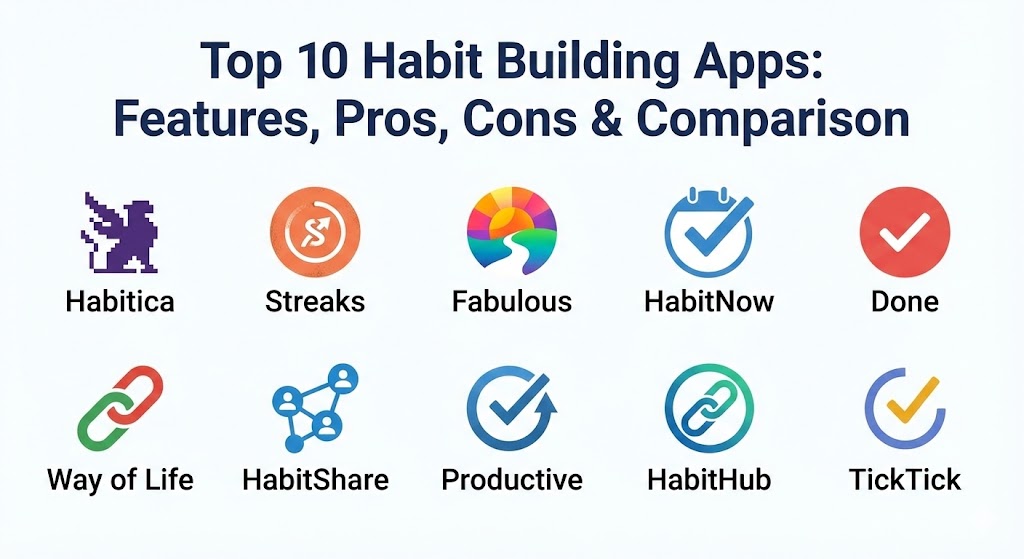
Top 10 Habit Building Apps
1 — Habitica
Habitica is a unique, gamified task management and habit-building app that treats your life like a Role-Playing Game (RPG). It is designed for those who find traditional productivity tools boring and need a high level of engagement to stay motivated.
- Key features:
- RPG mechanics: Complete habits to level up your avatar and earn gold.
- Punishment system: Failing habits results in losing “Health Points” for your character.
- Quests and Boss Battles: Join “Parties” with friends to defeat monsters through collective habit completion.
- Custom Rewards: Trade in-game gold for real-life rewards (e.g., “Watch 30 minutes of TV”).
- “Dailies,” “Habits,” and “To-Dos” sections for different types of activities.
- Extensive avatar customization with armor, pets, and mounts.
- Pros:
- Unrivaled social accountability through community quests.
- High engagement level for people with “gamer” personalities or ADHD.
- Cons:
- The retro pixel-art style may not appeal to users looking for a professional aesthetic.
- The mechanics can be complex to learn for those unfamiliar with RPGs.
- Security & compliance: GDPR compliant; standard encryption for user data; no SSO for basic users.
- Support & community: Very active community wiki; robust Discord server; responsive email support; extensive player-contributed guides.
2 — Streaks
Streaks is a “to-do list that helps you form good habits.” Winner of an Apple Design Award, it is focused on a minimalist, highly integrated experience specifically for the iOS and macOS ecosystem.
- Key features:
- Native integration with Apple Health to automatically track steps, sleep, and heart rate.
- Highly customizable icons and color schemes for each habit.
- Support for “Negative Habits” (breaking bad ones like smoking).
- Integration with Apple Watch for quick haptic logging.
- Siri Shortcuts support for voice-activated habit checking.
- Limit of 24 habits to prevent user burnout and maintain focus.
- Pros:
- Clean, distraction-free interface that looks native to the device.
- Automatic tracking reduces “logging fatigue” significantly.
- Cons:
- Exclusive to the Apple ecosystem (no Android or Web support).
- Limited data visualization compared to analytics-heavy competitors.
- Security & compliance: Uses iCloud encryption; GDPR compliant; privacy-focused with no external tracking.
- Support & community: Excellent documentation; direct developer support via email; active user base on Reddit.
3 — Fabulous
Originally developed at Duke University’s Behavioral Economics Lab, Fabulous is a science-based app that focuses on “holistic health” and building “rituals” rather than just isolated habits.
- Key features:
- “Journey” based system: Users embark on guided paths (e.g., “Unexpected Journey”).
- Integrated coaching: Audio and text lessons on behavioral psychology.
- Ritual building: Groups habits into Morning, Afternoon, and Evening blocks.
- Deep-work sessions: Integrated timers and focus music.
- Daily motivational letters tailored to the user’s progress.
- Built-in habit “anchoring” techniques (linking new habits to old ones).
- Pros:
- Beautiful, vibrant illustration style that makes the app feel like a premium experience.
- Strong scientific backing ensures users learn the why behind habit formation.
- Cons:
- Can feel overly restrictive or “chatty” for users who just want a simple tracker.
- Subscription cost is higher than most other habit apps.
- Security & compliance: GDPR and HIPAA compliant; data is encrypted; secure cloud syncing.
- Support & community: High-quality onboarding; extensive help center; premium email support; active social media communities.
4 — HabitNow
HabitNow is a comprehensive habit tracker and life organizer for Android users that balances task management with routine building. It is designed for users who want total control over their schedule.
- Key features:
- Flexible scheduling: Set habits for specific days, intervals, or multiple times per day.
- Integrated timer: Use a Pomodoro-style timer directly within a habit task.
- Detailed analytics: Success rates, streak counts, and completion heatmaps.
- Categorization: Group habits by color and category (Health, Work, Personal).
- Note-taking: Attach journals or notes to each habit entry.
- Privacy lock: Secure the app with a PIN or fingerprint.
- Pros:
- Highly versatile; functions as both a habit tracker and a robust daily planner.
- One of the best interfaces for data-hungry users who love charts.
- Cons:
- Currently only available for Android (no iOS version).
- Some of the best widgets are locked behind a one-time premium purchase.
- Security & compliance: GDPR compliant; local backup options; biometric lock support.
- Support & community: Regular updates from developers; helpful FAQ; email support; active community on Google Play.
5 — Done
Done is a simple, visual habit tracker that helps users set goals, track progress, and stay motivated with a “streak” focused approach. It is built for speed and ease of use.
- Key features:
- Multiple habit types: Count, Time, or simple Check-off.
- Visual progress bars that fill up as you approach your daily goal.
- Multiple reminders per habit.
- Integration with Apple Health for activity-based habits.
- “Focus” mode to view only current-priority habits.
- CSV export for those who want to analyze their data in Excel.
- Pros:
- Extremely fast logging; ideal for those who want to spend less than 30 seconds in the app.
- Great visual feedback that provides a sense of accomplishment.
- Cons:
- Free version limits the number of habits you can track (usually only 3).
- Lacks the deep psychological coaching found in apps like Fabulous.
- Security & compliance: GDPR compliant; iCloud sync security; standard encryption.
- Support & community: Simple documentation; responsive developer via email; active on social media.
6 — Way of Life
Way of Life calls itself the “ultimate habit building app” because of its focus on data trends and journaling. It is designed for users who want to identify the “triggers” behind their successes and failures.
- Key features:
- Unique “Yes/No” system for incredibly fast daily logging.
- “Chain” view to visualize long-term streaks and avoid breaking them.
- Trend charts that show how habits correlate with each other.
- Built-in diary for adding context to habit completion (or failure).
- Archive feature for habits you want to pause without losing data.
- Color-coded system for good vs. bad habits.
- Pros:
- The “Chain” view is highly effective for visual learners.
- Excellent for identifying long-term behavioral patterns over months or years.
- Cons:
- The UI can look a bit utilitarian compared to more modern, “vibrant” apps.
- The learning curve for reading the advanced trend charts is slightly higher.
- Security & compliance: GDPR compliant; PIN/Biometric lock; cloud backup.
- Support & community: Extensive user manual; helpful video tutorials; email support.
7 — HabitShare
HabitShare is a social habit tracker that combines the simplicity of a tracker with the power of a social network. It is designed for friends or family members who want to grow together.
- Key features:
- Social feed: See when your friends complete their habits (and send them “Gifs”).
- Granular privacy: Choose which habits are shared and which stay private.
- Group messaging within the app to discuss progress.
- Simple, clean interface with no “fluff” or gamification.
- Flexible reminders that sync across devices.
- Completely free to use with no hidden subscriptions.
- Pros:
- Best-in-class social accountability features.
- 100% free, which is rare for a high-quality habit app.
- Cons:
- Lacks advanced analytics or behavioral science coaching.
- Requires your friends to also use the app for it to be truly effective.
- Security & compliance: GDPR compliant; standard data encryption; privacy controls for social sharing.
- Support & community: Basic documentation; email support; community relies on personal social circles.
8 — Productive
Productive is a highly polished habit tracker that focuses on building “routines.” It provides a very structured environment for users who feel disorganized.
- Key features:
- “Smart” reminders that can be set for specific locations or times.
- Curated routine templates for Morning, Evening, and Focus.
- Integrated articles and “Life Hacks” for productivity.
- Detailed weekly and monthly statistics.
- Customizable “Challenges” to compete against the global community.
- Focus timer for time-based habits like “Study” or “Meditation.”
- Pros:
- The location-based reminders are a game-changer for habits tied to specific places (like the gym).
- Very professional and modern interface.
- Cons:
- The free version is quite restrictive.
- Some users find the “Challenges” and “Articles” to be distracting from core tracking.
- Security & compliance: GDPR compliant; SOC 2 (Enterprise version); end-to-end encryption for sync.
- Support & community: 24/7 customer support; extensive blog; large social media presence.
9 — HabitHub
HabitHub is based on the “Seinfeld Strategy” (Don’t break the chain). It is a powerful tool for building “chains” of habits and visualizing the weight of your progress.
- Key features:
- Visual “chains” that show exactly how many days in a row you’ve succeeded.
- Categorization with color-coded “Life Areas.”
- Integration with smartwatches for on-the-go logging.
- Advanced scheduling (daily, weekly, specific days, or “X times per month”).
- Goal setting: Set long-term milestones for each habit.
- Dashboard view that summarizes your entire life at a glance.
- Pros:
- Extremely powerful scheduling engine that handles complex routines easily.
- The “Seinfeld” visualization is one of the most psychologically effective methods.
- Cons:
- The Android app is significantly more polished than the iOS version.
- Can feel a bit “data-heavy” for casual users.
- Security & compliance: GDPR compliant; local and cloud backup options; secure biometric access.
- Support & community: Solid documentation; developer-led support; community forums.
10 — TickTick (Habit Feature)
While primarily a task manager, TickTick features one of the most robust integrated habit trackers on the market. It is designed for users who want to manage their life, tasks, and habits in a single app.
- Key features:
- Habits and Tasks side-by-side in the “Today” view.
- Integrated Pomodoro and White Noise players.
- Kanban boards and Calendar views for tasks.
- Habit logs that include “Check-in notes” and “Success rates.”
- Cross-platform sync (Web, Desktop, iOS, Android, Apple Watch).
- Integrated Eisenhower Matrix for prioritization.
- Pros:
- Prevents “app switching” fatigue by housing habits and tasks in one place.
- Best-in-class cross-platform support.
- Cons:
- Habit features are slightly less deep than specialized apps like Fabulous or Way of Life.
- Requires a premium subscription to unlock the full potential of habit tracking.
- Security & compliance: GDPR compliant; ISO 27001; 2FA support; SOC 2 Type II.
- Support & community: Extensive help center; responsive ticketing system; large user community on Slack/Reddit.
Comparison Table
| Tool Name | Best For | Platform(s) Supported | Standout Feature | Rating (TrueReviewnow.com / App Store) |
| Habitica | Gamification / RPG | iOS, Android, Web | Multiplayer Quests | 4.8 / 5 |
| Streaks | Apple Ecosystem | iOS, macOS, Watch | Apple Health Integration | 4.9 / 5 |
| Fabulous | Behavioral Science | iOS, Android | “Journey” Coaching | 4.7 / 5 |
| HabitNow | Android Planning | Android | Planner + Tracker Hybrid | 4.8 / 5 |
| Done | Simple Visuals | iOS | Filling Progress Bars | 4.7 / 5 |
| Way of Life | Data Trends | iOS, Android | Trend Correlation Charts | 4.8 / 5 |
| HabitShare | Social Accountability | iOS, Android | Shared Social Feed | 4.6 / 5 |
| Productive | Routine Building | iOS, Android, Web | Location-Based Reminders | 4.7 / 5 |
| HabitHub | Chain Tracking | iOS, Android | Complex Scheduling | 4.5 / 5 |
| TickTick | Task + Habit Integration | All Platforms | All-in-One Productivity | 4.9 / 5 |
Evaluation & Scoring of Habit Building Apps
We have evaluated these tools based on a weighted scoring rubric to help you understand which factors contribute most to long-term success in habit formation.
| Category | Weight | Evaluation Criteria |
| Core Features | 25% | Variety of habit types, reminder flexibility, and logging speed. |
| Ease of Use | 15% | Intuitiveness of UI, quality of mobile widgets, and onboarding. |
| Integrations | 15% | Apple Health/Google Fit syncing and cross-platform availability. |
| Security & Compliance | 10% | Data privacy, encryption, and GDPR/HIPAA standards. |
| Performance | 10% | App stability, sync speed, and battery consumption. |
| Support & Community | 10% | Quality of help guides and active user forums for motivation. |
| Price / Value | 15% | Cost-to-feature ratio and quality of the free version. |
Which Habit Building App Is Right for You?
Choosing the right tool is a matter of matching your personality to the app’s core philosophy.
- Solo Users & Minimalists: If you want a tool that gets out of your way and simply records your progress, Streaks (Apple) or Done are your best options. They focus on the visual satisfaction of a “check” without extra noise.
- The Gamer & The Procrastinator: If you find yourself giving up on goals because they feel like work, Habitica will turn that work into a game. The threat of your character “dying” provides an external pressure that many find helpful.
- The “Science” Enthusiast: If you want to understand the mechanics of your brain, Fabulous offers a curriculum-based approach that teaches you how to build a life, not just a streak.
- Budget-Conscious Users: HabitShare and the Healthy Minds (listed in our meditation blog) are excellent free options. HabitNow also offers a very generous one-time purchase option rather than a subscription.
- Enterprise & Professionals: If you are already managing your professional life in a task manager, TickTick is the most efficient choice. It allows you to schedule habits during your work blocks to ensure they actually happen.
- Social Butterflies: If you know you will only stick to a diet or workout plan if your best friend is doing it too, HabitShare is the mandatory choice.
Frequently Asked Questions (FAQs)
1. How long does it actually take to form a habit?
While popular culture says 21 days, scientific research (Lally et al.) suggests it takes an average of 66 days for a behavior to become automatic. Apps like Way of Life are great for tracking these longer cycles.
2. Can I track too many habits at once?
Yes. “Habit sprawl” often leads to burnout. Most experts suggest starting with no more than 3 new habits. Apps like Streaks actually limit your habit count to keep you focused.
3. What is “Habit Stacking”?
This is the practice of attaching a new habit to an existing one (e.g., “After I pour my morning coffee, I will meditate for 5 minutes”). Fabulous and Productive have built-in tools to help you design these stacks.
4. Are these apps secure with my health data?
Most reputable apps are GDPR compliant. Apps like TickTick and Fabulous go further with SOC 2 or HIPAA compliance, especially if they handle sensitive wellness data.
5. What is a “Negative Habit” in these apps?
These are habits where the goal is not to do something (e.g., “Don’t spend money on takeout”). Apps like Streaks and Way of Life allow you to track “No” as a success.
6. Do these apps work for ADHD?
Yes, particularly gamified ones like Habitica or highly visual ones like Done. The immediate dopamine hit of a “level up” or a filling progress bar helps overcome the executive dysfunction associated with ADHD.
7. Should I use a free app or a paid one?
Free apps are great for simple tracking. Paid apps (like Fabulous or Balance) usually offer coaching, science-based “journeys,” and deeper analytics that can increase your success rate.
8. Can I sync these apps with my smartwatch?
Most top-tier apps (Streaks, HabitHub, Productive) have Apple Watch or Wear OS versions, allowing you to log habits without even touching your phone.
9. How do I handle a “broken streak”?
The “never miss twice” rule is the gold standard. Most apps allow you to see your “all-time best” streak versus your “current” streak to help you maintain perspective even after a slip-up.
10. Do these apps integrate with other productivity tools?
TickTick is the king of integration. However, many others use “If This Then That” (IFTTT) or Zapier-style integrations to link your habits to other software.
Conclusion
The journey of self-improvement is a marathon, not a sprint. The “best” habit-building app is not the one with the most features, but the one you will actually open every day. Whether you need the RPG mechanics of Habitica, the scientific guidance of Fabulous, or the minimalist elegance of Streaks, these tools are designed to serve as your digital scaffolding. By removing the friction of “remembering” and adding the friction of “breaking a chain,” you can finally make your goals inevitable.