Introduction
A grocery list app is a mobile or web-based application that allows users to create, organize, and share lists of items needed for purchase. While the basic functionality involves checking off items, modern iterations include AI-driven suggestions, automatic aisle categorization, and the ability to sync lists across multiple devices instantly. They are essential because they eliminate the “forgotten item” syndrome and prevent duplicate purchases, which is crucial in a time when food inflation remains a top concern for households.
Key real-world use cases include a parent adding milk to a shared list from the office while their spouse is already at the store, or a fitness enthusiast importing a high-protein meal plan directly into a categorized shopping list. When choosing a grocery list app, users should look for cross-platform synchronization, ease of item entry (voice or barcode scanning), sharing capabilities, and integration with other tools like smart assistants or meal planners.
Best for: Families, roommates, and busy professionals who need to coordinate household needs. It is particularly beneficial for those who meal prep or are trying to maintain a strict household budget.
Not ideal for: Individuals who prefer the tactile feel of paper and have very simple, infrequent shopping needs. It may also be overkill for someone who only shops at one local convenience store for a few items at a time.
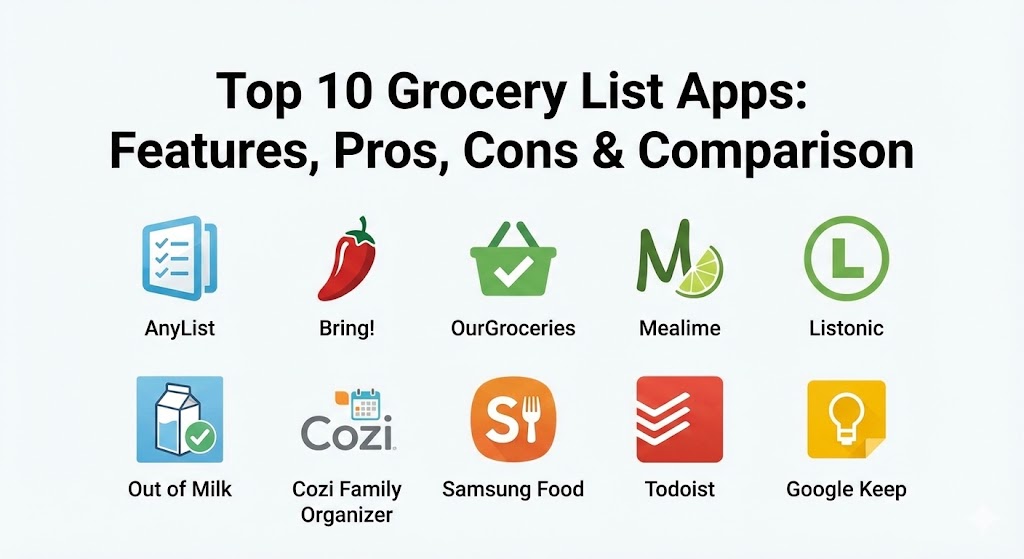
Top 10 Grocery List Apps
1 — AnyList
AnyList is widely considered the “power user” choice for grocery shopping. It combines a robust list-making interface with an advanced recipe organizer, making it the central hub for meal planning and execution.
- Key features:
- Intelligent auto-categorization of items into grocery store aisles.
- Instant syncing across all shared devices for real-time collaboration.
- Recipe import from thousands of popular websites and blogs.
- Support for Siri and Alexa voice commands to add items hands-free.
- Item photos and notes to ensure the correct brand/size is purchased.
- Location-based reminders that alert you when you are near a store.
- Apple Watch integration for checking off items without a phone.
- Pros:
- The most polished and intuitive user interface in the category.
- Exceptional recipe-to-list conversion that saves hours of manual entry.
- Cons:
- Some of the best features (web access, photos, and folders) are locked behind the “AnyList Complete” subscription.
- No native Android version that matches the feature depth of the iOS app.
- Security & compliance: Uses industry-standard encryption for data in transit; GDPR compliant.
- Support & community: High-quality email support, extensive online documentation, and an active user base on productivity forums.
2 — Bring! Grocery Shopping List
Bring! focuses on a highly visual user experience. Instead of a text-heavy list, it uses icons and tiles to represent items, making it perfect for quick scanning while navigating crowded aisles.
- Key features:
- Tile-based visual interface with custom icons for thousands of products.
- Integrated “Inspiration” tab with recipes and seasonal shopping tips.
- Capability to store loyalty cards digitally within the app.
- “Send Message” feature to notify list members when you are starting to shop.
- Smart templates for specific occasions like BBQs or pizza nights.
- Support for multiple lists for different stores or events.
- Pros:
- Visually stunning and easy to read from a distance or on a watch.
- Excellent for collaborative households who appreciate “nudge” notifications.
- Cons:
- The visual tiles take up more screen real estate than simple text lists.
- The “offers” section can sometimes feel like intrusive advertising.
- Security & compliance: GDPR compliant; SSL/TLS encryption for all data transfers.
- Support & community: Well-structured Help Center and a strong presence in the European market with multi-language support.
3 — OurGroceries
OurGroceries is a “back-to-basics” app that prioritizes reliable syncing and simplicity. It has remained a fan favorite for over a decade because it does one thing exceptionally well: keeping shared lists in sync without fluff.
- Key features:
- Extremely fast, low-latency syncing between any number of users.
- Simple recipe management that adds ingredient sets to lists in one tap.
- Barcode scanning to quickly add items from your pantry to your list.
- Support for Apple Watch, Wear OS, and web browsers.
- Category management to sort items by store layout.
- Ability to add photos to specific items to avoid confusion.
- Pros:
- Rock-solid reliability; syncing rarely fails even on poor data connections.
- The free version is highly functional, with a one-time payment for ad-removal.
- Cons:
- The user interface feels dated compared to AnyList or Bring!.
- Lacks advanced meal planning calendars or budgeting tools.
- Security & compliance: Standard data encryption; Varies / N/A for enterprise-level audits.
- Support & community: Direct developer support via email and a long-standing reputation for stability.
4 — Mealime
Mealime is primarily a meal planning app, but its grocery list functionality is so well-integrated that it has become a primary tool for those who shop specifically to cook.
- Key features:
- Auto-generated shopping lists based on chosen weekly meal plans.
- Grocery delivery integration with major retailers (Walmart, Kroger, etc.).
- Minimal-waste algorithm that creates plans using overlapping ingredients.
- Nutrition tracking and calorie filtering for health-conscious users.
- Step-by-step cooking mode that keeps the screen awake.
- Preference filters to exclude allergies or disliked ingredients.
- Pros:
- Dramatically reduces food waste by ensuring every item has a purpose.
- Seamless transition from “what’s for dinner” to “what’s in the cart.”
- Cons:
- Not ideal for non-food items (toiletries, cleaning supplies).
- The most exciting recipes are restricted to the Pro version.
- Security & compliance: GDPR and CCPA compliant; secure payment processing for Pro tiers.
- Support & community: Comprehensive FAQ section and responsive social media support.
5 — Listonic
Listonic is known as the “Smart Shopping List” because it uses data and shopping history to speed up the list-building process over time.
- Key features:
- Smart suggestions that prompt you with items you buy frequently.
- Total cost calculation that updates as you add prices to items.
- Voice input that recognizes multiple items mentioned in one sentence.
- Availability in over 40 languages, making it a global leader.
- “Share by Link” feature that allows sharing without account creation.
- Dark mode for comfortable shopping in varied lighting conditions.
- Pros:
- The price-tracking feature is invaluable for budget-conscious shoppers.
- One of the few apps that works effectively without requiring a sign-up.
- Cons:
- The free version is heavily supported by ads that can be distracting.
- Syncing can occasionally be slower than OurGroceries.
- Security & compliance: GDPR compliant; SOC 2 (Varies / N/A).
- Support & community: Large international community and localized support in dozens of countries.
6 — Out of Milk
Out of Milk provides a three-in-one experience: a shopping list, a pantry list, and a to-do list. It is designed for users who want to manage their entire kitchen inventory.
- Key features:
- Pantry management to keep track of what you already have at home.
- Barcode scanning for both adding and removing items from the pantry.
- Shareable lists that allow for real-time collaboration.
- Integration with major grocery store accounts to import purchase history.
- Essential item templates for common shopping trips.
- Cross-platform sync between web, Android, and iOS.
- Pros:
- Excellent for preventing “double buying” by checking the pantry list in-store.
- Completely free to use with no hidden subscription costs.
- Cons:
- Occasional bugs reported with syncing on older Android devices.
- The UI can feel cluttered due to the triple-list layout.
- Security & compliance: Standard SSL encryption; GDPR compliant.
- Support & community: Active support team and a helpful blog with shopping tips.
7 — Cozi Family Organizer
Cozi is an all-in-one family management app. While it includes a grocery list, it is best for users who want their shopping to live alongside their family calendar and chore lists.
- Key features:
- Shared family calendar that color-codes events for each member.
- Integrated shopping lists that anyone in the family can update.
- Recipe box to store and organize favorite family meals.
- “To-Do” lists for household chores and errands.
- Automated weekly agenda emails sent to the whole family.
- Mobile and web access with real-time syncing.
- Pros:
- Unbeatable for families who want one app to rule them all.
- High visibility ensures that teenagers and partners are involved in list-making.
- Cons:
- The grocery list feature is less specialized than standalone apps.
- The free version is ad-supported and can feel quite busy.
- Security & compliance: GDPR compliant; HIPAA (Varies / N/A).
- Support & community: 3-time Mom’s Choice Award winner with a massive family-oriented community.
8 — Samsung Food (formerly Whisk)
Samsung Food is an AI-powered platform that uses technology to manage the entire food lifecycle. It is highly advanced and perfect for those with smart kitchens.
- Key features:
- AI-driven recipe discovery based on your dietary needs and tastes.
- Smart pantry tracking that integrates with Samsung Family Hub refrigerators.
- One-tap grocery list creation from any recipe found online.
- Nutrition data and health scoring for every item and recipe.
- Community “Communities” where users share meal plans and tips.
- Direct integration with smart ovens to send cooking temperatures.
- Pros:
- The most technologically advanced app for users in the Samsung ecosystem.
- Deep AI integration makes meal planning feel effortless.
- Cons:
- Many of the best features require a Samsung account and specific hardware.
- Can be overwhelming for someone who just wants a simple checklist.
- Security & compliance: SOC 2, ISO 27001, and GDPR compliant through Samsung’s global infrastructure.
- Support & community: Enterprise-level support and a large, modern community of “foodies.”
9 — Todoist
While Todoist is a general task manager, its powerful collaboration and organization features make it a top-tier choice for those who want a professional-grade grocery list.
- Key features:
- Natural language processing (e.g., “Add milk to my grocery list every Tuesday”).
- Sub-tasks and sections to organize lists by aisle or store.
- Powerful sharing and delegation tools for complex households.
- “Reminders” that can trigger based on time or location (Pro).
- Labels and filters to view items across multiple lists.
- Integrations with hundreds of other apps via IFTTT or Zapier.
- Pros:
- Extremely clean and distraction-free “Zen” design.
- Best-in-class synchronization and performance.
- Cons:
- Lacks grocery-specific features like barcode scanning or calorie tracking.
- Many essential “power features” require a recurring subscription.
- Security & compliance: SOC 2 Type II, GDPR, ISO 27001, and 2FA support.
- Support & community: World-class documentation and a massive global community of productivity enthusiasts.
10 — Google Keep
Google Keep is the ultimate choice for minimalists. It is a note-taking app that handles checklists with the speed and reliability users expect from Google.
- Key features:
- Simplest checkbox interface for rapid item entry.
- Shared notes that sync instantly via Google accounts.
- Voice notes that can be transcribed into text lists.
- Color-coding and labeling for easy organization.
- Location-based reminders (e.g., “Show list when I arrive at Costco”).
- Integration with Google Assistant (“Hey Google, add milk to my list”).
- Pros:
- Completely free and lightning-fast on almost any device.
- No learning curve; if you can type, you can use Google Keep.
- Cons:
- No automatic categorization or recipe importing.
- Lacks specialized tools like price tracking or pantry inventory.
- Security & compliance: Enterprise-grade security via Google Cloud (SOC 2/3, ISO, GDPR).
- Support & community: Extensive help center and millions of users worldwide.
Comparison Table
| Tool Name | Best For | Platform(s) Supported | Standout Feature | Rating (TrueReviewnow.com) |
| AnyList | Power Users / Recipes | iOS, Mac, Web, Watch | Recipe-to-List Import | 4.8 / 5 |
| Bring! | Visual Shoppers | iOS, Android, Web | Visual Tile Interface | 4.7 / 5 |
| OurGroceries | Reliable Family Sharing | iOS, Android, Web | Rock-solid Syncing | 4.6 / 5 |
| Mealime | Healthy Meal Planning | iOS, Android | Minimal-Waste Algorithm | 4.8 / 5 |
| Listonic | Budget Tracking | iOS, Android, Web | Total Cost Calculator | 4.5 / 5 |
| Out of Milk | Pantry Inventory | iOS, Android, Web | Pantry + List Combo | 4.4 / 5 |
| Cozi | Busy Families | iOS, Android, Web | Shared Family Calendar | 4.4 / 5 |
| Samsung Food | Smart Home / AI | iOS, Android, Web | Smart Appliance Sync | 4.7 / 5 |
| Todoist | Productivity Junkies | All Platforms | Natural Language Input | 4.9 / 5 |
| Google Keep | Minimalists | All Platforms | Speed and Simplicity | 4.5 / 5 |
Evaluation & Scoring of Grocery List Apps
To determine which app provides the most value, we have evaluated them across seven key metrics. Use this rubric to prioritize the features that matter most to your household.
| Metric | Weight | Evaluation Criteria |
| Core Features | 25% | Categorization, sharing, and ease of item entry. |
| Ease of Use | 15% | Intuitive UI and minimal clicks to add/check items. |
| Integrations | 15% | Voice assistants, smartwatches, and retail partners. |
| Security & Compliance | 10% | Data encryption, privacy policies, and 2FA. |
| Performance | 10% | Sync speed and offline accessibility. |
| Support & Community | 10% | Documentation quality and developer responsiveness. |
| Price / Value | 15% | Feature set relative to the cost of premium tiers. |
Which Grocery List App Is Right for You?
Selecting the right app depends heavily on your household size and how you prefer to organize your life.
- Solo Users vs. Families: If you live alone, Google Keep or Todoist are excellent for quick, unshared notes. For families, OurGroceries or AnyList are essential for preventing the “forgotten milk” problem.
- Budget-Conscious vs. Premium: If you are watching every penny, Listonic‘s price tracker is a game-changer. If you are willing to pay for convenience, AnyList‘s recipe importing is worth the small annual fee.
- Feature Depth vs. Ease of Use: Samsung Food is a feature powerhouse but has a steep learning curve. Conversely, Bring! offers high functionality through an interface that even a child can use.
- Integration and Scalability: If your home is full of smart appliances, Samsung Food is the clear winner. If you just want a list that works on your phone and watch, AnyList or OurGroceries are the top picks.
- Security and Compliance: While most consumer apps have basic security, Todoist and Google Keep offer the highest levels of enterprise-grade data protection, including two-factor authentication.
Frequently Asked Questions (FAQs)
1. Can I use these apps without an internet connection?
Most of the apps on this list, including AnyList, OurGroceries, and Todoist, allow you to view and edit your list offline. Any changes made will automatically sync with other devices once you are back in range of Wi-Fi or cellular data.
2. Are grocery list apps really better than paper?
Yes, primarily because of sharing and categorization. An app allows multiple people to add to the same list simultaneously, and it automatically sorts your items by aisle, which saves significant time inside the store.
3. Do these apps cost money?
The majority follow a “freemium” model. You can use basic list-making for free, but features like recipe importing, ad-removal, and item photos often require a subscription or a small one-time purchase.
4. How do I share a list with my spouse?
Typically, you enter their email address in the app’s “Share” or “Household” section. They will receive an invite to download the app, and once they join, any change made by either person will appear instantly on both phones.
5. Can I use voice commands to add items?
Yes, apps like AnyList and OurGroceries integrate with Siri, Alexa, and Google Assistant. You can simply say, “Add eggs to my grocery list,” and the item will appear in the app automatically.
6. Do these apps help with dieting?
Apps like Mealime and Samsung Food are specifically designed for this. They allow you to filter for specific diets (Keto, Paleo, Vegan) and will only suggest recipes and shopping items that fit your goals.
7. Is my data private?
Most reputable apps like Todoist and Google Keep use high-level encryption. However, “free-only” apps often use anonymized data for targeted advertising. Always check the privacy policy if data security is a priority.
8. What is “pantry tracking”?
Pantry tracking is a feature found in apps like Out of Milk and Samsung Food. It allows you to maintain a list of what is currently in your cupboards so you don’t buy “extra” of something you already have.
9. Can I order groceries directly from these apps?
Yes, Mealime and Samsung Food have direct integrations with retailers like Walmart and Amazon Fresh. You can move your digital list directly into a store’s online checkout system.
10. What is the biggest mistake people make with these apps?
The most common mistake is over-complicating the setup. Start with a simple list before moving into advanced features like recipe importing or pantry tracking to ensure the habit “sticks.”
Conclusion
In 2026, the right grocery list app is more than a convenience; it is a vital tool for household efficiency. Whether you choose the visual simplicity of Bring!, the recipe-heavy power of AnyList, or the all-in-one coordination of Cozi, the key is to find a solution that every member of your household is willing to use. By moving your shopping list into the digital realm, you save time, reduce stress, and ultimately keep more money in your pocket. The “best” app is simply the one that helps you get in and out of the store with exactly what you need.