Introduction
Grammar and spell checking tools are specialized software applications designed to identify and correct linguistic errors in written text. Modern iterations leverage advanced Natural Language Processing (NLP) and Large Language Models (LLM) to provide real-time suggestions that go far beyond basic typos. They analyze sentence structure, detect passive voice, suggest clearer vocabulary, and even evaluate the emotional tone of a passage.
In today’s remote and digital-first work environment, these tools are essential for maintaining professional standards. They serve as a final line of defense against embarrassing mistakes and act as a virtual writing coach that helps users improve their skills over time. When evaluating these tools, users should look for high accuracy rates, seamless integration across multiple platforms (browsers, word processors, and mobile apps), robust privacy protections, and the ability to customize suggestions based on specific writing goals or brand voices.
Best for: Students, professional writers, marketers, customer support teams, and non-native English speakers who need to ensure their communication is clear, accurate, and impactful. It is also highly beneficial for large enterprises seeking to maintain a consistent brand voice across thousands of employees.
Not ideal for: Users who primarily communicate in highly informal settings where “text speak” is the norm, or writers who require absolute creative freedom without the “interference” of algorithmic suggestions. It may also be overkill for those who only write very short, infrequent messages.
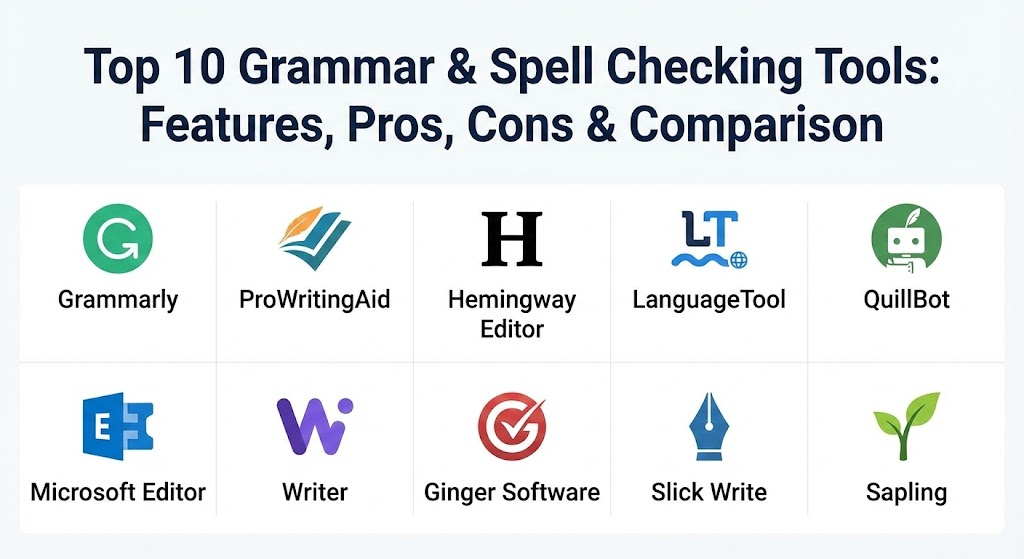
Top 10 Grammar & Spell Checking Tools
1 — Grammarly
Grammarly is arguably the most recognizable name in the industry, offering a comprehensive suite of AI-driven writing assistance features. It works across almost every digital platform, from browser extensions to dedicated desktop and mobile applications.
- Key features:
- Contextual spelling and grammar checking with high accuracy.
- Tone detector that identifies how your message sounds to readers.
- Generative AI (GrammarlyGo) for drafting and rephrasing text.
- Plagiarism checker that compares text against billions of web pages.
- Enterprise-grade style guides for maintaining brand consistency.
- Personalized writing reports and goal-setting features.
- Seamless integration with Google Docs, Microsoft Word, and Slack.
- Pros:
- The most intuitive and user-friendly interface in the market.
- Incredibly versatile; it follows you across virtually every website and app.
- Cons:
- The premium version is relatively expensive compared to competitors.
- Some users find the pop-up suggestions intrusive during the creative process.
- Security & compliance: SOC 2 (Type 2), ISO 27001, ISO 27017, ISO 27018, HIPAA, GDPR, and PCI DSS compliant.
- Support & community: Extensive knowledge base, 24/7 priority support for business users, and a massive community of over 30 million daily active users.
2 — ProWritingAid
ProWritingAid is a deep-dive writing analysis tool favored by novelists and long-form content creators. It focuses on style, structure, and readability rather than just catching typos.
- Key features:
- 25+ detailed writing reports (clichés, transitions, overused words).
- Real-time grammar and style suggestions.
- “Combination Reports” that allow users to view multiple metrics at once.
- Integration with Scrivener, Final Draft, and Google Docs.
- Customizable style guides and “Snippets” for repeated text.
- In-depth explanations of grammar rules to help users learn.
- Pros:
- Offers much deeper stylistic analysis than Grammarly.
- Lifetime subscription option provides excellent long-term value.
- Cons:
- The interface can be overwhelming for casual users due to the volume of data.
- No dedicated mobile app for real-time checking on the go.
- Security & compliance: GDPR compliant; uses industry-standard encryption for data in transit and at rest.
- Support & community: High-quality blog for writers, responsive email support, and regular webinars on writing craft.
3 — Hemingway Editor
Named after Ernest Hemingway, this tool is unique because it focuses entirely on clarity and readability. It highlights complex sentences and encourages a “bold and clear” writing style.
- Key features:
- Color-coded highlighting for different types of readability issues.
- Readability grade level scoring (e.g., “Grade 6”).
- Passive voice detector and adverb counter.
- Simplification suggestions for complex phrases.
- Desktop version available for offline writing.
- Direct export to WordPress and Medium.
- Pros:
- Excellent for improving the “punchiness” of blog posts and marketing copy.
- The web-based version is completely free and requires no login.
- Cons:
- Does not catch actual “grammar” or “spelling” errors in the basic version.
- Can be overly prescriptive, sometimes discouraging necessary complexity.
- Security & compliance: N/A (Web version does not store data; Desktop version is local).
- Support & community: Basic documentation and email-based support for the desktop app.
4 — LanguageTool
LanguageTool is the premier choice for multilingual writers. It is an open-source tool that supports more than 30 languages, making it a global favorite for international teams.
- Key features:
- Multilingual support for English, Spanish, French, German, and more.
- Personal dictionary and custom style rules.
- Browser extensions for Chrome, Firefox, Safari, and Edge.
- Developer API for integrating grammar checks into custom software.
- Open-source core provides high transparency.
- Picky Mode for advanced style and punctuation checks.
- Pros:
- Best-in-class performance for non-English languages.
- Very affordable pricing for the premium version.
- Cons:
- English suggestions can sometimes be less “natural” than Grammarly’s AI.
- Smaller set of advanced stylistic features compared to ProWritingAid.
- Security & compliance: GDPR compliant; offers private on-premise server options for enterprises.
- Support & community: Active community forum and extensive documentation for developers.
5 — QuillBot
QuillBot began as a paraphrasing tool but has evolved into a full writing suite. It is particularly popular among students and researchers for its ability to rewrite and summarize content.
- Key features:
- AI-powered paraphraser with multiple “modes” (Formal, Creative, Simple).
- Built-in grammar checker and spell checker.
- Summarizer tool that condenses long articles into key points.
- Citation generator for APA, MLA, and Chicago styles.
- Co-Writer feature that integrates all tools into one writing space.
- Plagiarism checker (Premium only).
- Pros:
- The paraphrasing tool is arguably the best in the industry.
- Extremely helpful for students needing to cite sources or simplify research.
- Cons:
- The grammar checker is not as comprehensive as Grammarly.
- Free version has strict character limits for paraphrasing.
- Security & compliance: Varies / Standard web encryption and GDPR compliance.
- Support & community: Help center, student resources, and email support.
6 — Microsoft Editor
Integrated directly into Microsoft 365, this tool is the logical choice for users who spend their workday in Word, Outlook, and Edge.
- Key features:
- Intelligent grammar and spell check in 20+ languages.
- Refinement suggestions (conciseness, formal language).
- Similarity checker to prevent plagiarism.
- Tone suggestions and readability scores.
- Seamless integration with Microsoft 365 ecosystem.
- Browser extension for checking text on the web.
- Pros:
- Included at no extra cost for Microsoft 365 subscribers.
- Deepest possible integration with the world’s most popular word processor.
- Cons:
- Lacks the standalone “power” features of dedicated tools like ProWritingAid.
- Interface is more basic than premium AI competitors.
- Security & compliance: Built on Microsoft’s enterprise-grade security (ISO, SOC, HIPAA compliant).
- Support & community: Massive enterprise support network and extensive documentation.
7 — Writer (Writer.com)
Writer is an enterprise-grade platform designed specifically for teams. It focuses on brand governance and ensures that every employee writes in the company’s approved voice.
- Key features:
- Custom “Styleguide” that enforces brand-specific terminology.
- Generative AI that can be trained on your own company’s data.
- Snippets for shared team messaging.
- Plagiarism and inclusive language checks.
- API access for building brand-aligned tools.
- Enterprise analytics to track writing quality across teams.
- Pros:
- Superior for large marketing and support departments.
- Doesn’t just fix errors; it enforces a specific way of speaking.
- Cons:
- Very high cost; not suitable for individual or solo users.
- Steep initial setup to program the brand voice.
- Security & compliance: SOC 2 Type II, HIPAA, GDPR, and PCI compliant. No data used for public model training.
- Support & community: Dedicated account managers and white-glove onboarding for enterprises.
8 — Ginger Software
Ginger is one of the oldest grammar checkers on the market. It focuses on helping non-native English speakers improve their fluency through a “personal trainer” approach.
- Key features:
- Sentence rephraser that provides multiple ways to write a thought.
- Translation tool supporting 60+ languages.
- “Personal Trainer” feature that creates lessons based on your mistakes.
- Dictionary and synonyms tool.
- Text-to-speech for hearing how your writing sounds.
- Mobile keyboard and desktop applications.
- Pros:
- Exceptional tool for ESL (English as a Second Language) learners.
- The rephrasing tool handles very complex sentences well.
- Cons:
- The interface feels a bit dated compared to Grammarly.
- Firefox support has historically been inconsistent.
- Security & compliance: Standard web encryption; GDPR compliant.
- Support & community: Knowledge base and email support.
9 — Slick Write
Slick Write is a powerful, free web-based tool that provides detailed statistics on your writing. It is a favorite for those who want a “no-strings-attached” analysis.
- Key features:
- Customizable alerts for passive voice, adverbs, and more.
- Detailed “Statistics” page showing word variety and sentence length.
- “Prepositional Phrase” and “Common Starter” counters.
- Word cloud generator to see overused terms.
- Interactive “Associator” to find creative word connections.
- Pros:
- 100% free to use with no account required.
- Provides unique data points that other tools miss (like sentence “rhythm”).
- Cons:
- Lacks the modern AI-powered “rephrasing” features of newer tools.
- No mobile app or deep integration with apps like Slack or Word.
- Security & compliance: N/A (Data is processed but not stored long-term).
- Support & community: Basic documentation and a loyal niche user base.
10 — Sapling
Sapling is a writing assistant built specifically for customer-facing teams like sales and support. it focuses on speed and efficiency in high-concurrency environments.
- Key features:
- “Autocomplete” feature that speeds up drafting repetitive messages.
- “Snippets” (canned responses) that can be inserted with shortcuts.
- Real-time grammar and spell check integrated with Zendesk, Salesforce, and Slack.
- Team manager dashboard to monitor accuracy and response quality.
- Chat-assist mode specifically for real-time customer conversations.
- Pros:
- Significantly reduces response times for support agents.
- Excellent enterprise-level dashboarding for team leads.
- Cons:
- Interface is optimized for business apps rather than creative writing.
- The advanced features are primarily locked behind a higher-tier enterprise paywall.
- Security & compliance: SOC 2 Type II, GDPR, and HIPAA compliant.
- Support & community: Professional onboarding and enterprise-grade 24/7 support.
Comparison Table
| Tool Name | Best For | Platform(s) Supported | Standout Feature | Rating (Gartner / TrueReview) |
| Grammarly | General Professionals | Web, Browser, Desktop, Mobile | Tone Detection & Brand Voice | 4.6 / 5 |
| ProWritingAid | Authors & Fiction Writers | Web, Desktop, Word, Scrivener | 25+ Deep Writing Reports | 4.5 / 5 |
| Hemingway | Clarity & Readability | Web, Desktop (Offline) | Bold Readability Color-Coding | 4.4 / 5 |
| LanguageTool | Multilingual Users | Browser, Desktop, API | Supports 30+ Languages | 4.7 / 5 |
| QuillBot | Students & Researchers | Web, Chrome, Word | AI Paraphraser & Summarizer | 4.5 / 5 |
| Microsoft Editor | Office 365 Users | Word, Outlook, Edge | Native 365 Integration | 4.2 / 5 |
| Writer | Large Marketing Teams | Web, API, Chrome | Brand Voice Enforcement | 4.3 / 5 |
| Ginger | ESL Learners | Web, Mobile Keyboard | Personal Writing Trainer | 4.1 / 5 |
| Slick Write | Budget-Conscious Users | Web-Based | 100% Free / Deep Stats | N/A |
| Sapling | Customer Support/Sales | CRM (Salesforce, Zendesk) | Autocomplete & Snippets | 4.4 / 5 |
Evaluation & Scoring of Grammar & Spell Checking Tools
To provide an objective overview, we evaluated these tools against a weighted scoring rubric based on current 2026 industry standards.
| Category | Weight | Evaluation Criteria |
| Core Features | 25% | Accuracy of grammar/spell check, style suggestions, and AI rephrasing. |
| Ease of Use | 15% | UI/UX design, speed of suggestions, and learning curve. |
| Integrations | 15% | Support for browsers, word processors, mobile apps, and CRMs. |
| Security | 10% | Compliance certifications (SOC 2, GDPR) and data encryption. |
| Performance | 10% | Real-time response speed and uptime reliability. |
| Support | 10% | Availability of help docs, live chat, and community forums. |
| Price / Value | 15% | Cost-to-feature ratio and availability of a robust free tier. |
Which Grammar & Spell Checking Tool Is Right for You?
Selecting the perfect tool involves balancing your specific writing needs with your budget and technical ecosystem.
- Solo Users & Students: If you are a student or a casual writer, QuillBot or the free version of Grammarly are excellent starting points. For those who want high-level analysis without a subscription, Slick Write and the web-based Hemingway Editor are indispensable.
- Professional Authors & Bloggers: If you are writing a 50,000-word novel, ProWritingAid is the clear winner due to its structural analysis. For bloggers who need to keep their writing “punchy,” Hemingway is the perfect companion.
- SMBs & Marketing Teams: For small teams, Grammarly Business offers a great balance of ease of use and central management. It ensures that everyone from sales to social media is writing correctly.
- Enterprises & Corporations: If you have a specific brand voice to maintain across a thousand employees, Writer or Sapling are the only tools that offer true governance and shared style guides.
- Non-Native Speakers: Ginger Software and LanguageTool are purpose-built for those navigating the nuances of English or working in multiple languages simultaneously.
Frequently Asked Questions (FAQs)
1. Are grammar checking tools 100% accurate?
No tool is perfect. While modern AI has reached high levels of accuracy, they can still miss subtle nuances, technical jargon, or intentional creative choices. Always treat them as advisors rather than absolute authorities.
2. Will using an AI grammar checker make my writing sound robotic?
It can if you accept every single suggestion blindly. To keep your voice, use the tools to identify “errors” but feel free to ignore “style” suggestions that don’t fit your personal flair.
3. Do these tools store my private data?
Most cloud-based tools store your text temporarily to process it. However, enterprise tools like Grammarly and Writer offer strict privacy controls and do not use your data to train their public models.
4. Can I use these tools offline?
Most require an internet connection to access their AI engines. However, the desktop versions of ProWritingAid and Hemingway Editor offer varying degrees of offline functionality.
5. What is the difference between a grammar checker and a paraphraser?
A grammar checker fixes mistakes (typos, commas). A paraphraser (like QuillBot) takes a correct sentence and rewrites it in a different style while keeping the same meaning.
6. Do these tools detect plagiarism?
Many premium versions (Grammarly, ProWritingAid, QuillBot) include a plagiarism checker that scans your text against millions of sources to ensure originality.
7. Can these tools help me write in British or Australian English?
Yes. Most major tools allow you to switch your “Target Language” to specific dialects like UK, US, Canadian, or Australian English to ensure correct local spelling.
8. Are there free alternatives to Grammarly?
Yes. LanguageTool, Slick Write, and the basic web version of Hemingway are all excellent free options. Microsoft Word’s built-in checker has also improved significantly.
9. Can I use these tools on my phone?
Yes. Tools like Grammarly and Ginger offer custom mobile keyboards that check your grammar while you type in any app (texting, social media, etc.).
10. Why should I pay for a premium version?
Free versions usually only catch basic spelling and grammar mistakes. Premium versions unlock advanced features like tone adjustments, full-sentence rewrites, and brand voice consistency.
Conclusion
The evolution of writing assistance technology has made it easier than ever to communicate with confidence. Whether you need the ubiquitous ease of Grammarly, the deep analysis of ProWritingAid, or the multilingual power of LanguageTool, the “best” tool is the one that fits your unique workflow. While these assistants are powerful, remember that the most important element of any writing is the human thought behind it. Use these tools to polish your work, but never let them replace your own critical thinking and voice.