Introduction
Geology modeling software is a category of specialized applications used to visualize, interpret, and manage spatial data related to the earth’s subsurface. These tools integrate diverse data types—such as drillhole logs, seismic surveys, geochemical samples, and structural measurements—into a cohesive 3D environment. By applying mathematical algorithms like kriging or implicit modeling, the software “fills in the gaps” between known data points to create a continuous model of geological structures and grade distributions.
The importance of these tools lies in risk reduction. In mining, an accurate model ensures that billions of dollars aren’t wasted digging in the wrong spot. In the energy sector, it determines the viability of a reservoir. Key real-world use cases include resource estimation for public reporting (JORC/NI 43-101), structural analysis for slope stability in civil engineering, and groundwater flow modeling for environmental remediation. When evaluating tools, users should look for implicit modeling capabilities (for speed), geostatistical depth (for accuracy), and interoperability with mine planning or reservoir simulation software.
Best for: Exploration and production geologists, resource estimators, geotechnical engineers, and environmental consultants across the mining, oil and gas, and civil infrastructure industries.
Not ideal for: Purely academic researchers focused on theoretical geophysics (who might prefer open-source Python libraries) or small-scale local surveyors who only need 2D topographic maps.
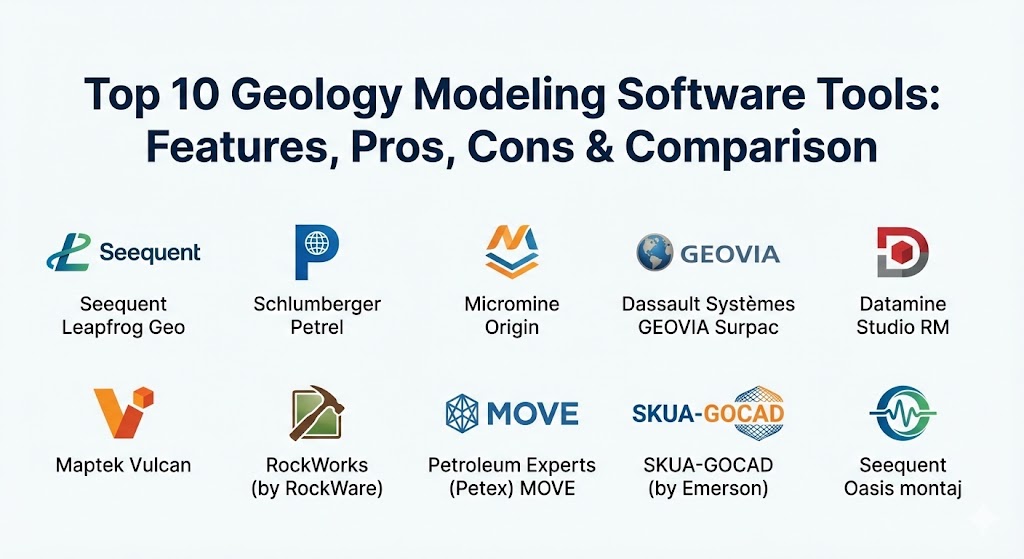
Top 10 Geology Modeling Software Tools
1 — Seequent Leapfrog Geo
Leapfrog Geo is widely regarded as the industry leader in implicit modeling. It revolutionized the field by moving away from traditional “wireframing” toward a data-driven approach that updates models instantly as new data is added.
- Key features:
- Fast Implicit Modeling: Builds complex surfaces and volumes directly from data without manual digitizing.
- Dynamic Updating: Models refresh automatically when new drillhole data is imported.
- Structural Interpretation: Advanced tools for modeling faults, veins, and stratigraphic sequences.
- Central Integration: Seamless collaboration and version control through the Seequent Central cloud platform.
- Cross-Section Generation: Rapid creation of high-quality sections for reports.
- Movie & Visualization: Powerful 3D rendering for stakeholder presentations.
- Pros:
- Massive time savings compared to traditional explicit modeling.
- Highly intuitive interface that allows geologists to focus on the science rather than the CAD.
- Cons:
- High subscription cost compared to basic 3D tools.
- “Black-box” algorithms can be difficult to audit for highly conservative resource estimators.
- Security & compliance: SOC 2 Type II, GDPR, and ISO 27001 compliant. Includes robust user access controls via Seequent ID.
- Support & community: Exceptional support with global offices, a deep knowledge base, and the “Seequent Community” for peer-to-peer learning.
2 — Schlumberger Petrel E&P Platform
Petrel is the “gold standard” in the oil and gas industry. It provides a shared earth environment where geophysicists, geologists, and reservoir engineers can collaborate on a single model.
- Key features:
- Integrated Geophysics: Industry-leading seismic interpretation and processing.
- Volume-Based Modeling: Sophisticated gridding for reservoir simulation.
- Fracture Modeling: Specialized tools for unconventional and fractured reservoirs.
- Geostatistical Analysis: Deep toolbox for property modeling and uncertainty quantification.
- Multi-Disciplinary Workflows: Connects exploration to production in one ecosystem.
- Pros:
- The most comprehensive tool for complex reservoir characterization.
- Highly accurate mathematics that handle massive datasets across entire basins.
- Cons:
- Steep learning curve requiring weeks or months of specialized training.
- Very hardware-intensive; requires high-end workstations to run smoothly.
- Security & compliance: Enterprise-grade security, FIPS 140-2, and compatibility with major corporate data governance frameworks.
- Support & community: Extensive professional training, global help desks, and a massive ecosystem of specialized plugins.
3 — Micromine Origin
Micromine Origin is a high-performance solution that balances powerful geological modeling with user-friendly mine design. It is favored for its speed and its ability to handle data from exploration through to production.
- Key features:
- Grade Copilot: AI-driven tool for rapid, reliable resource modeling.
- Implicit & Explicit Modeling: Offers the flexibility to choose the best method for the deposit.
- Vizex Visualization: High-speed graphics engine for viewing millions of data points.
- Integrated Geostatistics: Comprehensive tools for variography and grade estimation.
- Micromine Nexus: Cloud platform for data sharing and real-time collaboration.
- Pros:
- Excellent performance on standard hardware compared to heavier enterprise tools.
- One of the best interfaces in the mining industry—clean and modern.
- Cons:
- Newer features (like Grade Copilot) require specific licensing tiers.
- Some specific geotechnical modules are not as deep as specialized civil engineering tools.
- Security & compliance: SOC 2, ISO 27001, and secure cloud storage options through Nexus.
- Support & community: Strong presence in major mining hubs (Australia, Canada, Africa) with local support and active user groups.
4 — Dassault Systèmes GEOVIA Surpac
Surpac is one of the most widely used geology and mine planning software tools in the world. It is known for its versatility and its “Swiss Army Knife” approach to mining geology.
- Key features:
- Block Modeling: Industry-standard tools for resource and reserve estimation.
- Workflow Automation: Powerful scripting engine (TCL/SCL) for repetitive tasks.
- Database Management: Direct connection to SQL and Oracle databases.
- Stope Optimization: Advanced tools for underground mine design.
- Surveying Integration: Seamlessly incorporates field survey data into 3D models.
- Pros:
- Extremely stable and reliable, used by almost all major mining companies globally.
- Unmatched customization through scripting for site-specific workflows.
- Cons:
- The interface feels dated compared to Leapfrog or Micromine.
- Scripting is required to get the most out of the software, which can be a barrier for some.
- Security & compliance: Backed by Dassault Systèmes’ enterprise security standards; ISO 9001 and ISO 27001 compliant.
- Support & community: Global 24/7 support and a massive community of “Surpac experts” available for hire/contracting.
5 — Datamine Studio RM
Studio RM is a dedicated resource modeling tool designed for geologists who need high-precision models that comply with international reporting standards (JORC, NI 43-101).
- Key features:
- Dynamic Drillhole Database: Real-time updates as field logs are entered.
- Advanced Geostatistics: Includes kriging, simulation, and multivariate analysis.
- Implicit Modeling: Rapid generation of complex geological boundaries.
- Automated Plotting: High-efficiency tools for generating standardized report plots.
- Mineable Shape Optimization (MSO): Determines the economic viability of the model.
- Pros:
- Rigorous validation tools ensure models are defensible during audits.
- Excellent at handling “Big Data” without compromising on precision.
- Cons:
- Higher complexity in initial setup and template creation.
- The user interface has a steeper learning curve than Leapfrog.
- Security & compliance: SOC 2 Type II, GDPR, and enterprise-grade data encryption.
- Support & community: Known for high-quality technical support and a structured certification program for users.
6 — Maptek Vulcan
Vulcan is an enterprise-scale solution that excels in handling massive datasets for large-scale mining operations. It is particularly strong in resource estimation and mine planning.
- Key features:
- Enormous Dataset Handling: Optimized for models with hundreds of millions of blocks.
- Geotechnical Toolbox: Tools for pit design and slope stability analysis.
- Blast Design: Integrates geology with drilling and blasting patterns.
- Stratigraphic Modeling: Specialized engine for coal, potash, and other layered deposits.
- Real-time Reconciliation: Compares actual mined data against the geological model.
- Pros:
- The “powerhouse” for large open-pit mines that generate massive amounts of data.
- Highly accurate resource estimation tools that are trusted by banks.
- Cons:
- Expensive; primarily targeted at large-scale corporate mining projects.
- Requires significant hardware resources (RAM and GPU) for peak performance.
- Security & compliance: ISO 27001, rigorous internal audit trails, and multi-factor authentication (MFA).
- Support & community: Strong global presence with Maptek’s specialized consulting and support services.
7 — RockWorks (by RockWare)
RockWorks is the “utility player” of the geology world. It is highly affordable and used across environmental, geotechnical, petroleum, and mining industries.
- Key features:
- Borehole Manager: Simple, powerful management of drillhole data.
- Multi-Disciplinary Output: Generates fence diagrams, logs, and volumetric models.
- Hydrology Tools: Specialized features for modeling aquifers and groundwater flow.
- Google Earth Integration: Easy export of geological data to interactive maps.
- Automation Playlists: Simple button-driven workflows for repetitive modeling tasks.
- Pros:
- Best value-for-money in the industry; ideal for small firms and solo consultants.
- Very easy to learn, with a focus on “getting the job done” quickly.
- Cons:
- Not designed for high-end geostatistics or massive-scale resource estimation.
- 3D visualization is functional but less “polished” than Leapfrog or Petrel.
- Security & compliance: Basic local database security; cloud compliance varies by deployment.
- Support & community: Excellent, personal support from the RockWare team and a friendly user forum.
8 — Petroleum Experts (Petex) MOVE
MOVE is the industry standard for structural geology. It focuses on the kinematic restoration and validation of complex geological structures like folds and faults.
- Key features:
- Kinematic Restoration: “Un-deforms” geological models to check if they are physically possible.
- 2D/3D Structural Modeling: Deep tools for fault and stress analysis.
- Geomechanical Modeling: Predicts how rocks will fracture under different pressures.
- Fracture Modeling: Essential for understanding permeability in reservoirs.
- Cross-Section Balancing: Validates seismic interpretations for structural accuracy.
- Pros:
- The only tool of its kind that truly validates the “physicality” of a model.
- Essential for reducing risk in structurally complex oil and gas prospects.
- Cons:
- Very specialized; not a general-purpose mine planning or block modeling tool.
- High cost reflecting its unique niche in the market.
- Security & compliance: FIPS 140-2, GDPR, and enterprise-grade licensing security.
- Support & community: High-level academic and professional support; often used in University Ph.D. programs.
9 — SKUA-GOCAD (by Emerson/AspenTech)
SKUA-GOCAD is an advanced modeling engine that uses “UVT Transform” technology to build models that obey stratigraphic rules, ensuring perfectly watertight meshes.
- Key features:
- SKUA Implicit Engine: Creates geologically consistent models in complex faulted areas.
- UVT Technology: Ensures models remain stratigraphically accurate during interpretation.
- Reservoir Characterization: Deep integration with fluid flow and seismic data.
- Automated Workflows: Guides users through complex modeling tasks with a “wizard” approach.
- Mesh Generation: High-resolution meshes for numerical simulation.
- Pros:
- Unrivaled accuracy in modeling complex fault networks.
- Ensures “watertight” models that are ready for simulation without manual cleanup.
- Cons:
- High technical complexity requires a strong background in structural geology.
- Documentation can be dense and difficult for novice users.
- Security & compliance: SOC 2 Type II, ISO 27001, and robust enterprise data management.
- Support & community: Supported by the Paradigm/Emerson network with global expertise in reservoir modeling.
10 — Seequent Oasis montaj
While often categorized as geophysical software, Oasis montaj is critical for integrated geological modeling, particularly in mineral exploration and UXO (Unexploded Ordnance) detection.
- Key features:
- Geophysical Processing: Advanced tools for magnetic, gravity, and radiometric data.
- 3D Earth Modeling: Integrates geophysical inversions into 3D geological environments.
- Predictive Targeting: AI-driven tools to identify potential ore bodies.
- Multi-Dataset Integration: Combines GIS, geochemistry, and geophysics in one space.
- VOXI Earth Modeling: Cloud-powered inversion engine for high-resolution 3D.
- Pros:
- The definitive tool for geophysicists who need to create geological models from survey data.
- Cloud-powered inversions save massive amounts of local processing time.
- Cons:
- Limited block modeling and mine design features compared to Surpac or Datamine.
- Licensing is modular and can become expensive as you add extensions.
- Security & compliance: Part of the Seequent/Bentley ecosystem; SOC 2, ISO 27001, and GDPR compliant.
- Support & community: Broad global user base and excellent technical documentation.
Comparison Table
| Tool Name | Best For | Platform(s) Supported | Standout Feature | Rating (TrueReview) |
| Leapfrog Geo | Rapid 3D Modeling | Windows | Dynamic Implicit Modeling | 4.8 / 5 |
| Petrel | Oil & Gas / Reservoir | Windows | Shared Earth Collaboration | 4.7 / 5 |
| Micromine Origin | Exploration / Production | Windows | AI Grade Copilot | 4.6 / 5 |
| Surpac | Production Mining | Windows | Custom Scripting Engine | 4.5 / 5 |
| Studio RM | Resource Audits | Windows | Rigorous Geostatistics | 4.6 / 5 |
| Vulcan | Large-Scale Mining | Windows | Massive Dataset Handling | 4.5 / 5 |
| RockWorks | Environmental / SMB | Windows | Affordability & Ease | 4.4 / 5 |
| MOVE | Structural Validation | Windows, macOS | Kinematic Restoration | 4.8 / 5 |
| SKUA-GOCAD | Complex Faulting | Windows, Linux | UVT Transform Tech | 4.6 / 5 |
| Oasis montaj | Geophysics / Exploration | Windows | Cloud-Powered Inversion | 4.5 / 5 |
Evaluation & Scoring of Geology Modeling Software
| Category | Weight | Evaluation Criteria |
| Core Features | 25% | Modeling depth (implicit vs. explicit), geostatistics, and 3D visualization quality. |
| Ease of Use | 15% | Intuitiveness of UI, length of learning curve, and quality of training materials. |
| Integrations | 15% | Compatibility with GIS (ArcGIS/QGIS), CAD, and mine planning software. |
| Security & Compliance | 10% | Data encryption, SSO, SOC 2 compliance, and audit trail capabilities. |
| Performance | 10% | Handling of large datasets (boreholes/point clouds) and stability on standard hardware. |
| Support & Community | 10% | Responsiveness of tech support, active user forums, and frequency of updates. |
| Price / Value | 15% | Initial license cost vs. long-term productivity gains and TCO. |
Which Geology Modeling Software Is Right for You?
Selecting the right tool depends on your specific “geological problem” and your budget.
- Solo Consultants & Small Firms: If you work across environmental and geotechnical projects, RockWorks offers the best versatility at a fraction of the price of enterprise suites.
- Exploration Companies: If your goal is to find ore quickly and present to investors, Leapfrog Geo is almost mandatory for its speed and beautiful 3D visualizations.
- Production Geologists: If you are working at an active mine site, Surpac or Micromine are superior because they link geology directly to day-to-day mine design and scheduling.
- Resource Geologists (Audit Level): If you are responsible for signing off on public mineral reports, Studio RM provides the geostatistical rigor required to withstand intense auditing.
- Oil & Gas Majors: For basin-scale modeling and reservoir simulation, Petrel remains the undisputed heavyweight, despite its cost and complexity.
- Structural Specialists: If you are modeling complex fold-and-thrust belts, you likely need MOVE to ensure your interpretation is geometrically valid.
Frequently Asked Questions (FAQs)
1. What is the difference between “Implicit” and “Explicit” modeling? Explicit modeling (wireframing) requires geologists to manually digitize shapes on cross-sections. Implicit modeling uses algorithms to automatically generate surfaces based on data, saving time but requiring more trust in the math.
2. Can these tools run on a regular laptop? While some (like RockWorks) can, most require a “Workstation” grade laptop with a dedicated NVIDIA GPU, high RAM (32GB+), and a multi-core processor to handle 3D rendering and complex calculations.
3. Do I need to be a programmer to use these tools? No, most have graphical interfaces. However, knowledge of scripting (Python, C#, or TCL) is a major advantage for automating repetitive tasks in tools like Surpac or Vulcan.
4. How do these tools help with JORC or NI 43-101 reporting? They provide the geostatistical evidence and 3D visual proof required to estimate the “Resource Category” (Inferred, Indicated, Measured) of a mineral deposit.
5. Are there free, open-source alternatives? Yes, tools like GemPy (Python-based) are excellent for researchers, but they lack the user interface, support, and mine-planning integrations required for professional commercial projects.
6. Can I import data from my field tablets? Yes, most modern suites (like Micromine or Leapfrog) have mobile logging apps or “Cloud Connectors” that sync field data directly into the 3D model.
7. How does “Structural Validation” work? Validation (in tools like MOVE) uses physics-based rules to ensure that if you “flatten” a folded rock layer, it has the same surface area it started with. If it doesn’t, your model is geometrically impossible.
8. What is “Block Modeling”? Block modeling divides a 3D volume into a grid of smaller cubes (blocks). Each block is assigned geological and grade data, allowing for precise volume and value calculations.
9. Can these tools model groundwater? Specialized modules in RockWorks and Leapfrog Works are designed specifically to model water tables and plume migration for environmental studies.
10. How expensive are these tools? Professional licenses typically range from $3,000 for basic tools to $30,000+ per year for high-end enterprise suites with all extensions.
Conclusion
Geology modeling is no longer a luxury; it is the cornerstone of modern resource management. The “best” tool is the one that fits your specific industry and technical requirements. While Leapfrog Geo and Petrel dominate their respective markets through speed and depth, vendors like Micromine and Datamine continue to push the boundaries with AI-driven estimation and cloud collaboration. As you choose, remember that the software is only as good as the data you put in—but the right tool will ensure that data tells the most accurate story possible.