Introduction
Geofencing tools are software solutions that use GPS, RFID, Wi-Fi, or cellular data to trigger a pre-programmed action when a mobile device or RFID tag enters or exits a virtual geographic boundary—a “geofence.” These tools act as a bridge between the physical world and digital workflows, allowing businesses to automate processes based on real-time spatial data.
The importance of geofencing has skyrocketed due to the “now-economy,” where precision and timing are competitive advantages. Key real-world use cases span from proximity marketing (boosting retail sales) and fleet management (improving fuel efficiency) to time-tracking (reducing payroll fraud). When evaluating these tools, users should look for battery-efficient SDKs, “polygonal” fencing capabilities (which allow for complex shapes rather than just circles), high-precision location accuracy, and robust privacy-first data handling.
Best for: Mobile app developers, retail marketing teams, logistics and supply chain managers, and HR departments in industries like construction or field services. It is ideal for organizations that need to automate events based on movement.
Not ideal for: Businesses with zero mobile presence or those in industries where tracking movements could raise severe union or ethical concerns without high-level transparency. It is also not a substitute for high-security indoor tracking where ultra-wideband (UWB) hardware might be more appropriate.
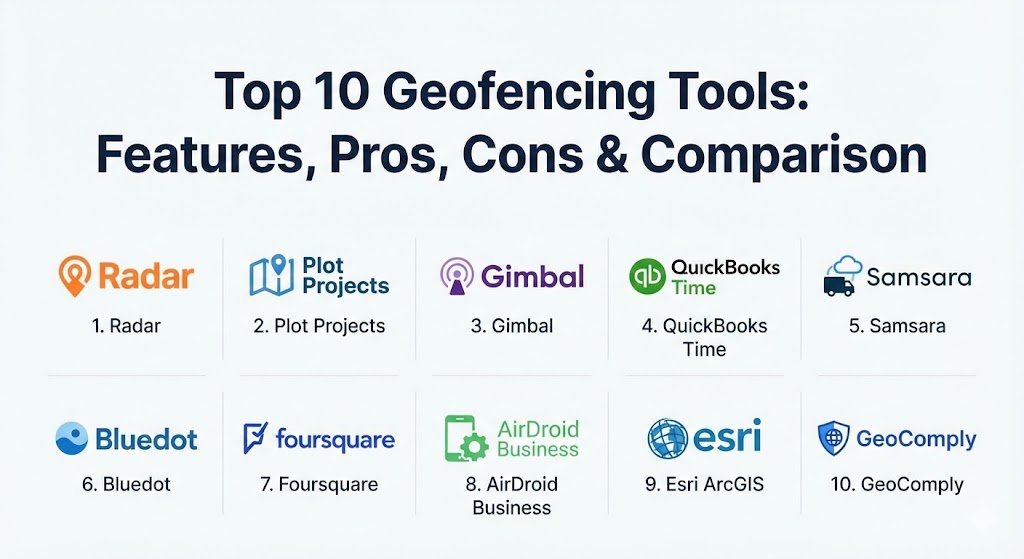
Top 10 Geofencing Tools
1 — Radar
Radar is widely considered the industry leader for developers. It offers an all-in-one location platform that combines geofencing, geocoding, and search into a single, highly efficient SDK. It is designed to scale from startups to massive enterprises.
- Key features:
- Unlimited geofences with support for circular, polygonal, and “isochrone” (drive-time) shapes.
- Out-of-the-box “Places” database for tracking visits to specific chains or categories.
- Trip tracking with live ETAs for curbside pickup and delivery.
- Beacons support for high-precision indoor proximity.
- Privacy-first “Geofencing guardrails” to ensure GDPR and CCPA compliance.
- Seamless integrations with Segment, Braze, and Amplitude.
- Pros:
- Exceptionally well-documented SDK that developers actually enjoy using.
- Battery-optimized background tracking that doesn’t trigger the “blue bar” on iOS.
- Cons:
- The pricing can scale quickly for apps with extremely high monthly active users (MAU).
- Requires technical expertise; not a “plug-and-play” solution for non-developers.
- Security & compliance: SOC 2 Type II certified, GDPR, and CCPA compliant. Offers SSO and granular role-based access control.
- Support & community: Dedicated enterprise support, a Slack community for developers, and extensive technical guides.
2 — Plot Projects
Plot Projects is a geofencing tool built specifically with a heavy focus on marketing and advertising. It is designed to help retailers and marketers drive foot traffic and measure “lift” through high-precision notifications.
- Key features:
- Advanced “Notification Engine” for scheduled and trigger-based messages.
- Native integration with major ad exchanges to power location-based display ads.
- “Attribution Dashboard” to measure how many people entered a store after seeing an ad.
- Support for high-density areas like malls where overlapping fences are common.
- Predictive entry detection to send messages before the user walks past the store.
- Pros:
- Strong focus on marketing ROI and foot-traffic attribution.
- Very easy for non-technical marketing teams to manage campaigns via the dashboard.
- Cons:
- Limited features for logistics or employee time-tracking use cases.
- Accuracy can vary depending on the user’s Wi-Fi and Bluetooth settings.
- Security & compliance: Strictly follows GDPR and ePrivacy guidelines; anonymizes user data at the source.
- Support & community: Direct customer success managers for enterprise clients and a library of marketing case studies.
3 — Gimbal
Gimbal (now part of Infillion) excels at merging the world of macro-location (GPS) with micro-location (beacons). It is a top-tier choice for enterprise retailers who need to track a customer from the parking lot all the way to a specific aisle.
- Key features:
- Patented “Digital-to-Physical” technology for high-accuracy proximity.
- Industry-leading beacon management system for massive hardware deployments.
- “Arrival” triggers specifically tuned for curbside and drive-thru operations.
- Detailed “Venue Analytics” to understand dwell times and path-to-purchase.
- Cross-device mapping to link mobile pings with home IP addresses.
- Pros:
- Best-in-class accuracy for indoor/outdoor transitions.
- Robust hardware-software ecosystem (they produce their own beacons).
- Cons:
- The complex feature set may be overkill for simple “enter/exit” triggers.
- Implementation typically requires a significant hardware investment for beacons.
- Security & compliance: SOC 2 compliant, ISO 27001, and rigorous privacy controls.
- Support & community: White-glove onboarding and 24/7 technical support for enterprise partners.
4 — QuickBooks Time (formerly TSheets)
QuickBooks Time is the go-to geofencing tool for HR and payroll management. Instead of marketing, this tool is used to ensure employees are at the correct job site when they clock in and out.
- Key features:
- “Geofence Clock-in” reminders that prompt employees when they arrive at a site.
- Automatic clock-out triggers when an employee leaves the digital fence.
- Live map view showing where all “on-the-clock” employees are located.
- Deep integration with QuickBooks Payroll to turn location data into paychecks.
- GPS “breadcrumb” tracking to see the routes taken between job sites.
- Pros:
- Saves thousands of dollars in “time theft” and manual entry errors.
- Extremely easy for non-technical managers and workers to use.
- Cons:
- Not designed for marketing or customer-facing app features.
- Can lead to employee privacy concerns if not communicated transparently.
- Security & compliance: HIPAA and GDPR compliant; data is encrypted and stored in secure data centers.
- Support & community: Extensive self-help portal, phone support, and a large community of small business users.
5 — Samsara
Samsara is a heavy-duty geofencing tool built for the world of logistics, trucking, and physical assets. It uses a combination of hardware (telematics) and software to track fleets and equipment in real-time.
- Key features:
- Real-time alerts for “Gate Entry” and “Gate Exit” at warehouses and depots.
- Automated detention timing to track how long a truck waits at a customer site.
- Route compliance monitoring to ensure drivers don’t enter restricted areas.
- “Asset Tagging” to track non-powered equipment like trailers and generators.
- Integrated dash-cam footage that can be triggered by geofence events.
- Pros:
- Provides an unmatched level of operational visibility for industrial fleets.
- The “All-in-One” platform replaces multiple disparate tracking systems.
- Cons:
- High entry cost due to the requirement for physical hardware installation.
- Not suitable for general mobile app developers or marketing use.
- Security & compliance: SOC 2 Type II, ISO 27001 certified, and GDPR compliant.
- Support & community: 24/7 technical support and an “Industrial IoT” community forum.
6 — Bluedot
Bluedot is a high-precision geofencing tool that specializes in “drive-thru” and “curbside” technology. They are famous for being able to distinguish between a car pulling into a parking spot and one just passing by.
- Key features:
- “Hello Screens” that greet customers on digital boards when they arrive.
- Lane-level accuracy for drive-thru optimization.
- “Stop Detection” that calculates exactly how long a customer waited for their order.
- High-velocity triggers that work even when a car is moving at speed.
- SDK optimized for minimal battery drain even with high-frequency pings.
- Pros:
- The highest precision available for quick-service restaurants (QSR).
- Can significantly reduce customer wait times through better arrival timing.
- Cons:
- Very specialized for retail/food; lacks broader GIS or HR features.
- Requires a high degree of integration with POS and kitchen display systems.
- Security & compliance: SOC 2 Type II and GDPR compliant. Data is anonymized.
- Support & community: Dedicated technical account managers and developer-focused documentation.
7 — Foursquare (Pilgrim SDK)
Foursquare’s Pilgrim SDK leverages over a decade of check-in data to understand exactly “where” a user is, even in difficult environments like multi-story malls or dense urban canyons.
- Key features:
- “Snap-to-Place” technology that knows which floor of a building a user is on.
- “Venuestrip” feature that provides a list of all businesses near a user.
- Massive POI (Point of Interest) database with over 100 million locations.
- Behavioral “Personas” (e.g., “Frequent Traveler” or “Gym Goer”) based on history.
- Real-time attribution for multi-channel marketing campaigns.
- Pros:
- Unrivaled contextual data; it doesn’t just know the coordinates, it knows the “venue.”
- Excellent for social media and discovery apps.
- Cons:
- The Pilgrim SDK can be one of the more expensive options on the market.
- The depth of data can be overwhelming for simple geofencing needs.
- Security & compliance: Privacy-by-design approach; GDPR and CCPA compliant.
- Support & community: Strong developer relations team and a rich set of APIs for global data.
8 — AirDroid Business
AirDroid Business is a Mobile Device Management (MDM) solution that uses geofencing to secure and manage corporate devices. It is particularly useful for companies with a mobile workforce using ruggedized handhelds.
- Key features:
- “Geofence Workflow” that triggers device lockdowns if a tablet leaves a specific site.
- Automated alerts if a driver speeds or strays from a predefined path.
- Real-time device health monitoring (battery, data usage) within the geofence.
- Remote “Wipe” capabilities if a device is stolen and moves outside a “Safe Zone.”
- Support for “Bulk Deployment” of geofence rules to thousands of devices.
- Pros:
- Essential for security-conscious firms managing “kiosk” or field devices.
- Combines location tracking with full remote control of the hardware.
- Cons:
- Focused on “Device Management,” not on customer marketing or engagement.
- UI can feel more like a technical IT tool than a modern web app.
- Security & compliance: ISO 27001, GDPR compliant, and supports end-to-end encryption.
- Support & community: Multi-language support and a comprehensive online help center.
9 — Esri ArcGIS
Esri is the “Microsoft” of the GIS world. Their ArcGIS platform offers geofencing capabilities that are used for large-scale urban planning, environmental monitoring, and emergency response.
- Key features:
- Support for extremely complex, large-scale geofencing (entire cities or forests).
- Real-time spatial analytics with “GeoEvent Server.”
- Integration with satellite imagery and environmental sensors (IoT).
- Offline geofencing for field workers in remote areas without cellular service.
- Advanced “3D Geofencing” for airspace and vertical building management.
- Pros:
- The most powerful spatial analysis engine on the planet.
- Unlimited flexibility for government and scientific applications.
- Cons:
- Extremely steep learning curve; usually requires a GIS professional to operate.
- Licensing costs are among the highest in the industry.
- Security & compliance: FedRAMP authorized, HIPAA compliant, and ISO 27001 certified.
- Support & community: Huge global community, university-level training, and dedicated support.
10 — GeoComply
GeoComply is a highly specialized geofencing tool used for compliance and fraud detection. It is the gold standard for the iGaming and FinTech industries, where verifying a user’s exact location is a legal requirement.
- Key features:
- “Anti-Spoofing” technology to detect VPNs, proxies, and fake GPS locations.
- Territory-specific blocking to ensure a user is within state or national lines.
- Real-time “Jurisdiction Tracking” for mobile betting and gaming apps.
- Integration with financial fraud systems to verify “card-present” transactions.
- High-frequency location pings to prevent “border-hopping” while using an app.
- Pros:
- The most secure and “un-hackable” geofencing solution available.
- Essential for meeting strict regulatory requirements in legal gambling.
- Cons:
- Strictly focused on compliance; zero features for marketing or logistics.
- Very high cost per transaction/check.
- Security & compliance: GLI certified, SOC 2, and compliant with all major gaming regulators.
- Support & community: Deep legal and regulatory expertise provided to all clients.
Comparison Table
| Tool Name | Best For | Platform(s) Supported | Standout Feature | Rating (Gartner Peer Insights) |
| Radar | App Developers | iOS, Android, Web | All-in-one SDK / All-rounder | 4.8 / 5 |
| Plot Projects | Proximity Marketing | iOS, Android | Ad-Exchange Integration | 4.5 / 5 |
| Gimbal | Enterprise Retail | iOS, Android, Beacons | Beacon-GPS Hybrid Accuracy | 4.6 / 5 |
| QuickBooks Time | HR & Payroll | iOS, Android, Web | Automated Payroll Sync | 4.7 / 5 |
| Samsara | Logistics & Fleet | Hardware, Web, iOS | Industrial IoT Ecosystem | 4.8 / 5 |
| Bluedot | Drive-Thru / QSR | iOS, Android | Lane-Level Arrival Detection | 4.7 / 5 |
| Foursquare | Contextual Data | SDK, API | Venue-Specific Intelligence | 4.5 / 5 |
| AirDroid Business | Device Security | Android, iOS, Windows | Geofence-Based Lockdown | 4.4 / 5 |
| Esri ArcGIS | Scientific / GIS | Multi-platform, SaaS | City-Scale Spatial Analysis | 4.6 / 5 |
| GeoComply | Compliance / Fraud | iOS, Android, Web | Anti-VPN/Spoofing Tech | 4.9 / 5 |
Evaluation & Scoring of Geofencing Tools
To help you objectively score these tools against your own needs, we have used the following weighted rubric:
| Category | Weight | Description |
| Core Features | 25% | Shape complexity (polygons), trigger types, and precision. |
| Ease of Use | 15% | Dashboard intuitiveness and implementation speed for non-tech users. |
| Integrations | 15% | How well it talks to your CRM, Payroll, or Ad-Stack. |
| Security & Compliance | 10% | Data privacy (GDPR/CCPA) and anti-fraud measures. |
| Performance | 10% | Battery consumption and latency of triggers. |
| Support & Community | 10% | Availability of docs, Slack channels, and 24/7 support. |
| Price / Value | 15% | ROI for small businesses vs. enterprise scalability. |
Which Geofencing Tool Is Right for You?
The “right” tool depends entirely on your primary goal. Use this guide to narrow it down:
- Solo Developers vs. Startups: If you are building a new app and need location features, Radar is the undisputed choice due to its excellent documentation and generous free tier.
- SMBs (Retail/Food): If you want to increase sales, Plot Projects or Bluedot (if you have a drive-thru) will offer the fastest ROI.
- Construction & Field Services: For simple time-tracking and ensuring workers are on-site, QuickBooks Time is the most cost-effective and easiest to deploy.
- Enterprise Logistics: If you manage hundreds of trucks and trailers, Samsara is the industry standard, providing hardware and software in one package.
- Security & Compliance Teams: If you are in FinTech or gambling, GeoComply is likely a legal necessity rather than an optional choice.
Frequently Asked Questions (FAQs)
1. Does geofencing drain a phone’s battery? It depends on the SDK. Professional tools like Radar and Bluedot use “Geofencing APIs” from iOS and Android that are highly optimized. However, poorly coded apps that use constant GPS polling will drain the battery quickly.
2. Can geofencing work indoors? GPS is often inaccurate indoors. For indoor geofencing, tools like Gimbal use Bluetooth Beacons or Wi-Fi triangulation to provide sub-meter accuracy.
3. What is the difference between geofencing and geotargeting? Geofencing is reactive (triggering an action when a boundary is crossed). Geotargeting is more broad—delivering content to everyone within a specific zip code or city, regardless of whether they just entered it.
4. How accurate is geofencing? Outdoors with a clear view of the sky, GPS-based geofencing is accurate to within 10–20 meters. With beacons, accuracy can reach 1 meter.
5. Is geofencing an invasion of privacy? It can be if not handled correctly. Top tools require “Opt-in” consent from users and follow strict GDPR/CCPA guidelines. Transparency about why location is being used is key to user trust.
6. Do I need hardware to use geofencing? For most app-based marketing or HR use cases, no. You only need the software. For fleet management (Samsara) or high-precision indoor tracking (Gimbal), physical hardware is required.
7. Can I create geofences in any shape? The best tools allow for “Polygons”—custom shapes you draw on a map. Cheaper or basic tools often only allow for “Radial” (circular) fences.
8. What happens if a user has their location services turned off? The geofence will not trigger. Some tools use IP-address-based location as a backup, but it is far less accurate.
9. Can I geofence a competitor’s location? Yes, this is called “Geo-conquesting.” You can set a fence around a competitor’s store to send a discount to your own customers when they are nearby.
10. How much do these tools cost? Pricing ranges from free (Radar’s hobby plan) to thousands of dollars a month for enterprise-grade platforms with millions of users.
Conclusion
The geofencing landscape of 2026 is no longer just about “marketing alerts.” It has matured into a critical layer of the enterprise stack that drives efficiency, security, and compliance. Choosing the best tool requires you to weigh the need for precision against the cost of implementation and the technical skill of your team. Whether you choose the developer-friendly Radar, the industrial-strength Samsara, or the compliance-focused GeoComply, remember that the value of the tool lies in how well it turns a physical location into a meaningful business outcome.