Introduction
Field Service Management (FSM) software is a centralized platform designed to coordinate all aspects of a mobile workforce. It bridges the gap between the back office and technicians on-site, handling everything from intelligent scheduling and real-time GPS tracking to automated invoicing and inventory management. By synchronizing data across the entire service lifecycle, FSM tools help businesses minimize “dead time” between jobs and maximize first-time fix rates.
The importance of FSM tools in 2026 cannot be overstated. With the rise of the “Internet of Things” (IoT), many machines now self-diagnose and trigger their own service requests before a human even notices a fault. Key real-world use cases include predictive maintenance for industrial HVAC systems, route optimization for delivery fleets to save on fuel, and providing on-site technicians with Augmented Reality (AR) “digital twin” overlays to assist with complex repairs. When evaluating FSM tools, decision-makers should look for AI-driven scheduling, offline mobile capabilities, robust customer communication portals, and seamless integration with existing ERP or accounting systems.
Best for: Commercial contractors (HVAC, plumbing, electrical), utility and telecom companies, medical device manufacturers, and large-scale property management firms. It is ideal for any business with a distributed workforce that requires complex scheduling and high-performance reporting.
Not ideal for: Purely desk-based companies or small retail shops that do not send personnel to client locations. Additionally, solo practitioners with extremely simple schedules may find a basic digital calendar and accounting app more cost-effective than a full FSM suite.
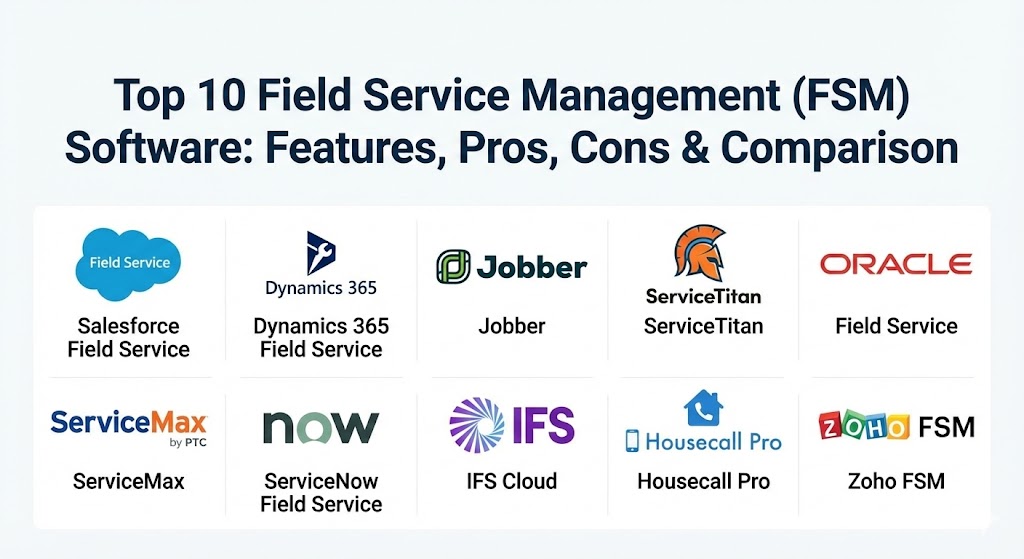
Top 10 Field Service Management (FSM) Tools
1 — Salesforce Field Service
Salesforce Field Service is a powerhouse in the FSM space, built directly on the world’s leading CRM. It is designed for enterprises that want a 360-degree view of the customer, linking sales, support, and on-site service into a single data stream.
- Key features:
- AI-Driven Scheduling: Automatically matches the right technician to the right job based on skills and proximity.
- Visual Remote Assistant: Allows experts in the office to guide field techs via live video and AR.
- Offline Mobile App: Technicians can access full customer history and job notes without a signal.
- Asset 360: Deep visibility into complex equipment lifecycles and warranties.
- Intelligent Parts Management: Tracks inventory across vans and warehouses in real-time.
- Pros:
- Unrivaled ecosystem; integrates perfectly with any other Salesforce module.
- Highly scalable for global organizations managing thousands of technicians.
- Cons:
- Very high cost and complex implementation requiring specialized consultants.
- Can feel overwhelming for smaller businesses with simpler workflows.
- Security & compliance: SOC 2 Type II, HIPAA, GDPR, ISO 27001, and FedRAMP authorized.
- Support & community: World-class enterprise support, Trailhead training, and a massive global partner network.
2 — Microsoft Dynamics 365 Field Service
Microsoft’s entry is the top choice for companies heavily invested in the Microsoft stack. It turns service into a profit center by focusing on predictive maintenance and “connected” field service.
- Key features:
- IoT Integration: Automatically generates work orders based on sensor data from connected devices.
- Mixed Reality Support: Native integration with Dynamics 365 Remote Assist on HoloLens or mobile.
- Copilot AI: Helps dispatchers summarize long job histories and draft customer communications.
- Unified Resource Scheduling: Manages technicians, equipment, and even facilities in one view.
- Seamless Teams Integration: Real-time collaboration between the field and office.
- Pros:
- Familiar interface for users already using Windows, Outlook, and Teams.
- Exceptionally strong at “Predictive Service” rather than just “Reactive Service.”
- Cons:
- Requires a significant investment in the Microsoft Power Platform for full customization.
- Performance can occasionally lag with extremely large, complex datasets.
- Security & compliance: FIPS 140-2, GDPR, HIPAA, and industry-leading Microsoft cloud security.
- Support & community: Massive documentation library, Microsoft Learn paths, and 24/7 global enterprise support.
3 — Jobber
Jobber is the gold standard for small-to-medium residential service businesses. It focuses on the “Business of Service,” making it easy to quote, schedule, and get paid.
- Key features:
- Consumer-Grade Client Hub: Allows customers to approve quotes and pay invoices online.
- One-Click Invoicing: Turns completed jobs into invoices instantly.
- Automated Customer Notifications: SMS and email reminders for appointments and arrivals.
- Simple Drag-and-Drop Calendar: Intuitive scheduling that requires zero training.
- Online Booking: Let customers book their own appointments based on your real-time availability.
- Pros:
- Extremely fast to set up; most businesses are live within a few days.
- The most intuitive mobile app for technicians on the market.
- Cons:
- Lacks the deep asset-management features needed for heavy industrial work.
- Reporting is basic compared to enterprise-level tools.
- Security & compliance: PCI-DSS for payments, standard SSL encryption, and GDPR compliance.
- Support & community: Excellent “customer success” team and a strong “Jobber Academy” for business growth.
4 — ServiceTitan
ServiceTitan is the leading platform specifically built for the trades (HVAC, Plumbing, Electrical). It is designed to act as an all-in-one “Business Operating System.”
- Key features:
- Sales-Focused Mobile App: Visual pricebooks help technicians offer “Good/Better/Best” options.
- Direct Marketing Integration: Tracks exactly which ads or mailers generated a specific call.
- Maintenance Agreement Management: Automates the renewal and scheduling of recurring service contracts.
- Real-Time Technician Tracking: Customers see a “Uber-style” map of their tech’s location.
- Inventory & Purchasing: Managed workflows for ordering parts from major distributors.
- Pros:
- The “sales-first” approach significantly increases average ticket value.
- Built by trade professionals for trade professionals; every feature feels relevant.
- Cons:
- One of the most expensive mid-market solutions.
- High learning curve due to the sheer depth of features.
- Security & compliance: SOC 2, HIPAA-ready features, and secure payment processing.
- Support & community: Dedicated account managers for larger accounts and a very active “Pantheon” user community.
5 — Oracle Field Service
Oracle focuses on high-volume, high-complexity operations. Its standout feature is its “Time-Based” predictive engine that uses AI to learn exactly how long a specific tech takes to do a specific job.
- Key features:
- Predictive Routing: AI learns from historical data to account for traffic, weather, and tech speed.
- Capacity Planning: Forecasts future workforce needs months in advance.
- Real-Time Collaboration: Peer-to-peer chat and file sharing between technicians.
- Self-Service Portals: Allow customers to track, reschedule, and rate their service.
- Global Scalability: Support for multiple languages, currencies, and time zones.
- Pros:
- The AI routing engine is widely considered the most accurate in the world.
- Handles extreme volumes (millions of work orders) with ease.
- Cons:
- The interface can feel “corporate” and less modern than pure SaaS tools.
- Configuration requires significant technical expertise.
- Security & compliance: ISO 27001, SOC 1/2/3, GDPR, and HIPAA.
- Support & community: Global enterprise support and a large network of implementation partners.
6 — ServiceMax (by PTC)
ServiceMax is the preferred choice for asset-heavy industries like medical manufacturing or aerospace. It focuses on the “Asset Lifecycle” rather than just the service call.
- Key features:
- Asset-Centric FSM: Full genealogy and service history of every piece of equipment.
- Installed Base Management: Tracks where every unit is located globally.
- Contract & Warranty Management: Automatically applies the correct pricing based on complex SLAs.
- Advanced Work Order Workflows: Customizable for high-stakes regulatory environments.
- IoT-Powered Zero Downtime: Integrates with PTC ThingWorx for predictive alerts.
- Pros:
- Unbeatable for industries where the machine is more important than the customer record.
- Exceptionally strong mobile app for complex, long-duration maintenance tasks.
- Cons:
- Integration with non-Salesforce CRMs can be challenging.
- Too complex for simple “break-fix” service businesses.
- Security & compliance: SOC 2, GDPR, HIPAA, and industry-specific certifications.
- Support & community: Strong professional services team and “ServiceMax University” for certifications.
7 — ServiceNow Field Service Management
ServiceNow bridges the gap between IT Service Management (ITSM) and physical field service. It is perfect for companies managing digital and physical infrastructure.
- Key features:
- Unified Service View: Connects the helpdesk directly to the field dispatch board.
- Automated Dispatch: Uses “Agentic AI” to assign tasks based on parts availability and skills.
- Dynamic Scheduling: Instantly reshuffles the entire day when a high-priority emergency arrives.
- Mobile Playbooks: Step-by-step interactive guides to help technicians solve issues.
- Asset & Cost Tracking: Full visibility into the financial cost of every service engagement.
- Pros:
- Best-in-class for organizations already using ServiceNow for IT or HR.
- Very strong focus on workflow automation and “self-healing” operations.
- Cons:
- Can be very expensive for small or medium-sized fleets.
- Requires a “ServiceNow Admin” to truly customize the experience.
- Security & compliance: FedRAMP, SOC 1/2, HIPAA, GDPR, and ISO 27001.
- Support & community: Massive “Now Community” and world-class enterprise support tiers.
8 — IFS Cloud (FSM)
IFS is a “challenger” that has consistently outpaced the giants in terms of innovation. It provides an “industry-first” approach, particularly for manufacturing and utilities.
- Key features:
- Planning & Scheduling Optimization (PSO): A world-record-holding scheduling engine.
- Contract Management: Handles the most complex multi-layered service agreements.
- Mobile Workforce Enablement: Includes features for inventory, time, and expenses.
- Remote Assistance: High-quality AR video for remote expert support.
- Lobby Dashboards: Real-time visual KPIs for every role in the service organization.
- Pros:
- The scheduling engine can handle “what-if” scenarios for massive fleets.
- Offers a “single platform” that includes ERP, EAM, and FSM.
- Cons:
- Setup and implementation take months, not weeks.
- The brand is less known in North America compared to Europe.
- Security & compliance: ISO 27001, SOC 2, HIPAA, and GDPR.
- Support & community: Excellent global support with a strong emphasis on “Trust and Collaboration.”
9 — Housecall Pro
Housecall Pro is the main competitor to Jobber, offering a slightly more “feature-rich” platform for growing home service businesses.
- Key features:
- Instapay: Allows technicians to get paid the same day they finish a job.
- Review Generation: Automatically texts customers a link to leave a Google review after service.
- “Sales Associate” Mode: Restricted view for techs so they can sell without seeing sensitive company data.
- QuickBooks Desktop/Online Sync: One of the most robust accounting integrations.
- Marketing Automation: Send “we miss you” postcards or emails based on service history.
- Pros:
- Excellent balance of ease-of-use and business-growth features.
- The mobile app is highly stable and fast even on older devices.
- Cons:
- Pricing can jump significantly as you add more users or features.
- Less flexible than enterprise tools for non-residential service models.
- Security & compliance: PCI-compliant, SSL encryption, and standard data privacy.
- Support & community: Very active “Pro” community and high-quality chat support.
10 — Zoho FSM
Zoho FSM is the best value choice for companies already using the Zoho ecosystem. It provides a surprisingly deep feature set at a fraction of the cost of its competitors.
- Key features:
- Ticket-to-Work-Order: Seamlessly turns a support ticket into a field service job.
- Multi-Channel Communication: SMS, Email, and WhatsApp integration for customers.
- Inventory Tracking: Basic part management and replenishment alerts.
- Customizable Mobile Forms: Create specific checklists for different job types.
- Analytics Integration: Deep reporting via Zoho Analytics.
- Pros:
- Unbeatable price-to-performance ratio.
- Part of a 45+ app ecosystem that can run your entire business.
- Cons:
- The UI can feel cluttered compared to specialized tools like Jobber.
- AI features are not as advanced as those in Salesforce or Microsoft.
- Security & compliance: ISO 27001, SOC 2, GDPR, and HIPAA.
- Support & community: Strong documentation and a very affordable support structure.
Comparison Table
| Tool Name | Best For | Platform(s) Supported | Standout Feature | Rating (Gartner / TrueReview) |
| Salesforce FS | Large Enterprise | SaaS, iOS, Android | Full Customer 360 View | 4.3 / 5 |
| Microsoft D365 | Microsoft Orgs | SaaS, iOS, Android | HoloLens AR Repair | 4.3 / 5 |
| Jobber | Small SMB / Home | SaaS, iOS, Android | Intuitive Client Hub | 4.5 / 5 |
| ServiceTitan | Trades (HVAC/Plumb) | SaaS, iOS, Android | Visual Sales Pricebook | 4.0 / 5 |
| Oracle FS | High-Volume Routing | SaaS, iOS, Android | Predictive Time AI | 4.4 / 5 |
| ServiceMax | Asset-Heavy Industry | SaaS, iOS, Android | Asset Genealogy/History | 4.2 / 5 |
| ServiceNow FSM | IT & Infrastructure | SaaS, iOS, Android | Unified ITSM + FSM | 4.4 / 5 |
| IFS Cloud | Manufacturing/Util | SaaS, On-Prem, iOS | PSO Scheduling Engine | 4.6 / 5 |
| Housecall Pro | Growth-Focused SMB | SaaS, iOS, Android | Review Generation Tool | 4.5 / 5 |
| Zoho FSM | Budget-Conscious | SaaS, iOS, Android | Zoho Ecosystem Sync | 4.3 / 5 |
Evaluation & Scoring of Field Service Management (FSM) Software
| Category | Weight | Description |
| Core Features | 25% | Scheduling, work orders, asset management, and GPS tracking. |
| Ease of Use | 15% | Intuitiveness for both office dispatchers and mobile technicians. |
| Integrations | 15% | Depth of connection with CRM, ERP, and accounting tools (QuickBooks). |
| Security & Compliance | 10% | Data protection standards, SSO, and regulatory certifications (HIPAA/GDPR). |
| Performance | 10% | App stability, offline mode reliability, and speed under load. |
| Support & Community | 10% | Quality of documentation and availability of enterprise-grade support. |
| Price / Value | 15% | ROI potential and transparency of the licensing model. |
Which Field Service Management (FSM) Tool Is Right for You?
Selecting an FSM tool is a long-term commitment. Use the following guide to narrow down your search:
- Solo Users & Handymen: If it is just you and a van, look for Jobber. It is affordable, professional, and gets you paid faster.
- Small Businesses (2-10 Techs): If you are in the trades and want to grow, Housecall Pro is excellent for marketing and customer reviews.
- Specialty Trades (HVAC, Plumbing, Electrical): ServiceTitan is the industry standard for these verticals, specifically designed to help your technicians sell more in the field.
- Asset-Centric Organizations: If you repair medical equipment or complex machinery, ServiceMax or IFS Cloud provide the deep asset history you need for compliance.
- Enterprise with Microsoft/Salesforce: If you already pay for these platforms, stay within the family. Dynamics 365 and Salesforce Field Service offer the best data integration.
- Budget-Conscious Firms: If you need enterprise-lite features without the enterprise price tag, Zoho FSM is the clear winner.
Frequently Asked Questions (FAQs)
1. What is the difference between CRM and FSM?
A CRM (Customer Relationship Management) tracks interactions and sales. FSM (Field Service Management) handles the physical delivery of service, including technician dispatch, routing, and inventory.
2. Can FSM software work without an internet connection?
Yes, most top-tier tools (like Salesforce, Microsoft, and Jobber) have offline modes. Technicians can complete work orders and sync them once they reach a signal.
3. Will FSM software help me save on fuel costs?
Absolutely. Tools with “Route Optimization” (like Oracle or Verizon Connect) can reduce mileage by 15-30% by intelligently clustering jobs geographically.
4. How long does implementation usually take?
For SMB tools like Jobber, you can be live in 48 hours. For enterprise tools like IFS or Oracle, implementation usually takes 3 to 6 months.
5. Does FSM software include GPS tracking?
Most do. This allows dispatchers to see technicians on a live map and gives customers “Uber-style” notifications when their tech is on the way.
6. Is my customer data safe in FSM software?
Enterprise tools are highly secure, offering features like SSO and multi-factor authentication. Always check for SOC 2 or HIPAA compliance if you handle sensitive data.
7. Can I integrate FSM with QuickBooks?
Yes. Integration with accounting software is a core feature for tools like Jobber, Housecall Pro, and ServiceTitan to ensure invoices and payments sync automatically.
8. What is “First-Time Fix Rate”?
It is the percentage of jobs solved on the first visit. FSM tools improve this by ensuring the tech has the right parts, the right skills, and the right notes before they arrive.
9. Can FSM software manage subcontractors?
Some tools have “Subcontractor Portals” that allow you to assign jobs to external partners while still maintaining visibility into their progress and status.
10. What is “Predictive Maintenance”?
Using IoT sensors, the software can predict when a machine is about to fail and automatically schedule a service call before the breakdown occurs.
Conclusion
The “best” Field Service Management tool is the one that your technicians will actually use. While the high-end AI and predictive analytics of enterprise suites are impressive, they are only valuable if they lead to better service and higher profitability. As we move through 2026, the gap between “digital-first” service companies and those still using paper will only widen. Choose a tool that fits your current size but offers the scalability to grow as your fleet expands.