Introduction
Feature Flag Management Tools (also known as feature toggles or switches) are platforms that allow developers to turn specific features on or off in a production environment without deploying new code. Think of it as a remote control for your software. Instead of waiting for a “Big Bang” release, teams can merge code into production in a dormant state and then use a dashboard to toggle that feature for specific users, such as internal testers or a small percentage of the general audience.
This is important because it decouples deployment (moving code to servers) from release (making features available to users). Real-world use cases include Canary Releases (testing a feature on 1% of users to monitor for bugs), Kill Switches (instantly turning off a broken feature without a rollback), and A/B Testing (comparing two versions of a feature to see which performs better). When choosing a tool, teams must evaluate SDK performance (latency), audience targeting granularity, audit logs for compliance, and the scalability of the management interface.
Best for: Product Managers, DevOps engineers, and full-stack development teams in mid-to-large enterprises or high-growth SaaS companies. It is essential for organizations practicing trunk-based development and high-frequency releases.
Not ideal for: Simple, static websites or very small projects with a single developer where the overhead of managing a third-party toggle system outweighs the benefits of a manual config change.
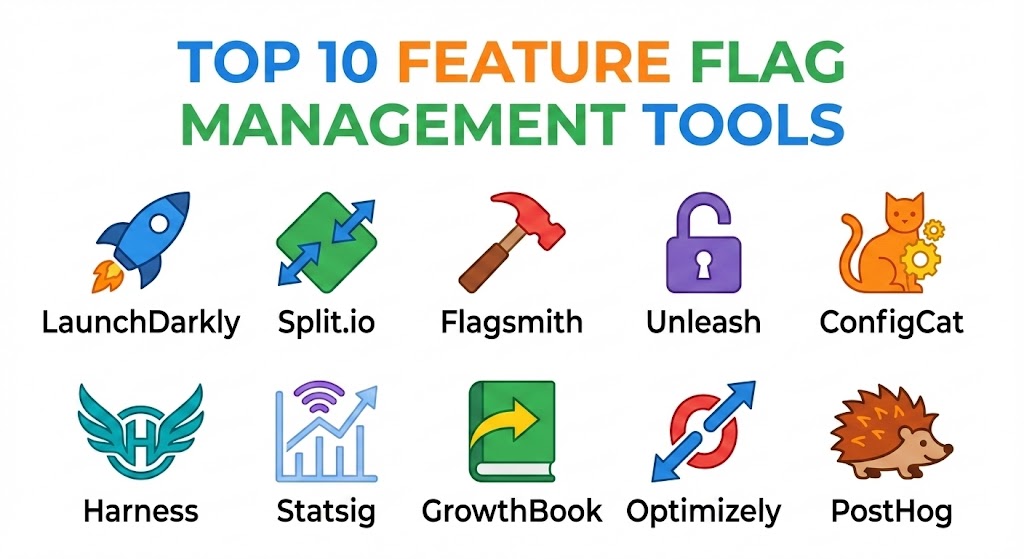
Top 10 Feature Flag Management Tools
1 — LaunchDarkly
LaunchDarkly is widely considered the industry standard and the market leader in the feature management space. It is designed for enterprise-scale operations, offering a robust, reliable platform that handles trillions of flag evaluations daily for some of the world’s largest companies.
- Key features:
- Multi-Environment Support: Manage flags across development, staging, and production from one view.
- Granular Targeting: Target users based on any attribute, from email address to custom behavioral data.
- Edge SDKs: High-performance SDKs that minimize latency by evaluating flags locally or at the edge.
- Workflow Approvals: Enterprise-grade change management with required sign-offs for flag changes.
- Experimentation Add-on: Built-in A/B testing and multivariate testing capabilities.
- Tech Stack Integrations: Deep connections with Jira, Slack, Terraform, and Datadog.
- Pros:
- Exceptional reliability and uptime, critical for production-level toggles.
- Extremely sophisticated user interface that scales well even with thousands of flags.
- Cons:
- One of the most expensive options on the market, which can be a barrier for startups.
- The sheer number of features creates a steep learning curve for new users.
- Security & compliance: SSO, MFA, AES-256 encryption, SOC 2 Type II, GDPR, HIPAA, and ISO 27001 compliant.
- Support & community: World-class documentation, dedicated customer success managers for enterprise, and a massive community of DevOps professionals.
2 — Split.io
Split.io focuses on the intersection of feature flags and data science. It is designed for teams that don’t just want to turn features on, but want to measure the exact impact of those features on business and technical metrics.
- Key features:
- Intelligent Results: Automatically correlates feature rollouts with changes in performance or conversion.
- Instant Kill Switch: High-speed toggle to disable features the moment an anomaly is detected.
- Impact Tracker: Visualizes how a feature affects latency, error rates, and user engagement.
- Segment Sync: Connects with data warehouses like Snowflake to pull in existing user segments.
- Attribute-Based Targeting: Dynamic flag evaluation based on real-time user data.
- Pros:
- Unrivaled for data-driven teams who need to prove the ROI of every new feature.
- Very strong focus on preventing “broken” releases through automated monitoring.
- Cons:
- The focus on data can make the dashboard feel cluttered compared to simpler tools.
- The pricing model based on “MTUs” (Monthly Tracked Users) can become unpredictable.
- Security & compliance: SSO, full audit logs, SOC 2 Type II, GDPR, and HIPAA compliant.
- Support & community: Robust documentation, active webinars, and responsive technical support.
3 — Flagsmith
Flagsmith is a versatile, open-source-friendly feature flag platform. It prides itself on being “developer-first,” offering a clean API and the ability for organizations to self-host the entire platform if they have strict data residency requirements.
- Key features:
- Self-Hosting Options: Can be deployed via Docker or Kubernetes on your own infrastructure.
- Remote Config: Change app behavior (not just features) in real-time through the dashboard.
- Environment-Specific Keys: Ensures that developers cannot accidentally toggle a production flag while testing.
- Integrations: Native support for GitHub Actions, New Relic, and Segment.
- Identity-Based Overrides: Easily set a specific flag state for a specific test user.
- Pros:
- Highly flexible; the open-source version allows for significant customization.
- Very intuitive and “clean” UI that doesn’t feel bloated with enterprise jargon.
- Cons:
- Self-hosting requires internal DevOps resources to maintain and update.
- Lacks some of the ultra-high-end automated experimentation found in Split or Statsig.
- Security & compliance: SSO, 256-bit encryption, SOC 2, and GDPR compliant.
- Support & community: Active Discord community, comprehensive YouTube tutorials, and dedicated enterprise support tiers.
4 — Unleash
Unleash is another heavy hitter in the open-source world, specifically tailored for larger organizations that want a transparent, scalable way to manage feature toggles across multiple teams.
- Key features:
- Strategy-Based Rollouts: Use flexible strategies like “Gradual Rollout,” “UserIDs,” or “IP Ranges.”
- Team Collaboration: Dedicated “Projects” allow different teams to manage their own flags in isolation.
- Architecture Agnostic: Works with almost any language, including Go, Rust, Java, and Python.
- Proxy for Frontend: A specialized proxy to handle frontend evaluations securely.
- Change Requests: A Git-like workflow for reviewing and approving flag changes.
- Pros:
- Exceptional for “privacy-first” companies that want to keep all flag data on their own servers.
- Very cost-effective compared to proprietary enterprise SaaS solutions.
- Cons:
- The setup process for the self-hosted version can be complex for beginners.
- The UI is functional but perhaps less polished than consumer-facing SaaS rivals.
- Security & compliance: SSO, audit trails, GDPR compliant, and SOC 2 Type II.
- Support & community: Strong GitHub community, enterprise SLAs, and a well-maintained documentation portal.
5 — ConfigCat
ConfigCat is a cloud-based service that focuses on being “the easiest way to manage feature flags.” It is particularly popular among mid-market companies and agencies that need to manage flags across many different clients or projects.
- Key features:
- 10-Minute Setup: Designed for rapid integration with minimal boilerplate code.
- Cross-Platform Dashboard: Manage web, mobile, and backend flags from a single screen.
- Percentage Rollouts: Simple slider to increase or decrease the audience size for a feature.
- Permission Groups: Control who can edit flags in different environments.
- Visual Toggles: One of the most straightforward “On/Off” interfaces in the industry.
- Pros:
- Very affordable pricing, including a generous free tier for small teams.
- Excellent documentation that makes it easy for junior developers to get started.
- Cons:
- Lacks the deep AI-driven “impact analysis” found in more expensive platforms.
- Not as many complex “if-this-then-that” workflow automations.
- Security & compliance: SSO, encryption at rest/transit, GDPR, and ISO 27001 compliant.
- Support & community: Responsive email support, active blog, and clear onboarding guides.
6 — Harness Feature Flags
Harness is a broader “Software Delivery Platform,” and their Feature Flags module is designed to sit alongside their CI/CD pipelines. This is an ideal choice for teams already using Harness for their deployments.
- Key features:
- Automated Governance: Automatically verifies that a feature is healthy before increasing the rollout.
- Pipeline Integration: Link flags directly into your deployment pipelines.
- Git Experience: Allows developers to manage flags via YAML files in their Git repository.
- Dashboard Analytics: Visualizes the “lead time” for features from code to toggle.
- Visual Pipeline Builder: Drag-and-drop interface for complex rollout sequences.
- Pros:
- Part of a unified platform, reducing the number of separate tools your team needs to manage.
- Strong focus on “Verifiable Software Delivery”—ensuring nothing breaks in production.
- Cons:
- Can feel like “overkill” if you only want feature flags and not the full Harness suite.
- The enterprise focus means it may be less intuitive for small, agile startups.
- Security & compliance: SSO, RBAC (Role-Based Access Control), SOC 2, HIPAA, and GDPR compliant.
- Support & community: Enterprise-grade support, Hyland-style community forums, and dedicated technical training.
7 — Statsig
Statsig is a modern, high-growth platform that was founded by former Facebook engineers. It takes the sophisticated experimentation culture of Big Tech and makes it available to everyone.
- Key features:
- Automatic Pulse: Every feature flag automatically generates a report on how it affects key metrics.
- Dynamic Config: Update constants and configurations on the fly without a redeploy.
- Holdouts: Automatically reserve a small group of users as a control group for long-term impact.
- Warehouse Native: Connects directly to BigQuery or Snowflake for deeper data analysis.
- Diagnostic Logs: Real-time visibility into exactly which flag was evaluated for which user.
- Pros:
- The best tool on the market for teams that want to turn every flag into an A/B test.
- Extremely fast data processing and beautiful, actionable visualizations.
- Cons:
- The automation can lead to “information overload” if the team isn’t data-literate.
- Pricing is tied to “events,” which can scale quickly for high-traffic apps.
- Security & compliance: SOC 2 Type II, HIPAA, GDPR, and ISO 27001 compliant.
- Support & community: Very active Slack community, rapid feature updates, and top-tier documentation.
8 — GrowthBook
GrowthBook is an open-source experimentation platform that happens to have a world-class feature flagging system. It is designed for companies that want to build their own custom “internal” experimentation platform.
- Key features:
- Warehouse-Native: It doesn’t store your data; it queries your existing warehouse (Snowflake, Redshift, etc.).
- Flexible Targeting: Supports complex conditions using JSON or a visual builder.
- Visual A/B Test Editor: Create simple UI tests without writing any code.
- Self-Host or Cloud: Full flexibility on where the platform is managed.
- Experimentation Analysis: Advanced statistical tools including Frequentist and Bayesian models.
- Pros:
- Dramatically cheaper than LaunchDarkly or Optimizely for companies with high traffic.
- Allows for absolute data privacy since your raw user data never leaves your warehouse.
- Cons:
- Requires a data warehouse to be truly effective.
- Setup and maintenance require more technical “elbow grease” than pure SaaS tools.
- Security & compliance: SSO, encryption, and GDPR compliant. SOC 2 available via the cloud version.
- Support & community: Vibrant Slack community and a very active GitHub contributor base.
9 — Optimizely (Feature Experimentation)
Optimizely is a legendary name in the A/B testing world, and their feature flagging product is built on top of that expertise. It is the go-to choice for marketing-led organizations that need developer-grade flags.
- Key features:
- High-Performance SDKs: Designed for sub-millisecond evaluations in the backend.
- Visual & Code Editors: Bridges the gap between marketing requests and developer reality.
- Full Stack Integration: Connects frontend flags with deep server-side logic.
- Stats Engine: One of the most mathematically rigorous statistical engines in the industry.
- Rollout Scheduling: Set flags to turn on or off at specific dates and times.
- Pros:
- Unrivaled for companies that prioritize multivariate testing above all else.
- Strong brand reputation ensures buy-in from executive stakeholders.
- Cons:
- The platform can feel “heavy” and corporate for small, agile dev teams.
- High price point and long-term contract requirements are common.
- Security & compliance: ISO 27001, SOC 2 Type II, GDPR, and HIPAA compliant.
- Support & community: Global enterprise support, extensive certification programs, and a massive partner ecosystem.
10 — PostHog
PostHog is an “all-in-one” product OS. It combines analytics, session replays, and feature flags into a single platform. It is designed for startups that want a single tool to understand and manage their entire product.
- Key features:
- Unified Data: See exactly which session replay is tied to which feature flag evaluation.
- Self-Hosting: Can be run on your own infrastructure for total control.
- Multivariate Flags: Test more than just “On” and “Off”—test variations like “Red,” “Blue,” and “Green.”
- Toolbar: A visual overlay on your live site to manage flags and track events.
- Survey Integration: Trigger user surveys based on which feature flags they have active.
- Pros:
- Incredible value; you get 4-5 different tools for the price of one.
- Excellent for debugging; you can watch a video of a user experiencing a bug caused by a flag.
- Cons:
- Not as “deep” in feature flag governance as a specialist tool like LaunchDarkly.
- The sheer volume of data (replays + analytics) can lead to high storage costs.
- Security & compliance: SOC 2, GDPR, and HIPAA compliant. Offers data residency in the US and EU.
- Support & community: High-energy GitHub community, “PostHog for Startups” program, and excellent documentation.
Comparison Table
| Tool Name | Best For | Platform(s) Supported | Standout Feature | Rating (Gartner / G2) |
| LaunchDarkly | Enterprise Scale | Web, Mobile, Server | Advanced Targeting | 4.6 / 5 |
| Split.io | Data-Driven Teams | Web, Mobile, Server | Impact Analysis | 4.5 / 5 |
| Flagsmith | Simple Self-Hosting | Web, Mobile, Server | Open-Source UI | 4.7 / 5 |
| Unleash | Privacy / OSS | Web, Mobile, Server | Strategic Rollouts | 4.4 / 5 |
| ConfigCat | SMB / Ease of Use | Web, Mobile, Server | Slider-based Rollouts | 4.8 / 5 |
| Harness | CI/CD Integration | Web, Server | Automated Governance | 4.3 / 5 |
| Statsig | Experimentation | Web, Mobile, Server | Auto-Pulse Reports | 4.9 / 5 |
| GrowthBook | Warehouse Native | Web, Mobile, Server | Zero Data Storage | 4.7 / 5 |
| Optimizely | Marketing + Product | Web, Server, IoT | Stats Engine | 4.2 / 5 |
| PostHog | All-in-one Startups | Web, Mobile, Cloud | Integrated Session Replay | 4.8 / 5 |
Evaluation & Scoring of Feature Flag Management Tools
To provide an objective assessment, we have evaluated these platforms using a weighted scoring rubric. This reflects the reality that for a feature flag tool, “Core Features” and “Performance” are more critical than “Price” alone.
| Criteria | Weight | Evaluation Rationale |
| Core Features | 25% | Targeting, scheduling, multivariate support, and kill switches. |
| Ease of Use | 15% | Intuitiveness of the dashboard for non-developers. |
| Integrations | 15% | Connectivity with Jira, Slack, CI/CD, and Data Warehouses. |
| Security & Compliance | 10% | SSO, RBAC, audit logs, and global compliance certifications. |
| Performance | 10% | Impact of SDK on application latency and load times. |
| Support & Community | 10% | Quality of documentation and availability of technical help. |
| Price / Value | 15% | Scalability of the pricing model relative to features offered. |
Using this rubric, an organization can calculate a weighted score:
$$\text{Final Score} = \sum (\text{Rating}_i \times \text{Weight}_i)$$
Which Feature Flag Management Tool Is Right for You?
Selecting the “best” tool depends entirely on your organizational maturity and your specific technical stack.
Solo Users vs SMB vs Mid-Market vs Enterprise
- Solo Users: If you are a single developer, ConfigCat or PostHog’s free tiers are your best bet. They are fast to set up and won’t cost you anything until you scale.
- SMB (1-100 Employees): PostHog or Flagsmith offer the best value. They provide a suite of tools that help you grow without the high-end enterprise price tag.
- Mid-Market: Statsig or GrowthBook are ideal for companies that are beginning to take experimentation seriously but don’t want the complexity of LaunchDarkly.
- Enterprise: LaunchDarkly or Split.io are the only choices for organizations that require strict governance, audit logs, and the ability to manage thousands of flags across hundreds of microservices.
Budget-Conscious vs Premium Solutions
If budget is the primary driver, open-source is your friend. Flagsmith, Unleash, and GrowthBook can be self-hosted for the cost of your own servers. If you are looking for a Premium solution where the vendor handles all the infrastructure, security, and edge evaluation, LaunchDarkly is the gold standard that justifies its cost.
Feature Depth vs Ease of Use
If you need Feature Depth (e.g., automated feature rollbacks based on Datadog metrics), Harness or Split.io are the leaders. If you prioritize Ease of Use so that your marketing manager can turn on a “Sale” banner without calling a developer, ConfigCat or Optimizely provide the best visual interfaces.
Frequently Asked Questions (FAQs)
1. Do feature flags slow down my app?
They shouldn’t. Modern tools use “Server-Side Evaluation” or “Local Evaluation” where the SDK only downloads the rules once and evaluates them in-memory. This adds only a few microseconds to your code’s execution time.
2. How do I prevent “Flag Debt”?
Flag debt occurs when you leave old flags in your code after a feature is 100% released. Best practices include setting “Expiration Dates” on flags or using tools like LaunchDarkly that flag (no pun intended) inactive code for removal.
3. What is the difference between a “Deployment” and a “Release”?
A deployment is the technical act of putting code on a server. A release is the business act of making that code available to users. Feature flags allow you to deploy code on Monday but release it to users on Friday.
4. Can I use feature flags for A/B testing?
Yes. Most high-end tools like Statsig and Optimizely are built for this. By showing Version A to 50% of users and Version B to 50%, you can measure which one performs better.
5. Is it safe to store sensitive user data in these tools?
Generally, you shouldn’t. You should send an “Anonymized ID” to the tool. The tool then uses that ID to decide if the user gets the feature or not, without ever knowing the user’s real name or email.
6. What happens if the Feature Flag service goes down?
Every professional SDK has a “Default Value.” If the service is unreachable, the code will revert to its default state (usually “Off”), ensuring your app doesn’t crash.
7. Can feature flags be used in mobile apps?
Absolutely. In fact, they are more important in mobile because you cannot “un-send” an app update once it is in the App Store. A feature flag allows you to turn off a buggy feature without waiting for Apple or Google to approve a new version.
8. What are “Canary Releases”?
It is a technique where you roll out a new feature to a very small group of “canary” users (e.g., 1%). If no errors are reported, you gradually increase the rollout to 10%, 50%, and finally 100%.
9. Can I manage feature flags via Git?
Yes. Tools like GrowthBook, Harness, and Unleash support “GitOps” workflows where your flag configurations are stored as code in your repository.
10. How much do these tools cost?
Pricing varies from free for open-source/hobbyists to $50,000+ per year for enterprise-grade SaaS with millions of monthly active users.
Conclusion
The evolution of Feature Flag Management in 2025 has turned a simple “if/else” statement into a powerful engine for business growth and technical stability. Choosing the right tool is a matter of balancing your technical requirements against your team’s budget and maturity.
For the developer-led startup, the all-in-one power of PostHog or the open-source flexibility of Flagsmith is unmatched. For the global enterprise where a single bug can cost millions, the governance and reliability of LaunchDarkly and Split.io are essential. Ultimately, the “best” tool is the one that allows your developers to sleep better at night, knowing they have the power to “kill” a bad feature in seconds rather than hours.
