Introduction
Exposure Management Platforms are unified security solutions that identify, validate, and prioritize an organization’s digital risks across assets, identities, and misconfigurations. Unlike legacy scanners that only look for known software vulnerabilities (CVEs), these platforms integrate External Attack Surface Management (EASM), Cyber Asset Attack Surface Management (CAASM), and Breach and Attack Simulation (BAS). This holistic view is crucial because it aligns security efforts with business context—telling you not just that a server is unpatched, but that the server sits on a direct path to your customer database.
The importance of these tools lies in their ability to reduce “alert fatigue” and provide a “hacker’s eye view” of the network. Real-world use cases include discovering forgotten cloud buckets, mapping unauthorized third-party integrations, and simulating ransomware spread to test the effectiveness of existing EDR controls. When choosing a platform, users should evaluate the tool’s ability to map attack paths, its integration with IT ticketing systems (like ServiceNow), the accuracy of its risk scoring, and how well it handles non-traditional assets like identities and cloud entitlements.
Best for: Large enterprises with complex hybrid infrastructures, CISOs who need to communicate risk in business terms, and DevSecOps teams looking to automate security posture checks. It is essential for industries like finance, healthcare, and critical infrastructure that face constant, sophisticated threats.
Not ideal for: Very small businesses with a single office and no public-facing digital assets. For these companies, a basic vulnerability scanner or a managed service provider (MSP) offering simple endpoint protection is often more cost-effective and easier to manage.
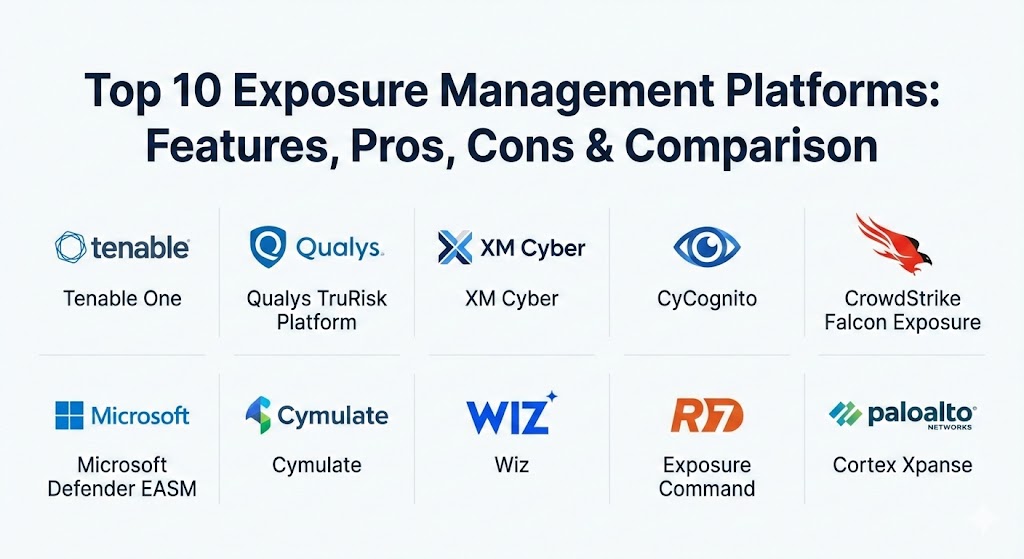
Top 10 Exposure Management Platforms
1 — Tenable One
Tenable One is an all-in-one exposure management platform that unifies vulnerability management, cloud security, identity security, and external attack surface management into a single risk-based view. It is designed for large organizations that want to eliminate silos between different security disciplines.
- Key features:
- Unified Exposure View across IT, Cloud, OT, and Identity.
- Lumin Exposure View for benchmarking risk against industry peers.
- Attack Path Analysis to visualize how attackers move laterally.
- Integrated External Attack Surface Management (EASM).
- Asset Criticality Rating (ACR) to prioritize based on business value.
- Predictive Prioritization focused on exploitable vulnerabilities.
- Asset Inventory that pulls data from multiple internal and external sources.
- Pros:
- Provides the most comprehensive dashboard for executive-level risk reporting.
- Strongest vulnerability research team (Tenable Research) in the industry.
- Cons:
- The user interface can feel fragmented as it bridges several legacy products.
- Implementation for the full suite requires significant time and professional services.
- Security & compliance: SOC 2 Type II, FedRAMP Authorized, GDPR compliant, and AES-256 encryption.
- Support & community: High-quality 24/7 enterprise support, a massive community (Tenable Community), and extensive on-demand training through Tenable University.
2 — Qualys Enterprise TruRisk Platform
Qualys has transitioned its famous VMDR (Vulnerability Management, Detection, and Response) into the Enterprise TruRisk Platform. It focuses on using a single agent to provide a “single source of truth” for all asset risk, including cloud, on-prem, and mobile.
- Key features:
- TruRisk Scoring that quantifies risk from Qualys and 3rd-party tools.
- Automated remediation with integrated patch management.
- TotalCloud with CNAPP capabilities for deep cloud visibility.
- Policy Compliance for checking against CIS benchmarks and regulations.
- CyberSecurity Asset Management (CSAM) for finding “shadow IT.”
- EDR and XDR integrations for a unified response.
- Pros:
- Unrivaled scalability; can handle hundreds of thousands of assets easily.
- Native patch management eliminates the gap between “finding” and “fixing.”
- Cons:
- The pricing model can be complex due to many modular add-ons.
- Reporting can be overly technical, requiring manual effort to create “board-ready” views.
- Security & compliance: ISO 27001, SOC 2, HIPAA, PCI DSS, and FIPS 140-2 compliant.
- Support & community: Robust documentation, active user forums, and 24/7 global support with dedicated Technical Account Managers (TAMs) for enterprise clients.
3 — XM Cyber
XM Cyber is a leader in “Attack Path Management.” It focuses less on finding every vulnerability and more on identifying the “choke points”—the specific assets that, if compromised, give an attacker access to your “Crown Jewels.”
- Key features:
- Continuous Attack Path Modeling that simulates adversary behavior.
- Choke Point Identification to prioritize the most critical fixes.
- Hybrid Cloud visibility including AWS, Azure, and GCP.
- Identity Exposure analysis to find over-privileged accounts.
- Automated remediation guidance for IT teams.
- Integration with EDR and SIEM to validate alert severity.
- Pros:
- Provides the most actionable “to-do list” for security teams.
- Extremely effective at identifying risks related to misconfigurations and identities.
- Cons:
- It is a specialized tool that usually requires a separate vulnerability scanner to be fully effective.
- Not as strong in External Attack Surface Management compared to pure-play EASM tools.
- Security & compliance: SOC 2 Type II and GDPR compliant. Data is encrypted in transit and at rest.
- Support & community: Expert-led onboarding, high-touch customer success, and a growing library of “how-to” videos and documentation.
4 — CyCognito
CyCognito takes an “outside-in” approach, focusing on the external attack surface. It uses automated botnets to “discover” your organization exactly like an attacker would, finding forgotten subsidiaries and unmanaged cloud instances.
- Key features:
- Autonomous Asset Discovery using graph-based mapping.
- Risk Attribution that links unknown assets back to your business units.
- Automated security testing (pitting assets against real exploits).
- Subsidiary Monitoring for large conglomerates with fragmented IT.
- Dashboard for “Shadow IT” and abandoned infrastructure.
- Prioritization based on “Discovery Path” and exploitability.
- Pros:
- Best-in-class for finding assets that your IT team didn’t even know existed.
- Zero-install; requires no agents or credentials to begin discovery.
- Cons:
- Does not provide visibility into the “inside” of the network (internal vulns).
- Occasional “false positives” in asset attribution for large, overlapping companies.
- Security & compliance: SOC 2 Type II and HIPAA compliant. Extensive audit logs for discovery activities.
- Support & community: Strong documentation and a proactive customer success team that assists with asset validation.
5 — CrowdStrike Falcon Exposure Management
CrowdStrike leverages its ubiquitous “single agent” to provide real-time exposure management. It is designed for organizations that want to consolidate their security stack within the Falcon platform.
- Key features:
- Real-time Asset Inventory via the Falcon agent.
- Vulnerability Assessment with no network scanning required.
- External Attack Surface Management (Falcon Surface).
- Identity Threat Protection to find exposed credentials.
- Integrated Threat Intelligence for real-world risk context.
- ExPRT (Exploit Prediction Rating Technology) for prioritization.
- Pros:
- Minimal operational overhead since it uses the existing EDR agent.
- Real-time updates; you don’t have to wait for a “scan window” to see new risks.
- Cons:
- Visibility is limited on assets that cannot run an agent (like unmanaged IoT).
- Requires a full commitment to the CrowdStrike ecosystem to get maximum value.
- Security & compliance: FedRAMP, SOC 2, PCI DSS, and ISO 27001.
- Support & community: World-class 24/7 support and a massive community (CrowdStrike Community) with shared “queries.”
6 — Microsoft Defender External Attack Surface Management (EASM)
Microsoft EASM is part of the Defender family, providing a continuous “attacker’s view” of your infrastructure. It is the go-to choice for Microsoft-centric shops that need to manage their public-facing risk.
- Key features:
- Automated Discovery of internet-facing assets (IPs, Domains, SSL certs).
- Asset Classification by state (Approved, Candidate, Dependency).
- Vulnerability and Misconfiguration detection on public assets.
- Integrated with Azure and Defender XDR for unified monitoring.
- Security Posture insights for certificates and expiration dates.
- Pros:
- “Click-to-deploy” simplicity for organizations already using Azure.
- Excellent value for money when bundled with existing Microsoft licenses.
- Cons:
- Limited depth in internal vulnerability management compared to Tenable or Qualys.
- Reporting is somewhat rigid and less customizable than competitors.
- Security & compliance: Compliance with all major Microsoft standards (ISO, SOC, HIPAA, GDPR).
- Support & community: Backed by Microsoft’s global support network and extensive “Learn” documentation.
7 — Cymulate
Cymulate is unique on this list as its core is Breach and Attack Simulation (BAS). It validates exposure by actually trying to “break in,” proving which vulnerabilities are exploitable and which are blocked by existing controls.
- Key features:
- Continuous Security Control Validation (Endpoint, Email, Web).
- Full Kill-Chain simulations (Recon to Exfiltration).
- Vulnerability Prioritization based on successful simulations.
- Purple Teaming framework for collaborative security testing.
- Cloud Security Posture Management (CSPM) validation.
- Pros:
- Empirically proves risk; no more guessing if a vulnerability is “actually” dangerous.
- Helps justify security spend by showing the ROI of existing controls.
- Cons:
- Requires careful configuration to ensure “live” attacks don’t trigger false alarms in the SOC.
- Higher learning curve for the advanced “attack builder” features.
- Security & compliance: SOC 2 Type II and GDPR compliant. No sensitive data is stored during simulations.
- Support & community: Excellent onboarding and a “Cymulate Academy” for user certification.
8 — Wiz
Wiz has revolutionized cloud security by focusing on “the graph.” For exposure management, it excels at finding “toxic combinations”—where a vulnerability, a misconfiguration, and a high-privilege identity overlap.
- Key features:
- Agentless scanning for 100% cloud visibility in minutes.
- The Wiz Graph for mapping relationships between cloud assets.
- Toxic Combination analysis to find the most dangerous risks.
- Secret Scanning to find API keys or passwords left in code.
- Integrated Vulnerability Management for cloud workloads.
- Pros:
- The most intuitive UI in the security industry.
- Zero-impact on production; no agents means no performance degradation.
- Cons:
- Strictly cloud-focused; it won’t help you manage on-premise servers or OT.
- Can be very expensive for large-scale multi-cloud environments.
- Security & compliance: SOC 2, HIPAA, ISO 27001, and FedRAMP “In Process.”
- Support & community: Top-tier customer success and an active “Wiz Community” for cloud security leaders.
9 — Rapid7 Exposure Command
Rapid7’s platform (centered around InsightVM and InsightCloudSec) provides a risk-based approach that emphasizes “the attacker’s perspective” across the entire modern attack surface.
- Key features:
- Real Risk Score that incorporates exploitability and asset criticality.
- Active and Passive scanning for comprehensive network visibility.
- InsightCloudSec for managing cloud and container exposure.
- Automated Containment to isolate high-risk assets via firewall/EDR.
- Direct integration with Metasploit for vulnerability validation.
- Pros:
- Excellent balance between deep technical data and management-level reporting.
- The integration with Metasploit is a powerful tool for advanced pentesting teams.
- Cons:
- Managing the various “Insight” products can lead to a fragmented admin experience.
- Agent deployment for InsightVM can be tricky in complex Windows environments.
- Security & compliance: SOC 2 Type II, HIPAA, and GDPR compliant.
- Support & community: Strong community (Rapid7 Discuss) and high-quality US-based technical support.
10 — Palo Alto Networks Cortex Xpanse
Cortex Xpanse (formerly Expanse) is the premium choice for External Attack Surface Management. It is designed for the world’s largest organizations that need to monitor millions of global IPs.
- Key features:
- Global Internet Mapping (scanning the entire internet multiple times daily).
- Automatic Attribution of assets to business units.
- Identification of rogue servers, unmanaged VPNs, and cloud sprawl.
- Integrated with Cortex XSOAR for automated remediation.
- Supply Chain Risk monitoring to see the exposure of your vendors.
- Pros:
- The most powerful discovery engine on the market; finds what everyone else misses.
- Direct integration with the Palo Alto firewall ecosystem for instant blocking.
- Cons:
- Among the most expensive tools on this list.
- May be “overkill” for organizations with a small or centralized digital footprint.
- Security & compliance: FedRAMP, SOC 2, and rigorous data privacy controls.
- Support & community: High-end enterprise support and a large partner network for managed services.
Comparison Table
| Tool Name | Best For | Platform(s) Supported | Standout Feature | Rating (Gartner) |
| Tenable One | Unified Exposure | Hybrid, Cloud, OT | Unified Risk Score | 4.6 / 5 |
| Qualys TruRisk | Scalability & Patching | On-prem, Cloud, Mobile | Integrated Patching | 4.6 / 5 |
| XM Cyber | Attack Path Analysis | Hybrid Cloud, On-prem | Choke Point Discovery | 4.7 / 5 |
| CyCognito | Outside-In Discovery | SaaS (Zero-install) | Shadow IT Mapping | 4.8 / 5 |
| CrowdStrike Falcon | Real-time Visibility | Agent-supported OS | Lightweight Sensor | 4.7 / 5 |
| Microsoft EASM | Azure Shops | Azure, Multicloud | Azure Integration | 4.3 / 5 |
| Cymulate | Control Validation | Windows, Linux, Cloud | Attack Simulation | 4.8 / 5 |
| Wiz | Cloud-Native Apps | AWS, Azure, GCP, OCI | Toxic Combinations | 4.7 / 5 |
| Rapid7 Command | Risk-based VM | On-prem, Cloud | Metasploit Integration | 4.3 / 5 |
| Cortex Xpanse | Global Enterprise EASM | SaaS | Full-Internet Scanning | 4.5 / 5 |
Evaluation & Scoring of Exposure Management Platforms
To help you objectively compare these tools, we have evaluated them using a weighted scoring system based on current industry standards.
| Category | Weight | Description |
| Core Features | 25% | Ability to perform EASM, CAASM, VM, and Attack Path Analysis. |
| Ease of Use | 15% | Dashboard clarity, UI speed, and setup complexity. |
| Integrations | 15% | API availability and native links to ITSM, SIEM, and EDR tools. |
| Security & Compliance | 10% | Encryption standards and pre-built compliance reporting modules. |
| Performance | 10% | Scalability, scan speed, and impact on target system resources. |
| Support & Community | 10% | Vendor responsiveness, documentation, and user forums. |
| Price / Value | 15% | ROI calculation based on breach reduction vs. licensing costs. |
Which Exposure Management Platform Is Right for You?
The “right” platform depends on where your data lives and who is responsible for securing it.
- Solo Users & Freelancers: These platforms are not designed for individual use. We recommend basic vulnerability scanners like Tenable Nessus (Essentials) for individual testing.
- Small to Mid-Market (SMBs): Budget and ease of use are key. Microsoft Defender EASM (if you’re on Azure) or CData Arc (if you need simple B2B moves) are strong. For general security, Qualys VMDR offers a great “entry-level” cloud tier.
- Enterprise – “Cloud First”: If 80%+ of your infrastructure is in the cloud, Wiz is the undisputed champion. Its graph-based approach is superior for cloud-native complexities.
- Enterprise – “Hybrid Complexity”: If you have a mix of legacy data centers, modern cloud, and industrial OT, Tenable One or Qualys TruRisk are the best choices for a single pane of glass.
- Security Maturity High: If you already have a vulnerability scanner but still feel “exposed,” add XM Cyber for attack path analysis or Cymulate for BAS validation.
- Global Conglomerates: If you have multiple subsidiaries and don’t know what they own, CyCognito or Cortex Xpanse will provide the “outside-in” visibility you lack.
Frequently Asked Questions (FAQs)
1. What is the difference between Vulnerability Management and Exposure Management?
Vulnerability Management finds bugs in software. Exposure Management looks at the “big picture,” including misconfigurations, unmanaged assets, identity risks, and how an attacker can chain these together.
2. Can an Exposure Management platform replace my Pentesting?
No, but it makes your pentests more efficient. It provides “Continuous Security Validation,” allowing human pentesters to focus on creative, high-level hacks rather than finding basic unpatched servers.
3. Do I need to install agents on every device?
It depends on the tool. Wiz is agentless, CyCognito is zero-install external, while CrowdStrike and Qualys rely on agents for the deepest level of detail.
4. How does these platforms help with compliance like SOC 2?
They provide the continuous monitoring and “evidence of control” that auditors require. Most have pre-built reports that map your security posture directly to specific compliance controls.
5. How much do these platforms cost?
Pricing is usually based on “Asset Count.” For a mid-market enterprise, expect to pay anywhere from $15,000 to $100,000+ per year depending on the modules selected.
6. What is “Attack Path Analysis”?
It is a visual map showing how an attacker can jump from a low-risk asset (like a guest WiFi laptop) to a high-risk asset (like your domain controller) by exploiting trust relationships.
7. Is “Shadow IT” really a big deal?
Yes. Over 30% of successful breaches occur through assets that the security team didn’t know were on the internet, such as forgotten test servers or dev environments.
8. Can these tools automate remediation?
Some can. Qualys and Tenable can deploy patches. Others integrate with ServiceNow or Jira to automatically create tickets for the IT team.
9. How do these tools handle “Identity Risk”?
Advanced platforms check for over-privileged accounts, users without MFA, and “zombie accounts” that have been abandoned but still have access to sensitive data.
10. Do I need a large team to manage these tools?
While the tools are powerful, they do require human oversight. Most mid-sized companies have at least one “Vulnerability/Exposure Manager” dedicated to tuning the platform and prioritizing the output.
Conclusion
Choosing an Exposure Management platform in 2026 is no longer about checking boxes; it’s about choosing a strategy. Whether you prioritize the “Outside-In” discovery of CyCognito, the “Cloud-Native” depth of Wiz, or the “Attack Path” logic of XM Cyber, the goal remains the same: stop being reactive. By moving toward a continuous threat exposure management (CTEM) model, you allow your security team to focus on the risks that truly threaten your business continuity, ensuring that you stay one step ahead of the adversary.