Introduction
Evidence Chain-of-Custody Tools are specialized software platforms designed to document the chronological history of evidence. This “paper trail” (which is now almost entirely digital) records every individual who handled the evidence, the exact time of transfer, and the conditions under which it was stored. By utilizing features like immutable audit logs, electronic signatures, and barcode tracking, these tools ensure that there is no “gap” in the history of an item that could be exploited by a defense team.
The importance of these tools lies in their ability to provide legal defensibility. Whether it is a police department managing physical property rooms or a private cybersecurity firm handling digital drive images, the CoC tool acts as a witness to the evidence’s lifecycle. Key real-world use cases include managing the flow of narcotics in a laboratory, tracking server logs during a corporate data breach, and organizing body-worn camera footage. When evaluating these tools, users should look for ease of mobile data entry, robust integration with forensic software, and compliance with rigorous international standards for data integrity.
Best for: Law enforcement agencies, forensic laboratories, corporate legal departments, and private investigative firms. It is essential for roles such as Evidence Technicians, Digital Forensic Examiners, and Compliance Officers who operate in high-stakes environments where legal scrutiny is a daily reality.
Not ideal for: General retail businesses with simple inventory needs, or small administrative offices that do not handle sensitive or legal data. For those only needing to track internal assets like laptops for HR purposes, a standard asset management tool is usually more cost-effective.
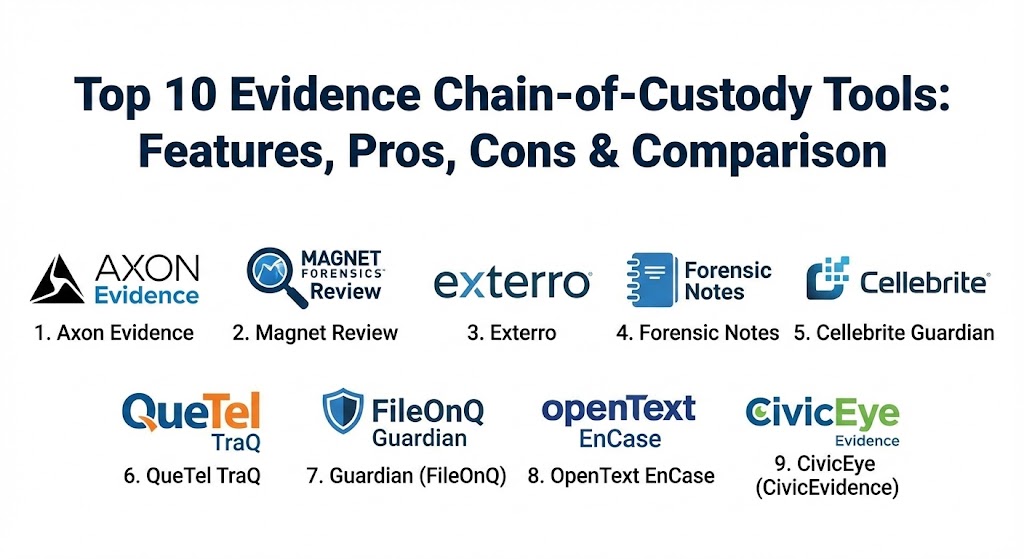
Top 10 Evidence Chain-of-Custody Tools
1 — Axon Evidence (Evidence.com)
Axon Evidence is the industry giant in law enforcement, primarily known for its deep integration with body-worn cameras and taser systems. It provides a cloud-native environment to ingest, manage, and share digital evidence securely with prosecutors.
- Key features:
- Automated ingestion from Axon body cameras and fleet systems.
- Redaction assistant powered by AI for rapid privacy protection.
- Case-based organization for both digital and physical metadata.
- Secure, trackable sharing links for external legal partners.
- Comprehensive audit trails for every view, download, or edit.
- Multi-agency collaboration tools for joint task forces.
- Advanced search and filtering based on CAD/RMS data.
- Pros:
- The most robust ecosystem for law enforcement agencies already using Axon hardware.
- High-level security protocols that simplify the discovery process for prosecutors.
- Cons:
- Can be extremely expensive, especially regarding cloud storage costs for high-resolution video.
- High dependency on the Axon ecosystem; less flexible for agencies using rival hardware.
- Security & compliance: CJIS compliant, SOC 2 Type II, ISO 27001, HIPAA, and GDPR.
- Support & community: Extensive training through Axon Academy; 24/7 dedicated enterprise support and a massive global user base.
2 — Magnet Review
Magnet Review is a collaborative tool specifically designed for digital forensic examiners. It allows investigators to share digital evidence from smartphones and computers with non-technical stakeholders (like detectives or lawyers) in a secure, web-based interface.
- Key features:
- Centralized platform for evidence collected from Magnet AXIOM and other forensic tools.
- Web-based viewing—no special software required for reviewers.
- Tagging and commenting systems to flag critical findings.
- Granular access controls to ensure reviewers only see assigned cases.
- Automatic logging of all reviewer actions for Chain-of-Custody reports.
- Simplified report generation for courtroom presentation.
- Pros:
- Exceptional user experience for non-technical users to review complex digital data.
- Eliminates the need to pass around unencrypted external hard drives.
- Cons:
- Primarily focused on digital evidence; lacks robust physical property room management.
- Best utilized within the Magnet Forensics ecosystem, though it supports some third-party imports.
- Security & compliance: SOC 2 Type II, GDPR compliant, and supports Single Sign-On (SSO).
- Support & community: World-class technical support; extensive documentation and specialized forensic training certifications.
3 — Exterro Evidence Management
Exterro (which acquired AccessData) provides a comprehensive Forensic Toolkit (FTK) integrated with an evidence management system. It focuses on the entire legal GRC (Governance, Risk, and Compliance) lifecycle.
- Key features:
- Unified platform for E-discovery, forensics, and incident response.
- Automated workflow for evidence intake and disposal scheduling.
- Collaborative case management with real-time status updates.
- Integration with FTK for seamless data processing.
- Detailed reporting on evidence shelf-life and storage costs.
- Multi-user permissions with strict audit logging.
- Pros:
- Excellent for corporate legal departments that need to bridge the gap between IT and Legal.
- Highly scalable for large enterprises managing global litigation.
- Cons:
- The interface can be complex and requires significant training for new users.
- Heavier resource requirements for on-premise installations.
- Security & compliance: FedRAMP authorized, SOC 2, ISO 27001, and HIPAA.
- Support & community: Strong professional services for implementation; comprehensive user guides and enterprise SLAs.
4 — Forensic Notes
Forensic Notes is a specialized digital notebook designed to replace paper notebooks for investigators. It focuses on creating contemporaneous, timestamped notes that are legally credible and immutable.
- Key features:
- Digital signatures and timestamps that prove when a note was created.
- Ability to attach photos, videos, and documents directly to notes.
- Automatic generation of “Chain of Custody” for digital files attached.
- Static PDF report generation that is ready for court submission.
- Encryption of data at rest and in transit.
- Role-based access for team leads to review investigator notes.
- Pros:
- Essential for private investigators and forensic specialists who need to prove their timeline.
- Much higher legal weight than a standard Word document or Evernote entry.
- Cons:
- Not a full-scale evidence management system; it’s a documentation tool.
- Lacks physical property room tracking features like barcode printing.
- Security & compliance: GDPR, HIPAA, and SOC 2 (via hosting). Uses industry-standard encryption.
- Support & community: Responsive email support; detailed blog and video tutorials on forensic best practices.
5 — Cellebrite Guardian
Cellebrite Guardian is a law enforcement-focused solution for managing the investigative lifecycle of mobile device evidence. It streamlines the flow from the initial extraction to the final report.
- Key features:
- Secure, centralized storage for mobile device extractions.
- Collaborative review tools for authorized investigators.
- Automated audit trails for every interaction with mobile data.
- Integration with Cellebrite Physical Analyzer.
- Searchable database of case metadata and evidence status.
- Secure sharing capabilities with prosecutors and defense.
- Pros:
- The gold standard for agencies that rely heavily on mobile forensics.
- Significantly speeds up the “Time to Evidence” by removing manual file transfers.
- Cons:
- Focused strictly on the digital side; not designed for physical evidence storage.
- Pricing is enterprise-level and often out of reach for very small departments.
- Security & compliance: CJIS compliant, SOC 2, and GDPR ready.
- Support & community: Extensive Cellebrite Academy training; 24/7 global support and a large forensic community.
6 — QueTel TraQ
QueTel TraQ is a veteran solution in the property and evidence management space, excelling at managing the physical “clutter” of a property room with barcode precision.
- Key features:
- Full barcode and RFID support for physical evidence tracking.
- Automated notifications for evidence disposal or return.
- Inventory “Audit Mode” to quickly verify property room contents.
- Mobile app for intake and transfers in the field.
- Signature capture for physical custody hand-offs.
- Specialized modules for narcotics and firearms tracking.
- Pros:
- One of the most detailed systems for physical property room logistics.
- Dramatically reduces the time required for annual inventory audits.
- Cons:
- The user interface feels more traditional compared to modern SaaS apps.
- Digital evidence features are available but not as advanced as Axon or Magnet.
- Security & compliance: CJIS compliant; supports local and cloud-based deployments with encryption.
- Support & community: Strong reputation for onboarding assistance and on-site training for property room staff.
7 — Guardian (by FileOnQ)
FileOnQ’s Guardian is a highly customizable evidence management system used by law enforcement to manage the integrity and location of physical evidence and digital files.
- Key features:
- Fully customizable data fields to match specific agency workflows.
- Integrated digital evidence management (DEM) for photos and video.
- Automatic alerts for case status changes (e.g., when a case is closed).
- Chain of Custody reports available in one click.
- Barcode printing and scanning for all evidence types.
- Robust reporting engine for productivity and inventory metrics.
- Pros:
- Known for its flexibility; it adapts to the agency rather than forcing the agency to adapt to the software.
- Excellent at managing the “Disposition” phase (safely destroying old evidence).
- Cons:
- Can be complex to configure initially due to the sheer number of options.
- Requires a disciplined data entry approach to maintain the quality of logs.
- Security & compliance: CJIS, HIPAA, and SOC 2 compliant.
- Support & community: Exceptional customer service; users frequently cite their “partnership” approach to support.
8 — OpenText EnCase Information Assurance
EnCase is one of the most respected names in the history of digital forensics. Its information assurance and evidence management tools provide a “court-proven” pedigree for digital data.
- Key features:
- Deep-dive forensic search and collection across distributed networks.
- Immutable evidence files (.E01 format) that are industry standard.
- Enterprise-wide visibility for internal investigations and HR audits.
- Automated Chain of Custody for digital artifacts.
- Integration with a wide array of legal review platforms.
- Advanced encryption and hashing to prove data integrity.
- Pros:
- The “gold standard” in court; EnCase files have a massive history of legal acceptance.
- Unmatched for large-scale corporate internal investigations.
- Cons:
- The software is notoriously difficult to master; requires expert-level certification.
- Very expensive compared to newer, more streamlined SaaS competitors.
- Security & compliance: FIPS 140-2, ISO 27001, SOC 2, and GDPR.
- Support & community: Massive global community; EnCase Training is widely regarded as a top-tier professional credential.
10 — CivicEye (CivicEvidence)
CivicEye provides a cloud-native platform for law enforcement and prosecutors, emphasizing the seamless “hand-off” of evidence between agencies to prevent delays in the judicial process.
- Key features:
- Unified cloud platform for digital evidence and case files.
- Direct integration with Records Management Systems (RMS).
- Secure prosecutor portal for digital discovery.
- Automated notifications for evidence submission and review.
- Mobile-optimized for officers to upload media from the scene.
- Scalable storage options based on agency size.
- Pros:
- Modern, clean UI that reduces the administrative burden on patrol officers.
- Excellent for improving the transparency and speed of the discovery process.
- Cons:
- Relatively newer player compared to legacy giants like FileOnQ or QueTel.
- May lack some of the deepest niche forensic analysis features.
- Security & compliance: CJIS compliant, SOC 2 Type II, and uses high-level AES encryption.
- Support & community: 24/7 technical support; focused on “community-driven” software updates based on user feedback.
Comparison Table
| Tool Name | Best For | Platform(s) Supported | Standout Feature | Rating (TrueReviewnow) |
| Axon Evidence | Law Enforcement / Video | Cloud, Mobile, Hardware | Redaction AI | 4.8 / 5 |
| Magnet Review | Digital Forensic Review | Web-Based | Stakeholder Collaboration | 4.7 / 5 |
| Exterro | Corporate Legal / Enterprise | On-Prem, Cloud | Unified E-Discovery | 4.4 / 5 |
| Forensic Notes | PIs / Contemporaneous Notes | Web, Mobile | Timestamp Immutability | 4.9 / 5 |
| Cellebrite Guardian | Mobile Forensic Lifecycle | Cloud, Web | Mobile Extraction Mgmt | 4.6 / 5 |
| QueTel TraQ | Physical Property Rooms | Windows, Mobile | Detailed Inventory Audit | 4.3 / 5 |
| Guardian (FileOnQ) | Custom Workflows | On-Prem, Cloud | High Configurability | 4.5 / 5 |
| EnCase | Deep Digital Pedigree | Windows, Server | Court-Proven .E01 Format | 4.2 / 5 |
| CivicEye | Agency-to-Prosecutor | Cloud, Mobile | Discovery Automation | 4.4 / 5 |
Evaluation & Scoring of Evidence Chain-of-Custody Tools
| Category | Weight | Evaluation Criteria |
| Core Features | 25% | Hashing, barcode support, automated audit logs, and disposal workflows. |
| Ease of Use | 15% | Intuitiveness for patrol officers, property room staff, and legal reviewers. |
| Integrations | 15% | Compatibility with RMS, CAD, and forensic analysis software (Axiom, EnCase). |
| Security & Compliance | 10% | CJIS compliance, encryption standards, and SSO capabilities. |
| Performance | 10% | Upload speeds for large files and database responsiveness under heavy load. |
| Support & Community | 10% | Availability of on-site training, documentation, and user forums. |
| Price / Value | 15% | TCO relative to efficiency gains and risk reduction. |
Which Evidence Chain-of-Custody Tool Is Right for You?
Solo Users vs SMB vs Mid-Market vs Enterprise
- Solo PIs: If you are an individual investigator, Forensic Notes is the most affordable and effective way to prove your timeline in court without a massive software suite.
- Small Agencies: Smaller police departments or boutique firms will benefit from CivicEye or Action1 (if focused on digital), as they provide cloud simplicity without heavy hardware costs.
- Mid-Market & Corporate: Corporate security teams should look toward Exterro or Magnet Review to manage internal data breaches and HR investigations.
- Enterprise/Global Agencies: For massive departments with thousands of body cameras and a high-volume property room, Axon Evidence and FileOnQ are the only solutions with the necessary infrastructure.
Budget-Conscious vs Premium
If budget is the primary driver, local-install options like Forensic Notes provide great legal value for a low cost. If the cost of a “broken chain” (a lost multi-million dollar case) is the primary driver, premium solutions like Axon or EnCase are worth the investment for their established legal reputations.
Feature Depth vs Ease of Use
For deep digital forensics where integrity is proved via complex hashing, EnCase is the heavyweight. However, if you need a tool that a patrol officer can use with five minutes of training while standing in the rain, Axon or CivicEye are superior.
Frequently Asked Questions (FAQs)
1. What exactly is a “Chain of Custody” in a digital context? It is a timestamped, unalterable log showing who accessed a digital file, when they accessed it, and what (if any) actions they took. It typically includes “hash values” to prove the file hasn’t changed by even a single bit.
2. Can these tools be used for physical evidence like biological samples? Yes. Tools like QueTel and FileOnQ are specifically designed for physical evidence, offering barcode tracking and integration with laboratory freezers and secure storage lockers.
3. Is cloud storage safe for sensitive police evidence? Modern cloud platforms like Axon use Government-specific cloud instances (like AWS GovCloud) that are CJIS-compliant and feature end-to-end encryption, often making them more secure than local servers.
4. How do these tools prevent someone from deleting a log? Professional CoC tools use “Immutable Logs.” This means that once a log entry is made, it cannot be edited or deleted—not even by the system administrator. In 2026, some even use private blockchains for this purpose.
5. What are the common mistakes in evidence management? The most common mistakes include failing to log a transfer of custody immediately and “orphaned evidence,” where items are left in a property room for years after a case has been closed.
6. Do these tools integrate with body-worn cameras? Many do. Axon is the leader here, but other modern DEM (Digital Evidence Management) systems can ingest video from various sources via standard API integrations.
7. Why is disposal/disposition important? Property rooms have finite space. CoC tools track when evidence is no longer legally required, allowing agencies to dispose of it or return it, which reduces liability and storage costs.
8. Can a defense attorney access these systems? Usually, they are given access to a “read-only” portal for the specific evidence related to their case. This is called “Digital Discovery,” and it’s a key feature in tools like CivicEye.
9. What is a “Hash Value” and why does it matter? A hash is a digital fingerprint of a file. If the file is altered even slightly, the hash changes. CoC tools use this to prove that the evidence presented in court is identical to what was collected at the scene.
10. How long does it take to implement these systems? A cloud-based tool can be active in a few days, while a large-scale physical property room conversion (labeling every item with a new barcode) can take several months.
Conclusion
In 2026, the standard of proof required in both criminal and civil courts has never been higher. Choosing an Evidence Chain-of-Custody tool is not just an administrative decision—it is a choice to protect the truth. Whether you are managing the physical property room of a major city or the digital artifacts of a global corporation, the tool you choose must be immutable, transparent, and easy to use under pressure. The “best” tool is the one that removes the burden of documentation from the investigator, allowing them to focus on the facts while the software handles the integrity.