Introduction
Event venue management tools are specialized software platforms designed to centralize the lifecycle of venue operations. These tools serve as the “brain” of a facility, integrating sales CRM, space scheduling, billing, and client communication into a single interface. By automating the transition from a lead inquiry to a signed contract and finally to a successful event day, these solutions eliminate the risk of double-bookings and ensure that no revenue opportunity is missed.
In the real world, these tools are used daily to manage complex floor plans for weddings, coordinate catering requirements for corporate retreats, and handle the rigorous high-volume booking schedules of stadiums or arenas. When evaluating a tool, users should prioritize real-time availability sync, integrated payment processing, robust mobile accessibility for on-site staff, and the ability to generate detailed financial reports.
Best for: Venue owners, hospitality sales directors, and facility managers across boutique hotels, conference centers, restaurants with private dining, and large-scale entertainment complexes.
Not ideal for: Individual event planners who do not own or manage a physical space (they should look for general event planning apps) or very small spaces that handle fewer than one or two bookings a month and can manage via simple digital calendars.
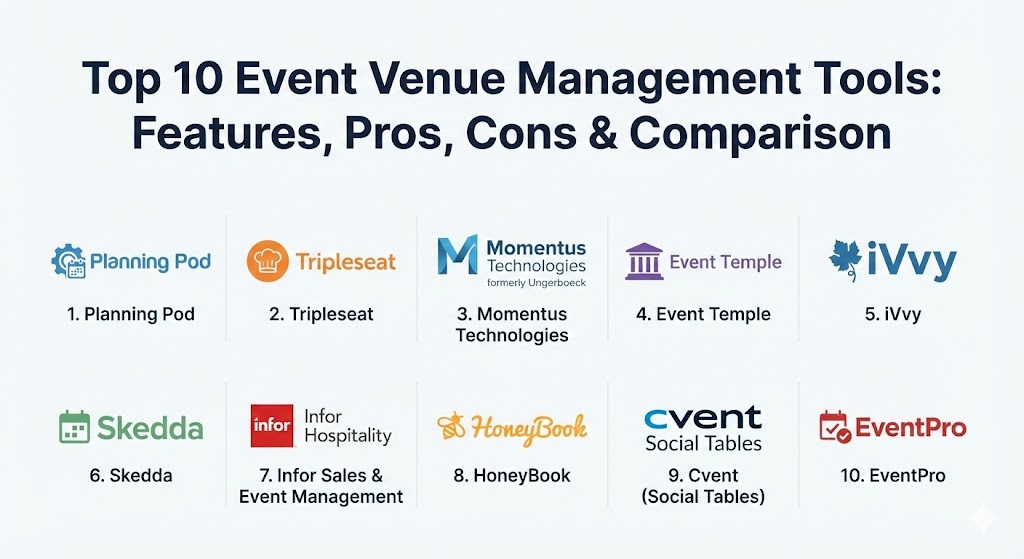
Top 10 Event Venue Management Tools
1 — Planning Pod
Planning Pod is an all-in-one venue management powerhouse that offers over 40 integrated tools. It is designed for venues that need to manage not just the booking, but the granular details of event execution and client collaboration.
- Key features:
- Integrated venue booking calendar with color-coded status tracking.
- Drag-and-drop floor plan and seating chart builder.
- Automated lead tracking and CRM for sales pipelines.
- Comprehensive food and beverage (BEO) management.
- Client portal for centralized communication and file sharing.
- Online signatures and integrated credit card processing.
- Task management and shared checklists for venue teams.
- Pros:
- One of the most comprehensive feature sets in the market, reducing the need for multiple subscriptions.
- Highly intuitive interface that balances complexity with ease of use.
- Cons:
- The sheer number of tools can be overwhelming for very small teams initially.
- Pricing can scale quickly as more advanced modules are added.
- Security & compliance: SOC 2 compliant, GDPR readiness, and 256-bit SSL encryption for all data transmissions.
- Support & community: Offers extensive video tutorials, a dedicated knowledge base, and highly-rated live support for premium tiers.
2 — Tripleseat
Tripleseat is a sales and event management platform specifically optimized for the hospitality industry. It is a favorite among restaurants, hotels, and unique social venues looking to increase their event sales and streamline the planning process.
- Key features:
- SmartLeads feature to capture and organize inquiries automatically.
- Dynamic, branded proposals and contracts that can be signed online.
- Multi-location support for venue groups and hotel chains.
- Integrated “Tripleseat Direct” for commission-free direct bookings.
- Robust reporting on sales performance and lead conversion rates.
- Automated task reminders to ensure prompt follow-up with prospects.
- Pros:
- Specifically designed for hospitality, meaning the workflows “feel” right to restaurant and hotel managers.
- The Tripleseat Direct feature is a game-changer for high-volume, standard event bookings.
- Cons:
- Less focused on operational floor planning compared to competitors like Planning Pod.
- The mobile app version occasionally lacks the full functionality of the desktop site.
- Security & compliance: PCI-DSS Level 1 compliant for payments and follows industry-standard data protection protocols.
- Support & community: Very active “Tripleseat University” for user training and a strong community of hospitality professionals.
3 — Momentus Technologies (formerly Ungerboeck)
Momentus Technologies is the “enterprise” choice. Designed for convention centers, stadiums, and massive exhibition halls, it provides the depth of functionality required to manage world-class events and complex facility operations.
- Key features:
- End-to-end event lifecycle management for multi-day, multi-session conferences.
- Integrated financials including budgeting, invoicing, and full accounting.
- Advanced inventory and asset management for technical equipment and furniture.
- Public and private exhibition management modules.
- Self-service exhibitor and attendee portals.
- AI-driven predictive analytics for space utilization and revenue forecasting.
- Pros:
- Unmatched scalability; if you can dream it, the software can likely track it.
- Deeply integrated financial tools that can replace standalone accounting software for venue operations.
- Cons:
- A very steep learning curve that requires significant training and specialized staff.
- High cost of implementation and maintenance makes it inaccessible for SMBs.
- Security & compliance: ISO 27001, SOC 1 & 2, HIPAA, and GDPR compliant.
- Support & community: Dedicated account managers for enterprise clients and a global network of user groups.
4 — Event Temple
Event Temple is a high-growth CRM and venue management platform known for its modern, clean interface and powerful sales automation. It is particularly popular with hotel sales teams looking to move away from legacy systems.
- Key features:
- Automated sales workflows that send follow-ups based on lead status.
- Centralized booking calendar that syncs across multiple users.
- Professional, mobile-friendly document templates (Proposals, BEOs).
- Deep integration with major Property Management Systems (PMS).
- Integrated email tracking to see when clients open your proposals.
- Comprehensive revenue reporting and goal tracking for sales teams.
- Pros:
- The “sales automation” engine is world-class, significantly reducing manual data entry.
- Extremely fast and responsive user interface compared to many older industry competitors.
- Cons:
- Operational features (like floor planning) are not as deep as specialized design tools.
- Some advanced reporting features require higher-tier subscriptions.
- Security & compliance: GDPR compliant with encrypted data storage and secure SSO integration options.
- Support & community: Known for having some of the most responsive customer support in the industry.
5 — iVvy
iVvy is an Australian-based global leader that focuses on real-time booking capabilities. It is designed to modernize the way venues distribute their inventory, making it as easy to book a meeting room as it is to book a flight.
- Key features:
- Live availability and instant booking engine for websites.
- Marketplace distribution to connect venues with event planners globally.
- Dynamic pricing tools to adjust rates based on demand and seasonality.
- Drag-and-drop functional floor plan creator.
- Integrated CRM and catering management tools.
- Automated invoicing and payment reminders.
- Pros:
- Excellent for venues that want to enable “instant booking” to reduce the sales cycle.
- Strong global marketplace presence helps venues get discovered by new planners.
- Cons:
- The setup of the marketplace and instant booking engine requires a significant initial data entry.
- Some users find the UI slightly less intuitive for “ad-hoc” non-standard event changes.
- Security & compliance: ISO 27001 certified and PCI-DSS compliant.
- Support & community: 24/7 global support and a comprehensive online help center.
6 — Skedda
Skedda is the “minimalist” choice, specifically designed for organizations that manage spaces rather than full-service events. It is the premier tool for co-working spaces, sports facilities, and studios.
- Key features:
- Visual, interactive floor plan booking interface.
- Custom “rules” engine to manage permissions and booking limits.
- Integration with physical door locks and access control systems.
- Automated billing and payment collection via Stripe.
- Mobile-first design for easy booking by end-users.
- Calendar sync with Google, Outlook, and iCal.
- Pros:
- Extremely easy to set up; a venue can be live and taking bookings in under an hour.
- Highly cost-effective for spaces that don’t need complex BEOs or catering management.
- Cons:
- Not suitable for full-service event venues (no catering, no complex contract logic).
- Limited CRM functionality for long-term sales pipeline management.
- Security & compliance: GDPR compliant and utilizes Stripe for secure, encrypted payments.
- Support & community: Excellent online documentation and responsive email/chat support.
7 — Infor Sales & Event Management
Infor provides a high-end, robust solution specifically for hotels and larger hospitality enterprises. It is part of the broader Infor CloudSuite, making it ideal for organizations already in the Infor ecosystem.
- Key features:
- Deep integration with Infor HMS and other global Property Management Systems.
- Strategic space management for complex, multi-room event scheduling.
- Integrated catering and menu management with cost analysis.
- Advanced revenue management and “best fit” room allocation.
- Detailed performance dashboards for multi-property owners.
- Pros:
- The level of integration with hotel operations is unparalleled.
- Powerful analytical tools help managers understand the true profitability of an event.
- Cons:
- The user interface can feel more like a legacy ERP than a modern web app.
- Implementation typically requires a professional services engagement.
- Security & compliance: Meets all major global enterprise standards including SOC 2 and GDPR.
- Support & community: Enterprise-level support with dedicated account teams and 24/7 phone assistance.
8 — HoneyBook
HoneyBook is a boutique CRM and project management tool that has become the darling of small event venues, historic homes, and independent studios. It focuses heavily on the “client experience” and branded aesthetics.
- Key features:
- All-in-one “Smart Files” for combined proposals, contracts, and payments.
- Branded client portal for all communications and files.
- Automated lead capture and inquiry auto-responses.
- Simple online scheduling and calendar management.
- Integrated expense tracking and basic financial reporting.
- AI-powered lead prioritization and email drafting.
- Pros:
- The most visually beautiful documents in the industry, which helps “sell” the venue.
- Exceptionally easy to use for solo owners and very small teams.
- Cons:
- Lacks venue-specific operational tools like BEOs or floor plan creators.
- Not designed for venues with complex, high-concurrency scheduling needs.
- Security & compliance: Secure, encrypted payments via HoneyBook’s proprietary processor.
- Support & community: Large community of “creative” entrepreneurs and a very helpful support team.
9 — Cvent (Social Tables)
While Cvent is known for its massive attendee management ecosystem, its acquisition of Social Tables makes it a leader in venue floor planning and diagramming. It is essential for venues that need to prove their space’s versatility to clients.
- Key features:
- 3D floor plan rendering and virtual tours of the space.
- Collaborative diagramming where planners and venues can work together in real-time.
- Integrated lead management via the Cvent Venue Network (CSN).
- Seating management and attendee check-in tools.
- Mobile-optimized diagramming for on-site adjustments.
- Pros:
- The industry standard for diagramming; most professional planners already know how to use it.
- Being part of the Cvent Venue Network provides massive exposure to global planners.
- Cons:
- Can be expensive as a standalone tool if you only need the diagramming features.
- Some users find the transition between the core Cvent platform and Social Tables clunky.
- Security & compliance: ISO 27001, SOC 2, and rigorous data privacy protections.
- Support & community: World-class enterprise support and a massive training library.
10 — EventPro
EventPro is a comprehensive, modular system designed for “serious” venue management. It is highly customizable and is used by everything from small museums to large-scale municipal facilities.
- Key features:
- Modular architecture—you only pay for the features you need.
- Detailed catering, equipment, and staff resource management.
- Complex financial tracking including deposit management and varied tax rates.
- Multi-venue and multi-building support.
- Powerful, customizable report designer for specialized business needs.
- Web-based and on-premise deployment options.
- Pros:
- Highly stable and “battle-tested” in complex institutional environments.
- The modularity allows it to grow with your venue over many years.
- Cons:
- The interface is functional but lacks the modern “aesthetic” of tools like HoneyBook.
- Can feel overly complex for very simple, straightforward event bookings.
- Security & compliance: Offers robust audit logs, granular user permissions, and is fully GDPR compliant.
- Support & community: Excellent onboarding process and dedicated technical support staff.
Comparison Table
| Tool Name | Best For | Platform(s) Supported | Standout Feature | Rating (Gartner / TrueReview) |
| Planning Pod | All-in-One Operations | Web / Mobile Browser | 40+ Integrated Tools | 4.7 / 5 |
| Tripleseat | Restaurants & Hotels | Web / Mobile App | Tripleseat Direct | 4.8 / 5 |
| Momentus Tech | Convention Centers | Web / Cloud / On-Prem | Enterprise Financials | 4.5 / 5 |
| Event Temple | Sales-Focused Hotels | Web / Mobile App | Sales Automation Engine | 4.9 / 5 |
| iVvy | Real-Time Bookings | Web / Marketplace | Instant Booking Engine | 4.6 / 5 |
| Skedda | Shared Spaces | Web / Mobile App | Rules-Based Scheduling | 4.8 / 5 |
| Infor Sales & Event | Large Hotel Chains | Cloud / Web | Infor HMS Integration | 4.4 / 5 |
| HoneyBook | Boutique Venues | Web / Mobile App | Branded Client Experience | 4.8 / 5 |
| Cvent (Social Tables) | 3D Floor Planning | Web / Mobile | 3D Room Diagramming | 4.7 / 5 |
| EventPro | Modular Complexity | Web / On-Prem | Custom Report Designer | 4.5 / 5 |
Evaluation & Scoring of Event Venue Management Tools
To provide an objective overview, we have evaluated the tools based on a weighted rubric that reflects the priorities of modern venue managers.
| Category | Weight | Evaluation Criteria |
| Core Features | 25% | Booking, calendar management, BEOs, and contract automation. |
| Ease of Use | 15% | Intuitive navigation, modern UI, and mobile compatibility. |
| Integrations | 15% | Connection to PMS, accounting software, and payment gateways. |
| Security & Compliance | 10% | GDPR, PCI-DSS, data encryption, and audit logs. |
| Performance | 10% | Speed, stability, and ability to handle high concurrency. |
| Support | 10% | Quality of documentation and speed of technical assistance. |
| Price / Value | 15% | Scalability of pricing and overall ROI for the venue. |
Which Event Venue Management Tool Is Right for You?
Selecting the right tool depends on your venue’s specific “business DNA.”
- Solo Owners & Boutique Spaces: If you manage a single historic home or a small studio, HoneyBook or Skedda offer the lowest friction and best aesthetic for your clients.
- Restaurants & Bars: Tripleseat is the industry standard for a reason. Its focus on lead capture and direct booking fits the fast-paced world of hospitality perfectly.
- Hotels & Resorts: If you need deep integration with your property management system, Event Temple (for agility) or Infor (for enterprise depth) are the primary contenders.
- Convention Centers & Stadiums: You need the heavy lifting provided by Momentus Technologies or EventPro. These tools handle the high-level financial and operational complexities that smaller tools simply cannot.
- Shared or Community Spaces: If you are just selling “time in a room” without catering or high-touch sales, Skedda is the clear winner for its rules-based automation.
- Visual-First Venues: If your main selling point is the layout and look of the space, Planning Pod or Cvent (Social Tables) will provide the 3D and 2D diagramming tools needed to close the deal.
Frequently Asked Questions (FAQs)
1. What is the difference between event management and venue management software? Event management software focuses on the organizer’s needs (registration, tickets), while venue management software focuses on the facility’s needs (space booking, staff, catering, floor plans).
2. Can these tools prevent double-bookings automatically? Yes. All top-tier venue tools use a centralized database where a room is marked as “reserved” or “held” in real-time, preventing any other staff member from booking the same space.
3. Do I need to be a designer to create floor plans in these tools? No. Tools like Social Tables and Planning Pod use simple drag-and-drop interfaces with pre-built icons for tables, chairs, and stages.
4. How does the pricing usually work? Pricing models vary: some charge a flat monthly fee, some charge per “venue” or “user,” and others charge a commission on bookings made through their platform.
5. Can I manage multiple locations in one account? Yes, most enterprise and mid-market tools (like Tripleseat and Event Temple) are designed specifically to handle multi-unit groups with a centralized dashboard.
6. Do these tools handle payment processing? Most integrate with providers like Stripe or Square, allowing you to send invoices that clients can pay instantly via credit card or ACH.
7. Is my data safe in the cloud? Top vendors use enterprise-grade encryption and are SOC 2 or ISO 27001 certified. Always check the security section of the vendor’s website for specific compliance.
8. Can I use these tools on my phone? Most modern tools offer a dedicated mobile app or a responsive web interface so on-site staff can check the schedule or BEOs during an event.
9. What is a BEO (Banquet Event Order)? A BEO is a document that outlines every detail of an event—food, timing, setup, and AV. Tools like Planning Pod automate the creation of these documents.
10. How long does it take to get started? Simple tools like Skedda take an hour. Comprehensive enterprise systems like Momentus can take several months for data migration and staff training.
Conclusion
The evolution of venue management in 2026 is defined by automation and integration. Whether you choose the sales-heavy focus of Tripleseat, the all-in-one operational depth of Planning Pod, or the enterprise scale of Momentus, the goal remains the same: to remove administrative friction and allow your team to focus on delivering exceptional guest experiences. The “best” tool is not the one with the most features, but the one that aligns most closely with your venue’s unique workflow and growth goals.