Introduction
Event streaming is the practice of capturing data in real-time from event sources like databases, sensors, mobile devices, and software applications in the form of streams of events. Unlike traditional databases that store “data at rest,” an event streaming platform manages “data in motion.” It allows organizations to store these event streams durably, react to them as they occur, and even look back at past events to perform complex analysis.
This technology is important because it enables businesses to be proactive rather than reactive. Instead of looking at a sales report on Monday morning to see what happened over the weekend, a business can adjust its pricing or inventory on Saturday afternoon based on live buyer behavior. Key real-world use cases include financial fraud detection, IoT device monitoring, personalized marketing engines, and microservices communication. When choosing a platform, you should evaluate it based on throughput capacity, latency benchmarks, ecosystem connectors, and the complexity of operational management.
Best for: Data engineers, system architects, and DevOps teams in mid-to-large enterprises. It is essential for industries like FinTech, E-commerce, Telecommunications, and any organization building a microservices-based architecture that requires high-speed, reliable data pipelines.
Not ideal for: Small businesses with low data volume, static website owners, or teams that only perform simple daily reporting where a standard relational database or a basic message queue (like RabbitMQ) would be much simpler and cheaper to maintain.
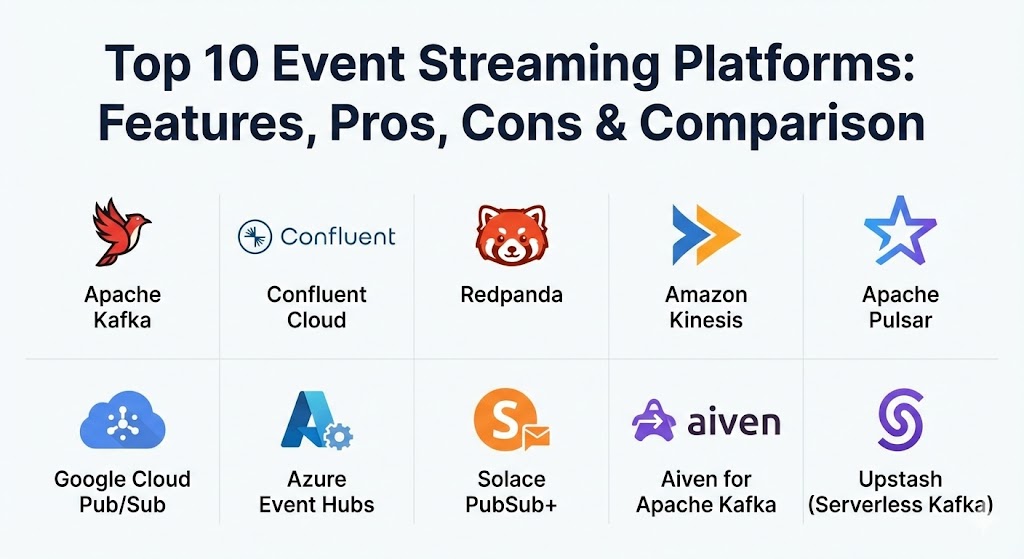
Top 10 Event Streaming Platforms
1 — Apache Kafka
Apache Kafka is the “grandparent” and industry standard of event streaming. Originally developed at LinkedIn, it is an open-source distributed event store and stream-processing platform capable of handling trillions of events a day.
- Key features:
- High Throughput: Designed to handle massive volumes of data with very low latency.
- Scalability: Distributed architecture allows for easy scaling by adding more brokers.
- Durability: Uses a distributed commit log to ensure data is never lost.
- Ecosystem: Massive library of connectors (Kafka Connect) and stream processing (Kafka Streams).
- KRaft Mode: The modern version of Kafka that removes the dependency on ZooKeeper for simpler management.
- Fault Tolerance: Automatically replicates data across multiple nodes to prevent downtime.
- Pros:
- The most mature ecosystem in the world with virtually unlimited community resources.
- Proven at massive scale by companies like Netflix, Uber, and LinkedIn.
- Cons:
- Notoriously difficult to manage and tune for peak performance without dedicated experts.
- Significant operational overhead if you choose to self-host rather than use a managed service.
- Security & compliance: Supports SSL/TLS encryption, SASL authentication (Kerberos, OAuth), and fine-grained ACLs. SOC 2 and GDPR compliance depend on the implementation environment.
- Support & community: The largest community in the streaming space. Documentation is exhaustive, and there is a massive pool of certified developers and third-party consulting firms available.
2 — Confluent Cloud
Confluent Cloud is a fully managed, cloud-native service for Apache Kafka, created by the original founders of Kafka. It is designed to take the “operational pain” out of running Kafka while adding enterprise-grade features.
- Key features:
- Fully Managed: No need to manage brokers, Zookeeper, or infrastructure.
- KSQLdb: Allows for stream processing using familiar SQL syntax.
- Global Footprint: Available on AWS, Azure, and Google Cloud with easy cross-cloud replication.
- Stream Governance: Integrated schema registry and data lineage tools.
- Connectors: 120+ pre-built, managed connectors for popular data sources and sinks.
- Tiered Storage: Automatically moves older data to cheaper object storage (like S3) while keeping it accessible.
- Pros:
- Drastically reduces time-to-market by offloading infrastructure management to experts.
- Provides a much more user-friendly interface and better monitoring than vanilla Kafka.
- Cons:
- The cost can escalate quickly for high-throughput workloads compared to self-hosting.
- You are “locked in” to Confluent’s specific proprietary add-ons (like certain connectors).
- Security & compliance: SOC 2 Type II, ISO 27001, HIPAA, GDPR, and PCI DSS. Includes SSO integration and encryption at rest/transit.
- Support & community: Provides 24/7 enterprise support with strict SLAs. Access to a deep knowledge base and the Confluent Community Slack.
3 — Redpanda
Redpanda is a modern, Kafka-compatible streaming platform written in C++. It is designed to be a faster, simpler alternative to Kafka that eliminates the need for the Java Virtual Machine (JVM).
- Key features:
- JVM-Free: Built in C++ to squeeze every bit of performance out of modern hardware.
- No ZooKeeper: Uses the Raft consensus algorithm natively for simplified architecture.
- Wasm Data Transforms: Allows you to run custom code (WebAssembly) directly on the broker.
- Kafka API Compatible: Works out of the box with existing Kafka tools and libraries.
- Autotuning: Automatically configures itself based on the underlying hardware (CPU/Disk).
- Shadow Indexing: Seamlessly archives data to S3 or GCS for long-term retention.
- Pros:
- Significantly lower latency and higher throughput-per-core than traditional Kafka.
- Much easier to deploy and maintain due to its single-binary architecture.
- Cons:
- Younger community and ecosystem compared to the decade-long history of Apache Kafka.
- Some advanced enterprise features are locked behind a proprietary license.
- Security & compliance: Supports TLS, SASL, and OIDC. SOC 2 compliant in its cloud offering.
- Support & community: Growing rapidly; documentation is modern and clear. Support is provided through a dedicated Slack and enterprise support plans.
4 — Amazon Kinesis
Amazon Kinesis is a platform-as-a-service (PaaS) on AWS that makes it easy to collect, process, and analyze real-time, streaming data. It is the “easy button” for organizations already deep in the AWS ecosystem.
- Key features:
- Serverless Scaling: Automatically scales shards up and down based on data volume.
- AWS Integration: Native connections to S3, Lambda, Redshift, and DynamoDB.
- Kinesis Data Firehose: Easily “loads” streaming data into data lakes and warehouses.
- Kinesis Video Streams: Specifically designed for securely streaming video from devices.
- SQL Analysis: Kinesis Data Analytics lets you process streams using standard SQL.
- Pros:
- Zero server management; AWS handles all the patching and scaling.
- Extremely easy to set up if you are already using AWS IAM and other AWS services.
- Cons:
- High “vendor lock-in”—it is very difficult to migrate away from Kinesis to another cloud.
- Pricing can be complex and unpredictable based on shard hours and PUT units.
- Security & compliance: Deeply integrated with AWS IAM and KMS. HIPAA, GDPR, PCI DSS, and FedRAMP compliant.
- Support & community: Standard AWS support plans; documentation is massive but can sometimes be overwhelming.
5 — Apache Pulsar
Originally created at Yahoo, Apache Pulsar is a multi-tenant, high-performance solution for server-to-server messaging and queuing. It is often seen as the most formidable competitor to Kafka.
- Key features:
- Multi-tenancy: Built from the ground up to support different “tenants” and “namespaces” on one cluster.
- Tiered Storage: Native support for offloading old data to S3 or Google Cloud Storage.
- Pulsar Functions: A lightweight, serverless computing framework within the broker.
- Geo-replication: Built-in support for replicating data across different geographical regions.
- Queuing & Streaming: Supports both high-throughput streaming and traditional “worker” queues.
- Pros:
- More flexible than Kafka for complex multi-departmental enterprise needs.
- Better handling of “long-term” storage thanks to its decoupled compute and storage architecture.
- Cons:
- Higher architectural complexity (requires BookKeeper and ZooKeeper).
- Smaller talent pool of engineers compared to the Kafka ecosystem.
- Security & compliance: Supports TLS, Athenz, and Kerberos. Compliance depends on implementation.
- Support & community: Strong open-source community; enterprise support is available through vendors like StreamNative.
6 — Google Cloud Pub/Sub
Google Cloud Pub/Sub is a global, distributed message bus that automatically scales as needed. It is a truly serverless offering that abstracts away almost all the underlying infrastructure.
- Key features:
- Global Visibility: A single topic can be accessed globally without complex replication.
- No Partitioning: Unlike Kafka, you don’t need to worry about shard or partition management.
- Dead Letter Topics: Automatically handles messages that cannot be processed.
- BigQuery Export: One-click integration to move streaming data into Google’s data warehouse.
- Seek & Replay: Allows you to rewind your message stream to a previous point in time.
- Pros:
- The most “hands-off” platform on this list; requires almost zero maintenance.
- Seamlessly scales from zero to millions of messages per second and back down.
- Cons:
- Limited to the Google Cloud Platform (GCP).
- Not as feature-rich as Kafka or Pulsar for complex stream-processing logic.
- Security & compliance: ISO 27001, SOC 2, HIPAA, GDPR. Integrated with GCP Cloud IAM.
- Support & community: Backed by Google Cloud’s global support network; documentation is excellent.
7 — Azure Event Hubs
Azure Event Hubs is a fully managed data ingestion service that is simple, trusted, and scalable. It is the go-to choice for organizations committed to the Microsoft Azure cloud.
- Key features:
- Kafka Compatibility: Supports the Kafka ecosystem, allowing you to use Kafka tools without the Kafka headache.
- Capture Feature: Automatically sends streaming data to Azure Blob storage or Data Lake.
- Integration: Works perfectly with Azure Stream Analytics and Power BI for live dashboards.
- Auto-Inflate: Automatically scales your throughput units to meet your needs.
- Schema Registry: Built-in support for managing data contracts via schemas.
- Pros:
- Minimal configuration required to get started; integrates perfectly with Active Directory.
- Excellent for .NET shops and companies already using the Microsoft data stack.
- Cons:
- Can be more expensive than other options for very high-volume workloads.
- The “Standard” tier has some limitations that require moving to “Premium” or “Dedicated.”
- Security & compliance: SOC 2, HIPAA, GDPR, ISO 27001. Integrated with Azure Key Vault for encryption.
- Support & community: Comprehensive Azure support; documentation is very well-structured for developers.
8 — Solace PubSub+
Solace PubSub+ is an enterprise-grade event broker that specializes in “Event Mesh”—a way to connect events across on-premise, private cloud, and public cloud environments.
- Key features:
- Event Mesh: Connects brokers across any environment to create a seamless fabric.
- Multi-Protocol: Native support for MQTT, AMQP, JMS, and REST.
- High Reliability: Extremely robust at ensuring “exactly-once” delivery for financial transactions.
- Flexible Deployment: Available as a hardware appliance, software, or SaaS.
- Event Portal: A unique tool to discover, model, and visualize your event-driven architecture.
- Pros:
- Unrivaled for hybrid-cloud scenarios where data needs to move between a local factory and the cloud.
- Supports more protocols than almost any other tool, making it very versatile.
- Cons:
- Can be complex and expensive for simple, cloud-only streaming needs.
- Steeper learning curve for those used to “standard” Kafka-style streaming.
- Security & compliance: FIPS 140-2, SOC 2, GDPR, HIPAA.
- Support & community: High-touch enterprise support; a very professional community focused on large-scale architecture.
9 — Aiven for Apache Kafka
Aiven is a managed service provider that offers Kafka (and other open-source tools) across all major clouds. It is known for its purity—staying true to open-source Kafka without proprietary add-ons.
- Key features:
- Multi-Cloud: Deploy Kafka on AWS, GCP, Azure, DigitalOcean, or UpCloud from one console.
- VPC Peering: Securely connects your Kafka cluster to your existing cloud infrastructure.
- No Vendor Lock-In: Uses 100% open-source Kafka, so you can leave Aiven at any time.
- Automated Backups: Daily backups and point-in-time recovery are standard.
- Terraform Support: Excellent provider for managing infrastructure as code.
- Pros:
- Best option for teams that want managed Kafka but want to remain cloud-agnostic.
- Pricing is very transparent and inclusive of networking costs.
- Cons:
- Lacks some of the proprietary “bells and whistles” that Confluent offers.
- Support is excellent but primarily ticket-based unless you are on a high tier.
- Security & compliance: ISO 27001, SOC 2, HIPAA, GDPR.
- Support & community: Fast, expert technical support; highly active in contributing back to the open-source community.
10 — Upstash (Serverless Kafka)
Upstash is a unique, developer-centric platform that offers Kafka on a serverless, pay-per-request basis. It is built for the modern era of Lambda functions and edge computing.
- Key features:
- Serverless Pricing: You only pay for what you use; no idle costs for empty clusters.
- HTTP API: Can be queried via standard REST, making it perfect for Vercel/Netlify/AWS Lambda.
- Zero Ops: No cluster sizing, shard management, or configuration needed.
- Global Replication: One-click replication to multiple regions.
- Redis Integration: Upstash also offers serverless Redis, which integrates well for caching.
- Pros:
- The most cost-effective and simplest way to start a streaming project.
- Ideal for the “JAMstack” and serverless developer community.
- Cons:
- Not suitable for high-throughput, petabyte-scale enterprise workloads.
- Limited advanced Kafka features compared to Confluent or Redpanda.
- Security & compliance: SOC 2 compliant; encryption at rest and in transit.
- Support & community: Very responsive Discord community and email support.
Comparison Table
| Tool Name | Best For | Platform(s) Supported | Standout Feature | Rating (Gartner) |
| Apache Kafka | Large Scale / Open Source | Any (Self-hosted) | Most Mature Ecosystem | 4.4 / 5 |
| Confluent Cloud | Managed Enterprise Kafka | AWS, GCP, Azure | KSQL & Stream Governance | 4.7 / 5 |
| Redpanda | Performance / Simplicity | Linux, Cloud, Mac | C++ Engine (No JVM) | 4.8 / 5 |
| Amazon Kinesis | AWS Ecosystem | AWS Only | Serverless Scaling | 4.3 / 5 |
| Apache Pulsar | Multi-Tenancy | Any | Decoupled Storage | 4.4 / 5 |
| Google Pub/Sub | Serverless / GCP Shops | GCP Only | Global Single Topic | 4.5 / 5 |
| Azure Event Hubs | Microsoft Shops | Azure Only | Kafka API Compatibility | 4.4 / 5 |
| Solace PubSub+ | Hybrid / Multi-Cloud | Hardware, VM, Cloud | Event Mesh Architecture | 4.6 / 5 |
| Aiven Kafka | Cloud Agnostic | All Clouds | 100% Open Source Purity | 4.6 / 5 |
| Upstash | Serverless Developers | Cloud (Global) | Pay-per-Request Pricing | N/A |
Evaluation & Scoring of Event Streaming Platforms
To find the right tool, you have to weigh your team’s operational maturity against your budget and technical requirements. Here is how we score the general performance of these categories.
| Category | Weight | Evaluation Criteria |
| Core Features | 25% | Throughput, latency, durability, and message delivery guarantees. |
| Ease of Use | 15% | Complexity of setup, management UI, and developer experience. |
| Integrations | 15% | Availability of connectors and integration with major cloud providers. |
| Security | 10% | Encryption, authentication, and compliance certifications (SOC2/GDPR). |
| Performance | 10% | Reliability under heavy load and stability during scaling operations. |
| Support | 10% | Documentation quality and availability of enterprise-level support. |
| Price / Value | 15% | Total cost of ownership, including management time and hardware/cloud fees. |
Which Event Streaming Platform Is Right for You?
The “perfect” platform doesn’t exist; only the one that fits your current constraints and future goals.
Solo Users vs SMB vs Mid-market vs Enterprise
- Solo Users/Developers: If you are building a hobby project or a small serverless app, Upstash is unbeatable because it’s free to start and requires zero management.
- SMBs: If you need reliable streaming without a dedicated DevOps team, Aiven or Google Pub/Sub offer the best balance of simplicity and power.
- Mid-Market: Redpanda is a great choice here because it offers high performance but is much easier to manage than traditional Kafka.
- Enterprise: Confluent Cloud, Apache Pulsar, or Solace are the heavy hitters designed for complex, cross-departmental data movements.
Budget-conscious vs Premium Solutions
If you have more time than money, self-hosting Apache Kafka is technically “free” (excluding hardware costs), but it is a “free as in a puppy” scenario—it requires a lot of care. If you have the budget, Confluent Cloud is the premium choice that lets your developers focus on features instead of infrastructure.
Feature Depth vs Ease of Use
- Feature Depth: Apache Pulsar and Confluent offer the deepest features (tiered storage, complex routing, SQL engines).
- Ease of Use: Google Pub/Sub and Upstash are the easiest to get running in under five minutes.
Integration and Scalability Needs
If you are locked into a single cloud, the native tools (Kinesis, Event Hubs) are best for integration. If you need to scale to trillions of messages across multiple clouds, the Kafka ecosystem is the only proven path.
Frequently Asked Questions (FAQs)
1. Is Kafka better than Pulsar?
It depends. Kafka has a much larger community and better tool support. Pulsar has a better architectural design for multi-tenancy and tiered storage. Most companies choose Kafka because of the larger talent pool of engineers who know it.
2. What is “Exactly-Once” processing?
This is a guarantee that even if a network failure occurs, the platform ensures that an event is processed exactly one time—not zero, and not twice. This is critical for financial applications.
3. Do I really need an event streaming platform?
If you are only moving data between two points once a day, no. If you need your systems to react to data as it happens (like a user clicking a button or a sensor reading temperature), then yes.
4. How does Redpanda achieve better performance than Kafka?
Redpanda is written in C++, while Kafka is written in Java and Scala. C++ allows for more direct control over memory and hardware, avoiding the performance “hiccups” caused by Java’s Garbage Collection.
5. What is the difference between a message queue and event streaming?
A message queue (like RabbitMQ) deletes messages once they are consumed. Event streaming stores the events permanently (or for a set time), allowing you to “replay” the history and perform complex analysis.
6. Is ZooKeeper still required for Kafka?
In modern versions of Kafka (using KRaft mode), ZooKeeper is no longer required. This makes managing Kafka much simpler than it was just a few years ago.
7. Can I use these platforms for video streaming?
Yes and no. While they can move the metadata of video, platforms like Amazon Kinesis Video Streams are specifically optimized for the actual video data. Standard Kafka is usually used for the “events” around the video.
8. What is a “Connector”?
Connectors are pre-built pieces of code that allow you to “plug in” your streaming platform to other tools like Salesforce, Postgres, or Snowflake without writing custom code.
9. How does pricing typically work?
Managed services usually charge based on the amount of data processed (GB/TB) and the number of “partitions” or “shards” you have open. Self-hosted options are limited only by your hardware costs.
10. What is “Schema Registry”?
It is a tool that ensures the data being sent to a stream follows a strict format. This prevents “bad data” from breaking your downstream applications.
Conclusion
The transition to an event-driven architecture is a major milestone for any organization. Choosing between the maturity of Apache Kafka, the performance of Redpanda, or the serverless simplicity of Upstash depends on your specific business goals. What matters most is choosing a platform that won’t just handle your data today, but will scale with your ambitions for the next five years. Remember, the goal of event streaming isn’t just to move data—it’s to turn that data into immediate, actionable value.