Introduction
An Enterprise Search Platform is a specialized software solution that indexes and retrieves information from various data sources within a company. Unlike a standard web search engine like Google, which crawls the public internet, enterprise search operates behind the firewall, connecting to private databases, document management systems, and communication tools. It uses advanced algorithms to understand context, user intent, and document permissions, ensuring that employees can find exactly what they need in seconds.
The importance of these platforms lies in their ability to reclaim lost productivity. Studies suggest that the average knowledge worker spends nearly 20% of their week just looking for internal information. Key real-world use cases include accelerating employee onboarding, streamlining legal and compliance discovery, enhancing customer support response times, and fostering cross-departmental collaboration. When evaluating these tools, organizations should look for connector depth, Natural Language Processing (NLP) capabilities, security trimming (ensuring users only see what they are authorized to see), and semantic search accuracy.
Best for: Large-scale enterprises, research-heavy industries (like Legal, Healthcare, and Engineering), and mid-market companies with complex, fragmented data ecosystems. It is essential for Chief Information Officers (CIOs) and Knowledge Managers tasked with improving operational efficiency.
Not ideal for: Solo entrepreneurs or micro-businesses with centralized data (e.g., everything in one Google Drive folder). For these users, basic built-in search functions or simple desktop search tools are usually sufficient and far more cost-effective.
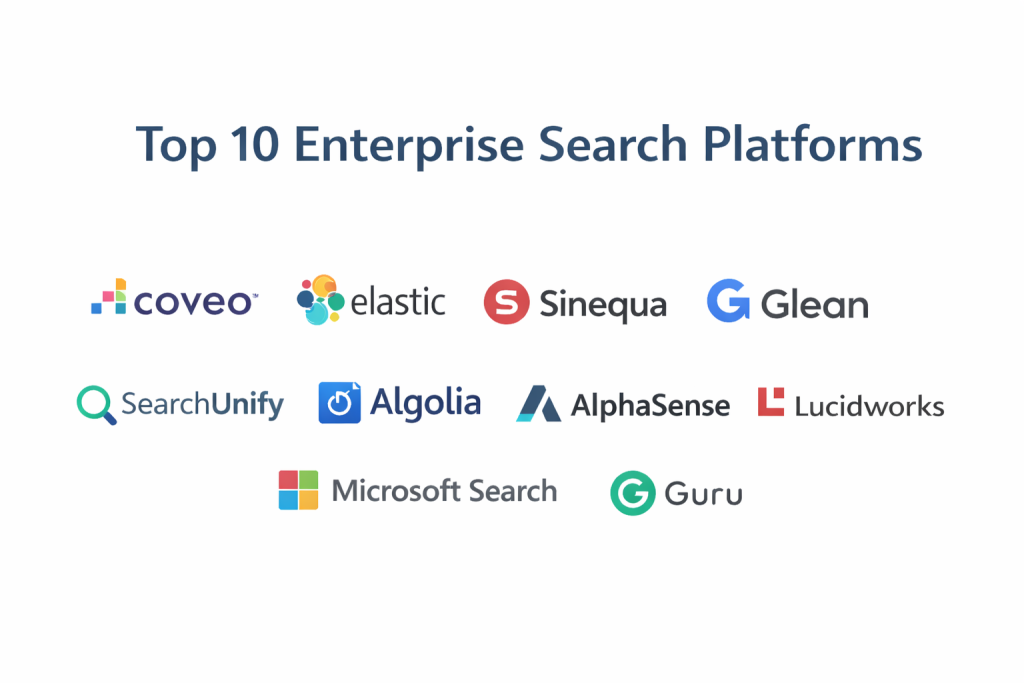
Top 10 Enterprise Search Platforms Tools
1 — Coveo
Coveo is a market leader that leverages AI and machine learning to deliver highly relevant search results and personalized content recommendations. It is designed for enterprises that want to turn search into a strategic advantage for commerce, service, and internal productivity.
- Key features:
- AI-Powered Relevance: Automatically learns from user behavior to improve search rankings over time.
- Unified Indexing: Connects to over 50+ enterprise sources including Salesforce, ServiceNow, and Jira.
- Generative Answering: Uses Large Language Models (LLMs) to provide direct answers to complex queries.
- Commerce Discovery: Specialized tools for product recommendations and navigation in e-commerce.
- Usage Analytics: Deep insights into what users are searching for and where content gaps exist.
- Security Trimming: Respects original source permissions at the indexing level.
- Pros:
- Exceptional at delivering “direct answers” rather than just a list of links.
- Highly scalable for global organizations with millions of documents.
- Cons:
- Complex implementation process requiring specialized technical knowledge.
- Pricing is on the premium end of the market spectrum.
- Security & compliance: SOC 2 Type II, HIPAA, GDPR, ISO 27001, and SSO integration.
- Support & community: Professional 24/7 support, extensive “Coveo Academy” training, and a robust developer community.
2 — Elastic (Elasticsearch)
Elastic is the powerhouse behind some of the world’s largest search implementations. It is an open-source-based platform (via the ELK stack) that offers unmatched flexibility for developers to build custom search experiences.
- Key features:
- Vector Search: Allows for “concept-based” search rather than just keyword matching.
- Elasticsearch Relevance Engine (ESRE): Built-in tools for integrating with Generative AI.
- Real-time Indexing: New data is searchable within seconds of being created.
- Scalable Architecture: Can handle petabytes of data across distributed clusters.
- Cross-Cluster Search: Search across multiple geographically dispersed data centers.
- Kibana Integration: Advanced visualization dashboard for search and system health.
- Pros:
- Completely customizable; developers can tune the search engine to exact specifications.
- Massive open-source community provides endless plugins and support.
- Cons:
- Requires a high level of technical expertise to set up and maintain.
- No “out-of-the-box” user interface; everything must be built by the customer.
- Security & compliance: SOC 2, HIPAA, GDPR, FedRAMP, and various ISO certifications.
- Support & community: Vast global community, extensive GitHub documentation, and professional support tiers for “Elastic Cloud.”
3 — Sinequa
Sinequa is an “Intelligent Search” platform tailored for the world’s most data-intensive organizations, particularly in life sciences, manufacturing, and finance. It focuses on large-scale data science and knowledge discovery.
- Key features:
- Neural Search: Uses deep learning to understand the intent behind a query.
- 200+ Connectors: Pre-built connectivity for legacy mainframes and modern SaaS apps.
- NLP and NLG: Extracts concepts and entities from unstructured text automatically.
- Expertise Finder: Identifies which employees are experts in specific topics based on their work.
- Smart Workspaces: Customizable UI for different roles (e.g., a “researcher” view vs. an “admin” view).
- Pros:
- Unrivaled for handling “Big Data” in highly regulated, technical industries.
- Strongest capability for multi-language search across global repositories.
- Cons:
- The interface can feel overwhelming for non-technical office staff.
- Long deployment cycles due to the platform’s sheer depth.
- Security & compliance: ISO 27001, GDPR, SOC 2, and high-level encryption for data at rest.
- Support & community: High-touch enterprise support and a dedicated customer success model.
4 — Glean
Glean is a modern, cloud-native search platform that prides itself on being “Google for work.” It is designed to be set up in minutes, focusing on ease of use and immediate value for remote and hybrid teams.
- Key features:
- Instantly Ready: Pre-built connectors for Slack, Drive, GitHub, and Notion.
- Glean Chat: An AI assistant that can answer questions based on company documents.
- Knowledge Management: Allows users to verify “official” answers and pin important documents.
- Personalized Feed: Suggests relevant documents based on your calendar and team activity.
- No-code Setup: Admin-friendly interface that doesn’t require a developer team.
- Pros:
- The fastest time-to-value in the category; users love the familiar UI.
- Excellent for startups and tech-forward companies with many SaaS tools.
- Cons:
- Less powerful than Sinequa or Elastic for legacy on-premise data.
- Pricing is per-user, which can become expensive as a company scales.
- Security & compliance: SOC 2 Type II, GDPR, HIPAA, and SSO (Okta, Azure AD).
- Support & community: Responsive chat support and a streamlined onboarding program.
5 — Lucidworks (Fusion)
Lucidworks Fusion is a commercial search platform built on top of Apache Solr. It is known for its heavy focus on signal processing—using user clicks and behavior to tune the search engine automatically.
- Key features:
- Signal Processing: Uses user interaction data to optimize relevancy rankings.
- Predictive Merchandising: High-end features for e-commerce search and discovery.
- Natural Language Query (NLQ): Allows users to type questions in plain English.
- Machine Learning Pipelines: Easy-to-configure workflows for data enrichment.
- Hybrid Cloud: Flexible deployment across public clouds or on-premise servers.
- Pros:
- Exceptional for retail and customer-facing search applications.
- Very strong at identifying patterns in user behavior to prevent “failed searches.”
- Cons:
- Requires a significant amount of “training data” to reach peak AI performance.
- Configuration of Solr-based pipelines can be technically challenging.
- Security & compliance: SOC 2, GDPR, HIPAA, and ISO certifications.
- Support & community: Global technical support, training courses, and a loyal user base.
6 — SearchUnify
SearchUnify is a cognitive search platform with a specific focus on customer support and self-service. It is designed to integrate into help desks like Zendesk or Salesforce Service Cloud to deflect tickets.
- Key features:
- Case Deflection: Suggests articles to customers before they submit a support ticket.
- Agent Helper: Real-time search suggestions for support agents while they chat.
- Search Analytics: Identifies “content gaps” where users aren’t finding answers.
- Cross-Silo Search: Unifies help centers, community forums, and documentation.
- ML-based Re-ranking: Adjusts results based on successful customer outcomes.
- Pros:
- The best ROI for companies looking to reduce customer support costs.
- Very easy to integrate into common help desk software.
- Cons:
- Less focused on internal “knowledge worker” productivity than Glean or Coveo.
- Advanced AI features are locked behind higher pricing tiers.
- Security & compliance: SOC 2 Type II, GDPR, and HIPAA compliant.
- Support & community: High-quality onboarding and dedicated customer success managers.
7 — Algolia
Algolia is a “Search-as-a-Service” platform that focuses on lightning-fast speed and developer ease. While famous for e-commerce, its “NeuralSearch” makes it a viable choice for internal enterprise apps.
- Key features:
- Instant-on Search: Results appear as you type (search-as-you-type).
- NeuralSearch Engine: Combines keyword and vector search for extreme accuracy.
- Developer APIs: Extensive SDKs for nearly every programming language.
- Geo-distributed Servers: Ensures sub-millisecond latency globally.
- A/B Testing: Built-in tools to test different search ranking configurations.
- Pros:
- The fastest search performance in the industry.
- Extremely easy for developers to integrate into custom web portals.
- Cons:
- Not a “plug-and-play” internal search; requires building a UI.
- Can be expensive for high-volume indexing of large document repositories.
- Security & compliance: ISO 27001, SOC 2, HIPAA, and GDPR compliant.
- Support & community: Massive developer community, extensive documentation, and 24/7 support.
8 — AlphaSense
AlphaSense is a specialized enterprise search platform for the financial and corporate strategy sectors. It focuses on searching high-value external market data alongside internal research.
- Key features:
- Market Intelligence: Search across millions of broker reports, transcripts, and filings.
- Sentiment Analysis: AI that detects the “tone” of financial documents.
- Smart Synonyms: Understands financial jargon (e.g., “top line” vs. “revenue”).
- Automated Alerts: Get notified when a keyword appears in new filings or internal docs.
- Internal Research Search: Securely indexes your company’s own PDFs and spreadsheets.
- Pros:
- The absolute best choice for financial analysts and corporate strategy teams.
- Combines “Internal” and “External” search into one powerful view.
- Cons:
- Not a general-purpose search for HR or IT departments.
- Very high cost per user.
- Security & compliance: SOC 2, GDPR, and high-level encryption for private research.
- Support & community: Dedicated research analysts and high-end enterprise support.
9 — Guru
Guru is a unique hybrid of a wiki and an enterprise search platform. It focuses on “verified knowledge,” using its search engine to pull info into Slack and Teams.
- Key features:
- Browser Extension: Search your company’s knowledge base from any tab.
- AI Suggest: Proactively pushes information to agents based on the context of their chat.
- Verification Workflow: Ensures that searched info is still accurate and up-to-date.
- Slack/Teams Search: Search and share “cards” directly within chat apps.
- Knowledge Triggers: Automatically shows relevant info based on the URL a user is visiting.
- Pros:
- Ensures that the information employees find is actually true and verified.
- Excellent for sales and support teams that need quick, bite-sized answers.
- Cons:
- Not designed for searching massive repositories of long-form PDFs or code.
- Requires a culture of “manual documentation” to be effective.
- Security & compliance: SOC 2 Type II, GDPR, and HIPAA compliant.
- Support & community: Active user community, webinars, and responsive support.
10 — Microsoft Search
Microsoft Search is the built-in enterprise search for the Microsoft 365 ecosystem. For organizations already paying for M365, it provides a highly integrated, “free” search experience.
- Key features:
- M365 Native: Search across Teams, SharePoint, Outlook, and OneDrive.
- Microsoft Graph Connectors: Add-ons to search non-Microsoft data like Salesforce or ServiceNow.
- Bing Integration: See internal results alongside public web results in the Bing browser.
- Natural Language Queries: Use AI to find “The marketing plan from last Tuesday.”
- Centralized Admin: Manage search results and “Acronyms” from the M365 admin center.
- Pros:
- Already included in most business subscriptions; no additional cost.
- Zero setup required for basic Microsoft-based searching.
- Cons:
- Search relevance is often lower than specialized AI platforms like Coveo.
- Integration with non-Microsoft data can be clunky and require extra licensing.
- Security & compliance: Fully compliant with Microsoft 365 standards (HIPAA, GDPR, FedRAMP).
- Support & community: Standard Microsoft enterprise support and a massive global community.
Comparison Table
| Tool Name | Best For | Platform(s) Supported | Standout Feature | Rating (Gartner) |
| Coveo | AI-driven Experience | Cloud / SaaS | Generative Answering | 4.7 / 5 |
| Elastic | Custom Development | Self-host / Cloud | Vector Search Engine | 4.8 / 5 |
| Sinequa | Big Data / R&D | Cloud / Hybrid | 200+ Connectors | 4.6 / 5 |
| Glean | Remote/SaaS Teams | Cloud / SaaS | Google-like UX | 4.8 / 5 |
| Lucidworks | Retail / Customer | Cloud / Hybrid | Signal Processing | 4.4 / 5 |
| SearchUnify | Customer Support | Cloud / SaaS | Case Deflection AI | 4.5 / 5 |
| Algolia | Speed / Commerce | API / Cloud | Search-as-you-type | 4.7 / 5 |
| AlphaSense | Finance / Strategy | Cloud / Web | Market Data Bundling | 4.7 / 5 |
| Guru | Verified Answers | Extension / Web | Verification Workflows | 4.6 / 5 |
| MS Search | M365 Ecosystem | Windows / Web | Native Office Integration | 4.2 / 5 |
Evaluation & Scoring of Enterprise Search Platforms
Selecting a platform requires balancing technical capability with the reality of your organization’s budget and technical skills. We evaluate these platforms using a weighted rubric that prioritizes “Core Features” and “Integrations.”
| Criteria | Weight | Evaluation Rationale |
| Core Features | 25% | AI quality, semantic search, and semantic ranking. |
| Ease of Use | 15% | The intuitiveness of the interface for average employees. |
| Integrations | 15% | Breadth and depth of the connector ecosystem. |
| Security & Compliance | 10% | Encryption, permissions (security trimming), and SSO. |
| Performance | 10% | Indexing speed, search latency, and global uptime. |
| Support & Community | 10% | Documentation, user forums, and 24/7 technical help. |
| Price / Value | 15% | Licensing cost relative to the time saved (ROI). |
Which Enterprise Search Platforms Tool Is Right for You?
Solo Users vs SMB vs Mid-Market vs Enterprise
If you are a solo user, you do not need these tools; desktop search or simple cloud storage search is enough. For SMBs (under 100 employees), Glean or Microsoft Search provide the easiest path to organization. Mid-Market firms requiring better relevance should look at Coveo. Enterprises and multi-national giants with massive technical documentation and legacy data will find the necessary power in Sinequa, Lucidworks, or Elastic.
Budget-Conscious vs Premium Solutions
If budget is the primary driver, Microsoft Search is the winner as it is already paid for in your Office 365 subscription. If you have the internal talent, Elastic (Self-hosted) is highly cost-effective. For Premium solutions where accuracy is paramount, the investment in Coveo or Glean is justified by the massive reduction in employee search time.
Feature Depth vs Ease of Use
If you need extreme feature depth (e.g., searching chemical formulas or complex manufacturing blueprints), Sinequa or Elastic are the leaders. If you want ease of use so your sales team can find a pitch deck without training, Glean or Guru are far more approachable.
Frequently Asked Questions (FAQs)
1. Is Enterprise Search different from Google?
Yes. While Google searches the public web, Enterprise Search indexes private, internal data. It must also handle complex permissions (security trimming) to ensure people don’t see files they aren’t allowed to access (like payroll or HR files).
2. Can these platforms search inside images and PDFs?
Most modern platforms use OCR (Optical Character Recognition) to read text within PDFs and images. High-end tools like Coveo and Sinequa are particularly good at this.
3. Does Enterprise Search use AI?
In 2025, yes. Leading platforms use Semantic Search (understanding meaning, not just keywords) and Generative AI (summarizing results into a direct answer).
4. How long does it take to implement?
A SaaS tool like Glean can be live in a few hours. A massive enterprise implementation like Sinequa or Lucidworks can take 3 to 9 months of data mapping and tuning.
5. How much do these platforms cost?
Pricing varies widely. SaaS tools often charge per user ($15–$50/month). Enterprise platforms often have a base fee (e.g., $20k/year) plus indexing volume or user fees.
6. Is my data safe with a cloud-based search?
Yes, provided you choose a provider with SOC 2 Type II and encryption at rest. Most enterprise platforms are designed to index your data without ever actually seeing the content themselves.
7. Can it search my Slack and Microsoft Teams messages?
Most modern platforms have dedicated connectors for chat apps. This is one of the highest-value features, as it captures the “informal knowledge” often lost in chat threads.
8. What is “Security Trimming”?
It is the most important feature of enterprise search. It ensures that if a user searches for “salaries,” they only see documents they have permission to view in the original source (like SharePoint or Workday).
9. Why is search relevance so hard to get right?
Because the same word can mean different things in different departments. “Sprint” means something specific to a developer but something different to a track coach. AI helps the engine learn these contextual differences.
10. Do I need a developer to manage these?
For Glean, Guru, or MS Search, no. For Elastic, Lucidworks, or Algolia, you will absolutely need a dedicated developer or search architect.
Conclusion
The “best” Enterprise Search Platform is the one that successfully breaks down the silos unique to your company. For organizations that live and die by their technical data, the depth of Sinequa and Elastic is essential. For modern, fast-moving teams that want a “plug-and-play” experience, Glean has redefined the market. And for those already in the Microsoft world, Microsoft Search provides a solid, zero-cost foundation.
Before you buy, perform a “Search Audit.” Ask your employees where they struggle to find information. If they can’t find files in SharePoint, start with MS Search. If they can’t find info across 20 different SaaS apps, look at Glean or Coveo. The right tool will turn your company’s disorganized data into its greatest competitive edge.